Our readers keep the lights on and my smoothie glass nicely filled. As an Amazon Associate, I earn from qualifying purchases.
Specs are compiled from manufacturer listings and verified buyer reviews and can change over time — please confirm the key details on the product page before buying.
An engineering program demands a laptop that can run CAD (computer-aided design software), compile code, and run simulation software without begging for mercy. The wrong choice means lag in SolidWorks, crashes during a live render, or a battery that dies before your afternoon lab. You need a machine where the GPU (graphics processing unit — the chip that handles visual tasks), RAM (random-access memory — keeps many programs open at once), and processor are matched to the workload — and this guide breaks down exactly which models deliver that.
I’m Mohammad Maruf — the founder and writer behind WellFizz. This guide is built by comparing the manufacturers’ published specifications and the patterns across verified customer reviews, so you get each pick’s real strengths and trade-offs instead of marketing spin.
The right laptop for you lives at the intersection of GPU power, RAM capacity, battery endurance, and portability — and these three models represent the best options for different kinds of engineering students. After reading, you will know exactly which computers for engineering students suits the way you actually work.
Our Picks at a Glance

How To Choose The Best Laptops For Engineering Students
Engineering software is hungry. AutoCAD, SolidWorks, MATLAB, and ANSYS all lean hard on the processor and the graphics card. A general-purpose laptop that feels fast in a web browser will choke on a 3D render or a finite-element analysis. Three specs dominate the decision: the dedicated GPU (graphics processing unit, the chip that handles visual and compute-heavy tasks), the amount of RAM (random-access memory, which keeps many programs open at once), and the battery capacity (how long it lasts away from a wall outlet).
Dedicated GPU — The Non-Negotiable
A laptop with only an integrated graphics chip (built into the processor) will struggle with real-time 3D modeling and simulation. You need a dedicated GPU from NVIDIA or AMD. For engineering students, an NVIDIA RTX 4050 or higher is the safe baseline. The RTX 5050 in the LG gram Pro, for example, can handle both rendering and light gaming. The RTX 5070 in the GIGABYTE AERO steps up performance for more demanding workloads, while the HP ZBook carries an RTX PRO 1000 Blackwell GPU with 8GB of dedicated memory — designed specifically for professional ISV applications like AutoCAD and SolidWorks.
RAM and Storage — More Than You Think
Engineering workflows eat RAM. Running SolidWorks, a browser with research tabs, and MATLAB at the same time can push past 16GB quickly. 32GB is the balance for most students. The LG gram Pro and GIGABYTE AERO both come with 32GB of DDR5 RAM, which handles multitasking smoothly. The HP ZBook X G1i doubles that to 64GB, which matters if you work with large assemblies or simulation datasets. Storage follows the same logic: 1TB SSD is comfortable, but 2TB (as seen in the LG and HP) means you won’t uninstall projects to free space.
Battery Life vs. Portability
A heavy workstation that lasts four hours is useless in a full day of back-to-back lectures. The lightest option here is the LG gram Pro at 3.3 lbs with a 17-inch screen and a 25-hour battery rating — an unusual combination. The GIGABYTE AERO is slightly heavier at 4.18 lbs but offers a 14-hour battery. The HP ZBook is the heaviest and least portable of the three, but its 83Wh battery (watt-hours, a measure of energy storage) supports all-day productivity for processor-intensive tasks. Your choice depends on whether you camp in one lab all day or move between buildings constantly.
Quick Comparison
| Model | Best For | GPU | RAM | Battery Life | Amazon |
|---|---|---|---|---|---|
| LG gram Pro 17★ Best Overall | Ultra-portable all-day power | NVIDIA RTX 5050 | 32GB DDR5 | 25 hours | Amazon |
| GIGABYTE AERO X16 | High-refresh gaming + creator work | NVIDIA RTX 5070 | 32GB DDR5 | 14 hours | Amazon |
| HP ZBook X G1i | Professional workstation and ISV apps | NVIDIA RTX PRO 1000 8GB | 64GB DDR5 | All-day (83Wh) | Amazon |
In‑Depth Reviews
1. LG gram Pro 17 (32GB, 2TB)
Our pick — over 4★ from 30+ verified ratings; the strongest balance of quality and price.
The featherlight 17-inch that refuses to quit before you do.
This laptop solves the engineering student’s hardest trade-off: you need a big screen for CAD work, but you cannot carry a brick across campus. The LG gram Pro weighs just 3.3 lbs and is only 0.6 inches thin, yet it packs a 17-inch display — the largest screen in this lineup by 6% compared to the GIGABYTE AERO’s 16-inch panel. And it passes seven military-grade durability standards (a set of tests for drops, vibrations, and temperature extremes), meaning it survives a stuffed backpack.
Under the hood, the Intel Core Ultra 9 processor (reaching 5.4 GHz) pairs with an NVIDIA RTX 5050 GPU and 32GB of DDR5 RAM. That is enough to run SolidWorks or video editing without lag, and the 2TB SSD provides 2TB of storage, while the GIGABYTE AERO has 1TB. The battery is the star here: rated at 25 hours of video playback, which means a full day of classes, labs, and library sessions on a single charge. Buyers report it can even handle games like CS2 and Fortnite at great frame rates. The thing everyone raves about is performance: it simply never feels laggy, even with demanding applications. The only real catch is the premium price (which reflects the ultra-light design) and the lack of an Ethernet port, so you rely on Wi-Fi 7 and Bluetooth 5.4 for connectivity.
What wins people over
- Slim and light at 3.3 lbs with a 17-inch screen — unusual combination
- 2TB SSD, while the GIGABYTE AERO has 1TB
- 25-hour battery life covers a full day without charging
- NVIDIA RTX 5050 handles light gaming and rendering
The honest trade-offs
- Premium price reflects the ultra-light design
- No Ethernet port — relies on Wi-Fi 7
- Some pre-installed bloatware reported during setup
Ideal for: Engineering students who move between buildings all day and want a large, portable screen that lasts through lectures and lab work without reaching for a charger.
Think twice if: Your workflow needs a wired network connection or you work on massive assemblies that would benefit from 64GB of RAM — consider the HP ZBook instead.
2. GIGABYTE AERO X16 (RTX 5070, 32GB)

A 165Hz powerhouse that blurs the line between workstation and gaming rig.
Where the LG gram Pro prioritizes portability, the GIGABYTE AERO X16 leans into raw performance and a stunning display. Its 16-inch WQXGA panel (2560×1600 resolution, sharper than standard HD) runs at 165Hz (a variable refresh rate — the screen updates 165 times per second), which makes scrolling through large CAD files feel fluid and reduces eye strain during long modeling sessions. The screen resolution is noticeably sharper than the HP ZBook’s 1920×1200 panel, so you see more detail in complex designs.
The AMD Ryzen AI 9 HX 370 processor and NVIDIA RTX 5070 GPU (with Blackwell architecture) form a potent pair. This is the strongest GPU in the lineup on paper, and buyers confirm it handles almost every game and creative task with ease. The laptop runs cool — CPU and GPU stay in the mid-60s°C under load with a cooling pad — and the aluminum chassis feels premium. The keyboard and trackpad are responsive, and boot times are instant thanks to fast RAM and SSD. One buyer summed it up: “this is a solid, fast, well built Laptop of high quality.”
Performance anchor: This is the pick for engineering students who also game or do GPU-intensive rendering — the RTX 5070 and 165Hz screen make it equally capable in both worlds.
The catch: At 4.18 lbs, it weighs 4.18 lbs versus the LG gram Pro’s 3.3 lbs, and a few owners mention a BIOS bug that affects a specific game (Call of Duty). The fan noise is only audible under heavy gaming, not during everyday work.
Reach for this if: You want a high-refresh display for smooth CAD work and the GPU headroom for gaming on the side, and you can accept a slightly heavier carry.
Look elsewhere if: All-day battery life and the lightest possible weight are your top priorities — the LG gram Pro beats it decisively on both fronts, with a 25-hour battery versus 14 hours and a 3.3 lb weight versus 4.18 lbs.
3. HP ZBook X G1i (64GB, 2TB, RTX PRO)
The desktop-grade workstation that compiles and renders without flinching.
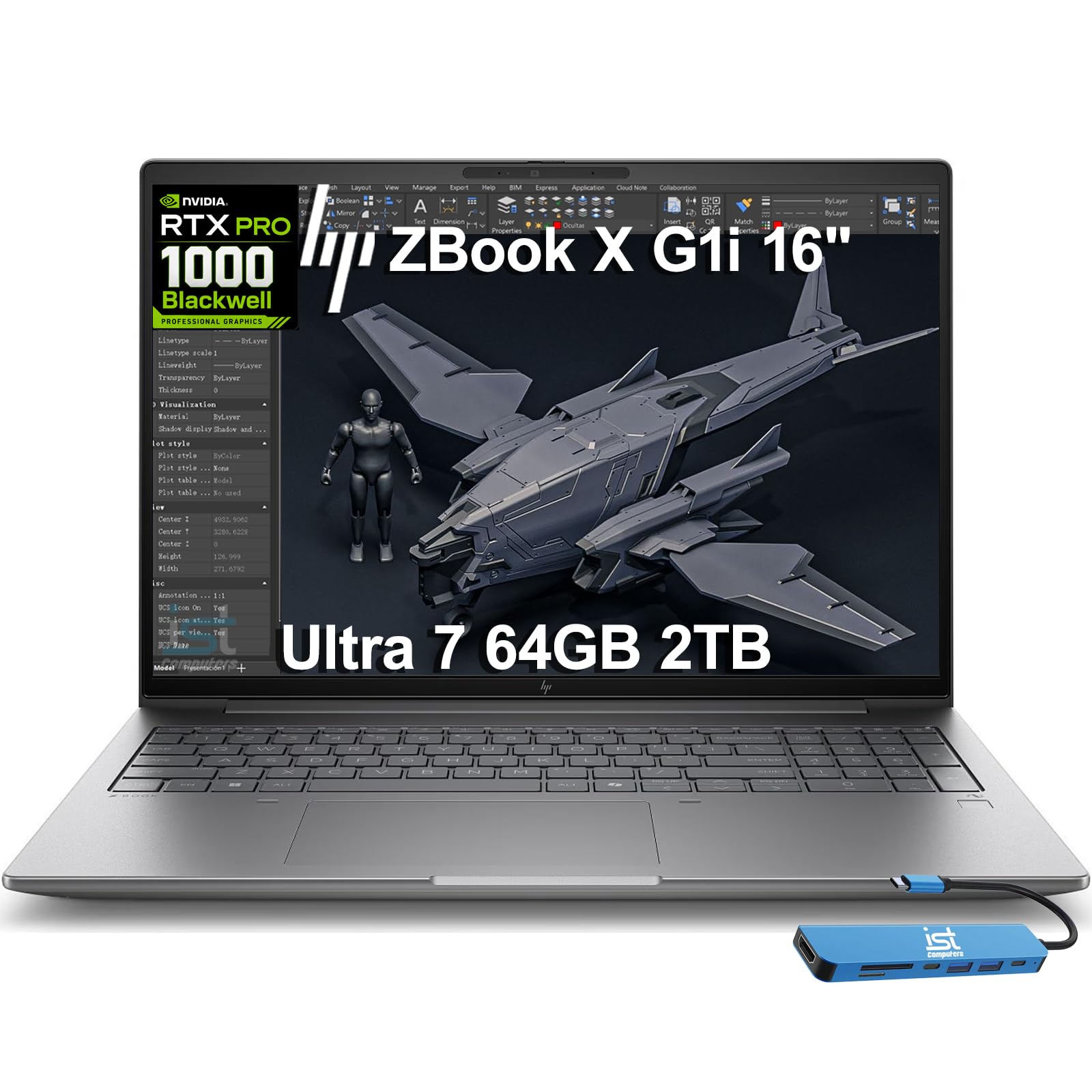
This is the machine you reach for when RAM is a bottleneck. The HP ZBook X G1i carries 64GB of DDR5 RAM — double the capacity of the LG gram Pro and GIGABYTE AERO, both at 32GB — and a 2TB SSD that matches the LG’s storage. It is purpose-built for ISV (Independent Software Vendor) applications like AutoCAD, SolidWorks, Revit, ANSYS, and MATLAB, with certifications that mean the manufacturer has tested it to run those programs reliably.
The Intel Core Ultra 7 265H processor (16 cores, up to 5.3 GHz) and the NVIDIA RTX PRO 1000 Blackwell GPU with 8GB of dedicated GDDR7 memory form the core. This GPU is a professional-grade card, not a gaming card, which matters if you work with simulations, finite-element analysis, or AI development. The 16-inch WUXGA IPS display (1920×1200 resolution with in-plane switching, so colors look consistent, even at wide angles) is anti-glare, so you can work near a window without fighting reflections, and it supports three external monitors via HDMI 2.1 and Thunderbolt 4 — all without a docking station. Owners mention it handles video editing and animation without a hitch: it loads large raw files quickly and runs CPU-intensive processing with zero lag. The build includes HP Wolf Pro Security for one year and a 5MP IR webcam with AI noise suppression for clear video calls. The trade-off is clear: this is the heaviest and least portable option here, and the single reported issue was a blue screen after a software update on one unit.
Raw power verdict: If your engineering work involves large assemblies, simulation datasets, or AI model training, the 64GB RAM and professional GPU make this the only choice that won’t force you to close one app to open another.
Honest limitation: The portability gap versus the LG gram Pro is significant — expect to treat this as a laptop you move between a home desk and a lab desk, not one you carry all day across campus.
Ideal for: Senior engineering students, grad students, and researchers running RAM-hungry simulations, finite-element analysis, or AI development who need ISV certification for their software.
Skip if: You need to carry your laptop between three different buildings every day — the lighter LG gram Pro or GIGABYTE AERO will save your shoulders.
Understanding the Specs
Dedicated GPU (Graphics Processing Unit)
This is the chip that handles the heavy lifting for 3D modeling, rendering, and simulations. An integrated GPU (built into the processor) is fine for web browsing but will choke on SolidWorks or AutoCAD. A dedicated NVIDIA RTX GPU (like the 5050, 5070, or RTX PRO 1000) has its own video memory (VRAM, or video random-access memory) and handles these tasks smoothly. For engineering students, 6GB or more of VRAM is a good target.
ISV Certification
An ISV (Independent Software Vendor) certification means the laptop manufacturer has tested it to run specific professional software — like AutoCAD, SolidWorks, or MATLAB — and guarantees stable performance. Not all laptops have it, and you do not strictly need it for every engineering program, but it is a strong sign that the machine will handle that software without crashes or driver issues. The HP ZBook X G1i explicitly lists these certifications.
RAM — How Much is Enough?
RAM (Random-Access Memory) is your laptop’s short-term memory. 16GB is the absolute minimum for engineering software. 32GB is comfortable and lets you run SolidWorks, a browser, and MATLAB simultaneously. 64GB is for heavy simulation, large assemblies, or AI workloads. The three picks here span 32GB to 64GB, so you choose based on how much multitasking you do.
Battery Life and Weight Trade-off
A laptop with a larger battery and a lighter chassis costs more to engineer. The LG gram Pro shows this clearly: 3.3 lbs and 25-hour battery is a rare achievement, but it comes at a premium price. A heavier workstation like the HP ZBook packs more RAM and a professional GPU but weighs more and has a shorter battery life. Decide which end of the spectrum your daily schedule demands.
FAQ
Do I need a dedicated GPU for engineering school?
Is 16GB of RAM enough for an engineering student?
What is an ISV certification and do I need it?
Will a gaming laptop work as an engineering laptop?
How much storage do I need for engineering files?
What is the difference between an RTX 5050 and an RTX 5070?
Can I run SolidWorks on a lightweight laptop like the LG gram Pro?
How important is screen size for engineering work?
Final Thoughts: The Verdict
If you want one dependable pick, the computers for engineering students winner is the LG gram Pro 17 because it solves the core problem — portability plus power — better than anything else here. If you want a high-refresh display and the GPU muscle for both CAD and gaming, grab the GIGABYTE AERO X16. And for simulation-heavy workloads or use of professional software with ISV certification, the HP ZBook X G1i is the one to reach for — its 64GB of RAM and RTX PRO GPU are in a different league.
How We Picked
We do not accept paid placement. Every pick is matched to a real buyer and a real use-case; we do not hands-on test units.
Sources & Methodology
Specifications: manufacturer listings and product documentation. Review insights: verified customer reviews, as of July 2026. Pricing: not shown on this page (it changes often); check the current price via the retailer link.
As an Amazon Associate, WellFizz earns from qualifying purchases. This does not affect which products we feature.
Related Guides

Mo Maruf
I created WellFizz to bridge the gap between vague wellness advice and actionable solutions. My mission is simple: to decode the research and give you practical tools you can actually use.
Beyond the data, I am a passionate traveler. I believe that stepping away from the screen to explore new environments is essential for mental clarity and physical vitality.