Our readers keep the lights on and my smoothie glass nicely filled. As an Amazon Associate, I earn from qualifying purchases.
As a business major, your laptop is the tool for endless spreadsheets, financial modeling, group presentations, and juggling a dozen browser tabs for research. The wrong machine means lag in a pivot table, a dead battery before your afternoon class, or a fan that roars during a quiet library session. The right choice keeps you in flow, focused on the data, not the hardware.
I’m Mohammad Maruf — the founder and writer behind WellFizz. I’ve spent countless hours analyzing processor benchmarks, battery runtimes, display quality, and portability metrics across dozens of laptops to zero in on the machines that truly support a business student’s demanding workflow.
Whether you are building a complex DCF model in Excel or running a live poll for a marketing presentation, the right hardware makes the difference. This guide breaks down the top options for the best computers for business majors based on real-world academic needs and rigorous spec analysis.
How To Choose The Best Computers For Business Majors
Business programs demand a specific balance: enough processing power for data-heavy software, long battery life for back-to-back classes, and a durable, portable design for campus life. Here are the key factors that define a great business school laptop.
Processor Power: More Cores for Multitasking
A modern Intel Core i5 or Apple Silicon chip is the baseline for running Excel, a dozen browser tabs, and a video call simultaneously. For financial modeling or data analysis with large datasets, an Intel Core 7 or Ultra 7 processor or an A18 Pro chip provides the headroom to keep calculations snappy. Avoid older dual-core processors, which will struggle with multitasking and modern Windows updates.
RAM and Storage: The Speed and Space Duo
For a business major, 16GB of RAM is the sweet spot. It allows you to have multiple Office applications, Slack, and research papers open without slowdown. Storage should be at least 512GB SSD for your coursework, projects, and software. If you work with large datasets or media files, consider 1TB or more. The speed of an SSD is non-negotiable for quick boot times and file access.
Display and Portability: See Clearly, Move Easily
A 15.6-inch or 16-inch screen is ideal for seeing more of your spreadsheet, but it must come in a lightweight package (under 4 pounds) for easy campus commutes. A 1080p resolution is a minimum, while higher resolutions like 2.5K or 3:2 aspect ratios offer more vertical space for documents. Also consider a touchscreen for intuitive interaction with presentations and reports.
Battery Life: Survive the Full Day
Look for a laptop that offers at least 10 hours of real-world battery life. The day of a business major rarely ends after a single lecture. You will have study groups in the library, research sessions in a coffee shop, and late-night project work. A machine that can last a full day without a charge is a significant advantage that reduces the anxiety of searching for an outlet.
Build Quality and Keyboard: Daily Drivers
Your laptop will be opened and closed dozens of times a day, moved between backpacks, and used for hours of typing. A sturdy aluminum or magnesium alloy chassis provides long-term durability. A comfortable, responsive keyboard with good key travel is critical for writing lengthy case studies, reports, and emails. A backlit keyboard is a must-have for late-night work in dimly lit rooms.
Quick Comparison
On smaller screens, swipe sideways to see the full table.
| Model | Category | Best For | Key Spec | Amazon |
|---|---|---|---|---|
| Lenovo ThinkPad X1 Carbon Gen 13 | Premium Ultraportable | Executive-level portability & build | 14″ 2.8K OLED, 2.17 lbs | Amazon |
| Microsoft Surface Laptop (2024) | Copilot+ PC | AI features & premium touchscreen | 13.8″ Touch, Snapdragon X Elite | Amazon |
| LG gram Pro 17 | Lightweight Powerhouse | Large screen, ultra-light design | 17″ 3.3 lbs, RTX 5050 | Amazon |
| Dell Latitude 3550 | Business Workstation | Massive RAM for heavy multitasking | 64GB DDR5, Intel Ultra 7 | Amazon |
| HP EliteBook 6 16 | Professional Grade | Enterprise security & ports | Intel Ultra 7, 32GB RAM | Amazon |
| LG 2025 Gram 17 | Ultra-Light Touchscreen | Portable 17″ with touch | 17″ 2.5K Touch, 3.2 lbs | Amazon |
| GEEKOM GeekBook X16 Pro | High-Performance Value | Creative & data-intensive tasks | 16″ 2.5K, 32GB RAM, 2TB SSD | Amazon |
| HP 17.3″ Business Laptop | Large Screen Value | Massive storage for media files | 17.3″, 64GB RAM, 2.2TB Storage | Amazon |
| ASUS Vivobook 14 | Compact & Capable | Portable daily driver with big storage | 14″ FHD, 1TB SSD, 12GB RAM | Amazon |
| Apple MacBook Neo 13 | Ecosystem Value | Seamless Apple integration | 13″ Liquid Retina, A18 Pro | Amazon |
| Samsung Galaxy Book4 Business | Balanced Business | Solid all-around business specs | 15.6″ FHD, 16GB RAM, Intel 7 | Amazon |
| HP 15 Touchscreen Business | Interactive Touch | Touchscreen for presentations | 15.6″ FHD Touch, i7, 16GB RAM | Amazon |
| Lenovo Portable Laptop (V15) | Entry-Level Workhorse | Budget-friendly with Office 365 | 16GB DDR4, 512GB SSD, Dual-Core | Amazon |
In‑Depth Reviews
1. Lenovo ThinkPad X1 Carbon Gen 13 Aura Edition

This is the definitive laptop for business majors who prioritize portability without sacrificing performance. Weighing just over two pounds, the X1 Carbon Gen 13 is exceptionally easy to carry between classes and meetings. The 14-inch 2.8K OLED display is stunning, providing incredible clarity for financial models and detailed reports, with deep blacks and vibrant colors that make a standard 1080p screen feel dated. The MIL-STD-810H certification assures its durability for a mobile student life.
Under the hood, the Intel Core Ultra 7 258V with 32GB of RAM ensures that demanding business software runs without a hitch. The dedicated NPU accelerates AI tasks in Windows Copilot, making on-device data analysis and summarization more efficient. The inclusion of a 1080p IR webcam and fingerprint reader provides quick, secure access, and the backlit keyboard — a ThinkPad hallmark — offers excellent tactile feedback for long typing sessions. The bundled 7-in-1 hub also adds welcome connectivity flexibility.
The premium price is justified by the build quality, superior display, and incredibly light chassis. It is a machine built for the road warrior, meaning it will serve a business student through four years of intense use and into their professional career. While it is not a gaming laptop, its integrated Intel Arc Graphics handle casual creative tasks well. For any student who values the absolute best in portability and screen quality, this is the top pick.
Why it’s great
- Exceptionally lightweight (2.17 lbs) for its screen size and power.
- Outstanding 2.8K OLED display with 100% DCI-P3 for vibrant, accurate colors.
- Premium build quality and one of the best keyboards for typing.
Good to know
- High price point makes it a significant investment.
- Only one USB-A port, requiring a hub for legacy peripherals.
- Integrated graphics are not for demanding gaming or 3D rendering.
2. Microsoft Surface Laptop (2024)

The 2024 Surface Laptop is a formidable entry in the business laptop space, particularly for students embedded in the Microsoft ecosystem. Its Copilot+ PC designation means it is optimized for AI features. The Snapdragon X Elite chip delivers a performance profile that rivals the MacBook Air M3 in raw speed, with a blazing-fast NPU for real-time AI tasks. The 13.8-inch touchscreen display is a highlight, offering a unique 3:2 aspect ratio perfect for reading documents without scrolling.
With up to 20 hours of battery life, this laptop is a true all-day companion for a business major, easily surviving back-to-back classes, study sessions, and presentations. The keyboard is excellent, with great key travel, and the lightweight, premium magnesium-aluminum build feels robust. The haptic trackpad is responsive and satisfying. Having both USB-C and a USB-A port is a practical advantage, reducing the need for dongles on campus.
The ARM architecture is the main factor to consider. While most business applications (Office, browsers, streaming) run flawlessly, some specialized legacy or professional software may have compatibility issues or require emulation. If your curriculum relies on niche Windows x86 applications, this could be a limitation. However, for the standard range of business school software, it offers a fantastic blend of design, battery life, and next-gen AI capabilities.
Why it’s great
- Superb battery life that can easily last two full school days.
- Beautiful, sharp, and responsive 3:2 touchscreen display.
- Fast performance and smooth multitasking for business apps.
Good to know
- ARM architecture may cause compatibility issues with some niche x86 software.
- Port selection is limited to just a couple of ports.
- Base storage (256GB) is insufficient for many; the 512GB model is recommended.
3. LG gram Pro 17

The LG gram Pro 17 redefines what’s possible in a large-screen laptop. Weighing just 3.3 pounds, it offers a massive 17-inch display in a chassis that feels more like a 15-inch machine. For business majors who need screen real estate for complex spreadsheets, research, or data visualization, this is a game-changer. The high-resolution 2560×1600 screen with a variable 144Hz refresh rate provides smooth scrolling and clear text, reducing eye strain during long study hours.
Powered by an Intel Core Ultra 9 285H processor and an NVIDIA RTX 5050 GPU, this laptop is not just for productivity. The graphics power means it can handle data visualization tools like Tableau or Power BI with ease, and even manage some light editing or 3D modeling. The 32GB of RAM and 2TB SSD provide ample space and speed for any project. The hybrid LG gram AI solution, combining on-device and cloud AI, provides tools for smart file search and system optimization.
Its high price is justified by the unparalleled combination of a massive screen, ultra-light weight, and dedicated graphics. This is for the student who sees their laptop as their primary workstation and wants a desktop-level experience on the go. The 90Wh battery offers up to 25 hours of video playback, though real-world use will be lower, it is still excellent. The lack of an Ethernet port is a minor drawback in an otherwise remarkable package.
Why it’s great
- Extremely lightweight (3.3 lbs) for a 17-inch laptop with discrete graphics.
- Stunning display with high resolution and a smooth 144Hz refresh rate.
- Powerful CPU and RTX 5050 GPU for demanding apps and light gaming.
Good to know
- Premium price point reflects its cutting-edge specs and design.
- The chassis, while light, can feel slightly flexy under pressure.
- Speakers are bottom-firing, which can muffle sound on soft surfaces.
4. Dell Latitude 3550

This Dell Latitude is designed for the data-intensive business major. Its standout feature is the massive 64GB of DDR5 RAM, which is extraordinary for a laptop and perfect for running multiple virtual machines. This is the ideal machine for a student in a data science-heavy business program, where you might need to run large simulations or complex datasets in memory without a single stutter. The Intel Core Ultra 7 155U with its dedicated NPU brings AI acceleration to the table for enhanced productivity.
The 15.6-inch FHD anti-glare display is standard but functional, making it suitable for long work sessions without reflections. Dell’s Latitude series is known for build quality and business-grade support. The backlit keyboard with a numeric keypad is a big plus for number-crunching in Excel. Connectivity is robust with USB4, HDMI, and RJ-45 Ethernet, making it easy to connect to campus networks and peripherals.
Despite its powerful specs, the display is only 1080p and at 250 nits, it is not as vibrant as OLED options. The audio quality has been noted as a weak point, which may require external speakers for clear video calls. However, for raw processing power and the ability to handle any multitasking scenario a business major can create, the 64GB of RAM is an unbeatable feature for serious data analysis.
Why it’s great
- Exceptional 64GB DDR5 RAM for running heavy datasets and virtual machines.
- Robust build quality and business-grade security features.
- Excellent port selection including USB4 and RJ-45 Ethernet.
Good to know
- Display quality is average in brightness and color accuracy.
- Audio quality is below par for music and video calls.
- Heavier and bulkier than ultraportable competitors.
5. HP EliteBook 6 16

The HP EliteBook is engineered for the professional environment, making it a fantastic choice for a business major who values security and reliability. Powered by the Intel Core Ultra 7 255U with 32GB of DDR5 RAM, it delivers fast, efficient performance for Office, accounting software, and data analysis. The 16-inch display with a 1920×1200 resolution provides a bit more vertical space than standard 1080p, which is helpful for viewing larger spreadsheets. The inclusion of a fingerprint reader and Windows 11 Pro offers enterprise-grade security out of the box.
Connectivity is a major strength here, featuring Thunderbolt 4, HDMI 2.1, and RJ-45 Ethernet. This allows you to easily connect to a docking station at the library or university computer lab. The spill-resistant backlit keyboard with a numeric keypad is a thoughtful design for a busy student, protecting against accidental drink spills. The included mouse is a nice bonus, but the precision clickpad is perfectly serviceable on its own.
The overall performance is excellent for business tasks, and the build quality inspires confidence. The main drawback for some students will be the weight and thickness, which is more substantial than ultraportable alternatives like the X1 Carbon. The speakers have also been noted as lacking in volume, so good headphones are recommended for Zoom calls. For a student who wants a durable, secure, and port-rich machine that mirrors a corporate laptop, the EliteBook is a strong value.
Why it’s great
- Professional build quality and enterprise-level security features.
- Excellent port selection including Thunderbolt 4 and RJ-45 Ethernet.
- Fast charging and a comfortable, spill-resistant backlit keyboard.
Good to know
- Heavier and thicker than many competitors in its class.
- Speaker volume is underwhelming for group settings.
- Priced in the premium segment for its spec tier.
6. LG 2025 Gram 17

The LG gram 17 continues the legacy of being one of the lightest 17-inch laptops, now with a touchscreen. For a business major who wants to interact directly with data or annotate documents during a presentation, the touch functionality is a genuine asset. The 2560×1600 WQXGA display is bright and sharp, and the anti-glare coating makes it usable in brightly lit lecture halls or coffee shops. At just 3.2 pounds, you get a massive screen without the back-breaking weight of traditional 17-inch machines.
The performance from the Intel Core Ultra 7 258V with 32GB of RAM is snappy for all business software. Intel Arc graphics provide a nice boost over standard integrated solutions for light creative work or casual gaming. The selection of ports is modern, including Thunderbolt 4 and HDMI 2.1, which allows for connection to multiple external monitors. The Wi-Fi 7 support is a future-proofing feature for the fastest campus networks.
The main trade-off for the ultra-light design is a chassis that can feel less robust than some metal rivals, with some screen flex being noted. The bottom-firing speakers are also a common complaint, as they muffle sound when the laptop is on a bed or your lap. For students whose primary need is a massive, high-resolution, touch-enabled screen that is easy to carry, the LG gram 17 remains a unique and excellent choice.
Why it’s great
- Incredibly lightweight for a 17-inch touchscreen laptop.
- Sharp, bright, and large display ideal for multitasking.
- Modern connectivity with Thunderbolt 4 and Wi-Fi 7.
Good to know
- Chassis can feel less sturdy than some premium competitors.
- Bottom-firing speakers are easily muffled and lack clarity.
- Premium price for the combination of large screen and light weight.
7. GEEKOM GeekBook X16 Pro

The GEEKOM GeekBook X16 Pro is a standout for the value it offers. With a 16-inch 2.5K display at a smooth 120Hz, an Intel Core Ultra 9 185H, 32GB of RAM, and a massive 2TB SSD, it delivers monster specs at a price that undercuts many mainstream competitors. This combination is a dream for a business major who handles large multimedia projects, data analysis, or wants a system that will stay fast for years without upgrading. The 16:10 aspect ratio screen offers extra vertical space for working with reports and code.
The all-metal magnesium alloy chassis is impressively light at just 2.8 pounds, making it easy to carry. The cooling system, IceBlade 2.0, is effective for keeping performance steady under load. The inclusion of a dedicated NPU for AI tasks via Copilot is a nice touch for modern workflows. The USB4 port, HDMI 2.1, and Thunderbolt 4 support mean you can connect up to two 4K displays. The 17-hour battery life is a practical, all-day figure for a student.
While the specs are incredible, there are some trade-offs. The brand GEEKOM is not as well-known as Dell or HP, which might be a concern for warranty and service. Some initial units have reported fan noise or touchpad issues, which is something to be aware of. The non-upgradable RAM is also a limitation. However, for the raw performance and storage per dollar, it offers more than almost any other machine on this list for a business student.
Why it’s great
- Exceptional price-to-performance ratio with high-end specs.
- Lightweight and portable with a premium all-metal build.
- Sharp 2.5K 120Hz display with excellent color coverage.
Good to know
- Brand may have less accessible customer support than major OEMs.
- Non-upgradable RAM could be a limitation in the long term.
- Some reports of fan noise and touchpad inconsistencies.
8. HP 17.3″ Business Laptop

This HP business laptop is built for the student who needs to store everything locally. The configuration features 64GB of RAM and a combined 2.2TB of storage (2TB SSD + 256GB docking station), which is enormous for any laptop. This would be perfect for a business major working with large datasets, video projects, or who wants to keep years of coursework and research files without relying on cloud storage. The 17.3-inch display provides ample screen real estate for complex multitasking.
The Intel Core i5 with 10 cores provides solid performance for everyday business applications and multitasking. The inclusion of a mini docking station is a practical touch, adding extra USB ports and an SD card reader. It comes with Windows 11 Pro, which provides BitLocker encryption and other security features valuable for protecting sensitive academic data. The port selection, including USB-C and HDMI, allows for flexible connections to campus peripherals.
The display resolution is only 1600×900, which is surprisingly low for this screen size. This means text and images will not be as sharp as on a 1080p or higher resolution panel. Some users have reported overheating issues, which can cause the system to shut down. The keyboard also lacks a backlight, which is a significant miss for a business laptop. For its raw storage and RAM capacity, it offers great value, but the display and build quality require compromise.
Why it’s great
- Unrivalled storage capacity with a 2TB SSD and additional storage.
- Massive 64GB RAM for extreme multitasking and virtual machines.
- Comes with a useful mini docking station and Windows 11 Pro.
Good to know
- Display resolution is low (1600×900) for a 17.3-inch screen.
- Potential for overheating under sustained heavy load.
- Keyboard is not backlit, which is inconvenient for late-night work.
9. ASUS Vivobook 14

The ASUS Vivobook 14 is a solid mid-range option for business majors who want a capable and portable machine without spending a premium. Its 14-inch FHD anti-glare display is good for focused work in various lighting conditions. The Intel Core 5 120U processor, with its 10 cores, offers strong performance for multitasking with Excel, web browsers, and communication apps. The 12GB of RAM is sufficient, though not as future-proof as 16GB.
The standout feature here is the storage. Having a 1TB SSD at this price point is excellent for a business student who accumulates lots of files, software, and data. The included PLUSERA 8-in-1 hub adds valuable connectivity options, including Ethernet and SD card reader. The camera privacy shutter is a welcome security feature for video conferencing. The unit is lightweight and easy to toss into a backpack for a day on campus.
Some users have reported discrepancies in the product description regarding screen size, so it is worth double-checking the specific listing. The 720p webcam is functional but not the highest quality. The build is plastic, which keeps the weight down but does not feel as premium as metal options. For a budget-conscious student who needs a good balance of performance, solid storage, and portability, the Vivobook is a great pick.
Why it’s great
- Generous 1TB SSD storage at a very competitive price point.
- Powerful 10-core Intel Core 5 processor for smooth multitasking.
- Compact and lightweight with a convenient 8-in-1 hub included.
Good to know
- Only 12GB of RAM, which is less than ideal for heavy multitasking.
- Build quality is predominantly plastic, not as durable as metal chassis.
- Entry-level 720p webcam produces grainy video.
10. Apple 2026 MacBook Neo 13

The MacBook Neo is Apple’s most accessible modern laptop, and it is a fantastic entry point for business majors already invested in the Apple ecosystem. The A18 Pro chip delivers performance that rivals older M1 chips, making it snappy for all standard business tasks — from writing reports in Pages to managing spreadsheets and creating presentations. The fanless design means it is completely silent, perfect for quiet library sessions. The 13-inch Liquid Retina display is bright and sharp, with up to 500 nits for good outdoor visibility.
Battery life is excellent, with many users reporting 8+ hours of real-world use, easily lasting through a full day of classes. The lightweight aluminum design is durable and attractive. The integration with an iPhone is seamless, with features like iPhone Mirroring and Universal Clipboard streamlining workflow. The 1080p FaceTime HD camera is a step up from many Windows laptops, ensuring you look professional on video calls.
The lack of a backlit keyboard on the base model is a significant oversight for a laptop at this price point, especially for students working in dim environments. The 8GB of unified memory is the starting point and is not upgradeable, which may not be enough for heavy multitasking years down the line. Ports are also limited, primarily relying on USB-C. For a student who loves Apple and needs a reliable, quiet, and well-built laptop for standard business coursework, the MacBook Neo is a great value.
Why it’s great
- Excellent performance and great battery life in a silent, fanless design.
- Beautiful and bright Liquid Retina display with a premium build.
- Seamless integration with other Apple devices for ecosystem users.
Good to know
- Base model lacks a backlit keyboard, which is a major drawback.
- 8GB of non-upgradeable RAM may be limiting for future needs.
- Limited to only a few ports, requiring dongles for peripherals.
11. Samsung Galaxy Book4 Business

The Samsung Galaxy Book4 Business is a well-rounded laptop that checks all the right boxes for a business student. It is powered by a capable Intel Core 7-150U processor, 16GB of RAM, and a 512GB SSD, providing smooth performance for everyday academic tasks. The 15.6-inch FHD display is clear and at 300 nits bright enough for most indoor environments. The inclusion of a backlit keyboard and a fingerprint reader adds to its usability and security.
Weighing 3.42 pounds, it is on the lighter side for a 15.6-inch laptop, making it manageable for daily commutes. The battery life is rated up to 15 hours, though real-world usage will be closer to a full school day, which is still very good. It runs Windows 11 Pro with Copilot, giving you access to AI-powered assistance for writing and summarization. The port selection is solid with HDMI, USB-C, and USB-A, reducing the need for adapters.
The display is not a touchscreen, which some business majors might miss for interactive presentations. The performance is good but not top-tier, making it more suitable for standard business software than intensive data science workloads. For a solid, reliable, and well-priced business laptop that offers a great balance of performance, features, and portability, the Galaxy Book4 is a smart choice.
Why it’s great
- Strong balanced performance with a modern Intel Core 7 processor.
- Includes a backlit keyboard and fingerprint reader for convenience and security.
- Lightweight and portable for its screen size with good battery life.
Good to know
- Display is not a touchscreen, limiting interaction options.
- Performance is good but not extraordinary for intensive data tasks.
- Standard 1080p display lacks the pop of higher-resolution panels.
12. HP 15 Touchscreen Business Laptop

This HP provides a good entry into the touchscreen market for business students. The 15.6-inch FHD IPS touchscreen is responsive and great for navigating presentations, zooming into data visualizations, or annotating documents directly. The 13th Gen Intel Core i7-1355U provides strong performance for multitasking and running business software, and the Intel Iris Xe graphics handle light content creation tasks well. The default 16GB of RAM and 512GB SSD are a solid starting spec.
It comes with Windows 11 Pro and Copilot, providing a modern and secure business operating environment. The connectivity is decent with Wi-Fi 6 and a good selection of ports including USB-C and HDMI. The anti-glare coating on the touchscreen is a wise addition, allowing use in brighter settings. The design is sleek and relatively lightweight at 3.52 pounds for a 15.6-inch machine.
Battery life is a significant weak point, with less than 8 hours of real-world use, which may not get a student through a full day. The speakers are also just okay. Some reviews note the touchscreen can be a bit dim for outdoor use. For students who frequently give presentations or prefer a hands-on interaction with their display, the HP 15 Touchscreen is a functional and fairly priced option, provided you can live with its middling battery life.
Why it’s great
- Responsive FHD touchscreen for interactive work and presentations.
- Powerful 13th Gen Intel Core i7 processor with Iris Xe graphics.
- Includes a free 7-day trial of Microsoft 365 and a sleek design.
Good to know
- Battery life is below average for a business laptop, lasting only a few hours.
- Audio quality from the built-in speakers is mediocre.
- The touchscreen can be less visible in very bright environments.
13. Lenovo Portable Laptop (V15 G2)
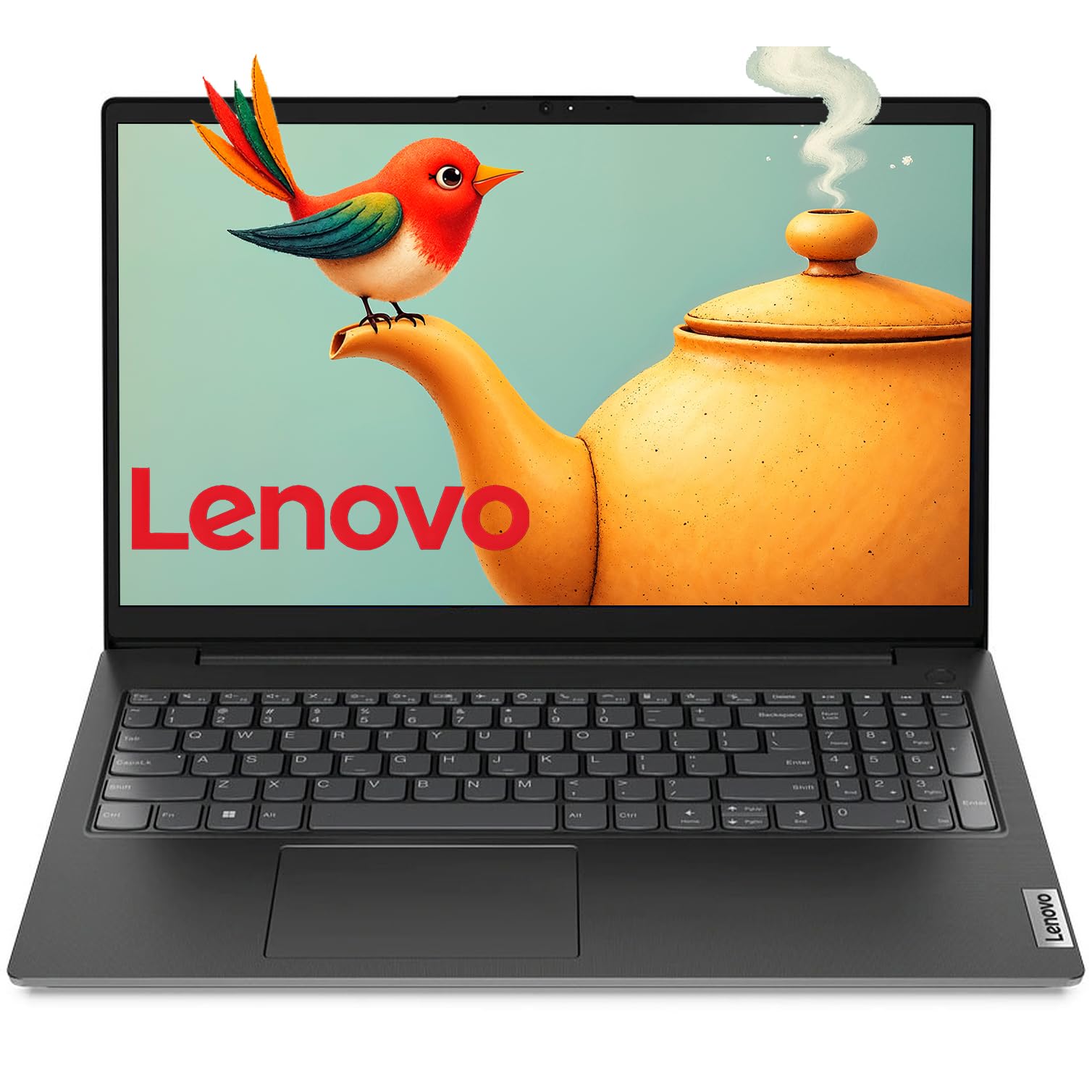
The Lenovo V15 is the most budget-conscious option on this list, designed for business majors who need a functional machine for core tasks without a high investment. It features a very basic Intel Celeron N4500 processor and 16GB of RAM. This combination is adequate for essential tasks like browsing, writing papers, and managing simple spreadsheets. The 15.6-inch FHD anti-glare display provides a decent, clear viewing experience for its price tier.
The headline feature for a business student is the included lifetime license for Microsoft Office 365, which is a huge value-add, removing the ongoing subscription cost. The inclusion of a numeric keypad on the full-size keyboard is a plus for data entry. The Flip to Start feature is a convenient touch, and the battery is advertised as all-day. It is also lightweight and portable for students on the go.
The biggest limitation is the processor. The dual-core Celeron N4500 will struggle with heavy multitasking. Trying to run large Excel models, heavy web apps, or multiple complex programs simultaneously will cause significant slowdown. It is also not suitable for any kind of creative work or gaming. This is a pure productivity machine for basic tasks. For the student on an extremely tight budget whose needs are limited to written papers and web research, it offers a good value.
Why it’s great
- Exceptional value with a lifetime Microsoft Office 365 license included.
- 16GB of RAM is good for basic multitasking and web browsing.
- Full-size keyboard with a numeric keypad for data entry.
Good to know
- Slow dual-core processor will struggle with heavy multitasking.
- Not suitable for any demanding software, data analysis, or creative work.
- Entry-level build quality and a basic feature set.
FAQ
How much RAM do I need for running financial models?
Is a touchscreen important for a business student?
Should I prioritise a large screen or portability?
Do I need a dedicated graphics card for business school?
What is the best operating system for a business major?
Final Thoughts: The Verdict
For most users, the best computers for business majors winner is the Lenovo ThinkPad X1 Carbon Gen 13 Aura Edition because it offers the perfect balance of ultra-light portability, a world-class display, and a legendary keyboard for typing-intensive work. If you want the ultimate in large-screen portability with AI features, grab the LG gram Pro 17. And for the best value in raw power and storage, the GEEKOM GeekBook X16 Pro is an unbelievably strong contender.

Mo Maruf
I created WellFizz to bridge the gap between vague wellness advice and actionable solutions. My mission is simple: to decode the research and give you practical tools you can actually use.
Beyond the data, I am a passionate traveler. I believe that stepping away from the screen to explore new environments is essential for mental clarity and physical vitality.