Our readers keep the lights on and my smoothie glass nicely filled. As an Amazon Associate, I earn from qualifying purchases.
Specs are compiled from manufacturer listings and verified buyer reviews and can change over time — please confirm the key details on the product page before buying.
Your computer boots like it’s stuck in mud, and games feel choppy. The usual culprit is one part holding everything back. This guide shows you which part to swap and exactly what to look for, so you get a faster machine without becoming a hardware expert.
I’m Mohammad Maruf — the founder and writer behind WellFizz. This guide is built by comparing the manufacturers’ published specifications and the patterns across verified customer reviews, so you get each pick’s real strengths and trade-offs instead of marketing spin.
Whether you game, edit video, or just want your desktop to wake up faster, the best computer upgrades fix the slowest piece first — a quicker drive, more room, or a cooler that lets your processor run at full speed.
Quick Picks
- Crucial T710 PCIe Gen5 NVMe 1TB SSD – Heatsink — Best Overall
- Samsung 990 EVO Plus SSD 2TB — Best Value
- WD_Black SN7100 1TB NVMe SSD — Top Performer
- PCCOOLER CPU Cooler, 360mm AIO Liquid Cooling (DC360 Black) — Premium Cooling
- GLOTRENDS SA3026-C 6-Port PCIe X4 SATA Expansion Card — Maximum Expansion
- Seagate BarraCuda 4TB Internal Hard Drive HDD — Bulk Storage
- fanxiang S101 1TB SSD SATA III 2.5″ — Budget Champion
How To Choose The Best Computer Upgrades
Upgrading a computer is about fixing the weakest part of your current setup. For most people, that is storage speed, storage capacity, or cooling power. Here is what to consider before you buy.
Storage Interface: SATA, NVMe Gen4, or Gen5
The slot your drive plugs into sets the top speed. A SATA III SSD (the older standard for connecting drives) reaches about 520 MB/s. A Gen4 NVMe drive (a modern, super-fast slot) can hit over 7,000 MB/s, so large files transfer in seconds instead of minutes. Gen5 drives double that speed again, but you need a compatible motherboard, and they often run hot. If your motherboard only has a Gen3 slot, buying a Gen5 drive wastes money on speed you can’t use.
Cooling Capacity and Clearance
A liquid cooler (AIO, or all-in-one cooler) keeps a high-performance CPU from slowing down under heavy work, but it takes up space. A 360mm radiator needs three 120mm fan spots in your case, usually at the top or front. Check your case size before buying. Also make sure the cooler fits your CPU socket (LGA1700 for modern Intel, AM5 for current AMD).
Quick Comparison
| Model | Best For | Interface / Type | Capacity | Max Speed | Amazon |
|---|---|---|---|---|---|
| Crucial T710 Gen5 1TB | Peak performance gaming | PCIe Gen5 NVMe | 1 TB | 14,900 MB/s read | Amazon |
| Samsung 990 EVO Plus 2TB | Balanced speed & capacity | PCIe Gen4/Gen5 NVMe | 2 TB | 7,250 MB/s read | Amazon |
| WD_Black SN7100 1TB | Gaming & handheld devices | PCIe Gen4 NVMe | 1 TB | 7,250 MB/s read | Amazon |
| PCCOOLER DC360 AIO | CPU cooling with display | 360mm Liquid Cooler | N/A | N/A | Amazon |
| GLOTRENDS SA3026-C | Adding more SATA drives | PCIe X4 SATA Card | 6 Ports | 277 MB/s per port | Amazon |
| Seagate BarraCuda 4TB | Bulk media storage | SATA HDD | 4 TB | 190 MB/s | Amazon |
| fanxiang S101 1TB | Budget system revival | SATA III SSD | 1 TB | 520 MB/s read | Amazon |
In‑Depth Reviews
1. Crucial T710 PCIe Gen5 NVMe 1TB SSD – Heatsink
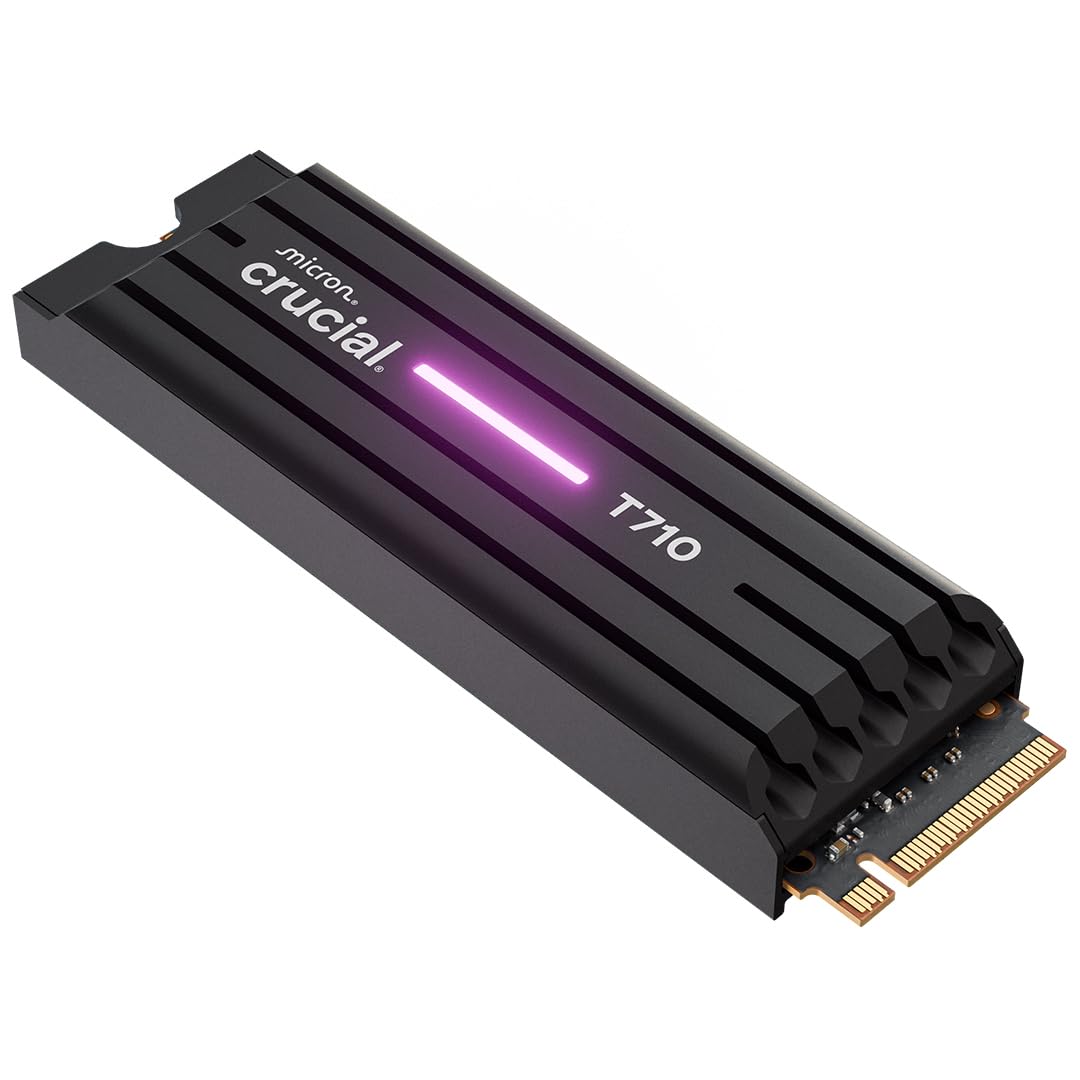
The speed king for anyone who hates waiting on file transfers.
If you move massive files — think 8K video, huge game installations, or several virtual machines — the Crucial T710 cuts the wait. Its PCIe Gen5 connection (the ultra-fast data lane) reads at 14,900 MB/s and writes at 13,800 MB/s. That is 14,900 MB/s versus about 7,000 MB/s for the quickest Gen4 drives. The built-in heatsink keeps it stable under heavy use, so speed does not drop off during long sessions. One reviewer called it “beast mode” and noted it ran cooler than earlier Gen4 models.
It works in most modern motherboards with an M.2 2280 Gen5 slot (a small, stick-shaped slot for SSDs). The drive includes AES-256-bit hardware encryption (a strong security standard) and a one-month Adobe Creative Cloud subscription. One trade-off: if your daily tasks don’t need Gen5 speed, you may pay extra for a boost you won’t feel compared to a top Gen4 drive like the Samsung 990 EVO Plus.
Raw Speed
- Read speeds up to 14,900 MB/s are the quickest available today
- Built-in heatsink keeps thermals stable during heavy use
- Includes AES-256 encryption and Adobe CC trial
Real-World Fit
- Only useful if your motherboard has a Gen5 M.2 slot
- Overkill for everyday tasks; a Gen4 drive saves money
The speed champion: For 8K video, huge game libraries, or heavy multitasking, this drive cuts wait times to near zero.
One honest limit: A Gen4 drive like the WD_Black or Samsung feels almost identical in boot, app launch, and gaming load times for less money.
2. Samsung 990 EVO Plus SSD 2TB

A roomy 2TB NVMe drive that balances speed and future-proofing.
The Samsung 990 EVO Plus works with both PCIe 4.0 x4 and PCIe 5.0 x2 slots, so it is fast now and stays fast if you upgrade your motherboard later. It reads at 7,250 MB/s and writes at 6,300 MB/s — the same as top Gen4 drives. The 2TB capacity holds a large game library or media collection without needing a second drive.
Samsung’s Intelligent TurboWrite 2.0 keeps large-file transfers quick. A nickel-coated controller improves heat control so the drive stays cool without slowing down. Free Magician Software (for Windows) handles firmware updates, encryption, and drive health monitoring. Buyers report the drive performs as advertised. The catch: it does not reach the extreme 14,900 MB/s of the Crucial T710, but for gamers, creators, and daily users, the real-world difference is tiny and the price gap is big.
Practical powerhouse: 2TB of fast Gen4/Gen5 storage with solid heat management and reliable software. A great all-rounder for gamers and pros who want one drive for speed and capacity.
Best for the balanced buyer: You want 2TB of proven, fast storage that works with both Gen4 and Gen5 motherboards.
Consider instead: If your motherboard lacks a Gen4 or Gen5 slot, a cheaper SATA SSD like the fanxiang S101 is a better starting point.
3. WD_Black SN7100 1TB NVMe SSD

A cool-running Gen4 drive built for laptops and handheld gamers.
WD_Black’s SN7100 pushes read speeds to 7,250 MB/s and writes to 6,900 MB/s (for the 1TB model), matching any top Gen4 drive. But the real story is power efficiency. It draws less wattage than the previous generation, producing less heat and longer battery life in a laptop. One reviewer who runs it 24/7 on a Linux system reported zero failures after two years of heavy software engineering work.
It comes in capacities up to 2TB. The M.2 2280 form factor (the small, stick shape for SSDs) fits most modern laptops, desktops, and handheld gaming devices like the Steam Deck. Free WD_BLACK Dashboard (Windows only) lets you check drive health and tune performance. One honest trade-off: like the Samsung 990 EVO Plus, it is a Gen4 drive. If you have a Gen5-capable board, you leave some theoretical speed on the table compared to the Crucial T710.
The efficiency pick: With its low power draw and steady speeds, it is a top-tier Gen4 drive that stays cool in compact builds with limited airflow.
Reach for this if: You want a Gen4 drive that runs cool, uses little power, and has proven reliable under non-stop use for years.
Look elsewhere if: Your motherboard has a Gen5 slot and you want top speed — choose the Crucial T710 instead.
4. PCCOOLER CPU Cooler, 360mm AIO Liquid Cooling (DC360 Black)
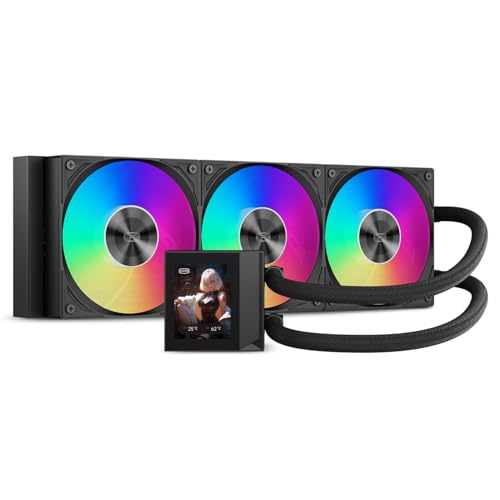
Liquid cooling with a bright screen that turns temps into a talking point.
If your CPU runs hot and you want a cooler that looks good too, the PCCOOLER DC360 delivers. Its 2.4-inch IPS display (a vivid color screen) on the pump shows CPU temps, a custom logo, or even a GIF. The pump runs at 2,600 RPM. Owners mention it is “super quiet” during browsing, with fans around 800 RPM and CPU temps below 37°C. Under a full gaming load on a Ryzen 9 7950X3D, temperatures stayed under 73°C.
The three F5 ARGB fans each push 90.56 CFM (cubic feet per minute, a measure of airflow) and can spin up to 2,500 RPM. That gives you plenty of cooling for overclocking. It supports Intel LGA115X/1200/1700/1851 and AMD AM4/AM5 sockets. Pre-applied thermal compound makes setup easier. One downside: the software to customize the display is tricky to find and set up. The fans also get noticeably loud at their top speed.
Cool & Quiet
- Bright 2.4″ IPS display adds a customizable look
- 2,600 RPM pump with quiet operation reported during light use
- Fans push 90.56 CFM each, handling hot CPUs easily
Caveats
- Software to customize the screen is hard to find and glitchy
- Fans are loud at maximum RPM
For the enthusiast builder: You want a cool CPU and a cool-looking case. This AIO handles both — just plan extra time to deal with the display software.
One real caution: Make sure your case fits a 360mm radiator (three 120mm fan slots) before buying.
5. GLOTRENDS SA3026-C 6-Port PCIe X4 SATA Expansion Card

Add six SATA drives to your PC when the motherboard’s ports run out.
If you are building a home NAS (network-attached storage) or just need more internal space for old drives, this card gives you six SATA III ports through one PCIe X4 slot. It uses the ASM1166 chipset. It is plug-and-play on Windows, Mac, Linux, and NAS systems with no drivers needed. One reviewer who has used it for about a year reported zero issues and said it expanded their storage “to more than I will ever use.”
Each port handles up to 277 MB/s. That is fine for hard drives and SATA SSDs. But the card uses only two PCIe lanes (the data paths) despite having a X4 connector. If you plug in multiple fast SSDs, they share bandwidth and won’t all run at full speed at once. The package includes six SATA cables, a 1:5 power splitter, and both standard and low-profile brackets. A reviewer noted the supplied cables are short, so plan your cable routing.
The storage unblocker: When your motherboard’s SATA ports are full, this card adds up to six more drives reliably. Just watch the bandwidth ceiling with multiple SSDs.
Grab this if: You need more SATA ports for HDDs or a software-RAID setup and want a simple plug-and-play card.
skip it if: You need full bandwidth for performance-critical applications with multiple fast SSDs — a proper HBA (host bus adapter) like an LSI card flashed to IT mode gives full bandwidth per lane.
6. Seagate BarraCuda 4TB Internal Hard Drive HDD
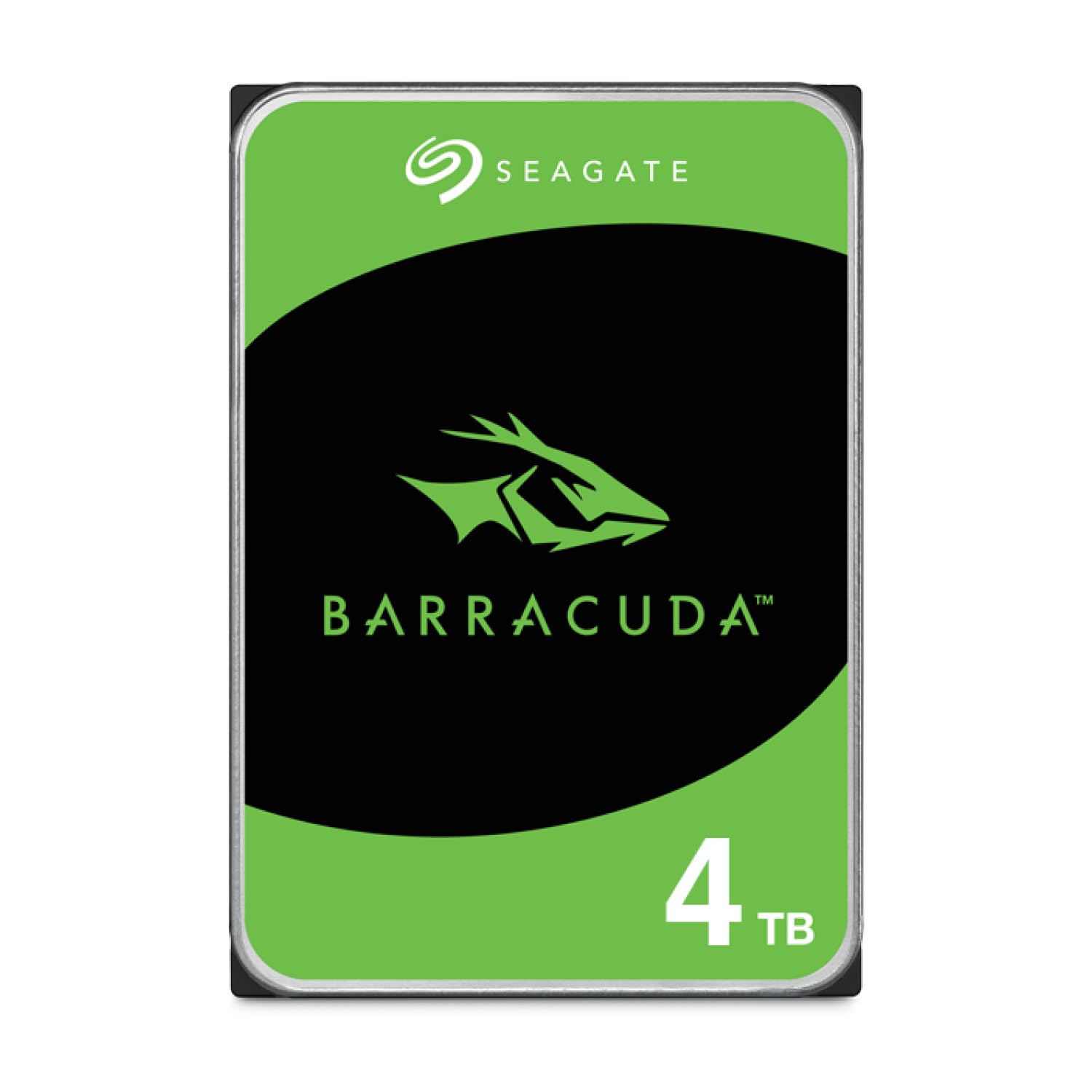
4 terabytes of room for your game library, media vault, or backup drive.
Not every file needs the blistering speed of an NVMe drive. For your movie collection, archived projects, or a large Steam library you don’t play daily, the Seagate BarraCuda 4TB gives you the space at a much lower cost per gigabyte. It spins at 5,400 RPM (revolutions per minute, how fast the internal platters turn) and has a 256MB cache. Its sustained transfer rate is 190 MB/s. That is fast enough for media playback and file copies, but noticeably slower than an SSD for game loading.
This is a 3.5-inch SATA drive, so it fits standard desktop cases. Seagate’s DiscWizard software makes it easy to clone data from an old drive. Reviewers call it a good, affordable bulk storage option. But it is not built for speed-intensive tasks. The 5400 RPM speed is fine for media and backups. For modern games, you will feel the difference compared to even a cheap SSD.
The budget silo: For large, non-critical data you access infrequently, this drive offers strong price-per-terabyte and proven reliability.
Ideal for: Media storage, game archives, or backups where capacity matters more than access speed.
Not for: Running your operating system or playing modern AAA games — use an SSD for those tasks.
7. fanxiang S101 1TB SSD SATA III 2.5″

The cheapest way to make an old laptop feel brand new.
If you are using an older laptop or desktop with a mechanical hard drive, swapping in the fanxiang S101 is the single best performance upgrade for the money. It reads at 520 MB/s and writes at the same speed. That is 520 MB/s versus the much lower speeds of a 7,200 RPM HDD. One reviewer described upgrading a coworker’s failing mechanical drive as “night and day” — the machine felt faster than the day it was first set up. Another found it worked as a plug-and-play storage hub for a multi-camera recording system.
The drive uses TLC 3D NAND chips (triple-level cell: stores three bits per cell, offering longer write life than cheaper QLC). It comes in a standard 2.5-inch form factor and connects via SATA III. That fits most laptops, desktops, and all-in-one PCs from the last ten years. The 3-year warranty and lifetime technical support add confidence. However, a few reviewers reported failures within a few months, so backup critical data.
The Upgrade that Works
- 520 MB/s read/write speeds revive old systems
- TLC NAND for longer lifespan than budget QLC alternatives
- Easy plug-and-play installation with a 3-year warranty
Consider
- Some reports of corruption after a few months
- SATA III tops out around 520 MB/s, while a Gen4 NVMe drive can reach around 7,000 MB/s
Best for the budget revive: If your system is stuck on an old HDD, this SSD is the cheapest, most effective upgrade you can make.
pass on it if: Your motherboard has an M.2 slot — a small NVMe drive costs about the same and is dramatically faster.
Understanding the Specs
NVMe vs SATA
NVMe (Non-Volatile Memory Express) is the fast interface for modern SSDs. It plugs directly into the motherboard’s PCIe lanes (the data highways) and can reach speeds of 7,000 MB/s or more. SATA (Serial ATA) is an older interface used by both SSDs and hard drives. It tops out at about 560 MB/s. The real-world difference is big: a game that takes 30 seconds to load on an NVMe drive might take 90 seconds on a SATA SSD and over 3 minutes on a mechanical hard drive.
PCIe Gen4 vs Gen5
PCIe (Peripheral Component Interconnect Express) is the data highway. Gen4 supports up to 16 GT/s (gigatransfers per second) per lane, giving NVMe drives speeds around 7,000 MB/s. Gen5 doubles that to 32 GT/s per lane, letting drives like the Crucial T710 hit 14,900 MB/s. You need a compatible motherboard (Intel 13th/14th Gen or AMD Ryzen 7000) to use a Gen5 drive at full speed. Most Gen5 drives also work in Gen4 slots at reduced speeds.
FAQ
How do I know if my computer supports an NVMe drive?
Will a PCIe Gen5 SSD work in a Gen4 slot?
Can I use a SATA SSD and an NVMe SSD at the same time?
How do I install a new SSD without losing my data?
What is a SATA expansion card and when do I need one?
What is the difference between TLC and QLC NAND in an SSD?
How much cooling do I need for a high-end CPU?
Can I use a 360mm AIO in a small case?
What does “5400 RPM” mean on a hard drive and is it fast enough?
Will upgrading to an SSD fix a slow computer?
Final Thoughts: The Verdict
For the majority of shoppers, the best computer upgrades winner is the Samsung 990 EVO Plus 2TB because it balances blazing Gen4/Gen5 speed with a generous 2TB capacity and excellent thermal efficiency — making it a versatile drive for gamers, creators, and daily drivers. If you want uncompromised bleeding-edge performance, grab the Crucial T710 Gen5 1TB. And for budget-conscious buyers looking to revive an old machine, the fanxiang S101 1TB SATA SSD delivers a massive real-world speed bump at a minimal cost.
How We Picked
We do not accept paid placement. Every pick is matched to a real buyer and a real use-case; we do not hands-on test units.
Sources & Methodology
Specifications: manufacturer listings and product documentation. Review insights: verified customer reviews, as of July 2026. Pricing: not shown on this page (it changes often); check the current price via the retailer link.
As an Amazon Associate, WellFizz earns from qualifying purchases. This does not affect which products we feature.

Mo Maruf
I created WellFizz to bridge the gap between vague wellness advice and actionable solutions. My mission is simple: to decode the research and give you practical tools you can actually use.
Beyond the data, I am a passionate traveler. I believe that stepping away from the screen to explore new environments is essential for mental clarity and physical vitality.