Our readers keep the lights on and my smoothie glass nicely filled. As an Amazon Associate, I earn from qualifying purchases.
Specs are compiled from manufacturer listings and verified buyer reviews and can change over time — please confirm the key details on the product page before buying.
Finding a capable machine for under five hundred dollars means balancing raw processing speed with real-world storage and memory — and the gap between a smart buy and a frustrating one is often just a spec sheet away. the balance in this price range is a desktop that boots fast, handles multiple browser tabs and office apps without lag, and leaves room for a dedicated graphics card if gaming matters to you.
I’m Mohammad Maruf — the founder and writer behind WellFizz. This guide is built by comparing the manufacturers’ published specifications and the patterns across verified customer reviews, so you get each pick’s real strengths and trade-offs instead of marketing spin.
Whether your priority is raw multitasking, a compact footprint, or a dedicated video card for light gaming, you will find a machine that fits — here is the computer under 500 that actually matches what you need to do.
Our Picks at a Glance
How To Choose The Best Computer Under 500
With a budget around five hundred dollars, the biggest decision is form factor: a compact mini PC, a renewed business tower, a pre-built gaming desktop, or an all-in-one. Each trades off something — the mini saves desk space but often lacks a dedicated graphics card; the gaming tower brings faster visuals but may ship with an older processor; the all-in-one saves cable mess but makes upgrades harder. Focus on the three specs below to make the choice that fits what you actually do.
CPU Generation and Core Count — the real speed engine
The processor generation determines how long your computer feels fast. An 8th-gen Intel i7 (like the i7-8700) with six cores handles heavy multitasking and video editing well, but a newer quad-core N100 sips power and runs cool — ideal for browsing, office work, and streaming. If you run demanding software or keep dozens of tabs open, aim for at least six cores. For light use, a modern efficient quad-core may be a smarter buy.
RAM and Storage — the multitasking and speed essentials
16GB of RAM is the practical minimum for smooth multitasking in 2025; 32GB gives you headroom for virtual machines or heavy photo editing. An NVMe solid-state drive (an ultra-fast storage chip) is non-negotiable — it makes the computer boot in seconds and apps launch instantly. A 512GB SSD is comfortable for most users, while 1TB avoids the stress of constantly clearing files.
Dedicated vs Integrated Graphics — the gaming and display question
Integrated graphics (built into the processor) handles streaming, office work, and even light photo editing fine. For games like Fortnite or GTA V at playable frame rates, you need a dedicated graphics card such as the Radeon RX 560 with 4GB of video memory. The same goes if you want three 4K monitors — some mini PCs support that via integrated graphics, but a dedicated card gives a smoother experience.
Quick Comparison
| Model | Best For | CPU Generation | RAM / Storage | Graphics | Amazon |
|---|---|---|---|---|---|
| Beelink EQmini★ Best Overall | Budget compact PC | N150 (13th Gen) | 12GB / 500GB SSD | Integrated Intel UHD | Amazon |
| BOSGAME P4 UltraAlso Great | Power users & home server | Ryzen 7 7730U | 16GB / 1TB NVMe | Integrated Radeon | Amazon |
| ACEMAGIC K1Fastest CPU | Intel power & triple 4K | i5-12600H | 16GB / 512GB SSD | Integrated Intel | Amazon |
| HP ProDesk 600G4 | Rock-solid business tower | i7-8700 (8th Gen) | 32GB / 1TB SSD | Integrated Intel HD 630 | Amazon |
| Dell OptiPlex 7070 | Latest CPU in a business PC | i7-9700 (9th Gen) | 32GB / 1TB NVMe | Integrated Intel UHD 630 | Amazon |
| STGAubron Gaming PC | Entry-level gaming | Core i5 up to 3.6GHz | 16GB / 512GB SSD | Radeon RX 560 4G | Amazon |
| Dell OptiPlex 7060 | Budget 32GB RAM workstation | i7-8700 (8th Gen) | 32GB / 512GB NVMe | Integrated Intel UHD 630 | Amazon |
| Beelink S12 Pro | Compact office & HTPC | N100 (12th Gen) | 16GB / 500GB SSD | Integrated Intel UHD | Amazon |
| Lenovo IdeaCentre AIO | All-in-one simplicity | N100 (upto 3.4GHz) | 8GB / 512GB PCIe SSD | Integrated Intel UHD | Amazon |
| HP 2025 22″ AIO | Latest compact all-in-one | N100 (13th Gen) | 8GB DDR5 / 128GB SSD | Integrated Intel UHD | Amazon |
| abytespark Gaming PC | Best GPU in this price | i7-4770 (4th Gen) | 16GB / 512GB SSD | RX 590 8G | Amazon |
In‑Depth Reviews
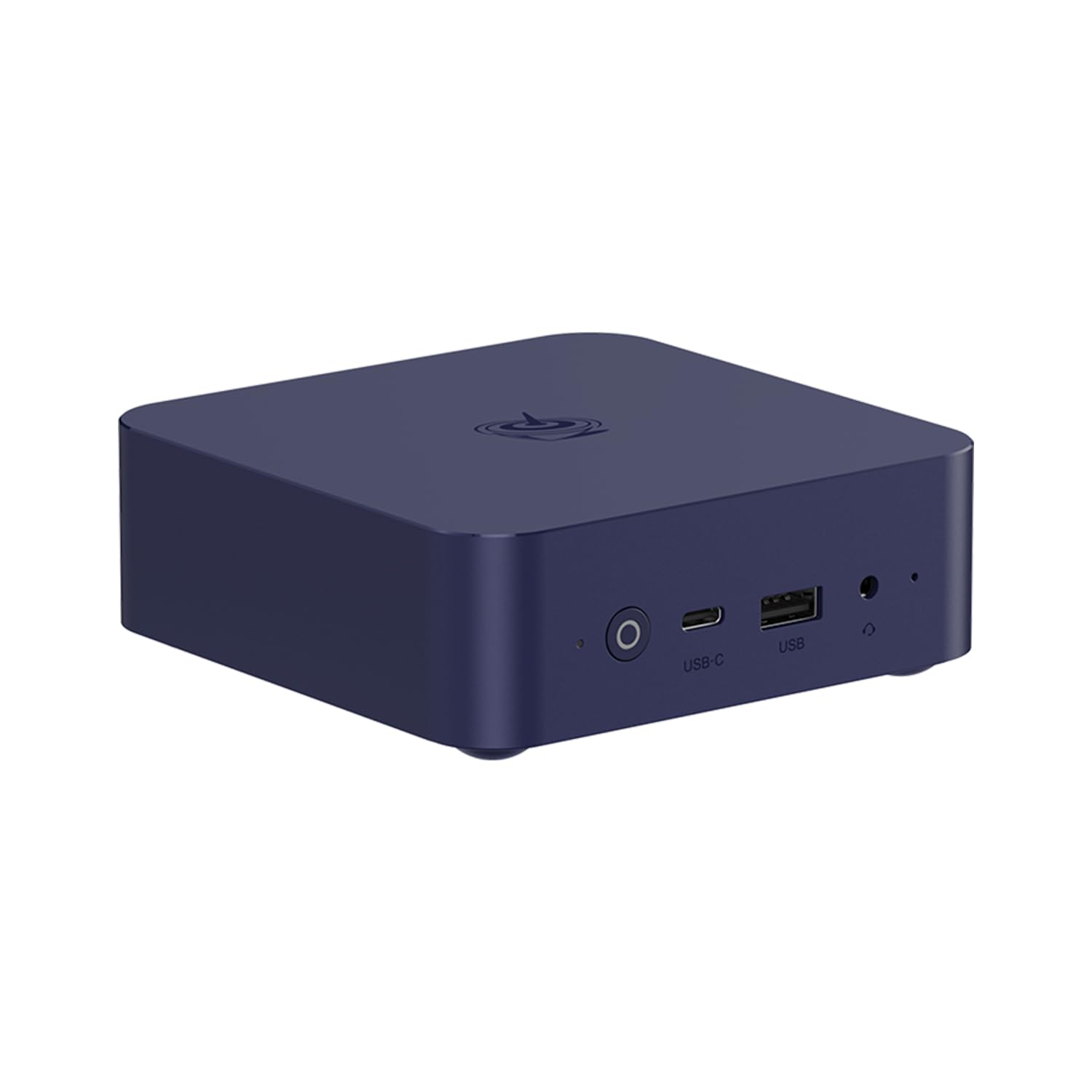
1. Beelink Mini PC EQmini
The lowest-priced mini PC with the latest 13th-gen Intel N150 and LPDDR5 RAM.
The EQmini steps up to a 13th Gen Intel N150 processor (up to 3.6 GHz) with 4 cores and 4 threads. It is the first machine in the list to use LPDDR5 RAM — the faster standard — with 12GB on board. The 500GB SSD provides quick boot and app loading. At 126 x 126 x 39mm, while the S12 Pro measures 4.52 x 4.01 x 1.54 inches, it fits easily in a bag for travel.
It shares the same dual HDMI 2.0 ports (4K@60Hz) as its sibling, plus three USB 3.2 ports at 10Gbps each and a USB-C port at the same speed. The built-in cooling fan, heat sink, and hard drive cooler help keep hardware temperatures down for stable long-term performance. WiFi 6 and Bluetooth 5.2 (AX101) handle wireless duties. Beelink offers lifetime technical support, 24/7 after-sales service, and a 3-year warranty — the longest warranty in this roundup. Compared to the S12 Pro, the EQmini has 12GB RAM instead of 16GB but a slightly newer processor generation (13th vs 12th).
Warranty highlight: A 3-year warranty and lifetime tech support is rare at this entry-level price — it covers the N150 mini PC for the long haul.
RAM trade-off: 12GB LPDDR5 is faster per module than DDR4, but the capacity is lower than almost every other desktop here — 8 browser-heavy tabs may push its limits.
Perfect for: Budget-conscious buyers who want a new (not renewed) mini PC with a strong warranty for basic office, streaming, and browsing.
Pass if: You run memory-intensive apps or heavy multitasking — 12GB is enough for light use but not for productivity power users.
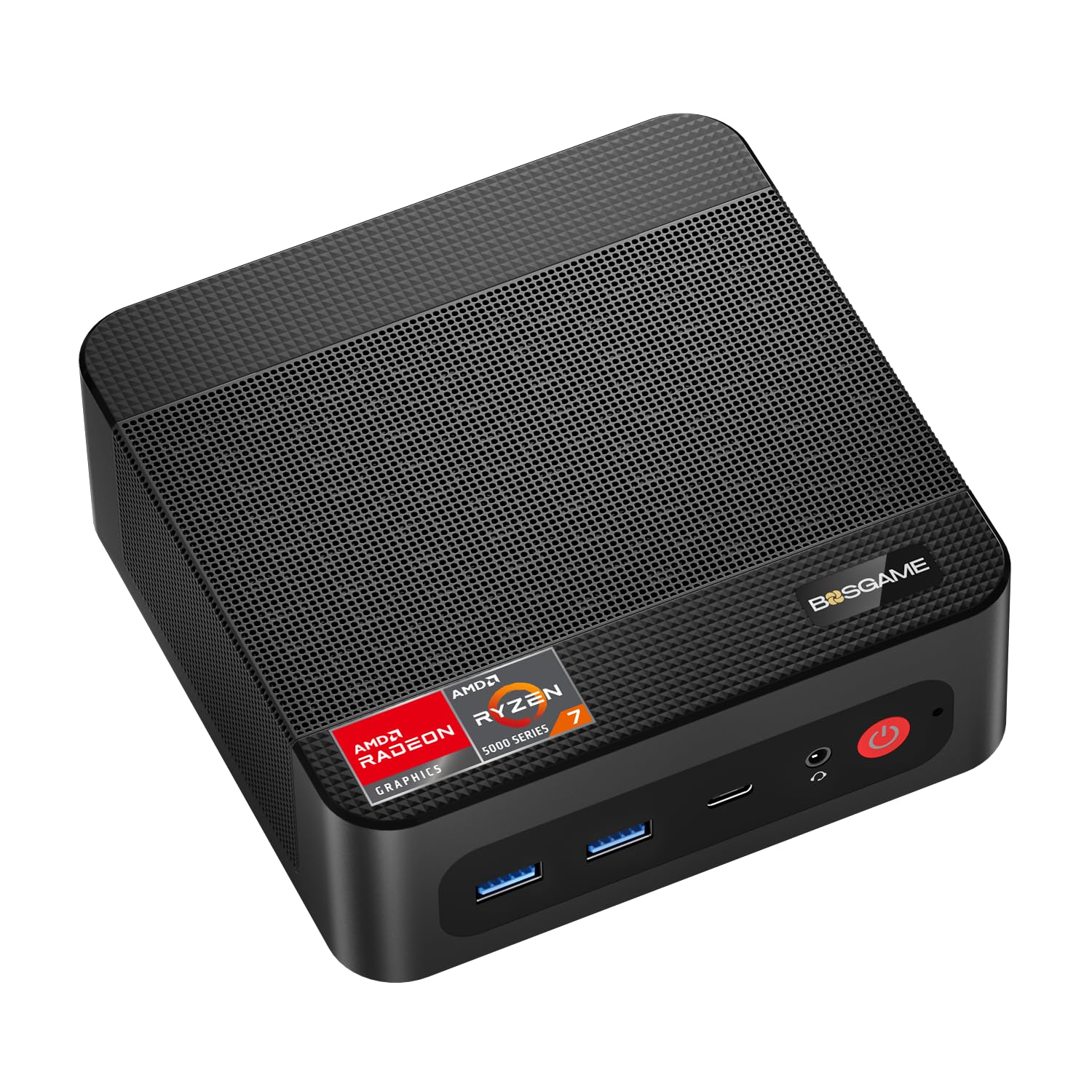
2. BOSGAME P4 Ultra Mini PC Gaming
A compact powerhouse that runs three 4K screens and a home server without breaking a sweat.
The P4 Ultra leads on total storage: it ships with 16GB DDR4 RAM and a 1TB PCIe 3.0 NVMe SSD — double the standard 512GB you see on most competitors. That means you can load 500+ light modern games, store 10,000+ high-res photos, or hold 200+ hours of 4K video without an external drive. The Ryzen 7 7730U processor (up to 4.5 GHz) with 16MB cache gives it a clear edge in multi-threaded tasks over similarly priced Intel options.
Dual 2.5GbE LAN ports (RTL8125) let you set up a home NAS or pfSense firewall with link aggregation up to 5Gbps — a feature you normally only find on more expensive business mini PCs. Triple 4K@60Hz display output through HDMI, DisplayPort, and USB-C covers traders, designers, and anyone who needs a sprawling desktop. Buyers report the whisper-quiet cooling system keeps things stable under load, making it a top pick for home-office and late-night productivity.
What lifts it
- 1TB NVMe SSD is twice the storage of most rivals
- Dual 2.5GbE LAN for pro networking setups
- Triple 4K display support via HDMI, DP, and USB-C
- Whisper-quiet cooling — ideal for quiet environments
Trade-offs to know
- Integrated Radeon graphics — not for serious gaming
- 1-year machine warranty, 3-year for parts
Who it is for: Power users who need huge storage, dual 2.5G LAN, and triple 4K displays in a tiny chassis.
The catch: No dedicated GPU — skip this if you want to play modern triple-A games natively.
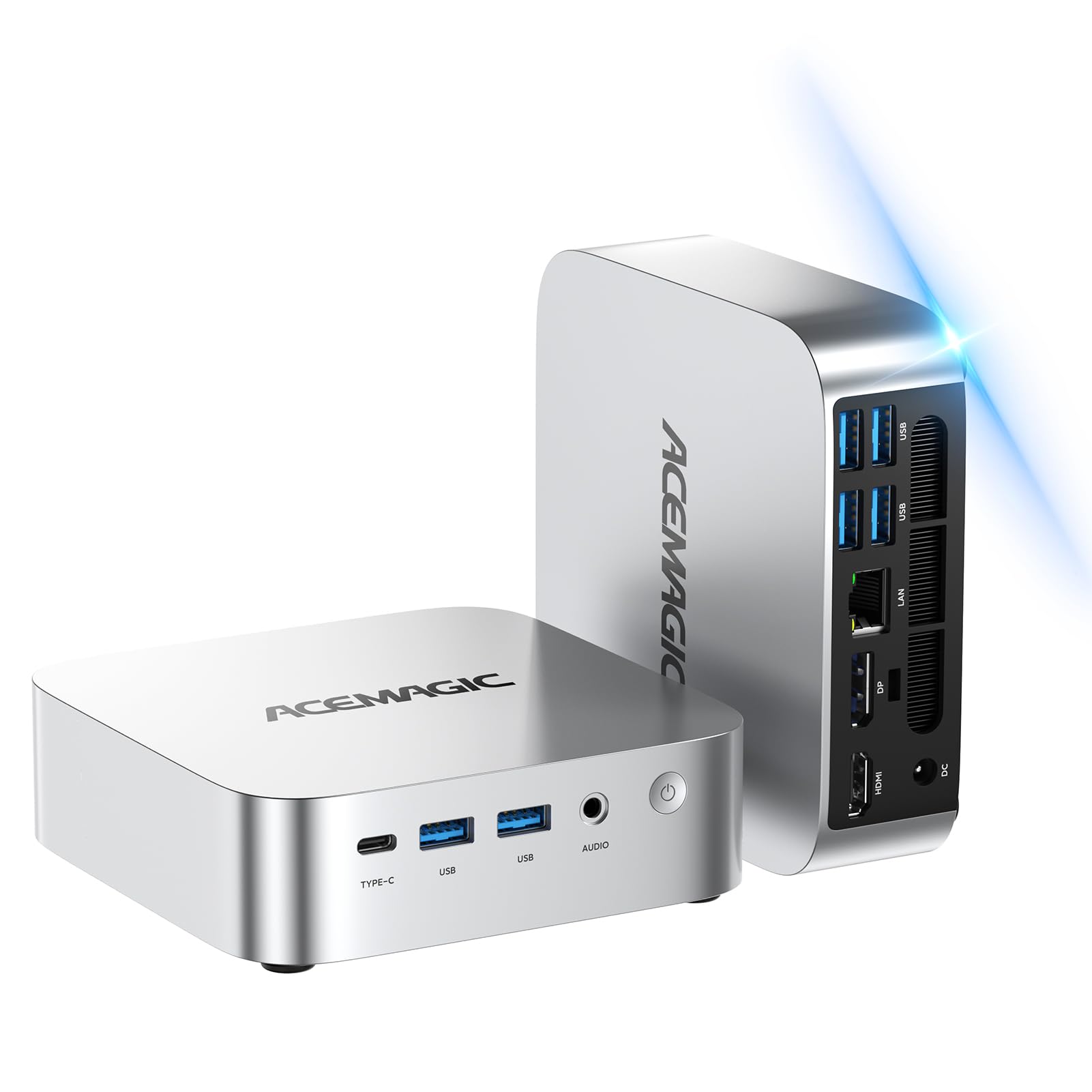
3. ACEMAGIC K1 Mini PC
A 12-core Intel i5 in a palm-sized box that outruns most desktops at this price.
The K1 packs an i5-12600H with 12 cores and 16 threads that turbo up to 4.5 GHz — this beats the 12450H and gives it a massive speed advantage over the N100 mini PCs. The base frequency is 2.7 GHz, so even when you are not pushing turbo, everyday tasks like switching between a dozen browser tabs and a video call feel instant. It comes with 16GB DDR4 RAM (expandable to 64GB via dual-channel SODIMM slots) and a 512GB PCIe SSD that you can supplement with a 2.5-inch SATA drive up to 4TB.
Triple 4K display support (HDMI, DisplayPort, USB-C) lets you run a multi-monitor trading desk or a split-screen gaming and streaming setup. WiFi 6 and Bluetooth 5.2 keep your peripherals connected without lag. Buyers highlight the silent cooling system, which stays icy-cool under pressure and makes it a solid choice for late-night sessions or quiet office spaces. Pre-installed with Windows 11 Pro and backed by FCC, ROHS, and CE certifications.
top-tier CPU: The i5-12600H’s 12-core/16-thread design is the highest-count processor in this lineup, giving it a strong advantage for video encoding, virtual machines, and heavy multitasking.
Storage caution: The base 512GB SSD fills fast if you store large game files — plan on adding a 2.5-inch drive soon.
Grab this if: You need the fastest CPU under for productivity — compiling code, editing 4K video, or running multiple virtual desktops.
Pass if: You need a dedicated graphics card for gaming — integrated Intel graphics handle displays, not demanding games.
4. HP ProDesk 600G4 Tower Desktop

A renewed business tower with 32GB of RAM and a full terabyte of SSD space at a mid-range price.
The HP ProDesk 600G4 gives you the most RAM and storage for the money: 32GB DDR4 and a 1TB solid-state drive (SSD) in a full-size tower that you can easily expand. The 8th-gen Intel i7-8700 processor (up to 4.6 GHz) with 6 cores handles executive multitasking, media streaming, and photo or video editing without stutter. Integrated Intel HD 630 graphics support 4K output through the dual DisplayPorts (maximum resolution 3840 x 2160), so you can connect a 4K monitor for sharp spreadsheet work or video playback.
Ports are generous: six USB 3.0, four USB 2.0, one USB Type-C, and two DisplayPorts — plus an RJ-45 Ethernet port for wired networking. Windows 11 Pro is pre-installed, and the system includes a DVD drive for legacy media. Buyers from the world’s largest Microsoft Authorized Refurbisher note the machine arrives clean, with quality guarantee and free tech support. For anyone who values upgradeability and room to grow, this tower leaves mini PCs behind.
What you get
- 32GB DDR4 RAM — great for heavy multitasking
- 1TB SSD — plenty of fast storage for files and apps
- Full tower design — easy to add cards or drives later
- USB Type-C port for modern peripherals
What to consider
- Renewed machine — cosmetic wear possible
- Integrated graphics — not meant for gaming
Best suited for: Office power users and content creators who need maximum RAM and storage at the lowest price.
Look elsewhere if: You prefer a tiny desk footprint or need a dedicated GPU — this is a full-size tower with integrated graphics only.
5. Dell OptiPlex 7070 SFF Desktop

A 9th-gen Intel i7 with 8 cores and the fastest turbo speed in this class.
The OptiPlex 7070 jumps to the 9th generation with an i7-9700 that hits up to 4.70 GHz — slightly faster than the i7-8700 in the HP ProDesk above. With 8 cores instead of 6, it handles multi-threaded workloads like video encoding and large spreadsheets more efficiently. The 32GB DDR4 RAM and a new 1TB NVMe M.2 SSD (the fastest SSD type) mean boot times are measured in seconds and heavy file transfers feel instant.
Port selection is strong: 5 USB 3.1 ports, 4 USB 2.0 ports, and 2 DisplayPorts supporting dual monitors. A wireless keyboard and mouse are included in the box, along with a TJJ large mouse pad to get you started immediately. Windows 11 Pro is pre-installed. The small form factor (SFF) chassis saves desk space compared to a full tower while still leaving room for internal expansion — a solid workstation for both home and business computing.
Speed edge: The i7-9700’s 4.70 GHz max turbo is the highest clock speed among all the desktop PCs here — noticeable if your work involves single-threaded tasks like certain engineering or finance apps.
Renewed reality: Like most business desktops at this price, it is renewed — expect good condition but not brand-new packaging.
Reach for this if: You want the latest-generation Intel i7 in a business-class, space-saving desktop with the most responsive storage (NVMe).
skip it if: You need a dedicated GPU — the integrated UHD Graphics 630 handles displays and 4K video, not modern games.
6. STGAubron Prebuilt Gaming PC Desktop

A pre-built gaming desktop with a dedicated Radeon RX 560 for under.
This is the first machine in the roundup with a true dedicated graphics card. The AMD Radeon RX 560 with 4GB of GDDR5 video memory lets you play Fortnite, Call of Duty Warzone, GTA V, Apex Legends, Overwatch, CSGO, Minecraft, and several others at 60+ FPS. The Intel Core i5 processor (up to 3.6 GHz) paired with 16GB of RAM and a 512GB SSD handles both gaming and everyday tasks smoothly. Windows 11 Home comes pre-installed.
Two RGB fans with chassis lighting, plus an included RGB gaming keyboard and mouse, give it a gamer aesthetic that the business desktops lack. It also comes with Wi-Fi 6 and Bluetooth 5.0 for wireless connectivity, a 1-year parts and labor warranty, and free lifetime tech support. Compared to the BOSGAME P4 Ultra above, the STGAubron has a smaller 512GB SSD (half the storage) but makes up for it with the dedicated RX 560 GPU — a direct trade-off between storage and gaming performance.
Gaming advantage
- Dedicated Radeon RX 560 4G — plays popular titles at 60+ FPS
- RGB fans and lighting — gamer-ready look
- Wi-Fi 6 and Bluetooth 5.0 built in
- 1-year warranty and lifetime tech support
Limitations
- 512GB SSD fills fast with modern game installs
- Core i5 quad-core — less multitasking headroom than the i7 options
- Only 2 RGB fans — thermal performance under sustained load may push higher
Who it serves: Casual gamers who want a plug-and-play desktop for Fortnite, Warzone, or GTA V without building a PC themselves.
Best to skip if: You need heavy multitasking performance or a large game library — the storage and CPU are geared toward gaming, not productivity.
7. DELL Optiplex 7060 SFF Desktop

A 32GB RAM business machine at the lowest entry price in the entire list.
The OptiPlex 7060 is the cheapest desktop here with 32GB of DDR4 RAM and a 512GB NVMe M.2 SSD. The Intel 8th Gen i7-8700 (6 cores, up to 4.60 GHz) gives it a commanding speed advantage over the Beelink N100 mini PCs — a 2.0x gap in RAM (32GB vs 16GB) and a 35% higher peak CPU speed (4.60 GHz vs 3.4 GHz). This makes it a strong choice for multitasking with heavy applications, large spreadsheets, or dozens of browser tabs.
The small form factor chassis includes an optical drive (DVD) — a rarity on modern computers. Ports include 5 USB 3.0, 2 USB 2.0, and 2 DisplayPorts for dual-monitor setups. Windows 11 Pro and a wireless keyboard and mouse come in the box. Owners mention that as a renewed unit, the machine is well-tested and reliable for office use, but the integrated Intel UHD Graphics 630 is not meant for gaming. If your budget is tight and you need maximum RAM first, this is the smartest buy.
Memory lead: 32GB RAM at this price point is class-leading by any mini PC or all-in-one here — you get true workstation headroom for virtual machines and heavy data work.
The trade-off: The 8th-gen i7 is a generation older than the i7-9700 in the OptiPlex 7070, but the RAM capacity keeps it relevant for several more years.
Buy this if: Your priority is maximum RAM on a strict budget — 32GB for less than any other option in this list.
Consider another if: You want a faster processor generation or need dedicated graphics — this is a pure productivity machine with integrated GPU.
8. Beelink Mini PC S12 Pro

A tiny desktop that hides behind a monitor and still delivers dual 4K output.
The Beelink S12 Pro uses the 12th Gen Intel Alder Lake-N100 processor (up to 3.4 GHz, 6MB cache) which is 30% faster than the older N5105 and N5095 chips while sipping only 25W of power. With 16GB DDR4 RAM and a 500GB M.2 SSD, it breezes through office tasks, video conferencing, and media streaming. The compact chassis measures just 4.52 x 4.01 x 1.54 inches — small enough to mount behind a monitor using the included VESA bracket.
Dual HDMI 2.0 ports support two 4K@60Hz displays simultaneously, letting you run a multi-monitor workspace without a tower. WiFi 6 (802.11ax) and Bluetooth 5.2 provide fast, stable wireless connections. Four USB 3.2 Gen 2 ports (10Gbps each) cover peripherals. Buyers appreciate the included VESA mount and the silent fan cooling. Compared to the Dell OptiPlex 7060 above, the S12 Pro has half the RAM (16GB vs 32GB) and a slower CPU (3.4 GHz vs 4.60 GHz), but it takes up a fraction of the desk space and uses far less electricity.
Why it fits
- Ultra-compact — hides behind a monitor or in a bag
- Dual 4K@60Hz HDMI — great for multi-screen productivity
- WiFi 6 and Bluetooth 5.2 with 4x USB 3.2 Gen 2
- VESA mount included, silent fan cooling
Where it falls short
- 16GB RAM is lower than the 32GB business desktops
- Integrated graphics — no gaming capability
- 500GB storage may feel tight for power users
Best for: Minimalist desk setups and home offices where space is premium and tasks are office-streaming level.
Not for: Heavy multitaskers who need 32GB RAM or creative professionals who need a dedicated GPU.
9. abytespark Prebuilt Gaming PC Desktop

The biggest dedicated GPU in this price bracket — an RX 590 with 8GB of video memory.
While the STGAubron gaming PC uses an RX 560 with 4GB VRAM, the abytespark steps up to an AMD Radeon RX 590 with 8GB GDDR5 — twice the video memory. That extra VRAM gives it more headroom for high-resolution textures in games like Fortnite, Call of Duty Warzone, GTA V, Elden Ring, and Hogwarts Legacy, all listed with 60+ FPS expected. The Intel Core i7-4770 processor (up to 3.9 GHz) and 16GB of RAM support this GPU well.
The white tower features four RGB fans and RGB chassis lighting, a gaming keyboard and mouse, and a mouse pad included in the box. Ports include 2 USB 3.0, 6 USB 2.0, HDMI, DisplayPort, and DVI, plus built-in Wi-Fi. It runs Windows 11 Home 64-bit. The trade-off for the powerful GPU is an older 4th-gen i7 processor — it is slower than the i7-8700 in the Dell 7060 for CPU-heavy tasks, but for gaming, the RX 590 8G is the strongest graphics card in the entire list.
Graphics muscle
- RX 590 8G — the most video memory in this roundup
- Runs popular games at 60+ FPS
- Four RGB fans and lighting — gaming-ready look
- Includes mouse pad and gaming peripherals
Performance gap
- 4th-gen i7 is much older than the i7-8700 or i7-9700
- 2x USB 3.0 ports — limited modern high-speed ports
- Lifetime tech support is included, but processor may bottleneck the GPU in CPU-bound games
Ideal for: Gamers who want the most powerful dedicated GPU possible under for 1080p gaming, even if the CPU is older.
Hold off if: Your priority is CPU-heavy productivity or modern connectivity — the older i7 and limited USB 3.0 ports are a real constraint.
10. Lenovo IdeaCentre All-in-One Desktop

A 24-inch anti-glare IPS all-in-one that skips the tower entirely — one plug, one screen, done.
The Lenovo IdeaCentre combines a 23.8-inch Full HD IPS anti-glare display (1920×1080, 250 nits, 99% sRGB) with the computer built into the screen. The Intel N100 processor (up to 3.4 GHz, 4 cores, 6MB cache) handles everyday tasks like office apps, web browsing, and video calls. 8GB DDR4-3200 RAM (expandable up to 32GB) and a 512GB PCIe SSD provide enough speed for daily productivity. Integrated Intel UHD Graphics cover multimedia and basic photo editing.
Ports include USB-C at 10Gbps, two USB-A 10Gbps ports, two USB-A 2.0 ports, HDMI-out 1.4b, RJ-45 Ethernet, and a 3.5mm headset jack. WiFi 6 and Bluetooth 5.2 keep connections modern. An HD webcam, dual 2W speakers, and a mono microphone support Zoom or Teams calls. The slim Eclipse Black design includes a Kensington Security Slot and firmware TPM 2.0 for business-level security. Customers note the anti-glare screen is easy on the eyes for long work sessions, but the 8GB RAM means you should not expect to run heavy software.
One-cable simplicity: The all-in-one design means no tower clutter — just the keyboard, mouse, and power cord. Ideal for a clean desk in a small apartment or reception area.
RAM limitation: 8GB is the minimum for smooth Windows 11 multitasking — if you keep 10+ browser tabs or heavy apps open, plan to upgrade the RAM to 16GB or 32GB (supported).
Great for: Students, home office workers, or reception desks where a tidy, space-saving look matters more than raw performance.
Look elsewhere if: You need serious horsepower for gaming, video editing, or running multiple heavy applications.
11. HP 2025 22″ All-in-One Desktop

The newest all-in-one with DDR5 memory and the latest 13th-gen Intel N100 at the same price.
The HP 2025 borrows the same 13th Gen Intel N100 processor (up to 3.4 GHz, 4 cores, 6MB cache) as the Beelink EQmini, but packages it into a 21.5-inch Full HD (1920 x 1080) all-in-one with an anti-glare LED IPS display. what separates it is the 8GB DDR5 RAM — the newest memory standard, faster than the DDR4 found in most desktops here. The 128GB SSD is enough for the operating system and essential apps, but you will want an external drive for media or larger files.
Ports include a USB Type-C (5Gbps, data transfer only), 2 USB Type-A Hi-Speed ports, 1 USB Type-A 5Gbps, HDMI-out, RJ-45 Ethernet, and a 3.5mm audio combo jack. WiFi 6 and Bluetooth 5.3 handle wireless connections — the 5.3 standard is the latest Bluetooth version here. A built-in HD webcam with a privacy shutter and dual stereo speakers support video conferencing. Windows 11 Pro comes pre-installed. Buyers mention the Jet Black finish looks professional on a desk, but the 128GB storage fills quickly if you install many programs.
Modern specs
- 8GB DDR5 RAM — fastest RAM standard in this roundup
- 21.5″ FHD anti-glare IPS display
- Bluetooth 5.3 — latest wireless standard
- Privacy shutter on HD webcam
Storage warning
- 128GB SSD is tight — OS, Office, and a few apps may leave under 50GB free
- 8GB RAM is entry-level — heavy multitasking will push it
- No expandable RAM slots (soldered DDR5)
Who it fits: Users who want the newest RAM technology and a modern, cable-free all-in-one for basic browsing, streaming, and office work.
Who should pass: Anyone who stores a lot of local files or runs memory-heavy apps — the 128GB storage and 8GB soldered RAM are hard limits.
Understanding the Specs
CPU Generation and Core Count
Think of the CPU as the computer’s brain. The generation number (like 8th, 9th, 12th, or 13th) tells you how new the design is — newer generations generally handle tasks more efficiently. More cores (4, 6, 8, or 12) let it juggle more tasks at once: 4 cores are fine for browsing and Office, 6+ cores for video editing and heavy multitasking. The turbo speed in gigahertz (GHz, like 4.60 GHz) is the peak speed when you push the computer hard. A higher turbo means faster single-task performance in things like loading apps or rendering a video.
RAM and Storage
RAM is the computer’s short-term memory for tasks you are actively running. 8GB is the minimum for Windows 11 — enough for a few apps. 16GB is the comfortable middle for multitasking. 32GB is workstation territory for virtual machines or heavy photo editing. Storage comes on an SSD (solid-state drive) — the modern, fast type. NVMe is the fastest SSD type, usually 5-10x faster than a traditional hard drive. A 512GB SSD holds the OS, Office, and a solid game library or file collection. 1TB gives you twice the breathing room without future anxiety.
Graphics: Integrated vs Dedicated
Integrated graphics are built right into the processor — they share your system’s RAM and are enough for streaming video, Office work, and connecting 4K monitors. Dedicated graphics cards have their own video memory (VRAM, like 4GB or 8GB) and a separate processor for graphics. They are essential for playing modern PC games at smooth frame rates, editing 4K video, or using 3D modeling software. In this price range, a dedicated card like the Radeon RX 560 or RX 590 makes a computer a gaming machine instead of a work PC.
Form Factor: Mini PC, Tower, or All-in-One
A mini PC (like the Beelink or BOSGAME models) is tiny — about the size of a paperback. It tucks behind a monitor via a VESA mount and uses very little power, but you cannot easily upgrade the graphics. A tower (like the Dell or HP desktops) is larger but lets you swap parts — you can add a dedicated GPU, more RAM, or extra drives years later. An all-in-one (like the Lenovo or HP AIOs) has the computer built into the monitor. It is the tidiest for a clean desk but the hardest to upgrade — what you buy is what you are stuck with.
FAQ
Can I upgrade the RAM in a mini PC like the Beelink S12 Pro or BOSGAME P4 Ultra?
Is a renewed business desktop like the Dell OptiPlex 7060 reliable for everyday use?
Will the STGAubron Gaming PC run Fortnite and Call of Duty Warzone smoothly?
How much desk space does a mini PC like the Beelink EQmini save compared to a tower?
Can any of these computers support three monitors at once?
What is the biggest difference between the Beelink S12 Pro and the Beelink EQmini?
Is the Lenovo IdeaCentre all-in-one good for photo editing?
Which computer under 500 has the best warranty?
Can I upgrade the storage on the HP 2025 all-in-one desktop?
What is the actual difference between integrated and dedicated graphics for everyday use?
Final Thoughts: The Verdict
For most buyers, the computer under 500 winner is the BOSGAME P4 Ultra because it delivers the most storage (16GB RAM + 1TB NVMe SSD), dual 2.5GbE LAN for pro-grade networking, and triple 4K display support in a whisper-quiet mini PC — all without sacrificing desk space. If you want maximum CPU power for video editing or heavy multitasking, grab the ACEMAGIC K1 with its 12-core i5-12600H. And for entry-level gaming on a budget, the standout is the abytespark Gaming PC with the biggest dedicated GPU (Radeon RX 590 8G) in this price bracket.
How We Picked
We do not accept paid placement. Every pick is matched to a real buyer and a real use-case; we do not hands-on test units.
Sources & Methodology
Specifications: manufacturer listings and product documentation. Review insights: verified customer reviews, as of July 2026. Pricing: not shown on this page (it changes often); check the current price via the retailer link.
As an Amazon Associate, WellFizz earns from qualifying purchases. This does not affect which products we feature.
Related Guides

Mo Maruf
I created WellFizz to bridge the gap between vague wellness advice and actionable solutions. My mission is simple: to decode the research and give you practical tools you can actually use.
Beyond the data, I am a passionate traveler. I believe that stepping away from the screen to explore new environments is essential for mental clarity and physical vitality.