Our readers keep the lights on and my smoothie glass nicely filled. As an Amazon Associate, I earn from qualifying purchases.
Choosing a computer tablet for graphic design means choosing your primary creative instrument. The wrong choice introduces parallax, latency, or inaccurate color reproduction—each forcing you to fight the tool instead of the art. This guide dissects the pressure curves, display technologies, and color gamut coverage that separate a productive workspace from a frustrating one.
I’m Mohammad Maruf — the founder and writer behind WellFizz. I spend my time researching the latest drawing display technology, analyzing user reports across diverse creative workflows, and comparing pressure sensitivity specs and color accuracy metrics to find what actually matters for graphic designers.
Whether you work in vector illustration, photo retouching, or concept art, picking the right device is critical. This guide breaks down the best options available for anyone searching for a computer tablet for graphic design.
How To Choose The Best Computer Tablet For Graphic Design
Graphic designers need a device that translates hand movement into digital lines with zero perceptible lag and accurate color. The choice between a standalone tablet and a pen display that connects to a computer dictates your workspace setup. For design work, screen quality, stylus technology, and software ecosystem are the primary considerations.
Pressure Sensitivity and Tilt
Pressure sensitivity determines how the line weight changes with your drawing force. Entry-level devices offer 4096 levels, while premium options reach 16384 levels. Tilt support, measured in degrees, allows you to shade naturally by angling the pen. For graphic design, 8192 levels with tilt are the recommended baseline, though 16384 levels give finer control for detailed brushwork.
Display Technology and Color Gamut
A full-laminated display eliminates the gap between the glass and the LCD, reducing parallax so the cursor sits where the pen tip touches. Look for an anti-glare, etched glass surface to mimic the friction of paper. Color gamut coverage—measured in sRGB for web design, Adobe RGB for print, and DCI-P3 for video work—determines how accurately your screen reproduces colors. A delta E value under 2 indicates professional-grade color accuracy.
Standalone vs. Connected Operation
Standalone tablets run an operating system like Android and let you draw without a computer, offering portability at the cost of full desktop application access. Connected pen displays require a laptop or desktop and give you access to the full Adobe Creative Suite and similar professional tools. Your choice depends on whether you need mobility or raw software power.
Quick Comparison
On smaller screens, swipe sideways to see the full table.
| Model | Category | Best For | Key Spec | Amazon |
|---|---|---|---|---|
| HUION KAMVAS Pro 27 | Pen Display | Professional Studio Work | 27″ 4K UHD, 16384 Pressure Levels | Amazon |
| XPPen Artist Pro 19 Gen2 | Pen Display | High-End Color Accuracy | 18.4″ 4K UHD, 16384 Pressure Levels | Amazon |
| Wacom Cintiq 16 | Pen Display | Reliable Wacom Ecosystem | 16″ 2.5K, 8192 Pressure Levels | Amazon |
| Samsung Galaxy Tab S10+ | Standalone Tablet | Mobile Creation & Note-Taking | 12.4″ AMOLED 2X, 10090mAh Battery | Amazon |
| Wacom Intuos Pro Large (2025) | Pen Tablet | Desktop Precision Drawing | Active Area 13.7″ x 7.7″, 8192 Pressure Levels | Amazon |
| XPPen Magic Drawing Pad | Standalone Tablet | Portable Standalone Drawing | 12.2″ 2K, 16384 Pressure Levels | Amazon |
| UGEE Fun Drawing Pad | Standalone Tablet | Large Screen Portable Art | 14.25″ 2.4K, 10000mAh Battery | Amazon |
| Samsung Galaxy Tab S11 | Standalone Tablet | Versatile Daily Driver & Sketching | 11″ Dynamic AMOLED 2X, 12GB RAM | Amazon |
| iFLYTEK AINOTE Air 2 | E Ink Tablet | Note-Taking & Meeting Transcription | 8.2″ E Ink, 4096 Pressure Levels | Amazon |
| XPPen Artist 22 2nd | Pen Display | Large Canvas on a Budget | 21.5″ Full HD, 8192 Pressure Levels | Amazon |
| TCL NXTPAPER 14 | Standalone Tablet | Eye-Friendly Media & Sketching | 14.3″ 2.4K Paper-Like Display, 4096 Levels | Amazon |
In‑Depth Reviews
1. HUION KAMVAS Pro 27

The HUION KAMVAS Pro 27 is a premium pen display designed for professionals who need a massive, color-accurate canvas. Its 27-inch 4K UHD display with a 3840×2160 native resolution eliminates the need for constant zooming and panning during detailed work. The Canvas Glass 2.0 full lamination and anti-glare etching provide a paper-like surface that cuts eye strain during long sessions.
Color performance is exceptional, with 98% Adobe RGB coverage and a 3D LUT hardware calibration that delivers a delta E under 1.5. The PenTech 4.0 stylus activates with just 2 grams of force and supports 16384 pressure levels, making faint underdrawings and delicate watercolor effects equally responsive. The multi-touch support allows intuitive canvas manipulation with gestures, enhancing the workflow for 3D modeling and video editing tasks.
Setting up the KAMVAS Pro 27 is straightforward with dual USB-C and HDMI connections, though the included cables are on the shorter side for complex desktop arrangements. The wireless express key remote adds programmable shortcuts, but some users find the driver interface occasionally needs refinement. This is a studio investment for designers who refuse to compromise on display size or color fidelity.
Why it’s great
- Massive 27-inch 4K UHD display ideal for high-resolution work
- Superb color accuracy with 98% Adobe RGB and Delta E < 1.5
- PenTech 4.0 stylus with 16384 pressure levels and 2g activation force
- Full lamination and anti-glare glass for a natural drawing feel
Good to know
- High price point and large footprint require dedicated desk space
- Some users report driver software can be buggy
- Cable length is limited; extensions may be needed for some setups
2. XPPen Artist Pro 19 Gen2

The XPPen Artist Pro 19 Gen2 delivers a stunning 18.4-inch 4K UHD display that brings out every detail in your designs. Its Calman-verified color accuracy with a delta E under 1.5 and coverage of 99.8% sRGB, 96% Adobe RGB, and 98% Display P3 makes it suitable for web, print, and video projects. The full-laminated, AG etched glass eliminates parallax and provides an anti-glare surface that feels close to paper.
This model includes two styluses: the X3 Pro Roller Stylus and the slim X3 Pro Slim Stylus, both offering an industry-leading 16384 pressure levels and 60-degree tilt support. The included ACK05 wireless shortcut remote with a physical dial allows you to customize up to ten keys for quick tool access. The dual reversible USB-C connections simplify switching between multiple devices like a MacBook and a Windows laptop.
The H11 pen case stores both pens and 23 replacement nibs, while the VESA mount compatibility allows for flexible ergonomic setups. The display requires a computer connection and is not standalone, but the streamlined cable management keeps the workspace organized. Professional designers working across multiple color spaces will appreciate the versatility and precision of this pen display.
Why it’s great
- 4K UHD resolution on a large 18.4-inch screen
- Superior color gamut coverage for multi-platform work
- Includes two high-end styluses with 16384 pressure levels
- Wireless ACK05 shortcut remote enhances workflow efficiency
Good to know
- Not a standalone tablet; requires a computer connection
- Heavy and requires stable desk space
- Premium price reflects professional-grade features
3. Wacom Cintiq 16

The Wacom Cintiq 16 offers a proven, reliable platform for digital artists and graphic designers. Its 16-inch IPS display with a 2.5K WQXGA resolution (2560 x 1600) provides crisp, detailed visuals suitable for illustration, animation, and design work. The Pro Pen 3 with 8192 pressure levels and tilt support gives you precise control over line weight and shading, and the three customizable shortcut keys on the pen streamline your workflow.
Color coverage is professional-grade with 99% DCI-P3 and 100% sRGB, ensuring your designs look accurate on modern displays. The built-in fold-out legs provide a 20-degree working angle out of the box, though an adjustable stand is recommended for ergonomic comfort during long sessions. The USB-C connection supports DisplayPort Alt Mode, simplifying setup with modern laptops.
Some users note that the Pro Pen 3 in this package feels slightly stripped down compared to the full version, and the lack of a mini-HDMI cable in the box means you may need an additional purchase depending on your computer’s ports. The anti-glare coating is effective and shows no sparkle, which is a common complaint with competing devices. This is a solid, reliable pick for designers who trust the Wacom ecosystem.
Why it’s great
- Crisp 2.5K resolution on a 16-inch display
- 100% sRGB and 99% DCI-P3 color coverage
- Reliable Pro Pen 3 with excellent pressure sensitivity
- Built-in fold-out legs for immediate setup
Good to know
- No adjustable stand included; requires purchase for ergonomic use
- Pen may feel simpler than previous Wacom Pro models
- Requires computer with DisplayPort Alt Mode or additional adapters
4. Samsung Galaxy Tab S10+

The Samsung Galaxy Tab S10+ is a premium standalone tablet that brings graphic design capabilities to a mobile form factor. The 12.4-inch Dynamic AMOLED 2X display offers vivid colors and deep blacks, making it excellent for digital painting and illustration on the go. The included S Pen provides a responsive, lag-free drawing experience with pressure sensitivity that works well for sketching and note-taking, though it lacks the advanced pressure levels of dedicated pen displays.
Galaxy AI integration adds powerful tools like Sketch to Image, which refines rough sketches into polished artwork, and Note Assist for automatic transcription and summarization of meeting notes. The MediaTek Dimensity 9300+ processor ensures smooth multitasking with design apps, and the massive 10090mAh battery provides all-day usage. The thin, premium build and Moonstone Gray finish make it a professional-looking device for client presentations or café work sessions.
The S10+ runs on Android, which means access to apps like Clip Studio Paint and Concepts, but not the full Adobe suite available on desktop. The S Pen attaches magnetically to the back of the tablet, but is not stored internally. For designers who need a portable device for sketching, concepting, and note-taking alongside their desktop setup, this is a strong, versatile option.
Why it’s great
- Stunning 12.4-inch AMOLED display with excellent contrast
- Galaxy AI tools for sketch enhancement and workflow
- Long battery life with fast charging
- Ultra-slim, portable design
Good to know
- Android app ecosystem lacks some desktop-grade software
- S Pen pressure sensitivity is not as high as dedicated drawing tablets
- High price point for a standalone tablet
5. Wacom Intuos Pro Large (2025)

The Wacom Intuos Pro Large is a premium pen tablet designed for precision drawing on a desktop system without the need for a built-in screen. Its large 16:9 active area (13.7 x 7.7 inches) perfectly matches modern monitor setups, allowing for smooth cursor tracking across multiple screens. The Pro Pen 3 offers 8192 pressure sensitivity, tilt support, and lag-free tracking, providing a natural pen-on-paper feel on the textured drawing surface.
Productivity is enhanced by ten customizable ExpressKeys and two mechanical dials located at the top of the tablet, which can be programmed for brush size, zoom, and other shortcuts. The magnesium alloy build makes it both durable and lightweight at 1.46 pounds, and the 4mm thin profile makes it easy to slip into a laptop bag. Bluetooth 5.3 provides a reliable wireless connection with up to 16 hours of battery life, and it can also be used wired via USB.
The 2025 model improves on its predecessor with a smaller footprint and larger active area, though some Windows 11 users have reported Bluetooth connectivity issues that require troubleshooting. The lack of touch sensitivity and a hand bevel may be a step back for some users accustomed to previous models. This tablet is ideal for graphic designers who prefer looking at their monitor while drawing and want a durable, professional-grade input device.
Why it’s great
- Large 16:9 active area is ideal for multi-monitor setups
- Pro Pen 3 with excellent pressure sensitivity and tilt
- Ten ExpressKeys and two mechanical dials for shortcuts
- Slim, durable magnesium alloy build
Good to know
- No screen means you look at your monitor, not the tablet
- Some Windows 11 Bluetooth connectivity issues reported
- No touch sensitivity compared to previous models
6. XPPen Magic Drawing Pad

The XPPen Magic Drawing Pad is a standalone Android tablet designed specifically for artists who want to draw without being tethered to a computer. Its 12.2-inch display features a 2K resolution (2160×1440) and a 3:2 aspect ratio, which closely mimics an A4 sketchbook. The AG-etched glass provides a paper-like texture that feels natural under the stylus, and the TÜV Rheinland certified screen reduces eye fatigue during long creative sessions.
The standout feature is the X3 Pro Slim Stylus with an industry-first 16384 pressure levels—double that of most competitors. This allows for incredibly nuanced line variation, making it excellent for detailed illustration and calligraphy. The stylus requires no charging or pairing, so you can pick it up and draw immediately. The tablet runs Android 14 with 8GB RAM and 256GB storage (expandable to 1TB via microSD), and has an 8000mAh battery that provides up to thirteen hours of continuous use.
The Magic Drawing Pad includes a 3-month membership to Clip Studio Paint and ibis Paint X upon activation, giving you access to professional drawing software out of the box. The Android ecosystem offers a wide range of creative apps, though it lacks the polished experience of Procreate on iPad. The tilt support, while functional, is not as accurate as some premium pen displays. This is a great mid-range standalone option for artists who value portability and high pressure sensitivity.
Why it’s great
- Industry-leading 16384 pressure levels for fine control
- Standalone operation with no computer needed
- Paper-like AG-etched glass screen
- Excellent battery life for long days
Good to know
- Android app ecosystem may lack professional-grade software
- Tilt support is less precise than premium pen displays
- Some pre-installed software is considered bloated
7. UGEE Fun Drawing Pad

The UGEE Fun Drawing Pad stands out for its large 14.25-inch display housed in an exceptionally thin 6.95mm frame that weighs only 760 grams. The 2.4K resolution (2400×1600) with nanomatte finishing provides a spacious, comfortable canvas for digital artwork. The 16.7 million colors with NTSC greater than 72% color gamut ensure vibrant and accurate color reproduction for your illustrations.
Running on Android 14 with a 6nm octa-core processor, 8GB RAM, and 256GB storage, the tablet handles multitasking and creative apps smoothly. The 10000mAh battery with 27W fast charging keeps you creating for extended periods. The U-Key allows switching between regular, ink paper, and color paper display modes, which is useful for reducing eye strain when reading or taking notes. The included stylus offers 4096 pressure levels with 60-degree tilt support.
Some users note that the stylus requires charging, and the pen tip alignment could be more precise. The tablet can also function as a secondary monitor for a PC via EasyCanvas, adding versatility. The build quality is solid, but the included case can feel a bit slippery in tabletop mode. This is an excellent choice for designers who need a large, portable standalone tablet for drawing, notes, and media consumption at a reasonable price point.
Why it’s great
- Large 14.25-inch 2.4K display in a very thin design
- Strong battery life with fast charging
- Can function as a secondary monitor for PC
- U-Key for easy display mode switching
Good to know
- Stylus requires separate charging
- Pen tip alignment could be more accurate
- No microSD card slot for storage expansion
8. Samsung Galaxy Tab S11
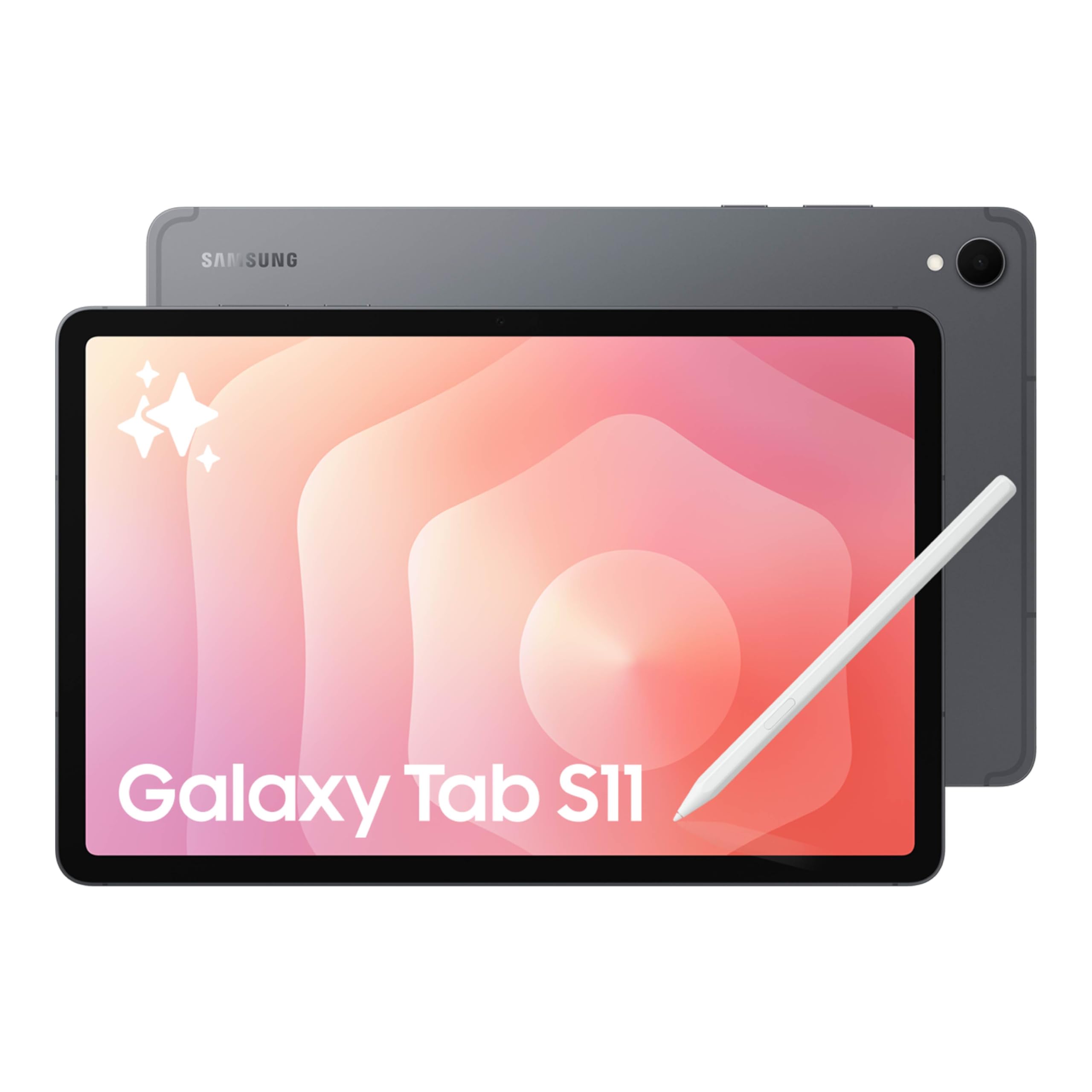
The Samsung Galaxy Tab S11 offers a balance of power and portability with its 11-inch Dynamic AMOLED 2X display that provides stunning color and contrast for design work. The Vision Booster technology ensures text and colors remain clear even in bright environments, making it suitable for outdoor sketching. The included Galaxy Tab S Pen provides a natural pen-on-paper feel with pressure sensitivity for note-taking and drawing, though it does not match the precision of dedicated drawing tablets.
With 12GB of RAM and a 3nm MediaTek processor, the Tab S11 handles multitasking and demanding creative apps smoothly. The Galaxy AI features, including Note Assist and Drawing Assist, help organize notes and turn rough sketches into shareable mock-ups. The expandable microSD storage is a practical feature for designers who need to store large project files. The IP68 rating adds durability against spills and dust, making it a reliable companion for mobile work.
The 8400mAh battery provides an advertised 18 hours of video playback, ensuring all-day productivity. The 5.5mm thin design is easy to carry, but the lack of a headphone jack may require wireless earbuds. The S Pen attaches magnetically but does not have a dedicated storage slot. For graphic designers who need a versatile Android tablet for sketching, note-taking, and media consumption, the Tab S11 is a well-rounded and powerful option.
Why it’s great
- Bright and vivid Dynamic AMOLED 2X display
- Powerful performance with 12GB RAM
- IP68 water and dust resistance
- Expandable storage via microSD
Good to know
- Not a dedicated drawing tablet; S Pen is for casual sketching
- No 3.5mm headphone jack
- Amoled display may experience burn-in with static UI elements
9. iFLYTEK AINOTE Air 2

The iFLYTEK AINOTE Air 2 is an E Ink tablet optimized for note-taking and transcription rather than intricate graphic design work. Its 8.2-inch E Ink screen with 4096 pressure levels delivers a satisfying paper-like writing feel that is excellent for sketching, diagramming, and note-taking during design meetings. The dual-color reading light with 24 adjustable brightness levels provides a strain-free reading experience for reviewing PDFs and eBooks.
The standout feature is the AI-powered voice-to-text transcription in 17 languages, which can accurately capture meeting notes and convert them into searchable text. Handwritten notes can be converted into text in 83 languages, making it a powerful tool for designers who need to digitize their sketching process. The AI meeting summary function automatically generates summaries, while the star, triangle, and circle gesture mark-ups help create to-dos and action items.
The AINOTE Air 2 excels as a digital notebook but is not suitable for detailed graphic design or color-critical work due to its monochrome E Ink display and limited Android functionality. Some users have reported issues with the locked-down operating system and Google Play certification. It is a unique, focused device for designers who prioritize distraction-free note-taking and transcription over drawing power.
Why it’s great
- Excellent paper-like writing feel on E Ink screen
- Accurate multi-language voice-to-text and transcription
- Excellent battery life measured in weeks
- Eye-friendly display with adjustable front light
Good to know
- Not suitable for color graphic design work
- Locked-down software with limited app access
- Small 8.2-inch screen is not ideal for detailed drawing
10. XPPen Artist 22 2nd

The XPPen Artist 22 2nd offers a massive 21.5-inch drawing surface at a budget-friendly price point, making it an excellent entry point for graphic designers who want a large pen display without a premium investment. Its Full HD resolution (1920×1080) is sufficient for detailed work, though it lacks the pixel density of 4K options. The 122% sRGB and 86% NTSC color gamut delivers vibrant colors for digital art.
The PA6 battery-free stylus provides 8192 pressure levels with 60-degree tilt support, allowing for smooth strokes and shading. The adjustable stand allows you to change the screen angle from 16 to 90 degrees, and the cable slot keeps your workspace organized. Setup is straightforward with USB-C connectivity, and it is compatible with Windows, Mac, and Linux systems as well as popular design software like Adobe Photoshop, Illustrator, and Krita.
The display is heavy due to its size, and it is not a touchscreen, which may slow navigation compared to multi-touch options. Some users have noted minor calibration issues with cursor positioning at the edges, but overall performance is responsive and lag-free. For designers on a budget who need a large drawing surface, the Artist 22 2nd delivers excellent value without significant compromises in drawing quality.
Why it’s great
- Large 21.5-inch drawing surface at a great value
- Battery-free stylus with 8192 levels of pressure sensitivity
- Adjustable stand for comfortable ergonomics
- Good color gamut for vivid artwork
Good to know
- Only Full HD resolution on a large screen
- No touchscreen functionality
- Heavy design requires desk space
11. TCL NXTPAPER 14

The TCL NXTPAPER 14 is a unique Android tablet that prioritizes eye comfort with its NXTPAPER 3.0 display technology, which uses anti-glare coating, blue light reduction, and DC dimming to reduce eye strain during long hours of use. The 14.3-inch 2.4K display (2400×1600) delivers rich, lifelike colors that are suitable for digital sketching and note-taking. The included T-PEN stylus offers 4096 pressure levels for fluid input.
The display modes can be switched via the dedicated NXTPAPER Key: Regular Mode for vibrant visuals, Ink Paper Mode for an e-paper texture perfect for reading and note-taking, and Color Paper Mode for soft, low-saturation tones ideal for digital art. The MediaTek Helio G99 processor and 8GB RAM handle multitasking and creative apps well, while the massive 10000mAh battery provides all-day power with fast 33W charging.
The NXTPAPER 14 is more of a multi-media and productivity tablet than a dedicated graphic design tool. The 4096 pressure sensitivity is adequate for sketching and note-taking, but serious digital artists may find it limiting compared to 8192-level options. The stylus requires USB-C charging, which can be inconvenient. This tablet is best suited for designers who want a large, eye-friendly display for sketching, reading, and productively managing their workflow without eye fatigue.
Why it’s great
- Large 14.3-inch 2.4K display with superior eye comfort
- Three display modes for different use cases
- Long battery life with fast charging
- Includes a rugged flip case and stylus
Good to know
- Stylus requires USB-C charging; no built-in storage
- Only 4096 pressure levels, not for professional illustration
- No expandable storage via microSD
FAQ
What is the difference between a pen tablet and a pen display for graphic design?
Do I need 16384 pressure levels for professional graphic design work?
What color space coverage should I look for in a graphic design tablet?
Can I use an iPad Pro or Samsung Galaxy Tab for professional graphic design instead of a Wacom or XPPen?
What does battery-free stylus mean and why does it matter?
Final Thoughts: The Verdict
For most users, the computer tablet for graphic design winner is the XPPen Artist Pro 19 Gen2 because it offers a professional-grade 4K UHD display with outstanding color accuracy at a mid-range price point. If you want a massive, true-studio canvas, the HUION KAMVAS Pro 27 is the ultimate choice for color-critical work. And for a portable standalone solution, the XPPen Magic Drawing Pad delivers 16384 pressure levels without needing a computer.

Mo Maruf
I created WellFizz to bridge the gap between vague wellness advice and actionable solutions. My mission is simple: to decode the research and give you practical tools you can actually use.
Beyond the data, I am a passionate traveler. I believe that stepping away from the screen to explore new environments is essential for mental clarity and physical vitality.