Our readers keep the lights on and my smoothie glass nicely filled. As an Amazon Associate, I earn from qualifying purchases.
Specs are compiled from manufacturer listings and verified buyer reviews and can change over time — please confirm the key details on the product page before buying.
Picking a new drive for your desktop or laptop is about one thing: ditching sluggish wait times. The real question is which connection speed, storage size, and reliability fit your usage without overpaying for speed you will never notice. The best computer SSD choices here cover every scenario, from reviving a ten-year-old laptop to achieving the fastest load times for modern games and content creation.
I’m Mohammad Maruf — the founder and writer behind WellFizz. This guide is built by comparing the manufacturers’ published specifications and the patterns across verified customer reviews, so you get each pick’s real strengths and trade-offs instead of marketing spin.
The right drive transforms how your system feels, whether upgrading a work machine or building a high-performance rig. This guide cuts through the noise to highlight the computer ssd models that deliver measurable improvements where it matters most: boot times, file transfers, and reliable daily operation.
Our Picks at a Glance


How To Choose The Best Computer SSD
Picking the right drive today depends on three factors: your system’s interface, the capacity you need, and your sustained write workload. A benchmark star may feel identical to a budget drive for web browsing, yet choke on moving a 50GB game folder.
Match the Interface to Your Motherboard
The slot on your motherboard defines your upgrade path. A SATA III 2.5-inch drive fits almost any desktop or laptop from the last 15 years and maxes out around 560 MB/s. An M.2 NVMe slot — typically PCIe Gen 3 or Gen 4 — delivers speeds from 3,500 MB/s to 7,500 MB/s. The newest Gen5 M.2 slots aim beyond 10,000 MB/s but demand a compatible motherboard and often a heatsink. Check your motherboard specs before buying: an NVMe drive will work in a SATA-only system only if you use a specific adapter card, and it will only run at SATA speeds.
Understand Real World Performance
Sequential read and write numbers — the big ones on the box — matter most when moving single large files like a movie or a game install. For everyday tasks like opening apps, booting Windows, or loading game levels, random read/write speeds (measured in IOPS) are what you actually feel. A drive with an HMB or DRAM cache handles these small random operations much faster than a basic DRAM-less controller. If you do heavy multitasking, video editing, or virtual machine work, a drive with a DRAM cache and high TBW rating is worth the extra cost.
Pick the Right Capacity
Operating systems and modern games both consume significant space. A 240GB drive is sufficient for a light boot drive with a few essential applications, but you will likely need to manage storage regularly. A 480GB or 500GB model gives breathing room for several games or light video projects. 1TB is the current balance for most users — enough to hold a dozen large games plus media files. For users who hoard game libraries, edit high-resolution video, or run multiple operating systems, a 2TB or larger drive is a worthwhile investment.
Quick Comparison
| Model | Best For | Capacity | Interface / Form Factor | Max Seq. Read | Amazon |
|---|---|---|---|---|---|
| Kingston A400 | Best SATA Value | 480GB | SATA III / 2.5″ | 500 MB/s | Amazon |
In‑Depth Reviews
1. Kingston 480GB A400 SATA 3 2.5″ Internal SSD
The runaway crowd favorite that makes an old machine feel brand new.
This drive appears in more carts than almost any other SSD on the market, and for good reason. The 480GB capacity offers a meaningful step up from cramped budget drives, while the SATA III interface delivers up to 500 MB/s reads and 450 MB/s writes — enough to slash your boot time from several minutes down to under 30 seconds. The 7mm form factor fits snugly in older laptops and slim notebooks where space is tight, and the backward compatibility with SATA 2.0 means it works in systems as old as a decade.
Buyers report that the drive remains “durable after years” with “90%+ health via Kingston tool,” proof of its long-term reliability. The 480GB model holds a 2.1x capacity advantage over the 240GB Crucial BX500, giving you much more room for applications and media. That said, it is a DRAM-less design, so sustained writes under heavy mixed workloads can throttle — you notice this when moving many small files at once. For a boot drive and daily use, it is tough to top the combination of value and sheer owner satisfaction.
What wins people over is the reliability — it is the single most-discussed aspect with over 1,500 owners praising it. The speed also grabs attention from more than 1,100 owners, who note it delivers “max SATA speeds (~550MB/s)” in practice.
Budget SATA Starter
- Enormous user base and proven long-term reliability over years of use
- Easy installation that quickly revives aging desktops and laptops
- Strong value for the capacity, with 480GB being a comfortable daily-driver size
Modest Capacity
- DRAM-less controller can slow down under heavy multi-file writes
- SATA interface caps speed at 500-550 MB/s, much slower than NVMe
Entry-Level Pick: you want a proven, reliable SATA SSD at a strong capacity point for a boot drive or an old system revival.
Need More Space: you move huge files constantly or need NVMe speeds for AAA gaming, where a Gen3 or Gen4 drive would be a better fit.
2. Crucial BX500 240GB 3D NAND SATA 2.5-Inch Internal SSD
The cheapest way to turn a painful boot-up into a fifteen-second affair.
If your old laptop takes five to ten minutes just to show the desktop, this drive is the remedy. The Crucial BX500 reads at up to 540 MB/s — that is 8% faster than the Kingston A400’s 500 MB/s read speed — and its write speed is decent for large files. More importantly, it uses TLC NAND chips, which have a longer write lifespan than cheaper QLC alternatives, meaning it can handle more re-writes before wearing down. Owners mention it cuts Windows 10 boot from “5-10 min to ~30 sec,” a staggering real-world improvement.
The 240GB capacity is tight — enough for a boot drive, a few big programs, and some files, but you will feel the squeeze if you install many games. The write performance is also a known weak point: owners note writes slow to ~50 MB/s for large files and drop into single-digit MB/s for small files. This makes it a poor choice for video editing, server tasks, or virtual machines. For a strictly boot-and-browse machine, however, it is excellent value.
Reliability is the aspect owners trust most — it appears as the top praised quality. The drive also earns high marks for speed and compatibility, with many owners using it across desktops, laptops, and even video surveillance hubs like Eufy Homebase.
Value SATA Choice
- Dramatically cuts boot and app load times on older hardware
- TLC NAND provides better write endurance than QLC drives
- Integrated data recovery service adds confidence
Tiny Storage
- 240GB fills up fast if you install more than a couple of modern games
- Write speeds drop very low on small files, making it a poor choice for heavy workloads
Cost-Conscious Buy: you need a cheap, reliable SATA boot drive to make an old PC usable for everyday tasks.
Large Files Needed: your workload involves frequent large file transfers, video editing, or running virtual machines, where the BX500’s write speed becomes a real bottleneck.
3. fanxiang S101 500GB SSD SATA III 6Gb/s 2.5″ Internal Solid State Drive

The budget SATA drive that packs twice the storage of its entry-level rivals.
The fanxiang S101 splits the difference between the tiny 240GB budget drives and the premium 1TB models by offering a 500GB capacity at a very accessible price. It uses 3D NAND TLC chips — the same write-life-friendly type found in the Crucial BX500 — and promises read speeds up to 500 MB/s. This makes it a solid choice for a secondary game drive or a primary boot drive in a media-focused PC. The drive comes with a 3-year quality assurance, which is standard for the tier but reassuring given fanxiang’s newer brand presence.
The real-world story from owners is mostly positive, with many using it as a plug-and-play solution for camera hub storage and recognizing it as a “great budget value for reviving older systems.” The 500GB capacity holds a 2.1x capacity advantage over the 240GB Crucial BX500, giving you room for more games, photo libraries, or documents without needing a second drive. However, a small number of owners have reported drive corruption after a couple of months, though this was attributed to an old laptop rather than a drive defect. An occasional unit issue is rare, but it is note as a caveat.
Generous SATA Capacity
- 500GB capacity hits the balance between budget and usability
- TLC NAND offers longer write lifespan than QLC drives at the same price
- Simple installation with broad OS compatibility across Windows, Linux, and Mac
Lesser-Known Brand
- Reliability not as proven as Samsung or Kingston over many years
- Occasional reports of early drive failure, though often tied to system compatibility issues
Capacity Seeker: users who need a 500GB SATA drive for a secondary storage role or a budget-conscious upgrade for a camera hub or older laptop.
Brand Loyalty: you prefer a rock-solid long warranty and the track record of a tier-1 brand like Samsung or Kingston, especially for a mission-critical boot drive.
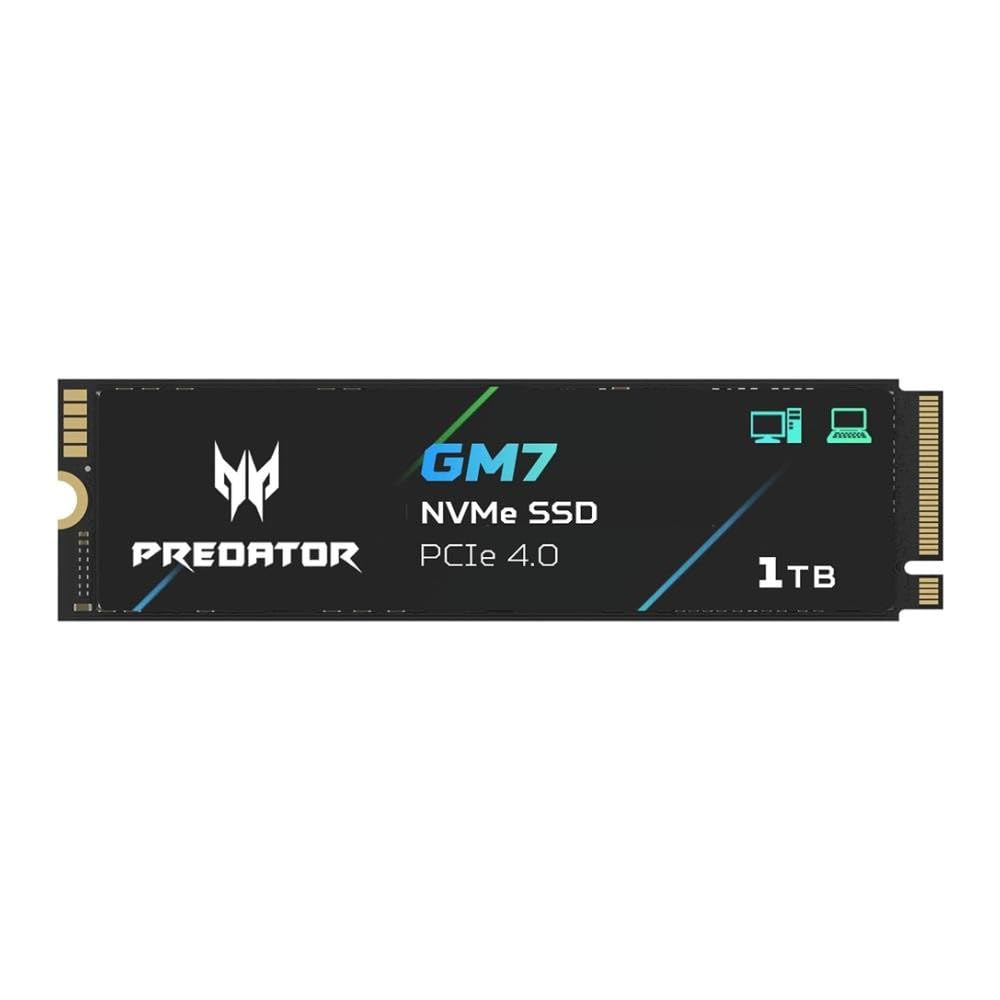
4. Acer Predator GM7 1TB SSD M.2 2280 PCIe Gen 4 x4 NVMe 2.0
Gen4 pacing that slashes game loads down to a blink.
Stepping up from SATA, the Acer Predator GM7 is an NVMe PCIe 4.0 drive with blistering sequential reads up to 7400 MB/s and writes up to 6500 MB/s — roughly 14 times faster than a SATA drive’s peak. This means massive game levels load in seconds, and transferring a 50GB folder takes under 10 seconds. It supports HMB (Host Memory Buffer) and SLC caching, which give it the random read performance needed for snappy app launches and multitasking without a dedicated DRAM chip.
The 1TB capacity is well judged for a primary NVMe drive: enough for a dozen large modern games alongside your operating system. Customers note real-world speeds of 6900 MB/s, comfortably near the advertised peak, and note the drive works well even inside a PlayStation 5 (with an added heatsink). The built-in Thermal Throttling and Power Management keep temperatures under control during heavy workloads, preventing the slowdown that hot drives can suffer. Speed and reliability are the top aspects mentioned, with the drive earning perfect marks for installation and value.
One thing to note: some owners found the price a bit high for the Gen4 category, though they still considered it a “wonderful SSD” for its performance. If you are on a tight budget but want the NVMe experience, this is a strong contender that buyers call “a good substitute for the overall pick.”
Gen4 Speed Demon
- Nearly 7,400 MB/s reads make game load times disappear
- HMB + SLC cache delivers snappy random reads without dedicated DRAM
- Excellent temperature control prevents throttling during long sessions
Premium Cost
- Premium pricing, though in line with top Gen4 drives
- May require an additional heatsink for best thermal performance, especially in tight laptops
Speed Enthusiast: a gamer or power user who wants Gen4 speeds for fast load times and smooth file transfers without moving to the most expensive tier.
Budget Restraint: your motherboard only supports PCIe Gen3, as the extra speed would be wasted — a Gen3 NVMe drive would cost less for the same real-world feel.
5. Samsung 870 EVO SATA III SSD 1TB 2.5” Internal Solid State Drive

The SATA drive that pulls every last drop of performance from the interface.
If you are sticking with a SATA connection because your system lacks an M.2 slot, or you need massive 2.5-inch storage for a NAS or secondary bay, the Samsung 870 EVO is the undisputed king of the format. It maxes out the SATA interface at 560 MB/s reads and 530 MB/s writes, and it has a larger variable buffer that maintains long-term high performance better than cheaper DRAM-less SATA drives. The 1TB capacity is ideal for a primary boot drive or a dedicated game library on an older system.
The build quality and reliability are what truly define this drive — it is the single most praised aspect, with 1,800 owners calling it out, followed closely by quality (1,000 mentions). One owner with seven drives across five years reported “no failures” and noted the drive runs 15°C cooler than a competitor’s and uses 55-80% less power. The Samsung Magician 6 software is another big plus: you can monitor drive health, check for firmware updates, and even tune performance from the desktop. It also supports AES 256-bit encryption, TCG/Opal, and IEEE1667 for enterprise-level security.
The main downside is the price — it sits at the premium end of the SATA market. For the same money you could buy a 2TB NVMe drive, so this is a product for buyers who specifically need the best SATA drive, not the best drive overall.
SATA Reliability King
- Maxes out the SATA III interface at 560 MB/s reads and 530 MB/s writes
- Industry-defining reliability backed by 1,800+ owner praises and a 5-year warranty
- Samsung Magician software makes management, monitoring, and optimization simple
Higher Price
- Significantly more expensive than other SATA SSDs of the same capacity
- Some reviewers point out an early firmware version (SVT0B6Q) that had flaws
Reliability Focus: anyone who needs a high-end SATA drive for a laptop, NAS, or desktop where maximum SATA performance and long-term reliability are non-negotiable.
Price Sensitive: your motherboard has an M.2 slot, as a similarly priced NVMe drive would deliver dramatically faster speeds for everyday tasks.
6. Kingston NV3 2TB M.2 2280 NVMe SSD (PCIe 4.0 Gen 4×4)

A massive 2TB Gen4 drive that swallows any workload without heating up.
The Kingston NV3 offers a colossal 2TB of storage on a single M.2 stick, using PCIe 4.0 to deliver sequential reads up to 6000 MB/s and writes up to 5000 MB/s. This is a drive for the user who wants one single, fast, cool-running storage solution — no juggling multiple SSDs or external drives. It has a 640 TBW endurance rating and a 5-year warranty, giving confidence for heavy daily use. Buyers describe it as delivering “legit Gen 4 speeds at fast-food money” and note it runs “cool and stable” even during extended transfers.
Performance is the most-mentioned aspect, praised by 185 owners, and the sheer speed (91 mentions) makes it a favorite for gamers and content creators who move large project files. It works smoothly with PCIe 4.0 slots and is backward compatible with Gen3 systems — on a Gen3 slot it will still hit around 3,500 MB/s, which is still much faster than any SATA drive. The only durability feedback is mixed: while many find it “super durable,” a small number of shoppers say failures after thousands of hours. With any high-capacity NVMe drive, a backup strategy is wise.
Kingston’s reputation for reliable storage and the NV3’s compelling price per gigabyte make this the best pick for anyone building a single-drive high-performance system. The 2TB size is particularly good for gamers who install many large titles and want them all to load instantly.
Large NVMe Drive
- 2TB capacity on a single M.2 drive, leaving plenty of room for games and projects
- Up to 6000 MB/s reads make everything from boot to game loading feel instant
- Runs cool under load, a real advantage in tight laptop or ITX builds
Budget NVMe
- Mixed durability feedback at very high hours, so backing up critical data is still recommended
- No dedicated DRAM cache, relying on HMB and SLC caching instead
High Storage Need: users who need a single, fast, large-capacity NVMe drive for gaming or creative work and want great value per gigabyte.
Top Speed Required: you already have a backup system in place and want one M.2 drive that can handle your whole game library without reaching into secondary storage.
7. WD Blue SN5100 2TB NVMe SSD M.2 2280 PCIe Gen 4.0

Gen4 speed with SanDisk’s nCache smarts for AI and creator workflows.
WD (through its SanDisk technology) brings a well-tuned NVMe drive to the table with the SN5100. Its sequential read speed reaches up to 7,100 MB/s, which is 30% faster than the previous generation of WD Blue SSDs. The SanDisk nCache 4.0 technology is the key here: it intelligently uses SLC caching to make copying large project folders much faster than a standard DRAM-less drive. For a video editor copying 4K footage or a developer working with container images, this translates to real time savings.
The 2TB capacity and M.2 2280 form factor make it a drop-in upgrade for modern desktops and laptops. Owners consistently rate it highly for reliability and speed, and the 5-year limited warranty from SanDisk adds confidence. One buyer used a pair of these in a RAID configuration for a new PC build, calling them “fast and reliable.” The included download of Acronis True Image makes migrating your entire operating system to the new drive a straightforward process, even for less experienced users.
This drive sits in a competitive slice of the market: it is not the absolute cheapest per gigabyte, and it is not the absolute fastest (the 7,100 MB/s mark is below the 7,450 MB/s of the BIWIN NV7400 below). But it offers a very balanced package of speed, capacity, and trusted brand support, especially for users who value the SanDisk/WD ecosystem.
Solid Work Drive
- 7,100 MB/s reads accelerate AI-assisted workflows and 4K video editing
- SanDisk nCache 4.0 boosts large file copy speeds
- 5-year warranty and free Acronis clone software for easy migration
Fierce Competition
- Slightly higher price per GB than some comparable Gen4 drives
- Lacks the peak sequential read speed of the absolute top-tier Gen4 models
Productivity Boost: creative professionals who want a fast, reliable Gen4 drive for large project files and value the included cloning software for an easy upgrade.
Gaming Priority: you are purely looking for the highest possible benchmark speeds for gaming or can get a 2TB drive with better value from another brand.
8. BIWIN Black Opal NV7400 2TB SSD Gen4x4 NVMe M.2 2280 PCIe 4.0

Peak Gen4 performance with a built-in graphene heatsink that keeps it icy.
The BIWIN NV7400 is the drive you pick when you want to hit the absolute ceiling of PCIe Gen4 speeds without stepping up to a more expensive Gen5 model. It pushes sequential reads to 7,450 MB/s and writes to 6,500 MB/s, with random read/write hitting up to 1,000K IOPS. These numbers put it right alongside top-tier drives like the Samsung 990 Pro for a significantly lower cost. The 2TB capacity and 1000 TBW endurance rating make it suitable for heavy daily use.
A standout design detail is the 0.5mm graphene aluminum heatsink integrated into the drive. Graphene is an excellent thermal conductor, and this heatsink prevents the throttling that can occur when a fast NVMe drive gets hot during sustained writes. Owners note it runs cooler than a Samsung 970 Evo and that the included mounting screw and heatsink make installation straightforward. The Biwin Intelligence software adds features like performance testing, data migration, and firmware updates, making it a complete package straight from the start.
Reliability and speed are the two most-discussed positive aspects (14 and 13 mentions respectively), and buyers consistently praise it as a good value. Biwin is an OEM manufacturer for brands like Acer and Lenovo, so the build quality comes from a company with deep supply-chain experience, not an unknown startup. This drive is an especially strong choice for PS5 expansion, as its speeds and heatsink perfectly match Sony’s requirements.
Cooled Fast NVMe
- Nearly 7,500 MB/s reads saturate PCIe Gen4 bandwidth for instant game loads
- Integrated graphene heatsink prevents thermal throttling without blocking tight spaces
- Excellent value per gigabyte compared to the Samsung 990 Pro
Niche Brand
- Less familiar brand name than Samsung or WD, though Biwin is a major OEM
- Some owners wish the write speeds matched the high read speeds more closely
Thermal Conscious: you want the fastest possible Gen4 drive for gaming or creative work, with excellent cooling and a great price-to-performance ratio.
Mainstream Preference: you prefer the absolute brand familiarity and 5-year direct support of a Samsung 990 EVO or WD SN850X, even at a higher cost.
9. Crucial P510 PCIe Gen5 NVMe 2TB SSD

Gen5 speed that makes even the fastest Gen4 drive look pedestrian.
The Crucial P510 is for the few who own a motherboard with a PCIe Gen5 M.2 slot and want to experience the fastest consumer storage possible right now. It reads at up to 10,000 MB/s — roughly 40% faster than peak Gen4 — and uses Micron’s advanced G8 NAND, which is built on the latest generation of flash memory technology. For loading massive open-world games, editing 8K video directly from the drive, or moving terabytes of data, this drive demolishes waiting time in a way that is genuinely surprising the first time you try it.
The 2TB capacity is generous, and Crucial includes a one-month Adobe Creative Cloud All-Apps subscription plus Acronis True Image cloning software, adding value for content creators. Backward compatibility with Gen4 systems means the drive will work in an older slot, though you will only get Gen4 speeds — still very fast, but the investment only makes full sense with a Gen5 motherboard. Buyers report noticeably faster boot times and game loads compared to Gen4 drives, though some owners note that in sustained heavy writes it can perform more like an “overclocked Gen4” drive, with speeds around 8,000 MB/s rather than the peak 10,000 MB/s in real-world scenarios.
This is a forward-looking pick. If you plan to keep your next PC build for four or five years, the Gen5 interface will remain current. But the premium price and the fact that many users will not benefit from the extra speed over a high-end Gen4 drive means it is only for the passionate early adopter.
Next-Gen Speed
- 10,000 MB/s reads transform load times for huge games and 8K video projects
- Trusted Micron quality with reliable controllers and NAND
- Backward compatible with Gen4 systems for a speed bump today
Gen5 Early Adopter
- Requires a Gen5 motherboard, which is still rare and expensive
- Premium price that most users will not fully utilize without specific workloads
- No DRAM cache, which may affect sustained random write performance
Future-Proofing: building a new high-end PC with a Gen5 slot, especially if you work with large creative files or want the absolute fastest load times for future games.
Current Gen Enough: you are on a Gen4 or Gen3 motherboard, where a high-end Gen4 drive like the BIWIN NV7400 will deliver identical real-world speed for much less money.
10. Kingston 480GB A400 SATA 3 2.5″ Internal SSD
The runaway crowd favorite that makes an old machine feel brand new.
This is the drive that shows up in more carts than almost any other SSD on the market, and for good reason. The 480GB capacity offers a meaningful step up from cramped budget drives, while the SATA III interface delivers up to 500 MB/s reads and 450 MB/s writes — enough to slash your boot time from several minutes down to under 30 seconds. The 7mm form factor fits snugly in older laptops and slim notebooks where space is tight, and the backward compatibility with SATA 2.0 means it works in systems as old as a decade.
Owners mention that the drive remains “durable after years” with “90%+ health via Kingston tool,” proof of its long-term reliability. The 480GB model holds a 2.1x capacity advantage over the 240GB Crucial BX500, giving you much more room for applications and media. That said, it is a DRAM-less design, so sustained writes under heavy mixed workloads can throttle — you notice this when moving many small files at once. For a boot drive and daily use, it is tough to top the combination of value and sheer owner satisfaction.
What wins people over is the reliability — it is the single most-discussed aspect with over 1,500 owners praising it. The speed also grabs attention from more than 1,100 owners, who note it delivers “max SATA speeds (~550MB/s)” in practice.
Why it wins
- Enormous user base and proven long-term reliability over years of use
- Easy installation that quickly revives aging desktops and laptops
- Strong value for the capacity, with 480GB being a comfortable daily-driver size
The trade-off
What is the difference between TLC and QLC NAND?
How do I clone my old hard drive to a new SSD?
Is a PCIe Gen5 SSD worth it for gaming?
How much capacity do I actually need for a gaming PC?
What does TBW mean and how important is it?
Will an SSD improve my laptop’s battery life?
Can I use a PS5 with an NVMe SSD?
Picking a new drive for your desktop or laptop is mostly about one thing: ditching the sluggish wait times that drag down everything you do. The real question is which connection speed, storage size, and long-term reliability actually fit the way you use your machine, without overpaying for speed you will never notice. The best computer SSD choices here cover every scenario — from breathing life into a ten-year-old laptop to getting the absolute fastest load times for modern games and content creation.
Written by Mohammad Maruf for WellFizz, based on published specifications and verified customer reviews.
Whether you are upgrading a work machine or building a high-performance rig, the right drive transforms how your system feels. This guide cuts through the noise to highlight the computer ssd models that deliver measurable improvements where it matters most: boot times, file transfers, and reliable daily operation.
How To Choose The Best Computer SSD
Picking the right drive today is about three things: the interface your system supports, the capacity you actually need, and how much sustained writing you do. A drive that screams in benchmarks might feel identical to a budget model for things like loading a web browser, while the budget model could choke on moving a 50GB game folder.
Match the Interface to Your Motherboard
The slot on your motherboard defines your upgrade path. A SATA III 2.5-inch drive fits almost any desktop or laptop from the last 15 years and maxes out around 560 MB/s. An M.2 NVMe slot — typically PCIe Gen 3 or Gen 4 — delivers speeds from 3,500 MB/s to 7,500 MB/s. The newest Gen5 M.2 slots aim beyond 10,000 MB/s but demand a compatible motherboard and often a heatsink. Check your motherboard specs before buying: an NVMe drive will work in a SATA-only system only if you use a specific adapter card, and it will only run at SATA speeds.
Understand Real World Performance
Sequential read and write numbers — the big ones on the box — matter most when moving single large files like a movie or a game install. For everyday tasks like opening apps, booting Windows, or loading game levels, random read/write speeds (measured in IOPS) are what you actually feel. A drive with an HMB or DRAM cache handles these small random operations much faster than a basic DRAM-less controller. If you do heavy multitasking, video editing, or virtual machine work, a drive with a DRAM cache and high TBW rating is worth the extra cost.
Pick the Right Capacity
Operating systems and modern games both consume significant space. A 240GB drive is sufficient for a light boot drive with a few essential applications, but you will likely need to manage storage regularly. A 480GB or 500GB model gives breathing room for several games or light video projects. 1TB is the current balance for most users — enough to hold a dozen large games plus media files. For users who hoard game libraries, edit high-resolution video, or run multiple operating systems, a 2TB or larger drive is a worthwhile investment.
Quick Comparison
In‑Depth Reviews
Understanding the Specs
Sequential vs Random Speeds
Sequential read/write is the big number on the box — it measures how fast the drive moves a single large file, like a movie or a game installer. Random read/write (measured in IOPS) is what you feel when the drive is handling many small files, like loading an operating system, opening email, or launching a web browser. A drive with high IOPS feels snappier in everyday use than one with just a high sequential number. For gamers and creators, a good balance of both is ideal.
DRAM, HMB, and SLC Caching
DRAM is dedicated memory on the SSD that keeps a map of where data is stored, making random reads very fast. DRAM-less drives use the system’s main memory (Host Memory Buffer, or HMB) for this map, which works well for most users but can slow down under heavy random writes. SLC caching temporarily writes data at high speed before moving it to slower NAND. Drives with larger SLC caches feel fast for common tasks like file copies, but the speed drops once the cache fills. High-end drives typically combine DRAM and SLC caching for consistent performance.
TBW and Endurance
TBW (Terabytes Written) is the total amount of data you can write to the drive before NAND cells start to degrade. A 600 TBW rating means you can write 600 terabytes of data over the drive’s life. For most home users, typical write rates are 10-30 GB per day, so a 600 TBW drive would last well over 20 years. Video editors and server users write much more and need higher TBW ratings. Check this number along with the warranty period to gauge the manufacturer’s confidence in their product.
Form Factor and Interface
The form factor is the physical shape: 2.5-inch SATA drives fit in standard laptop and desktop bays. M.2 2280 drives are thin sticks that plug directly into a motherboard slot. The interface determines speed: SATA III tops out around 560 MB/s, NVMe PCIe 3.0 hits 3,500 MB/s, PCIe 4.0 reaches 7,000+ MB/s, and PCIe 5.0 targets 10,000+ MB/s. An NVMe drive in a SATA slot will run at SATA speeds, so matching the interface to your motherboard’s slot is critical — check your motherboard manual before buying.
FAQ
Will a 2.5-inch SATA SSD work in my laptop?
Can I use an M.2 NVMe drive in a SATA-only motherboard?
What is the difference between TLC and QLC NAND?
How do I clone my old hard drive to a new SSD?
Is a PCIe Gen5 SSD worth it for gaming?
How much capacity do I actually need for a gaming PC?
What does TBW mean and how important is it?
Will an SSD improve my laptop’s battery life?
Can I use a PS5 with an NVMe SSD?
What happens if I put an SSD in a system with only SATA 2 ports?
Final Thoughts: The Verdict
Across the board, the computer ssd winner is the Kingston A400 480GB because it offers the broadest appeal — massive owner satisfaction, reliable long-term performance, and a capacity that suits everyday boot-drive needs without pushing into unnecessary expense. If you want NVMe speeds for gaming and creative projects, grab the Acer Predator GM7 1TB or the 2TB BIWIN NV7400 for peak Gen4 performance. And for a rock-solid Gen5 upgrade that future-proofs your build, the Crucial P510 2TB is the one to reach for.
How We Picked
We do not accept paid placement. Every pick is matched to a real buyer and a real use-case; we do not hands-on test units.
Sources & Methodology
Specifications: manufacturer listings and product documentation. Review insights: verified customer reviews, as of July 2026. Pricing: not shown on this page (it changes often); check the current price via the retailer link.
As an Amazon Associate, WellFizz earns from qualifying purchases. This does not affect which products we feature.
Related Guides

Mo Maruf
I created WellFizz to bridge the gap between vague wellness advice and actionable solutions. My mission is simple: to decode the research and give you practical tools you can actually use.
Beyond the data, I am a passionate traveler. I believe that stepping away from the screen to explore new environments is essential for mental clarity and physical vitality.