Our readers keep the lights on and my smoothie glass nicely filled. As an Amazon Associate, I earn from qualifying purchases.
Tinny laptop speakers and bulky desktop satellites leave you turning the volume up and still missing dialogue, footsteps, and low-end punch. A dedicated bar sitting under your monitor solves both problems at once—delivering full stereo imaging and a much wider soundstage without eating up your entire desk surface or requiring a tangle of wires behind your tower.
I’m Mohammad Maruf — the founder and writer behind WellFizz. My research for this guide involved analyzing driver configurations, digital signal processing modes, connectivity standards, and real-world user feedback across seven competing computer soundbars to separate marketing hype from genuine acoustic improvement.
Whether you need room-filling surround sound for gaming or crisp dialogue for video calls, you’ll find the right option in this curated roundup of the best computer soundbar models available right now.
How To Choose The Best Computer Soundbar
Most people assume any soundbar will work, but a desktop bar lives inches from your ears. Form factor matters—a wide bar might block your monitor’s IR sensor, while a tall one could push your screen higher than comfortable. Measure your desk depth and monitor stand clearance before you buy.
Driver Configuration and Sound Signature
A 2.0 bar handles stereo imaging for music and calls. A 2.1 system adds a dedicated subwoofer for audible bass in games and movies without straining the main drivers. A 5.1 setup with rear satellites creates true surround but demands more cable management on a desk. Full-range drivers with silk dome tweeters generally deliver cleaner high frequencies than single-driver bars.
Connectivity That Matches Your Devices
USB-C passthrough is ideal for modern laptops and MacBooks—one cable carries both power and audio. Optical input works with older motherboards and consoles, while 3.5 mm auxiliary preserves compatibility with virtually any PC. Bluetooth 5.3 or higher reduces audio latency, but for gaming you still want a wired connection to avoid lip-sync drift.
Desk Footprint and Cable Management
Under-monitor bars maximize space by fitting beneath the display, but detachable designs let you split the bar into two separate satellites for wider separation. Wired subwoofers sound more stable than wireless ones, though the extra cable run from the desk to the floor demands planning. Built-in batteries eliminate power cables on the desktop but add weight and eventual recharging cycles.
Quick Comparison
On smaller screens, swipe sideways to see the full table.
| Model | Category | Best For | Key Spec | Amazon |
|---|---|---|---|---|
| BlueAnt Soundblade | Premium | High-fidelity desktop audio | 120W, 80mm neodymium subwoofer | Amazon |
| Razer Leviathan V2 | Premium | THX Spatial Audio gaming | THX 7.1 surround, 18 RGB zones | Amazon |
| Saiyin with Subwoofer | Mid-Range | Versatile detachable 2.1 | 100W, horn tweeter, detachable towers | Amazon |
| INFITBO 2.1CH | Mid-Range | PC USB direct audio | 190W peak, 5.25″ wired subwoofer | Amazon |
| Nylavee 2.1 | Mid-Range | Balanced desk sound with sub | 60W peak, 5.25″ bass driver, BT 5.4 | Amazon |
| PHILIPS PC Soundbar | Mid-Range | Portable battery-powered use | 14W max, RGB lights, battery 12h | Amazon |
| ULTIMEA Poseidon D50 | Mid-Range | Full 5.1 surround setup | 320W peak, 2 wired rear satellites | Amazon |
In‑Depth Reviews
1. BlueAnt Soundblade

The Soundblade packs 120 watts of clean power into a low-profile chassis designed to sit flush under a monitor. An 80 mm neodymium subwoofer and dual racetrack drivers produce deep bass and clear dialogue without the clutter of a separate sub box on the floor. The sleek metal-and-plastic build feels substantial, and the included remote lets you switch between game, movie, and music EQ modes instantly.
Auto-switching USB-C handles both audio and power from a single cable, making it ideal for MacBooks and modern PC builds. Bluetooth 5.3 keeps streaming smooth, while the 3.5 mm aux input covers older devices. The remote ships with AAA batteries in the box—a thoughtful touch that avoids the usual opening-and-testing frustration.
Some users report the power-on voice prompt plays at full volume regardless of the current level, which can be jarring in a quiet room. The lack of an auto-off timer means the bar stays on until you manually power it down. Still, for desk-focused audio that doesn’t sacrifice clarity for bass, this is the most complete all-in-one solution here.
Why it’s great
- Built-in neodymium subwoofer saves floor space
- USB-C auto-switching connects PC and Mac seamlessly
- Three EQ modes tailor sound to content type
Good to know
- Voice prompt cannot be muted or turned down
- No auto-off feature when idle
- Occasional distortion at absolute maximum volume
2. Razer Leviathan V2

The Leviathan V2 is engineered for competitive gaming, combining a multi-driver soundbar with a dedicated down-firing subwoofer. THX Spatial Audio processes 7.1 channels to deliver precise directional cues—footsteps, gunshots, and environment sounds feel positioned around you rather than coming from a single source. The compact bar sits cleanly under most monitors, and the detachable rubber feet tilt it toward your ears for direct sound.
Bluetooth 5.2 supports pairing with up to eight devices through the Razer Audio App, so you can switch between desktop gaming and mobile music without re-pairing. The 18-zone Chroma RGB lighting syncs with in-game events and the wider Razer ecosystem, adding immersion without looking garish on a dark desk.
Connectivity is limited to USB-C input—there is no optical, HDMI, or 3.5 mm port, which locks out older consoles and TVs. The subwoofer is a sizable cube that requires floor or under-desk space, and a few units have exhibited scratchy audio that can only be resolved by restarting the bar. For a pure PC gaming rig with Synapse control, however, the positional accuracy is unmatched.
Why it’s great
- THX Spatial Audio creates accurate 7.1 surround
- RGB lighting syncs with games and Razer Chroma
- Compact bar fits under most monitors without obstruction
Good to know
- USB-C only — no optical or aux connections
- Subwoofer takes up significant floor space
- Reports of intermittent scratchy audio on some units
3. Saiyin Sound Bar with Subwoofer

Saiyin’s 2-in-1 detachable design is a rare find in the computer soundbar space. The bar splits into two tower speakers that sit on included bases, widening the stereo separation far beyond what a single bar can achieve. Dual silk dome tweeters handle high frequencies with noticeable sparkle, while two custom rectangular woofers push enough low-end to make action scenes feel punchy without a separate subwoofer box.
The horn tweeter design lets sound project further, which helps if your desk is in a larger room. Ten levels of adjustable bass give you fine-grained control over rumble, though there is no numeric indicator on the unit—you adjust by feel. DSP Technology offers movie, music, and news modes, each optimizing the frequency curve for its content type.
Bluetooth 5.3 pairs quickly with phones and tablets for casual streaming, and the included remote works with Fire TV remotes for unified control. The bass port can generate audible chuffing between 70 and 110 Hz; some users fix this by stuffing foam into the port opening. For desktop users who want the flexibility to separate speakers for wider imaging, this is the smartest mid-range buy.
Why it’s great
- Detachable into two tower speakers for wide stereo field
- Silk dome tweeters deliver crisp high frequencies
- 10-level bass adjustment for custom tuning
Good to know
- Bass level has no on-unit indicator
- Port noise between 70-110 Hz may need foam dampening
- Basic build materials feel less premium than alternatives
4. INFITBO 2.1CH Sound Bar

The INFITBO D50 delivers 190 watts of peak power with a dedicated 5.25-inch wired subwoofer housed in a 12-liter cavity for deep, physical bass. The soundbar itself splits into two separate satellite speakers, offering the same detachable advantage as the Saiyin but with USB audio input that bypasses your PC’s built-in sound card entirely. This direct digital connection often results in cleaner signal paths and lower noise floor compared to analog aux.
Wired connections (HDMI ARC, optical, AUX, and USB) keep signal latency near zero, which is critical for gamers timing audio cues to on-screen action. Bluetooth 5.4 is available for wireless streaming from phones or tablets, but the subwoofer and speaker segments remain wired for stability. The slim bar profile—just over two inches tall—won’t block your monitor’s IR receiver or force you to raise the screen height.
A common complaint is the relatively short power cord, which limits placement options if your desk’s power strip is far. The system does not support Dolby Audio decoding, so be sure your source device can output PCM stereo or ARC. Customer support is notably responsive, with several users reporting free replacements for minor issues even outside the standard warranty window.
Why it’s great
- USB audio bypasses PC sound card for cleaner output
- Detachable satellites widen soundstage significantly
- 12L subwoofer cavity delivers deep, felt bass
Good to know
- Power cord is only 5 feet long
- No Dolby Audio decoding
- All connections are wired — no wireless sub option
5. Nylavee 2.1 PC Speakers System
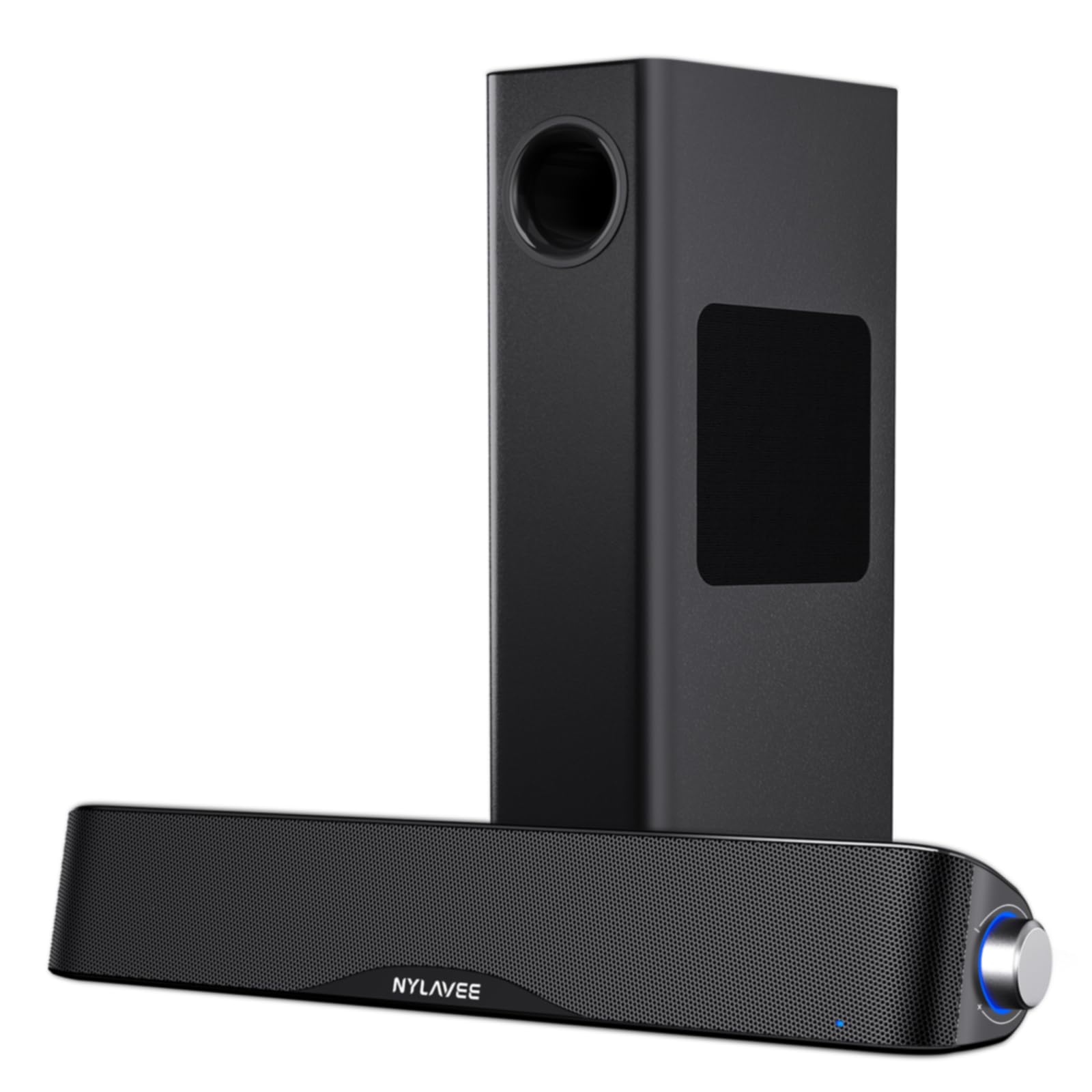
Nylavee’s 2.1 system focuses on balance rather than raw volume. The soundbar houses dual soft-dome silk tweeters and full-range drivers that deliver crisp vocals and mids without harshness, while the standalone 5.25-inch subwoofer adds punchy bass that stays clean up to moderate listening levels. The 60-watt peak power rating (30 watts RMS) is modest, but for close-range desktop use it fills a small to medium room without strain.
Bluetooth 5.4 provides low-latency streaming for casual listening, while the 3.5 mm aux input works with any PC, Mac, or console out of the box. Setup is truly plug-and-play—no drivers, no software, just an AC adapter and the included RCA cable to connect the subwoofer. The side knob controls power, mode switching, volume, and reset in one simple tactile interface.
The ABS plastic enclosure feels sturdy enough for daily use, but the subwoofer’s wired connection means you have to route a cable from the bar to your floor or desk corner. A few users wanted more total output for larger rooms, but within a typical home-office footprint the Nylavee hits an excellent price-to-performance ratio for focused listening.
Why it’s great
- Silk tweeters create smooth, fatigue-free highs
- Simple side knob controls all functions
- Small desk footprint with subwoofer hidden below
Good to know
- 60W peak may not fill very large rooms
- Subwoofer requires wired connection to soundbar
- ABS plastic feels less premium than metal builds
6. PHILIPS PC Sound Bar
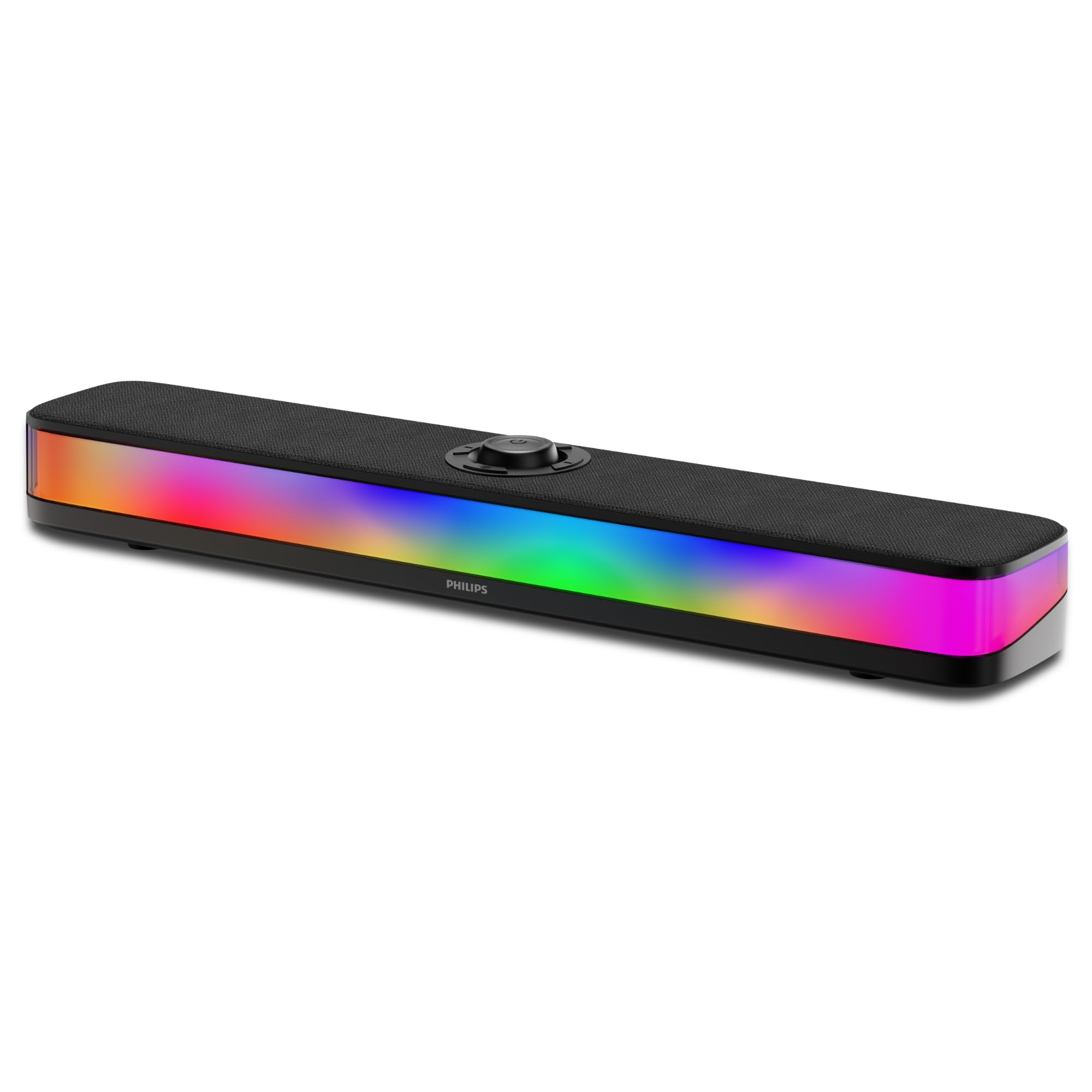
Philips approaches the computer soundbar from a different angle—mobility. A built-in rechargeable battery delivers up to 12 hours of playback with lights off, or about six hours with the RGB LEDs active. That makes this bar easy to move between desks, take to a co-working space, or use on a patio without hunting for an outlet. Dual 50 mm full-range drivers produce clear stereo sound with more bass than a laptop’s speakers, though the 14-watt max rating limits headroom for loud movie watching or music in a large room.
Bluetooth 5.4 with low latency handles wireless audio from phones, tablets, and laptops without noticeable lag. The built-in microphone picks up voice clearly across a room, making this one of the few bars in this roundup that doubles as a conference speaker for Zoom or Teams calls. USB-C charging means you can use the same cable as your laptop, reducing desk cable clutter.
The RGB lighting offers multiple dynamic and static modes that sync with music for a fun gaming aesthetic. The volume knob is a satisfying analog dial on top, but the startup chime plays at full blast no matter your current volume setting. The documentation is sparse—a single diagram with vague symbols—so expect to figure out the LED mode toggle through trial and error.
Why it’s great
- Battery-powered for true wireless portability
- Built-in microphone works well for video calls
- USB-C charging matches modern laptop cables
Good to know
- 14W max limits peak volume for large rooms
- Startup chime always plays at maximum volume
- Instruction manual is minimal and hard to follow
7. ULTIMEA Poseidon D50

The Poseidon D50 is the only 5.1-channel system in this guide, and it delivers a theater-like audio experience on a desk. Two wired rear satellites and a wireless subwoofer create true surround sound that 2.1 systems can only fake. BASSMX Technology keeps the subwoofer output controlled and distortion-free even at high volumes, while SurroundX processing upmixes 2.0 PCM sources to full 5.1 so older games and streaming content sound enveloping rather than narrow.
The ULTIMEA App provides 121 preset equalizer matrices across four styles—Bass, Pop, Classical, and Rock—plus six dedicated EQ modes for Movie, Music, Voice, Sport, Game, and Night. A 10-band customizable EQ gives advanced users surgical control over frequency response. HDMI ARC, optical, Bluetooth, and AUX inputs make it compatible with virtually any PC, console, or TV.
Setup is straightforward but requires running a 19.6-foot cable to the rear speakers, which demands some cable management planning. The rear speakers connect to the subwoofer wirelessly, reducing the number of visible wires. The bar does not support external remotes like an Nvidia Shield for volume control—you must use the included remote or the app. For a desk where immersive surround outweighs simplicity, the Poseidon D50 offers immense value.
Why it’s great
- True 5.1 surround with wired rear satellites
- 121 EQ presets plus 10-band customizer in app
- HDMI ARC, optical, and BT cover all inputs
Good to know
- No external remote compatibility for volume
- Rear speaker cable needs careful routing
- Some virtual processing artifacts on 2.0 sources
FAQ
Will a computer soundbar block my monitor’s IR sensor?
Can I use a soundbar that lacks an optical input with a desktop motherboard?
Does Bluetooth version really matter for desktop audio lag?
Final Thoughts: The Verdict
For most users, the best computer soundbar winner is the BlueAnt Soundblade because it combines a built-in subwoofer, clean 120-watt output, and USB-C simplicity into a form factor that doesn’t crowd your desk. If you want THX Spatial Audio and deep Razer ecosystem integration for immersive gaming, the Razer Leviathan V2 is your match. And for a full 5.1 surround experience on a budget, the ULTIMEA Poseidon D50 punches far above its price tier with wired rear satellites and app-driven EQ control.

Mo Maruf
I created WellFizz to bridge the gap between vague wellness advice and actionable solutions. My mission is simple: to decode the research and give you practical tools you can actually use.
Beyond the data, I am a passionate traveler. I believe that stepping away from the screen to explore new environments is essential for mental clarity and physical vitality.