Our readers keep the lights on and my smoothie glass nicely filled. As an Amazon Associate, I earn from qualifying purchases.
Specs are compiled from manufacturer listings and verified buyer reviews and can change over time — please confirm the key details on the product page before buying.
You are working from a coffee shop, a co-working space, or an open-plan office. Anyone next to you can glance at your screen. A computer privacy screen (a thin film that darkens the display from the side) narrows the viewing angle so only you see your work clearly; everyone else sees a dark or blank screen. But not all filters share the same size, attachment method, or monitor compatibility. This guide lays out the real-world differences so you pick one that fits, stays put, and protects your data.
I’m Mohammad Maruf — the founder and writer behind WellFizz. This guide is built by comparing the manufacturers’ published specifications and the patterns across verified customer reviews, so you get each pick’s real strengths and trade-offs instead of marketing spin.
The best computer privacy screens on Amazon deliver genuine side-view blackout without making your own view look murky. Here is how they compare.
Our Picks at a Glance


How To Choose The Best Computer Privacy Screens
The right privacy screen depends on three must-get-right choices: the exact size of your display, how you want it to attach, and whether you prefer a matte or glossy surface. The rest — blue-light filtration, scratch hardness — are important bonuses, but if the fit is wrong or the attachment fails, nothing else matters.
Size and Aspect Ratio
Never pick a screen by diagonal measurement alone. Two 24-inch monitors can have different widths if one is a 16:9 and the other is a 16:10. Always measure the visible width and height of your display (the part that lights up, excluding the bezel frame) and match it to the filter’s listed dimensions. A filter that is even 1/4 inch too wide may not sit flat, and one that is too narrow leaves a strip of exposed screen.
Attachment Method: Adhesive, Slide Mount, or Hanging
Adhesive strips offer the most secure hold and sit flush against the screen, but they leave residue when removed and are difficult to reposition. Slide-mount tabs work on monitors with a raised bezel: you stick the tabs to the frame and the filter slides in and out easily. Hanging screens (also called hook-over) attach with a molded lip over the top bezel — the easiest to install and remove with zero residue, but they can fall off if the monitor is jostled or moved.
Matte vs Glossy Finish
The two sides of a privacy filter do more than just look different. The glossy side delivers a stronger privacy effect (the screen goes darker at a tighter angle), but it also reflects overhead lights and shows smudges. The matte side cuts glare and fingerprints, making it easier on the eyes in bright rooms, though the privacy angle is slightly less aggressive. If you work under harsh office lighting, matte is the smarter choice despite the small trade-off in privacy strength.
Quick Comparison
| Model | Best For | Finish | Hardness | Attachment | Amazon |
|---|---|---|---|---|---|
| STARY 4-way 360° 16 Inch★ Best Overall | 360° full-coverage privacy | Glossy & Matte | 6H | Slide mount or adhesive | Amazon |
| ANTOGOO V 15.6 InchBest Value | Budget laptop privacy | Matte | 5H | Adhesive | Amazon |
| Izmapaic 21.5 InchDesktop Pick | Desktop monitor privacy | Glossy & Matte | 3H | Slide mount or adhesive | Amazon |
| J J-Dream 20 Inch (2-Pack) | Dual 20-inch monitors | Glossy/Matte | — | Slide-on clips | Amazon |
| PYS 27 Inch | Large frameless monitors | Glossy | 9H | Self-stick (no tabs) | Amazon |
| Magicmoon 24 Inch (2-Pack) | Two 24-inch monitors | Glossy & Matte | 3H | Slide mount or adhesive | Amazon |
| SightPro 24 Inch (2-Pack) | Glare reduction on 24-inch | Glossy & Matte | 2H | Adhesive strips or slide mount | Amazon |
| Zspeed 24 Inch (2-Pack) | Adhesive-free quick install | Glossy | 3H | Hanging (hook-over) | Amazon |
In‑Depth Reviews
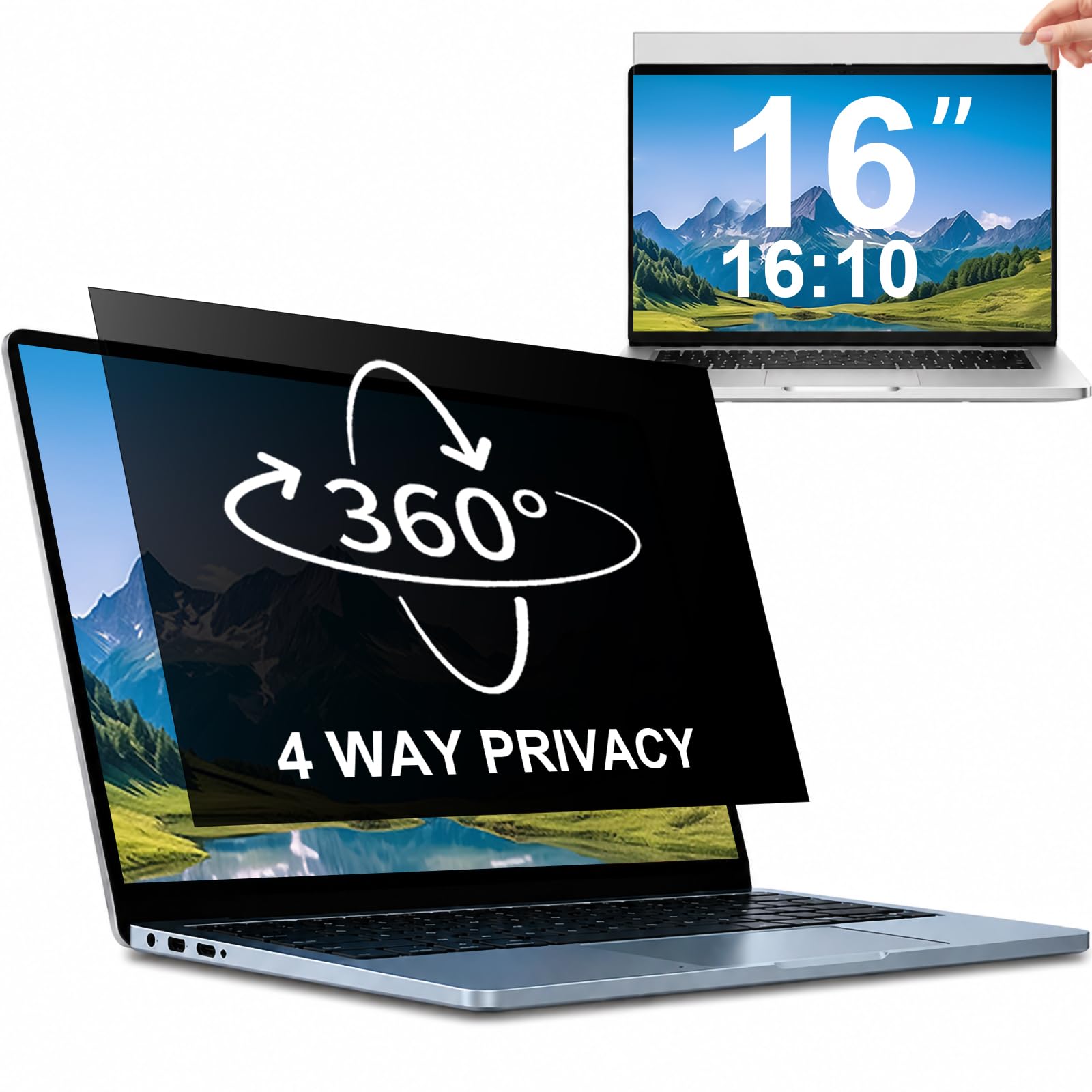
1. STARY 4-way 360° Laptop Privacy Screen Filter 16 Inch
Our pick — over 4★ from 950+ verified ratings; the strongest balance of quality and price.
The only filter that blacks out top, bottom, left, and right — not just the sides.
Most privacy filters only block left and right views, leaving your screen exposed if someone glances over your shoulder from above. The STARY filter locks visibility from all four directions — anyone outside a 30° angle sees a complete blackout, whether they are beside you or standing behind. That 360-degree coverage is the defining reason this pick wins the top spot.
You get both a glossy and a matte surface in one filter, so you can flip to whichever suits your lighting. The glossy side delivers the stronger privacy effect; the matte side cuts glare from overhead office lights. At a 6H hardness rating, the PET material resists scratches better than standard 3H or 5H films — a meaningful gap if your laptop screen shares a bag with keys or a pen. Installation works either with slide-mount tabs (best if your laptop has a raised bezel) or double-sided adhesive strips for a permanent fit. The only magnetic hold is across the top edge, but buyers report that works fine in practice, and they praise the customer support for resolving any issues quickly.
What wins people over is the privacy from every angle. The most-discussed plus is how well it functions in real use — it completely eliminates shoulder surfing in cafes and open offices. The one caution is that the magnetic grip is limited to the top edge, so the bottom can detach if you bump the screen.
What Stands Out
- Blocks all four directions, not just left-right
- Matte and glossy sides in one filter
- 6H scratch resistance — significantly tougher than most competitors
What to Watch
- Only the top edge uses magnetic attachment; bottom may come loose
- Not compatible with MacBook or Surface devices
Best for the frequent traveler who works in coffee shops, airports, or open offices where people pass from every direction. Think twice if you own a MacBook: this filter is designed for Dell, HP, Lenovo, and similar laptops — it explicitly does not fit Apple or Microsoft Surface models.
2. ANTOGOO V 15.6 Inch Laptop Privacy Screen Filter
A sub- privacy screen that handles scratches, fingerprints, and glare — without the premium price tag.
At a 5H hardness, the PET material resists scratches well for daily commuter use, though it is still a step behind the 6H and 9H films above. The matte surface reduces glare from overhead lights and resists fingerprints — a practical advantage in bright coffee shops or sunny train carriages.
Installation uses adhesive on the back side only, which is simple but permanent. You cannot reposition it after first contact, so careful alignment is critical. The multi-layer design also filters harmful blue light, which reduces eye strain during long work sessions. As buyers sum it up: the 30-degree privacy angle works as described, the head-on clarity stays sharp, and the matte side keeps reflections off, though the glossy finish does show smudges and some owners mention needing to trim the corners for a perfect fit.
The biggest practical trade-off is the permanent adhesive. Once it is on, removing it risks leaving residue. That is fine for a dedicated work laptop you never share, but less ideal if you swap devices regularly. This is the pick for a tight budget, but the J J-Dream 2-pack (review 4) gives you two screens for not much more money, without the permanent adhesive.
Instant savings, solid protection: at this entry-level price point, you get side-privacy, blue-light filtering, scratch defense, and a matte anti-glare surface — all in one film.
Watch out for permanent install: the adhesive-back design means you have one shot to get the alignment perfect; after that, removing it without residue is a challenge.
3. Izmapaic Computer Privacy Screen Filter for 21.5 Inch Monitor
The big-screen desktop filter that flips between glossy and matte, sized for the 21.5-inch 16:9 crowd.
This 21.5-inch filter covers a visible area of 18.74″ by 10.55″ (476mm by 268mm) — the same 38% larger surface compared to the 15.6-inch ANTOGOO V filter, making it noticeably bigger in both directions. It is reversible, offering a glossy side for stronger privacy blackout and a matte side for less glare. The 3H hardness level is average for desktop filters; it resists light scuffs but will scratch more easily than the 6H STARY or the 9H PYS options.
Two installation choices are included: clear adhesive strips for a permanent mount, or slide-mount tabs for bezeled monitors that let you remove the filter quickly when you need to share your screen. The privacy effect works exactly as advertised — the screen appears dark from the side. One honest limit several owners point out: people sitting directly behind you can still see the screen content. This is a characteristic of all standard left-right privacy filters, not a defect of this model.
The biggest praise is how well it fits and how easy it is to install. The most-discussed positive is the privacy performance itself — owners consistently say it works great for blocking side views. The handful of adhesion complaints center on the strips not holding firmly on some monitor bezels.
What Wins Fans
- Accurate dimensions for a 21.5-inch 16:9 monitor
- Two-sided finish — glossy for strong privacy, matte for low glare
- Slide-mount option for easy removal
What to Know
- 3H hardness offers only moderate scratch resistance
- Adhesive strips may not hold on every bezel type
- Does not block views from directly behind
Best if your desk monitor is a 21.5-inch model where you want slide-mount tabs for easy removal. Skip it for a shared hot-desk if you prefer zero-tape installation — look at a hanging screen instead.
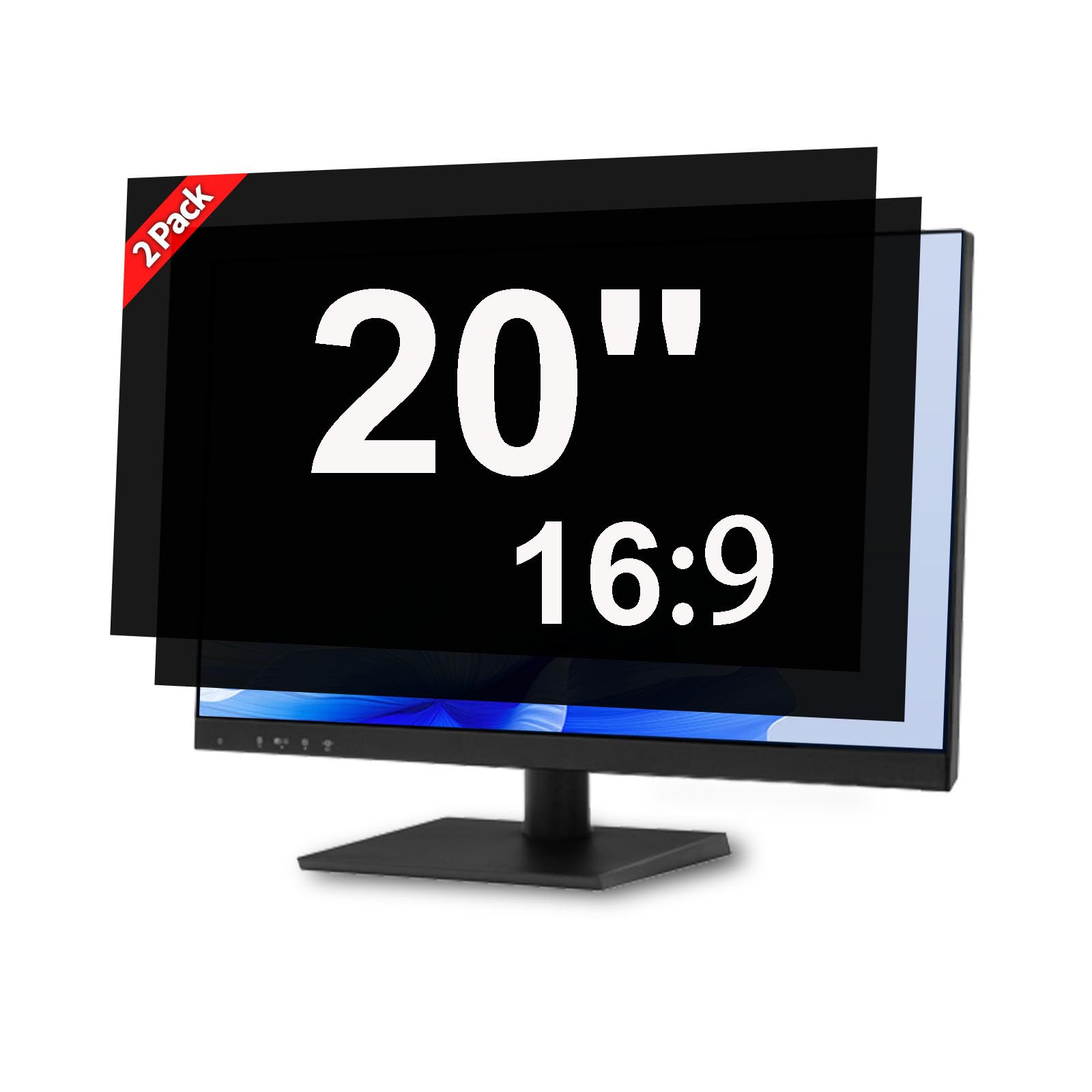
4. J J-Dream 20 Inch Computer Monitor Privacy Screen (2 Pack)
Two 20-inch screens for the price of one — ideal for dual-monitor setups on a budget.
If you run two 20-inch 16:9 monitors side by side, this 2-pack delivers privacy on both without paying double. Each filter targets a visible area of 17.36″ × 9.76″, which is designed for common Dell, HP, Lenovo, and ASUS displays in this size class. The installation uses a slide-on clip system — no adhesive, no residue — which means you can swap the screens between monitors or remove them entirely for screen-sharing.
The most-discussed advantage is screen protection: owners consistently report the filters cut down glare and reflections significantly, making the screen easier to read in bright offices. The removability feature is the second-most praised trait — the clip design is sturdy enough to hold the filter securely but lets you slide it off in seconds. A few customers note that the filter can detach if you pick up the monitor by the bezel, so it is better suited to stationary desk setups than to laptops you carry.
The honest trade-off is optical. Like most clip-on filters, it dims the screen noticeably, so you will likely increase your monitor brightness by a notch or two. The front view stays clear, but casual side glances are effectively blocked.
Great for a dual-monitor office: no adhesive, no residue, and two identical filters mean you can cover both displays consistently.
Not for a traveling workstation: the clip attachment can come off if the monitor moves suddenly — this is a desk-only solution.
5. PYS 27 Inch Computer Monitor Privacy Screen (2024 New Version)

The 9H hardness champion — tough enough to handle desk life without the sticky-tab mess.
At 9H hardness, the PYS filter is the hardest screen in this list — identical in scratch-fighting ability to the industry-leading STARY 4-way filter’s 6H? No — 9H is significantly tougher. It is specifically designed for frameless (zero-bezel) 27-inch monitors, which are common in modern offices.
Instead of separate plastic tabs or adhesive strips, this filter uses a self-stick direct-attach method. You peel a protective layer and press it onto the screen. There is no residue when removed, and the filter can be taken off and reattached multiple times. The package includes a microfiber cleaning cloth and wet/dry wipes. Owner feedback is consistent: the privacy works well from side views, the build quality feels solid, and the blue-light reduction (stated at 30%) eases eye strain. The downside a few buyers mention is limited flexibility — the self-stick design means you cannot flip the filter to a matte side if you dislike the glossy reflection.
The privacy performance is the top praise here. The most-discussed positive is how effectively it blocks side views — owners describe it as excellent for sensitive data work. The small but real complaint cluster is about screen clarity, with some noting a slight loss of sharpness compared to the bare monitor.
Core Strengths
- 9H hardness — the highest scratch resistance in this guide
- Designed specifically for zero-bezel 27-inch monitors
- No plastic tabs or tape — peels on and off cleanly
Points to Consider
- Glossy-only finish — you cannot flip to a matte anti-glare side
- Some reviewers point out reduced screen clarity
Ideal for a modern frameless monitor if you want maximum scratch protection and a clean install with no dangling tabs. Not if you hate reflections: the glossy surface shows overhead lights and smudges, so a matte surface (like the STARY’s second side) may suit a bright office better.
6. Magicmoon 2-Pack 24 Inch Computer Privacy Screen Filter

Two glossy-and-matte filters for two 24-inch monitors — balanced privacy while staying affordable.
The Magicmoon set gives you two privacy filters for 24-inch 16:9 monitors, each one reversible between a glossy side for stronger privacy and a matte side for glare-free work. The dimensions are 20.9 inches wide by 11.8 inches tall (531mm x 298mm), which corresponds to the visible area of a typical 24-inch widescreen display. The 3H hardness is standard for this price range — it handles normal desk use but will not survive a direct key scratch.
Installation offers two routes: clear adhesive strips for a permanent mount, or slide-mount tabs if your monitor has a raised bezel. Blue-light blocking is listed at 30%, which helps during long work sessions. The privacy angle operates from about 30 to 60 degrees — the more you angle the screen, the darker it gets from the side. As shoppers say, the filter effectively blacks out the side view without fuzziness, though it does dim the display noticeably. A few buyers said the dimness was enough that they eventually removed the filter. The clarity received mixed feedback overall.
The quality of the material is what stands out. The most-praised aspects are the privacy and the overall build quality — owners commonly describe the filters as “perfect” and “solid.” The adhesion is a mixed point: some find the strips hold perfectly, others say they lose grip over time.
Solid 2-pack value: one purchase covers two monitors, with the choice of glossy or matte surface per screen.
Dimness is the real factor: this filter cuts brightness noticeably, so test with your typical brightness setting before committing to a permanent adhesive install.
7. SightPro 24 Inch [2 Pack] Computer Privacy Screen Filter
![SightPro 24 Inch [2 Pack] Computer Privacy Screen Filter](https://m.media-amazon.com/images/I/71x6NDb-CAL.jpg)
Built with microlouver film — the same tech used in high-end corporate privacy shields — at a reasonable 2-pack price.
The SightPro uses microlouver film, which employs tiny vertical blinds inside the plastic to control the viewing angle, rather than a simple darkening tint. The result is a clearer head-on image compared to many budget films. The dimensions for this 24-inch filter are 20.95 inches wide by 11.77 inches tall. It comes as a 2-pack, giving you a second filter for another monitor or a spare. The surface is reversible between glossy and matte finishes.
The top-praised feature is glare reduction — owners consistently say it cuts reflections dramatically in bright offices. The installation is straightforward using clear adhesive strips or slide-mount tabs. One practical detail several buyers appreciate is that the filter hardly affects screen brightness, so you do not need to crank up your monitor’s backlight. The adhesion quality is the most mixed point: some filters stick securely while others require careful pressing to avoid peeling at the edges. The 2H hardness is the lowest on this list, meaning the film is more vulnerable to scratches than any other pick here, so handle the surface with care during cleaning.
Customer service is part of the package. Several owners share stories of getting the wrong size and having it replaced quickly and courteously — which builds confidence if you measure incorrectly.
Best Traits
- Microlouver film keeps head-on clarity sharp
- Minimal brightness loss — you may not need to adjust your monitor
- 2-pack gives you a second screen covered
Watch Points
- 2H hardness is the lowest — scratches easily
- Adhesive strips may not hold on all bezel shapes
Best for clarity-focused users who hate the fuzzy look many privacy films create — the microlouver construction keeps text crisp. skip it if you are rough on your gear: the soft surface picks up scratches faster than any other filter in this guide.
8. Zspeed 24 Inch [2-Pack] Hanging Privacy Screen
![Zspeed 24 Inch [2-Pack] Hanging Privacy Screen](https://m.media-amazon.com/images/I/61Zzwto4s+L.jpg)
Hooks over the top bezel — no tape, no glue, no residue, and you can wash it and reuse it.
The Zspeed privacy screen is a rigid acrylic panel with a molded lip that hangs over the top of your monitor bezel. It is designed for 24-inch monitors (measuring 21.5″ wide by 12.6″ tall) and is slightly oversized intentionally so it fits a broader range of brands.
The micro-louver technology blocks side views effectively — clear from straight ahead, dark from the sides. The filter also blocks up to 96% of harmful blue light and 99% of ultraviolet radiation, which owners say noticeably reduces eye strain during long work sessions. The material is sturdy enough to resist bending and deformation, unlike thin PET films that can curl. Because it is a hanging design, you can remove it instantly when you need to share your screen, wash it with water, and hang it back. The 3H hardness offers moderate scratch protection — better than the SightPro’s 2H but below the STARY’s 6H.
The thing everyone raves about is how easy it is to set up. Owners describe the installation as taking under a minute and working exactly as expected. The only recurring note is that the glossy finish increases glare compared to the bare monitor screen, so if you are buying it specifically for eye comfort, factor in that extra reflection.
The Upside
- Truly adhesive-free — a molded lip hooks over the top bezel
- Removable in seconds, washable, and reusable
- Blocks 96% of blue light and 99% of UV
The Trade-Off
- Glossy finish reflects overhead light more than the bare screen
- Rigid acrylic may not sit perfectly flat on curved monitors
Reach for this if you swap monitors or work at a hot desk: zero installation commitment, instant removal, and you can carry it between workstations. Look elsewhere if reflections bother you: the glossy surface adds glare, so a matte filter (like the STARY) is better for bright rooms.
Understanding the Specs
Hardness Rating (2H to 9H)
This number tells you how well the filter resists scratches. A 9H rating (found on the PYS filter) means it is extremely hard and can survive contact with keys or coins in a bag. A 3H rating (found on several budget and mid-range picks) is softer — it handles gentle cleaning with a microfibre cloth but can scratch permanently if a sharp object drags across it. For a laptop that travels daily, aim for 5H or higher. For a stationary desktop monitor that never moves, 3H is usually enough.
Viewing Angle (±25° to ±30°)
The angle at which the screen remains visible from the front. A ±25° viewing angle means the filter stays clear only if you are sitting directly in front of it; once you move 25° to either side, the screen starts to darken. At ±30°, the visible zone is slightly wider, so you have a bit more freedom of movement before the privacy kicks in. Tight angles (±25°) offer stronger privacy but require you to sit squarely in front of the screen. Wider angles (±30°) are more forgiving for a quick lean or stretch.
FAQ
Will a privacy screen fit my 24-inch monitor from any brand?
Do privacy screens work on both laptops and desktop monitors?
Can I still share my screen with a privacy filter attached?
Does a privacy screen block all harmful blue light?
Will a privacy screen make my monitor look dim or blurry?
Can I use a privacy screen on a curved monitor?
How do I clean a privacy screen without scratching it?
What is the difference between a 3H and a 9H hardness rating?
Do privacy filters block views from directly behind the monitor?
Can I use a privacy screen with a touchscreen laptop?
Final Thoughts: The Verdict
For most buyers, the clear winner is the STARY 4-way 360° 16-inch filter because it blocks views from all four directions, gives you both matte and glossy surfaces, and delivers 6H scratch resistance — all at a crowd-friendly price point that has earned it the best overall rating by a strong margin. If you want instant, tape-free installation for a 24-inch monitor, grab the Zspeed 2-Pack hanging screen. And for dual-monitor setups on a budget, the J J-Dream 20-inch 2-pack is the one to reach for.
How We Picked
We do not accept paid placement. Every pick is matched to a real buyer and a real use-case; we do not hands-on test units.
Sources & Methodology
Specifications: manufacturer listings and product documentation. Review insights: verified customer reviews, as of July 2026. Pricing: not shown on this page (it changes often); check the current price via the retailer link.
As an Amazon Associate, WellFizz earns from qualifying purchases. This does not affect which products we feature.
Related Guides

Mo Maruf
I created WellFizz to bridge the gap between vague wellness advice and actionable solutions. My mission is simple: to decode the research and give you practical tools you can actually use.
Beyond the data, I am a passionate traveler. I believe that stepping away from the screen to explore new environments is essential for mental clarity and physical vitality.