Our readers keep the lights on and my smoothie glass nicely filled. As an Amazon Associate, I earn from qualifying purchases.
Making pixel-level selections, dodging and burning with a brush, or precisely masking a strand of hair demands a mouse that translates intent into movement without lag, drift, or acceleration. A standard office mouse introduces tiny errors that compound over an editing session, forcing constant corrections that break creative flow and slow you down.
I’m Mohammad Maruf — the founder and writer behind WellFizz. I’ve spent hundreds of hours analyzing sensor accuracy, button latency, ergonomic geometry, and software customization depth to find the models that let photo editors work faster and more accurately.
This guide breaks down the sensor specs, build quality, and customization features that define the best computer mouse for photo editing, helping you choose the one that fits your hand and workflow.
How To Choose The Best Computer Mouse For Photo Editing
Not every mouse with a high DPI number is suitable for photo work. The best photo editing mouse balances tracking precision, button customization for shortcuts, and ergonomic support for hours of retouching. Here’s what you need to evaluate before buying.
Sensor Accuracy and DPI Flexibility
A high-end optical or laser sensor with a native DPI range of 400 to 8000 allows you to toggle between fast navigation across a large canvas and pixel-level precision for fine selections. Look for a sensor that offers zero acceleration and no angle snapping — any interpolation can introduce cursor drift that ruins precise masking or cloning work.
Programmable Buttons and Software Profiles
Photo editing involves hundreds of repetitive keystrokes. A mouse with 6 to 10 programmable buttons lets you map brushes, undo, color pick, zoom, and layer shortcuts directly to the mouse. Matching software should support app-specific profiles — your Lightroom layout should load automatically when you switch from Photoshop.
Ergonomic Fit for Extended Sessions
Retouching sessions often run several hours consecutively. A vertical or sculpted shape that keeps the wrist in a neutral handshake posture reduces fatigue and the risk of repetitive strain injury. Consider your hand size and grip style — palm grips need fuller contouring, while claw grips prefer a shorter, lighter body.
Polling Rate and Wireless Reliability
A 1000 Hz polling rate (1 ms response) is important for real-time brush stroke feedback. If you prefer wireless, choose Bluetooth 5.0 or a dedicated 2.4 GHz dongle with low latency — the connection must be stable enough that you never feel a skip between the brush and the cursor on screen.
Quick Comparison
On smaller screens, swipe sideways to see the full table.
| Model | Category | Best For | Key Spec | Amazon |
|---|---|---|---|---|
| Logitech MX Master 3S | Mid-Range | All-day precision editing | 8000 DPI Darkfield sensor | Amazon |
| TOUR BOX Elite | Premium | Color grading & video editing | Bluetooth + USB-C dual connectivity | Amazon |
| TourBox Lite | Mid-Range | Streamlining Photoshop shortcuts | 8 buttons + wheel + knob | Amazon |
| ELECOM Huge Plus | Premium | Finger-driven precision control | 52 mm trackball, 1000 Hz wired | Amazon |
| Logitech MX Ergo S | Mid-Range | Ergonomic relief with thumb control | 20-degree adjustable tilt | Amazon |
| DELUX Seeker M618XSD | Budget | Vertical grip with OLED display | 7200 DPI, 6 programmable buttons | Amazon |
| Evoluent VMDMW | Premium | True vertical handshake posture | 4-speed sensor, 6 customizable buttons | Amazon |
In‑Depth Reviews
1. Logitech MX Master 3S

The Logitech MX Master 3S sets the benchmark for a photo editing mouse with its 8000 DPI Darkfield sensor that tracks accurately on glass and glossy surfaces — a real advantage when working on a cluttered desk. The MagSpeed electromagnetic scroll wheel delivers precise, ratcheted increments for timeline scrubbing and fast free-spin for long document navigation without overshooting.
Seven programmable buttons, accessible through the Logi Options+ app, allow you to assign brush size, zoom, undo, and layer shortcuts. The sculpted silhouette supports a natural palm grip, and the quiet clicks reduce noise without losing tactile feedback. Battery life reaches roughly 70 days on a full charge, and the Flow cross-computer feature lets you move seamlessly between a Mac and PC with the same cursor.
On the downside, this Bluetooth-only edition does not include a USB receiver, so it relies entirely on the host device’s Bluetooth radio — an older Bluetooth chip on some PCs can cause intermittent stutter. The thumb rest is comfortable for medium to large hands, but smaller hands may find the reach slightly stretched.
Why it’s great
- Darkfield sensor tracks on any surface including glass
- MagSpeed wheel offers both precision and speed scrolling
- Logi Options+ supports per-app profiles for Lightroom, Photoshop, and Capture One
Good to know
- No USB receiver included, requires Bluetooth host
- Software customization is inconsistent across some browsers
- Full-sized shape suits medium to large hands best
2. TOUR BOX Elite
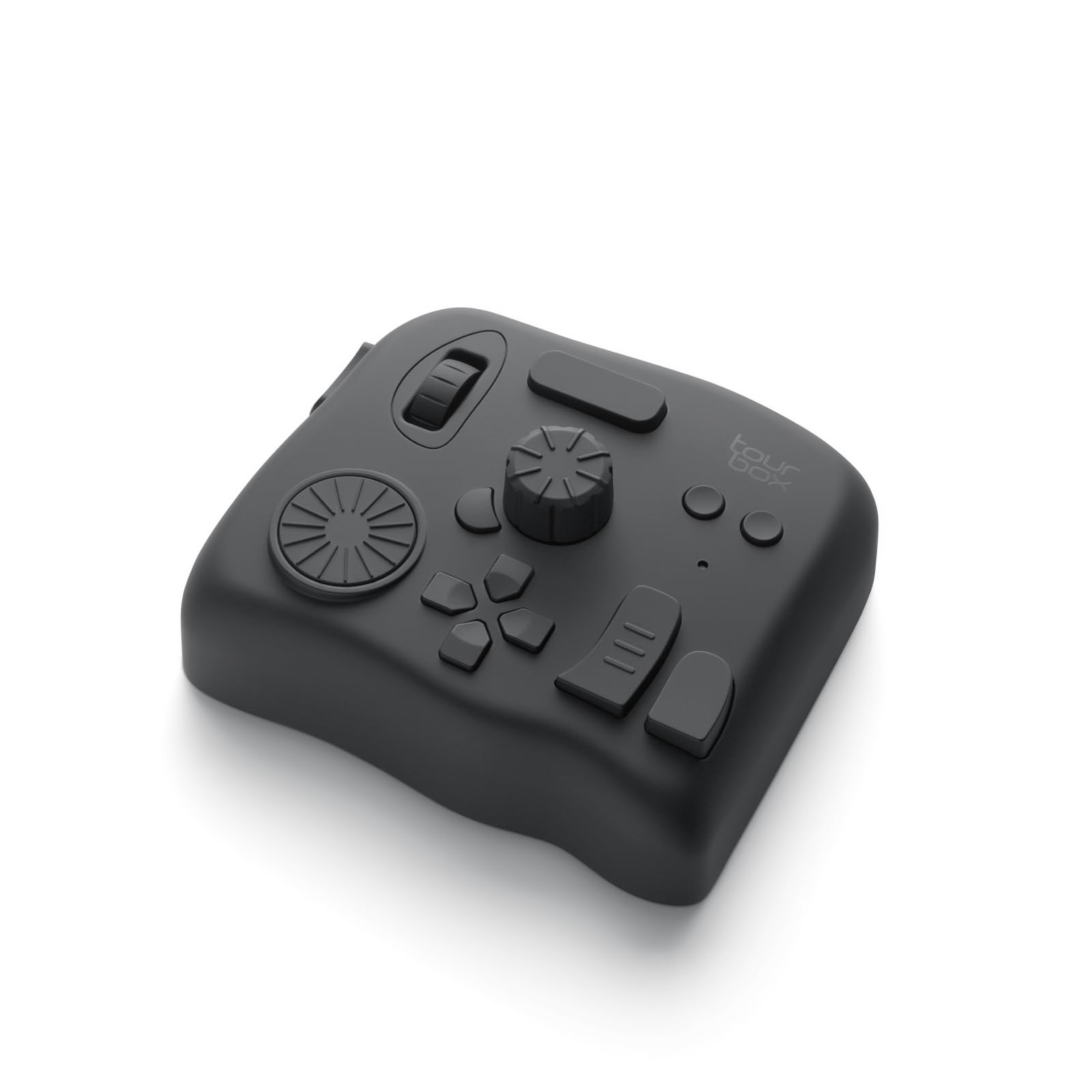
The TOUR BOX Elite is more controller than mouse, designed specifically for post-production workflows where speed and tactile feedback matter most. Its dual connectivity — Bluetooth and USB-C — ensures a stable connection during long color grading sessions in DaVinci Resolve or Premiere Pro, where a dropped input destroys the rhythm of fine adjustments.
Every knob, dial, and button can be mapped to a specific function or macro sequence through the TourBox Console 5 software. The color grading panel, for instance, allows one-handed control over exposure, contrast, and saturation without looking away from the monitor. The haptic feedback on each dial makes fine adjustments feel deliberate rather than guessed.
Some users report Bluetooth instability on Windows machines, making the wired USB-C connection the more reliable option for critical work. The AA battery compartment uses disposable cells rather than a rechargeable lithium pack, which adds recurring cost and waste. The learning curve is real — expect about a week of daily use before the controls become automatic.
Why it’s great
- Color grading panel is purpose-built for DaVinci Resolve
- Macro sequences reduce repetitive keystrokes
- Excellent haptic feedback for precise adjustments
Good to know
- Bluetooth can be unstable on Windows, wired is preferred
- Runs on AA batteries, no rechargeable option included
- Software learning curve of 5-7 days for full proficiency
3. TourBox Lite
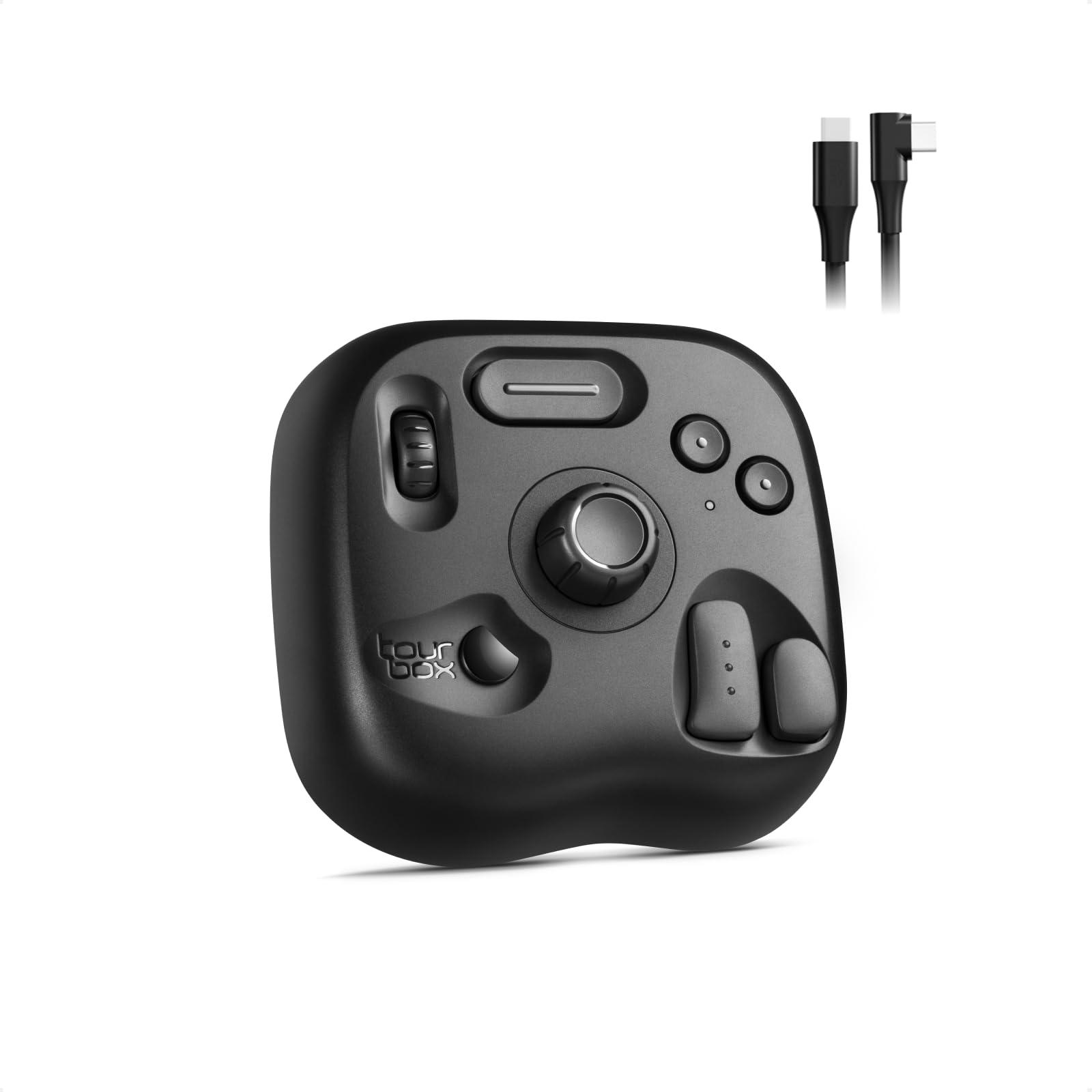
The TourBox Lite serves as a dedicated macro keypad that pairs with any mouse, shifting shortcuts like brush swap, canvas rotation, color pick, and undo away from the keyboard and into your non-dominant hand. Its 8 buttons, scroll wheel, and infinite rotary knob are positioned to match natural finger reach, letting you keep your main hand on the stylus or mouse.
Auto-detecting presets recognize software like Photoshop, Clip Studio Paint, and Lightroom and load the appropriate layout without manual switching. The wheel adjusts brush size or layer zoom in real time, while the knob can be programmed for exposure changes in Lightroom or timeline scrubbing in Premiere Pro. The body is weighted to stay put on the desk, and the wired connection eliminates any latency concerns.
The plastic build feels sturdy but not premium, and the wheel can feel slightly loose compared to higher-end controllers. Customization requires the desktop software — no onboard profile storage. For photo editors who already own a capable mouse, the Lite adds significant speed without replacing the primary input device.
Why it’s great
- Auto-detecting presets for Photoshop, Lightroom, and CSP
- Wired connection guarantees zero input lag
- Compact size saves desk space while adding shortcut access
Good to know
- Plastic body feels less durable than the Elite version
- Wheel lacks tight detents for precise step adjustments
- Requires desktop software for any customization
4. ELECOM Huge Plus
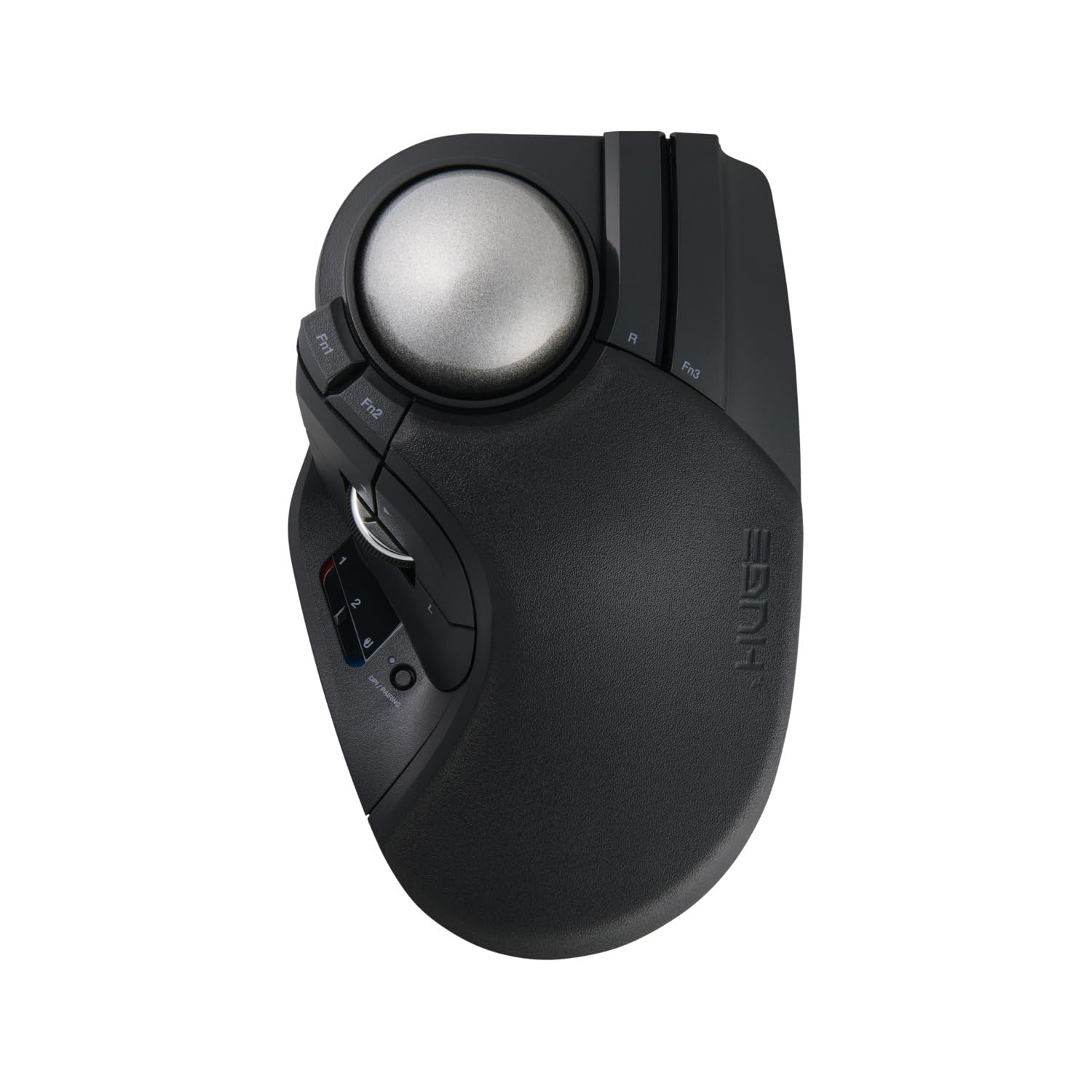
The ELECOM Huge Plus is built around a 52 mm finger-operated trackball that allows photo editors to make sweeping cursor movements without moving the entire hand — ideal for precise brush strokes and masking work. The large ball size combined with swappable MinebeaMitsumi steel bearings provides smooth, stiction-free rotation after a brief break-in period, and the bearings can even be upgraded to ruby units for even lower friction.
Ten programmable buttons offer almost complete shortcut customization directly on the device. Tri-mode connectivity (Bluetooth, 2.4 GHz, wired USB-C) provides flexibility, and the wired 1000 Hz polling rate delivers a 1 ms response that keeps brush strokes feeling immediate. The rechargeable battery lasts up to 5 months per charge, and silent clicks keep the workspace quiet during late-night editing.
The aggressive palm slope works well for medium and large hands but can feel too steep for smaller hands without a 3D-printed palm rest. The scroll wheel is functional but the central click is stiff and may need reprogramming to a different button. Some users report double-click issues out of the box, though Elecom’s warranty service handles replacements.
Why it’s great
- 52 mm trackball enables fine motor control without arm movement
- Swappable bearings allow customization of rolling smoothness
- Wired 1000 Hz polling rate eliminates wireless latency
Good to know
- Aggressive palm slope may not suit small hands
- Occasional double-click issues reported by early units
- Scroll wheel is average with a heavy middle click
5. Logitech MX Ergo S

The Logitech MX Ergo S is a thumb-operated trackball with a 20-degree adjustable tilt that reduces forearm muscle strain by 27% compared to a standard mouse — a meaningful benefit for photo editors who spend consecutive hours retouching. The sculpted rubber grip supports medium to large hands, and the contoured rest cradles the thumb without causing fatigue during prolonged use.
Eight programmable buttons, accessible through Logi Options+, let you assign frequently used Photoshop shortcuts such as brush size adjust, undo, and color sampler directly to the mouse. The precision mode button toggles between fast cursor movement and slow, pixel-level tracking for fine selections. Battery life reaches up to 120 days on a single USB-C charge, and a 1-minute charge provides 24 hours of use if you forget to plug it in.
The thumb-operated ball requires a learning period of several days before your fine motor control matches a standard mouse. The silicone coating on the palm area attracts dust and may show wear over time. Users with smaller hands may find the MX Ergo S forces the thumb into an overextended position, leading to fatigue rather than relief.
Why it’s great
- 20-degree tilt reduces forearm muscle strain by 27%
- Precision mode button slows cursor for detail work
- Long battery life with rapid charge feature
Good to know
- Thumb ball requires several days of adjustment
- Silicone coating attracts dust and may wear
- Larger hand size is recommended for comfort
6. DELUX Seeker M618XSD

The DELUX Seeker M618XSD brings a vertical mouse design with an integrated OLED screen that displays current DPI, battery level, and connection mode — information that is useful when switching between high-speed navigation and precision work. The 7200 DPI sensor is adjustable through five preset gears, making it capable enough for zoomed-in selections and large canvas panning alike.
The rubber-coated body, magnetic detachable wrist rest, and thumb rest keep the wrist in a neutral position, reducing the forearm twist common with flat mice. Six programmable buttons can be customized through DELUX’s driver software, though the forward and backward buttons are not functional on macOS. Tri-mode connectivity (Bluetooth, 2.4 GHz, wired) provides flexibility across different setups.
The plastic build quality feels budget-tier, and several user reports note that the driver software is minimal and sometimes buggy on Windows. The DPI and navigation buttons are placed in a way that can be accidentally pressed during normal use. The 1000 mAh battery lasts roughly two weeks under continuous use, which is shorter than most premium alternatives on this list.
Why it’s great
- OLED display gives real-time DPI and battery feedback
- Magnetic wrist rest improves forearm alignment
- Tri-mode connectivity adapts to multiple devices
Good to know
- Driver software is limited and buggy on Mac
- Button placement can cause accidental presses
- Battery life is shorter than mid-range competitors
7. Evoluent VMDMW

The Evoluent VMDMW, designed by the inventor of the vertical mouse, positions the hand in a near-90-degree handshake orientation that virtually eliminates forearm pronation — a major cause of wrist and elbow pain in photo editors. The sculpted finger support prevents the pinky from dragging on the desk surface, and a high thumb rest reduces thumb joint strain during long precision work.
Four switchable pointer speeds are adjustable via top-mounted buttons with indicator lights, allowing quick transitions between pixel-level masking and full-canvas navigation. The optional Evoluent Mouse Manager software for Windows unlocks near-unlimited button and wheel customization, mapping actions like screen brightness control or custom keystrokes to any of the six buttons. The wireless receiver uses standard USB-A, and the included AA battery lasts roughly 3 months.
The glossy plastic finish can become slippery during extended use, and some users apply sandpaper or grip tape to improve traction. The absence of a USB dongle storage slot makes travel awkward. The Evoluent VMDMW is expensive, and the micro-switches on earlier units have been reported to wear out faster than expected, though later revisions appear to have improved longevity.
Why it’s great
- True 90-degree handshake posture eliminates forearm pronation
- Finger support prevents pinky drag on the desk
- Highly customizable button mapping via Windows software
Good to know
- Glossy plastic finish can become slippery
- No on-board storage for the USB receiver
- Premium pricing and micro-switch durability concerns
FAQ
Is a high DPI always better for photo editing?
Can a trackball replace my mouse for Photoshop retouching?
Why does polling rate matter for brush strokes?
Final Thoughts: The Verdict
For most users, the best computer mouse for photo editing winner is the Logitech MX Master 3S because its 8000 DPI Darkfield sensor, MagSpeed scroll wheel, and per-app software profiles handle every retouching task from global adjustments to pixel-level selections without compromise. If you want faster shortcut access and a controller-style workflow, grab the TOUR BOX Elite. And for ergonomic relief during marathon editing sessions, nothing beats the Evoluent VMDMW for its true vertical handshake posture.

Mo Maruf
I created WellFizz to bridge the gap between vague wellness advice and actionable solutions. My mission is simple: to decode the research and give you practical tools you can actually use.
Beyond the data, I am a passionate traveler. I believe that stepping away from the screen to explore new environments is essential for mental clarity and physical vitality.