Our readers keep the lights on and my smoothie glass nicely filled. As an Amazon Associate, I earn from qualifying purchases.
Staring at a single screen while juggling spreadsheets, code, design timelines, and video calls is a bottleneck that quietly eats hours from your productive day. A dual monitor setup eliminates that bottleneck, giving you a seamless canvas where reference materials live on one side and your main task stays full-screen on the other.
I’m Mohammad Maruf — the founder and writer behind WellFizz. I’ve spent hundreds of hours digging into panel specifications, color gamut figures, connectivity standards, and ergonomic designs to identify the monitors that deliver a genuinely seamless dual setup without the compatibility headaches.
Whether you are building a home office command center or a competitive battlestation, this guide breaks down every spec that matters so you can confidently choose the right pair. Here you will find our curated selection of the best computer monitors for dual setup.
How To Choose The Best Computer Monitors For Dual Setup
A dual monitor setup is only as good as the weakest link between the two panels. Mismatched resolutions, different color temperatures, or bezels that fail to align can ruin the experience. Focus on three key pillars: visual consistency, desk-friendly ergonomics, and connectivity that minimises cable clutter.
Resolution and panel matching
Mixing a 4K monitor with a 1080p panel creates jarring visual discontinuity — windows resize awkwardly when dragged across screens, and mouse movement feels inconsistent. For a seamless dual setup, choose panels with identical or very close pixel densities. IPS panels offer wide viewing angles and color accuracy, making them the preferred choice for productivity. VA panels provide deeper blacks and higher contrast, ideal for media consumption or dark-themed workflows.
Ergonomics and bezel design
Thin bezels minimize the visual gap between two monitors, allowing your eyes to flow naturally across both screens. An adjustable stand — height, tilt, swivel, and pivot — is critical for aligning the panels at the same eye level. If desk space is tight, consider monitors with VESA compatibility so you can mount them on a dual-arm stand, freeing up valuable surface area.
Connectivity and cable management
Each monitor needs its own video input. Look for models equipped with HDMI 2.0 or DisplayPort 1.4 to handle high resolutions and refresh rates. USB-C with power delivery is a game-changer for dual setups with a laptop: one cable charges the laptop and transmits the video signal, cutting down clutter. A built-in KVM switch lets you control two computers with a single keyboard and mouse across both monitors.
Quick Comparison
On smaller screens, swipe sideways to see the full table.
| Model | Category | Best For | Key Spec | Amazon |
|---|---|---|---|---|
| Dell 27 Plus 4K USB-C Monitor S2725QC | Premium | USB-C single-cable workflow | 4K 120Hz, 99% sRGB | Amazon |
| LG 32GX850A-B 32″ UltraGear OLED | Premium | Color-critical creative work & high-end gaming | 4K 165Hz OLED, 1.5M:1 contrast | Amazon |
| KOORUI 27″ 4K Gaming Monitor G2741L | Mid-Range | Dual-mode 4K 160Hz / FHD 320Hz gaming | 4K 160Hz Fast IPS | Amazon |
| KTC 27 Inch 4K Gaming Monitor H27P6 | Mid-Range | 90W USB-C charging & KVM in a dual setup | 4K 160Hz Fast IPS, 90W Type-C | Amazon |
| Dell 34 Plus USB-C Curved Monitor S3425DW | Premium | Ultrawide replacement for two monitors | 3440×1440 120Hz VA, 3000:1 | Amazon |
| LG 27US500-W Ultrafine 27″ 4K | Mid-Range | Sharp 4K productivity on a budget | 4K IPS, 90% DCI-P3 | Amazon |
| Deco Gear 49″ Curved Ultrawide Gaming Monitor | Premium | Replacing dual 27″ monitors with single ultrawide | 3840×1080 144Hz, 32:9 | Amazon |
| ViewSonic VA2456A-MHD_H2 24″ Dual Pack | Value | Budget dual setup with VESA mount | 1080p 120Hz IPS, dual pack | Amazon |
| Kado 2-Pack Dual 27″ Curved 1500R Monitor | Value | Immersive curved dual setup at entry-level price | 1080p 75Hz, 1500R curve | Amazon |
In‑Depth Reviews
1. Dell 27 Plus 4K USB-C Monitor S2725QC

The Dell S2725QC delivers a superb balance of resolution, refresh rate, and connectivity for a dual setup. Its 4K 120Hz panel with 99% sRGB and a 1500:1 contrast ratio produces crisp text and rich colors straight out of the box, and the ComfortView Plus feature reduces blue light without washing out the image. The included USB-C port provides up to 65W of power delivery, making it a true one-cable solution for a laptop-driven dual desk.
Built-in speakers offer surprisingly clear audio for video calls, and the stand allows height, tilt, swivel, and pivot adjustments — a rare feature at this price tier. Users praise the nearly bezel-less design that aligns well side by side, and the on-screen menu is intuitive. The recessed VESA mount requires M4x10mm standoffs if you plan to use an arm, so plan your mounting hardware ahead.
For professionals who need consistent color between two units, the factory-calibrated sRGB mode gives you confidence without a separate calibration tool. Smooth motion at 120Hz also makes it viable for light gaming, and AMD FreeSync Premium keeps tearing at bay.
Why it’s great
- USB-C with 65W power delivery for clean desk setup
- True 4K 120Hz with FreeSync Premium
- Fully ergonomic stand included
Good to know
- Recessed VESA requires standoffs for arm mounting
- Some units limited to 60Hz over certain configurations
2. LG 32GX850A-B 32″ UltraGear OLED

The LG 32GX850A-B sets a new benchmark for image quality in a dual setup. Its glossy 4K OLED panel delivers infinite contrast with 1.5M:1 ratio, perfect blacks, and vibrant colors covering 98.5% DCI-P3. The dual-mode feature allows you to switch between 4K 165Hz for immersive work and FHD 330Hz for competitive gaming, all through a hotkey — a huge advantage if your two monitors share usage between productivity and esports.
The virtually borderless design and full ergonomic stand (height, tilt, swivel, pivot) make alignment across two units simple. NVIDIA G-SYNC Compatible and AMD FreeSync Premium Pro certification ensure tear-free motion regardless of your GPU. The glossy finish enhances perceived sharpness and color pop, though it may cause reflections in brightly lit rooms.
Text clarity is excellent for an OLED panel, and the 0.03ms response time eliminates ghosting entirely. For creative professionals or gamers who demand the absolute best visual fidelity, this monitor in a dual setup provides a reference-grade experience.
Why it’s great
- Infinite contrast and true blacks from OLED panel
- Dual-mode 4K 165Hz / FHD 330Hz
- Full ergonomic stand included
Good to know
- Premium price reflects top-tier technology
- Glossy panel may reflect bright ambient light
3. KOORUI 27″ 4K Gaming Monitor G2741L

The KOORUI G2741L brings dual-mode functionality to the mid-range segment, letting you toggle between 4K 160Hz for detailed work and FHD 320Hz for ultra-smooth gaming. The Fast IPS panel delivers 1ms response times with 95% DCI-P3 color gamut, ensuring vibrant and accurate colors suitable for photo editing and game development. HDMI 2.1 support makes it console-ready for PS5 and Xbox Series X.
The stand offers height, tilt, and pivot adjustments, making it easy to align two units at eye level. Adaptive Sync works with both FreeSync Premium and G-SYNC Compatible GPUs. Some users report minor flickering over DisplayPort that resolves by switching to HDMI, so cable selection matters.
Considering the 4K resolution, high refresh rate, and ergonomic stand, this monitor offers exceptional value for a dual setup where you need consistency across both panels without breaking the bank.
Why it’s great
- Dual-mode 4K 160Hz / FHD 320Hz
- HDMI 2.1 for console compatibility
- Full ergonomic stand with pivot
Good to know
- Minor flickering reported over DP on some units
- HDR400 is entry-level HDR
4. KTC 27 Inch 4K Gaming Monitor H27P6
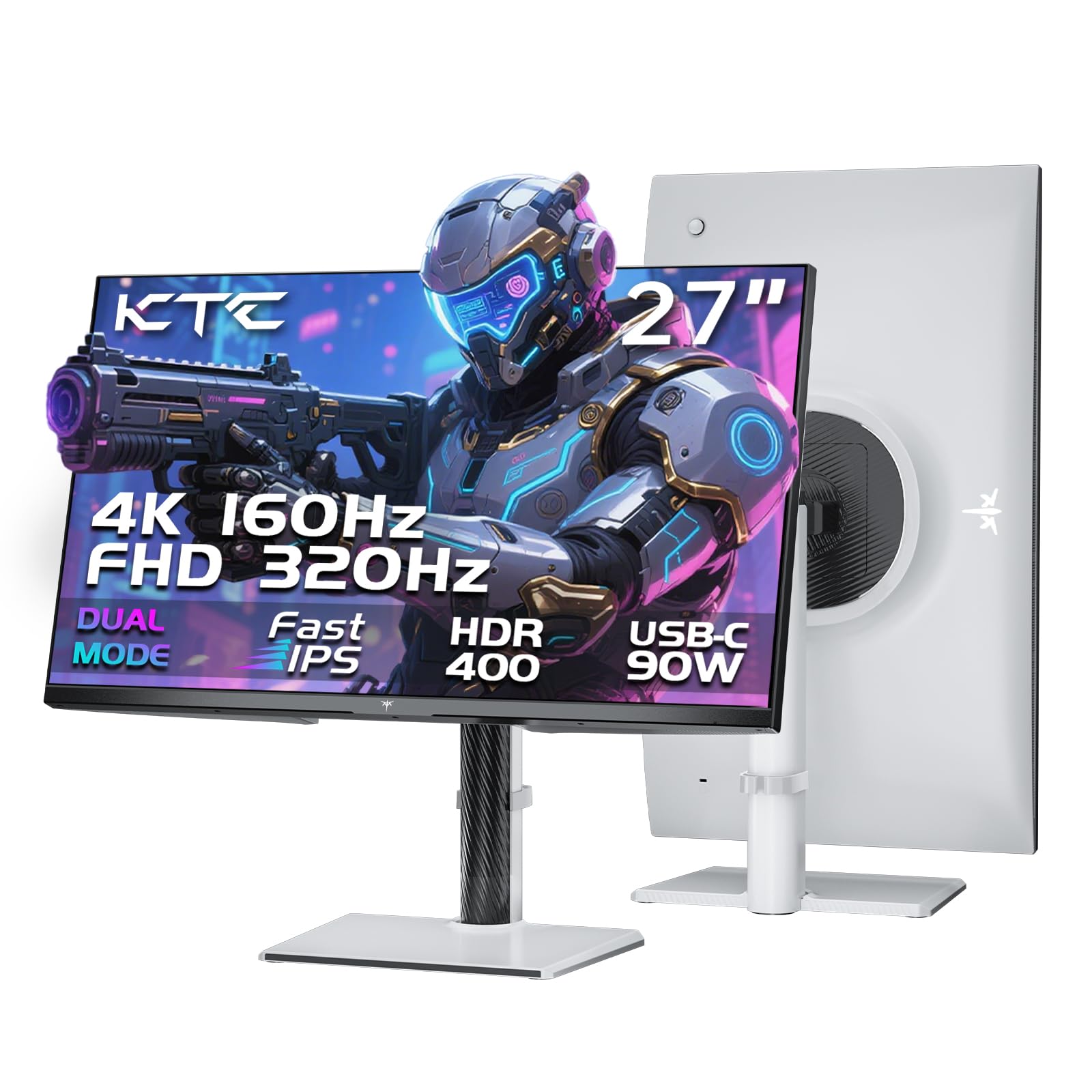
The KTC H27P6 stands out in a dual setup for its 90W USB-C port, which can power a high-performance laptop while transmitting video and data — a single-cable dream for multi-monitor users. The dual-mode functionality (4K 160Hz / FHD 320Hz) is complemented by factory calibration with ΔE<2, covering 97% DCI-P3 and 99% sRGB for color-accurate work. Adaptive Sync works with both FreeSync and G-SYNC.
Built-in KVM support lets you control two PCs with one keyboard and mouse across both monitors — a major productivity boost. The ergonomic stand offers full height, pivot, swivel, and tilt adjustments. Some users note that only a DisplayPort cable is included in the box, so you will need to supply HDMI cables if that is your preferred connection.
For a dual setup where one monitor serves as a hub for a laptop and the other connects to a desktop, the KVM and USB-C functionality eliminate the need for a separate KVM switch.
Why it’s great
- 90W USB-C with power delivery
- Built-in KVM for multi-PC control
- Factory-calibrated colors
Good to know
- Only includes DP cable; no HDMI in box
- Minor menu quirk after sleep mode
5. Dell 34 Plus USB-C Curved Monitor S3425DW

The Dell S3425DW replaces a traditional dual monitor setup with a single 34-inch ultrawide panel, eliminating the bezel gap entirely. Its VA panel delivers a 3000:1 contrast ratio, producing deep blacks that are closer to OLED than most IPS panels. The 3440×1440 resolution and 21:9 aspect ratio provide plenty of horizontal real estate for timelines, code, or trading charts. USB-C with 65W power delivery keeps cable management simple.
ComfortView Plus reduces blue light to ≤35%, and the built-in speakers are surprisingly robust for conference calls. Users praise the color accuracy out of the box, with 99% sRGB and 95% DCI-P3 coverage. The stand offers height and tilt adjustments, though it lacks a pivot function given the ultrawide form factor. 120Hz refresh rate with FreeSync Premium keeps motion smooth for casual gaming.
If you want a no-bezel experience and prefer a single display over two separate panels, this ultrawide is a premium solution that simplifies your desk layout significantly.
Why it’s great
- 3000:1 VA contrast for deep blacks
- USB-C 65W PD for single-cable setup
- Eliminates bezel gap of dual monitors
Good to know
- No DisplayPort input; limited to HDMI and USB-C
- Recessed VESA can complicate arm mounting
6. LG 27US500-W Ultrafine 27″ 4K

The LG 27US500-W offers a sharp 4K IPS panel at an accessible price point, making it a strong candidate for a dual setup where resolution consistency matters. The borderless design and wide viewing angles ensure the two panels blend visually. With up to 90% DCI-P3 coverage, color reproduction is vivid enough for photo editing and design work. The Onscreen Control software allows you to split the display and adjust settings with mouse clicks.
The stand is limited to tilt adjustment only, so you will likely need a VESA arm to align the screens at the same height. Users report that the white stand and cable look slightly odd on a traditional desk, but the monitor itself performs well with both Mac and PC, switching inputs seamlessly. The 1000:1 contrast ratio is standard for IPS and produces acceptable blacks for an entry-level 4K panel.
For budget-conscious builders who want 4K clarity across two monitors without sacrificing color quality, this LG model delivers reliable performance.
Why it’s great
- Affordable 4K IPS with 90% DCI-P3
- Borderless design for tight dual alignment
- Onscreen Control software for easy adjustments
Good to know
- Stand only offers tilt; height adjustable via arm only
- White accent design may not suit all setups
7. Deco Gear 49″ Curved Ultrawide Gaming Monitor
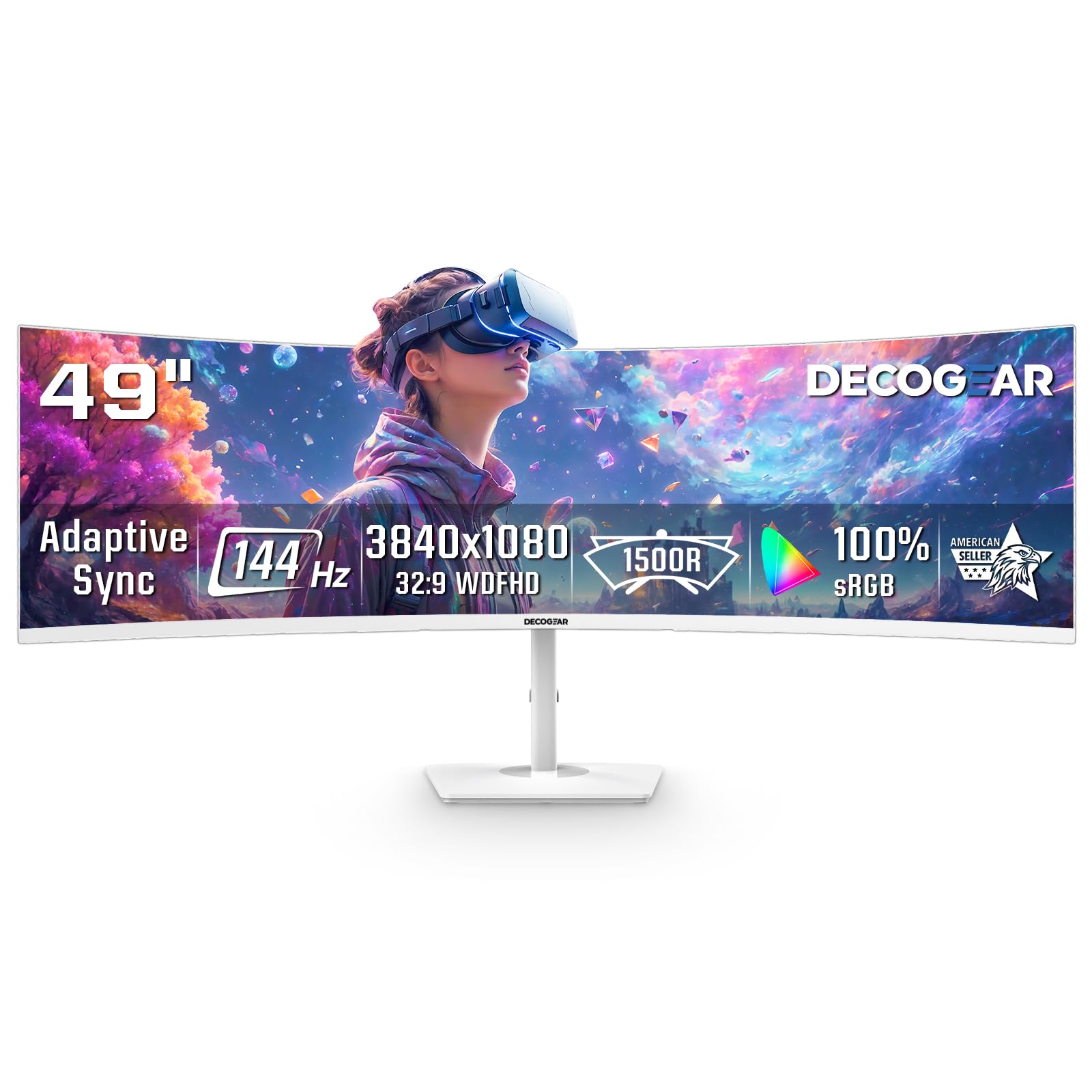
The Deco Gear 49-inch ultrawide replaces two 27-inch monitors with a single 32:9 panel, offering an uninterrupted panoramic view. Its 3840×1080 resolution and 1800R curvature create a wrap-around experience that is excellent for flight simulators, trading desks, and multi-window productivity. The VA panel provides a 3000:1 contrast ratio for respectable black levels and rich colors covering 99% sRGB.
The 144Hz refresh rate and 1ms MPRT, combined with Adaptive Sync, deliver smooth motion for gaming. Picture-by-Picture (PBP) mode lets you connect a work laptop and a gaming PC side by side, acting like two separate monitors on one screen. The clean white finish suits bright, modern setups. Some users report that the VESA mount holes are recessed and may require filing to fit standard brackets.
For users who find the bezel gap of separate monitors distracting, this ultrawide is a compelling one-panel solution that simplifies cable management and desk layout.
Why it’s great
- Replaces dual 27″ monitors with one screen
- PIP/PBP for multi-PC workflow
- 144Hz with Adaptive Sync
Good to know
- VESA mounting may require modification
- Some units have reported connector issues
8. ViewSonic VA2456A-MHD_H2 24″ Dual Pack

The ViewSonic VA2456A-MHD_H2 is sold as a dual pack without stands, exclusively designed for VESA arm mounting — perfect for a clean dual setup from the start. Both 24-inch IPS panels offer Full HD resolution with a 120Hz refresh rate, making them unusually smooth for budget monitors. The 1500:1 contrast ratio and SuperClear IPS technology provide consistent brightness and colors across both screens.
Connectivity includes HDMI, DisplayPort, and VGA, ensuring compatibility with older laptops and desktops. The head-only design means you must supply your own VESA arms or stands, which is actually a benefit if you plan to use a dual-arm mount anyway. Users report the monitors arrive well-packaged and calibrate easily to match each other side by side.
If you need a cost-effective dual setup for home office tasks, coding, or light gaming, this dual pack simplifies purchasing by delivering two matching panels in one box.
Why it’s great
- Two matching monitors in one box
- 120Hz refresh rate at budget price
- Head-only design ideal for VESA arm mounting
Good to know
- No stands included; requires VESA mount
- 1080p resolution limited for detailed work
9. Kado 2-Pack Dual 27″ Curved 1500R Monitor

The Kado dual pack features two 27-inch curved monitors with a 1500R radius, designed to wrap around your field of view for an immersive experience. The Full HD resolution and 75Hz refresh rate provide smooth motion for office work and casual gaming. With 98% sRGB coverage and built-in speakers, these monitors offer decent multimedia performance right out of the box.
The package includes all necessary cables, and both monitors calibrate easily to match each other. Users appreciate the easy setup and the immersive feel of the curved panels in a dual configuration. The stands are basic, and the monitors are relatively light, so they benefit from being mounted on a dual-arm stand for better stability and alignment.
For users who want the immersive feel of a curved dual setup at an entry-level price, this two-pack provides everything you need in one shipment.
Why it’s great
- Two curved 27″ monitors in one box
- Built-in speakers save desk space
- 98% sRGB for vivid colors
Good to know
- 1080p resolution limits detail at 27″
- Basic stands may need upgrade to dual arm
FAQ
Should both monitors in a dual setup be the same model?
Can I use a 4K monitor next to a 1080p monitor?
What refresh rate do I need for a dual productivity setup?
Do I need a special graphics card to run two monitors?
Final Thoughts: The Verdict
For most users, the best computer monitors for dual setup winner is the Dell 27 Plus 4K USB-C Monitor S2725QC because it combines a sharp 4K 120Hz panel with USB-C power delivery and a fully adjustable stand at a balanced price point. If you want ultimate color accuracy and the deepest blacks for creative work or gaming, grab the LG 32GX850A-B UltraGear OLED. And for a clutter-free desk where you replace two separate monitors with one continuous view, nothing beats the Dell 34 Plus USB-C Curved Monitor S3425DW.

Mo Maruf
I created WellFizz to bridge the gap between vague wellness advice and actionable solutions. My mission is simple: to decode the research and give you practical tools you can actually use.
Beyond the data, I am a passionate traveler. I believe that stepping away from the screen to explore new environments is essential for mental clarity and physical vitality.