Our readers keep the lights on and my smoothie glass nicely filled. As an Amazon Associate, I earn from qualifying purchases.
A designer’s paycheck depends on trusting what they see on screen. A hex code that looks right on one panel can print muddy, or a gradient that seems smooth may band when exported. The difference between a good day and a redo starts with a monitor that reproduces color truthfully—no guesswork, no surprises.
I’m Mohammad Maruf — the founder and writer behind WellFizz. My research for this guide involved cross-referencing factory calibration reports, panel technologies, and connectivity specs to find the monitors that serve actual professional color workflows, not just marketing claims.
Whether you work in print, UI, video, or 3D modeling, finding reliable equipment is essential. That is why I compiled this review of the best computer monitors for designers to help you invest in a tool that backs up every creative decision.
How To Choose The Best Computer Monitors For Designers
Selecting a monitor for design work involves more than just picking a high resolution. You need to balance color gamut, panel technology, connectivity, and ergonomics. This guide will break down the key factors to consider so you can make an informed choice.
Color Gamut and Accuracy
For print designers, Adobe RGB coverage is critical; for video editors, DCI-P3 is the standard. sRGB is the baseline for web and UI work. Look for monitors that are factory calibrated to a Delta E of less than 2, which ensures minimal color deviation from the intended values.
Resolution and Pixel Density
4K UHD (3840 x 2160) on a 27-inch monitor offers a pixel density of about 163 PPI, which is excellent for detailed work without needing scaling. 5K displays provide even sharper text and more workspace, but they come at a higher cost. Ultrawide monitors can replace a dual-monitor setup by giving you a single, seamless canvas.
Quick Comparison
On smaller screens, swipe sideways to see the full table.
| Model | Category | Best For | Key Spec | Amazon |
|---|---|---|---|---|
| Apple Studio Display | Premium | Mac Ecosystem Designers | 5K 5120×2880 600 nits | Amazon |
| Dell UltraSharp U4025QW | Premium | Ultrawide Video Editing | 40″ 5K2K 120Hz IPS Black | Amazon |
| ViewSonic VP2788-5K | Premium | Mac Desktop 5K Workflow | 27″ 5K Thunderbolt 4 100W | Amazon |
| Samsung Odyssey OLED G9 | Mid-Range | Immersive Color-Grade Work | 49″ 5120×1440 QD-OLED | Amazon |
| Dell UltraSharp U3223QE | Mid-Range | Photo Editing & Office | 32″ 4K IPS 450 nits | Amazon |
| BenQ PD2705U | Mid-Range | Pro Video & Photo Work | 27″ 4K AQCOLOR ΔE ≤3 | Amazon |
| BenQ MA270U | Mid-Range | MacBook Pro/Air Users | 27″ 4K P3 90W USB-C | Amazon |
| ViewSonic VP3256-4K | Mid-Range | Pantone-Validated Work | 32″ 4K IPS ΔE<2 | Amazon |
| ASUS ProArt PA279CRV | Mid-Range | Best Overall Value | 27″ 4K IPS 99% Adobe RGB | Amazon |
| ASUS ProArt PA279CV | Mid-Range | Entry-Level 4K Pro Work | 27″ 4K IPS 100% sRGB | Amazon |
| Deco Gear 49″ Curved | Budget | Budget Ultrawide Multitasker | 49″ 3840×1080 VA 144Hz | Amazon |
In‑Depth Reviews
1. Apple Studio Display
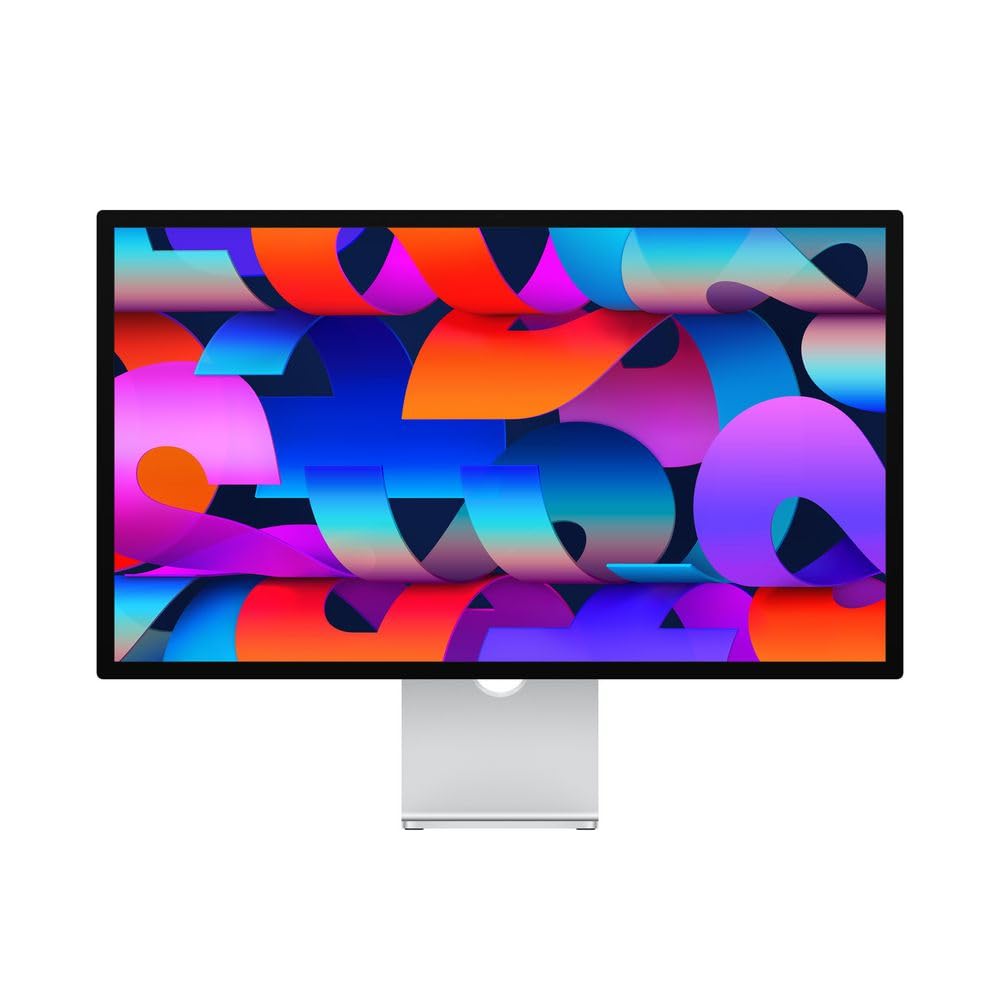
The Apple Studio Display sets the benchmark for color accuracy and macOS integration. Its 27-inch 5K Retina panel delivers P3 wide color and supports one billion colors, making it a reference for designers who work in Apple’s ecosystem. The 600 nits of peak brightness and nano-texture glass option help handle glare in bright studios.
Beyond the screen, it includes a 12MP Ultra Wide camera with Center Stage and a six-speaker sound system with Spatial Audio, which is useful for client calls and media reviews. The single Thunderbolt 3 port delivers 96W of power to a MacBook, keeping your desk clean. However, the lack of daisy-chain support and the premium stand options mean you are paying for the full experience.
For designers who prioritize seamless color matching with their Mac and want a polished all-in-one display, the Studio Display is the gold standard. It is not the most flexible option for multi-monitor setups, but for a primary screen, it excels.
Why it’s great
- Unmatched 5K Retina sharpness and P3 color
- Integrated high-quality speakers and microphone array
- Single-cable USB-C connection with 96W power delivery
Good to know
- Very expensive with limited connectivity
- Stand adjustments cost extra
- No native support for console or Windows gaming
2. Dell UltraSharp U4025QW

The Dell UltraSharp U4025QW is a 40-inch 5K2K (5120 x 2160) ultrawide monitor designed for maximum productivity. Its IPS Black technology delivers a 2000:1 contrast ratio, which is significantly better than typical IPS panels, giving deeper blacks for video editing and color grading. The 120Hz refresh rate makes timeline scrubbing feel fluid.
Connectivity is a highlight: it includes Thunderbolt 4 with 140W charging, DisplayPort, HDMI, and a built-in KVM switch that can handle multiple devices. The 600 nits brightness and anti-glare coating make it usable in bright rooms. The curve is gentle enough to keep straight lines true, which is critical for layout work.
For designers who need to replace a dual-monitor setup with a single cohesive workspace, this monitor is a top contender. The high price is balanced by the years of utility it offers, especially for video editors and financial modelers who need every pixel of horizontal space.
Why it’s great
- Exceptional 5K2K resolution with 120Hz fluidity
- IPS Black for deeper blacks than standard IPS
- Comprehensive USB-C and Thunderbolt 4 hub
Good to know
- Very expensive, even for a premium monitor
- Large footprint requires a deep desk
- No built-in speakers
3. ViewSonic VP2788-5K

The ViewSonic VP2788-5K offers a Mac-ready 5K experience at a lower price than the Apple Studio Display. With 5120 x 2880 resolution, an IPS panel, and 99% DCI-P3 color coverage, it is Pantone Validated and factory calibrated for Delta E < 2 accuracy. The Thunderbolt 4 port delivers up to 100W power and supports daisy-chaining a second 5K display.
The 75Hz refresh rate provides a slight edge in smoothness over standard 60Hz displays, and the HDR400 certification improves contrast in supported content. The advanced ergonomic stand supports tilt, swivel, pivot, and height adjustments. The frameless design makes multi-monitor setups cleaner.
This monitor is ideal for designers on a Mac who need 5K sharpness for text and UI work but want to avoid the Apple price premium. Its Thunderbolt 4 daisy-chain flexibility makes it a smart choice for those building a dual-5K workstation.
Why it’s great
- 5K resolution at a more accessible price point
- Thunderbolt 4 daisy-chain for multi-monitor setups
- Pantone Validated with wide color gamut
Good to know
- Some users report wake-from-sleep issues
- Adobe RGB coverage is not as high as some competitors
- Speakers are basic and not suitable for critical listening
4. Samsung Odyssey OLED G9 (G91SD)

The Samsung Odyssey OLED G9 is a 49-inch super-ultrawide monitor with a 32:9 aspect ratio and QD-OLED panel. It offers a 1,000,000:1 contrast ratio, meaning blacks are truly black and colors are incredibly vibrant. The 5120 x 1440 resolution provides sharp detail across the entire curved screen, which is ideal for color grading and immersive editing.
The 144Hz refresh rate and 0.03ms response time are overkill for most design tasks, but they make timeline scrubbing and animation previews exceptionally smooth. The monitor includes G-Sync and FreeSync Premium Pro support. Its Thermal Modulation System and Screen Saver features help reduce the risk of burn-in.
This monitor is best for designers who work with large timelines, complex 3D scenes, or need to view multiple full-resolution windows side-by-side. The lack of height adjustment on the standard stand and the single DisplayPort input are notable limitations to consider before buying.
Why it’s great
- Stunning QD-OLED contrast and color reproduction
- Massive 49-inch canvas replaces dual monitors
- Very fast response time for smooth motion
Good to know
- Potential for burn-in with static UI elements
- Standard stand lacks height adjustment
- Some users report quality control issues
5. Dell UltraSharp U3223QE

The Dell UltraSharp U3223QE is a 32-inch 4K IPS monitor known for its excellent color accuracy and robust feature set. It covers 100% sRGB and offers a 2000:1 contrast ratio thanks to IPS Black technology, providing deeper blacks than standard IPS panels. The 450 nits brightness is sufficient for most studio environments.
Its built-in KVM switch and Ethernet port make it a central hub for desks using multiple computers. The USB-C port delivers 90W power delivery, charging a laptop while carrying video signal. The adjustable stand allows for tilt, swivel, pivot, and height changes, which is essential for long editing sessions.
This is a solid choice for photographers and designers who need a large, color-accurate screen with excellent workstation integration. The lack of built-in speakers and a short included USB-C cable are minor inconveniences in an otherwise well-rounded professional monitor.
Why it’s great
- High contrast with IPS Black technology
- Integrated KVM and Ethernet hub
- USB-C with 90W power delivery
Good to know
- No built-in speakers
- USB-C power delivery may be weak for some high-end laptops
- Stand is large and takes up desk space
6. BenQ PD2705U

The BenQ PD2705U is a 27-inch 4K monitor built for professional video and photo editing. It uses BenQ’s AQCOLOR technology and is factory calibrated to a Delta E of ≤ 3 (many units achieve ≤ 1 after calibration). It covers 100% sRGB and Rec. 709, and is Pantone Skintone Validated, making it a trusted option for portrait retouching and broadcast work.
The monitor includes a HotKey Puck for easy OSD control, a KVM switch, and DualView mode for comparing different color spaces side-by-side. The USB-C port delivers 65W power delivery, which is enough for most ultrabooks. The ergonomic stand supports the full range of adjustments.
This monitor is ideal for designers who need reliable color for video projects and print work. The ICC Sync software simplifies color mapping, and the picture quality holds up well against much more expensive Eizo screens. It is a practical choice for professionals who want accurate, factory-verified color without breaking the bank.
Why it’s great
- Pantone Skintone Validated for accurate flesh tones
- HotKey Puck and KVM for efficient workflow
- Factory calibration report included
Good to know
- Built-in speakers are weak
- OSD menu can be clunky to navigate
- Stand is sturdy but very wide
7. BenQ MA270U

The BenQ MA270U is specifically calibrated to match the color output of MacBook displays. It uses BenQ’s exclusive color tuning to deliver a vibrant P3 wide color gamut, making it a seamless external screen for MacBook Pro and Air users. The 27-inch 4K IPS panel is bright at 400 nits and has a 2000:1 contrast ratio.
Connectivity is designed around Apple’s ecosystem: two USB-C ports deliver 90W to the MacBook and 15W to charge an iPad or iPhone. You can adjust the monitor’s brightness and volume directly from the MacBook keyboard. The stand supports height, tilt, swivel, and pivot adjustments.
For designers deeply invested in Apple hardware, this monitor is a strong alternative to the Apple Studio Display at a much lower cost. The only significant drawbacks are the mediocre built-in speakers and a potential for early reliability issues, though BenQ’s support is responsive.
Why it’s great
- Color-matched calibration for MacBook displays
- Dual USB-C ports with 90W power delivery
- Keyboard-based control for brightness and volume
Good to know
- Built-in speakers are basic
- Some units may have early reliability issues
- No built-in KVM switch
8. ViewSonic VP3256-4K

The ViewSonic VP3256-4K is a 32-inch 4K IPS monitor designed for accurate color work. It is Pantone Validated and covers 100% sRGB, EBU, and SMPTE C color spaces, with a factory-calibrated Delta E of less than 2. The 350 nits brightness is standard, but the 1000:1 contrast ratio is typical for IPS panels.
Its USB-C port delivers 65W power delivery, and the built-in USB hub is convenient for connecting peripherals. The ergonomic stand supports tilt, swivel, pivot, and height adjustments. Adaptive Sync technology helps reduce tearing during occasional light gaming or video playback.
This monitor is a good fit for designers who need Pantone-certified color accuracy in a larger 32-inch screen. The OSD menu is somewhat clunky, but ViewSonic’s free software allows for on-screen adjustments. It is a solid, reliable choice for professional content creation.
Why it’s great
- Pantone Validated with excellent out-of-box color
- Large 32-inch screen for detailed work
- USB-C hub with 65W power delivery
Good to know
- Some Mac users face issues with screen rotation
- On-screen display controls can be frustrating
- Speakers are adequate but not impressive
9. ASUS ProArt PA279CRV

The ASUS ProArt PA279CRV is a 27-inch 4K HDR monitor that strikes an excellent balance between professional-grade color and cost. It covers 99% of both DCI-P3 and Adobe RGB, making it suitable for print designers and video editors alike. It is Calman Verified and factory pre-calibrated to a Delta E of less than 2.
The USB-C port delivers 96W power delivery, enough to charge most laptops, and supports daisy-chaining via DisplayPort. The stand is fully ergonomic with tilt, swivel, pivot, and height adjustments. The included 5-year warranty (with registration) provides long-term peace of mind.
This monitor is the best overall pick for designers who need wide color gamut coverage and reliable accuracy without moving to a higher price tier. The 60Hz refresh rate is not for gaming, but for design work, the image quality and value are hard to beat.
Why it’s great
- Excellent Adobe RGB and DCI-P3 coverage
- 96W USB-C power delivery with daisy-chain
- 5-year warranty and included calibration report
Good to know
- Only 60Hz refresh rate
- OSD buttons are not touch-based
- Minor light bleed reported on some units
10. ASUS ProArt PA279CV

The ASUS ProArt PA279CV is a 27-inch 4K monitor that delivers solid color accuracy for its price. It covers 100% sRGB and Rec. 709, and is Calman Verified with a Delta E of less than 2 after factory calibration. The IPS panel provides wide viewing angles and consistent brightness across the screen.
Its USB-C port offers 65W power delivery, which is enough for most ultrabooks. It includes a USB 3.1 hub and supports both DisplayPort and HDMI inputs. The ergonomic stand is fully adjustable, and the monitor comes with a 5-year warranty after registration.
This is a great entry point for designers on a budget who need professional color for web and video work. It lacks the Adobe RGB coverage needed for high-end print work, but for sRGB workflows it performs admirably. A slight color tint out of the box is easily corrected in the OSD.
Why it’s great
- Great color accuracy for sRGB and Rec. 709
- USB-C with 65W power delivery
- Fully adjustable ergonomic stand
Good to know
- No Adobe RGB coverage
- Some units need manual color tuning out of the box
- Minor sleep/wake glitches reported with MacBooks
11. Deco Gear 49″ Curved Monitor
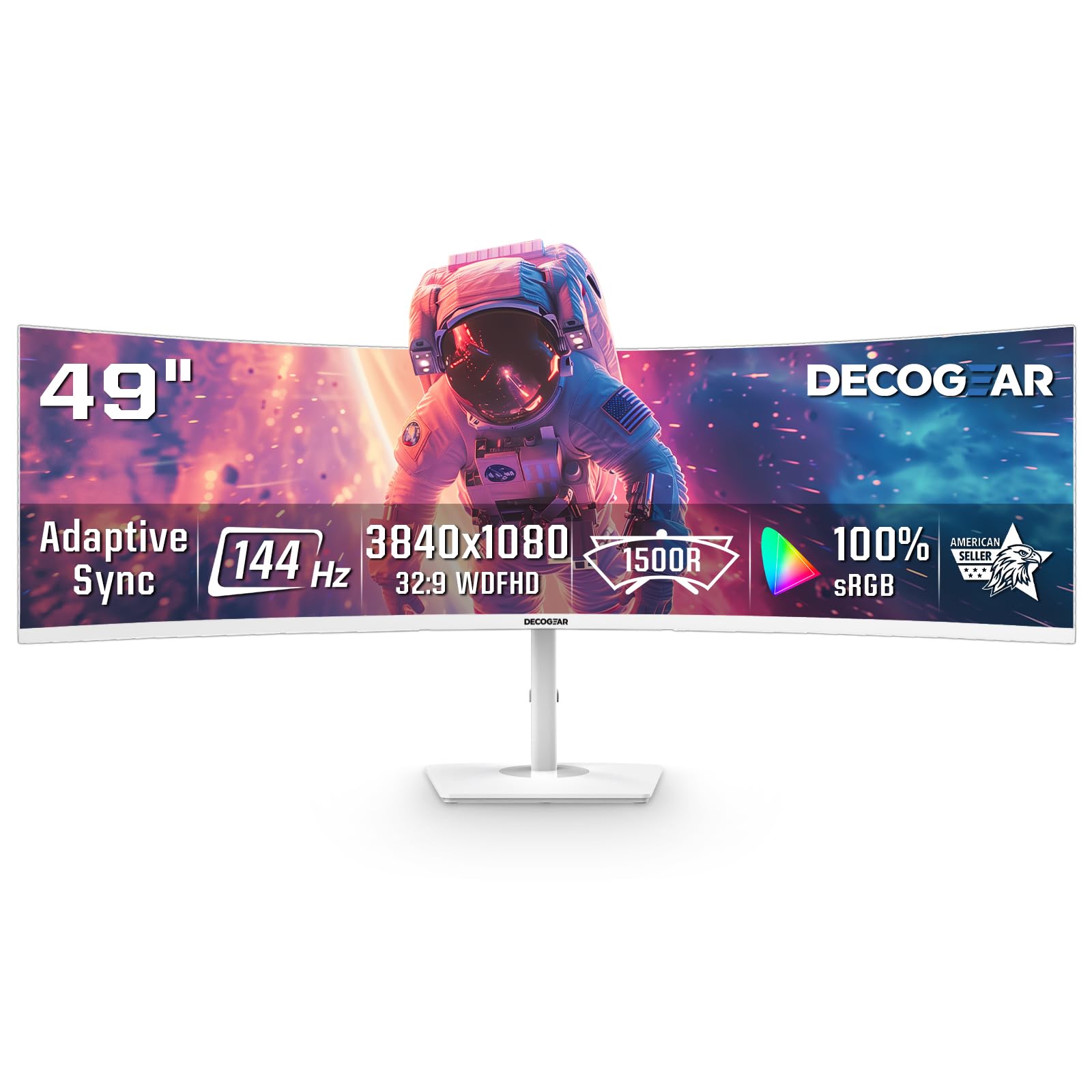
The Deco Gear 49-inch curved monitor offers a massive 32:9 screen at a budget-friendly price. It uses a VA panel with a 1800R curve and 3840 x 1080 resolution, which is essentially two 1080p monitors side-by-side. The 3000:1 contrast ratio provides decent blacks for a non-OLED panel.
The 144Hz refresh rate and 1ms response time are more geared toward gaming, but they do make cursor movement and window animations feel smooth. It includes Picture-in-Picture and Picture-by-Picture modes for viewing multiple inputs. The stand is tilt-only and lacks height adjustment.
This monitor is best for designers on a tight budget who want an ultrawide screen for coding, data analysis, or managing multiple windows. The low vertical resolution (1080p) makes it less suitable for detailed design work where sharp text and color accuracy are critical. Some users have reported dead-on-arrival units.
Why it’s great
- Very large 49-inch screen for multitasking
- High 144Hz refresh rate for smooth motion
- PIP/PBP support for multiple devices
Good to know
- Low 1080p vertical resolution limits detail
- Stand lacks height and swivel adjustments
- Quality control can be inconsistent
FAQ
Is 4K resolution necessary for a design monitor?
Can I use a gaming monitor for professional design work?
How often should I recalibrate my design monitor?
Final Thoughts: The Verdict
For most users, the computer monitors for designers winner is the ASUS ProArt PA279CRV because it offers 99% Adobe RGB and DCI-P3 coverage, 96W USB-C charging, and a factory calibration report at a mid-range price. If you want seamless Mac integration, grab the Apple Studio Display. And for a massive ultrawide canvas for video editing, nothing beats the Dell UltraSharp U4025QW.

Mo Maruf
I created WellFizz to bridge the gap between vague wellness advice and actionable solutions. My mission is simple: to decode the research and give you practical tools you can actually use.
Beyond the data, I am a passionate traveler. I believe that stepping away from the screen to explore new environments is essential for mental clarity and physical vitality.