Our readers keep the lights on and my smoothie glass nicely filled. As an Amazon Associate, I earn from qualifying purchases.
Specs are compiled from manufacturer listings and verified buyer reviews and can change over time — please confirm the key details on the product page before buying.
Today’s best models deliver 4K resolution, high refresh rates, and accurate color at prices that fit most budgets.
I’m Mohammad Maruf — the founder and writer behind WellFizz. This guide is built by comparing the manufacturers’ published specifications and the patterns across verified customer reviews, so you get each pick’s real strengths and trade-offs instead of marketing spin.
You’ll see how gaming monitors compare to productivity panels and which specs matter most for your daily tasks. At the end, you will know the best computer monitor under 500 for your work style or gaming habit.
Our Picks at a Glance


How To Choose The Best Computer Monitor Under 500
Match two or three key specs to your primary use. Gamers, accountants, and photo editors need different panel types.
Match the resolution to your work
A 4K (3840 x 2160) screen gives you enormous desktop space — you can snap two full windows side by side without squinting. A QHD (2560 x 1440) panel still looks sharp but leaves room for higher frame rates, which matters if you play fast shooters or racing games. For pure text and spreadsheets, 4K is king; for competitive speed, QHD often wins.
Do not overlook the panel type
IPS panels offer wide viewing angles and consistent color, making them a safe bet for mixed use. VA panels deliver deeper contrast (deeper blacks) but lose some side-angle clarity. OLED panels produce near-infinite contrast and perfect black levels, though they cost more and need burn-in precautions. Your desk lighting and viewing distance should guide your panel choice.
Check the refresh rate and response time
A 60Hz screen is sufficient for email and streaming. Once you move into 120Hz, 180Hz, or even 260Hz, every mouse swipe and camera pan feels noticeably smoother. Response time — measured in milliseconds (ms) — controls motion blur in fast scenes. Lower is better: 1ms is very good, 0.3ms is elite territory.
Look for adaptive sync and connectivity
FreeSync and G-Sync prevent screen tearing when your graphics card sends frames at uneven intervals. If you plan to use a console alongside a PC, check the port count — one DisplayPort plus at least one HDMI 2.0 is the minimum for convenience. USB-C with power delivery is a bonus for MacBook owners.
Quick Comparison
| Model | Best For | Resolution | Refresh Rate | Panel Type | Amazon |
|---|---|---|---|---|---|
| ZZA 32″ 4K Monitor★ Best Overall | 4K on a tight budget | 3840 x 2160 | 60Hz | IPS | Amazon |
| Alienware 27 AW2725DMAlso Great | All-around gaming & reliability | 2560 x 1440 | 180Hz | IPS | Amazon |
| AOC Q27G41ZESpeed King | Speed-focused esports | 2560 x 1440 | 260Hz (OC) | IPS | Amazon |
| Dell 27 Plus S2725QS | Productivity & 4K sharpness | 3840 x 2160 | 120Hz | IPS | Amazon |
| LG 32UR500K-B | Big-screen office & media | 3840 x 2160 | 60Hz | VA | Amazon |
| Samsung Odyssey OLED G5 | OLED picture quality for less | 2560 x 1440 | 180Hz | QD-OLED | Amazon |
| Dell 32 Plus S3225QS | Large 4K workspace | 3840 x 2160 | 120Hz | VA | Amazon |
| Samsung 43″ Smart M7 M70F | Monitor that doubles as a TV | 3840 x 2160 | 60Hz | LED | Amazon |
In‑Depth Reviews
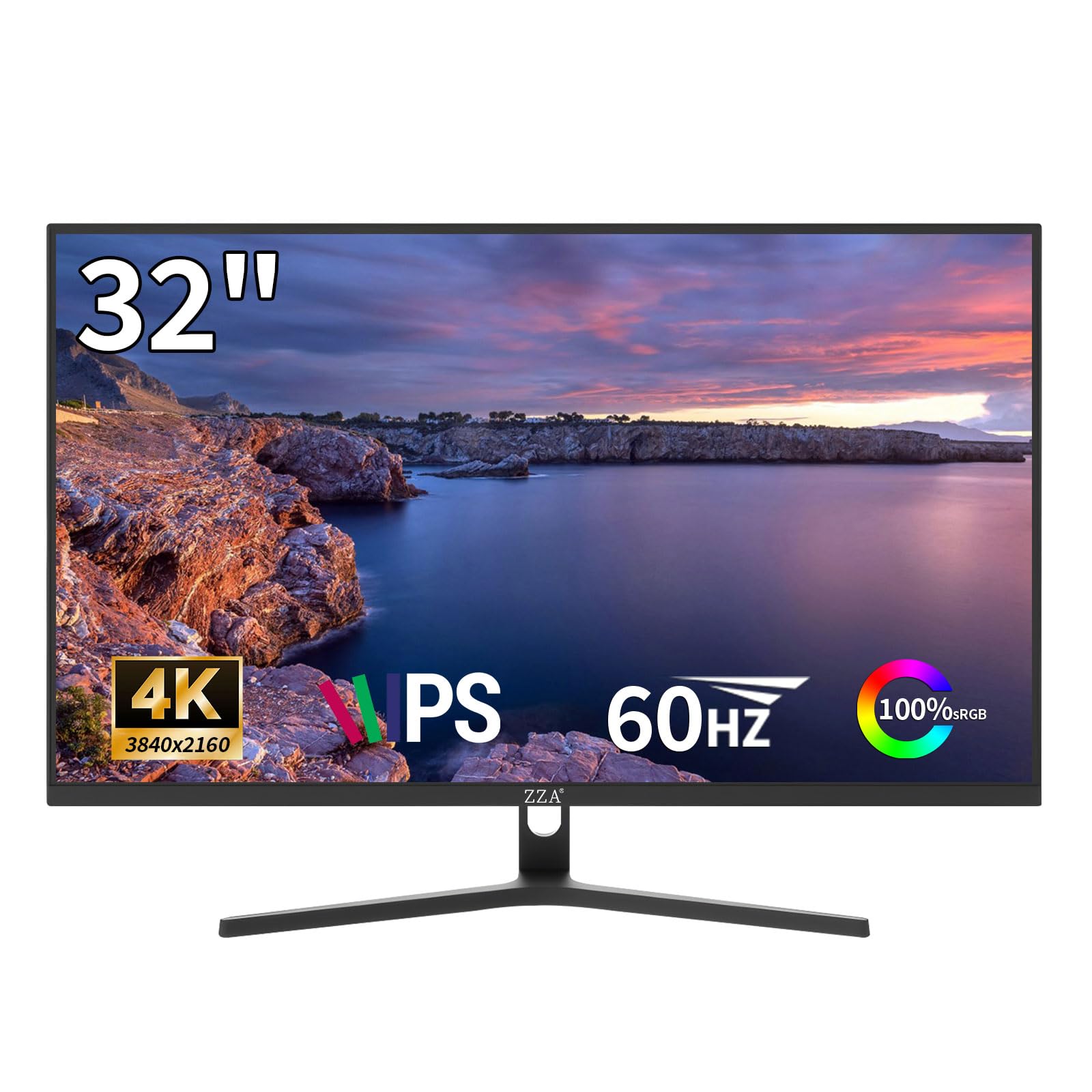
1. ZZA 32″ 4K UHD IPS Monitor
The cheapest route to a 32-inch 4K IPS screen, plain and simple.
For the price-conscious buyer who simply needs a large 4K display for spreadsheets, web browsing, and console media, this 32-inch IPS panel at 3840 x 2160 resolution delivers high pixel density at a minimal outlay. The 4000:1 static contrast ratio — unusually high for an IPS panel — gives it noticeably deeper blacks than the typical 1000:1 budget screen. FreeSync support prevents tearing during casual PS5 or Xbox gaming, and the 60Hz refresh rate is adequate for office work and narrative-driven titles.
The three-sided slim bezel makes it easy to pair up in a multi-monitor rig, and the 100x100mm VESA mount works with most gas arms. Users consistently praise the excellent color clarity and value. However, reliability is a real concern here — a specific failure pattern appears in the data, with one owner reporting a backlight failure that led to missing the 30-day return window because of slow manufacturer support. Treat this as a budget entry with limited warranty backup.
If you need 4K now and can deal with a 60Hz pace (60 screen refreshes per second, fine for movies but less smooth for fast games), this is your cheapest ticket. If long-term confidence matters more, spend a little extra on one of the Dell or Alienware options above — reviewers point out those models include a longer warranty and better stand adjustability.
Wallet-friendly 4K
- 32-inch 4K (3840 x 2160) IPS panel at a very low cost
- 4000:1 contrast ratio — better blacks than typical budget IPS
- VESA 100×100 mm compatible with standard monitor arms
Proceed with eyes open
- 60Hz limit means no smooth motion for fast gaming
- Backlight reliability concerns and slow manufacturer support
Maximum pixels, minimum spend: Grab this if your top priority is 4K desktop real estate for office tasks and you are comfortable with a 60Hz refresh rate.
Look elsewhere if: You want responsive customer support if something goes wrong, or you plan to play competitive shooters that need 120Hz+.
2. Alienware 27 Gaming Monitor AW2725DM
The do-it-all gaming panel that balances speed, color, and trust.
This 27-inch QHD display delivers a 180Hz refresh rate and a 1ms gray-to-gray response time — enough silicone-smooth motion for both shooters and strategy titles. The DCI-P3 95% color coverage ensures in-game landscapes and photo edits alike look vivid and accurate.
The included stand offers full height, pivot, swivel, and tilt adjustments — a rare luxury at this price tier that saves you the cost of a separate monitor arm. There is a catch worth noting: the full 180Hz works only through DisplayPort. On HDMI, you cap out at 144Hz, so plan your cable setup accordingly. The review pages also confirm there is no USB-C input, which may inconvenience MacBook owners who prefer a single-cable desk.
Buyers report that the fast motion handling, sturdy build quality, and smooth G-Sync compatibility (a technology that syncs the monitor’s refresh rate with your graphics card to prevent screen tearing) make this a favorite for console upscaling as well — PS5 users appreciate the dedicated console mode that locks in the appropriate refresh rate so games stay smooth without manual tweaking.
Why it wins
- Bright, color-accurate 400 cd/m² IPS panel with 95% DCI-P3
- Full ergonomic stand (height, pivot, swivel, tilt) built in
- Dedicated console mode for PS5 compatibility
Know before you buy
- 180Hz requires DisplayPort — HDMI caps at 144Hz
- No USB-C port for single-cable laptop connection
The crowd favorite: Pick this if you want a reliable, adjustable monitor that handles competitive gaming during the week and color-sensitive work on weekends.
One real limit: The HDMI bandwidth means console gamers lose some frame-rate headroom unless your console supports DisplayPort alt mode.
3. AOC 27″ Gaming Monitor QHD 260Hz Overclocked Q27G41ZE
A frame-rate monster that leaves 240Hz screens in the dust.
Pushing a native 240Hz overclocked to 260Hz via DisplayPort, this QHD IPS panel nearly doubles the smoothness of a standard 144Hz monitor. The 0.3ms MPRT response time versus the Alienware’s 1ms spec — in fast-paced esports titles, that difference translates to noticeably less ghosting during rapid flicks. The 300 cd/m² brightness and 1000:1 contrast ratio deliver punchy visuals that hold up well even in a bright room.
The crowd favorite by review count — the thing everyone raves about is the combination of build quality and value. The 3-year Zero-Bright-Dot warranty adds a layer of confidence that budget panels rarely offer. Adaptive-Sync works across both AMD and NVIDIA GPUs, so you avoid screen tearing without worrying about brand compatibility. On the downside, the included stand tilts only (−3° to +21°), with no height or swivel adjustment — you may need an aftermarket arm for ideal ergonomics.
As buyers put it: “260Hz noticeable from 180Hz.” If you are chasing every competitive edge, this is your panel.
Flat-out fastest: Pick this if frame-rate is your top priority and you can supply your own monitor arm for height adjustment.
Trade-off: The tilt-only stand means you will likely spend extra on a VESA mount; the extreme refresh rate can also feel tiring during long document sessions.
4. Dell 27 Plus 4K Monitor S2725QS

A 4K productivity powerhouse that does not skip on motion smoothness.
The 27-inch 4K (3840 x 2160) panel packs 3840×2160 resolution compared to 1920×1080 of a 1080p display, so text looks razor-sharp and you can tile multiple windows without squinting. The 120Hz refresh rate — unusual on a sub-500 4K monitor — makes cursor movements feel instantly responsive, a huge leap from the standard 60Hz found on most office screens. With 350 cd/m² brightness and a 1500:1 contrast ratio, blacks are deeper than typical IPS panels, approaching near-OLED levels according to frequent praise.
The built-in speakers are notably better than previous Dell generations — louder, with more bass range — saving your desk from a separate speaker bar for casual video calls and YouTube. ComfortView Plus cuts blue light to below 35% without turning the screen yellow, a win for anyone who stares at spreadsheets until late. Image quality and monitor quality are the two most-discussed positives, with buyers consistently calling it the best monitor at its price point.
There is a small caveat: competitive gamers will notice ghosting in fast FPS scenes, so keep this focused on productivity and light controller gaming.
Built for work
- 4K (3840 x 2160) with 120Hz smooth motion
- ComfortView Plus blue-light filter without color shift
- Full adjustable stand (height, tilt, swivel, pivot)
Keep in mind
- Noticeable ghosting in fast-paced competitive games
- Some units show slight vignetting on the right edge
Your dedicated workspace partner: Reach for this if crisp text, comfortable all-day viewing, and a smooth 120Hz desktop are your daily needs.
skip it if: You primarily play competitive FPS titles that demand a 240Hz+ high-contrast VA panel.
5. LG 32UR500K-B Ultrafine 32-Inch 4K Monitor

A large 4K canvas with deep contrast for desk-based movie nights.
The 32-inch VA panel offers a 3840 x 2160 resolution with up to 90% DCI-P3 color gamut coverage, producing rich, saturated colors that stand out for photo editing and streaming. At a 4000:1 native contrast ratio, it delivers deeper blacks than IPS alternatives — at 4000:1 versus 1000:1 on many competitors in this list. The 250 cd/m² brightness is modest, but the VA panel’s black-level depth makes highlights in HDR10 content feel more dramatic.
The built-in MaxxAudio stereo speakers are serviceable for podcasts and YouTube without cluttering your desk with extra gear. Dynamic Action Sync reduces input lag for casual gaming, and Black Stabilizer lifts dark shadows so you can spot enemies hiding in corners. Buyers highlight the stunning picture quality and accurate out-of-box colors, calling it the best monitor they have owned at this size.
A few users note slight yellow nonuniformity along the bottom edge and viewing-angle dimming — side-angle clarity is not this panel’s strength, so center it on your desk.
Best for media
- Deep 4000:1 VA contrast ratio for rich blacks
- 90% DCI-P3 color gamut for vibrant HDR content
- Built-in MaxxAudio speakers save desk space
Check first
- 250 cd/m² brightness is modest for very bright rooms
- VA viewing angle narrows when viewed from the side
Perfect for the mixed-use desk: Choose this if you want huge 4K real estate and deep contrast for movies, with occasional gaming on the side.
Look elsewhere if: You need a high refresh rate for competitive play or you share your screen with a coworker who sits at an angle.
6. Samsung 27” Odyssey OLED G5 G50SF

True OLED blacks at a price that used to be impossible.
Bringing QD-OLED technology into the under-500 category, this 27-inch QHD monitor produces an infinite 1000000:1 contrast ratio — blacks are truly black, with zero backlight bleed. The 180Hz refresh rate and 0.03ms GtG response time mean motion is impossibly crisp; dark dungeon scenes become playable instead of muddy, and colorful open worlds look hyper-real. Pantone Validation ensures 2100+ colors are reproduced accurately, which matters for creative pros who want OLED’s pop without a professional-grade budget.
The top praise from owners circles around the “best bang for your buck OLED” sentiment — 75 owners flag quality, and 56 highlight value. The OLED Safeguard thermal modulation system actively cools the panel to prevent burn-in, and auto pixel shift runs in the background so you do not have to think about it. Two honest downsides: there are no built-in speakers, and connectivity is limited to one HDMI and one DisplayPort. The stand offers tilt only, so you may want a monitor arm.
The review pages sum it up: “stunning OLED visuals — but not ideal for competitive FPS” because the deep blacks can hide enemies in shadowy corners.
Why it stands out
- Infinite contrast ratio (1000000:1) with true black levels
- Blazing 0.03ms GtG response time
- Pantone Validated for accurate color reproduction
Real talk
- No built-in speakers — you need external audio
- Only one HDMI and one DisplayPort input
For the visual purist: Grab this if you want the best picture quality this side of a thousand dollars and you prefer single-player immersion over competitive edge.
Think twice if: You need a height-adjustable stand from the start, or you play fast-paced competitive shooters where shadow detail matters most.
7. Dell 32 Plus 4K Monitor S3225QS

A spacious 32-inch 4K panel that refuses to compromise on speed.
The 31.5-inch VA panel at 3840 x 2160 resolution delivers a 1500:1 contrast ratio, providing deeper blacks than the typical 1000:1 IPS screens in this class. The 120Hz refresh rate keeps desktop navigation fluid and casual gaming smooth — it is even smoother than some 144Hz VA panels according to frequent owner comments. With 99% sRGB and 95% DCI-P3 color coverage, this monitor handles photo editing and media consumption with accurate, vibrant color.
ComfortView Plus cuts blue light to ≤35% without washing out the image — a genuine benefit for 9-to-5 desk workers. The built-in speakers deliver notably louder, richer sound than the previous Dell generation, reducing the need for desktop audio hardware. The stand offers height, tilt, and pivot adjustments, though the VA panel’s viewing angle means color shifts if you lean too far off-center.
The most-discussed positives are monitor quality and picture quality. On the flip side, a minority of owners mention random blackout events, so check your cable quality and GPU drivers early in setup.
Room to work
- 32-inch 4K VA panel with 1500:1 deep contrast
- 120Hz refresh rate that feels smoother than spec suggests
- ComfortView Plus with ≤35% blue light reduction
Heads up
- VA viewing angle causes off-axis color shift
- No USB hub included on the stand
Your command center display: Choose this if you want the biggest 4K canvas with smooth 120Hz motion and strong color accuracy for creative work.
pass on it if: You draw or edit photos from an angled seat — the VA panel (a type of screen that offers deep blacks but has narrower viewing angles than IPS) narrows its best view to the balance, so colors shift if you sit off-center.
8. Samsung 43” Smart Monitor M7 M70F

A 43-inch display that works as a monitor and a full smart TV.
Samsung’s Vision AI powers this 4K UHD (3840 x 2160) monitor with built-in streaming apps, Samsung TV Plus, and Gaming Hub — you can ditch the set-top box in a bedroom or dorm entirely. The 5000:1 VA-type contrast ratio delivers deep blacks for movie watching, and the Active Voice Amplifier automatically boosts dialogue when the room gets noisy. The USB-C port handles video, data, and device charging in one cable, making it a tidy hub for a laptop setup.
The far-field voice interaction and Samsung Knox security for IoT connections add capabilities no standard monitor offers. The 60Hz refresh rate is fine for TV shows and office work but feels sluggish for fast gaming. Several customers note that the provided HDMI cable limits picture quality — a better-quality third-party cable resolves the blurry-text complaints seen in some reviews.
Monitor quality is the top positive (45 mentions), but picture quality and performance draw mixed feedback. The size requires a deep desk — at least 26 inches of depth clearance.
Two-in-one appeal
- 43-inch 4K screen doubles as a smart TV with streaming apps
- USB-C connectivity for single-cable laptop docking
- Active Voice Amplifier keeps dialogue clear in noisy rooms
Know the limits
- 60Hz refresh rate is not ideal for fast-paced gaming
- Supplied HDMI cable may cause blurry text — replace it
The dorm or den choice: Pick this if you need a single large screen for both computing and streaming, especially in a space-saving setup.
Pass on this if: You are a competitive gamer who needs 120Hz+ or you rely on color-critical photo editing from an angled seat.
Understanding the Specs
Refresh Rate
Measured in Hertz (Hz), this tells you how many times the screen redraws per second. A 60Hz monitor updates 60 times a second, which feels fine for documents and web browsing. A 120Hz or 180Hz screen makes every mouse movement and game camera pan look dramatically smoother — your eye sees the difference immediately. Competitive gamers should aim for 144Hz or higher; office workers can stop at 60Hz or 120Hz.
Contrast Ratio
This number compares the brightest white to the darkest black a monitor can show. A 1000:1 ratio is typical for IPS panels and looks good in bright rooms. A 4000:1 or 5000:1 VA panel delivers noticeably deeper blacks, which matters for movie watching or dark-themed games. OLED panels achieve near-infinite contrast — blacks are truly black because each pixel turns off completely — but they cost more.
Color Gamut
Listed as sRGB or DCI-P3 percentages, this tells you how much of the color spectrum the screen can display. 99% sRGB is excellent for web and photo work. 90% or 95% DCI-P3 covers a wider range needed for HDR content and professional video editing. If you edit photos or watch HDR movies, favor a monitor with higher DCI-P3 coverage.
Panel Type
IPS (In-Plane Switching) offers wide viewing angles and consistent color — safest for mixed use. VA (Vertical Alignment) gives deeper contrast but narrows side-angle clarity. OLED produces perfect blacks and fast response but can be susceptible to burn-in over many years. Your choice depends on how you sit and what you watch.
FAQ
Is a 60Hz monitor good enough for office work?
What is the difference between QHD and 4K for a 27-inch monitor?
Can I use a FreeSync monitor with an NVIDIA graphics card?
How important is response time for gaming?
Do I need a monitor arm for an under-500 display?
Will a 4K monitor work with a MacBook Pro?
What does HDR10 mean on a monitor?
Is an OLED monitor worth it under?
How do I know if my desk is deep enough for a 32-inch or 43-inch monitor?
Can I mount these monitors on a VESA arm?
Final Thoughts: The Verdict
For the majority of shoppers, the best computer monitor under 500 winner is the Alienware 27 AW2725DM because it packs a bright 180Hz IPS panel, full ergonomic adjustments, and a proven reliability record into a single do-it-all package. If you want the sharpest 4K panel for office productivity with smooth 120Hz motion, grab the Dell 27 Plus S2725QS. And for pure speed in competitive gaming, the AOC Q27G41ZE is the one to reach for, with its blistering 260Hz refresh rate and 0.3ms response time.
How We Picked
We do not accept paid placement. Every pick is matched to a real buyer and a real use-case; we do not hands-on test units.
Sources & Methodology
Specifications: manufacturer listings and product documentation. Review insights: verified customer reviews, as of July 2026. Pricing: not shown on this page (it changes often); check the current price via the retailer link.
As an Amazon Associate, WellFizz earns from qualifying purchases. This does not affect which products we feature.
Related Guides

Mo Maruf
I created WellFizz to bridge the gap between vague wellness advice and actionable solutions. My mission is simple: to decode the research and give you practical tools you can actually use.
Beyond the data, I am a passionate traveler. I believe that stepping away from the screen to explore new environments is essential for mental clarity and physical vitality.