Our readers keep the lights on and my smoothie glass nicely filled. As an Amazon Associate, I earn from qualifying purchases.
The soft blue glow of a monitor is a deceptive comfort. After eight hours of spreadsheets, code, or creative work, the sharp ache behind your eyes and the tension spreading across your forehead are not a normal part of the job—they are a signal that your display is working against you. The panel technology, backlight spectrum, and refresh rate of your screen directly determine whether your visual system pays a compounding tax every minute you look at it.
I’m Mohammad Maruf — the founder and writer behind WellFizz. I have spent hundreds of hours analyzing backlight modulation, blue-violet wavelength filters, and panel contrast ratios across dozens of eye-care display models to separate marketing claims from measurable relief.
This guide walks you through the concrete specifications that reduce digital eye strain, compares the top performers on the market, and helps you choose the best computer monitor for eye strain based on your actual work habits and sensitivity level.
How To Choose The Best Computer Monitor For Eye Strain
Not every monitor marketed as “eye safe” delivers measurable visual comfort. The real difference lives in three specific hardware features: flicker-free backlight circuits, hardware-level low-blue-light filters that do not wash out color, and adaptive brightness sensors that prevent your eyes from constantly adjusting between the screen and the room around it. Understanding these three pillars lets you ignore vague marketing and focus on what actually reduces fatigue.
Flicker-Free Backlighting vs. PWM Dimming
Many monitors control brightness by rapidly cycling the backlight on and off in a process called pulse-width modulation (PWM). Even when the cycle is too fast to see consciously, your pupils and ciliary muscles still sense the fluctuation, leading to eyestrain, headaches, and watering after prolonged use. A true flicker-free monitor uses direct-current (DC) dimming to reduce brightness continuously without any invisible strobing. Every monitor on this list uses flicker-free technology, but the quality of the implementation varies between budget and premium models.
Hardware Low Blue Light vs. Software Filters
Most operating systems can reduce blue light emission through a software color-temperature shift, but this always adds a perceptible yellow or amber tint to the screen, which distorts color accuracy for photo editing, design work, or reading code. Hardware-level low-blue-light panels, like BenQ’s Low Blue Light Plus or HP’s Eye Ease with Eyesafe certification, physically filter the high-energy blue-violet wavelengths (415–455nm) at the LED backlight source. This preserves native color balance while reducing the wavelengths most linked to retinal phototoxicity and circadian rhythm disruption.
Adaptive Brightness and Ambient Light Sensors
A monitor set to a fixed brightness level will feel blinding in a dim room and too dim in a bright room, forcing your eyes to constantly adapt as you look around your workspace. Adaptive brightness sensors measure the ambient light in your room and automatically adjust the screen luminance to match. BenQ’s Brightness Intelligence Gen2 takes this further by also analyzing the content on the screen—if you switch from a dark coding interface to a bright website, the sensor tweaks the backlight to maintain visual comfort without requiring manual adjustment.
Quick Comparison
On smaller screens, swipe sideways to see the full table.
| Model | Category | Best For | Key Spec | Amazon |
|---|---|---|---|---|
| BenQ GW2790Q | IPS / 2K | Long reading sessions | Brightness Intelligence Gen2 | Amazon |
| LG 27US500-W | IPS / 4K | Crisp text at 4K | Reader Mode + Flicker Safe | Amazon |
| HP Series 3 27″ | IPS / FHD | All-day office work | Eye Ease with Eyesafe | Amazon |
| HP 27″ 100Hz | IPS / FHD | Budget dual-monitor setup | Flicker-Free + Low Blue Light | Amazon |
| LG 27UP650K-W | IPS / 4K | Spreadsheet-intensive work | Reader Mode + Height/Pivot | Amazon |
| Dell S2725QS | IPS / 4K | All-day comfort + color accuracy | ComfortView Plus ≤35% blue | Amazon |
| Dell S3425DW | VA / UWQHD | Ultra-wide productivity | ComfortView Plus + USB-C 65W | Amazon |
| BenQ MA320U | IPS / 4K | MacBook ecosystem | Mac Color Match + 90W USB-C | Amazon |
| ASUS ROG PG32UCDM | QD-OLED / 4K | High-end gaming with eye care | Custom heatsink + Uniform Brightness | Amazon |
In‑Depth Reviews
1. BenQ GW2790Q 27″ 2K QHD IPS Eye-Care Monitor
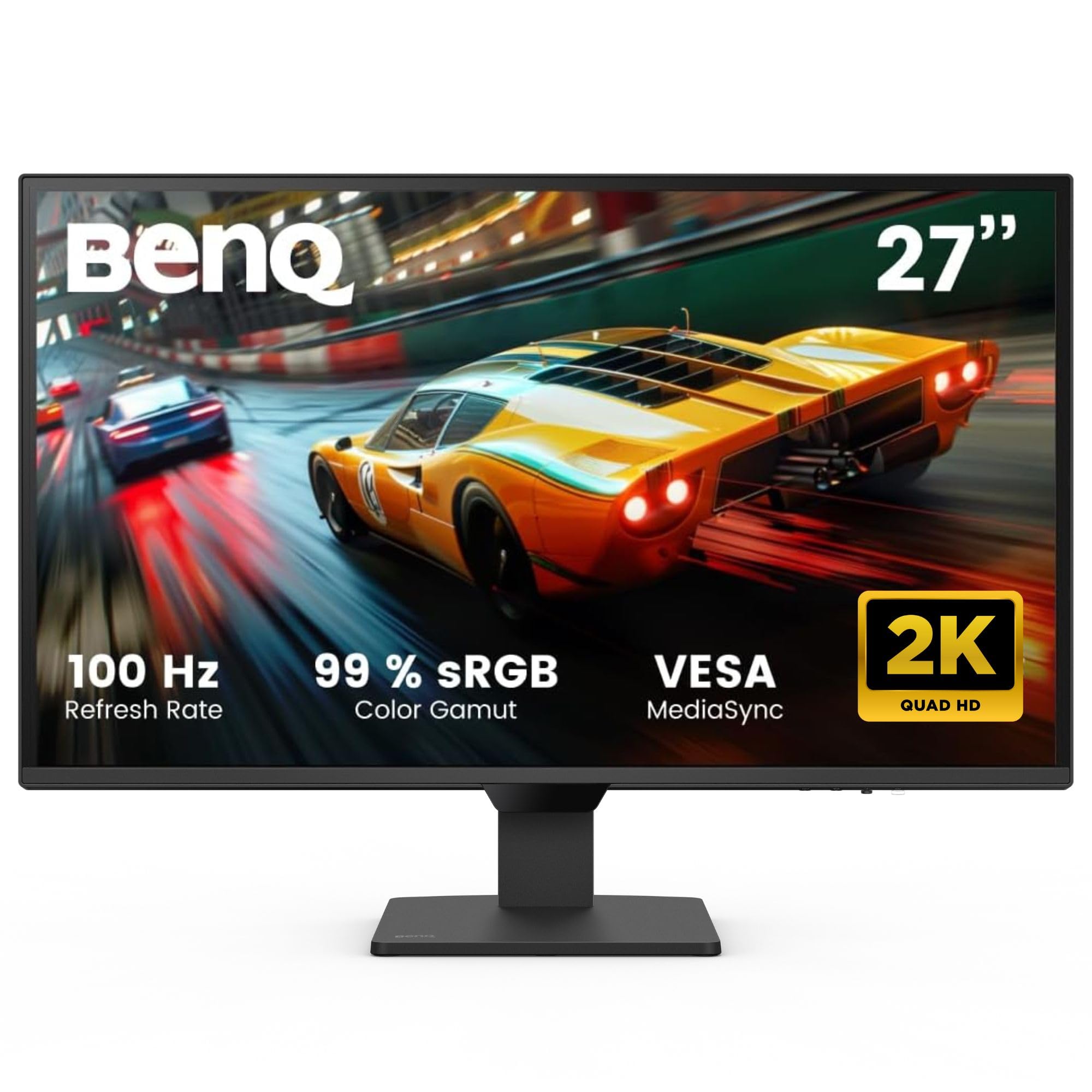
The BenQ GW2790Q stands out because it combines two genuine eye-care technologies that few competitors offer at this price point: Brightness Intelligence Gen2 and Low Blue Light Plus. The built-in ambient light sensor automatically adjusts the screen luminance and color temperature based on the room’s lighting, while the hardware-based blue light filter cuts the harmful 415–455nm wavelengths without shifting the entire screen toward a yellow cast. For anyone who spends more than six hours reading code, documents, or research papers daily, these two features provide the most noticeable reduction in eye fatigue.
The 27-inch IPS panel runs at 2560×1440 resolution with a smooth 100Hz refresh rate, which reduces perceived flicker compared to standard 60Hz panels. Color accuracy remains solid for a mid-range display, and the 1000:1 contrast ratio delivers adequate depth for productivity tasks. The monitor also includes a Coding Mode and ePaper Mode—the latter converts the screen to a grayscale, lower-contrast palette that mimics physical paper, ideal for reducing accommodative strain during long reading sessions.
Where the GW2790Q falls short is in its audio. The built-in speakers are weak and lack clarity, so you will want external speakers or headphones for any media playback. The stand offers tilt adjustment but no height or pivot capability, meaning you may need a separate monitor arm to achieve optimal ergonomic alignment. Despite these concessions, the combination of adaptive brightness and hardware-level blue light filtering makes this the most balanced pick for productivity-focused users who prioritize eye comfort above all else.
Why it’s great
- Brightness Intelligence Gen2 auto-adjusts to room lighting and on-screen content
- Low Blue Light Plus preserves color accuracy while filtering harmful wavelengths
- ePaper Mode reduces accommodative strain for long reading sessions
Good to know
- Built-in speakers deliver weak audio quality
- Stand only offers tilt adjustment—no height or pivot
2. LG 27US500-W Ultrafine 27″ 4K IPS Monitor

The LG 27US500-W solves one of the most common hidden causes of eye strain: unclear text rendering. At native 4K resolution (3840×2160) on a 27-inch screen, pixel density reaches approximately 163 PPI, which makes fonts appear razor-sharp and eliminates the need for subpixel anti-aliasing that can cause visual fatigue over time. Combined with LG’s Flicker Safe technology, which uses DC dimming to eliminate PWM backlight cycling, this monitor is an excellent choice for anyone who reads dense text, works with spreadsheets, or reviews detailed documents for hours.
The IPS panel covers up to 90% of the DCI-P3 color gamut and hits 300 nits of brightness, providing vibrant, consistent colors across wide viewing angles. The Reader Mode adjusts the screen’s color temperature and luminance to simulate the feel of printed paper, further reducing the accommodative demand on your ciliary muscles. The ergonomic stand offers only tilt adjustment, which is a limitation for users who need height or pivot alignment to match their natural eye level.
The white chassis and stand keep the desk looking clean, though some users report that the white finish and cables stand out against darker setups. Connectivity includes HDMI and DisplayPort, but there is no USB-C port, so MacBook users will need an adapter for video out. For its price, the 27US500-W delivers a level of text clarity and flicker-free operation that directly addresses the root causes of digital eye strain for reading-intensive workflows.
Why it’s great
- 4K resolution at 27 inches produces sharp, easy-to-read text
- Flicker Safe technology eliminates PWM backlight cycling
- Reader Mode reduces accommodative strain with paper-like color tuning
Good to know
- Stand offers tilt adjustment only—no height or pivot
- No USB-C port for single-cable laptop connectivity
3. HP Series 3 27″ FHD IPS Monitor (327se)

The HP Series 3 proves that you do not need to spend premium money to get certified eye protection. HP’s Eye Ease technology is TÜV Rheinland Eyesafe certified, meaning it filters high-energy blue light at the hardware level while maintaining color accuracy—no yellow tint, no software slider required. The 27-inch IPS panel runs at 1080p resolution with a 100Hz refresh rate and 1300:1 contrast ratio, providing smooth, flicker-free motion that reduces the subtle micro-oscillations that can trigger eye strain over long workdays.
Where this monitor seriously impresses for its price point is the full ergonomic stand. You get height adjustment, swivel, pivot, and tilt, allowing you to position the screen exactly at your natural eye level without propping it up on books or buying a separate arm. The built-in dual 2W speakers are adequate for voice calls and system sounds, though they lack bass for music or movies. Connectivity includes HDMI 1.4, DisplayPort 1.2, and VGA, covering both modern and legacy devices.
The panel is only FHD (1920×1080), so text sharpness is lower than a 4K screen at the same size—users who work with small-font code or dense spreadsheets may notice pixelation. The 100Hz refresh rate is a significant upgrade over typical 60Hz office monitors for perceived smoothness, but it is not a gaming monitor and lacks adaptive sync support. For pure office productivity where eye comfort is the primary concern, the HP Series 3 delivers certification-backed protection and full ergonomic adjustability at a price that leaves room in the budget for a second monitor.
Why it’s great
- Eye Ease with Eyesafe certification provides hardware-level blue light filtering
- Full ergonomic stand with height, swivel, pivot, and tilt adjustment
- 100Hz refresh rate reduces perceived flicker over 60Hz models
Good to know
- FHD resolution limits text sharpness on a 27-inch panel
- Built-in speakers are adequate for voice but lack depth for media
4. HP 27″ 100Hz IPS FHD Monitor with Docztorm Hub

This HP monitor addresses a pain point many budget-minded users overlook: screen flicker. Certified flicker-free and equipped with a low-blue light filter that reduces eye fatigue without distorting color, this 27-inch IPS panel runs at 1920×1080 resolution with a 100Hz refresh rate and 300 nits of brightness. The high contrast ratio of 1500:1 helps text stand out against the background, reducing the accommodative effort your eyes need to distinguish letters and numbers.
The included Docztorm portable USB hub adds extra data connectivity with a 5Gbps sync rate, which is useful for quickly transferring files or connecting peripherals without reaching around the back of the monitor. The 3-sided micro-edge bezel design makes this a strong candidate for dual-monitor setups where minimizing bezel gap reduces the visual jump between screens. The stand offers tilt adjustment only, so you will need to plan your desk height carefully or invest in a monitor arm for proper ergonomics.
The panel lacks VESA mount support, which seriously limits your ability to upgrade to a better stand or wall mount later. The low-blue light filter is software-based rather than hardware-level, meaning it introduces a slight warmth to the image when activated. For users who simply need a flicker-free, budget-friendly secondary screen that does not aggravate eye strain, this HP model delivers the essentials while leaving room in the budget for a primary monitor with more advanced eye-care features.
Why it’s great
- Flicker-free backlight eliminates PWM-induced eye fatigue
- Docztorm USB hub adds convenient data connectivity
- 100Hz refresh rate provides smoother on-screen motion
Good to know
- No VESA mount support limits stand upgrade options
- Stand offers tilt adjustment only—no height or pivot
5. LG 27UP650K-W 27″ 4K IPS Monitor

The LG 27UP650K-W offers the most complete ergonomic package among mid-range 4K monitors. The stand provides full height adjustment, tilt, and pivot rotation, allowing you to position the screen in portrait mode for coding or long document scrolling without risking neck strain from improper monitor height. The 4K IPS panel delivers sharp text with 95% DCI-P3 color coverage, and the Flicker Safe technology uses DC dimming to eliminate the invisible strobing that contributes to tension headaches.
The Reader Mode is particularly effective for eye strain—it adjusts the screen’s color temperature and gamma curve to simulate the look of print on paper, reducing the accommodative demand on your eyes during long reading sessions. The Black Stabilizer feature brightens dark areas of the screen, which helps reduce the strain caused by squinting to see shadow details in dimly lit content. With 400 nits of peak brightness and VESA DisplayHDR 400 certification, the monitor also has enough luminance headroom to maintain comfortable viewing in bright office environments.
The monitor lacks built-in speakers, so you will need external audio for any media playback or video calls. The white chassis and silver stand may look out of place in darker desk setups, and there is no USB-C port for single-cable laptop connectivity. Despite these omissions, the combination of a fully adjustable stand, 4K text clarity, and flicker-free operation makes this a strong choice for professionals who spend their day jumping between spreadsheets, code, and research papers.
Why it’s great
- Full ergonomic stand with height, tilt, and pivot adjustment
- Reader Mode reduces accommodative strain for extended reading
- 400 nits brightness with DisplayHDR 400 for bright-room comfort
Good to know
- No built-in speakers for video calls or media
- No USB-C port for single-cable laptop connection
6. Dell 27 Plus 4K Monitor S2725QS

Dell’s ComfortView Plus technology sets a new standard for hardware-level blue light reduction. Certified to reduce harmful blue light emissions to 35% or less of the total backlight spectrum, this filter works at the LED source level and maintains color accuracy—no yellow tint, no washed-out whites. The 27-inch 4K IPS panel runs at a smooth 120Hz refresh rate with AMD FreeSync Premium support, providing tear-free motion that further reduces the subtle visual noise that can accumulate into eye fatigue over an entire workday.
The 1500:1 contrast ratio is noticeably higher than typical IPS monitors at this size, delivering deeper blacks that make text pop against the background and reduce the luminance strain on your eyes. The built-in speakers have been redesigned for greater output power and deeper frequency response compared to the previous generation, so you do not immediately need external speakers for video calls or background music. The stand offers full height, tilt, swivel, and pivot adjustment, making it easy to achieve proper ergonomic alignment.
The anti-glare coating is slightly more aggressive than some competing models, which can introduce a light graininess in dark room conditions. HDR performance is acceptable for a 350-nit panel but does not compete with dedicated HDR monitors for cinematic content. For all-day productivity users who want the most advanced blue-light filtering available in a mainstream monitor, the S2725QS delivers measurable protection without compromising on resolution, refresh rate, or build quality.
Why it’s great
- ComfortView Plus reduces blue light to ≤35% while preserving color accuracy
- 120Hz refresh rate with FreeSync Premium for smooth, tear-free motion
- 1500:1 contrast ratio improves text legibility and reduces eye strain
Good to know
- Anti-glare coating can appear grainy in very dark rooms
- HDR brightness limited to 350 nits for cinematic content
7. Dell 34 Plus USB-C Curved Monitor S3425DW

The Dell S3425DW matches an ultra-wide VA panel with the same ComfortView Plus technology found in Dell’s 27-inch model, reducing blue light emissions to 35% or less without color distortion. The 34-inch curved screen (3440×1440 resolution) at a 21:9 aspect ratio allows you to keep reference documents, code, and communication tools all in view, reducing the neck rotation and eye movement that contribute to fatigue when constantly alt-tabbing between windows. The VA panel boasts a 3000:1 contrast ratio, which delivers deep, inky blacks that make text appear to float above the background, reducing the luminance adaptation strain on your pupils.
USB-C connectivity with 65W power delivery consolidates your desk to a single cable for video, data, and laptop charging, eliminating cable clutter and the visual distraction of dangling wires. The 120Hz refresh rate with AMD FreeSync Premium ensures smooth scrolling and animation without the micro-stutter that can cause eye strain over extended sessions. Built-in speakers offer improved output over previous Dell models, though they still lack the fidelity of dedicated desktop speakers for music or cinematic content.
The VA panel’s viewing angles are narrower than IPS, so color shifts may become noticeable at the edges if you sit very close to the screen. The stand offers height and tilt adjustment but lacks swivel and pivot, which limits some ergonomic fine-tuning. For users who prefer an immersive, curved workspace that reduces eye movement across multiple windows while maintaining top-tier blue light filtration, the S3425DW is a compelling ultra-wide solution.
Why it’s great
- ComfortView Plus reduces blue light to ≤35% on a spacious ultra-wide canvas
- 3000:1 VA contrast ratio delivers deep blacks that reduce pupil strain
- USB-C with 65W PD powers and connects your laptop with one cable
Good to know
- VA panel viewing angles are narrower than IPS for edge color shifts
- Stand lacks swivel and pivot adjustment
8. BenQ MA320U 32″ 4K IPS Monitor for MacBook

The BenQ MA320U addresses a specific nuance of eye strain that MacBook users experience: the jarring color mismatch between the MacBook’s built-in display and an external monitor. BenQ’s Mac Color Match tuning calibrates the panel to reproduce the P3 wide color gamut that macOS expects, so your eyes do not have to constantly adjust to different white points and saturation levels when looking between screens. The 32-inch 4K IPS panel delivers a spacious canvas with 400 nits of brightness and a resolution that keeps text crisp at comfortable scaling factors.
Eye-care features include BenQ’s flicker-free backlighting and a low-blue light filter that operates at the hardware level. The integrated brightness and volume controls that work directly from the MacBook keyboard eliminate the need to reach for monitor buttons, which keeps your workflow uninterrupted. The dual USB-C ports deliver up to 90W power delivery for the MacBook and an additional 15W for charging an iPad or iPhone, reducing cable clutter on your desk.
The panel lacks a built-in camera and microphone, which is a notable omission for a monitor at this price point aimed at professionals who use video conferencing. The 60Hz refresh rate may feel less smooth than 120Hz alternatives for users who are sensitive to motion clarity. For Mac users who want a large, color-matched external display that reduces eye strain through consistent color reproduction and flicker-free operation, the MA320U delivers a tailored experience that generic monitors cannot match.
Why it’s great
- Mac Color Match tuning ensures consistent white point and color between displays
- 90W USB-C power delivery charges MacBook with a single cable
- MacBook keyboard controls brightness and volume without monitor buttons
Good to know
- No built-in camera or microphone for video calls
- 60Hz refresh rate limits motion clarity for some users
9. ASUS ROG Swift 32″ 4K QD-OLED PG32UCDM

The ASUS ROG Swift PG32UCDM proves that eye strain relief and extreme gaming performance can coexist. The QD-OLED panel produces per-pixel black levels with infinite contrast—when a pixel is off, it emits zero light, which eliminates the backlight bleed and halo effects that force your pupils to constantly adapt when viewing dark content on traditional IPS or VA screens. The 240Hz refresh rate and 0.03ms response time ensure that motion remains perfectly fluid, removing the micro-judder and ghosting that can trigger eye fatigue during fast-paced gaming.
The monitor includes a Uniform Brightness setting that caps peak luminance to a consistent level across the entire screen, preventing the eye fatigue caused by sudden brightness spikes when transitioning between dark and bright scenes. The custom heatsink and graphene film manage heat dissipation to reduce the risk of OLED burn-in, so you can keep the monitor on for extended work sessions without worrying about permanent image retention. The 99% DCI-P3 color gamut and true 10-bit color depth deliver rich, accurate colors that make text and images easy to distinguish.
The QD-OLED panel uses a glossy screen finish that enhances contrast and clarity but may produce noticeable reflections in brightly lit rooms. The text clarity can exhibit slight fringing on certain font types due to the subpixel layout unique to QD-OLED panels, which may be noticeable to users who read small text for extended periods. For users who need a single monitor for both competitive gaming and productivity work, the PG32UCDM’s Uniform Brightness mode and flicker-free OLED backlight provide a level of visual comfort that no traditional LCD panel can replicate.
Why it’s great
- Infinite contrast ratio eliminates backlight bleed and pupil adaptation strain
- Uniform Brightness mode prevents eye fatigue from sudden luminance spikes
- 240Hz refresh rate with 0.03ms response for flicker-free motion clarity
Good to know
- Glossy screen finish reflects ambient light in bright rooms
- QD-OLED text rendering may show slight fringing on certain fonts
FAQ
Can a 60Hz monitor cause more eye strain than a 120Hz monitor?
Is a higher resolution monitor better for eye strain or worse?
Does matte or glossy screen finish matter for eye comfort?
Why does my BenQ monitor have an ePaper or Coding Mode and should I use it?
Can a monitor arm improve eye strain even without eye-care features?
Final Thoughts: The Verdict
For most users, the best computer monitor for eye strain winner is the BenQ GW2790Q because it combines hardware-level blue light filtration with adaptive brightness sensing and a dedicated ePaper reading mode—all at a price point that balances protection with value. If you want sharper 4K text clarity with full ergonomic adjustment, grab the LG 27UP650K-W. And for the ultimate eye comfort paired with a premium ultra-wide workspace, nothing beats the Dell S3425DW with its ComfortView Plus blue light reduction and VA-panel contrast ratio.

Mo Maruf
I created WellFizz to bridge the gap between vague wellness advice and actionable solutions. My mission is simple: to decode the research and give you practical tools you can actually use.
Beyond the data, I am a passionate traveler. I believe that stepping away from the screen to explore new environments is essential for mental clarity and physical vitality.