Our readers keep the lights on and my smoothie glass nicely filled. As an Amazon Associate, I earn from qualifying purchases.
Choosing a display for your PlayStation 5 or Xbox Series X means navigating a dense specification sheet where one wrong choice, such as HDMI 2.1 bandwidth or variable refresh rate compatibility, can mute the console’s full potential. The right monitor delivers buttery-smooth motion, deep contrast, and low input lag that makes fast-paced shooters and open-world adventures feel responsive and immersive.
I’m Mohammad Maruf — the founder and writer behind WellFizz. I’ve spent countless hours cross-referencing panel technologies, refresh rate standards, and connectivity requirements to separate the monitors that genuinely elevate console play from those that merely check boxes.
This guide focuses on the specific hardware capabilities that matter most when pairing a display with a modern console, helping you identify which features actually translate to better gameplay in your living room or desk setup. best computer monitor for console gaming.
How To Choose The Best Computer Monitor For Console Gaming
Console gaming monitors differ from PC monitors in one critical way: the console dictates the output signal. You need a display that can accept that signal without added latency or compatibility issues. Below are the four pillars to evaluate before purchasing.
HDMI 2.1 Bandwidth
HDMI 2.1 delivers 48 Gbps of bandwidth, enough to carry 4K resolution at 120Hz with 10-bit color and HDR. Without it, many consoles cap at 4K 60Hz or compress the signal. If you own a PlayStation 5 or Xbox Series X, HDMI 2.1 is the single most important port feature.
Variable Refresh Rate (VRR) and FreeSync
VRR synchronizes the monitor’s refresh rate to the console’s frame output, eliminating screen tearing and stuttering during dips below 60 fps. AMD FreeSync Premium is widely supported on Xbox and is also compatible with PlayStation 5 via HDMI VRR. Look for monitors with explicit console VRR certification.
Panel Technology: IPS vs. OLED
IPS panels offer consistent color across wide viewing angles with good brightness, making them suitable for bright rooms. OLED panels deliver infinite contrast and near-instant 0.03ms response times, which translates to deeper blacks and zero motion blur in dark scenes. The trade-off is potential burn-in risk and lower peak brightness on some models.
Resolution and Refresh Rate Balance
Console hardware cannot always drive native 4K at high frame rates in demanding titles. Many gamers prefer 1440p (QHD) displays that accept a 4K signal and downscale, offering a sharp image with a higher and more stable refresh rate. A 120Hz to 160Hz panel is the sweet spot for current-gen consoles.
Quick Comparison
On smaller screens, swipe sideways to see the full table.
| Model | Category | Best For | Key Spec | Amazon |
|---|---|---|---|---|
| Dell S2725QS | Premium | 4K 120Hz productivity + console play | AMD FreeSync Premium, 27″, 4K | Amazon |
| Acer VG270K V4 | Mid-Range | Dual-mode resolution switching | 4K 160Hz / FHD 320Hz DFR | Amazon |
| Pixio PX27U Wave | Mid-Range | Budget 4K 160Hz gaming | Fast IPS, 1ms GTG, 4K | Amazon |
| LG 27GR83Q-B | Premium | High-refresh 1440p on consoles | 240Hz, HDMI 2.1, G-Sync | Amazon |
| AOC Q27GAZD | Premium | Deep blacks with QD-OLED | 240Hz, 0.03ms, QD-OLED | Amazon |
| Samsung Odyssey G5 G50SF | Premium | OLED value for immersive RPGs | 180Hz, QD-OLED, 0.03ms | Amazon |
| ASUS ROG Strix XG27UCG | Premium | Dual-mode 4K/FHD high Hz | 4K 160Hz / FHD 320Hz | Amazon |
| Alienware AW2725DF | Premium | Competitive 1440p at 360Hz | 360Hz, 0.03ms, QD-OLED | Amazon |
| MSI MPG 321URX | Premium | Ultimate 4K 240Hz OLED | 32″, 240Hz, QD-OLED, 4K | Amazon |
In‑Depth Reviews
1. Dell 27 Plus 4K Monitor S2725QS

The Dell S2725QS delivers a crisp 4K resolution at 120Hz with AMD FreeSync Premium support, making it an ideal companion for PS5 and Xbox Series X users who want vibrant visuals without overspending. The IPS panel covers 99% sRGB and includes ComfortView Plus technology that reduces harmful blue light to 35% or less, which matters during long sessions. The 1500:1 contrast ratio and HDR readiness provide enough depth for single-player titles without compromising readability in bright rooms.
Built-in speakers have been re-engineered from the previous generation to offer better frequency response and higher output, reducing the need for external audio in a casual setup. The ultra-thin bezels and ash white finish give it a clean, modern look that blends into living spaces. The adjustable stand includes height, pivot, swivel, and tilt options, allowing precise ergonomic positioning for desk or entertainment center placement.
Input flexibility comes from the included HDMI 2.1 cable, enabling full 4K 120Hz bandwidth with Auto Low Latency Mode on compatible consoles. The 0.03ms response time keeps motion blur minimal during fast action scenes. For gamers who split time between productivity and console play, this monitor offers a rare balance of color accuracy, refresh rate, and ergonomic adjustability at a mid-range price.
Why it’s great
- True 4K at 120Hz with included HDMI 2.1 cable
- ComfortView Plus reduces blue light without washing out color
- Fully adjustable stand with height, pivot, and swivel
Good to know
- Not ideal for competitive FPS due to 120Hz cap
- Some users report minor IPS glow in dark scenes
2. Acer Nitro VG270K V4bmiipx

The Acer Nitro VG270K V4 uses Dynamic Frequency Resolution (DFR) technology to offer two distinct performance modes: native 4K at 160Hz for sharp single-player visuals or FHD at 320Hz for ultra-smooth competitive play. This dual-mode approach is rare in mid-range monitors and directly addresses the console gamer’s need to switch between cinematic resolution and high-speed response. The 27-inch IPS panel delivers a wide DCI-P3 90% color gamut with HDR10 support, ensuring saturated colors and decent contrast across diverse game genres.
Connectivity is a strong point with two HDMI 2.1 ports and one DisplayPort 1.4, allowing simultaneous connection to a console and PC without cable swapping. The zero-frame bezel design maximizes screen real estate, and the included stand offers tilt adjustment from -5° to 25°. The 0.5ms GTG response time keeps ghosting minimal during fast transitions, though the built-in speakers are weak and best replaced with external audio.
AMD FreeSync Premium certification provides a tested VRR experience on Xbox consoles and works with PlayStation 5’s HDMI VRR implementation. The 1000:1 contrast ratio is standard for IPS, so blacks in dark rooms won’t match OLED depth, but the overall brightness of 350 nits handles well-lit rooms without issue. For gamers who want flexibility between resolution and frame rate without buying two monitors, the VG270K V4 delivers serious value.
Why it’s great
- DFR technology switches between 4K 160Hz and FHD 320Hz
- Two HDMI 2.1 ports for multi-device setups
- Wide 90% DCI-P3 color gamut with HDR10
Good to know
- Built-in speakers lack volume and clarity
- Reported HDMI port failures in isolated cases
3. Pixio PX27U Wave Purple
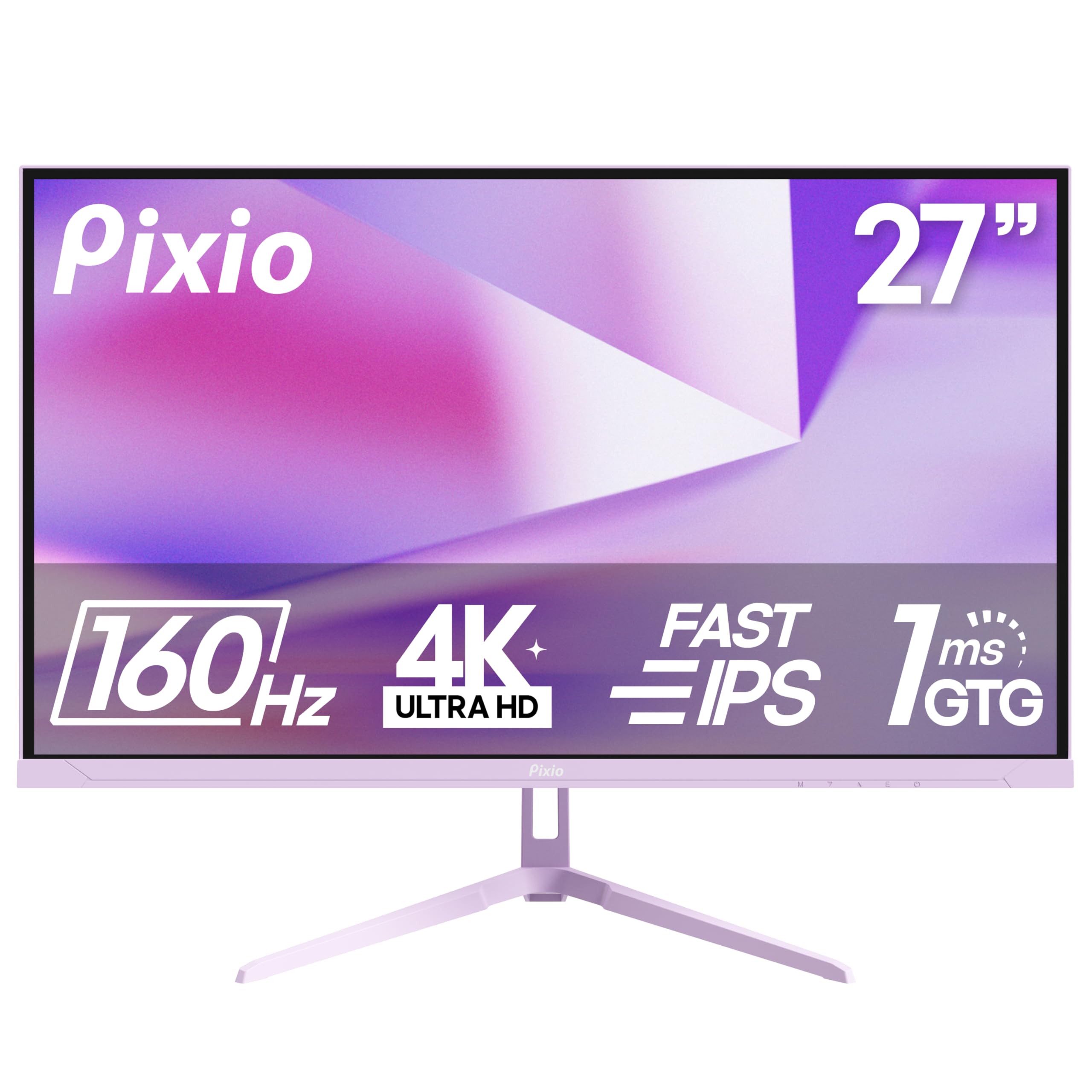
The Pixio PX27U Wave Purple packs a 4K 160Hz Fast IPS panel with a 1ms GTG response time and Adaptive Sync compatibility at an entry-level price point. The 400-nit peak brightness and 121% sRGB color gamut ensure vibrant visuals that hold up in both dark and moderately lit rooms, making it a solid option for console gamers upgrading from a standard television. The two HDMI 2.1 ports support full 4K bandwidth, enabling smooth 120Hz gameplay on PS5 and Xbox Series X without compression artifacts.
Build quality is respectable with a tilt-adjustable stand and VESA 100x100mm mounting support, though the stand lacks height and swivel adjustment. Flicker-Free technology reduces eye fatigue during extended sessions, and the 1000:1 contrast ratio delivers acceptable depth for an IPS panel. The monitor ships with a DisplayPort cable, but you will need to source an HDMI 2.1 cable separately if you want full console bandwidth.
Adaptive Sync works well with both FreeSync on Xbox and HDMI VRR on PlayStation 5, eliminating stutter in games that run below the display’s native refresh rate. The 0.03ms ultra-low response time ensures minimal input lag for competitive titles. For budget-conscious console players who prioritize 4K clarity over premium build materials or ergonomic flexibility, the PX27U Wave Purple offers the best raw performance per dollar in this tier.
Why it’s great
- 4K 160Hz Fast IPS panel at a budget-friendly price
- Two HDMI 2.1 ports for full console bandwidth
- High 400-nit brightness for bright-room gaming
Good to know
- Built-in speakers sound tinny with audio latency
- Stand is tilt-only with no height adjustment
4. LG 27GR83Q-B UltraGear

The LG 27GR83Q-B UltraGear is a 27-inch QHD IPS monitor that hits 240Hz via HDMI 2.1, making it one of the fastest displays for console gaming that doesn’t require a multi-thousand-dollar budget. The QHD resolution at 2560×1440 is an excellent sweet spot for current-gen consoles: it looks noticeably sharper than 1080p while being far easier to drive at high frame rates than native 4K. The 1ms GTG response time and VESA DisplayHDR 400 certification with up to 95% DCI-P3 coverage deliver punchy colors and smooth motion across all genres.
NVIDIA G-Sync Compatible and AMD FreeSync Premium dual certification means flawless VRR performance on Xbox Series X and reliable HDMI VRR on PlayStation 5. The stand offers height, pivot, swivel, and tilt adjustment, plus a 4-pole headphone out with DTS Headphone:X for 3D spatial audio over headphones. Dynamic Action Sync and Black Stabilizer settings give you fine-grained control over input lag and visibility in dark scenes.
The 1000:1 contrast ratio is typical for IPS, so blacks won’t match OLED depth, but the 400-nit brightness and wide color gamut make HDR content pop in a well-lit room. The ergonomic stand and robust OSD joystick control make daily adjustments painless. For console players who prioritize frame rate clarity over absolute resolution or who play fast competitive shooters, this monitor offers some of the lowest input lag available in its class.
Why it’s great
- 240Hz over HDMI 2.1 for ultra-smooth console gameplay
- Dual G-Sync and FreeSync Premium VRR support
- Fully ergonomic stand with height, pivot, and swivel
Good to know
- Some units exhibit stuck or dead pixels out of box
- QHD resolution means no native 4K for single-player purists
5. AOC Q27GAZD QD-OLED

The AOC Q27GAZD introduces QD-OLED technology to a wider audience with a 27-inch QHD panel that reaches 240Hz and 0.03ms GTG response time. The Quantum Dot OLED layer delivers a 1,500,000:1 contrast ratio and 147.6% sRGB coverage, producing blacks that appear truly infinite and colors that look three-dimensional compared to IPS screens. HDR400 True Black certification ensures that dark scenes in games like Alan Wake 2 or Resident Evil retain detail without the greyish bloom typical of LCD panels.
Connectivity includes DisplayPort and HDMI, but note that HDMI is limited to 165Hz, so you will need a DisplayPort cable to hit the full 240Hz on PC. For console gaming, the HDMI port still supports 120Hz at QHD with VRR, making it fully compatible with PS5 and Xbox Series X. The panel features an anti-glare coating and flicker-free technology, though the glossy surface can reflect ambient light in very bright rooms.
Adaptive-Sync eliminates screen tearing across both FreeSync and G-Sync Compatible ecosystems, and the near-instant pixel response makes motion clarity feel CRT-like in fast-paced games. The stand is basic and tilt-only, so most users will want to use a VESA mount. The AOC Q27GAZD is the most affordable way to experience true OLED contrast on a console without sacrificing high refresh rates.
Why it’s great
- QD-OLED infinite contrast at a mid-range price
- 240Hz refresh rate with 0.03ms response time
- HDR400 True Black for accurate dark scene rendering
Good to know
- No HDMI 2.1; HDMI limited to 165Hz
- Stand is tilt-only with no height or swivel adjustment
6. Samsung Odyssey OLED G5 G50SF

The Samsung Odyssey OLED G5 G50SF brings QD-OLED visuals to the 27-inch QHD segment with a 180Hz refresh rate and 0.03ms GTG response time, offering a balanced middle ground between high-refresh IPS panels and premium 240Hz OLEDs. The Glare Free technology significantly reduces reflections, making it more usable in lit rooms than many glossy OLED alternatives. Pantone Validation covers over 2,100 colors, so the display reproduces skin tones and environmental hues with exceptional accuracy during narrative-driven games.
HDR10 support with a 1,000,000:1 contrast ratio delivers striking highlight detail and deep shadows that make open-world environments feel more dimensional. The OLED Safeguard system uses a Thermal Modulation active cooling solution to help prevent burn-in, which is a genuine concern for console users who might leave static HUD elements on screen for hours. Auto Source Switch+ simplifies switching between console and PC inputs.
G-Sync Compatible and AMD FreeSync support ensure smooth VRR on both Xbox and PlayStation, though the 180Hz refresh rate is lower than some competitors. The build is mostly plastic and the stand lacks height adjustment, but the image quality at this price is unmatched for immersive single-player titles. For console gamers who primarily play story-driven or action-adventure games, the Odyssey G5 G50SF delivers OLED magic without the premium price tag.
Why it’s great
- QD-OLED infinite contrast with Glare Free coating
- Pantone Validated for accurate color reproduction
- OLED Safeguard thermal system reduces burn-in risk
Good to know
- 180Hz lower than 240Hz OLED competitors
- Stand lacks height adjustment; limited to tilt
7. ASUS ROG Strix XG27UCG

The ASUS ROG Strix XG27UCG redefines versatility with a dual-mode panel that runs 4K at 160Hz or FHD at 320Hz, giving console gamers the option of crisp resolution for narrative games or ultra-high frame rates for competitive shooters. The Fast IPS technology achieves a 1ms GTG response time, and ASUS Extreme Low Motion Blur Sync (ELMB SYNC) operates simultaneously with variable refresh rate, eliminating both ghosting and tearing without sacrificing brightness. The 95% DCI-P3 color gamut with advanced gray-scale tracking ensures smooth color gradients across all modes.
Connectivity includes HDMI 2.1 and DisplayPort 1.4, with the USB-C port supporting 90W power delivery for laptops or mobile devices. The heavy-duty stand offers height, swivel, pivot, and tilt adjustment, plus a built-in cable management channel for clean setups. The DisplayWidget Center software allows mouse-based OSD adjustment, which is convenient for fine-tuning HDR settings without navigating physical buttons.
G-Sync Compatible certification ensures tear-free gameplay on PC, and the HDMI 2.1 port supports full 4K 120Hz VRR on PS5 and Xbox Series X. The 400:1 contrast ratio is lower than many competitors, but the high brightness and excellent color volume compensate in HDR content. For console players who want a single monitor that handles both 4K single-player beauty and 320Hz FPS response, the XG27UCG is a future-proof powerhouse.
Why it’s great
- Dual mode: 4K 160Hz or FHD 320Hz with one click
- ELMB Sync works alongside VRR for blur-free motion
- Fully adjustable stand with height and swivel
Good to know
- 400:1 contrast ratio lower than OLED alternatives
- Heavy build requires ample desk space
8. Alienware AW2725DF QD-OLED

The Alienware AW2725DF is a 26.7-inch QD-OLED monitor that pushes refresh rate to 360Hz with a 0.03ms GTG response time, making it one of the fastest OLEDs available for console and PC gaming. The QHD resolution combined with infinite contrast ratio and VESA DisplayHDR True Black 400 certification produces blacks that look truly empty and highlights that retain detail without blooming. The DCI-P3 99.3% color coverage with Delta E<2 accuracy ensures that every scene looks exactly as the developer intended.
AMD FreeSync Premium Pro and VESA AdaptiveSync certifications provide the highest tier of VRR performance, with LFC (Low Framerate Compensation) ensuring smoothness even below 60 fps. The stand offers full ergonomic adjustment including height, tilt, swivel, and pivot, plus an I/O cover for cable management. Connectivity includes DisplayPort 1.4, HDMI 2.1, and USB 3.2 Gen1 ports, plus a factory calibration report included in the box.
Alienware includes a 3-year burn-in warranty, which mitigates the main concern with OLED long-term ownership. The 360Hz refresh rate exceeds what current consoles can output, but it provides headroom for future hardware and ensures motion clarity at any frame rate below that ceiling. For console gamers who also play PC titles and want the absolute fastest pixel response and best HDR performance available, the AW2725DF sets a new standard at this size.
Why it’s great
- 360Hz QD-OLED with near-instant 0.03ms response
- DisplayHDR True Black 400 with 99.3% DCI-P3
- 3-year burn-in warranty for peace of mind
Good to know
- 360Hz is overkill for current console frame caps
- Minor purple tint visible in direct reflections
9. MSI MPG 321URX QD-OLED

The MSI MPG 321URX is a 32-inch 4K QD-OLED monitor that delivers 240Hz refresh rate and 0.03ms GTG response time, representing the absolute pinnacle of what current console displays can achieve. The UHD resolution at 3840×2160 with DCI-P3 99% coverage and Delta E≤2 color accuracy produces images that are both incredibly sharp and color-accurate, making it suitable for both gaming and color-critical creative work. VESA DisplayHDR True Black 400 certification ensures that the OLED’s infinite contrast shines with deep blacks and bright highlights that look lifelike.
Connectivity is comprehensive with HDMI 2.1, DisplayPort 1.4a, and USB Type-C with 90W power delivery, plus KVM support with Picture-in-Picture and Picture-by-Picture modes for multi-device workflows. The 4-way adjustable stand includes height, tilt, swivel, and pivot, though the large 32-inch footprint requires significant desk real estate. OLED Care 2.0 includes pixel shift, panel self-refresh, and taskbar detection to minimize burn-in risk over long-term use.
The HDMI 2.1 ports support full 48 Gbps bandwidth, enabling native 4K at 120Hz with 10-bit HDR on PS5 and Xbox Series X without chroma subsampling. The 240Hz refresh rate provides headroom for future console generations and delivers exceptional motion clarity at any frame rate. For console gamers who want the largest, sharpest, and most visually stunning OLED display that can also serve as a productivity powerhouse, the MPG 321URX is the definitive choice in this category.
Why it’s great
- 32-inch 4K QD-OLED with 240Hz and 0.03ms response
- Full HDMI 2.1 bandwidth for uncompressed console output
- KVM and USB-C 90W for multi-device convenience
Good to know
- Premium tier pricing limits accessibility
- Large stand base takes up significant desk space
FAQ
Can I use a 240Hz monitor with a PS5 or Xbox Series X that only outputs 120Hz?
Is native 4K resolution necessary for console gaming on a 27-inch monitor?
Does OLED burn-in happen quickly when used with a console?
Final Thoughts: The Verdict
For most users, the best computer monitor for console gaming winner is the Dell S2725QS because it delivers true 4K resolution at 120Hz with HDMI 2.1 and FreeSync Premium without requiring a premium-tier budget. If you want deeper blacks and infinite contrast for immersive single-player games, grab the AOC Q27GAZD. And for the absolute fastest response and highest refresh rate available in a console-ready monitor, nothing beats the Alienware AW2725DF.

Mo Maruf
I created WellFizz to bridge the gap between vague wellness advice and actionable solutions. My mission is simple: to decode the research and give you practical tools you can actually use.
Beyond the data, I am a passionate traveler. I believe that stepping away from the screen to explore new environments is essential for mental clarity and physical vitality.