Our readers keep the lights on and my smoothie glass nicely filled. As an Amazon Associate, I earn from qualifying purchases.
Specs are compiled from manufacturer listings and verified buyer reviews and can change over time — please confirm the key details on the product page before buying.
Your mouse should match your daily task — whether you are flicking a cursor across three monitors in a spreadsheet, fragging in a ranked match, or just trying to end the day without a sore wrist. The wrong pick adds drag (literally) to everything you do, while the right one feels invisible in your hand.
I’m Mohammad Maruf — the founder and writer behind WellFizz. This guide is built by comparing the manufacturers’ published specifications and the patterns across verified customer reviews, so you get each pick’s real strengths and trade-offs instead of marketing spin.
After digging through the specs of the most popular options on the market today, here is the shortlist you need to make a smart call on the best computer mice for your setup and your budget.
Our Picks at a Glance

How To Choose The Best Computer Mice
The best mouse for you depends entirely on what you do with it. A competitive gamer needs speed and precision, while a graphic designer needs comfort and consistent tracking. These are the core specs you need to understand.
DPI and Sensor Quality
A mouse’s DPI (dots per inch) determines how far your cursor moves for every inch you move the mouse. Higher DPI means faster cursor movement with less hand travel. Basic office mice often cap around 1,600 DPI, while gaming mice can reach 50,000 DPI. The sensor behind that number is key — an optical sensor like the Razer Focus Pro tracks on almost any surface, including glass, whereas a basic sensor might skip on a wooden desk.
Weight and Build
Lighter mice (under 70g) let you flick and reposition quickly, which is essential for fast-paced shooters. Heavier mice provide stability for precise clicks in strategy games or detailed design work. Some models, like the Logitech G502 Hero, let you add small weights (each 3.6g) to fine-tune the balance to your preference.
Ergonomics and Hand Size
The shape dictates long-term comfort. Vertical mice, like the PHILIPS SPK7628, rotate your hand to a 57° handshake angle, which many find reduces wrist fatigue. Traditional mice come in right-handed and ambidextrous shapes. For small and medium hands, a compact design prevents finger overreach. For large palms, a wider mouse with a thumb rest provides better support.
Wired vs. Wireless
Modern wireless technology, like Razer HyperSpeed and Corsair SLIPSTREAM, offers latency as low as wired connections with 1,000Hz to 8,000Hz polling. Wireless gives you freedom from cord drag, but you need to manage charging or battery changes. Wired mice are always ready to go, generally lighter (no battery), and often cheaper for the same sensor performance.
Quick Comparison
| Model | Best For | DPI | Weight | Buttons | Amazon |
|---|---|---|---|---|---|
| Logitech G502 Hero★ Best Overall | Customizable Control | 25,600 | Adjustable (3.6g weights) | 11 | Amazon |
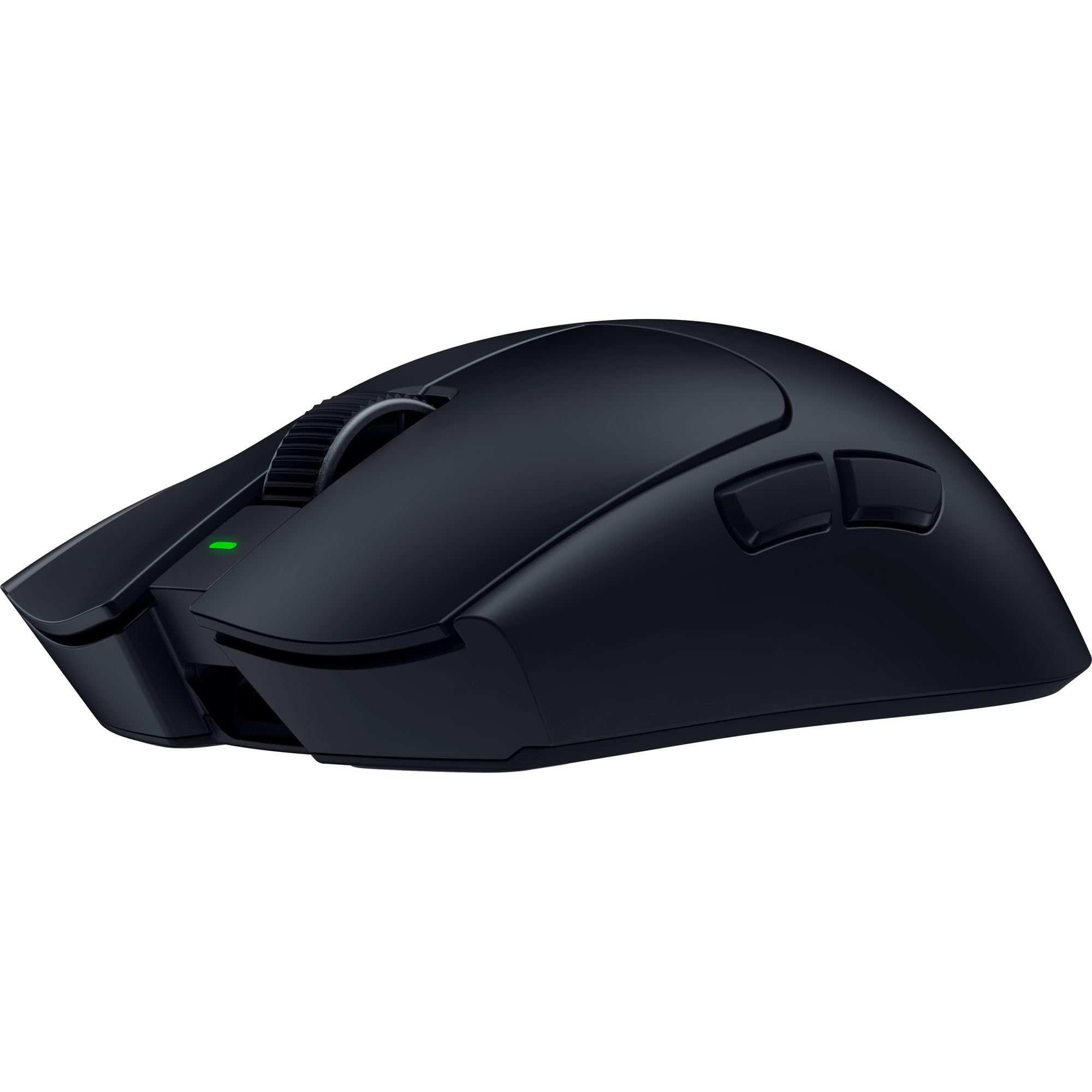
| Razer Viper V4 ProPro Grade | Competitive Esports | 50,000 | 49g | 6 | Amazon |
| Razer Basilisk V3 35K | Versatile Gaming & Work | 35,000 | – | 13 | Amazon |
| SteelSeries Aerox 5 | Ultra-Light Gaming | 18,000 | 59g | 9 | Amazon |
| Corsair Scimitar Elite Wireless SE | MMO & Streamer Control | 33,000 | – | 16 | Amazon |
| Logitech G203 | Budget Gaming Entry | 8,000 | – | 6 | Amazon |
| PHILIPS SPK7628 Vertical | Wrist-Friendly Office Work | 1,600 | Lightweight | 6 | Amazon |
In‑Depth Reviews
1. Logitech G502 Hero High Performance Wired Gaming Mouse
Our pick — over 4.5★ from 58,000+ verified ratings; the strongest balance of quality and price.
A legendary wired mouse that balances raw sensor power with everyday comfort.
The Logitech G502 Hero earns its spot as the most versatile wired mouse because it packs 11 programmable buttons and a dual-mode hyper-fast scroll wheel that can free-spin through long documents or click through weapon slots. Its HERO 25K sensor (tracks up to 25,600 DPI — dots per inch, or how far the cursor moves per inch of physical movement — with zero smoothing) keeps aim precise. Buyers report “excellent build quality with Hero 25K sensor, adjustable 3.6g weights, and metal scroll wheel.”
You can arrange up to five 3.6g weights inside the shell to fine-tune the balance — a rare feature that makes it heavier than the SteelSeries Aerox 5 (which weighs just 59g). This extra heft gives you stability for precise shots in strategy games. The mechanical switch button tensioning uses a metal spring system to deliver a crisp, clean click every time.
The main trade-off is the software: many users find Logitech’s G Hub to be bloated, and several reviews recommend using the Onboard Memory Manager for simpler setup. It also has a right-hand-only shape, so lefties will need to look elsewhere.
Why it wins
- HERO 25K sensor delivers sub-micron tracking precision.
- Adjustable weight system (up to five 3.6g weights) for a personalized feel.
- 11 programmable buttons with a free-spin scroll wheel toggle.
Where it stumbles
- Heavier than many ultralight competitors; requires adjustment if coming from a 59g mouse.
- G Hub software is widely criticized as buggy.
- Wired-only connection in an age of wireless options.
Your best bet if: You want a feature-packed wired mouse with granular weight tuning for gaming and productivity.
Look elsewhere for: An ultralight esports mouse or a wireless setup; this 3.6g+ loaded weight is the opposite of the 49g Razer Viper V4 Pro.
2. Razer Viper V4 Pro Wireless Esports Gaming Mouse
The absolute lightest wireless mouse here built for pro-level speed.
At just 49g, the Razer Viper V4 Pro is a featherweight compared to the Logitech G502 Hero’s adjustable system. This is a symmetrical, ambidextrous shape designed entirely for competitive gamers who value flick speed and low fatigue over long sessions. It features a Focus Pro 50K DPI Optical Sensor Gen-3 that tracks up to 930 IPS and 90 G acceleration, meaning your rapid wrist flicks translate exactly into on-screen movement with Frame Sync to keep it aligned.
The battery life is exceptional: up to 180 hours at 1,000Hz polling, or 45 hours at the blazing-fast true 8,000Hz polling rate (wired or wireless). Owners mention “insane battery (12 days at 1KHz to 60%)” and describe it as “the ultimate ambidextrous endgame.” The Gen-4 optical switches have a 100-million-click lifespan, so they should outlast your keyboard.
The catch is the price tag, which lands it squarely in premium territory. It also uses Razer Synapse 4 software for customization — a powerful but sometimes resource-heavy app. And at 6 buttons it has far fewer side controls than others here, so MMO players who want 16 buttons like the Corsair Scimitar should look at that pick instead.
Built for speed: At 49g and with true 8,000Hz polling, this is the fastest-feeling mouse on the list — but its minimal button count makes it a pure esports tool, not a productivity powerhouse.
Your ideal pick if: You play competitive shooters and want the lightest, fastest wireless mouse with industry-leading sensor tech.
Would not suit: MMO players needing many side buttons or anyone on a tight budget — the price reflects the premium engineering.
3. Razer Basilisk V3 35K Wired Ergonomic Gaming Mouse

A hyper-versatile wired mouse that pulls double duty for gaming and coding.
The Basillisk V3 35K gives you premium features without the wireless price. Its 13 customizable controls include a unique multi-function trigger button (ideal for push-to-talk) and a HyperScroll Tilt Wheel — a smart scroll wheel that switches between tactile cycling and smooth free-spin scrolling automatically based on scroll speed. The Razer Focus Pro 35K Optical Sensor Gen-2 allows 1-DPI step adjustments for extremely fine aim control, sharper than the G502 Hero’s 100-DPI steps.
Customers note it “fits large hands, truly ergonomic” and call it the “best mouse I’ve ever used” for both programming and gaming. The Gen-3 optical switches boast a 90-million click lifecycle with zero double-clicking issues and a 0.2 ms actuation time. Unlike the heavier G502 Hero, this mouse relies on its ergonomic shape and flexible Speedflex Cable for a streamlined feel.
It is wired only, so if you want wireless freedom you will need to jump to a different tier. Reviewers also mention the multi-function button sits slightly too far forward for a natural thumb reach.
Versatility champion: The 13 controls and HyperScroll wheel make it a productivity beast and a gaming workhorse — but with wired connectivity, it lacks the desk clutter-free appeal of the Corsair Scimitar Elite Wireless SE.
Go for it if: You want a wired mouse with a smart scroll wheel, a ton of buttons, and top-tier sensor accuracy for both work and play.
Pass on it for: A wireless setup or an ultralight feel for esports — the Basillisk V3 is heavier than the featherweight Razer Viper V4 Pro.
4. SteelSeries Aerox 5 Holey RGB Gaming Mouse
A water-resistant ultralight with a clever flipper side button.
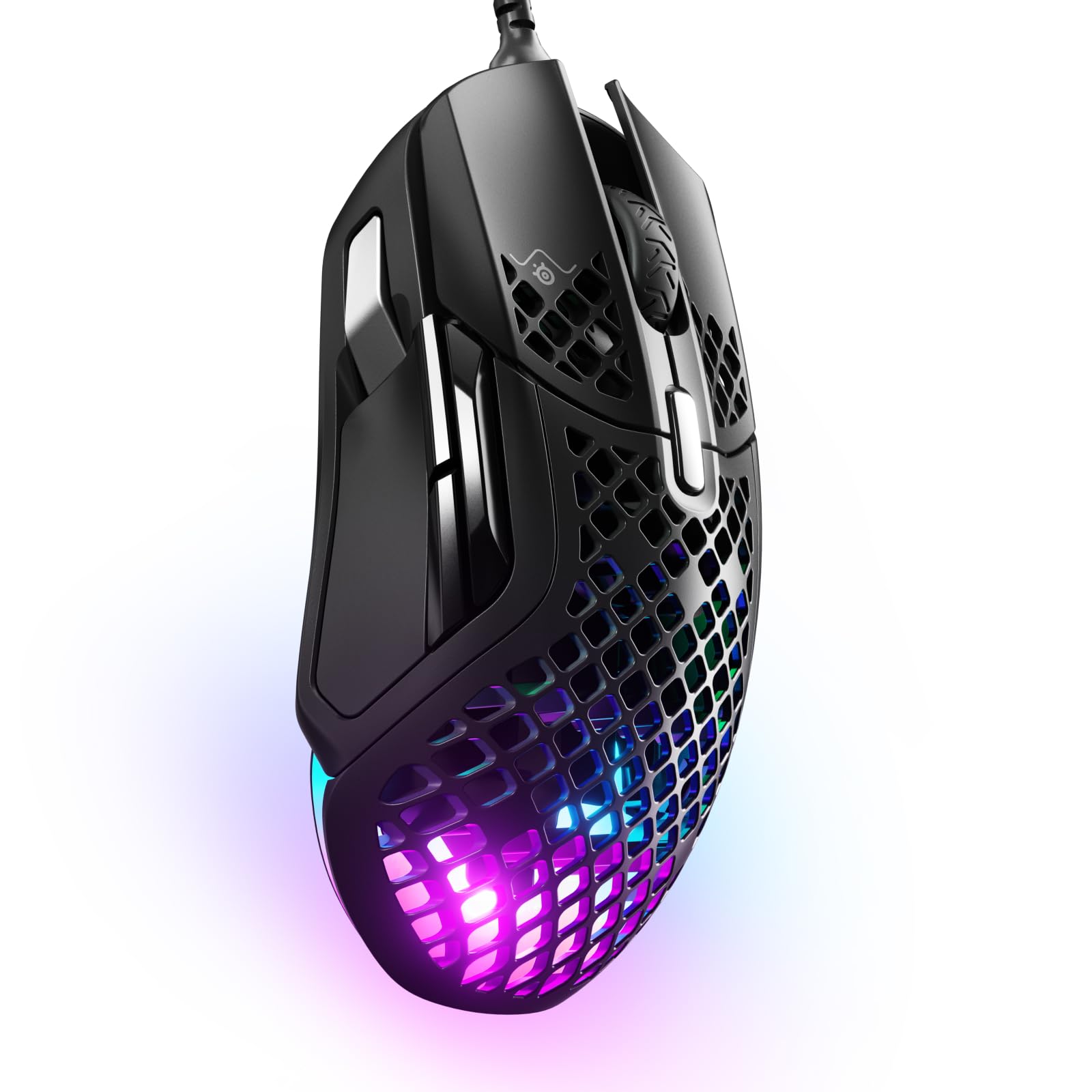
The SteelSeries Aerox 5 is a holey-shell mouse that drops the weight to just 59g, making it slightly heavier than the 49g Razer Viper V4 Pro but still very fast for flick-heavy games. Its defining trick is the unique “flipper” or flick switch just above the two standard side buttons — you can assign separate actions for the up and down motion, giving you 9 programmable buttons in a compact layout. The TrueMove Air optical sensor (co-developed with PixArt) delivers pixel-perfect accuracy up to 18,000 DPI.
It also features AquaBarrier technology rated at IP54, meaning the interior is shielded from water splashes, dust, and dirt. This is rare among ultralight mice. Reviewers point out the “left click is superior, precise, and 100% responsive” compared to other lightweight models, and appreciate the “precise button feel/response of all the switches.” The 3-zone PrismSync RGB shines in 16.8 million colors.
It is a right-hand-only shape and the side panel takes some getting used to. Some users also report that you cannot click the scroll wheel sideways to side-scroll, which makes it less useful for spreadsheet work.
Light with a twist: The unique flick-switch side button gives you extra binds without crowding the mouse, and the IP54 rating means dust and spills are less of a worry.
Perfect for: Gamers who want a water-resistant, ultra-lightweight mouse with an extra programmable flick switch and great RGB.
Not for: Left-handed users or people who side-scroll frequently in spreadsheets.
5. Corsair Scimitar Elite Wireless SE MMO PC Gaming Mouse

A 16-button wireless behemoth built for MMO keybinds and streaming integration.
With 16 programmable buttons, the Corsair Scimitar Elite Wireless SE is the button king of this list. It is designed specifically for MMO players who need every spell, consumable, and action at their fingertips. The key slider lets you adjust the thumb panel position to fit your hand size. It also features native Elgato Stream Deck and Virtual Stream Deck integration, so you can map buttons to stream functions — a feature no other mouse here offers.
The MARKSMAN S optical sensor has a 33,000 DPI rating and improved DPI detection over the previous version. You get three connectivity modes: SLIPSTREAM WIRELESS (1,000Hz polling), Bluetooth, or wired USB. The battery life is rated for up to 150 hours. Some shoppers say the adjustable thumb panel can move too loosely and the side buttons are close together, causing accidental presses during gameplay.
The software (iCue) is a common point of frustration, with reviews noting reliability and connectivity quirks. It is also heavy compared to the lightweight competition, so it is not an esports pick.
Your MMO control center: The 16-button layout and Stream Deck integration are class-leading for gaming and streaming — but the software can be buggy and the 153g weight feels heavy for fast-paced shooters.
Reach for this if: You are an MMO player or streamer who needs a wireless mouse with the most possible programmable buttons.
Skip it for: Esports where speed and weight matter more — the Scimitar is much heavier than the 59g SteelSeries Aerox 5.
6. Logitech G203 Wired Gaming Mouse

A no-frills wired gaming mouse that punches way above its price point.
The Logitech G203 is what you grab when you want gaming-grade performance without spending a lot. Its 8,000 DPI optical sensor has zero filtering and smoothing, giving you smooth tracking that easily beats any standard office mouse. It is a simple 6-button design, but each button is tensioned with a metal spring for a crisp, reliable click. The LIGHTSYNC RGB lighting can be customized via Logitech G HUB to react to screen colors or flash to your music.
Buyers call it “the best ‘cheap’ mouse you can buy” and note it has “solid build, 8000 DPI, 1000Hz polling” (polling rate — how often the mouse reports its position to the computer, 1000Hz means once per millisecond). One reviewer noted it was a “good mouse for 1.5 years daily use,” though some mention the scroll wheel can start failing after that timeframe. It also has a stiff cable, so a mouse bungee (a small cord holder) is recommended for a cleaner desk feel.
Its DPI range is a fraction of the premium mice here — the Razer Basilisk V3 35K reaches 35,000 DPI — but for most gamers and general users, 8,000 DPI is more than enough. It is a wired right-hand mouse, but the symmetrical shape works for lefties too.
What you get
- Gaming-grade 8,000 DPI sensor at a very low entry cost.
- Mechanical spring-tensioned buttons for reliable, crisp clicks.
- Customizable LIGHTSYNC RGB lighting with screen-reactivity.
What you give up
- Only 6 buttons — no side-flipper like the SteelSeries Aerox 5.
- Stiff cable can cause drag; a bungee is almost necessary.
- Scroll wheel durability is a known weak point after heavy use.
Your best starting point: For a rock-solid wired mouse under, this is the best entry point to gaming-grade hardware without the premium price.
Move up if: You need more buttons, a lighter weight, or wireless freedom — the G203 is a wired, 6-button mouse that cannot match the scope of the G502 Hero.
7. PHILIPS SPK7628 Ergonomic Vertical Mouse
A vertical wireless mouse designed to save your wrist at the office.
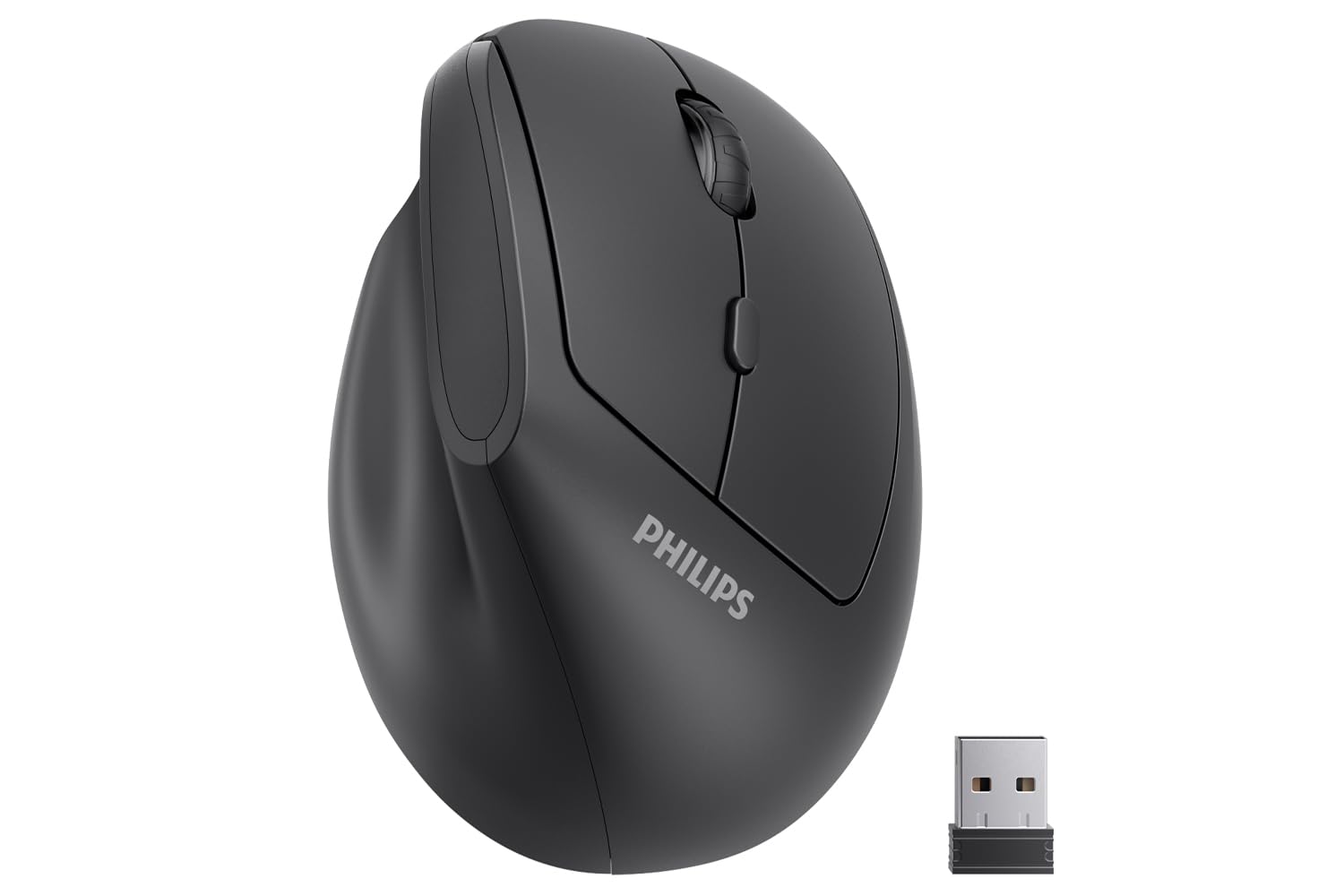
The PHILIPS SPK7628 takes a completely different approach than the gaming-focused picks above. Its 57° ergonomic vertical design puts your hand in a natural handshake position, which is intended to reduce wrist pressure and forearm strain caused by a traditional flat mouse. It is tune for small to medium hands (up to 7 inches long) and features 6 silent buttons that are great for shared workspaces like libraries or open-plan offices.
Connectivity is a simple 2.4GHz wireless plug-and-play via a USB-A receiver (no Bluetooth). You can switch between 800, 1,200, and 1,600 DPI to match different tasks. It has an intelligent sleep mode to save battery, and the receiver stores in the mouse base. However, at a maximum of 1,600 DPI, its DPI ceiling is lower than the Logitech G502 Hero’s 25,600 DPI. This is fine for office work, but not for gaming.
One concerning buyer report states: “Defective: pointer erratic after 3 weeks; replacement also defective.” This suggests potential quality control issues that are absent from the premium gaming mice. It is a right-hand-only design.
Wrist relief first: The vertical grip is a genuine comfort upgrade if you experience wrist pain, but the lower DPI and reported quality issues make it a specialized office tool rather than a daily driver.
Choose this if: You need a budget-friendly vertical mouse for office work, small-medium hands, and want silent clicks in a shared environment.
Avoid it for: Gaming, large hands, or if you need a reliable long-term device — the quality control reports are concerning.
Understanding the Specs
DPI and Sensor
DPI (dots per inch) is how fast your cursor moves relative to your hand. A higher DPI number means less physical movement to cross the screen. For everyday browsing and office work, 1,600 DPI is typically enough. For gaming, sensors now reach 50,000 DPI. The quality of the sensor matters more than the raw number — a good optical sensor like the TrueMove Air or HERO 25K tracks without skipping or smoothing, even on tricky surfaces like glass. A cheaper sensor may add acceleration or filter your movements, which reduces consistency.
Polling Rate
Polling rate (measured in Hz) is how often the mouse reports its position to your computer. 1,000Hz (every 1ms) is standard for modern gaming mice. Some premium models, like the Razer Viper V4 Pro, support 8,000Hz polling, which reports eight times more frequently. This reduces input latency but requires more CPU power and a high-refresh-rate monitor (at least 240Hz) to notice the difference. For most people, 1,000Hz is already imperceptibly fast.
FAQ
What does mouse DPI actually mean for everyday use?
Is a wired or wireless mouse better for gaming?
How do I know what mouse size is right for my hand?
Can I use a gaming mouse for office work?
What is the advantage of adjustable weights in a mouse?
How long does a gaming mouse typically last?
Do I need a mouse pad for a high-DPI gaming mouse?
What is the difference between a vertical mouse and a standard mouse?
How many buttons do I need on a gaming mouse?
Can a wireless mouse work on a Mac or Linux?
Final Thoughts: The Verdict
For the majority of shoppers, the best computer mice winner is the Logitech G502 Hero because it packs a top-tier HERO 25K sensor, an class-leading 11 programmable buttons, and adjustable 3.6g weights into a durable wired design at a mid-range price. If you want the fastest, most lightweight wireless option for competitive play, grab the Razer Viper V4 Pro (49g with 8,000Hz polling).
How We Picked
We do not accept paid placement. Every pick is matched to a real buyer and a real use-case; we do not hands-on test units.
Sources & Methodology
Specifications: manufacturer listings and product documentation. Review insights: verified customer reviews, as of July 2026. Pricing: not shown on this page (it changes often); check the current price via the retailer link.
As an Amazon Associate, WellFizz earns from qualifying purchases. This does not affect which products we feature.
Related Guides

Mo Maruf
I created WellFizz to bridge the gap between vague wellness advice and actionable solutions. My mission is simple: to decode the research and give you practical tools you can actually use.
Beyond the data, I am a passionate traveler. I believe that stepping away from the screen to explore new environments is essential for mental clarity and physical vitality.