Our readers keep the lights on and my smoothie glass nicely filled. As an Amazon Associate, I earn from qualifying purchases.
Virtual reality demands a computer that can push two high-resolution displays at high refresh rates simultaneously — a task that crushes standard desktops under low frame rates and motion sickness-inducing stutter. The difference between a convincing VR world and a screen-door nightmare comes down to GPU, CPU, and memory bandwidth working in perfect lockstep.
I’m Mohammad Maruf — the founder and writer behind WellFizz. For this guide, I’ve analyzed the raw GPU compute, CPU core counts, VRAM capacity, and cooling solutions across thirteen prebuilt systems to isolate which configurations deliver the sustained performance VR headsets require without thermal throttling.
From RTX 5060 entry points to RTX 5080 flagships, each system on this list was evaluated against the frame-time consistency specs needed for smooth head tracking and high-fidelity rendering. Use this analysis to find your computer for virtual reality and avoid the nausea-inducing lag that ruins immersion.
How To Choose The Best Computer For Virtual Reality
Selecting a VR-ready computer means prioritizing hardware that can drive two displays at resolutions up to 2160×2160 per eye at 90Hz or higher. A mid-range gaming PC isn’t automatically suitable — you need specific headroom in GPU memory, core performance, and system RAM.
GPU Memory Is Your VR Lifeline
Virtual reality scenes load massive texture sets into VRAM. An 8GB card can handle many current-generation VR titles at medium fidelity, but higher-resolution headsets like the HP Reverb G2 or Pimax Crystal demand 12GB to 16GB to avoid texture swapping that causes visible lag. Prioritize RTX 5070 or RTX 5070 Ti class GPUs for future-proof headroom.
CPU Single-Core Speed Over Core Count
VR frame rendering is heavily single-thread bound. An Intel Core i5-14400F or AMD Ryzen 7 series with boost clocks exceeding 4.5GHz outperforms a workstation-grade 32-core chip with lower per-core speed when tracking head motion and rendering at 90fps. Look for boost clock ratings above 4.8GHz.
Cooling Sustains Immersion
VR sessions can last an hour or longer. A computer that thermal-throttles after 20 minutes will introduce frame drops. Liquid-cooled systems or high-airflow cases with multiple intake fans maintain peak performance longer. Check for 240mm or larger AIO liquid coolers and at least four fan positions.
Quick Comparison
On smaller screens, swipe sideways to see the full table.
| Model | Category | Best For | Key Spec | Amazon |
|---|---|---|---|---|
| Alienware Aurora ACT1250 | High-End | Ultimate VR Fidelity | 16GB GDDR7 VRAM | Amazon |
| Skytech O11 Vision | Premium | 3D V-Cache VR | 16GB GDDR7 VRAM | Amazon |
| iBUYPOWER Y40 PRO | High-End | Multi-Tasking VR | 16GB GDDR6 VRAM | Amazon |
| STORMCRAFT Skyhawk PRO | Premium | Competitive VR | 16GB GDDR7 VRAM | Amazon |
| The Horizon RGB I9 | High-End | VR & Content Creation | 12GB GDDR6 VRAM | Amazon |
| Lenovo Legion Tower 5i | Premium | Quiet VR Sessions | 16GB GDDR6 VRAM | Amazon |
| ViprTech Reaper 4.0 | Mid-Range | VR-Ready Value | 12GB GDDR6 VRAM | Amazon |
| MSI Codex Z2 | Mid-Range | 1080p VR Starter | 12GB GDDR6 VRAM | Amazon |
| CyberPowerPC Gamer Xtreme | Mid-Range | Entry Premium VR | 8GB GDDR7 VRAM | Amazon |
| YAWYORE Gaming PC | Budget | Affordable VR Entry | 8GB GDDR7 VRAM | Amazon |
| ViprTech Stryker 4.0 | Budget | Low-Latency 1080p VR | 8GB GDDR6 VRAM | Amazon |
| Thermaltake LCGS View i1460 | Budget | Quiet 1080p VR | 8GB GDDR6 VRAM | Amazon |
| NVIDIA DGX Spark | Specialty | AI & VR Development | 128GB Unified Memory | Amazon |
In‑Depth Reviews
1. Alienware Aurora Gaming Desktop ACT1250

The Alienware Aurora ACT1250 is built around the NVIDIA GeForce RTX 5080 with 16GB of GDDR7 memory — a GPU capable of driving high-resolution VR headsets at maximum settings without frame-time spikes. The Intel Core Ultra 9 285 processor with 5.6GHz boost ensures that head-tracking data gets processed within the 11ms frame window needed for nausea-free VR.
Liquid cooling via a 240mm heat exchanger keeps the system running cold during extended VR marathons. The 1000W Platinum-rated PSU provides clean power delivery that prevents voltage dips during sudden GPU load spikes common in VR scene transitions. The chassis layout allows easy GPU access for future upgrades.
Some users reported motherboard issues within the first month, and the system uses a proprietary Dell BIOS that limits aftermarket tuning. For raw VR performance out of the box, this machine sets the bar with its Blackwell architecture and massive VRAM buffer that handles texture-heavy environments like Half-Life Alyx at ultra preset.
Why it’s great
- RTX 5080 delivers best-in-class VR frame pacing
- 240mm liquid cooling sustains peak GPU clock for hours
- Onsite Dell service covers hardware issues at home
Good to know
- Proprietary motherboard limits upgrade flexibility
- Some units required motherboard replacement early on
2. Skytech Gaming O11 Vision Gaming PC

The Skytech O11 Vision packs an AMD Ryzen 7 9850X3D processor with 5.6GHz turbo boost and an RTX 5070 Ti with 16GB GDDR7, creating a combination that excels at VR rendering. The 3D V-Cache technology on the CPU reduces memory latency, which directly translates to smoother head movement tracking in VR titles.
A 360mm AIO liquid cooler with ARGB fans provides exceptional thermal headroom — the O11 Vision case design from Lian Li maximizes airflow through a dual-chamber layout. The 850W Gold ATX 3.0 PSU handles transient power spikes from the RTX 5070 Ti without tripping protections, a common issue in less robust builds.
Assembly is clean with professional cable management, and Skytech includes a keyboard and mouse set. The system runs Windows 11 with no bloatware. For VR users who want a visually stunning case with silent operation, this machine delivers consistent frame times in games like Boneworks and Pavlov VR.
Why it’s great
- 3D V-Cache CPU reduces VR positional tracking lag
- Lian Li O11 chassis provides excellent thermal performance
- 360mm AIO keeps CPU temps low during VR marathons
Good to know
- GPU brand may vary depending on stock
- Wi-Fi 5 standard is dated for high-speed downloads
3. iBUYPOWER Y40 PRO Black Gaming PC

The iBUYPOWER Y40 PRO combines a 12-core Ryzen 9 7900X boosting to 5.6GHz with an RTX 5070 Ti 16GB, giving VR users headroom for streaming or recording while inside a VR session. The 32GB DDR5 5200MHz memory prevents bottlenecks when large VR environments are loaded simultaneously with background tasks.
Liquid cooling manages the Ryzen 9’s thermal output effectively, and the tempered glass case with 16-color RGB lighting provides a clean aesthetic. The Y40 PRO includes an iBUYPOWER keyboard and mouse, making it a true out-of-box solution for VR newcomers. NVIDIA Studio drivers are pre-installed, optimizing for creative workloads alongside VR gaming.
Build quality is solid with secure packaging noted by multiple users. The primary concern involves occasional hardware defects — some units experienced crashing within the first weeks, and customer service responsiveness varied. For a VR system that also handles 3D rendering, this configuration offers strong value.
Why it’s great
- 12-core CPU handles VR plus streaming without lag
- Tool-less side panel simplifies GPU upgrades
- NVIDIA Studio drivers optimize for VR development
Good to know
- Quality control varies with some units crashing
- Customer support response times can be slow
4. STORMCRAFT Skyhawk PRO Gaming PC

The STORMCRAFT Skyhawk PRO uses the AMD Ryzen 7 9800X3D processor — a chip with 96MB of L3 cache that dramatically reduces VR frame-time variance. Paired with an RTX 5070 Ti featuring 16GB GDDR7 and a 256-bit memory bus, this system can handle high-resolution VR headsets at 90fps with consistent frame pacing.
A 360mm AIO liquid cooler and six ARGB system fans provide aggressive cooling for sustained loads. The 850W Gold PSU is sized appropriately for the RTX 5070 Ti’s transient demands. The B850 chipset motherboard supports PCIe Gen5, future-proofing for next-generation VR accessories and graphics cards.
Assembly takes place in California with a one-year parts and three-year labor warranty. Some users reported minor cosmetic issues like a loose fan shaft producing noise under load, but overall build quality is strong. For VR gamers targeting competitive titles or high-fidelity sims, the 9800X3D’s cache performance is a distinct advantage.
Why it’s great
- 96MB L3 cache improves VR frame-time consistency
- 360mm AIO handles sustained VR sessions without throttle
- PCIe Gen5 motherboard supports future GPUs
Good to know
- One fan reported scraping noise under heavy load
- Shipping delays reported for some units
5. The Horizon RGB I9 RTX Gaming Desktop
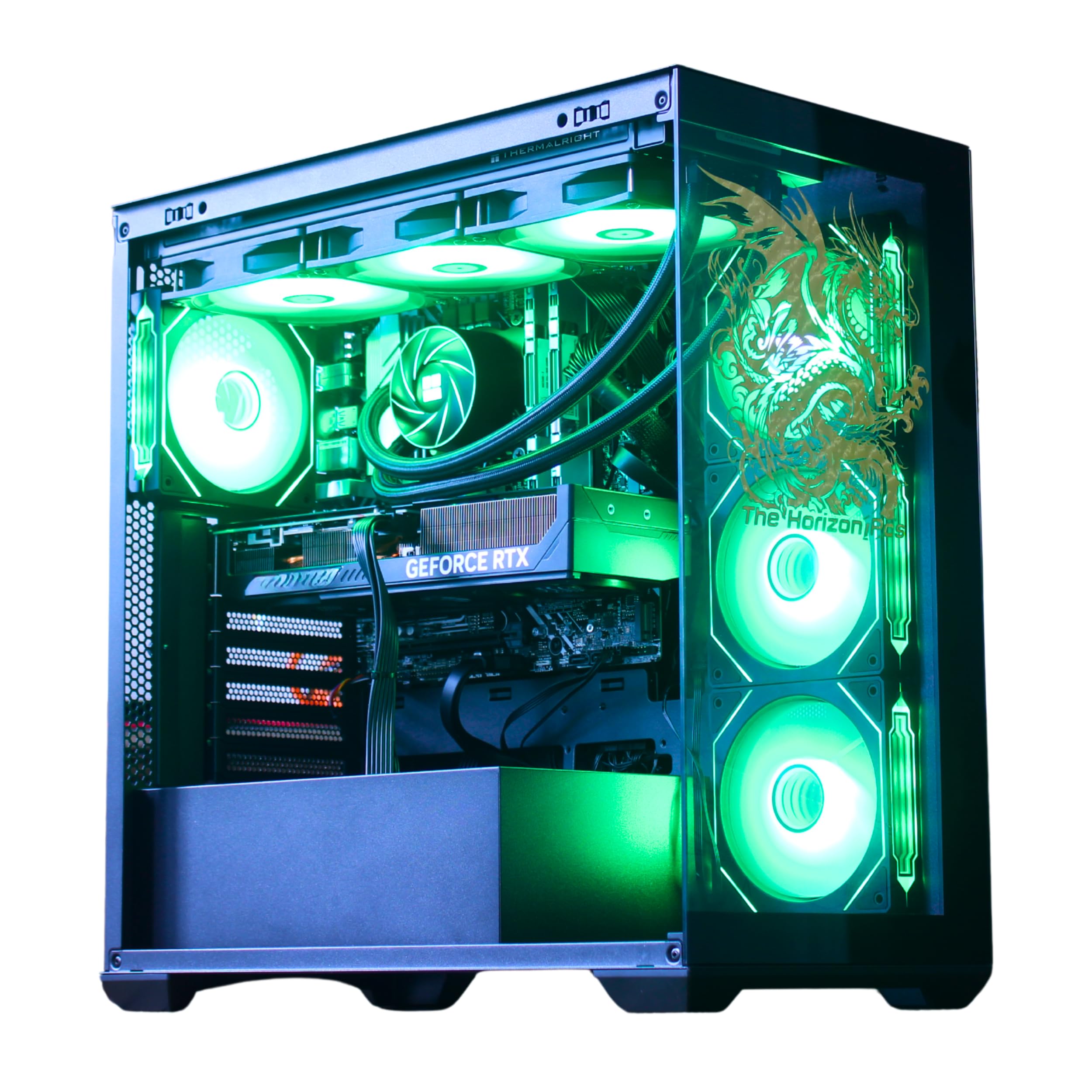
The Horizon RGB I9 system is powered by an unlocked Core i9 processor boosting to 5.4GHz and an RTX 5070 with 12GB VRAM, offering strong baseline VR performance at a competitive configuration level. The 360mm AIO liquid cooler with 11 total fans provides aggressive thermal management for extended sessions in titles like Microsoft Flight Simulator VR.
Storage is split between a 1TB Gen4 NVMe SSD for ultra-fast game loads and a 1TB HDD for archiving. The system includes Wi-Fi capable of 1.2GB/s speeds and Bluetooth connectivity, ensuring wireless VR headset compatibility. The magnetic dust filters simplify maintenance — a detail that matters when the system runs for hours in a VR play space.
Customer support responsiveness is a standout feature, with users reporting quick resolution of Windows activation issues. The case design includes a dragon front panel with adjustable RGB. For VR users who also need video rendering capability, the Core i9’s high single-core speed and 12GB VRAM strike a useful balance.
Why it’s great
- Core i9 CPU handles VR and video rendering effectively
- Magnetic dust filters keep internals clean during long sessions
- Responsive support team addresses post-purchase issues
Good to know
- Runs hot under sustained VR load
- Case design may not suit minimalist preferences
6. Lenovo Legion Tower 5i
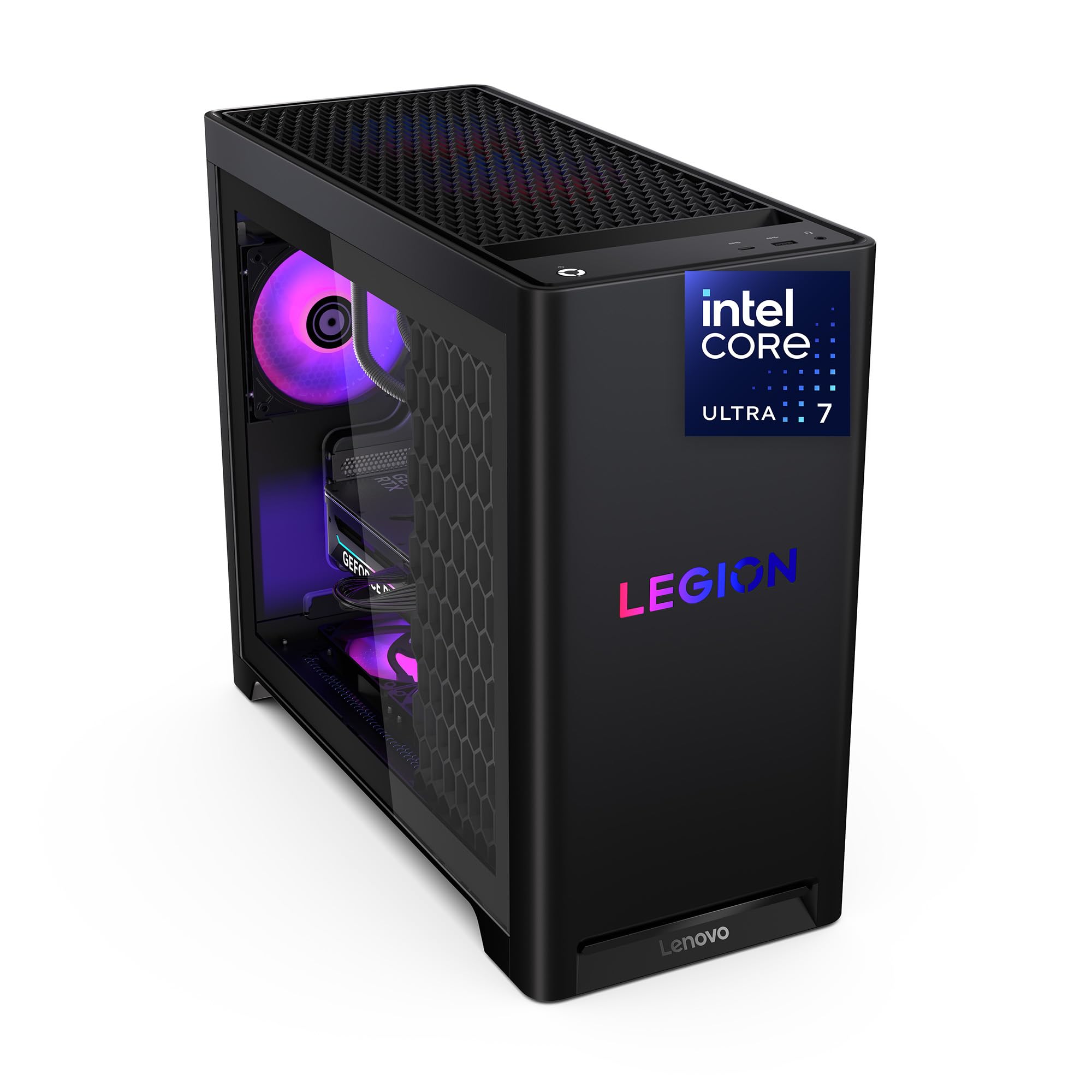
The Lenovo Legion Tower 5i pairs an Intel Core Ultra 7 265F processor with an RTX 5070 Ti 16GB GPU, delivering whisper-quiet operation thanks to Lenovo’s optimized air-cooling solution that keeps GPU temperatures in the mid-60s Celsius under load. The system runs Forza Horizon 5 at max settings with approximately 180fps average — plenty of headroom for VR rendering at 90fps per eye.
Memory capacity reaches 32GB of 5600MHz DDR5, expandable to 128GB for future VR development or simulation workloads. The tool-less side panel makes upgrading storage or RAM straightforward. Connectivity includes 2.5G Ethernet and Wi-Fi 6E for low-latency VR streaming setups.
Users consistently report stable operation with no crashes after months of use. The only minor complaint involves the white GPU lettering not matching the RGB customization. For VR users who want a reliable, quiet system from a major brand with solid support infrastructure, this Legion Tower is a strong mid-range option.
Why it’s great
- Quiet cooling keeps GPU under 65°C during VR sessions
- Tool-less design simplifies RAM and storage upgrades
- Lenovo support provides reliable warranty service
Good to know
- GPU lighting is not fully RGB customizable
- Air cooling may run louder during peak loads than liquid
7. ViprTech Reaper 4.0 Gaming PC
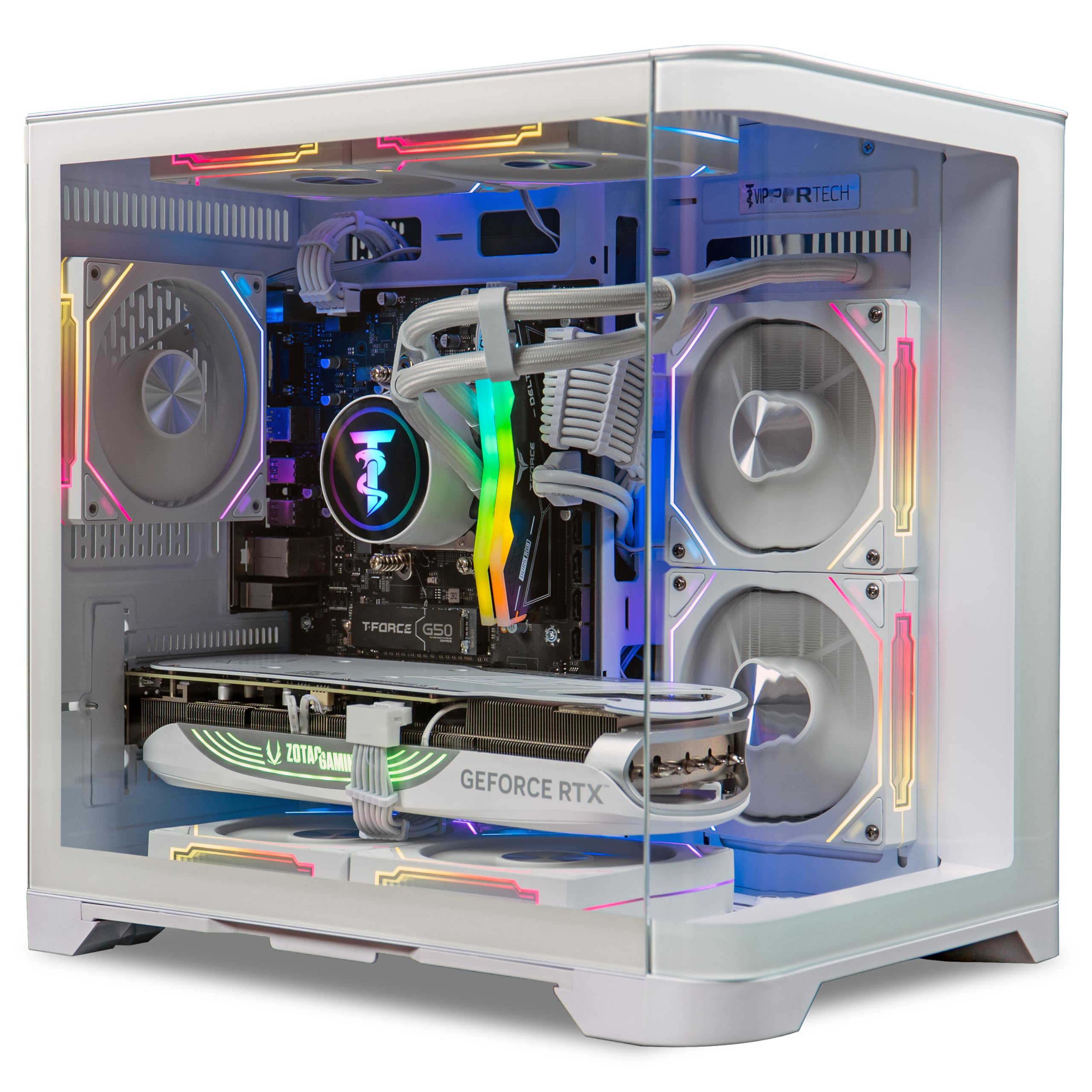
The ViprTech Reaper 4.0 uses an AMD Ryzen 7 8700F with 5.0GHz turbo and an RTX 5070 12GB GPU, paired with 32GB DDR5 RAM and a 2TB NVMe SSD — a storage configuration that lets VR users keep multiple high-fidelity titles installed simultaneously without deleting anything. The 800W Gold PSU provides reliable power delivery for the GPU’s transient loads.
Liquid cooling via a 240mm RGB AIO keeps processor temperatures stable during long VR sessions. The white fishtank case design allows visual inspection of components while maintaining airflow. ViprTech builds each unit by hand in the USA with stress testing before shipping, and the 1-year warranty covers parts.
Some users reported a lack of intake fans in the case, leading to high temperatures under sustained load — a modification that may be needed for VR use. Others noted that the RAM and CPU LEDs cannot be turned off, which can be distracting in a dark VR play space. For the price, the GPU-CPU combo delivers solid VR frame rates.
Why it’s great
- 12GB VRAM handles high-res VR texture sets well
- 2TB NVMe SSD provides ample storage for VR titles
- Hand-built in USA with pre-ship stress testing
Good to know
- Case may need additional intake fans for VR cooling
- LED lighting cannot be fully disabled
8. MSI Codex Z2 Gaming Desktop

The MSI Codex Z2 features an AMD Ryzen 7 8700F with 5.0GHz boost and an RTX 5070 12GB GPU, providing the necessary compute for smooth VR operation at 1080p per eye. The 32GB DDR5 memory and 2TB NVMe SSD ensure quick level loading and multitasking capability for VR apps that run alongside streaming software.
Four system fans (three front intake, one rear exhaust) create positive pressure airflow that minimizes dust accumulation. The MSI Center software allows LED customization and performance monitoring. The compact case size fits easily into a VR play space without occupying excess floor area.
Several users reported SSD failure within the first month, and Bluetooth connectivity required an upgrade to a third-party PCIe card. The system is solid when functioning correctly, but the failure rate raises concerns for long-term reliability. For VR users willing to address potential early issues, the performance-to-price ratio remains compelling.
Why it’s great
- Compact footprint saves space in VR play areas
- 32GB DDR5 handles VR multitasking effectively
- RTX 5070 delivers smooth 1080p VR frame rates
Good to know
- SSD or motherboard failure reported in some units
- Bluetooth module may require aftermarket upgrade
9. CyberPowerPC Gamer Xtreme Gaming PC

The CyberPowerPC Gamer Xtreme is equipped with an Intel Core i7-14700F (20 cores, boosting to 5.4GHz) and an RTX 5060 Ti with 8GB GDDR7 memory. The 20-core CPU provides enough headroom for VR applications that utilize background physics processing, and the GDDR7 memory bandwidth helps with texture streaming in complex VR scenes.
The system includes 32GB DDR5 memory and a 1TB PCIe 4.0 NVMe SSD, providing quick load times for VR titles. CyberPowerPC includes a keyboard and mouse, along with a 1-year parts and labor warranty and free lifetime tech support. The tempered glass side panel and RGB lighting add visual appeal to the setup.
Build quality is praised for easy setup and stable operation, though some users noted that the HDD LED and reset switch wires were swapped. The 8GB VRAM will limit performance on higher-resolution VR headsets but works well for Oculus Rift S, Quest Link, and HTC Vive on standard settings. A solid entry point for budget-conscious VR adopters.
Why it’s great
- 20-core CPU handles VR background physics processing
- GDDR7 memory accelerates VR texture streaming
- Free lifetime tech support assists with VR setup
Good to know
- 8GB VRAM limits high-resolution VR headset use
- Front panel wiring may need reconnection
10. YAWYORE Gaming PC

The YAWYORE Gaming PC features an AMD Ryzen 7 5700X (8-core, 4.6GHz boost) with an RTX 5060 8GB GPU and 32GB DDR4 RAM — a configuration that meets the minimum VR-ready threshold for headsets like the Oculus Rift S and HTC Vive Cosmos. The 3200MHz DDR4 memory is adequate for VR applications that don’t require extreme memory bandwidth.
The MSI B550M-A PRO motherboard provides reliable stability, and the 650W 80 Plus Bronze PSU delivers enough power for the RTX 5060. The system includes built-in WiFi and Bluetooth for wireless VR headset connectivity. A remote control allows adjustment of ARGB fan lighting and speeds without software.
This is a budget-tier build that uses previous-generation DDR4 RAM, which limits upgrade potential. The no-name brand reputation caused hesitation among buyers, but the system runs Forza Horizon 5 and CSGO VR without issues. For VR users on a tight budget who want immediate compatibility, this represents a functional entry point.
Why it’s great
- 32GB DDR4 RAM handles VR multitasking well
- Built-in WiFi and Bluetooth support wireless VR headsets
- Remote control for RGB and fan speed adjustments
Good to know
- DDR4 RAM limits future CPU upgrade options
- Relatively unknown brand with limited support history
11. ViprTech Stryker 4.0 Liquid-Cooled PC

The ViprTech Stryker 4.0 uses an AMD Ryzen 7 3700X with 4.4GHz turbo and an RTX 5060 8GB GPU, meeting the minimum spec for most VR headsets. The 16GB DDR4 RAM and 1TB SSD provide adequate storage and memory for VR applications, though the 3700X’s Zen 2 architecture lacks the IPC improvements of newer generations that help with VR frame-time consistency.
Liquid cooling via a 120mm RGB AIO keeps CPU temperatures under control, and the white braided cable extensions provide a clean aesthetic. ViprTech hand-builds each system in the USA with pre-ship stress testing. The system is optimized for high FPS and can run many VR titles at medium settings.
Quality control variance is significant — some units arrived operational and quiet, while others failed to boot or had corrupted Windows installations. The VR experience on this system will be limited by the 8GB VRAM and older CPU architecture. For those willing to troubleshoot potential issues, it offers a low-cost path into VR.
Why it’s great
- Liquid cooling keeps CPU temps low for VR sessions
- Hand-built in USA with pre-ship testing
- Quiet operation reported by functional units
Good to know
- Inconsistent quality control with DOA units reported
- Zen 2 CPU provides limited VR headroom
12. Thermaltake LCGS View i1460-170 Gaming Desktop

The Thermaltake LCGS View i1460 pairs an Intel Core i5-14400F with an RTX 5060 8GB GPU and 16GB DDR5 6000MT/s memory. The i5-14400F’s 10 cores with 4.7GHz boost provide solid single-threaded performance for VR head tracking, and the fast DDR5 memory reduces latency in real-time VR rendering pipelines.
An ARGB tower air cooler keeps noise levels low during operation — multiple users note the near-silent fan operation. The compact case makes efficient use of space, and the tool-less interior allows for easy SSD or HDD additions. The 600W PSU is adequate for the RTX 5060 but limits future GPU upgrades without replacement.
The primary limitation for VR is the 8GB VRAM on the RTX 5060, which will require reduced texture settings on higher-resolution VR headsets. The DDR5 memory is a plus over other budget options, providing faster data access for VR applications. For users pairing this with a lower-resolution headset like the Oculus Rift S, this system works well.
Why it’s great
- DDR5 6000MT/s memory improves VR data throughput
- Near-silent operation during VR sessions
- Compact footprint fits easily in VR play space
Good to know
- 600W PSU limits GPU upgrade potential
- 8GB VRAM restricts high-resolution VR headset use
13. NVIDIA DGX Spark – Personal AI Desktop Supercomputer

The NVIDIA DGX Spark is not a traditional VR gaming PC — it is a personal AI supercomputer built around the GB10 Grace Blackwell Superchip with 128GB of unified memory and up to 1 petaFLOP of FP4 AI performance. For VR developers training neural networks for real-time foveated rendering, avatar AI, or spatial computing applications, this machine provides the compute density required.
The compact, energy-efficient design consumes far less power than a multi-GPU workstation while delivering enterprise-scale AI compute. The 128GB unified memory pool allows running language models up to 200 billion parameters locally, enabling advanced VR interaction systems. Connectivity includes high-speed Ethernet for VR headset tethering.
This is not a gaming PC and cannot run standard Windows VR titles. The proprietary DGX OS and ARM-based architecture limit compatibility to AI development workflows. For researchers building next-generation VR experiences that require local AI inference, the DGX Spark is a specialized tool that nothing else on this list can replace.
Why it’s great
- 128GB unified memory enables large VR AI model training
- 1 petaFLOP FP4 performance for neural rendering research
- Silent operation with minimal power consumption
Good to know
- Not compatible with standard Windows VR games
- Proprietary OS and ARM architecture limit software choices
FAQ
Does my VR headset need a specific GPU brand?
Can I use a laptop for VR instead of a desktop?
How much VRAM do I really need for current VR games?
What does VR-Ready certification actually mean?
Final Thoughts: The Verdict
For most users, the computer for virtual reality winner is the Alienware Aurora ACT1250 because the RTX 5080 with 16GB GDDR7 provides the VRAM and GPU compute to handle current and near-future VR headsets at maximum fidelity with consistent frame pacing. If you want silent operation with efficient cooling, grab the Skytech O11 Vision. And for a budget-friendly entry into VR without sacrificing DDR5 memory or modern CPU architecture, the CyberPowerPC Gamer Xtreme gives you the most performance per dollar for standard-resolution VR headsets.

Mo Maruf
I created WellFizz to bridge the gap between vague wellness advice and actionable solutions. My mission is simple: to decode the research and give you practical tools you can actually use.
Beyond the data, I am a passionate traveler. I believe that stepping away from the screen to explore new environments is essential for mental clarity and physical vitality.