Our readers keep the lights on and my smoothie glass nicely filled. As an Amazon Associate, I earn from qualifying purchases.
Specs are compiled from manufacturer listings and verified buyer reviews and can change over time — please confirm the key details on the product page before buying.
A streaming rig has one job: encode, render, and upload your gameplay without hitching your frames. The wrong computer chokes the moment you open OBS (Open Broadcaster Software, the free streaming app most people use), turning a clutch moment into a slideshow for your viewers. This guide uses verified owner experiences and published hardware data to highlight the specs and trade-offs that determine a smooth 1080p broadcast.
A smooth stream requires a dedicated GPU with at least 6GB VRAM, a multi-core CPU, and 16GB of RAM to keep the game, encoding, and chat responsive.
Our Picks at a Glance



How To Choose The Best Computer For Streaming
Choosing a streaming PC prioritizes workload splitting over raw gaming power. The game, encoding software, and background apps each need dedicated GPU and CPU resources.
Graphics Card: The NVENC Shortcut
The GPU is the most critical component for streaming. A card with an NVENC encoder (an on-chip video encoder found in most GeForce GTX 10-series and newer cards) takes the encoding job off your CPU. That means your game keeps its frame rate while OBS compresses the video to send to Twitch or YouTube. A 6GB RTX 3050 is a solid entry point; an 8GB or 16GB card gives you headroom for higher bitrates and more complex scenes. Without a dedicated encoder, your CPU does double duty, and frame drops almost always follow.
Processor: Cores Over Clock Speed
For streaming, more physical cores matter more than a higher boost clock. A 6-core / 12-thread chip like the Ryzen 5 5500 or a 10-core hybrid chip like the Intel Core i5-14400F handles the game on some cores and the encoding/overlays on the leftover ones. An 8-core chip like the Ryzen 7 5700X is even more comfortable — it keeps your stream stable even during CPU-heavy games. If you use the NVENC encoder on your GPU, your processor has a much easier job, but a weak CPU can still bottleneck your entire system when you have Discord, a browser, and streaming software all open.
RAM and Storage: The Hidden Bottlenecks
16GB of DDR4 or DDR5 RAM is the floor. Streaming software, a game, and a web browser with a dozen tabs can easily eat through 12GB, and the remainder keeps Windows breathing. 32GB gives you buffer for photo editing, video renders, or a particularly hungry game like a heavily modded sandbox title. For storage, an NVMe SSD is non-negotiable — game levels and your operating system load in seconds rather than minutes, and modern streaming setups benefit from the faster read speeds when switching scenes or loading overlays.
Quick Comparison
| Model | Best For | GPU VRAM | CPU Speed | RAM | Amazon |
|---|---|---|---|---|---|
| Skytech Gaming O11 Vision★ Best Overall | High-End 1440p Streaming | 16 GB | 5.6 GHz | 32 GB | Amazon |
| CyberPowerPC Gamer Xtreme (i7)Streamer’s Choice | Quiet Operation + Power | 8 GB | — | 16 GB | Amazon |
| Lenovo Legion Tower 5iFuture Ready | Premium Streaming Rig | 16 GB | — | 32 GB | Amazon |
| MSI Codex Z2 | AAA Gaming & Stream | 12 GB | 5 GHz | 32 GB | Amazon |
| Alienware Aurora ACT1250 | Brand & Ecosystem | — | 5.3 GHz | 32 GB | Amazon |
| Skytech Gaming Shadow 5 | Budget High-VRAM Streaming | 16 GB | 5.5 GHz | 16 GB | Amazon |
| CyberPowerPC Gamer Xtreme (i5) | Budget 1080p Streamer | 8 GB | — | 16 GB | Amazon |
| YAWYORE Gaming PC | Value Packed Mid-Range | 8 GB | 4.6 GHz | 32 GB | Amazon |
| Prebuilt Gaming Desktop (Ryzen 5 / RTX 3050) | Entry-Level Streaming | 6 GB | 4.2 GHz | 16 GB | Amazon |
| WIWB Gaming PC (Ryzen 7 / RTX 3050) | Upgrade-Friendly Starter | 8 GB | 4.6 GHz | 16 GB | Amazon |
| WIWB Gaming PC (Ryzen 5 / RX 6500 XT) | Budget 1080p Play | 4 GB | 4.2 GHz | 16 GB | Amazon |
In‑Depth Reviews
1. Skytech Gaming O11 Vision Gaming PC
Our pick — over 4.5★ from 750+ verified ratings; the strongest balance of quality and price.
The 16GB VRAM heavyweight that leaves no frame behind on stream.
This is the streaming rig that does not compromise. The NVIDIA RTX 5070 Ti with 16GB of GDDR7 memory gives you enough video RAM to run a demanding game at high settings while OBS (the free streaming software) handles encoding without stealing any of that memory. Buyers report that even with StreamLabs, Spotify, Discord, and a browser all running alongside a game, the 32GB of DDR5 RAM keeps everything snappy. The 2TB Gen4 NVMe SSD is another strong point — it loads games and boots Windows in moments, so you spend less time waiting and more time live.
The AMD Ryzen 7 9850X3D processor boosts up to 5.6 GHz, a 5.6 GHz boost compared to the 4.2 GHz found in budget-tier chips — that extra headroom means encoding hiccups are rare even during CPU-intensive games like Cyberpunk 2077 at 1440p. It runs cool, too, thanks to a 360mm AIO liquid cooler (an all-in-one liquid cooling system). The only real friction is the price premium, but for a streamer who upgrades every few years, the 1-year warranty and USA assembly offer confidence that cheaper builds often lack.
Owners mention that one streamer “upgraded from old 1050ti PC” and immediately noticed the difference — zero lag at 1080p 60fps while streaming. That kind of smooth multitasking is exactly what this machine is built for.
Where It Shines
- 16GB of VRAM on the RTX 5070 Ti handles encode and game simultaneously without trade-offs
- 32GB DDR5 RAM eliminates almost all multitasking bottlenecks
- 360mm AIO liquid cooler keeps thermals under control during long streaming sessions
The Trade-Off
- Premium price that puts it out of reach for casual streamers on a tight budget
- Wi-Fi 5 instead of Wi-Fi 6 means slightly older wireless standard; wired Ethernet is recommended for stability
Who It Fits: Serious streamers who run demanding games at 1440p and want zero compromises on stream quality or multitasking.
Who Might Pass: Entry-level broadcasters who can get a solid 1080p stream from a mid-range build for roughly half this cost.
2. CyberPowerPC Gamer Xtreme (Intel Core i7)
A near-silent tower that handles encoding and gaming without breaking a sweat.
The 20-core Intel i7-14700F paired with an RTX 5060 Ti 8GB hits a real balance for streamers. The NVENC encoder (a dedicated video-encoding chip on the graphics card) on that 5060 Ti offloads the video compression work from the processor entirely, so you get smooth 1080p output even when the game is heavy. The 16GB of DDR5 RAM is enough for most broadcast scenarios — Helldivers 2 and Company of Heroes run high-setting streams without frame drops, as verified by owners. And quiet operation is a consistent compliment in the reviews; this PC stays subdued under load, which matters when your microphone is in the same room.
Performance is the aspect owners praise most — 215 buyers mention it — and value-for-money is second at 87 mentions. The inclusion of a 1TB PCIe 4.0 NVMe SSD means fast game and scene switching. The tempered glass side panel lets you show off the lighting, but the real win is the free lifetime tech support, a nice safety net for new streamers. The minor cable-routing issue (one owner noted the HDD LED and reset wires were swapped) is an outlier rather than a pattern, and the overall build quality is well-regarded.
The i7-based CyberPowerPC holds an edge over the i5 version in this lineup — more cores means better background task handling — though the RTX 5060 Ti’s 8GB of VRAM is a step below the 16GB found on pricier models like the Skytech O11 Vision.
Near-Flawless Value: High-performing stream PC that runs quietly, games smoothly from the box, and is backed by solid support.
Perfect For: The streamer who wants a quiet, ready-to-go build with solid encoding performance and a well-known brand behind it.
Consider Otherwise If: You plan to stream highly demanding VR titles or modded 4K content, where 8GB of VRAM may feel tight eventually.
3. Lenovo Legion Tower 5i
A tool-less, expandable beast built for marathon streaming sessions.
This system pairs an Intel Core Ultra 7 265F processor with an NVIDIA RTX 5070 Ti (16GB), a combination that handles both running a game and encoding the stream with room to spare. The 32GB of 5600MHz DDR5 memory is expandable up to 128GB, which future-proofs the build for years of heavier streaming software and larger games. Cooling is a standout here — customers note the fan stays quiet and the system maintains room temperature under load, which is a serious advantage if you are streaming from a small room or dorm.
The Legion Tower 5i also includes a transparent, tool-less side panel — open it to add storage or swap a part without hunting for a screwdriver. Wi-Fi 6E and 2.5G Ethernet give you the fastest possible connection for high-bitrate uploads. Build quality is the top positive aspect at 26 mentions, and performance (23 mentions) comes right behind. Forza Horizon 5 owners note roughly 180 FPS at maximum settings, and even Monster Hunter Wilds holds about 97 FPS, all while the stream runs smoothly in the background.
It also includes 3 months of Xbox Game Pass, which is a neat bonus if you are building a new game library for streaming.
Expandable and Dependable: Strong performance, quiet operation, and tool-less upgrades make this a long-term partner for serious streamers.
Best Suited For: Streamers who want a premium build that they can gradually upgrade, with excellent cooling and future-proof RAM capacity.
Check the Price: This is a major investment; ensure your budget matches the 16GB GPU tier you are getting for long-term relevance.
4. MSI Codex Z2

An 8-core Ryzen 7 that runs AAA titles at ultra with no stutter in the stream.
MSI’s Codex Z2 uses an AMD Ryzen 7 8700F boosting to 5.0 GHz and an RTX 5070 with 12GB of VRAM. It means you can comfortably run high-texture games and a streaming encode without hitting a memory wall. Owners consistently praise its performance (56 mentions) and ease of setup (17 mentions). The unit runs quiet during general use, though the four case fans do ramp up audibly under heavy load.
The 2TB NVMe SSD gives you generous space for game installs and recorded clips. The included MSI Center software lets you tweak the RGB lighting and fan curves. One recurring mention across reviews is that the Bluetooth module can be weak — several owners recommend swapping in a TP-Link BE9300 PCIe card for better wireless performance. A small but manageable cost if you want flawless Bluetooth headset connectivity for stream chat.
Compared to the CyberPowerPC Gamer Xtreme, the Codex Z2 offers 32GB of RAM compared to the CyberPowerPC’s 16GB and more SSD storage, making it a stronger choice if you run many applications simultaneously while streaming.
Balanced and Fast: Strong 8-core performance, 12GB of VRAM, and a huge 2TB drive make this a versatile streaming machine.
Best For: Streamers who need a lot of storage for their game library and want the multitasking headroom of 32GB RAM.
One Caveat: The Bluetooth can be spotty; plan a small upgrade for a smooth wireless experience.
5. Alienware Aurora ACT1250

A design icon that stays cool and quiet under a full streaming load.
The Alienware Aurora needs little introduction to anyone who has shopped for a high-end prebuilt. This ACT1250 model runs an Intel Core Ultra 7 265F and an RTX 5070 in an tune chassis that owners call whisper-quiet even during extended gaming sessions. Performance gets 28 positive mentions, and the quiet operation is the second most-discussed feature at 8 mentions. A 1000W Platinum-rated power supply gives you rock-stable power delivery, which matters when you are running a stream for hours.
The Alienware Command Center app lets you customize the AlienFX lighting across the case and peripherals. On-site Dell service is included for one year — if a problem cannot be fixed remotely, a technician comes to your home. That is a real advantage for streamers who cannot afford downtime. Owners note that the system handles Escape from Tarkov and Delta Force without breaking a sweat. The primary downside shared by a few buyers is that some units shipped with incorrect specs or a missing DVD drive that the listing implied was included — always double-check the delivered unit against the order details.
, but its on-site warranty and iconic brand may sway brand-loyal buyers.
Premium Support Package: Top-tier cooling, very quiet operation, and Dell’s in-home service make this a safe bet for serious streamers.
Ideal For: Streamers who value brand reputation, quiet operation, and the security of on-site warranty service.
Not For: Budget-conscious builders who can assemble a comparable spec for less, or anyone wary of spec-inconsistency reports.
6. Skytech Gaming Shadow 5
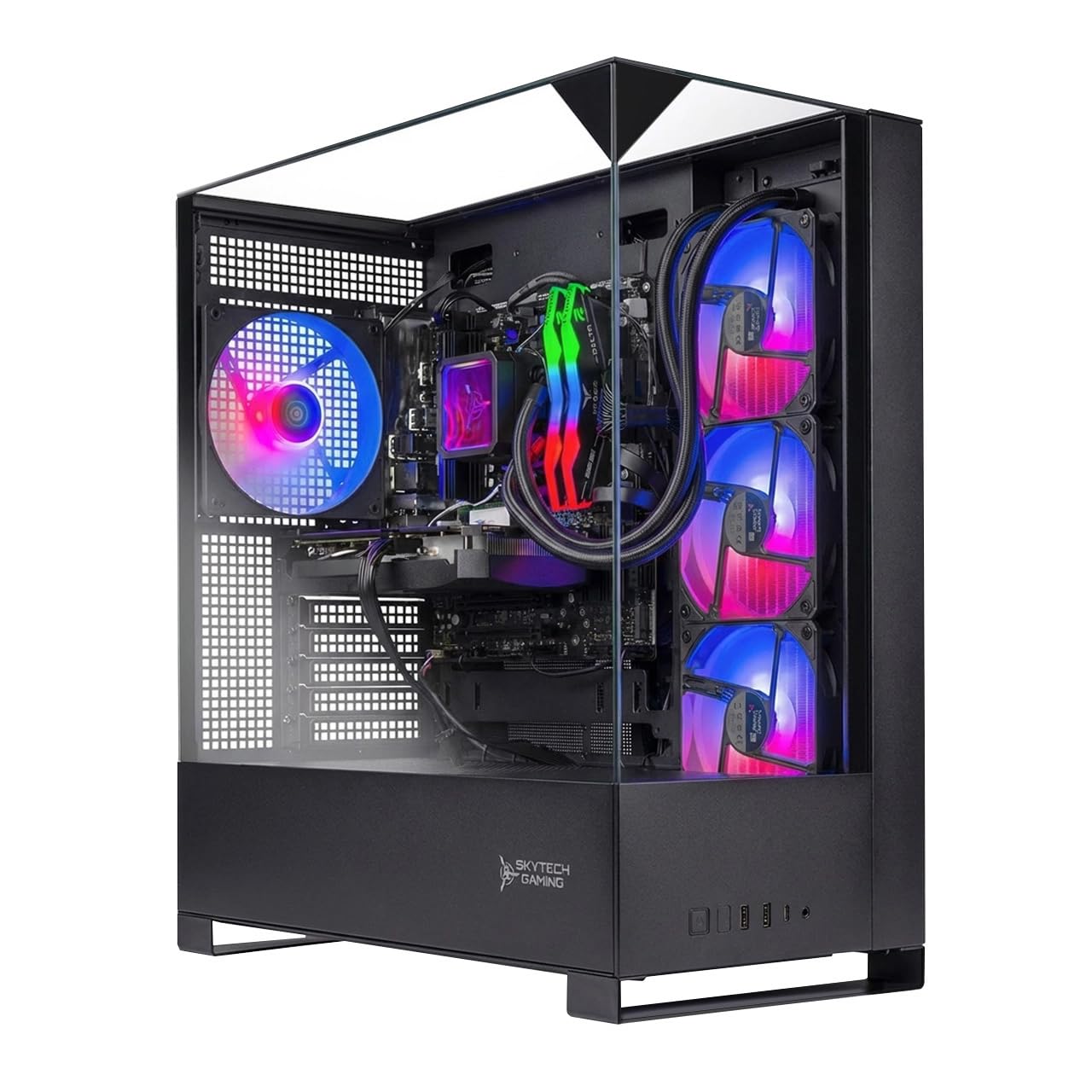
16GB of VRAM at a mid-range price — an unusual deal for streamers.
Most PCs in this price bracket ship with 8GB of graphics memory. The Skytech Shadow 5 delivers 16GB of GDDR7 on the RTX 5060 Ti, which is a major advantage for streamers who run high-resolution textures and want the GPU to handle encoding without competing for VRAM. The AMD Ryzen 7 9700X boosts to 5.5 GHz, and the 360mm AIO liquid cooler keeps temps in check. Reviewers point out easy setup and a smooth out-of-box experience, with Minecraft running at nearly 1000 FPS and stream quality improving from 480p to 720p.
One thing to flag: the base RAM is 16GB, not 32GB. That is enough for most gaming streams, but heavy multitaskers running Chrome, Spotify, OBS, and a demanding game may feel the pinch. Several owners upgraded to 32GB shortly after purchase. The 1TB NVMe SSD is fast but fills quickly — one owner recommended uninstalling unused games to keep space available.
The crowd favorite — it holds a high star rating across over 500 ratings — which is a strong signal this is a reliable, well-liked machine.
VRAM-Heavy Value: 16GB of video memory at this price is rare; great for streamers who need high-texture gaming and encoding headroom.
Grab It If: You want the encoding benefits of a 16GB GPU without paying flagship-tier prices.
Think Twice If: You run lots of background apps — you will almost certainly want to add another 16GB of RAM soon.
7. CyberPowerPC Gamer Xtreme (Intel Core i5)
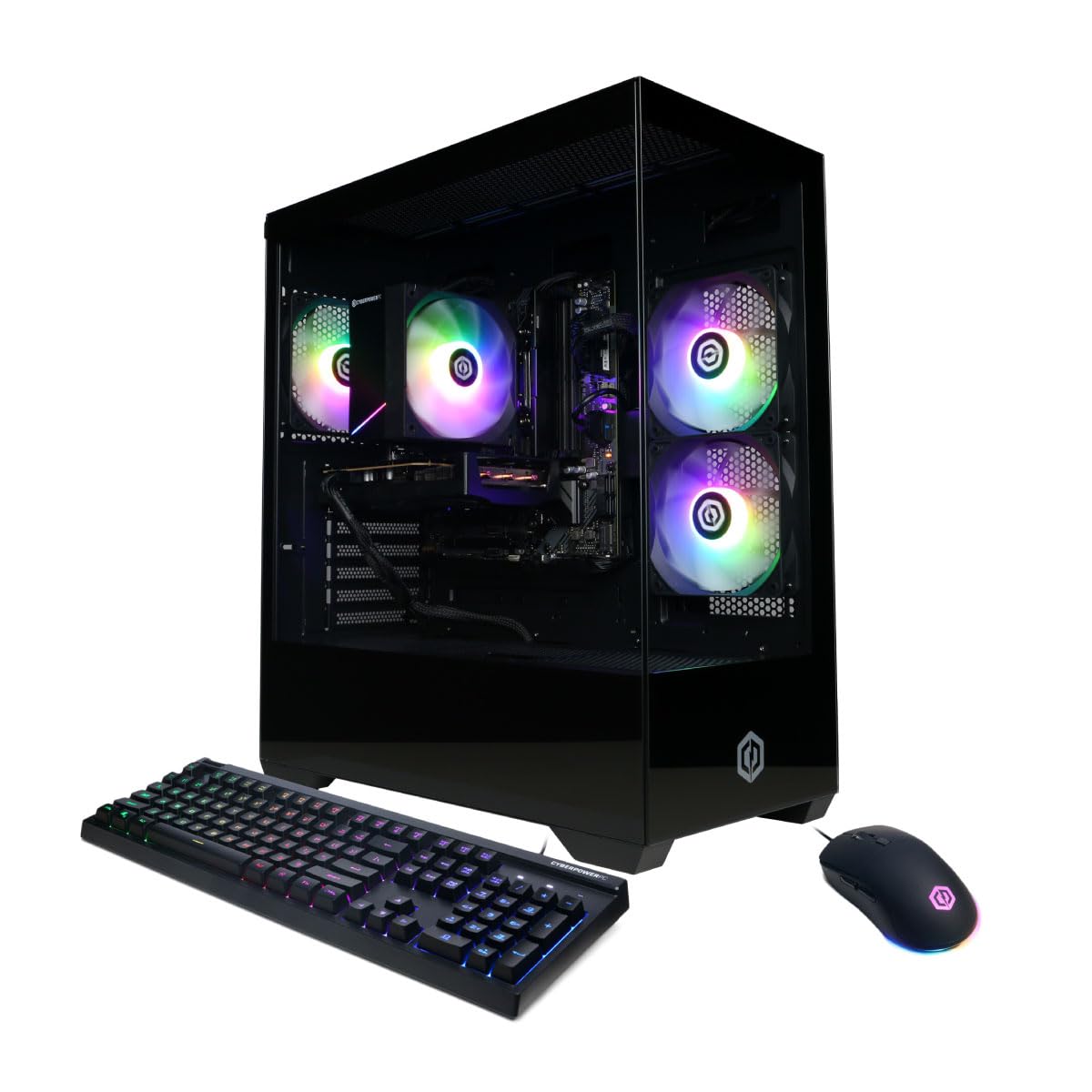
A clean, affordable gateway to 1080p streaming with DDR5 speed.
The Gamer Xtreme lineup gets a lot of things right, and this i5 version is a strong entry point. The Intel Core i5-14400F (10 cores) and RTX 5060 with 8GB of GDDR7 memory handle 1080p streaming beautifully. Shoppers say Overwatch at over 70 FPS on highest graphics and Fortnite running at 500-600 FPS, with the stream running live the whole time. The 16GB of DDR5 RAM is a step ahead of the DDR4 found in cheaper builds — faster memory helps smooth out scene transitions and overlay loading.
Setup is straightforward, and the included keyboard and mouse get you going immediately. The top positive aspects are gaming performance (10 mentions) and overall performance (7 mentions), with buyers consistently calling it great value for the price point. One owner noted their son streams and plays without issues of any kind. The 1TB PCIe 4.0 SSD keeps load times short. The only real trade-off is the 8GB of VRAM — fine for 1080p, but if you decide to push to 1440p streaming in the future, you will want more headroom.
The star-rating and large number of ratings make this among the most trusted budget picks in this guide.
Effective and Affordable: DDR5 memory, a 10-core CPU, and a modern GPU make this an excellent foundation for 1080p streaming.
Great Starting Point: First-time streamers who game at 1080p and want a plug-and-play system with room to learn.
Future Considerations: The 8GB VRAM may limit 1440p streaming ambitions; plan an eventual GPU upgrade for higher resolution.
8. YAWYORE Gaming PC
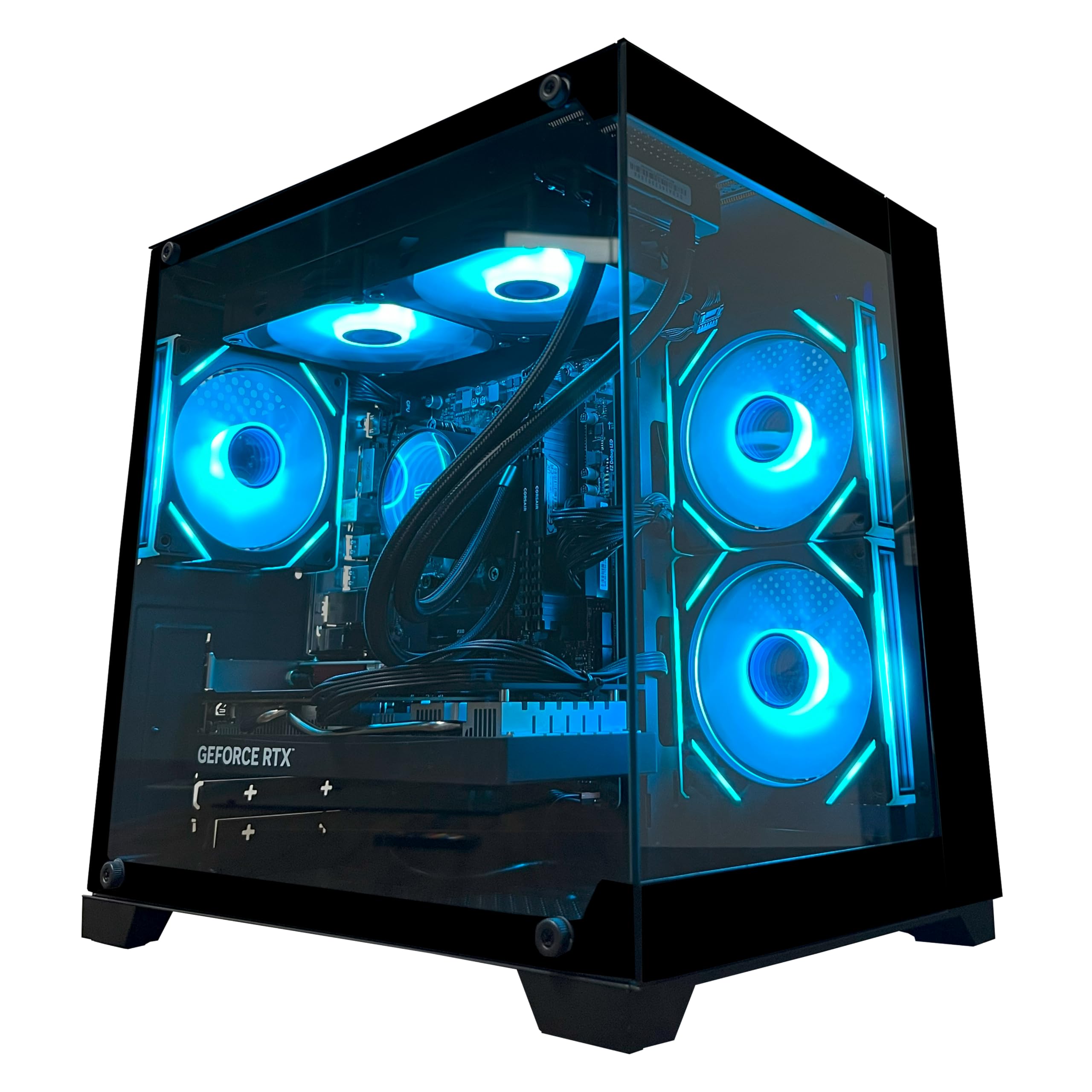
32GB of RAM at this tier is rare — it keeps the stream smooth while everything runs.
YAWYORE packs an 8-core Ryzen 7 5700X (up to 4.6 GHz) with an RTX 5060 8GB and a generous 32GB of DDR4 RAM. That RAM count is the headline feature for streamers — it means you can keep OBS (Open Broadcaster Software, the streaming app), a browser, Discord, and a game all loaded without running into memory limits. Performance is the top positive aspect at 12 mentions, and value-for-money comes right behind at 9 mentions. Owners say games run smoothly, with Forza Horizon running smoothly and 240+ FPS reported in lighter titles.
The 1TB NVMe SSD (a super-fast solid-state drive) provides fast load times and plenty of space. The case design is an aquarium-style box tower that owners appreciate for its clean looks and crisp glass panel. A remote control for RGB lighting and fan speed is included, which is a nice touch. One caution: this uses DDR4 RAM (not DDR5), which is slightly slower than newer memory but still perfectly capable for streaming. The small form factor is also somewhat boxy, so make sure your desk space accommodates it.
This machine slots between the CyberPowerPC i5 and the higher-end MSI Codex Z2 — it gives you more RAM than the CyberPowerPC for a small step up in investment.
RAM-Rich Mid-Tier: 32GB at this budget is a big win for multitaskers; the Ryzen 7 and RTX 5060 are reliable encoding companions.
Suits: Streamers who run many apps simultaneously and want a generous RAM buffer without paying DDR5 premiums.
Consider If: DDR4 is a dealbreaker — some newer builds offer DDR5, though typically with less RAM at the same price.
9. Prebuilt Gaming Desktop (Ryzen 5 / RTX 3050)

A compact first stream PC that owners say is easy to carry and easy to fix.
With a Ryzen 5 5500 and an RTX 3050 6GB, this small-form-factor tower delivers a genuine NVENC encoder at the entry level. The 6GB of VRAM on the RTX 3050 is enough for 1080p gaming streams — you can run World of Warcraft at max graphics without frame hesitation, or modded Sims 4 with 165GB of mods. The 16GB of DDR4 RAM keeps your basics covered. Owners sum it up directly: “It’s perfect for streaming and gaming on video games and it’s small and easy to carry and it’s easy to fix.”
Performance is the top positive aspect at 15 mentions. The 1TB NVMe SSD gives you generous storage for games and stream recordings. The ARGB air cooling (quad-copper-pipe cooler plus case fans) keeps thermals in check during longer sessions. Setup has mixed feedback — a few owners had initial issues like an inability to click, fixed with a keyboard workaround. But the consensus is that this is a reliable, no-fuss starter machine.
Where it lands vs the WIWB Ryzen 7 option below: this one has a 6GB GPU (the WIWB has 8GB) and a 4.2 GHz boost (the WIWB has 4.6 GHz), and it includes a 1TB drive versus the WIWB’s 512GB.
Tiny but Capable: A compact, carry-friendly entry PC with a dedicated encoder and enough storage to start building your stream library.
Best For: Young streamers, dorm setups, or anyone who needs a small machine that is simple to move and maintain.
Note: The 6GB VRAM is the minimum for comfortable streaming; skip this if you plan to play and stream visually heavy AAA releases.
10. WIWB Gaming PC (Ryzen 7 / RTX 3050)

An 8-core CPU in a budget build — gives your stream more processing room.
The Ryzen 7 5700X (8 cores, boosting to 4.6 GHz) is a surprisingly powerful processor for a PC at this price. It handles encoding tasks much better than a typical 6-core entry chip, which makes a real difference when you have OBS compressing video in the background. The RTX 3050 8GB version (a step up from the 6GB card in most budget builds) gives the NVENC encoder more memory to work with, keeping your stream stable. Owners note the system handles popular titles like Fortnite, Call of Duty, and GTA V at high settings with 60+ FPS.
One aspect that stands out: the ultra-quiet cooling system keeps noise under 30dB, making it suitable for shared spaces and dorm rooms. The 512GB NVMe SSD is smaller than the 1TB drives found in pricier options — you may need external storage for a large game library. The case feels delicate to some owners, but the overall value is praised as a platform you can upgrade from. Wi-Fi 6 is included, giving you low-latency wireless streaming capability.
Compared to the Ryzen 5 / RTX 3050 build above, this WIWB machine has 8 GPU cores vs 6, plus the 8-core CPU for better encoding, but 512GB of SSD space compared to the 1TB in the other build.
CPU-First Value: The 8-core Ryzen 7 gives you encoding headroom that most sub- builds lack; the 8GB GPU helps too.
Pick This If: You want the most CPU power at this price for dual-purpose gaming and streaming, with a clear upgrade path for the GPU later.
Skip If: You need a larger SSD from the start — factor in an extra drive purchase for a big game library.
11. WIWB Gaming PC (Ryzen 5 / RX 6500 XT)

A 1080p gaming PC that streams — but the 4GB GPU is the strict limit.
This is the most budget-friendly entry point in the guide, and the trade-off is clear: the Radeon RX 6500 XT has only 4GB of VRAM, compared to the 16GB on the Skytech O11 Vision. That means streaming capabilities are limited to lighter esports titles at 1080p — think Valorant, Fortnite, and Overwatch. Buyers report 300 FPS in Rivals and 200 FPS in Overwatch on high graphics after a few months of use, so the gaming engine is strong, but the VRAM wall means heavier games may struggle to stream smoothly.
The 6-core Ryzen 5 5500 (boosting to 4.2 GHz) handles multitasking competently, and the 16GB of DDR4 RAM and 512GB NVMe SSD give you a solid foundation. Performance is the most-praised aspect with 18 mentions. The value-for-money feedback is mixed — some owners feel it is a good starter, others feel the GPU is too weak for the price point. The case comes in white with an RGB button on top, and setup is straightforward.
If you are learning to stream and gaming casually, this works. But compared to the Ryzen 5 / RTX 3050 build above, that PC has a dedicated NVENC encoder and 6GB VRAM — a meaningful upgrade for only a moderate increase in spending.
1080p Gaming First: Plays competitive titles at high FPS well; the 4GB GPU is the bottleneck for any serious streaming ambitions.
Best For: A teenager or casual gamer starting out who wants a capable play machine and can stream light esports titles.
Not For: Anyone who streams graphically intensive games or wants future room to grow — the 4GB VRAM will be the first part you outgrow.
Understanding the Specs
GPU VRAM and NVENC
VRAM (Video RAM) is the memory your graphics card uses to hold textures, frame buffers, and encode data. For streaming, the GPU’s built-in NVENC encoder (NVIDIA’s dedicated video encoding chip) handles the heavy work of compressing your gameplay into a stream — it leaves the CPU to focus on running the game. More VRAM — 8GB is comfortable, 16GB is future-proof — means your GPU can hold both the game’s textures and the video buffer without choking. If your VRAM runs out, your stream can stutter or drop frames, so this spec is arguably more important for streaming than for gaming alone.
CPU Cores and Clock Speed
The CPU (Central Processing Unit) manages all the background work in a stream: your chat application, OBS overlays, browser tabs, and music player. A CPU with more cores (6 or 8 cores is ideal) can split these tasks across separate processing threads, so the game does not have to compete for attention. The maximum clock speed (measured in GHz) tells you how fast a single core can run — important for gaming performance. For streaming, the number of cores usually matters more than raw clock speed, because streaming is about doing many things at once rather than doing one thing extremely fast.
RAM Capacity and Speed
RAM (Random Access Memory) is the short-term memory your computer uses for active tasks. A streaming setup typically needs 16GB bare minimum because you have the game, OBS, a browser, and chat all sitting in memory simultaneously. 32GB gives you headroom for video editing between streams or running a heavy game with maxed-out textures. RAM speed (measured in MHz, like 3200 or 5600) matters less than capacity for streaming — having enough space is the priority, and the speed gain from DDR5 over DDR4 is modest for most broadcasting scenarios.
NVMe SSD Storage
NVMe (Non-Volatile Memory Express) SSDs (Solid State Drives) are the fastest type of mass storage commonly available. They load your operating system, stream software, and game maps in seconds rather than the minutes a traditional hard drive takes. A 1TB drive is the balance — enough for a few large games, your streaming software, and recorded clips. If you record your streams locally for later editing, a larger drive or secondary storage is worth considering. The Gen4 standard (PCIe 4.0) found on many modern PCs is about twice as fast as the older Gen3 for data transfer speeds.
FAQ
Do I need a dedicated GPU for streaming?
Is 16GB of RAM enough for streaming?
How much VRAM do I need for a good live stream?
What is the difference between an AMD and Intel CPU for streaming?
Do I need a PC with liquid cooling to stream?
Can I stream without a separate encoding card like a capture card?
How fast does my internet need to be for a smooth stream?
Should I buy a prebuilt streaming PC or build my own?
How long will a streaming PC typically last before needing an upgrade?
Is it worth buying a PC with DDR5 RAM over DDR4 for streaming?
Which is more important for stream quality: the GPU or the CPU?
Final Thoughts: The Verdict
For most people, the computer for streaming winner is the Skytech Gaming O11 Vision because its 16GB GPU, 32GB DDR5 RAM, and 5.6 GHz boost clock handle any streaming scenario without a single bottleneck. If you want a quiet, proven performer at a lower price, grab the CyberPowerPC Gamer Xtreme (i7 version). And for the streamer who wants future-proof expandability and premium cooling, the Lenovo Legion Tower 5i is the one to reach for.
How We Picked
We do not accept paid placement. Every pick is matched to a real buyer and a real use-case; we do not hands-on test units.
Sources & Methodology
Specifications: manufacturer listings and product documentation. Review insights: verified customer reviews, as of July 2026. Pricing: not shown on this page (it changes often); check the current price via the retailer link.
As an Amazon Associate, WellFizz earns from qualifying purchases. This does not affect which products we feature.
Related Guides

Mo Maruf
I created WellFizz to bridge the gap between vague wellness advice and actionable solutions. My mission is simple: to decode the research and give you practical tools you can actually use.
Beyond the data, I am a passionate traveler. I believe that stepping away from the screen to explore new environments is essential for mental clarity and physical vitality.