Our readers keep the lights on and my smoothie glass nicely filled. As an Amazon Associate, I earn from qualifying purchases.
A computer for stock trading must do more than just boot quickly—it needs to handle multiple charting windows, streaming data feeds, and a dozen browser tabs without a single stutter during market hours. The difference between a winning trade and a missed opportunity often comes down to whether your rig can keep up with real-time data without freezing, lagging, or crashing.
I’m Mohammad Maruf — the founder and writer behind WellFizz. I’ve spent hundreds of hours analyzing processor benchmarks, RAM configurations, display connectivity, and thermal management across dozens of desktop and laptop models to find the setups that serious traders can rely on.
After comparing performance specs, real-world user feedback, and connectivity options across a wide range of price tiers, I’ve narrowed down the field to the most dependable options for live market analysis. This guide covers the best computer for stock trading whether you need a dedicated multi-monitor desktop or a portable laptop with expandable screen real estate.
How To Choose The Best Computer For Stock Trading
Not every high-end gaming PC makes a great trading rig, and many budget office desktops fall short when you need real-time data across multiple screens. The key is finding a machine with enough processor horsepower, RAM headroom, and display outputs to match your specific trading workflow without overspending on features you don’t need.
Processor Cores and Clock Speeds
Trading platforms like Thinkorswim, Interactive Brokers, and MetaTrader rely heavily on single-threaded performance for chart rendering but benefit from multiple cores when running simultaneous data feeds, scanners, and news feeds. A modern mid-range processor with at least 6 cores and boost clocks above 4.5 GHz provides a smooth experience for the vast majority of traders.
RAM Capacity and Speed
Running multiple chart windows, trading platforms, a web browser with dozens of tabs, and real-time data services can consume 16GB of RAM quickly. Upgrading to 32GB ensures your system doesn’t start swapping to storage during heavy market activity, which causes noticeable lag and potential missed entries.
Display Outputs and Multi-Monitor Support
Most traders prefer at least two monitors, with many using three or four. Check whether the computer has enough physical ports (HDMI, DisplayPort, USB-C with DisplayPort Alt Mode) to drive your desired monitor count at the resolution you need. Integrated graphics can often handle multiple 1080p displays, but 4K multi-monitor setups benefit from a dedicated GPU.
Storage Type and Capacity
An NVMe SSD is non-negotiable for fast boot times and quick platform loading. SATA SSDs are slower and can add seconds to every platform launch—time that matters when markets are moving fast. A 512GB drive is sufficient for OS and trading software, but 1TB gives room for historical data and additional applications.
Wired Network Connectivity
Wi-Fi introduces latency and packet loss that can affect trade execution. A Gigabit Ethernet port is essential for any serious trading setup. Some traders also benefit from dual Ethernet ports or a dedicated network card for connecting to a separate data feed or backup ISP.
Quick Comparison
On smaller screens, swipe sideways to see the full table.
| Model | Category | Best For | Key Spec | Amazon |
|---|---|---|---|---|
| HP Pro Tower 290 G9 | Mid-Range Desktop | Reliable dual-monitor trading | 12th Gen i5, 32GB DDR4 RAM | Amazon |
| TechMagnet HP Trading Desktop | Multi-Monitor Desktop | Four-monitor trading out of the box | 4x 27″ 1080p monitors, 2 NICs | Amazon |
| KOOFORWAY Triple Screen Laptop | Portable Trading | On-the-go multi-screen trading | 16″ + 2x 10.5″ built-in screens | Amazon |
| Lenovo ThinkPad E16 Gen 2 | Business Laptop | Durable daily driver for trading | AMD Ryzen 7, 16″ WUXGA display | Amazon |
| NIMO 15.6″ Laptop | Budget Laptop | Value-focused trading laptop | AMD Ryzen 7, 32GB RAM, 1TB SSD | Amazon |
| KAMRUI Hyper H2 Mini PC | Compact Desktop | Space-saving triple 4K trading | Core i7-14650HX, 6x USB 3.2 | Amazon |
| MSI PRO DP21 Mini Desktop | Entry Desktop | Budget dual 4K trading setup | 13th Gen i3, 4K dual display support | Amazon |
In‑Depth Reviews
1. HP Pro Tower 290 G9 Business Desktop

This tower strikes a strong balance between processing power and expandability for traders who need a reliable desktop. The 12th Gen Intel Core i5-12500 with 6 cores boosts up to 4.6 GHz, giving you enough single-threaded speed for real-time chart rendering while the 18MB cache handles streaming data feeds without bottlenecking.
With 32GB of DDR4 RAM and a 1TB PCIe NVMe SSD, this system can run multiple trading platforms, a browser with dozens of tabs, and data analysis tools simultaneously. The Intel UHD Graphics 770 supports dual displays through HDMI and VGA ports, making it suitable for a two-monitor trading setup right out of the box.
The compact tower design saves desk space while still offering room for future upgrades. Wi-Fi 6 and Bluetooth 5.3 provide wireless options, but the built-in RJ-45 Gigabit Ethernet port is what serious traders will use for stable, low-latency market data connections.
Why it’s great
- 12th Gen i5 with 6 cores offers strong single-threaded performance for charting
- 32GB RAM and 1TB NVMe SSD handle heavy multitasking without slowdowns
- Dual display support via HDMI and VGA for a two-monitor trading desk
Good to know
- Integrated graphics may struggle with three or more high-resolution displays
- No dedicated GPU option for graphics-intensive trading analytics
2. TechMagnet HP Trading Desktop PC

This is one of the few pre-configured trading desktops that ships with four 27-inch 1080p LED monitors, a dual network card setup, and a dedicated trading platform support. The 9th Gen Core i5 processor may not be the latest, but for running trading platforms, web browsers, and charting software across four screens, it delivers consistent performance.
The memory configuration uses 16GB of RAM for multitasking with a 512GB SSD for fast boot and platform loads, plus a 4TB HDD for storing years of historical data and local chart archives. Two network cards allow connection to separate ISPs or a direct feed from your broker, which is a feature most standard desktops lack.
Windows 11 comes pre-installed without bloatware, and the included wired keyboard and mouse keep input latency under 100ms. The system is built specifically for traders who want a turnkey multi-monitor solution without having to piece together components themselves.
Why it’s great
- Four 27-inch monitors included for comprehensive market coverage
- Dual network cards enable redundant internet connections for trading
- Large 4TB HDD provides ample storage for historical trading data
Good to know
- 9th Gen processor is older and may lack multi-core headroom for heavy analytics
- 16GB RAM is the minimum for heavy multi-platform trading setups
3. KOOFORWAY Triple Screen Laptop

This laptop solves the biggest pain point for mobile traders: screen real estate. The 16-inch main display is flanked by two 10.5-inch foldable side screens, giving you a triple-monitor setup without carrying external monitors or a docking station. The Core i7-12700H processor handles multi-threaded trading workloads well, with 14 cores and boost speeds up to 4.7 GHz.
With 32GB of DDR4 RAM and a 2TB SATA SSD, there’s plenty of memory for running multiple trading platforms and storage for local data. The laptop also features Windows Hello facial recognition and a fingerprint reader for quick, secure logins—valuable when you need to access your trading account quickly.
Weighing 5.7 lbs, it fits into a standard 17-inch laptop bag. The foldable side screens use sturdy hinges that have held up well after extended use, according to user reports. Battery life is shorter than traditional laptops due to the three displays, but that’s expected for this form factor.
Why it’s great
- Built-in triple displays eliminate the need for external monitors on the go
- 32GB RAM and 2TB storage handle large data sets and multiple platforms
- Dual biometric security features for fast, secure account access
Good to know
- Battery life is reduced when running all three screens simultaneously
- SATA SSD is slower than NVMe for platform loading times
4. Lenovo ThinkPad E16 Gen 2
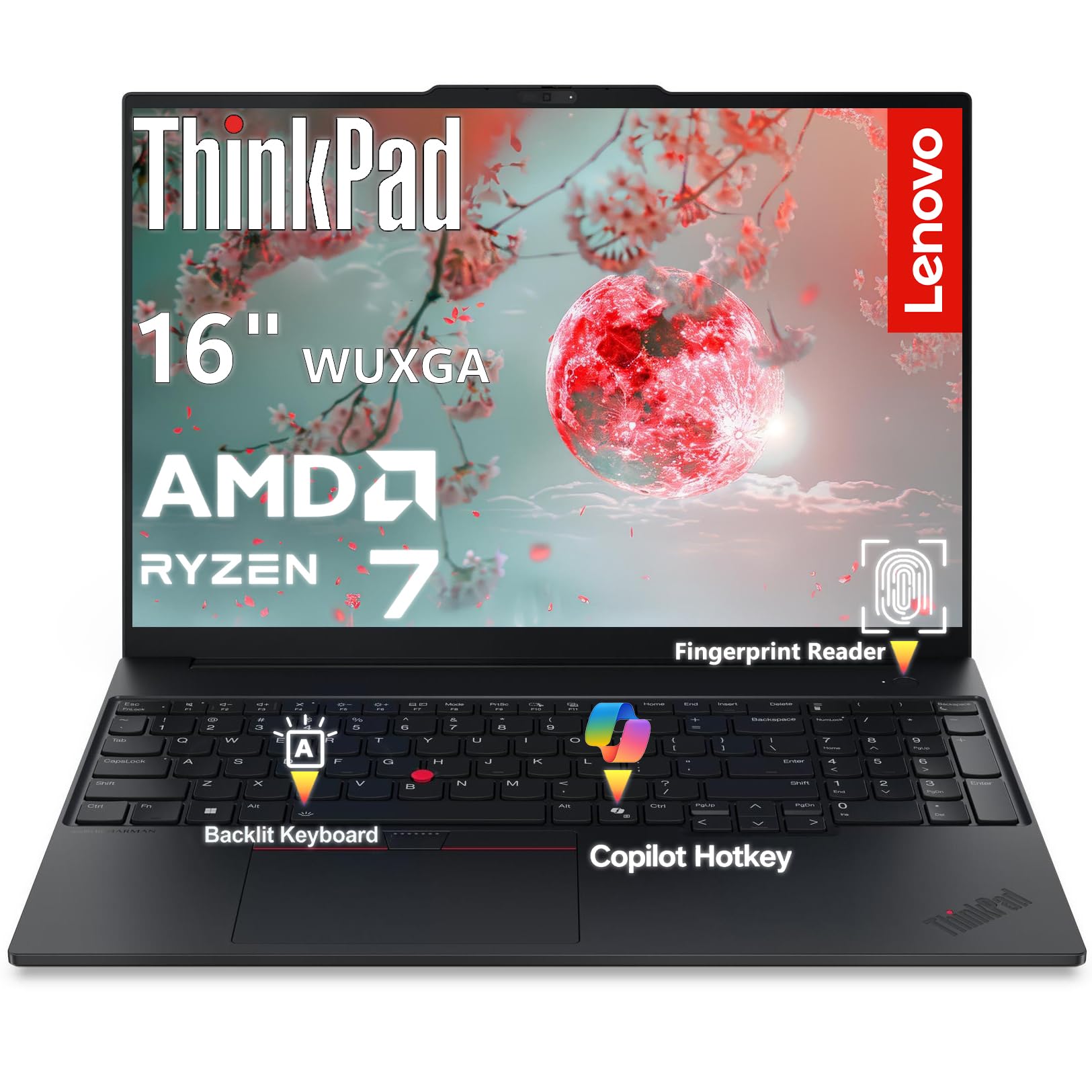
The ThinkPad E16 Gen 2 brings AMD’s Ryzen 7 7735HS processor to the trading desk, offering 8 cores and 16 threads with boost speeds up to 4.75 GHz. The 16-inch WUXGA display uses a 16:10 aspect ratio that provides 11% more vertical workspace compared to standard 16:9 screens, which is useful for seeing more rows of stock data or chart history without scrolling.
With 16GB of DDR5 RAM and a 512GB PCIe 4.0 NVMe SSD, this laptop delivers snappy performance for trading platforms and light multitasking. The aluminum chassis provides durability for daily travel, and the ThinkPad reputation for reliable keyboards matters when you’re typing in trade orders all day. Wi-Fi 6E and Bluetooth 5.3 ensure fast wireless connectivity when Ethernet isn’t available.
Security features include a fingerprint reader integrated into the power button and a discrete TPM 2.0 chip for encrypting sensitive financial data. The HDMI 2.1 port supports 4K at 60Hz, allowing you to connect an external monitor for a dual-screen trading setup.
Why it’s great
- 16:10 display gives more vertical screen space for data and charts
- Aluminum chassis offers professional durability for daily carry
- DDR5 RAM and PCIe 4.0 SSD provide fast multitasking performance
Good to know
- 16GB RAM may require upgrades for heavy multi-platform trading workflows
- 512GB SSD fills up quickly if storing years of historical data locally
5. NIMO 15.6″ Light-Gaming Laptop

This laptop delivers impressive value for traders who need a portable machine with high RAM capacity and a fast processor without paying a premium for a brand name. The AMD Ryzen 7 Pro 6850U has 8 cores with boost clocks up to 4.7 GHz, and the integrated Radeon 680M graphics provide solid performance for driving an external monitor alongside the built-in 15.6-inch display.
The 32GB of RAM is the standout feature at this price point, allowing you to run multiple trading platforms, a heavy browser session, and analytical tools without swapping. The 1TB SSD provides enough storage for trading platforms, historical data, and daily workflows. A 100W USB-C fast charger keeps the system powered during long trading sessions.
The 2MP HD webcam includes a physical privacy shutter, and the fingerprint reader adds security for trading account access. The 175-degree hinge allows flexible viewing angles for sharing your screen with a colleague or client during a trade discussion.
Why it’s great
- 32GB RAM at a budget-friendly price point for heavy multitasking
- AMD Ryzen 7 with 8 cores handles multi-threaded trading workloads well
- USB-C 100W PD charging keeps the system powered during long sessions
Good to know
- Build quality uses more plastic than premium business laptops
- Trackpad responsiveness has been noted as slower by some users
6. KAMRUI Hyper H2 Mini Gaming PC
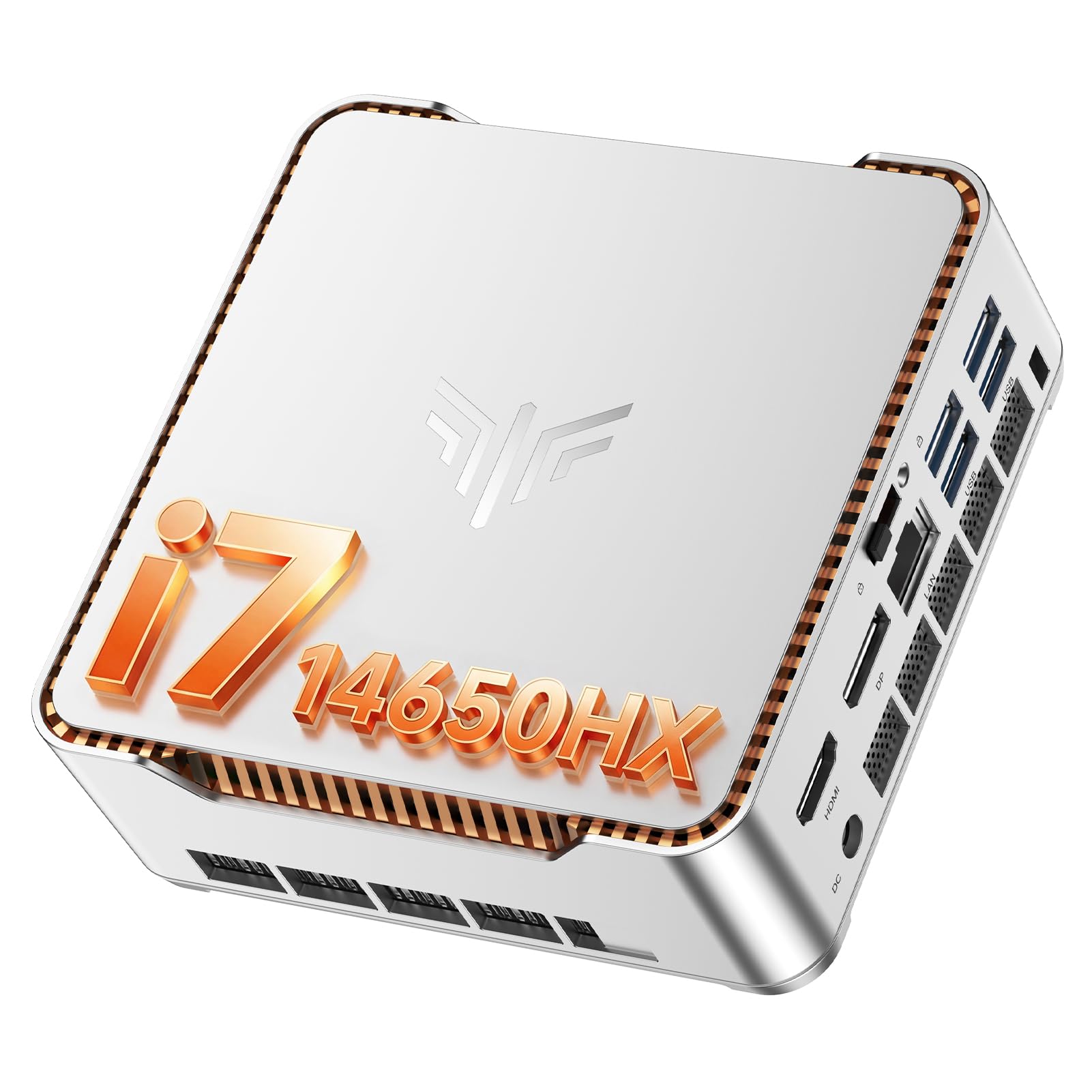
This mini PC packs a 14th Gen Intel Core i7-14650HX with 16 cores and 24 threads, making it one of the most powerful compact options for traders who want to run multiple 4K monitors without a full tower. The processor boosts up to 5.2 GHz, delivering the single-threaded speed needed for real-time chart rendering and the multi-threaded power for running data feeds and scanners simultaneously.
The KAMRUI H2 supports triple 4K displays at 60Hz through HDMI, DisplayPort, and USB-C outputs, which is ideal for a three-monitor trading setup. With 32GB of DDR memory and a 1TB M.2 SSD, it handles heavy multitasking without breaking a sweat. Six USB 3.2 ports allow you to keep a keyboard, mouse, external hard drive, and other peripherals connected permanently.
The compact metal case measures just 5 x 5 x 1.6 inches and can be mounted behind a monitor using the included VESA mount, keeping your desk clean and clutter-free. Gigabit Ethernet provides stable wired connectivity, while Wi-Fi 6 and Bluetooth 5.2 offer wireless options when needed.
Why it’s great
- 16-core processor provides serious multi-threaded power for heavy trading loads
- Triple 4K display support at 60Hz for a high-resolution multi-monitor setup
- Ultra-compact VESA-mountable design saves desk space
Good to know
- Included SSD may be slower than premium NVMe drives; consider upgrading
- No dedicated GPU limits performance for graphics-intensive trading analytics
7. MSI PRO DP21 Mini Desktop
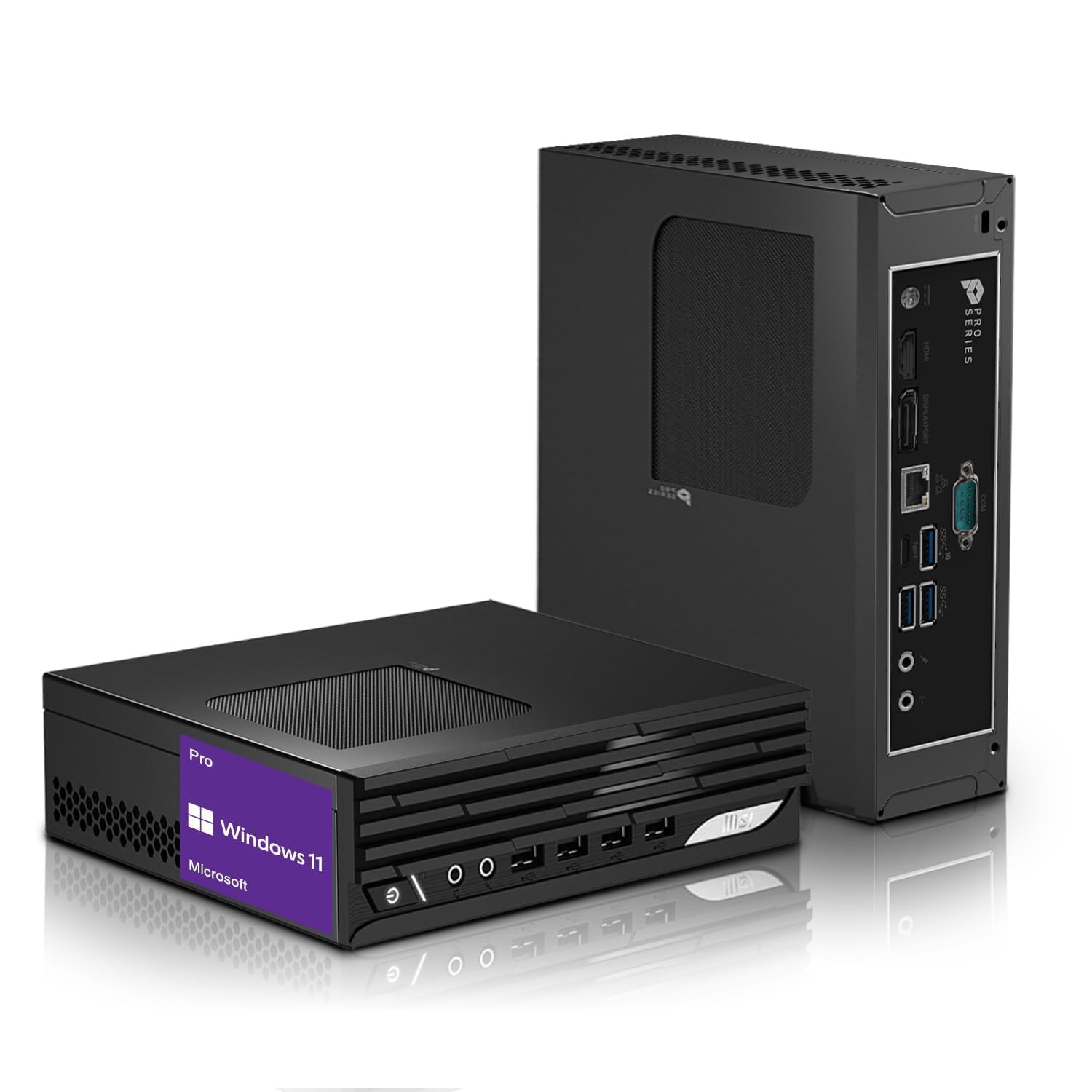
For traders on a tight budget who still need a reliable dual-monitor setup, this mini desktop from MSI offers a solid foundation. The 13th Gen Intel Core i3-13100 has 4 cores with hyper-threading and boosts up to 4.5 GHz, which is adequate for running a single trading platform and a web browser across two 4K displays.
The 32GB of RAM is generous at this price tier and ensures you can keep multiple browser tabs and applications open without slowdowns. The 1TB NVMe SSD provides fast boot and platform loading, and the dual display outputs (HDMI and DisplayPort) support up to 3840×2160 resolution on each monitor.
The small form factor fits easily on a desk or can be mounted behind a monitor. It includes a wired keyboard and mouse, and the Wi-Fi and Bluetooth connectivity reduce cable clutter. This is a good starting point for new traders who need a cost-effective system with room to grow.
Why it’s great
- 32GB RAM at an entry-level price for smooth multitasking
- Dual 4K display support via HDMI and DisplayPort
- Compact size with VESA mount option for clean desk setups
Good to know
- 4-core i3 processor may struggle with multiple heavy trading platforms simultaneously
- Integrated graphics limit the ability to drive three or more high-resolution displays
8. MINISFORUM MS-01 Mini Workstation

This mini workstation is built for traders who require enterprise-grade networking and the ability to drive high-resolution displays simultaneously. The Intel Core i9-13900H with 14 cores and boost speeds up to 5.4 GHz handles the most demanding trading platforms and analytical software without hesitation.
The standout feature is the dual 10G SFP+ ports that support link aggregation, allowing connection to high-speed trading networks, NAS devices, or direct broker feeds. Two 2.5GbE RJ45 ports provide additional connectivity options for backup internet or dedicated data feeds. With two USB4 ports supporting 8K displays at 30Hz and HDMI for 4K at 60Hz, this system can drive multiple high-resolution monitors easily.
The 32GB of DDR5 RAM and 1TB NVMe SSD handle heavy multitasking with ease. A PCIe x16 slot allows expansion with a dedicated GPU or additional storage controller. The compact size makes it easy to integrate into any trading desk setup, and the fan cooling keeps noise levels manageable.
Why it’s great
- Dual 10G SFP+ ports enable ultra-fast network connectivity for professional trading
- USB4 supports 8K displays for high-resolution multi-monitor setups
- PCIe expansion slot allows adding a dedicated GPU or storage upgrades
Good to know
- Some users report intermittent disconnects with the Intel X710 SFP+ controllers
- Premium price reflects the specialized networking and workstation features
9. Alienware Aurora Gaming Desktop ACT1250

While designed for gaming, this Alienware desktop brings serious hardware to the trading desk. The Intel Core Ultra 7 265F processor with 20 cores and boost speeds up to 5.3 GHz provides exceptional multi-threaded performance for running multiple trading platforms, data feeds, and analytical tools simultaneously without any lag.
The NVIDIA GeForce RTX 5070 with 12GB of VRAM is overkill for typical trading applications, but it allows you to drive multiple high-resolution monitors with ease—potentially running four or more 4K displays for the most demanding multi-chart setups. The 32GB of DDR5 RAM ensures smooth multitasking across all your trading tools, and the 1TB SSD gives you fast platform loading and ample storage.
The 1000W Platinum-rated power supply ensures stable power delivery during extended trading sessions. Alienware Command Center software lets you monitor system performance and adjust fan profiles to keep the system quiet during market hours. The tool-less side panel makes future upgrades easy.
Why it’s great
- 20-core processor provides massive multi-threaded power for heavy trading workloads
- RTX 5070 GPU can drive multiple high-resolution displays for advanced charting setups
- 1000W Platinum PSU ensures stable power during long trading sessions
Good to know
- Gaming-oriented design includes RGB lighting that may not suit a professional office
- Higher price point than strictly necessary for most trading workflows
10. Dell Pro Tower Plus Desktop
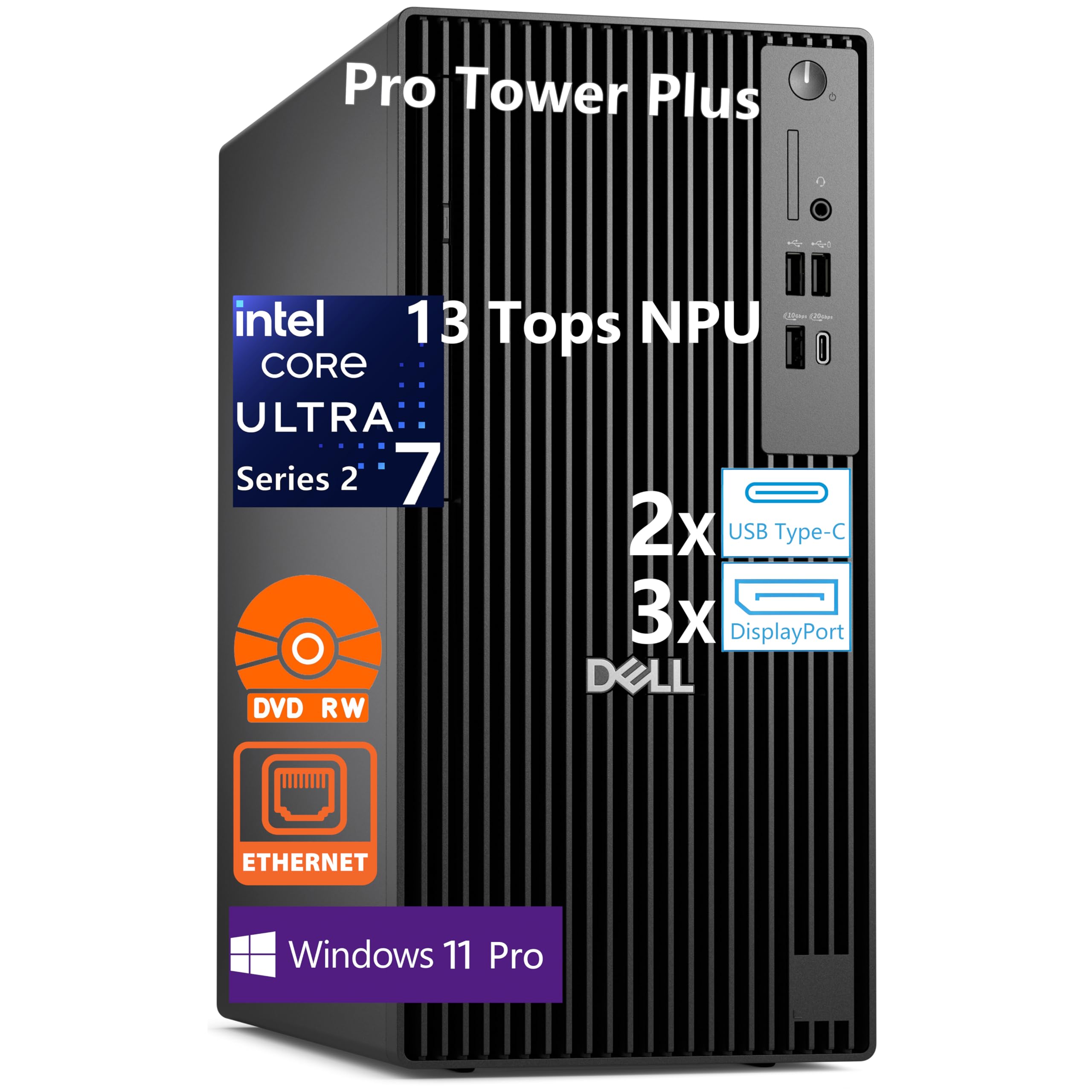
This Dell Pro Tower Plus is built for commercial environments and brings enterprise reliability to the trading desk. The Intel Core Ultra 7 265 processor features 20 cores (8 Performance + 12 Efficient) with boost speeds up to 5.3 GHz and includes a 13 TOPS NPU for future AI-powered trading analytics applications.
With three native DisplayPort 1.4a outputs supporting up to three 4K displays, this system is ready for a multi-monitor trading setup right out of the box. The 32GB of DDR5 RAM and 1TB PCIe SSD handle heavy multitasking workloads, and the Windows 11 Pro operating system includes BitLocker encryption for securing sensitive financial data.
The tool-less chassis design makes upgrades straightforward, and the optical drive is a rare inclusion that some traders may need for legacy data access. Note that this system does not include built-in Wi-Fi, so you’ll need to use the Gigabit Ethernet port or add a Wi-Fi card for wireless connectivity.
Why it’s great
- Three DisplayPort outputs for native triple-monitor support without adapters
- 20-core processor with NPU provides future-proofing for AI trading tools
- Commercial-grade build quality and security features for professional use
Good to know
- No built-in Wi-Fi; requires wired Ethernet or add-on wireless card
- Integrated graphics limit gaming or graphics-intensive analysis capabilities
11. Lenovo Legion Tower 5i

The Legion Tower 5i brings Lenovo’s gaming hardware expertise to a system that doubles as an exceptional trading workstation. The Intel Core Ultra 7 265F processor with 20 cores handles multi-threaded trading workloads effortlessly, while the NVIDIA GeForce RTX 5070 Ti with 16GB of GDDR7 VRAM can drive multiple high-resolution monitors with ease.
With 32GB of DDR5 RAM running at 5600MHz and expandable to 128GB, this system handles the heaviest multitrading scenarios without breaking a sweat. The 1TB NVMe SSD provides fast boot and platform loading, and the tool-less side panel with transparent design makes future upgrades simple. RGB lighting can be customized or turned off for a more professional appearance.
The cooling system uses up to 180W of optimized air cooling that keeps the system quiet during extended use. Wi-Fi 6E and 2.5GbE Ethernet provide fast, reliable network connectivity. The included three-month PC Game Pass is a bonus, but the real value for traders is the raw processing power and GPU capability.
Why it’s great
- RTX 5070 Ti with 16GB VRAM drives multiple high-resolution trading displays effortlessly
- Cooling system keeps the system quiet and stable during long trading sessions
- Easy upgrade path with tool-less side panel and expandable RAM to 128GB
Good to know
- Gaming-oriented design may not fit all professional office environments
- Higher price point than needed for basic trading, but offers future-proofing
12. Skytech Gaming King 95
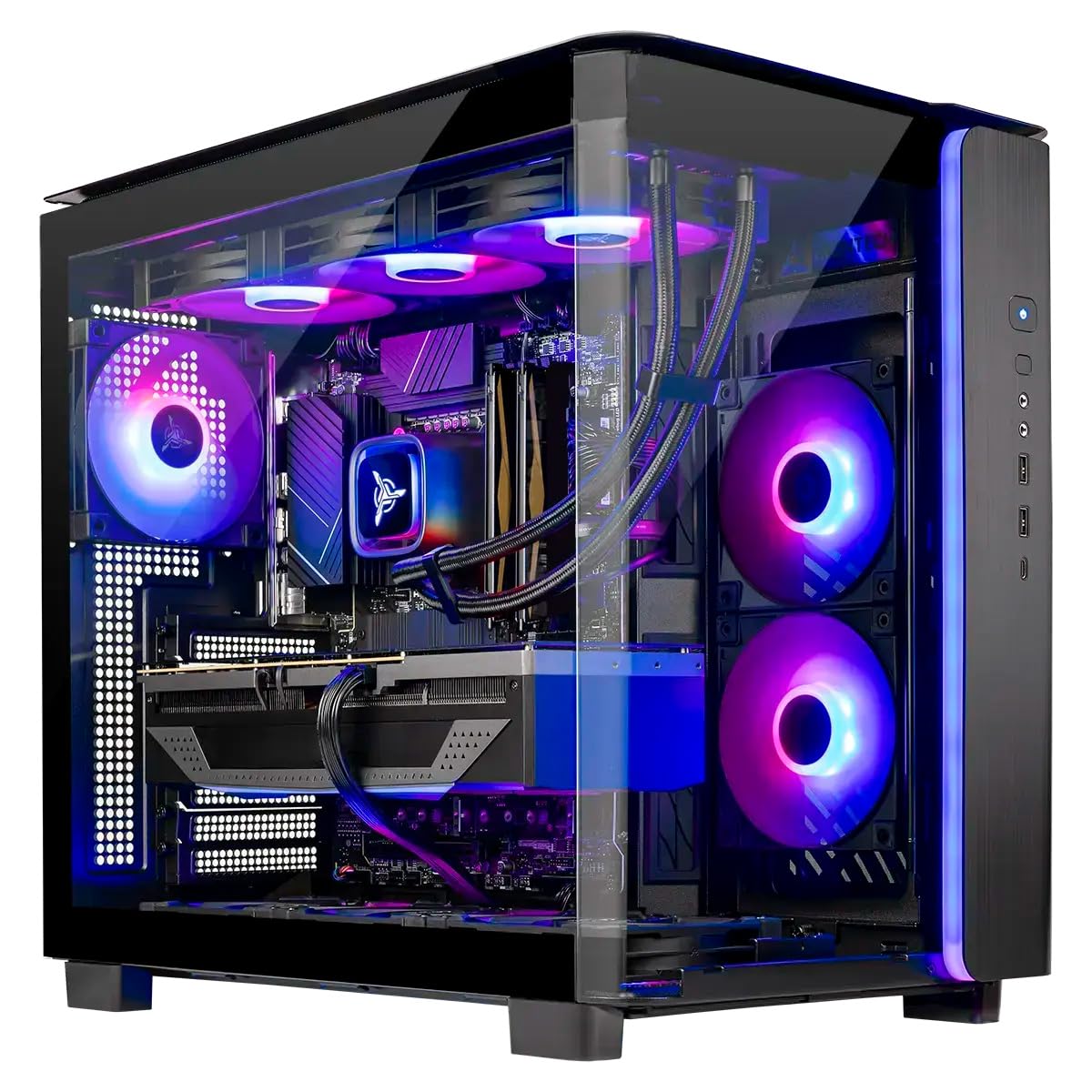
This is the most powerful system on the list, built for traders who want absolute peak performance and the ability to drive the most demanding multi-monitor setups possible. The AMD Ryzen 7 9850X3D with 8 cores and boost speeds up to 5.6 GHz provides exceptional single-threaded performance for real-time chart rendering, while the 3D V-Cache technology benefits data-heavy analytical workloads.
With an NVIDIA GeForce RTX 5080 featuring 16GB of GDDR7 VRAM, this system can drive multiple 4K or even 8K displays for the most advanced trading setups. The 32GB of DDR5 RAM at 6000MHz handles heavy multitasking, and the 2TB NVMe SSD provides fast platform loading and ample storage for years of trading data.
The 360mm AIO liquid cooling keeps the system running quietly even under sustained load. The system ships with no bloatware, and the 850W Gold-rated ATX 3.0 PSU supports the latest GPU power requirements. Assembly in the USA with a 1-year warranty on parts and labor provides peace of mind for this level of investment.
Why it’s great
- Ryzen 7 9850X3D with 3D V-Cache provides exceptional single-threaded charting performance
- RTX 5080 GPU can drive the most demanding multi-monitor trading setups
- 360mm AIO liquid cooling keeps the system quiet under sustained workloads
Good to know
- Premium price is significantly higher than needed for most trading workflows
- Gaming-themed case and RGB lighting may not suit all professional environments
13. Alienware 34 QD-OLED Curved Monitor (AW3425DW)

While not a computer itself, this monitor deserves mention as the ideal display companion for any trading desktop. The 34-inch WQHD (3440×1440) QD-OLED panel provides deep blacks, vibrant colors with 99.3% DCI-P3 coverage, and an 1800R curve that wraps around your field of view—making it easier to monitor multiple chart windows without constantly turning your head.
The 240Hz refresh rate and 0.03ms response time may seem excessive for trading, but they make the display feel incredibly responsive for scrolling through charts and data streams. The VESA DisplayHDR TrueBlack 400 certification ensures deep contrast that makes price movements on candlestick charts and indicators stand out clearly.
Adaptive sync technologies including NVIDIA G-SYNC Compatible and AMD FreeSync Premium Pro ensure tear-free scrolling. Users note the text needs some fine-tuning for optimal clarity, but once adjusted, the image quality is exceptional. The glossy screen provides sharp visuals that make reading market data easy, though it may reflect ambient light in bright offices.
Why it’s great
- QD-OLED panel provides exceptional contrast for clear chart and data visualization
- Ultrawide 21:9 aspect ratio allows multiple chart windows side by side
- 240Hz refresh rate ensures buttery smooth scrolling through data streams
Good to know
- OLED burn-in risk if displaying static trading interfaces for long periods
- Lower brightness in bright rooms may require controlled lighting conditions
FAQ
Do I need a dedicated graphics card for trading?
Is a gaming PC good for stock trading?
How much RAM do I need for trading computers?
Should I use Wi-Fi or Ethernet for trading?
Final Thoughts: The Verdict
For most users, the best computer for stock trading winner is the HP Pro Tower 290 G9 because it offers a strong 12th Gen processor, 32GB of RAM, and a 1TB NVMe SSD at a reasonable price point with dual-display support out of the box. If you need a dedicated multi-monitor setup that’s ready to go, grab the TechMagnet HP Trading Desktop with four included monitors and dual network cards. And for on-the-go trading, nothing beats the KOOFORWAY Triple Screen Laptop with its built-in three-display design that eliminates the need for external monitors.

Mo Maruf
I created WellFizz to bridge the gap between vague wellness advice and actionable solutions. My mission is simple: to decode the research and give you practical tools you can actually use.
Beyond the data, I am a passionate traveler. I believe that stepping away from the screen to explore new environments is essential for mental clarity and physical vitality.