Our readers keep the lights on and my smoothie glass nicely filled. As an Amazon Associate, I earn from qualifying purchases.
The right laptop for schoolwork turns a day of back-to-back classes, library sprints, and late-night essay writing from a slog into a smooth process. A slow boot, a dim screen, or a keyboard that feels cramped can break your focus exactly when you need it most.
I’m Mohammad Maruf — the founder and writer behind WellFizz. I’ve spent countless hours analyzing processor benchmarks, battery life claims, and real-world user reports to find the machines that truly handle the academic grind without draining your budget.
Whether you’re writing papers, running research tabs, attending Zoom lectures, or crunching data in spreadsheets, the right machine makes all the difference in your productivity and sanity. This guide breaks down the best options for your next computer for schoolwork.
How To Choose The Best Computer For Schoolwork
The right school laptop balances three key factors: processing power for your specific tasks, portability for carrying between classes, and enough battery life to last from the first lecture to the last. Choosing wisely means understanding a few core components and what they actually do for you.
Processor: The Brain of Your Machine
Your processor (CPU) handles everything from opening a document to running complex simulations. For standard schoolwork like writing, research, and spreadsheets, a modern Intel Core i3 or AMD Ryzen 3 is plenty. If you’re into coding, video editing, or data analysis, step up to a Core i5 or Ryzen 5. Pay attention to generation — newer generations deliver better performance and efficiency. The number of cores matters for multitasking; four cores is the baseline for a smooth experience today.
RAM & Storage: Speed and Space
RAM is your computer’s short-term memory — the more you have, the more browser tabs and apps you can keep open without slowdown. 8GB is the minimum for school, 16GB is ideal for demanding programs or heavy multitasking. Storage comes in two main types: SSDs are faster and more rugged than traditional hard drives, making your laptop boot and open files almost instantly. eMMC storage is cheaper but slower. Aim for at least a 256GB SSD for general use.
Display & Keyboard: Your Daily Interface
You’ll stare at the screen for hours, so resolution and panel quality matter. Full HD (1920×1080) is the standard for clear text and sharp image quality. IPS panels offer better viewing angles and color accuracy than basic TN panels. An anti-glare coating reduces eye strain under harsh library lighting. A comfortable keyboard with good key travel and a responsive touchpad are critical for typing essays and navigating long documents. Backlit keys are a bonus for late-night study sessions.
Battery Life & Portability: Staying Unplugged
Check the advertised battery life, but remember real-world use — streaming, Wi-Fi, and screen brightness — cuts that number down. Look for laptops promising 8-10 hours for a full day of classes. Weight is also a factor: a 3.5-pound laptop is much easier to carry between buildings than a 5-pound one. Check dimensions to ensure it fits easily in your backpack.
Quick Comparison
On smaller screens, swipe sideways to see the full table.
| Model | Category | Best For | Key Spec | Amazon |
|---|---|---|---|---|
| Acer Aspire Go 15 | Premium | Demanding multitasking & light gaming | AMD Ryzen 7 7730U + 16GB DDR4 | Amazon |
| Microsoft Surface Pro | Premium | 2-in-1 versatility & note-taking | Snapdragon X Plus 10-Core | Amazon |
| Samsung Galaxy Book5 360 | Premium | AI features & Samsung ecosystem | Intel Core Ultra 5 + 16GB/512GB | Amazon |
| Apple MacBook Neo | Premium | Apple ecosystem & battery life | Apple A18 Pro + 8GB Unified | Amazon |
| ASUS Vivobook 14 (Core 5) | Mid-Range | Fast storage & processor performance | Intel Core 5 120U + 1TB SSD | Amazon |
| HP Touchscreen Laptop | Mid-Range | Touchscreen & included external HDD | Intel i3-1315U + 16GB/512GB | Amazon |
| Lenovo IdeaPad 1 | Mid-Range | High RAM & storage for the price | 12GB RAM + 512GB SSD | Amazon |
| Samsung Chromebook Plus V2 | Mid-Range | Chromebook simplicity & included pen | Intel Core m3 + 64GB eMMC | Amazon |
| ASUS Vivobook Go 15 | Budget | Basic productivity & durability | AMD Ryzen 3 7320U + 8GB DDR5 | Amazon |
| Acer Aspire 3 | Budget | Budget-conscious students | AMD Ryzen 3 7320U + 8GB LPDDR5 | Amazon |
| HP 2026 Ultrabook | Budget | Stylish, lightweight design | Intel N150 + 8GB RAM | Amazon |
In‑Depth Reviews
1. Acer Aspire Go 15 AI Ready Laptop

The Acer Aspire Go 15 delivers exceptional performance for schoolwork with an AMD Ryzen 7 7730U processor and 16GB of DDR4 RAM. This combination handles heavy multitasking — dozens of browser tabs, research PDFs, and video streaming — without the system bogging down. The 15.6-inch Full HD IPS display provides sharp, clear visuals that reduce eye strain during long study sessions. Acer’s TNR solution enhances the webcam quality for online classes, and the built-in Copilot key offers quick access to AI assistance for summarizing notes or drafting documents.
With a 512GB PCIe Gen4 SSD, boot times are nearly instant, and there’s plenty of space for coursework files, projects, and even a few media files. The Wi-Fi 6 and HDMI 2.1 connectivity ensure fast network speeds and the ability to connect to external monitors for a larger workspace. The battery life supports a full day of classes, and the lightweight design at just over 3 pounds makes it easy to carry between buildings.
The AcerSense software provides intuitive control over battery, storage, and app performance, helping you optimize the system for your workflow. Positive user reviews highlight its speed, quiet fan, and ability to handle light gaming like Sims 4 and Cities Skylines alongside school tasks. This machine is built to last through your entire academic career.
Why it’s great
- Powerful Ryzen 7 processor handles demanding multitasking with ease.
- 16GB of RAM ensures smooth performance with many apps open.
- Fast 512GB PCIe Gen4 SSD for quick boot and file access.
- Includes Copilot key for AI-powered productivity.
Good to know
- Some users reported a yellow screen tint that is fixable by disabling the eye shield mode.
- The large 15.6-inch chassis is not the most lap-friendly.
- Sound volume may be low for some users at maximum setting.
2. Microsoft Surface Pro 2-in-1 Laptop/Tablet

The Microsoft Surface Pro redefines the student laptop by combining a powerful tablet with a detachable keyboard. Its 13-inch touchscreen display with a built-in kickstand makes it perfect for taking handwritten notes in class with a stylus, then snapping the keyboard back on for typing essays. The Snapdragon X Plus 10-core processor delivers excellent performance for schoolwork while staying cool and silent — ideal for a quiet library. The 16GB of RAM ensures you can run research software and multiple browser tabs side-by-side.
The all-day battery life of 14 hours is a standout, letting you leave the charger at home from morning classes to evening study sessions. The 512GB storage provides ample space for projects, PDFs, and media. Users appreciate its premium feel, responsive touchscreen, and the flexibility to switch between laptop and tablet modes. Its lightweight design at just over 2 pounds makes it incredibly portable.
One important consideration: the Surface Pro uses an ARM-based processor (Snapdragon X Plus), which means some older Windows applications may not run natively. However, most modern school apps, browsers, and Office software work flawlessly. User reviews consistently praise its speed, battery life, and the quality of the display, calling it a perfect mix of tablet and laptop for the modern student.
Why it’s great
- Versatile 2-in-1 design for note-taking and typing.
- Exceptional 14-hour battery life.
- Powerful and silent Snapdragon X Plus processor.
- Lightweight and premium build quality.
Good to know
- Keyboard and stylus are sold separately, adding to the cost.
- ARM architecture may cause compatibility issues with some niche software.
- Only two USB-C ports available.
3. Samsung 15.6″ Galaxy Book5 360

The Samsung Galaxy Book5 360 is a premium 2-in-1 laptop that integrates deeply with the Samsung ecosystem. Its 15.6-inch FHD AMOLED touchscreen is stunning — colors are vibrant and blacks are deep, making reading, video watching, and creative work a pleasure. Powered by an Intel Core Ultra 5 processor with a dedicated NPU capable of 47 TOPS, this laptop brings next-gen AI capabilities for tasks like real-time transcription in meetings and photo remastering. The 16GB of RAM and 512GB SSD provide ample resources for demanding schoolwork.
The 360-degree hinge allows effortless conversion between laptop and tablet modes, and the included S Pen (sold separately, though some models include it) is perfect for annotations and sketches. The aluminum CNC construction makes it durable yet lightweight at 3.22 pounds and just 13.7mm thick. Features like AI Select and Live Captions enhance productivity for research and note-taking, making it more than just a standard laptop.
User reviews highlight its smooth performance within the Samsung ecosystem, handling daily tasks perfectly and working seamlessly with other Galaxy devices. The single press of the Copilot key provides instant AI assistance. While it’s on the higher end of the price spectrum, its build quality, display, and AI features make it a long-term investment for students who want a premium, future-proof machine.
Why it’s great
- Outstanding AMOLED touchscreen display with vibrant colors.
- Advanced AI features for productivity and creativity.
- Premium CNC aluminum build and slim design.
- Seamless integration with other Samsung devices.
Good to know
- The S Pen is often not included in the box.
- Premium price point reflects high-end features.
- Some users reported the battery life is good but not exceptional for heavy use.
4. Apple 2026 MacBook Neo 13-inch

The Apple MacBook Neo brings the Mac experience to a more accessible price point. Its A18 Pro chip, built for AI and Apple Intelligence, delivers snappy performance for all school tasks — from writing papers in Pages to editing family photos and running complex spreadsheets. The 13-inch Liquid Retina display is stunning with 500 nits of brightness and support for a billion colors, ensuring crisp text and vibrant images. The fanless design means it runs completely silent, perfect for a focused study environment.
True to Apple’s reputation, the battery life is outstanding at up to 16 hours, easily lasting through a full day of classes and study sessions without needing a charge. The durable aluminum design is lightweight at just 2.71 pounds, and the selection of four new colors (Silver, Blush, Citrus, Indigo) adds a fun, personal touch. The 1080p FaceTime HD camera and dual-mic array ensure clear video calls for online classes.
User reviews consistently rave about its premium feel, brilliant display, and all-day battery. The integration with the Apple ecosystem — iPhone Mirroring, universal clipboard, and seamless AirDrop — is a huge plus for students already using Apple devices. The trade-offs include a fixed 8GB of unified memory (no upgrade path), a lack of a backlit keyboard on the base model, and limited ports. It’s an excellent choice for students prioritizing the Apple ecosystem and silent, reliable performance.
Why it’s great
- Excellent battery life — lasts a full day of classes.
- Powerful and silent A18 Pro chip.
- Stunning Liquid Retina display with high brightness.
- Seamless integration with Apple ecosystem.
Good to know
- 8GB of unified memory is not upgradeable and may be limiting for heavy users.
- Base model lacks a backlit keyboard.
- Limited port selection (likely only USB-C/Thunderbolt).
5. ASUS Vivobook 14″ FHD Business & Student Laptop

The ASUS Vivobook 14 strikes a strong balance between performance and storage for schoolwork. Its 10-core Intel Core 5 120U processor (up to 5GHz) handles everything from essay writing to data analysis and coding projects smoothly. The 14-inch Full HD IPS display with an anti-glare coating is comfortable for long reading sessions. With 12GB of DDR4 RAM and a massive 1TB PCIe SSD, this machine offers an exceptional amount of fast storage for your entire academic career’s worth of files, projects, and media.
The inclusion of a PLUSERA 8-in-1 Hub extends connectivity options, allowing you to connect external displays, USB drives, and other accessories easily. The keyboard is designed for comfortable typing with good key travel, and the camera privacy shutter provides peace of mind. ASUS SonicMaster speakers deliver clear sound for video calls and media consumption. Weighing just over 3 pounds, it’s portable enough for daily carry.
User reviews appreciate its fast performance, intuitive setup, and the value offered by the included hub. The 1TB SSD is a standout feature in this price range, future-proofing your storage for years. While it’s a strong all-rounder, some users noted paying attention to the product description for exact specifications. It’s a fantastic choice for students who need a powerful, responsive laptop with generous storage.
Why it’s great
- Massive 1TB PCIe SSD for all your files and projects.
- 10-core Intel Core 5 processor for smooth multitasking.
- Includes an 8-in-1 USB-C hub for connectivity.
- Comfortable anti-glare display for long study hours.
Good to know
- Some sellers may mislabel screen size; double-check the listing.
- Battery life is adequate but not exceptional for a full day.
- The 250 nits brightness is fine indoors but may struggle in direct sunlight.
6. HP Touchscreen Laptop for Students
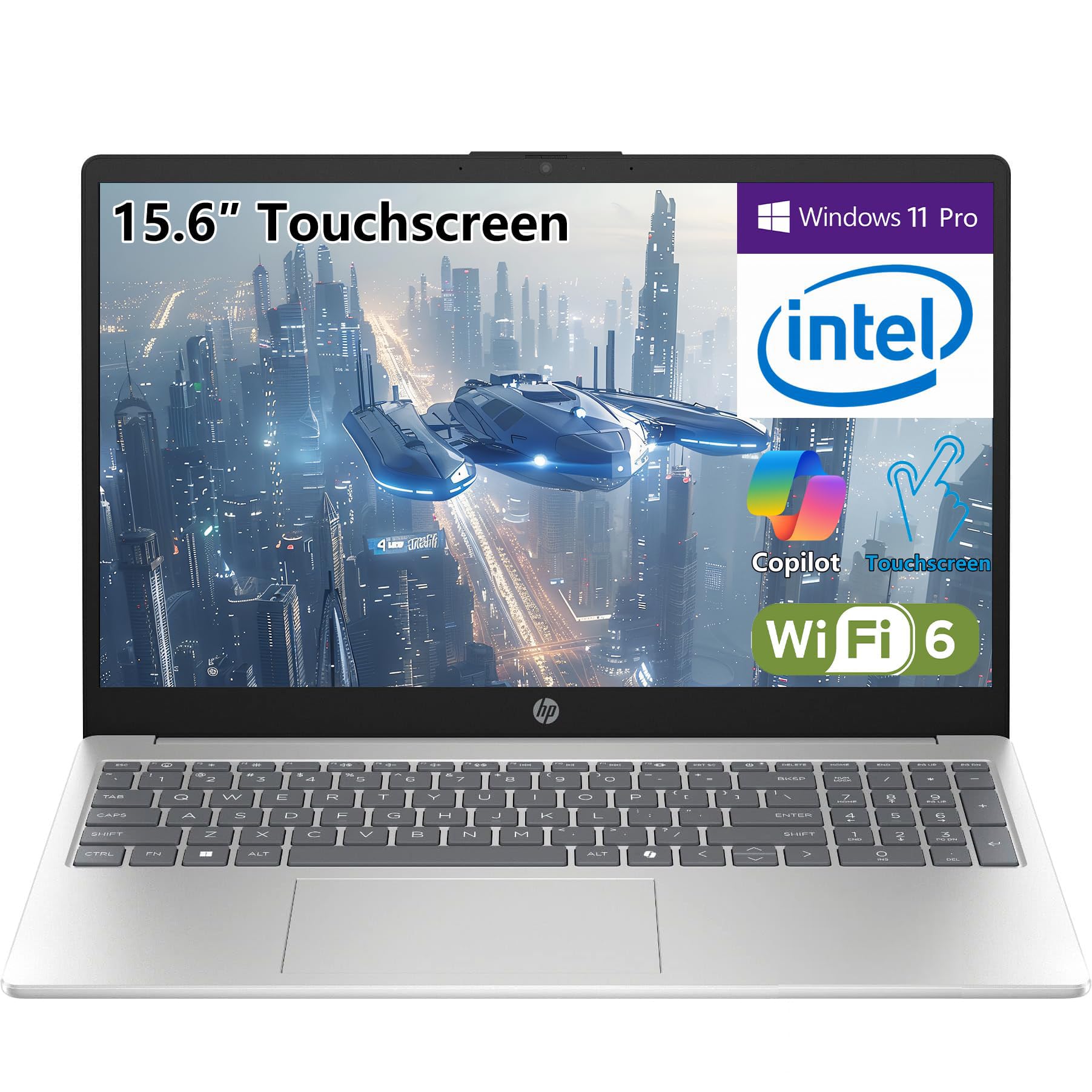
The HP Touchscreen Laptop is designed for students who value interactive, hands-on learning. Its 15.6-inch BrightView HD touchscreen allows you to scroll through articles, highlight PDFs, and interact with educational software directly with your fingers. Powered by an Intel Core i3-1315U processor and 16GB of DDR4 RAM, it handles schoolwork smoothly — writing essays, managing spreadsheets, and consuming lecture videos. The combination of a 512GB SSD for fast booting plus an included 500GB Portable HDD provides ample total storage.
The full-size keyboard with a numeric keypad is a boon for students in accounting or fields requiring data entry. The laptop is lightweight at 3.52 pounds and offers fast charging to quickly top up between classes. Wi-Fi 6 and Bluetooth 5.3 ensure reliable connections for online learning and peripherals. The 720p webcam with a privacy shutter is essential for secure video meetings.
User feedback is generally positive, noting its solid performance for schoolwork and gaming. The included external hard drive is a nice bonus for backing up important projects. However, the display resolution is 1366×768, which is lower than the Full HD standard found on many competitors. This is a good option for students who prioritize touch interaction, a numeric keypad, and bundled storage over the highest screen resolution.
Why it’s great
- 15.6-inch touchscreen enhances interaction with content.
- 16GB RAM and 512GB SSD for smooth multitasking and fast boot.
- Includes a 500GB external HDD for extra backup storage.
- Full-size keyboard with numeric keypad for data entry.
Good to know
- Display resolution is 1366×768, not Full HD.
- The base screen is 250 nits, adequate but not the brightest.
- Some users noted the battery declined faster than expected over a year.
7. Lenovo IdeaPad 1 Student Laptop
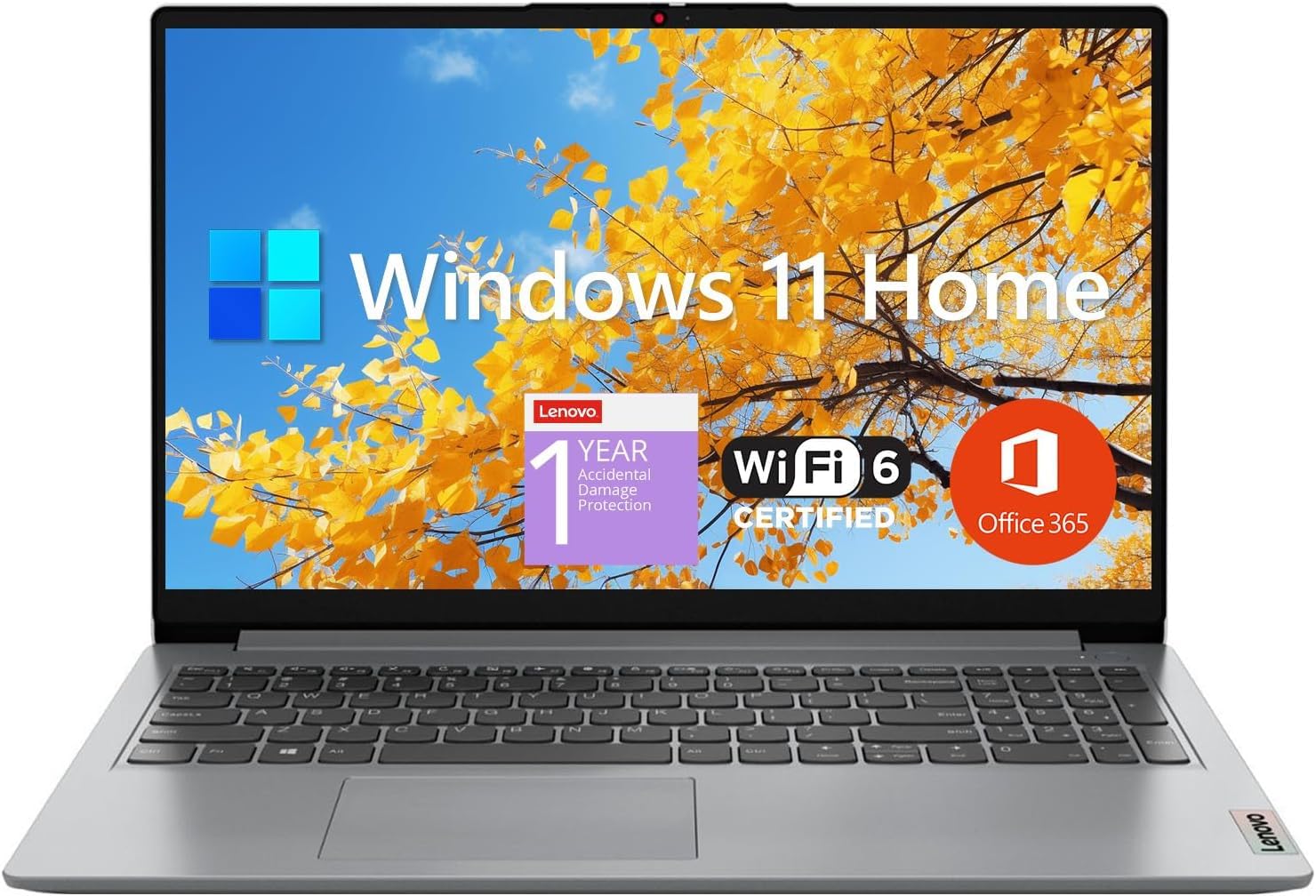
The Lenovo IdeaPad 1 is a student-focused laptop that prioritizes value. Its standout feature is the 12GB of high-bandwidth RAM, which allows you to run many applications and browser tabs simultaneously without slowdown. The 15.6-inch Full HD IPS anti-glare display provides crisp and clear visuals, and the combination of a 512GB PCIe SSD plus a 128GB eMMC drive gives you over 600GB of total storage for a large course load. The inclusion of a 1-year Office 365 subscription is a direct benefit for students who need Word, Excel, and PowerPoint.
Powered by an Intel Dual-Core Celeron N4500 processor, the IdeaPad 1 is designed for fundamental school tasks like browsing, document editing, and video calls. It is not meant for gaming or heavy video editing. The Wi-Fi 6 connectivity ensures fast internet speeds, and the range of ports (USB-A, HDMI, microSD) covers basic peripheral needs. It’s lightweight and portable, making it easy to carry.
User reviews are mixed regarding long-term durability; some report it performs perfectly for work and school, while others experienced freezing after a year. For its price, it offers exceptional RAM and storage. It’s a solid choice for students on a tight budget whose primary needs are typing essays, conducting research, and using web-based learning platforms, and who value a bundled Office suite.
Why it’s great
- 12GB of RAM for smooth multitasking.
- 512GB SSD + 128GB eMMC for generous combined storage.
- Includes a 1-year Office 365 subscription.
- 15.6-inch Full HD IPS anti-glare display.
Good to know
- The Celeron processor is underpowered for heavy tasks or gaming.
- Some users reported the system can freeze over time.
- Build quality is plastic and feels less premium.
8. Samsung XE520QAB-K02US Chromebook Plus V2

The Samsung Chromebook Plus V2 is a unique entry for students whose schoolwork is entirely cloud-based. Running Google’s Chrome OS, it boots in seconds and integrates seamlessly with Google’s suite of productivity tools (Docs, Sheets, Drive). The 12.2-inch display with a 16:10 aspect ratio offers more vertical screen space for reading documents and web pages. Its 2-in-1 design folds into tablet mode, and the built-in pen (that never needs charging) is always ready for note-taking, sketching, or annotating PDFs.
Powered by a fanless Intel Core m3 processor, it runs silently and handles web browsing, video streaming, and Android apps from the Google Play Store without lag. The 64GB of eMMC storage is smaller than traditional laptops, but the Chromebook’s reliance on cloud storage makes this less of a limitation for most users. The 13MP world-facing camera with autofocus is a standout for document scanning and clear video calls.
User reviews praise its excellent build quality, beautiful 1920×1200 screen, comfortable keyboard, and responsive trackpad. It’s an ideal tool for students who live in Google’s ecosystem but are not tied to Windows or Mac software. Key limitations are the inability to run Windows/Mac programs, limited offline functionality, and no backlit keyboard. It remains a fantastic, lightweight tool for focused web-based schoolwork.
Why it’s great
- Fast, secure, and simple Chrome OS experience.
- Built-in, always-charged pen for note-taking and drawing.
- Excellent 12.2-inch 16:10 display with high resolution.
- Lightweight 2-in-1 design and fanless silent operation.
Good to know
- Limited to Chrome OS and Android apps; no Windows/Mac software.
- 64GB storage is small; relies heavily on cloud storage.
- No backlit keyboard.
9. ASUS Vivobook Go 15.6” FHD Slim Laptop

The ASUS Vivobook Go 15 is a budget-friendly workhorse built for durability. It carries Military Grade durability certification, meaning it can withstand the bumps and knocks of daily backpack life better than many competitors. Under the hood, the AMD Ryzen 3 7320U processor and 8GB of DDR5 RAM provide reliable performance for browsing, writing, and streaming. The 15.6-inch Full HD NanoEdge display offers a wide viewing area with slim bezels, and the anti-glare coating helps reduce reflections.
The ErgoSense keyboard is designed for comfortable typing sessions, and the 180-degree hinge allows the laptop to lie flat for easy sharing during group projects. The 720p HD camera includes a privacy shutter for security. With a solid set of ports (USB-C, USB-A, HDMI), connecting peripherals is straightforward. The 45W AC adapter supports fast charging, and the laptop is slim and light enough for daily carrying at under 3.6 pounds.
User reviews highlight its fast processor, quick charging, good battery life, and excellent value for the money. Some users noted that the free storage space after setup is limited (around 35GB), making an external drive necessary for media. Others reported difficulties exiting Windows S Mode. The fan can become audible under load. It’s a robust and excellent-value laptop for students whose needs are centered on core academic tasks.
Why it’s great
- Military-grade durability for rugged student life.
- AMD Ryzen 3 processor with 8GB DDR5 for smooth performance.
- Fast charging and lightweight design.
- Comfortable ErgoSense keyboard with numpad.
Good to know
- Free storage space is limited after OS pre-installs.
- Windows S Mode restrictions can be tricky to disable.
- Fan can spin up audibly even on light tasks.
10. Acer Aspire 3 A315-24P-R7VH Slim Laptop

The Acer Aspire 3 is a straightforward no-frills laptop aimed squarely at budget-conscious students. It features the same AMD Ryzen 3 7320U processor found in the more expensive Vivobook Go, providing capable performance for everyday schoolwork. The 15.6-inch Full HD IPS display offers sharp and colorful visuals, ideal for reading papers and watching educational content. The 8GB of LPDDR5 memory is soldered, meaning it’s not upgradeable later, so be sure it’s enough for your needs.
The 128GB NVMe SSD provides fast boot-up times, but the storage capacity is the main trade-off for its low price — you’ll likely need to rely on cloud storage or an external drive. The front-facing HD camera features Acer’s TNR technology for better video quality in low light, and Acer PurifiedVoice with AI noise reduction helps you sound clear during online classes. The slim design makes it easy to slip into a bag.
User experiences are mixed. Many praise its performance for basic tasks, premium feel for the price, and good battery life. Others complain about a loud fan, random screen freezes, and the keyboard feeling hollow. The soldered RAM is a key limitation. It is a decent entry-level machine for students who need a basic computer for web, email, and office tasks and are comfortable with its budget-driven compromises.
Why it’s great
- Capable AMD Ryzen 3 processor for the price.
- 15.6-inch Full HD IPS display for nice visuals.
- Slim and lightweight design.
- Good battery life for daily school tasks.
Good to know
- 8GB RAM is soldered and cannot be upgraded.
- 128GB storage is limited; will require external storage.
- Some users report a loud fan and potential screen freezing.
- Keyboard may feel hollow and lack backlight.
11. HP 2026 Ultrabook Laptop for Students & Home
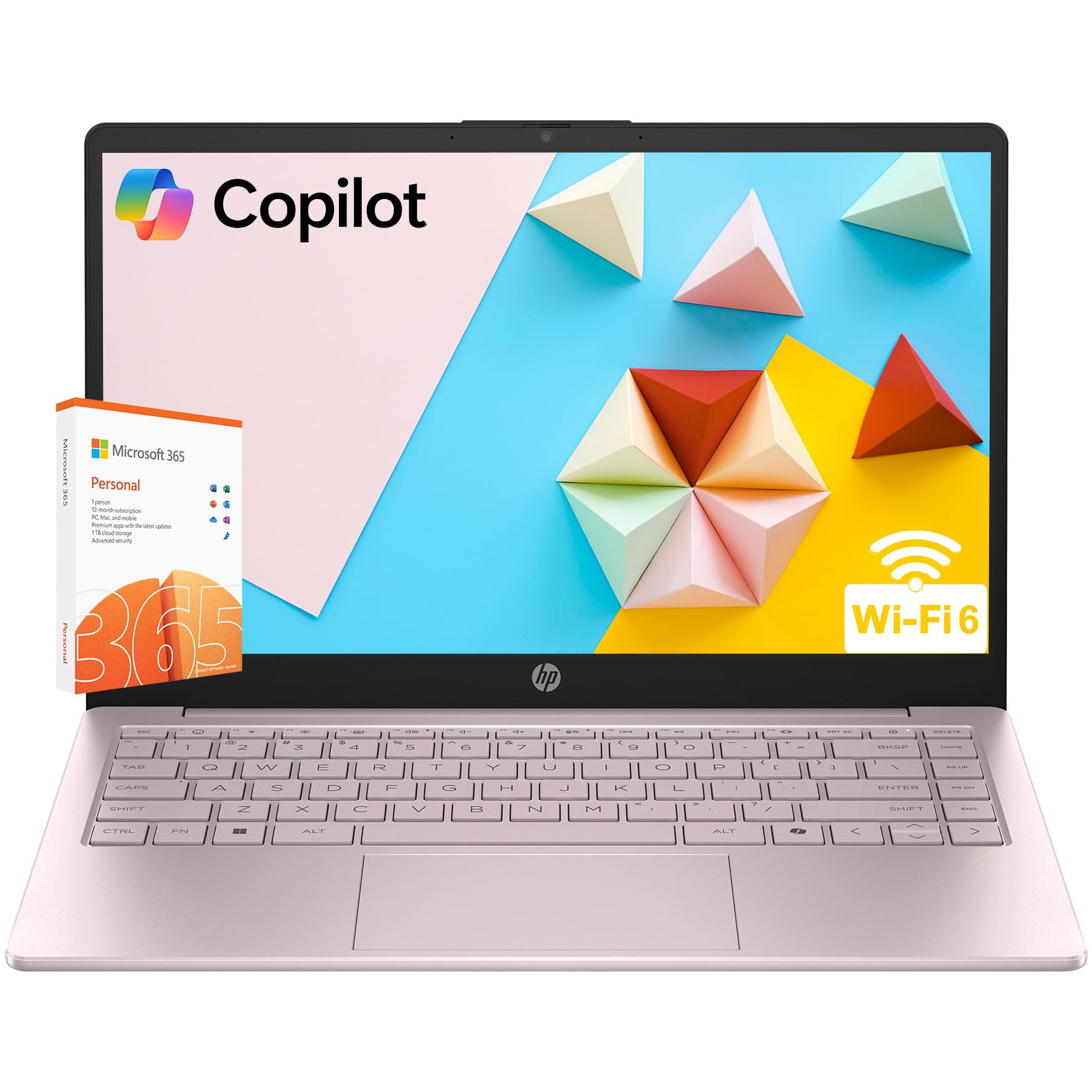
The HP 2026 Ultrabook offers a stylish, modern design in a beautiful Tranquil Pink finish, making it a fashionable choice for students. It’s powered by an Intel Quad-Core Processor N150, which is designed for basic everyday computing tasks. The 14-inch anti-glare display is comfortable for reading, and the 8GB of DDR4 RAM handles light multitasking like web browsing, document editing, and streaming. The unique dual storage setup — a 256GB SSD for fast boot plus a 128GB eMMC drive — provides a balance of speed and space for school files.
Weighing just 3.11 pounds, it’s easy to carry, and the inclusion of Wi-Fi 6 and Bluetooth 5.4 ensures modern connectivity. The camera features a privacy shutter for security, and the full-size quiet keyboard aids in typing assignments. The long battery life is suitable for a day of classes. The included Microsoft Office 365 with Copilot AI is a direct benefit, offering writing assistance within your documents.
User reviews in other languages are generally positive, noting it’s fast enough for its intended purpose and a good value. However, the processor is its weakest component, and performance with many demanding apps or heavy multitasking will suffer. The 1366×768 screen resolution is also a step down from Full HD. This laptop is best for students who prioritize style, budget, and basic functionality for note-taking and light schoolwork above all else.
Why it’s great
- Stylish and unique Tranquil Pink color design.
- Lightweight at just 3.11 pounds for easy portability.
- Includes Microsoft Office 365 with Copilot AI.
- Dual storage setup provides a good amount of space.
Good to know
- The Intel N150 processor is entry-level and not for heavy multitasking.
- Screen resolution is only 1366×768.
- Performance will struggle with demanding applications.
FAQ
Is a Chromebook good for college students?
How much RAM do I need for school?
What screen size is best for school laptops?
Final Thoughts: The Verdict
For most users, the computer for schoolwork winner is the Acer Aspire Go 15 because it offers a powerful Ryzen 7 processor and 16GB of RAM at a price that makes sense for students who need real multitasking power. If you want ultimate flexibility for note-taking and tablet use, grab the Microsoft Surface Pro. And for a premium, silent experience within the Apple ecosystem, nothing beats the Apple MacBook Neo for its all-day battery life.

Mo Maruf
I created WellFizz to bridge the gap between vague wellness advice and actionable solutions. My mission is simple: to decode the research and give you practical tools you can actually use.
Beyond the data, I am a passionate traveler. I believe that stepping away from the screen to explore new environments is essential for mental clarity and physical vitality.