Our readers keep the lights on and my smoothie glass nicely filled. As an Amazon Associate, I earn from qualifying purchases.
A programming computer is the engine room of your output. Whether you’re compiling a hundred-thousand-line codebase, running multiple Docker containers, or training a local AI model, the machine you choose determines how fast you iterate and how long you stay in a flow state. The difference between a sluggish experience and a fluid one comes down to careful spec decisions around CPU architecture, RAM capacity, storage speed, and the right GPU for your specific workload.
I’m Mohammad Maruf — the founder and writer behind WellFizz.
After deep research across hundreds of user reports and technical specifications, I’ve built this definitive list of the best computer for programming to help you match a machine to your actual development needs without overspending on features you won’t use.
How To Choose The Best Computer For Programming
Buying a computer for programming means looking past marketing buzzwords and focusing on the components that actually impact your workflow. Compilers, interpreters, and IDE background processes are hungry for CPU grunt, while virtual machines and containerized environments gorge on RAM. Your storage speed determines how fast your projects load and your code compiles. This section breaks down what each spec means for a real developer.
CPU Architecture and Core Count
The processor is the heart of your programming machine. For quick single-threaded tasks like syntax highlighting or running a linter, high clock speed matters more than core count. But when you’re compiling large C++ or Rust projects, running test suites, or spinning up multiple VMs, more cores and threads allow true parallel execution. Modern hybrid architectures like Intel’s P-core/E-core design or AMD’s all-performance-core layout each handle multitasking differently — pay attention to how your specific toolchain scales with extra cores before deciding.
RAM Capacity and Speed
Running an IDE like VS Code or IntelliJ with several plugins, plus a local database, a web server, and a few browser tabs, can consume 16GB before you know it. If you work with Docker containers, virtual machines, or large datasets in languages like Python or R, 32GB becomes the baseline you should aim for. RAM speed (measured in MHz) also matters for memory-intensive tasks, though capacity is usually the more impactful factor for general development.
Storage Type and Interface
An NVMe SSD using the PCIe Gen 4 interface offers sequential read speeds around 7000 MB/s, which dramatically reduces project load times and full-rebuild compile times compared to a SATA SSD or, worse, a mechanical hard drive. For developers handling large monorepos, media assets, or multiple virtual machine images, the difference in day-to-day responsiveness between Gen 3 and Gen 4 NVMe drives is noticeable. Some machines also offer a secondary M.2 slot for expansion, which is a major advantage if your storage needs grow over time.
GPU Requirements for Development
Many programming tasks — web development, backend services, scripting — run perfectly fine on integrated graphics. But if you work with machine learning frameworks like TensorFlow or PyTorch, a dedicated NVIDIA GPU with CUDA support is essential for training models locally. Similarly, game developers, graphics programmers, and anyone working with Unity or Unreal Engine will need a powerful discrete GPU. For everyone else, the money is better spent on more RAM or a faster CPU.
Quick Comparison
On smaller screens, swipe sideways to see the full table.
| Model | Category | Best For | Key Spec | Amazon |
|---|---|---|---|---|
| Lenovo Legion Pro 7i Gen 10 | Laptop | Max Performance & ML Work | RTX 5090 24GB + 64GB RAM | Amazon |
| HP Envy Desktop | Desktop | Heavy Compilation & VMs | i9-14900K + 64GB RAM | Amazon |
| GEEKOM IT15 Mini PC | Mini PC | Compact AI Development | Intel Ultra 9 + 32GB RAM | Amazon |
| GIGABYTE AERO X16 | Laptop | AI & Creative Development | RTX 5070 + 50 TOPS NPU | Amazon |
| ASUS ROG Strix G16 | Laptop | Game Dev & Graphics Work | 165Hz Display + RTX 5060 | Amazon |
| Acer Nitro V 16S AI | Laptop | AI Development & Gaming | AMD Ryzen 7 260 + 32GB RAM | Amazon |
| MSI Thin 15 | Laptop | Game Dev on a Budget | RTX 4050 + i7-13620H | Amazon |
| Dell Tower Desktop ECT1250 | Desktop | Office Dev & Multi-Monitor | Intel Core Ultra 7 265 | Amazon |
| Microsoft Surface Laptop 2024 | Laptop | Portable Productivity & AI | Snapdragon X Elite 12-Core | Amazon |
| NIMO 15.6″ Laptop | Laptop | Heavy Multitasking | 32GB LPDDR5 + Ryzen 7 Pro | Amazon |
| HP 15.6″ Laptop 2026 | Laptop | Student & Office Coding | 32GB RAM + Intel N100 | Amazon |
| Apple MacBook Neo 13-inch | Laptop | Ecosystem & iOS Dev | A18 Pro Chip + 16h Battery | Amazon |
| Lenovo V15 | Laptop | Entry-Level Programming | Ryzen 5 5500U + 16GB RAM | Amazon |
In‑Depth Reviews
1. Lenovo Legion Pro 7i Gen 10 (2025)

The Legion Pro 7i Gen 10 is a workstation disguised as a gaming laptop. Its Intel Core Ultra 9 275HX with 24 cores handles massive parallel compilation jobs — think rebuilding Unreal Engine or Linux kernel — while the 64GB of DDR5-6400 RAM lets you run half a dozen microservices in Docker containers plus IDEs and databases without swapping. The RTX 5090 with 24GB VRAM is overkill for most web or backend work, but for machine learning practitioners training large models locally, it’s the single most capable mobile GPU available right now.
The 16-inch WQXGA OLED panel running at 240Hz is a luxury for those who stare at code and terminal windows all day — the infinite contrast and 500-nit brightness make text rendering look exceptionally crisp, and Dolby Vision support helps when reviewing media assets. The 400W power supply is necessary to keep this hardware fed, and thermal reports from users confirm the Legion cooling system handles sustained loads better than most competitors.
There are compromises: the battery life is poor under load, and the chassis is bulky at over 6 pounds. But for a programmer who needs to compile large projects, run AI training jobs, and drive high-resolution displays, this machine leaves almost nothing on the table. Users report running Python Torch nightly with CUDA v13.1 successfully, albeit with some friction typical of cutting-edge hardware.
Why it’s great
- 24-core Ultra 9 275HX handles heavy compilation and virtualization easily
- 64GB DDR5-6400 RAM provides headroom for containers, VMs, and datasets
- RTX 5090 24GB enables serious local ML model training
- WQXGA OLED display delivers brilliant text clarity and color accuracy
Good to know
- Bulky and heavy at over 6 pounds, not ideal for daily commuting
- Battery life is short when running demanding development workloads
- Bleeding-edge GPU drivers may require nightly build compatibility work
2. HP Envy Desktop PC

The HP Envy Desktop is built for programmers who need raw desktop horsepower without a high price tag. The Intel Core i9-14900K, with its 8 performance cores and 16 efficiency cores boosting up to 6.0 GHz, chews through single-threaded compilation jobs and multi-core parallel builds alike. The 64GB of DDR5 RAM is enough to run multiple virtual machines, a Kubernetes cluster simulation, or a full CI/CD pipeline locally without ever hitting the page file.
The 2TB NVMe SSD provides ample fast storage for large codebases, cached container images, and database files. The inclusion of an RTX 3050 with 8GB GDDR6 is modest by gaming standards, but it provides hardware acceleration for CUDA workflows and supports up to four 4K monitors — a major advantage for developers who rely on lots of screen real estate for documentation, terminals, and debugging tools side by side.
User reports confirm the machine handles stock trading software with thousands of concurrent threads at under 30% processor load, demonstrating its headroom for complex server-side development work. The case is serviceable, with tool-less access for future upgrades, though the 180W power supply limits GPU upgrade potential without also replacing the PSU.
Why it’s great
- i9-14900K with 6.0 GHz boost delivers top-tier single-thread performance
- 64GB RAM handles heavy virtualization and container workloads
- Supports up to four 4K displays for expansive coding setups
- 2TB NVMe SSD provides fast storage for large projects and VMs
Good to know
- RTX 3050 GPU is entry-level, not suited for heavy local ML training
- 180W PSU limits future GPU upgrades without replacement
- Single-channel RAM configuration in base model may limit memory bandwidth
3. GEEKOM IT15 Mini PC

The GEEKOM IT15 redefines what a compact development machine can do. Its Intel Core Ultra 9 285H processor, paired with the Arc 140T GPU, delivers 99 TOPS of combined AI performance — a figure that matters for developers running local LLMs, image generation models, or AI-assisted coding tools. The 13 TOPS NPU offloads sustained AI inference tasks from the CPU and GPU, keeping your system responsive during long development sessions.
With 32GB of DDR5 RAM (upgradeable to 128GB) and a 1TB PCIe Gen 4 NVMe SSD, this mini PC handles full-stack development with multiple IDEs, database servers, and containerized services simultaneously. Its support for quad displays — two at 8K resolutions via USB4 and two at 4K via HDMI — makes it a legitimate alternative to a traditional desktop tower for developers who need a command-center desk setup without the bulk.
The build quality is exceptional, with a PC+ABS metal frame rated for 200kg of pressure, and the fan runs quietly at under 35dB even under sustained load. Some users note the factory fan curve is aggressive and recommend adjusting it via the BIOS for quieter operation. The 3-year warranty provides peace of mind for a machine that will likely run 24/7 as a development server or coding workstation.
Why it’s great
- 99 TOPS AI performance accelerates local LLM and ML model workflows
- Upgradeable to 128GB DDR5 RAM, future-proof for heavy virtualization
- Quad 8K+4K display support rivals full-size workstation desktops
- Compact metal chassis with 3-year warranty and quiet cooling
Good to know
- Arc GPU has limited gaming performance compared to dedicated gaming laptops
- Default fan curve can be loud until BIOS adjustment is applied
- Driver updates for Intel Arc require manual installation from Intel’s site
4. GIGABYTE AERO X16
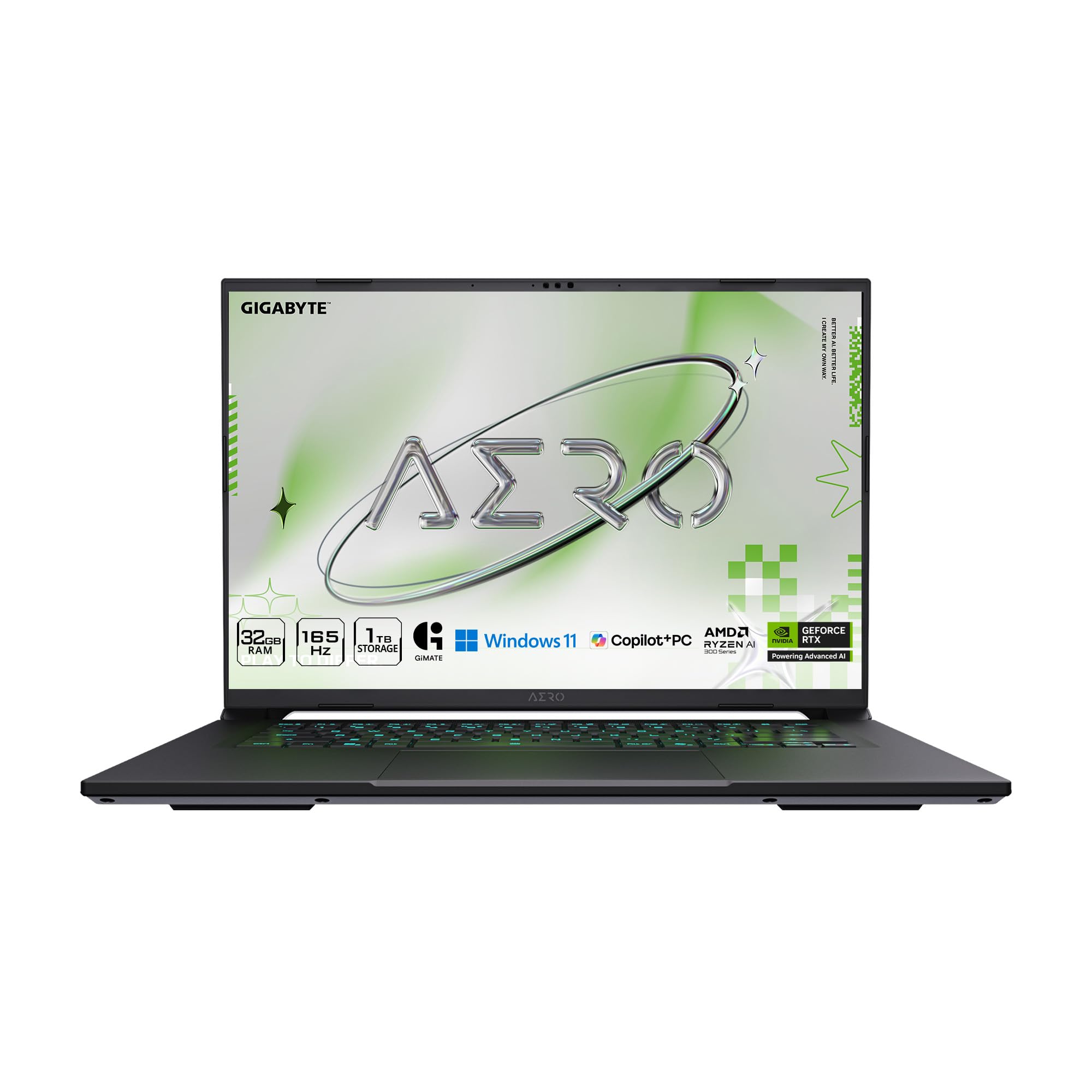
The GIGABYTE AERO X16 is a thin-and-light laptop built for developers who also work with creative tools and AI models. The AMD Ryzen AI 9 HX 370 processor features a neural processing unit delivering up to 50 TOPS, which helps accelerate on-device AI tasks while keeping power consumption reasonable for a 16-inch laptop. The NVIDIA GeForce RTX 5070 with 8GB VRAM supports CUDA-accelerated workflows and delivers solid performance for game development in Unity or Unreal Engine.
The 16-inch WQXGA 165Hz display offers excellent color accuracy and high refresh rate for fluid scrolling through long code files and responsive UI interactions during development. At 0.65 inches thick and 4.18 pounds, it’s genuinely portable for a laptop with this level of hardware. Users report around 7 hours of battery life during school and light development use, which is competitive for a machine with discrete graphics.
Thermal management is a standout feature — users report mid-60s Celsius temperatures under load with a cooling pad, and the laptop remains quiet during non-gaming workloads. The single USB-C port is a limitation that will require a hub for connecting peripherals, but the overall build quality, upgradeable storage (dual M.2 slots), and minimal bloatware make this a strong choice for developers who value portability without sacrificing GPU muscle.
Why it’s great
- RTX 5070 8GB provides CUDA acceleration for ML and game development
- 50 TOPS NPU handles on-device AI tasks efficiently
- Thin and light design at 0.65 inches and 4.18 pounds
- Excellent thermals with quiet operation during development work
Good to know
- Only one USB-C port, requiring a hub for multiple peripherals
- Display is not OLED, so black levels are not as deep as premium alternatives
- Initial stability issues reported by some users, resolved with clean Windows install
5. ASUS ROG Strix G16 (2025)

The ROG Strix G16 sits at the sweet spot for programmers who need a powerful GPU for game development, rendering, or CUDA workloads without stepping into the four-figure premium tier. The Intel Core i7 14650HX with 16 cores (8 performance, 8 efficient) offers strong multi-threaded performance for compilation while the RTX 5060 handles 3D rendering and machine learning model training. The 165Hz FHD+ display features an ACR film that reduces glare, making it easier to work in brightly lit environments.
The 16GB of DDR5-5600 RAM is adequate for most development workflows, though programmers running multiple VMs or large datasets will want to consider the 32GB configuration. The 1TB PCIe Gen 4 SSD provides fast storage, and the tool-less bottom panel makes upgrading memory and storage straightforward. The recommended retail package includes a vapor chamber and tri-fan cooling, which users confirm keeps the system stable during prolonged compilation sessions.
User experiences highlight that the laptop benefits from a manual driver and firmware update upon arrival — it’s not fully optimized out of the box. The battery life is short at around 2 hours under load, so this is primarily a plugged-in workstation. The build quality is solid with a manageable amount of chassis flex, and the 360-degree RGB light bar can be disabled for a professional appearance in the office.
Why it’s great
- RTX 5060 provides strong CUDA and game development performance
- 16-core i7 14650HX handles heavy compilation and multi-threaded tasks
- Tool-less bottom panel makes RAM and SSD upgrades easy
- Anti-glare ACR film reduces reflections in bright workspaces
Good to know
- Requires manual driver and firmware updates for full optimization
- Battery life is limited to around 2 hours under load
- 8GB VRAM on RTX 5060 may limit larger ML model training
6. Acer Nitro V 16S AI

The Acer Nitro V 16S AI delivers excellent value for developers who need a strong GPU and ample RAM for AI and data science work. The AMD Ryzen 7 260 processor offers up to 38 AI TOPS, complementing the NVIDIA GeForce RTX 5060’s 572 TOPS for accelerated machine learning inference. The 32GB of DDR5 5600MHz memory provides plenty of headroom for data processing pipelines, virtual environments, and containerized development stacks.
The 16-inch WUXGA 1920×1200 display with 100% sRGB coverage and 180Hz refresh rate offers good color accuracy for UI development and visual debugging. The screen is bright enough for indoor use, though users note it’s not the brightest panel for outdoor work. The chassis is solidly built, and the easy-open bottom panel gives access to storage — one of the two PCIe Gen 4 M.2 slots is available for expansion.
Performance reports show the laptop handling Cyberpunk 2077 at 65 FPS with ray tracing enabled at 2K resolution, indicating the GPU is capable for CUDA workloads. The 135W power supply is a known limitation — under sustained peak load, the system may drain the battery. The 180Hz display is overkill for most development tasks but provides smooth UI interactions and will appeal to programmers who also game in their downtime.
Why it’s great
- 32GB DDR5 RAM provides excellent headroom for data science and VMs
- RTX 5060 with 572 TOPS supports serious ML acceleration
- 100% sRGB display with 180Hz refresh rate for smooth UI work
- Available M.2 slot for storage expansion
Good to know
- 135W power supply insufficient for sustained peak performance
- Display brightness is moderate, not suitable for bright outdoor use
- McAfee bloatware requires immediate removal for clean system operation
7. MSI Thin 15

The MSI Thin 15 is a focused machine for developers who need a dedicated GPU on a tighter budget. The Intel Core i7-13620H with 10 cores and the NVIDIA GeForce RTX 4050 deliver CUDA capabilities for machine learning projects and solid performance for game development. The 144Hz FHD display provides fluid motion for UI interactions, though the 250-nit typical brightness is a compromise for brightly lit rooms.
With 16GB of DDR4 RAM and a 512GB NVMe SSD, this configuration is entry-level for development workloads but sufficient for web development, scripting, and light container work. The 512GB drive fills quickly with development tools and VM images, so the upgrade to a 1TB SSD is strongly recommended. The chassis is plastic-based, and users report it feels less premium than metal-built alternatives, but the weight stays under 4.5 pounds.
Thermal management is a consideration — users report the fans kick into high gear even with modest loads, and a cooling pad is recommended for sustained sessions. The RTX 4050’s 6GB VRAM is a limiting factor for larger ML models and modern game development, but for learning projects and entry-level CUDA work, this machine delivers capable performance at a reasonable entry point.
Why it’s great
- RTX 4050 provides CUDA acceleration for entry-level ML and game dev
- 144Hz display delivers smooth UI interactions and scrolling
- Lightweight design at under 4.5 pounds for portability
- i7-13620H offers solid multi-threaded compilation performance
Good to know
- 6GB VRAM on RTX 4050 limits larger ML model training
- Plastic chassis feels less durable than premium metal builds
- Fans can be loud under load, requiring a cooling pad for comfort
- 512GB SSD fills quickly; upgrade highly recommended
8. Dell Tower Desktop ECT1250

The Dell Tower Desktop ECT1250 is a business-oriented machine that serves well as a dedicated development workstation. The Intel Core Ultra 7-265 processor, with its integrated NPU for AI acceleration, provides strong performance for backend development, web services, and database work. The 32GB of DDR5 RAM handles moderate virtualization and container workloads, and the 1TB NVMe SSD delivers fast project loads and compile times.
The desktop’s expandability is a key strength for developers — the tool-less entry and removable side panel make hardware changes straightforward for adding storage or upgrading RAM. The 180W power supply is a limitation for GPU upgrades, but the machine supports up to four FHD monitors via DisplayPort daisy-chaining, which is excellent for developers who need extensive screen real estate for documentation, terminals, and IDEs.
Users report using this machine for stock trading with multiple charts and data streams running simultaneously, and the processor rarely exceeds 20% utilization, demonstrating its headroom for heavy server-side development work. The included keyboard and mouse set is functional but basic, and there is no dedicated GPU for CUDA workflows, so this machine is best suited for software engineers who don’t work with machine learning or graphics programming.
Why it’s great
- Intel Core Ultra 7 with NPU handles AI-accelerated development tools
- Supports up to four FHD monitors for expansive development setups
- Tool-less design makes hardware upgrades quick and stress-free
- 1TB NVMe SSD provides fast storage for projects and databases
Good to know
- No dedicated GPU limits CUDA machine learning capabilities
- 180W power supply restricts GPU upgrade potential
- Single 32GB RAM stick instead of dual-channel configuration
9. Microsoft Surface Laptop (2024)

The Surface Laptop with the Snapdragon X Elite is a Copilot+ PC built around the ARM architecture. Its 12-core processor delivers competitive performance for productivity tasks, and all-day battery life (up to 20 hours) makes it a standout choice for developers who work remotely or move between locations frequently. The 3:2 aspect ratio 15-inch touchscreen display provides extra vertical space for reading code and documentation.
The 16GB of RAM and 256GB SSD are the entry-level configuration, which will be tight for developers working with large projects or multiple virtual machines. The machine is fanless, completely silent, and runs cool even under extended use. The build quality is exceptional, with a premium aluminum chassis and an excellent keyboard that writers and developers alike will appreciate for long typing sessions.
The critical consideration is ARM compatibility. The Snapdragon X Elite runs x86 code through emulation, and while most modern development tools work well, some older or niche tools may have issues — one user reports that Studio Design software and certain games didn’t work. Docker and WSL2 run without problems, but VMWare and VirtualBox virtualization are not supported. For web developers, Python developers, and those working with modern toolchains, this machine is excellent. For developers relying on x86-specific tooling or legacy software, compatibility needs careful evaluation.
Why it’s great
- Up to 20 hours of battery life for all-day mobile development
- Fanless and silent design with premium build quality
- 3:2 touchscreen display provides excellent vertical space for code
- Docker and WSL2 run smoothly on the ARM platform
Good to know
- ARM compatibility issues with older or niche x86 developer tools
- No support for VMWare or VirtualBox virtualization
- 256GB SSD may be insufficient for large project repositories
- 16GB RAM limits heavy VM and container workloads
10. NIMO 15.6″ Laptop

The NIMO 15.6″ Laptop brings 32GB of LPDDR5 RAM and a 1TB SSD to a mid-range price point, making it a strong candidate for developers who need memory headroom without spending premium money. The AMD Ryzen 7 Pro 6850U processor, with 8 cores and 16 threads boosting to 4.7 GHz, provides solid multi-threaded performance for compilation and container workloads. The integrated AMD Radeon 680M graphics are capable of light gaming and hardware acceleration for UI frameworks.
The 15.6-inch FHD IPS display uses an anti-glare coating that reduces reflections in well-lit environments, and the 85% screen-to-body ratio gives a reasonably modern look. The fingerprint touchpad adds convenience for secure authentication, and the backlit keyboard is a welcome feature for late-night coding sessions. The metal chassis feels more premium than the price suggests, and the 100W USB-C fast charging provides quick top-ups between sessions.
The build has some quirks — the numeric keypad layout places the period key above the 9 key rather than beside the zero, which takes adjustment for developers who use the numpad for data entry. The RAM is soldered and not upgradeable, so the 32GB configuration is the one you’re stuck with. User reviews confirm the machine runs Sims 4 smoothly with all expansions, indicating that the integrated graphics handle moderate CUDA-adjacent workloads well for learning purposes.
Why it’s great
- 32GB LPDDR5 RAM provides ample headroom for containers and VMs
- 1TB SSD offers generous fast storage for projects and tools
- Metal chassis and backlit keyboard at a mid-range price
- Anti-glare FHD display reduces eye strain during long sessions
Good to know
- LPDDR5 RAM is soldered and not upgradeable
- Numeric keypad layout has unusual period key placement
- Integrated graphics not suitable for dedicated CUDA/ML work
11. HP 15.6″ Laptop 2026 Edition

The HP 15.6″ Laptop 2026 Edition serves a very specific purpose: it packs 32GB of RAM into a budget-friendly chassis, making it suitable for programmers who need memory for multiple browser tabs, documentation, and lightweight IDEs but don’t need CPU-intensive compilation performance. The Intel N100 processor is a low-power chip with 4 cores and a maximum Turbo boost of 3.4 GHz, adequate for interpreted languages like Python, JavaScript, and PHP, but noticeably slow for compiled languages like C++, Rust, or Java.
The 1TB internal SSD provides plenty of storage for development environments, packages, and cached data. At 3.64 pounds, the machine is genuinely portable, and the anti-glare 15.6-inch display helps reduce eye strain during long study sessions. Wi-Fi 6 connectivity ensures fast network speeds for cloning repositories and downloading dependencies.
This machine is best viewed as a dev learning environment or a secondary portable device for working with cloud-based IDEs and remote servers. The processor cannot handle serious local compilation, Docker virtualization, or ML training. Users report the device runs Microsoft Office and web-based tools smoothly, but more demanding development workflows will push the CPU to its limit quickly. For students learning to code with Python, HTML/CSS, or JavaScript, this is a functional and affordable option.
Why it’s great
- 32GB RAM handles heavy web browsing and documentation multitasking
- 1TB SSD provides generous storage for learning projects and tools
- Lightweight at 3.64 pounds for easy portability between classes
- Anti-glare display helps reduce eye fatigue during long sessions
Good to know
- Intel N100 processor is underpowered for compilation and virtualization
- Integrated graphics lack any CUDA capability for ML work
- Not suitable for large projects, Docker containers, or compiled languages
12. Apple MacBook Neo 13-inch
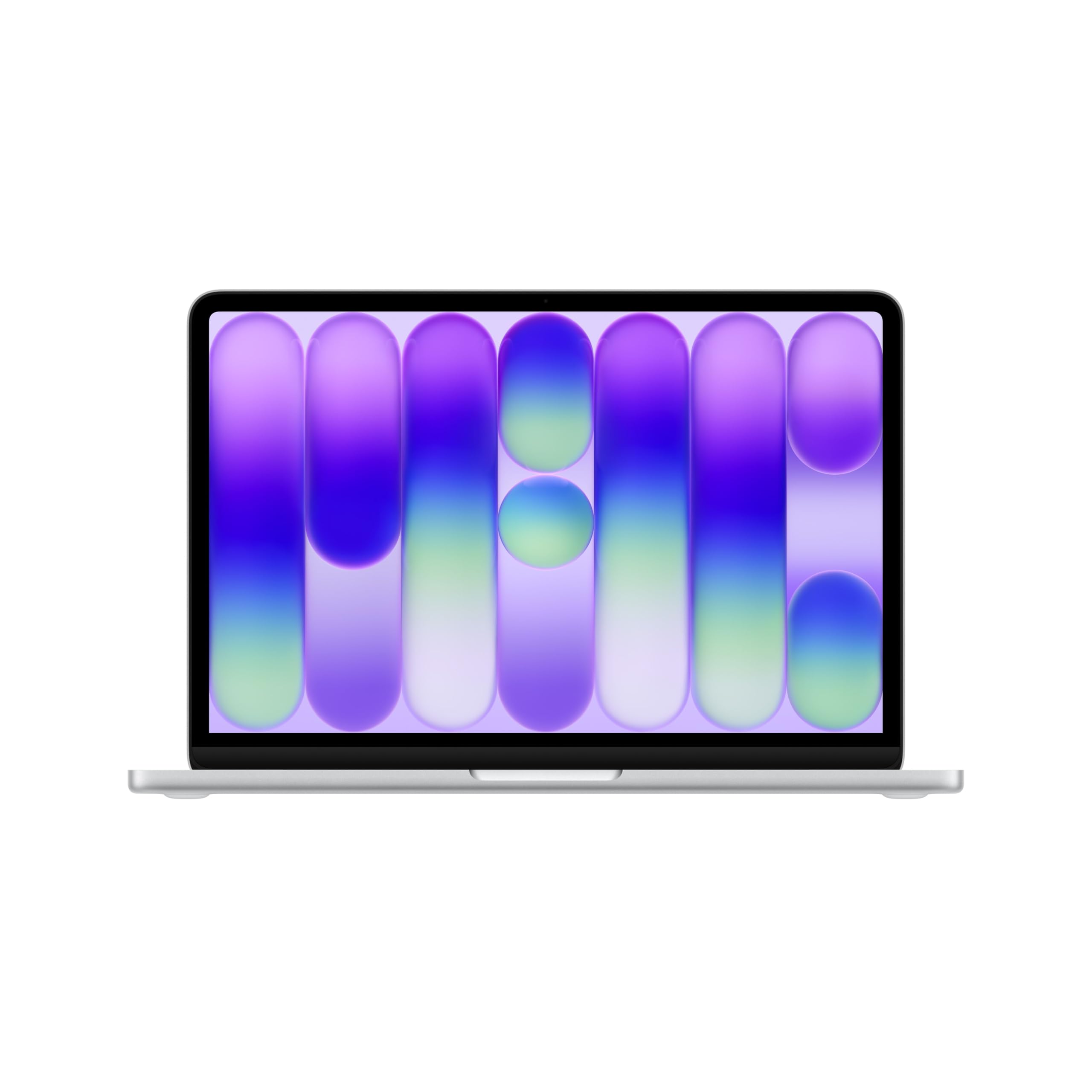
The MacBook Neo 13-inch marks Apple’s entry-level laptop with the A18 Pro chip, delivering strong performance for everyday development tasks. The 13-inch Liquid Retina display with 500 nits brightness and support for a billion colors provides excellent text clarity for prolonged reading and writing sessions. The 8GB unified memory and 512GB SSD are the entry-level configuration, which will feel tight for developers working with larger projects or multiple containers.
The battery life sets a high standard — up to 16 hours of real-world usage means a full day of development without reaching for a charger. The fanless design means the machine is absolutely silent during all workloads, which is a significant advantage for focus and for working in quiet environments like libraries or open-plan offices. The build quality is typical Apple: precise aluminum construction, excellent trackpad, and a comfortable keyboard.
The key limitation for developers is the 8GB unified memory, which is shared between the CPU and GPU and cannot be upgraded after purchase. This configuration handles web development, iOS app development with Xcode, and scripting comfortably, but will struggle with multiple Docker containers, virtual machines, or large data processing tasks. The lack of a backlit keyboard on the base model is a frustration for dark-room coding. If you’re already in the Apple ecosystem and developing for iOS or macOS, this is the natural entry point.
Why it’s great
- Fanless and silent design ideal for focus-driven development work
- Up to 16 hours of battery life supports full-day mobile coding
- 500-nit Liquid Retina display provides excellent text clarity
- Seamless integration with Apple ecosystem for iOS/macOS development
Good to know
- 8GB unified memory insufficient for heavy container and VM workloads
- Base model lacks backlit keyboard for low-light coding sessions
- Limited to single external display; expandability is constrained
13. Lenovo V15 Laptop

The Lenovo V15 is a no-frills entry point for programming students and developers on a tight budget. The AMD Ryzen 5 5500U processor with 6 cores and 12 threads offers capable multi-threaded performance for its class — compiling small to medium projects and running multiple terminal sessions is manageable. The 16GB of DDR4 RAM is the minimum recommended for development work, and paired with the 512GB NVMe SSD, the system feels responsive for everyday tasks.
The 15.6-inch FHD display delivers adequate clarity for coding, though reviews consistently note the panel quality is mediocre — colors appear washed out and viewing angles are narrow. This is an acceptable compromise at this price point, and the display works well enough for terminal work and text editors. A full numeric keypad is included, which benefits developers who enter numerical data regularly, though the touchpad position is offset and may cause accidental clicks.
The machine runs Windows 11 Pro by default, which includes useful enterprise features for developers who manage group policies or need BitLocker encryption. The battery life is short — around 45 minutes under heavy use and about 1.25 hours on power-saving mode, making this a desktop-replacement laptop rather than a mobile companion. For students who need a machine for learning Python, Java, or web development fundamentals on a student budget, the Lenovo V15 delivers the essential specs where they matter most.
Why it’s great
- 6-core Ryzen 5 5500U provides solid entry-level compilation performance
- Windows 11 Pro includes enterprise features for development environments
- Full numeric keypad supports data entry and spreadsheet work
- NVMe SSD ensures fast boot and project load times
Good to know
- Display quality is mediocre with poor color reproduction
- Battery life is very short — under 1.5 hours on power saving
- Touchpad offset position may cause accidental clicks during typing
- 16GB RAM is the minimum for modern development; consider upgrading
FAQ
How much RAM do I actually need for programming in 2026?
Do I need a dedicated GPU for programming?
Is a MacBook Pro better than a Windows laptop for programming?
What is the best screen size for programming on a laptop?
Final Thoughts: The Verdict
For most users, the best computer for programming winner is the NIMO 15.6″ Laptop because it delivers 32GB of RAM and a strong 8-core processor at a price that leaves room for accessories or a monitor. If you need the absolute maximum performance for AI model training and heavy compilation, grab the Lenovo Legion Pro 7i Gen 10. And for a silent, portable machine with exceptional battery life for iOS and web development, the Apple MacBook Neo 13-inch remains the ecosystem choice.

Mo Maruf
I created WellFizz to bridge the gap between vague wellness advice and actionable solutions. My mission is simple: to decode the research and give you practical tools you can actually use.
Beyond the data, I am a passionate traveler. I believe that stepping away from the screen to explore new environments is essential for mental clarity and physical vitality.