Our readers keep the lights on and my smoothie glass nicely filled. As an Amazon Associate, I earn from qualifying purchases.
Specs are compiled from manufacturer listings and verified buyer reviews and can change over time — please confirm the key details on the product page before buying.
Editing a high-resolution photo is brutal when your computer stutters on every brush stroke. You need a machine that chews through 50-megapixel RAW files without making you wait. This guide breaks down the ten best computers for photographers, separating the quick workers from the budget traps, so you pick the one that actually fits your workflow.
I’m Mohammad Maruf — the founder and writer behind WellFizz. This guide is built by comparing the manufacturers’ published specifications and the patterns across verified customer reviews, so you get each pick’s real strengths and trade-offs instead of marketing spin.
Whether you prize a huge, color-accurate display or a compact tower that shoves through 4K renders, the right computer for photographers speeds up every step from import to final export.
Quick Picks
- Apple 2024 iMac All-in-One Desktop Computer with M4 chip — Best Overall
- GEEKOM A9 Max High AI Productivity Mini PC — Pro Grade
- Dell Pro Tower Plus Business Desktop PC — Best Value
- MINISFORUM MS-01 Mini Workstation — Pro Connectivity
- Lenovo IdeaPad 15.6” FHD Touchscreen Laptop — Best for Portability
- HP OmniDesk Desktop Computer PC, AMD Ryzen 7 8700G — Solid Mid-Range
- LXZ Gaming PC Desktop Ryzen 7 5700X | GeForce RTX 5060 8GB — GPU Focus
- HP Mini Desktop PC Computer for Office Work — Multi-Monitor
- NIMO 15.6 Gaming-Creator-Laptop — Portable Workstation
- suevery Prebuilt Gaming PC Desktop, Ryzen 7 5700X — Entry Level
How To Choose The Best Computer For Photographers
Buying a photo-editing machine is different from buying a general-use PC. You care more about how fast a filter applies and how accurately the screen shows colors than about raw gaming frame rates. Here are the three specs that matter most for your photography workflow.
Processor Power: More Cores Speed Up Renders
The CPU (the brain of the computer) does the heavy lifting when you apply noise reduction, stitch panoramas, or export batches of images. A processor with more cores (like 8 or more) and a higher maximum clock speed (measured in GHz, such as 4.6 GHz) finishes those tasks faster. For a photographer, a modern mid-range chip like an AMD Ryzen 7 or an Intel Core i7 is the balance between cost and performance.
Memory and Storage: RAM and SSD Explained
RAM (Random Access Memory) is your computer’s short-term workspace. A 16GB stick of RAM can handle a basic Lightroom catalog, but 32GB of RAM (or more) lets you keep dozens of high-res layers open without stuttering. For storage, an NVMe SSD (a super-fast solid-state drive that plugs directly into the motherboard) loads your photo library and editing software almost instantly. Avoid older hard drives for your active work — they are too slow for loading massive RAW files.
Graphics Card: The GPU’s Role in Photo Editing
The GPU (Graphics Processing Unit, or video card) handles screen rendering and accelerates specific edits. In software like Photoshop and Lightroom, a dedicated GPU with its own video memory (VRAM, measured in GB) speeds up tasks like healing brush strokes, smart sharpen, and GPU-accelerated previews. For most photographers, an entry-level dedicated card like an RTX 3050 with 6GB or 8GB of VRAM provides a noticeable boost over integrated graphics.
Quick Comparison
| Model | Best For | CPU | RAM | Storage | Amazon |
|---|---|---|---|---|---|
| Apple 2024 iMac M4 | All-in-one color accuracy | Apple M4 (10-core) | 16GB Unified | 512GB SSD | Amazon |
| GEEKOM A9 Max Mini PC | Compact AI-powered editing | AMD Ryzen AI 9 HX 370 | 32GB DDR5 | 1TB SSD | Amazon |
| Dell Pro Tower Plus | Business-grade expandability | Intel Core Ultra 7 265 (20-core) | 32GB DDR5 | 2TB PCIe SSD | Amazon |
| MINISFORUM MS-01 | Ultra-fast wired workflow | Intel Core i9-13900H (14-core) | 32GB DDR5 | 1TB M.2 SSD | Amazon |
| Lenovo IdeaPad Touchscreen | Touchscreen editing on the go | Intel Core i5-1235U (10-core) | 40GB | 2.5TB (2TB SSD+512GB SD) | Amazon |
| HP OmniDesk Ryzen 7 | Balanced desktop value | AMD Ryzen 7 8700G | 32GB DDR5 | 1TB NVMe SSD | Amazon |
| LXZ Gaming PC RTX 5060 | GPU-accelerated editing on a budget | AMD Ryzen 7 5700X (8-core) | 16GB DDR4 | 1TB SSD | Amazon |
| HP Mini Desktop i7 | Triple 4K monitor setup | Intel Core i7-12700T (12-core) | 64GB DDR4 | 2TB NVMe SSD | Amazon |
| NIMO 15.6 Creator Laptop | Portable workstation | AMD Ryzen 7 8745HS (8-core) | 32GB DDR5 | 1TB PCIe 4.0 SSD | Amazon |
| suevery Prebuilt Gaming PC | Entry-level photo editing desk | AMD Ryzen 7 5700X (8-core) | 16GB DDR4 | 512GB NVMe SSD | Amazon |
In‑Depth Reviews
1. Apple 2024 iMac All-in-One Desktop Computer with M4 chip

The all-in-one that turns your desk into a color-critical studio.
The iMac’s 24-inch 4.5K Retina display is the headline for any photographer — it delivers 500 nits of brightness and supports up to 1 billion colors, so your edits look accurate to the final print. The M4 chip with a 10-core CPU and a 10-core GPU handles everything from importing a memory card full of RAW files to applying complex masks in Photoshop without the fan spinning up audibly. The 16GB of unified memory and the 512GB SSD storage is a balanced starting point, though heavy shooters may want more external storage for their libraries.
Buyers report this machine is “fast, responsive and a gorgeous screen,” with one noting it is a “major speed upgrade” from older Intel-based Macs. The 12MP Center Stage camera and six-speaker Spatial Audio system are bonuses for client video calls. The trade-off is that the 16GB of memory is not upgradeable after purchase, and the port selection — up to four Thunderbolt 4 ports — may require dongles for older USB-A card readers. If you are already in the Apple ecosystem, the smooth integration with iPhone Mirroring and AirDrop is a real workflow shortcut.
While the 16GB memory ceiling is a real limitation for some pro workflows (unlike the 32GB in the HP OmniDesk below), the color-accurate display and M4 efficiency mean it is the simplest way to get a stunning photo-editing machine on your desk.
Pro Studio Features
- Brilliant 24-inch 4.5K Retina display supports up to 1 billion colors
- M4 chip provides snappy performance for photo and video editing
- Slim all-in-one design saves desk space and reduces cable clutter
Real Limits
- 16GB unified memory is not upgradeable after purchase
- Ports are Thunderbolt 4 only, requiring adapters for many card readers
- Premium-priced compared to similar-spec Windows towers
Your go-to for: Photographers who value a gorgeous, color-accurate display and want a clean, all-in-one desk setup with Apple’s ecosystem advantages.
Watch out for: The non-upgradeable memory — if your workflow regularly exceeds 16GB, a desktop with user-replaceable RAM is a safer bet.
2. GEEKOM A9 Max High AI Productivity Mini PC

A tiny powerhouse that shoves an AI brain into your photo workflow.
This mini PC packs the AMD Ryzen AI 9 HX 370 processor, which delivers up to 80 TOPS of AI performance with a dedicated XDNA 2 NPU. For a photographer, that translates to faster local AI denoising in tools like Adobe Lightroom and quicker upscaling in apps that leverage the NPU (Neural Processing Unit, a dedicated chip for AI tasks). The Radeon 890M graphics with 16 RDNA 3.5 Compute Units handles 4K video editing and 3D rendering in Blender smoothly, and the 32GB of DDR5 RAM plus a 1TB SSD means you can open huge catalogs without a hiccup.
Owners mention the GEEKOM runs quiet and handles heavy multitasking well, though one reviewer noted it runs a bit warm under load and required a re-paste (applying new thermal paste to the CPU) to fix throttling. The all-metal chassis and IceBlast 2.0 cooling system help maintain performance. It supports up to four 8K displays via dual USB4 and dual HDMI 2.1 ports, which is overkill for most photographers but a dream for multi-monitor editors.
Unlike the HP OmniDesk which comes with a keyboard and mouse, the GEEKOM is a bare system — you provide your own peripherals. But its 3-year warranty (compared to the typical 1-year) and support for up to 128GB DDR5 memory make it a future-proof choice that grows with your demands.
Future-Ready Firepower
- AMD Ryzen AI 9 HX 370 with 80 TOPS accelerates AI photo editing tasks
- Supports up to 128GB DDR5 RAM for heavy multi-tasking
- Quad 8K display output via dual USB4 and dual HDMI 2.1
Compact Compromises
- Runs warm under heavy load; thermal paste may need re-application
- No included keyboard, mouse, or monitor — a separate purchase
- Item weight of 1.66 kg is heavier than many other mini PCs
Who it serves best: Editors who want a compact desktop that leverages AI acceleration and supports huge memory expansions for demanding catalogs.
The main trade-off: You must supply your own peripherals and monitor, and under sustained load, expect fan noise and above-average chassis warmth.
3. Dell Pro Tower Plus Business Desktop PC
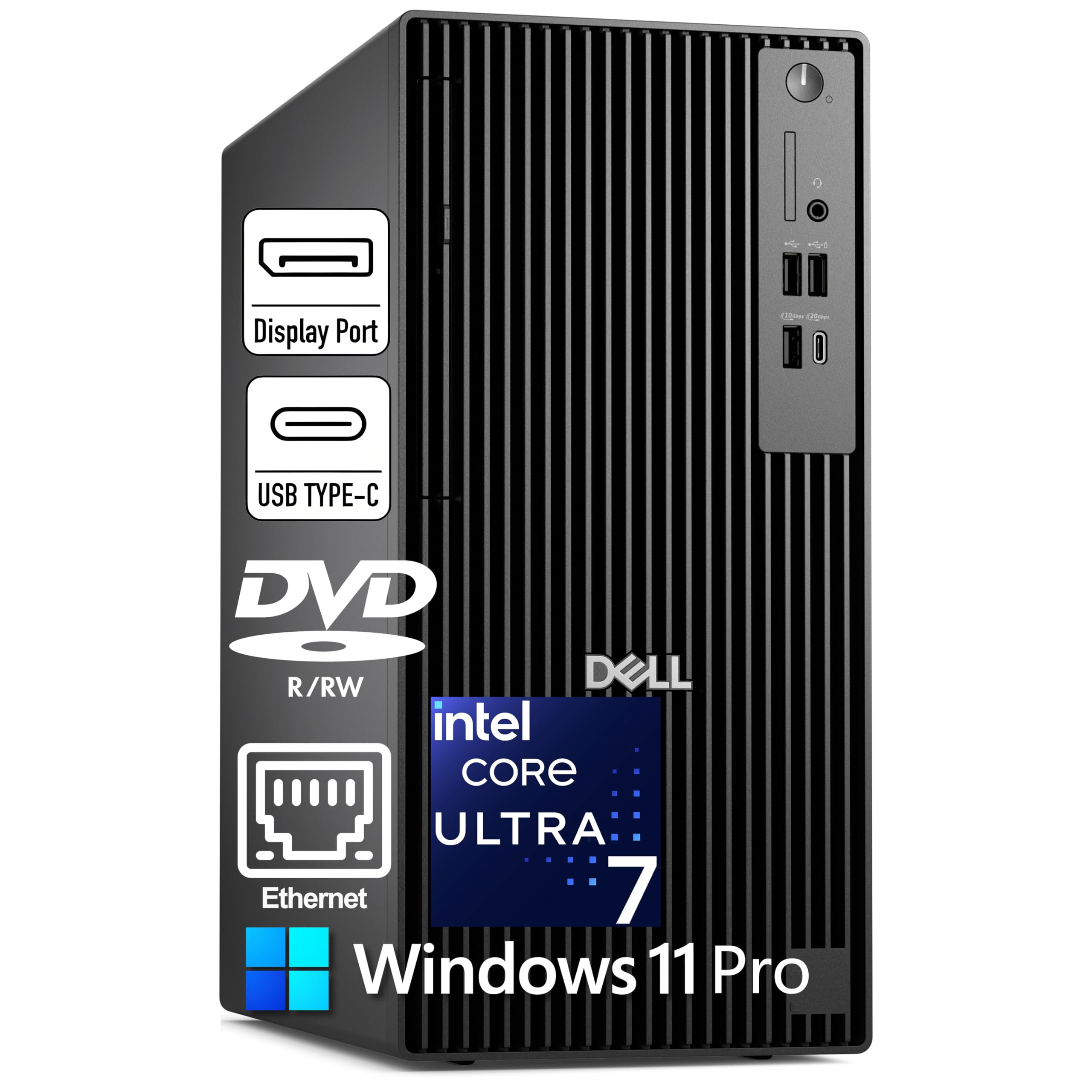
A business-grade tower that punches hard for photo editing.
The Dell Pro Tower Plus is built around the Intel Core Ultra 7 265, a 20-core processor with a 13 TOPS NPU for AI acceleration, which gives you a smooth ride when running noise reduction or upscaling tools. It comes with 32GB of DDR5 RAM and a 2TB PCIe NVMe SSD — plenty of fast storage to hold your entire Lightroom catalog and finished exports. The three DisplayPort 1.4a outputs support triple 4K monitors, so you can have your editing window, preview, and reference images all visible at once.
One buyer called it a “powerhouse of a computer,” noting it handles multiple applications simultaneously without hitting limits. A major plus is the inclusion of Windows 11 Pro, BitLocker encryption, and Hyper-V virtualization, which are enterprise features you don’t usually get in a consumer desktop. However, the Dell lacks built-in WiFi — it relies on wired Ethernet — so you will need a USB WiFi adapter or a powerline kit to get online if your router is not near your desk.
Unlike the HP Mini Desktop which includes a keyboard and mouse, the Dell tower has no included peripherals. But its traditional tower form factor means easy future upgrades to RAM, storage, and even the GPU.
Enterprise-Grade Muscle
- Intel Core Ultra 7 265 (20 cores, up to 5.3GHz) with AI NPU
- Triple 4K monitor support via three DisplayPort 1.4a outputs
- Comes with Windows 11 Pro, BitLocker encryption, and 2TB SSD
Missing Pieces
- No built-in WiFi — wired Ethernet connection required
- No keyboard or mouse included in the box
- Integrated graphics limit heavy 3D rendering performance
Reach for this if: You want a powerful, expandable tower with triple 4K support and business-grade security software pre-installed.
Look elsewhere if: You need built-in WiFi or prefer a smaller, more portable desktop form factor.
4. MINISFORUM MS-01 Mini Workstation

A mini workstation that connects to everything at blistering speeds.
The MINISFORUM MS-01 is built around the Intel Core i9-13900H (14 cores, up to 5.4 GHz) and features integrated Intel Iris Xe Graphics (at a 1.5 GHz frequency). While it is not a gaming GPU, the real draw for a photographer is its connectivity: two 10G SFP+ ports and two 2.5G LAN ports give you an ultra-fast wired network to a NAS (Network Attached Storage) where you can store and retrieve your full-resolution image library with zero lag. It also includes 32GB of DDR5 RAM and a 1TB M.2 2280 PCIe4.0 SSD that supports RAID0 and RAID1 configurations.
Customers note this mini workstation is a “workhorse” for home lab and multi-tasking, with “tons of nvme slots” and a small footprint. One buyer mentioned the SFP+ ports on their unit experienced intermittent disconnections, which caused them to deduct points. The USB4 ports support 8K@30Hz and 4K@144Hz output, and the PCIe x16 slot allows you to install a dedicated graphics card like the RTX 3050 (which the maker says is tested) for a serious editing boost.
Unlike the Dell Pro Tower, which has a standard desktop form factor, the MS-01 is a compact 12.40-inch x 6.10-inch x 13.27-inch chassis that sits quietly on a desk. If you work with a central NAS and need a fast, quiet workstation near your editing station, this is a unique fit.
Speed Demon Connectivity
- Dual 10G SFP+ and dual 2.5G LAN ports for ultra-fast NAS access
- USB4 supports 8K@30Hz and 4K@144Hz display output
- PCIe x16 slot allows upgrading to a dedicated graphics card
Network Reliance
- SFP+ port disconnection issues reported by some users
- Integrated graphics are weak for heavy GPU-accelerated editing
- Requires a fast wired network to fully utilize the 10G ports
Best for: Photographers who store their library on a NAS and want a compact, quiet workstation with top-tier wired networking.
The catch: The integrated graphics are not powerful enough for intensive GPU work — you will want to install a dedicated card in the PCIe slot.
5. Lenovo IdeaPad 15.6” FHD Touchscreen Laptop
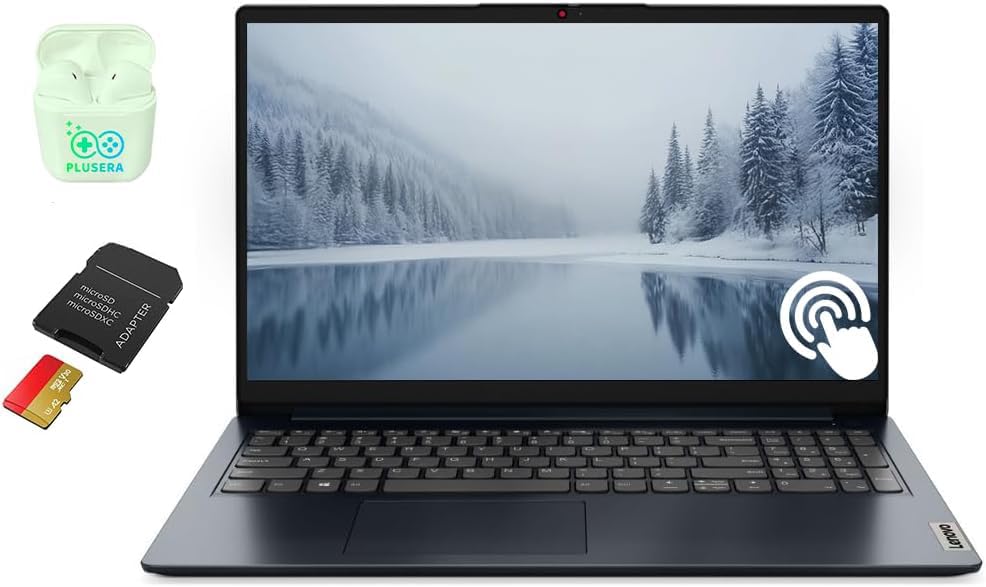
A touchscreen laptop with a massive 40GB of RAM for heavy multitasking.
The Lenovo IdeaPad stands out for its 40GB of RAM — an unusual spec that lets you keep dozens of browser tabs, Lightroom, and Photoshop open simultaneously without any slowdown. The 15.6-inch 1920 x 1080 touchscreen display is handy for zooming into photos with a pinch gesture or navigating Lightroom sliders by touch. It also comes with 2.5TB of total storage (a 2TB SSD plus a 512GB SD card), which is generous space for your RAW library and finished JPEGs.
Buyers confirm it is “very fast and great for DJ and on the go music production,” with another noting the “build quality, numeric keypad, fast performance.” The laptop includes an SD card reader, a numeric keypad, and a camera privacy shutter. The catch is that one owner reported “random constant restarts” and a USB-C port that lacks display support, so it is worth testing immediately after purchase and ensuring your return window is clear.
Compared to the NIMO laptop, this Lenovo has more RAM (40GB vs 32GB) and a touchscreen, but its Intel Core i5-1235U processor has a lower maximum boost clock (4.40 GHz vs 4.9 GHz) and uses integrated Intel Iris Xe Graphics rather than the Radeon 780M, which means GPU-accelerated tasks are slower.
Multitasking Monster
- Generous 40GB of RAM handles massive Photoshop files and many apps
- 1920×1080 touchscreen display for intuitive zoom and navigation
- Huge 2.5TB storage (2TB SSD + 512GB SD card) for photo libraries
Potential Pitfalls
- Some reviewers point out random restarts and USB-C display issues
- Intel Iris Xe Graphics is slower than a dedicated GPU for filters
- Processor is a lower-power i5, not ideal for heavy batch exports
Who this is for: Photographers who want a portable workspace with massive RAM and a touchscreen for on-the-fly edits.
Be aware: Quality control issues are reported — buy from a seller with a solid return policy and test the unit thoroughly within the first week.
6. HP OmniDesk Desktop Computer PC, AMD Ryzen 7 8700G

A balanced desktop with integrated AI and a 5.1 GHz boost.
The HP OmniDesk uses the AMD Ryzen 7 8700G processor, which clocks up to 5.1 GHz — a full 0.5 GHz faster than the 4.6 GHz ceiling on the suevery and LXZ desktops, and it offers 11% more maximum speed than the suevery’s Ryzen 7 5700X as stated in the comparison facts. It also includes AMD Ryzen AI with 16 NPU TOPS (trillions of operations per second), which helps speed up AI-powered tasks in compatible photo editing software. The 32GB of DDR5-5200 MT/s memory and the 1TB PCIe Gen4 NVMe SSD provide quick boot and application load times.
Shoppers say the system is “as described,” “fast,” and a “solid value for the money,” with one reviewer calling it a “decent, and upgradable starter gaming system.” The included HP black wireless keyboard and mouse combo gets you started immediately. However, one buyer was disappointed with the quality of the included keyboard and mouse, calling them “not up to the quality I would have expected from HP.” The integrated Radeon 780M graphics are capable for photo editing but will lag behind a dedicated card for heavy 3D rendering.
Unlike the LXZ desktop below, the HP OmniDesk has integrated graphics, while the LXZ includes a dedicated RTX 5060 8GB GPU. If you rely heavily on GPU-accelerated edits, the LXZ with its dedicated card is the better choice for the same general tier.
Well-Rounded Specs
- AMD Ryzen 7 8700G with 5.1 GHz max boost speed
- 32GB DDR5 RAM and 1TB NVMe SSD for fast multitasking
- Includes HP wireless keyboard and mouse
Budget Corners
- Included keyboard and mouse are lower quality according to reviewers
- Integrated Radeon 780M is weaker than a dedicated GPU
- Limited upgrade path for the graphics card in this form factor
Ideal for: Photographers who want a complete, ready-to-use desktop with plenty of RAM and a fast CPU for smooth Lightroom editing.
Keep in mind: The included peripherals are not premium, and for heavy GPU-accelerated work, a dedicated graphics card is still better.
7. LXZ Gaming PC Desktop Ryzen 7 5700X | GeForce RTX 5060 8GB

A dedicated RTX 5060 gives this desktop a clear edge for GPU-accelerated edits.
The LXZ desktop pairs the AMD Ryzen 7 5700X (8 cores, up to 4.6 GHz) with a dedicated NVIDIA GeForce RTX 5060 with 8GB of GDDR6 VRAM. This is a significant advantage for photographers who use GPU-accelerated tools in Lightroom and Photoshop — the RTX 5060 handles complex healing brush strokes, smart sharpen, and rendering previews much faster than integrated graphics. The 16GB of DDR4 RAM and 1TB SSD are adequate for most catalogs, though power users may want to upgrade the RAM down the line.
Buyer reviews are mixed. One says the machine is “fast, quiet,” and accepts up to 64GB RAM easily, but another reported a failed hard drive and RAM within six months, costing in repairs. A third noted the system booted directly to Windows without an account setup, raising concerns about prior use. The storage SSD is not upgradeable as reported by one reviewer, so you may need an external drive for extra capacity.
Compared to the HP OmniDesk, the LXZ gives you a much stronger dedicated GPU (RTX 5060 8GB vs Radeon 780M integrated) for about the same price tier, making it the obvious pick if your editing workflow leans on GPU power. However, its reliability concerns give the HP the edge for long-term confidence.
GPU Advantage
- NVIDIA GeForce RTX 5060 with 8GB GDDR6 VRAM for smooth GPU edits
- Ryzen 7 5700X provides solid multi-core CPU performance
- Supports up to 64GB RAM upgrade for future needs
Quality Concerns
- Multiple reports of hardware failure within months of purchase
- Some units appear to have been previously used or set up
- SSD is not upgradeable, limiting internal storage expansion
Best for: Photographers who prioritize GPU-accelerated editing power and do not mind a lower price for a higher risk of quality issues.
Read the fine print: Reviews suggest a 50/50 chance of a smooth experience — buy from a seller with a generous return policy.
8. HP Mini Desktop PC Computer for Office Work

A tiny desktop that drives three 4K monitors at once for a massive editing canvas.
The HP Mini Desktop packs an Intel Core i7-12700T (12-core, up to 4.7 GHz) with a massive 64GB of DDR4 RAM and a 2TB NVMe SSD. The 64GB RAM is overkill for most photographers today, but it future-proofs you for multi-layer PSD files and running heavy virtual machines. The standout feature is the triple 4K monitor support via Dual DisplayPort 1.4 and HDMI 2.1 — you can have your Lightroom grid on one screen, a 100% preview on another, and a reference image on the third. The 6.97-inch compact design and whisper-quiet operation make it easy to tuck away under a desk.
Buyers confirm it is a “workhorse with zero problems” and “fast, better tech” than their previous laptops. One customer observed the machine has what appears to be both a mechanical HD and an SSD, causing confusion. The system includes an HP wired keyboard and mouse, so you are ready to go from the start. The trade-off is that it uses Intel UHD 770 integrated graphics, which is much weaker than the dedicated RTX 5060 in the LXZ desktop for GPU-accelerated tasks, and it has no built-in WiFi — only Ethernet.
Compared to the Dell Pro Tower, the HP Mini provides more RAM (64GB vs 32GB) and a smaller form factor, but its integrated graphics and lack of WiFi make it less suited for standalone editing than the Dell with its triple DisplayPorts.
Productivity Command Center
- Massive 64GB DDR4 RAM for huge multi-tasking workloads
- Triple 4K monitor support via Dual DisplayPort 1.4 + HDMI 2.1
- Compact 6.97-inch design fits easily into any workspace
Missing Speed
- Intel UHD 770 integrated graphics are weak for GPU editing
- No built-in WiFi — requires wired Ethernet connection
- Processor is a lower-power T-series, less peak performance
Reach for this if: You run a multi-monitor editing station and want a tiny, quiet desktop that can handle heavy multitasking with 64GB of RAM.
Look elsewhere if: You rely on GPU-accelerated filters or need built-in WiFi — this machine focuses on wired connectivity and memory density.
9. NIMO 15.6 Gaming-Creator-Laptop
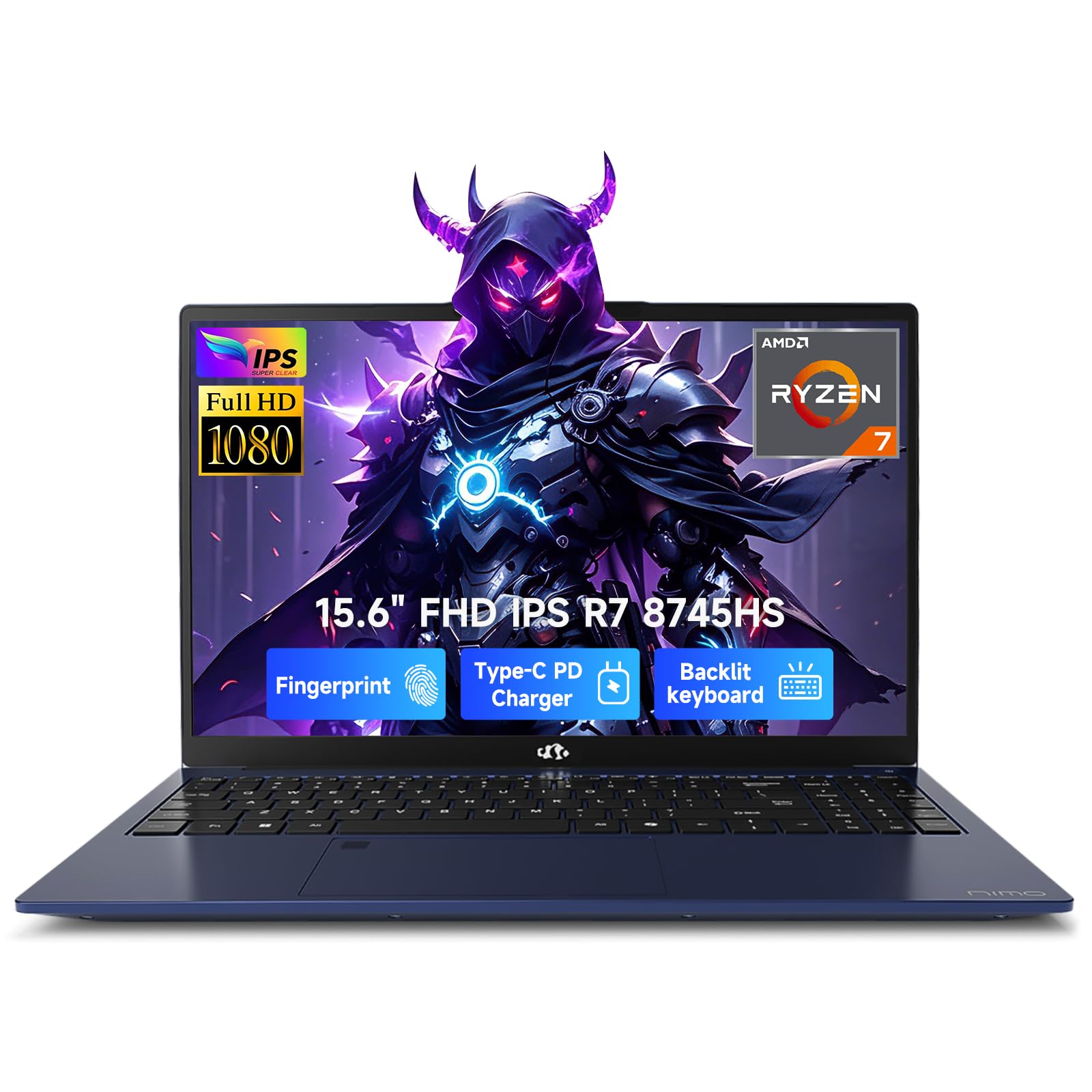
A lightweight laptop that brings desktop-level editing power to your bag.
The NIMO laptop pairs the AMD Ryzen 7 8745HS processor (up to 4.9 GHz) with the Radeon 780M integrated graphics built on RDNA 3 architecture, delivering solid performance for photo editing and 1080p video streaming. It comes with 32GB of DDR5 RAM and a 1TB PCIe 4.0 SSD, both fully upgradeable to 64GB RAM and dual SSDs in the future. The 15.6-inch Full HD display with a 180-degree lay-flat hinge makes it easy to share your edits with clients. It also features a 100W PD (Power Delivery) fast charger that recharges to 50% battery in just 30 minutes.
Buyers report it is “light weight doesn’t overheat holds all of my school work no problem with the storage excellent performance and affordable” — matching the verified review quote. Another noted the “large screen, very quiet fans, big keyboard keys, fingerprint security.” The USB4 port allows connecting an external GPU later for more demanding rendering. It also includes a built-in Micro SD reader, which is handy for direct camera card access.
Compared to the Lenovo IdeaPad, the NIMO is lighter and has a much more powerful integrated GPU (Radeon 780M vs Intel Iris Xe) and a faster processor, making it the better choice for on-the-go photo editing that needs GPU acceleration. Its 100W PD charging also beats the Lenovo’s standard charger for flexibility.
Mobile Editing Advantage
- AMD Ryzen 7 8745HS up to 4.9 GHz for fast CPU performance
- Radeon 780M graphics handle 1080p editing and some 4K rendering
- 100W PD fast charging reaches 50% in 30 minutes
Laptop Limitations
- Radeon 780M is integrated, weaker than a dedicated laptop GPU
- 15.6-inch 1080p display is lower resolution than some competitors
- Battery is not swappable; lifespan decreases over time
Ideal for: Photographers who need a portable, lightweight laptop for on-location editing while staying affordable.
The trade-off: The integrated GPU handles most editing tasks well, but is outmatched by dedicated GPUs in larger workstation laptops.
10. suevery Prebuilt Gaming PC Desktop, Ryzen 7 5700X

An affordable desktop that gets you started with photo editing on a budget.
The suevery prebuilt is the most budget-friendly option on this list, pairing the AMD Ryzen 7 5700X (8 cores, up to 4.6 GHz) with an RTX 3050 6GB dedicated graphics card. This combination handles Lightroom and Photoshop tasks well for most basic editing workflows, and the dedicated GPU gives it an edge over integrated graphics systems for tasks like healing brush and smart sharpen. It includes 16GB of DDR4 RAM and a 512GB NVMe SSD, which is enough for a moderate photo library but will fill up fast if you shoot in RAW frequently.
Owners mention it is a “good pc, got it for my mother and it works great, pretty fast without any issues.” However, another reviewer noted it is “not the best but it works for office low performance gaming basically everything the fine print described,” and suggested adding an external USB SSD for more memory. The case is a white Sea View design, and it supports WiFi 6 and Bluetooth for easy wireless connectivity.
It also has only 16GB of RAM, compared to 32GB in the HP and LXZ. It is a true entry-level pick for photographers just starting out.
Budget-Friendly
- Ryzen 7 5700X with 8 cores handles multi-tasking well
- RTX 3050 6GB dedicated GPU for smoother editing
- Includes WiFi 6 and Bluetooth for easy wireless setup
Storage and Limits
- Only 512GB NVMe SSD is small for a RAW photo library
- 16GB DDR4 RAM is the minimum for comfortable editing
- Some buyers suggest adding external storage for better performance
Best for: Beginners or budget-conscious photographers who need a functional editing desktop with a dedicated GPU at the lowest entry point.
skip it if: Your RAW library is large or you work with 4K video — the limited storage and RAM will require immediate upgrades.
Understanding the Specs
Processor: Core Count and Clock Speed
Your computer’s CPU (Central Processing Unit, or processor) is the main brain. For photo editing, look at two numbers: the number of cores (which handle multiple tasks at once) and the maximum clock speed measured in GHz (gigahertz, or billions of cycles per second). A processor like the AMD Ryzen 7 5700X with 8 cores and a 4.6 GHz boost handles batch exporting and applying filters far faster than a 4-core, 3.0 GHz chip. More cores help with rendering and multitasking, while a higher GHz number speeds up single-threaded tasks like applying a single filter.
RAM: Your Photo-Editing Workspace
RAM (Random Access Memory) is your computer’s short-term memory for active tasks. A Lightroom catalog with a few thousand RAW files comfortably uses 16GB, but a multi-layer PSD file in Photoshop can easily gobble 16GB or more. Aim for 32GB if you work with large files or keep many applications open. The speed of RAM (like DDR5-5200 in the HP OmniDesk) also matters — faster RAM means the CPU can access data quicker, reducing stutters when switching between images or applying adjustments.
FAQ
How much RAM do I really need for photo editing?
For most photographers working with Lightroom and Photoshop, 16GB of RAM is the minimum comfortable level. If you handle multi-layer PSD files, large panoramas, or 50-megapixel RAW images, aim for 32GB or more. Many mid-range desktops (like the HP OmniDesk with 32GB) strike a good balance.
Do I need a dedicated graphics card for photo editing?
A dedicated GPU (Graphics Processing Unit, like the NVIDIA RTX 3050 or RTX 5060) significantly speeds up GPU-accelerated tasks in Photoshop and Lightroom, such as the healing brush, smart sharpen, and smooth zoom. For basic editing, integrated graphics are sufficient, but a dedicated card makes the experience snappier and more responsive.
Is a gaming PC good enough for photography work?
Yes, a gaming PC is often a great fit for photo editing because it typically includes a fast multi-core processor and a dedicated graphics card. The suevery and LXZ desktops on this list are gaming PCs that work perfectly for Lightroom and Photoshop. Just ensure the GPU has enough video memory (like 6GB or 8GB of VRAM) for heavy edits.
Should I get a laptop or a desktop for photo editing?
Choose a laptop (like the NIMO or Lenovo IdeaPad) if you need to edit on location, at a client site, or while traveling. Choose a desktop (like the Dell Pro Tower or HP OmniDesk) if you want the best performance per dollar, easier upgrades, and larger, more color-accurate monitors for your desk.
What does 4K display support mean for a photographer?
A 4Kdisplay (3840×2160 resolution) shows images in crisp detail, letting you see fine grain and sharpening artifacts at 100% view. Many modern desktops and laptops (like the HP Mini and Dell Pro Tower) support multiple 4K displays, which allows you to keep your editing workspace, preview, and reference images all open on separate screens.
Is the NIMO laptop good for 4K video editing and photography?
The NIMO laptop’s AMD Ryzen 7 8745HS and Radeon 780M integrated graphics are capable of handling 1080p video editing and some 4K rendering workloads. For heavy 4K photo editing with many layers or complex masks, a dedicated GPU (such as the RTX 3050 or RTX 5060) will provide a smoother experience.
Can I upgrade the RAM and storage later on these systems?
Most desktop systems (like the HP OmniDesk, LXZ, and Dell Pro Tower) allow RAM and storage upgrades. Many mini PCs (like the GEEKOM A9 Max) are also user-upgradeable, supporting up to 128GB of DDR5 RAM. Laptops like the NIMO support upgrades to 64GB RAM and dual SSDs, while the Apple iMac has non-upgradeable unified memory.
What is the difference between integrated and dedicated graphics for photographers?
Integrated graphics (like the Intel UHD 770 or AMD Radeon 780M) share system RAM and are fine for basic edits, browsing, and 2D work. A dedicated GPU (like the NVIDIA RTX 3050 6GB or RTX 5060 8GB) has its own video memory (VRAM) and processing power, which speeds up GPU-accelerated tasks like smart sharpen, healing brush, and rendering previews in Lightroom and Photoshop.
Does the Lenovo IdeaPad support external displays for a dual-monitor editing setup?
The Lenovo IdeaPad has an HDMI port and one USB-C port (which may or may not support display output according to some user reports). For a reliable dual-monitor editing setup, you will likely need a USB-C to HDMI adapter or a docking station. Always check the specific port capabilities before purchasing.
Is WiFi or Ethernet better for a photo editing workstation?
For the fastest, most stable connection when transferring large RAW files to a network-attached storage (NAS) or the cloud, a wired Ethernet connection is best. Many mini PCs (like the MINISFORUM MS-01 and HP Mini) support 2.5G or 10G Ethernet for speeds well beyond standard WiFi. Built-in WiFi (like in the suevery and LXZ desktops) offers convenience and is fine for general browsing and cloud sync.
Final Thoughts: The Verdict
Across the board, the computer for photographers winner is the Apple 2024 iMac M4 because it combines a stunning 4.5K Retina display with the M4 chip’s snappy performance in a clean, all-in-one package. If you want a portable editing machine, grab the NIMO 15.6 Creator Laptop for its light weight and fast 100W charging. And for a budget-friendly desktop that still includes a dedicated GPU, nothing on this list beats the suevery Prebuilt Gaming PC.
How We Picked
We do not accept paid placement. Every pick is matched to a real buyer and a real use-case; we do not hands-on test units.
Sources & Methodology
Specifications: manufacturer listings and product documentation. Review insights: verified customer reviews, as of July 2026. Pricing: not shown on this page (it changes often); check the current price via the retailer link.
As an Amazon Associate, WellFizz earns from qualifying purchases. This does not affect which products we feature.
Related Guides

Mo Maruf
I created WellFizz to bridge the gap between vague wellness advice and actionable solutions. My mission is simple: to decode the research and give you practical tools you can actually use.
Beyond the data, I am a passionate traveler. I believe that stepping away from the screen to explore new environments is essential for mental clarity and physical vitality.