Our readers keep the lights on and my smoothie glass nicely filled. As an Amazon Associate, I earn from qualifying purchases.
A scattered photo library is a ticking time bomb. Hard drives fail, cloud subscriptions expire, and organizing tens of thousands of RAW files manually is a nightmare. The right machine for the job does more than just store images—it catalogs, backs up, and makes every shot instantly accessible, turning your digital chaos into a searchable archive.
I’m Mohammad Maruf — the founder and writer behind WellFizz. This guide distills weeks of spec-by-spec analysis across eleven storage-focused computers to find the best machine for safeguarding and serving your photo library.
After reviewing processor power for indexing, network throughput for transfers, redundancy options for data safety, and expansion capacity for future growth, here is our definitive list of the best computer for photo storage.
How To Choose The Best Computer For Photo Storage
Selecting the right machine for your photo archive means balancing raw capacity, data redundancy, network speed, and the ability to retrieve files quickly. A general-use desktop can work, but a dedicated network attached storage (NAS) device is purpose-built for this task. Here are the critical factors to evaluate.
RAID Level and Data Redundancy
A single hard drive is a single point of failure. RAID (Redundant Array of Independent Disks) distributes data across multiple drives. RAID 1 mirrors two drives, RAID 5 stripes data across three or more with parity, and Synology’s SHR (Synology Hybrid RAID) offers flexible mixes of drive sizes. For a photo library, RAID 5 or SHR provides a good balance of usable space and protection—if one drive dies, your photos survive.
Network Throughput: 1GbE vs 2.5GbE vs 10GbE
Transferring a card full of 50MB RAW files over a 1GbE connection (roughly 110 MB/s) works fine for occasional backups. 2.5GbE bumps that to nearly 280 MB/s, and 10GbE can saturate fast SSDs. If you edit photos directly off the NAS, a 2.5GbE or 10GbE port saves significant time. Most home networks still run on 1GbE, but future-proofing with a faster port is a smart move for growing libraries.
Processor Power for Indexing and Transcoding
Photo management software (Synology Photos, Plex, or Lightroom catalogs) relies on the CPU to generate thumbnails, index metadata, and transcode videos. An Intel Celeron is sufficient for basic file serving, while an AMD Ryzen or Intel Core i-series handles heavy indexing of tens of thousands of images without lag. For a large archive, a quad-core or higher processor keeps the system responsive.
Drive Bays and Future Expansion
Consider how many drives you need now and how many you might need in three years. A 2-bay NAS caps out at 16–32 TB of usable space, while 4-bay models scale to 64 TB or more. Some machines offer M.2 NVMe slots for caching, which accelerates thumbnail loading and small-file access. More bays also allow for larger RAID arrays without sacrificing capacity.
Quick Comparison
On smaller screens, swipe sideways to see the full table.
| Model | Category | Best For | Key Spec | Amazon |
|---|---|---|---|---|
| UGREEN NAS DXP4800 GT | 4-Bay NAS | High-speed transfers & expandability | Dual 10GbE + AMD R2514 CPU | Amazon |
| Synology DS925+ | 4-Bay NAS | Intuitive software & photo management | Dual 2.5GbE + up to 565 MB/s throughput | Amazon |
| BUFFALO TeraStation Essentials | 4-Bay NAS | All-in-one with drives included | 32 TB with 4x8TB pre-installed | Amazon |
| GEEKOM AX8 Max | Mini PC | Silent desktop + NAS hybrid | AMD R7 8745HS + Dual 2.5GbE LAN | Amazon |
| Synology DS225+ Bundle | 2-Bay NAS | Budget-friendly entry-level NAS | 8TB (2x4TB WD Red Plus) included | Amazon |
| HP Envy Desktop | Desktop Tower | Versatile home office + storage | i7-12700 + 512GB SSD + 1TB HDD | Amazon |
| Dell ECT1250 Tower | Desktop Tower | Large RAM photo editing workstation | 32GB DDR5 + 1TB NVMe SSD | Amazon |
| HP Pro Tower 290 G9 | Desktop Tower | Heavy multitasking with 64GB RAM | 64GB DDR4 + 2TB PCIe SSD | Amazon |
| GMKtec M6 Ultra | Mini PC | Compact secondary storage server | Ryzen 5 7640HS + Dual 2.5GbE NIC | Amazon |
| Dell ECS1250 Slim Desktop | Desktop Tower | Basic home storage & browsing | Intel Ultra 5 + 512GB M.2 SSD | Amazon |
| Seagate Expansion 22TB | External Drive | Simple direct-attach backup | 22TB USB 3.0 single drive | Amazon |
In‑Depth Reviews
1. UGREEN NAS DXP4800 GT
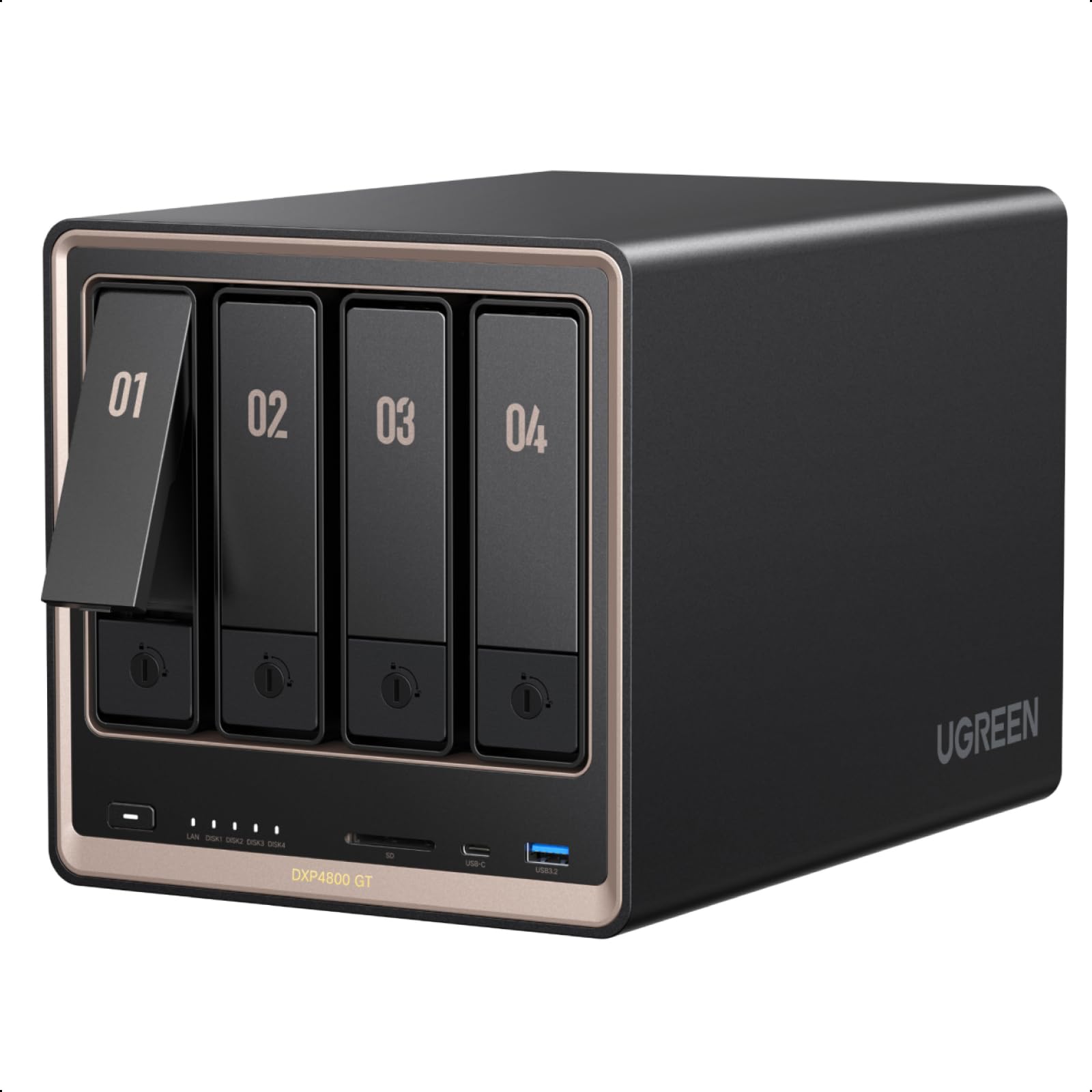
The UGREEN DXP4800 GT is the most forward-looking storage machine on this list. Its AMD Ryzen R2514 quad-core processor handles multi-user photo indexing, Docker containers for Plex, and virtual machines without breaking a sweat. The dual 10GbE ports are the standout feature—transferring a 100GB photo library takes minutes, not hours.
Build quality is exceptional, with an aluminum chassis and tool-less drive bays. The 8GB DDR4 RAM is expandable to 64GB, and the two M.2 NVMe slots can cache frequently accessed thumbnails. Unlike some competitors, UGREEN’s UGOS Pro runs smoothly, and the option to install TrueNAS or Unraid without voiding the warranty gives advanced users flexibility.
With 144 TB of maximum raw capacity and support for U.2 NVMe SSDs in two bays, this NAS scales far beyond entry-level models. The included 2-year warranty and local privacy controls make it a serious choice for photographers who treat their archive as a professional asset.
Why it’s great
- Dual 10GbE provides massive network bandwidth for fast transfers
- Powerful AMD processor handles heavy indexing and Docker workloads
- Excellent build quality and flexible OS options (UGOS Pro, TrueNAS, Unraid)
Good to know
- Chassis can transmit vibration; foam stripping on drive sleds helps
- UGOS Pro is still maturing compared to Synology DSM
2. Synology 4-Bay DiskStation DS925+ (Diskless)
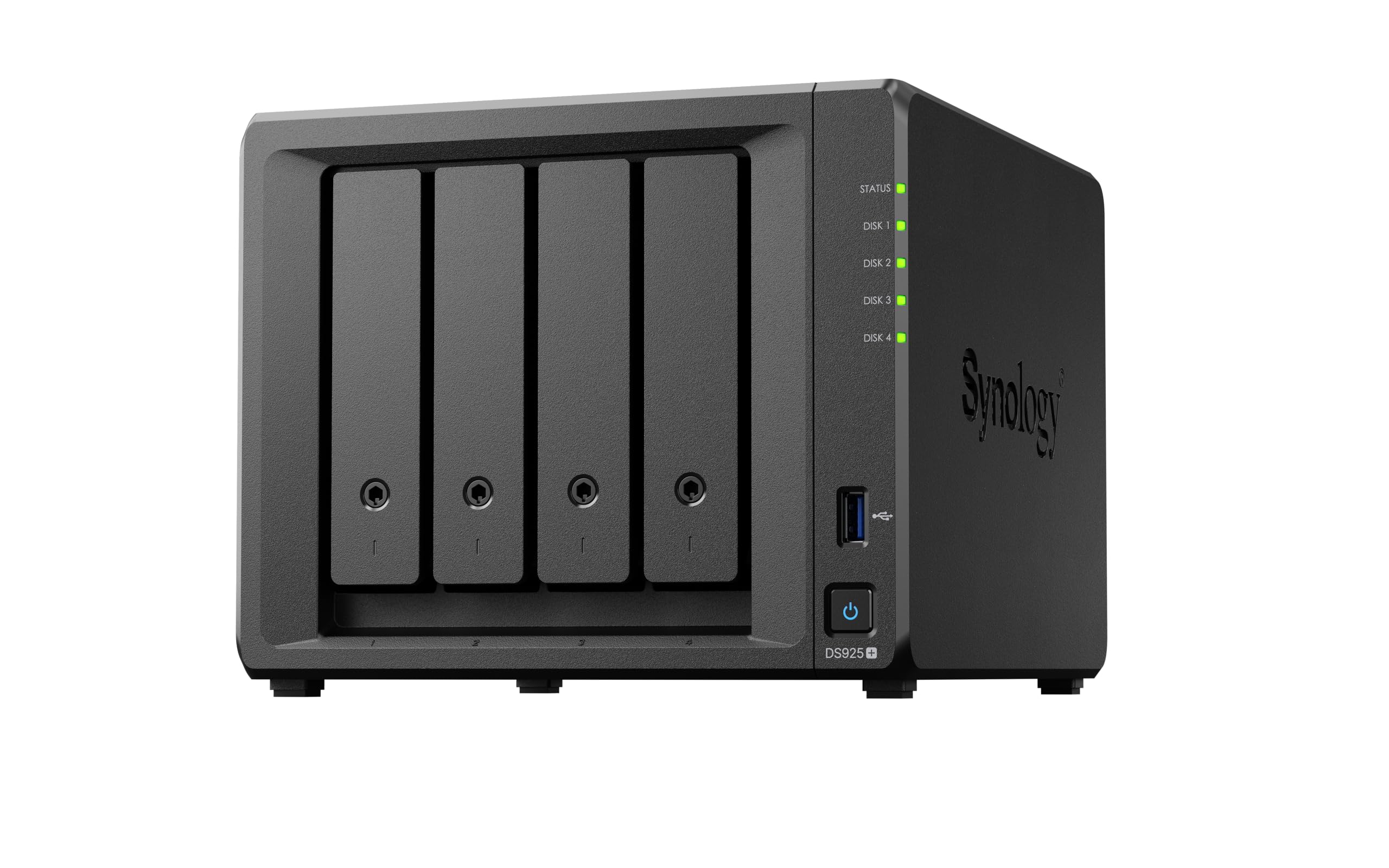
Synology’s DS925+ is the gold standard for photo enthusiasts who prioritize software polish. The DSM (DiskStation Manager) operating system includes Synology Photos, a dedicated app that auto-tags faces, sorts by location, and creates sharable albums. The 522/565 MB/s sequential read/write throughput keeps Lightroom catalogs loading quickly over the network.
Dual 2.5GbE ports provide link aggregation for up to 5Gbps aggregate throughput on compatible switches. The tool-less drive caddies and quiet fan make it a discreet addition to any home office. Synology’s Btrfs file system supports snapshot technology, allowing you to roll back accidental deletions of entire folders.
The DS925+ now officially supports third-party drives, removing the previous restriction that forced users toward Synology-branded HDDs. Migration from older models like the DS920+ is seamless, with settings and drive arrays retained. The 3-year warranty adds peace of mind for long-term archiving.
Why it’s great
- Synology Photos app offers best-in-class photo organization and sharing
- Dual 2.5GbE ports with link aggregation for fast network transfers
- Btrfs snapshots protect against accidental deletion
Good to know
- NVMe slots only support Synology drives for caching (workaround exists via script)
- Drive policy change was rolled out gradually; early units had restrictions
3. BUFFALO TeraStation Essentials 2025 4-Bay 32TB

For users who want to avoid the complexity of buying drives separately and configuring RAID, the BUFFALO TeraStation Essentials delivers a complete 32TB solution out of the box. Pre-loaded with four 8TB drives and configured in RAID 5 (24TB usable), it is ready to serve photos across the network within minutes. The native 2.5GbE port provides solid transfer speeds without requiring a network upgrade.
Security features include 256-bit drive encryption and a closed system that limits exposure to external threats. Cloud integration with Amazon S3, Dropbox, Azure, and OneDrive allows a hybrid backup strategy. The 3-year warranty includes hard drive coverage and US-based 24/7 support, which is rare at this price point.
The TeraStation is built for reliability rather than tinkering. The admin GUI is straightforward, and multi-PC access across Windows 11 Pro networks is smooth. For a photographer who just wants a set-and-forget archive, this is a compelling choice.
Why it’s great
- Drives included and pre-configured in RAID 5 for immediate use
- 3-year warranty with hard drive coverage and US-based support
- Cloud sync options for hybrid backup
Good to know
- Manual is online only; setup requires driver installation on the host machine
- Footprint is larger than comparable NAS units
4. GEEKOM AX8 Max Silent Operation Mini PC
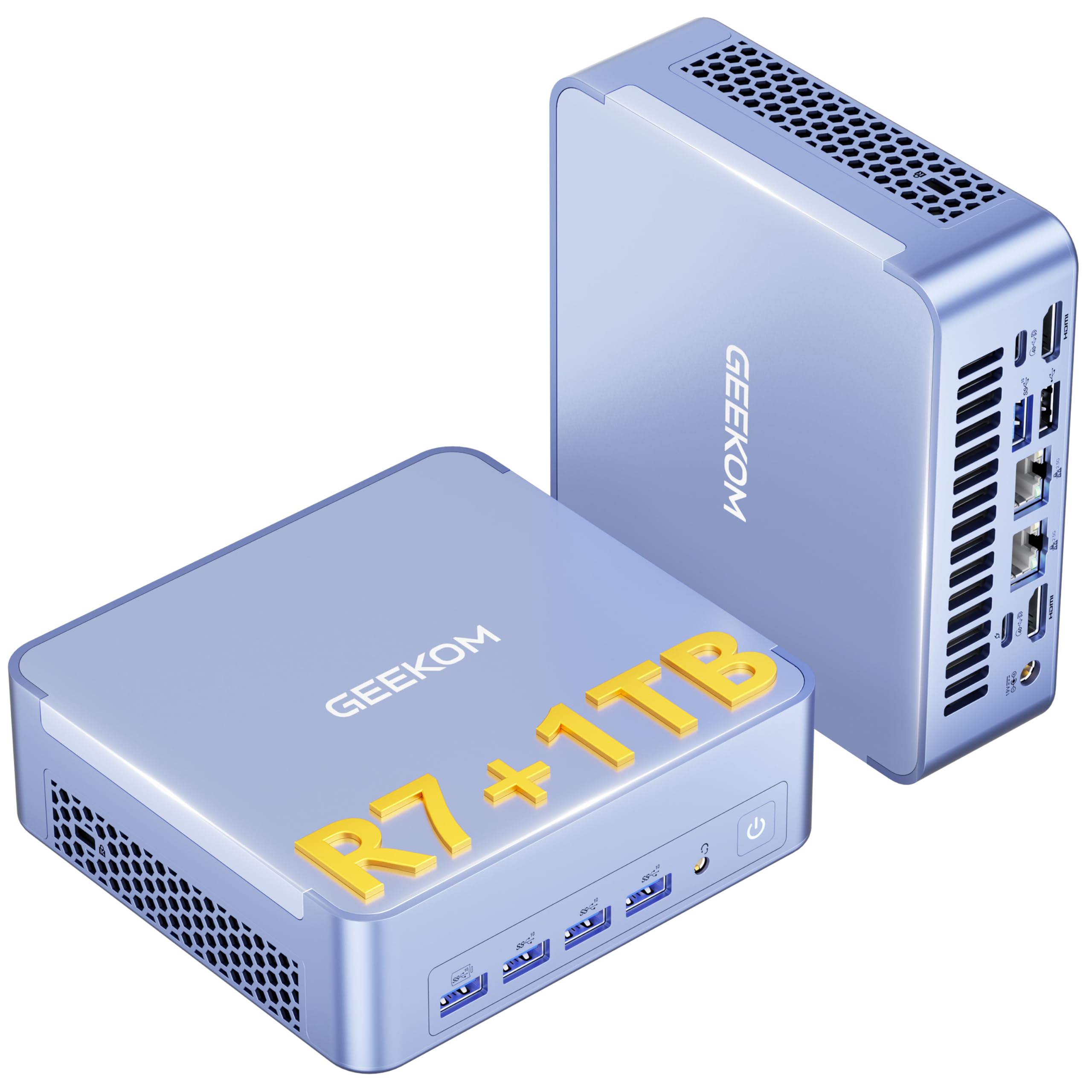
The GEEKOM AX8 Max redefines the photo storage server by combining a whisper-quiet mini PC with dual 2.5GbE LAN ports. Powered by the AMD Ryzen 7 8745HS and Radeon 780M graphics, it runs Windows 11 Pro and can handle both storage serving and photo editing. Its IceBlast 2.0 cooling system operates at as low as 50% less noise than traditional mini PCs, making it ideal for a bedroom or studio environment.
The two USB4 ports (40Gbps) support external GPU enclosures and 8K displays, while the dual 2.5GbE LAN ports can be used for link aggregation or running a lightweight NAS setup. The 16GB DDR5 RAM expands to 128GB, and the 1TB Gen4 SSD upgrades to 8TB. An SD card slot provides direct import from camera cards, bypassing external readers.
With three performance modes (Quiet, Normal, Performance), users can balance power consumption and fan noise. This machine is best suited for photographers who want a single device for editing and storing photos without the hum of a traditional desktop.
Why it’s great
- Near-silent operation even under heavy loads
- Dual 2.5GbE LAN and dual USB4 for flexible networking and expansion
- Expandable RAM (128GB) and SSD (8TB) for growing libraries
Good to know
- Windows 11 uses significant resources at idle (4GB+ RAM, 25% CPU)
- Not ideal for heavy 4K video transcoding compared to dedicated NAS
5. Synology DS225+ 2-Bay Diskstation NAS (8TB Bundle)
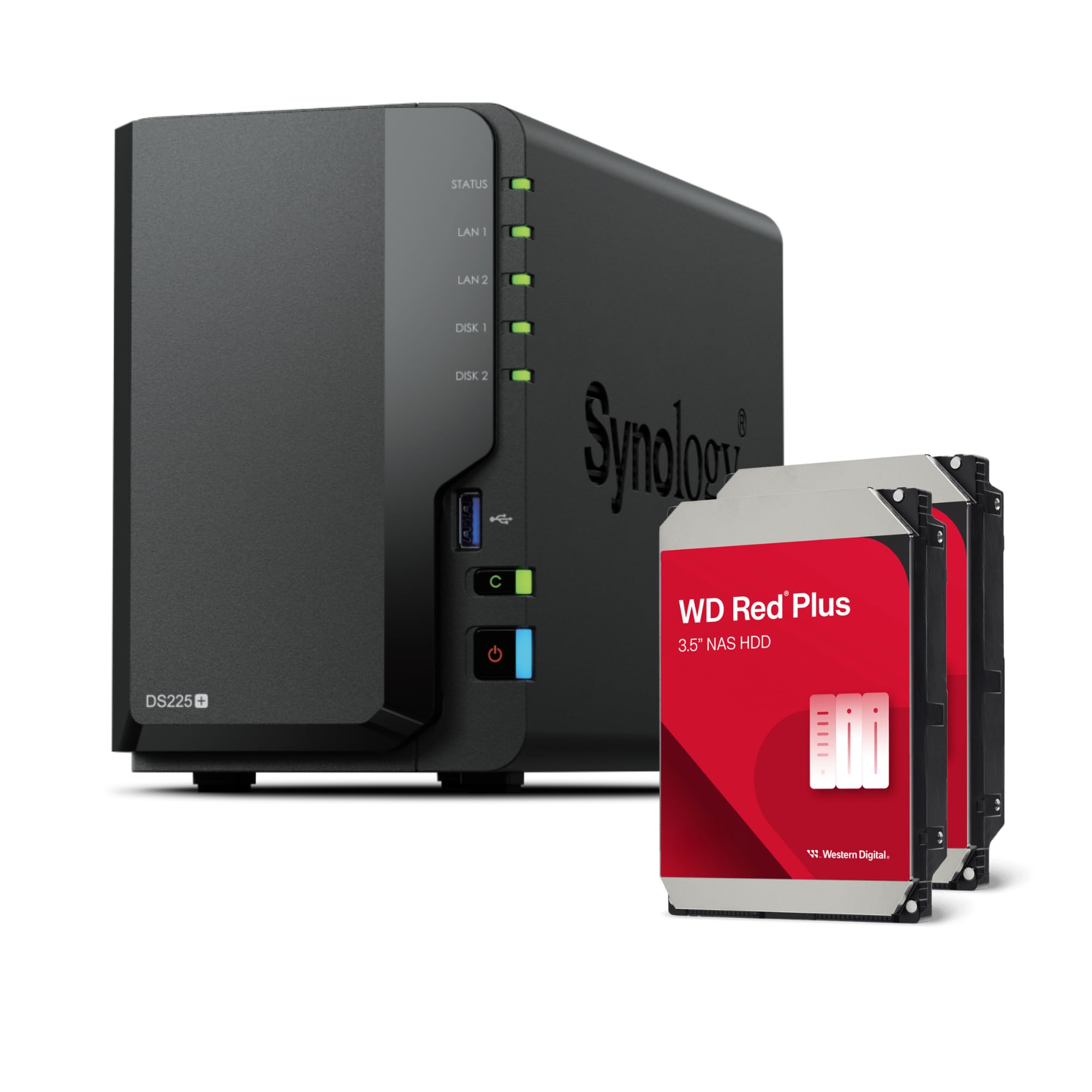
The DS225+ bundle is the most accessible entry point into the Synology ecosystem for photo storage. It ships with two 4TB WD Red Plus drives, totaling 8TB of storage. The Intel Celeron J4125 quad-core processor handles basic file serving and thumbnail generation for moderate photo libraries. Synology’s SHR allows mixing different drive sizes for future upgrades.
One 2.5GbE and one 1GbE LAN port provide flexibility for home networks, though the processor limits throughput to around 225 MB/s sequential. The Btrfs file system supports snapshots, and DSM’s app suite includes Synology Photos for mobile backup and album management. The 2GB DDR4 RAM is expandable to 6GB for modest Docker usage.
This bundle is not for heavy multi-user or 4K editing workflows, but for a single photographer backing up 50-100GB monthly, it offers excellent value. The 2-year warranty and included drives eliminate the guesswork of compatibility.
Why it’s great
- Drives included and pre-tested for compatibility
- Synology DSM offers the most polished photo management software
- SHR allows flexible drive upgrades without rebuilding arrays
Good to know
- Celeron processor limits performance with large photo catalogs
- 2-bay configuration caps usable capacity at 8TB (RAID 1) or 16TB (JBOD)
6. HP Envy Desktop TE01-3022
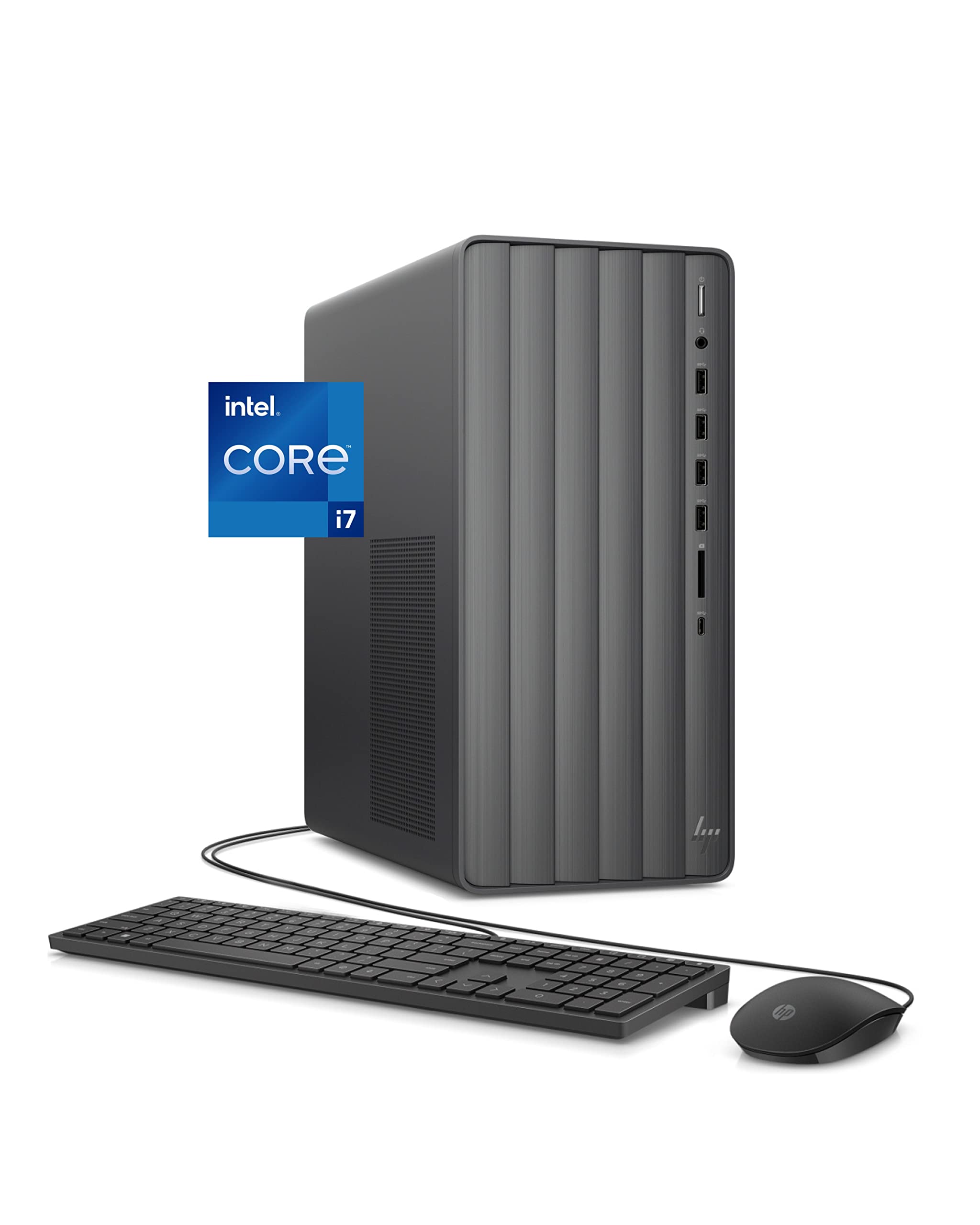
The HP Envy Desktop is a traditional tower that doubles as both an editing workstation and a storage hub. The 12th Gen Intel Core i7-12700 with 16GB RAM handles Lightroom catalogs and 4K video playback with ease. Dual storage—a 512GB NVMe SSD for fast boot and a 1TB SATA HDD for bulk photo storage—gives you speed and capacity in one box.
Connectivity includes USB-C, four USB 3.0 ports, HDMI, and VGA for dual monitors. The 2×2 Wi-Fi and Bluetooth keep wireless peripherals and network backups connected. For photographers who prefer a single machine, this desktop provides enough internal space to add extra HDDs later.
The slim tower design fits smaller desks, and the Windows 11 Pro OS includes business-grade security features. Pre-built with a wired keyboard and mouse, it’s ready out of the box. The 1-year warranty covers parts and labor for peace of mind.
Why it’s great
- Fast i7-12700 processor for photo editing and catalog management
- Dual storage provides both speed and bulk capacity
- Plenty of USB ports for external drives and card readers
Good to know
- Integrated UHD Graphics 770 cannot handle heavy gaming or GPU rendering
- Limited internal expansion for additional 3.5-inch drives
7. Dell Tower Desktop ECT1250

The Dell ECT1250 packs an Intel Core Ultra 7-265 processor with 32GB of DDR5 memory—enough to run multiple Adobe apps while indexing a photo library in the background. The 1TB M.2 SSD provides blistering load times for Lightroom and Capture One, and the 3.0 SD card reader allows direct ingestion from camera cards.
Connectivity supports up to four FHD monitors or two 4K displays via HDMI 2.1 and DisplayPort, ideal for photo editing with a secondary display for previews. The tool-less chassis makes upgrading RAM or adding a dedicated GPU straightforward. Wi-Fi 6 and Bluetooth 5.2 keep the desk clutter-free.
The 1-year onsite service means Dell will come to your location if hardware fails. For photographers who need a primary workstation that also serves as a local photo archive, this Dell delivers professional-grade performance without the premium price tag of a custom build.
Why it’s great
- 32GB DDR5 RAM handles heavy multitasking and large catalogs
- Multi-monitor support with HDMI 2.1 and DisplayPort
- Tool-less case for easy upgrades
Good to know
- Single 32GB RAM stick limits dual-channel performance
- 180W PSU restricts adding a powerful dedicated GPU
8. HP Pro Tower 290 G9 Business Desktop

With 64GB of DDR4 RAM and a 2TB PCIe SSD, the HP Pro Tower 290 G9 is built for photographers who keep every tab, catalog, and raw file open simultaneously. The 13th Gen Intel Core i3-13100 quad-core processor is sufficient for file management and basic editing, though the i3 designation means it is not designed for heavy rendering.
The 2TB SSD provides ample space for a local photo archive, and the eight USB ports (four USB 2.0, four USB 3.2) allow easy connection to external drives and card readers. Dual monitor support via HDMI and VGA works with most office monitors. Windows 11 Pro includes BitLocker encryption for data security.
Included wired keyboard and mouse reduce setup friction. The HP Pro Tower is best for users who prioritize memory capacity and SSD speed over raw CPU power. For a busy studio manager juggling admin and photo files, this machine keeps everything responsive.
Why it’s great
- 64GB RAM handles extreme multitasking without slowdown
- 2TB SSD provides fast, local photo storage
- Eight USB ports for peripherals and external drives
Good to know
- i3-13100 processor limits intensive photo editing tasks
- Integrated graphics only; no dedicated GPU
9. GMKtec M6 Ultra Gaming Mini PC
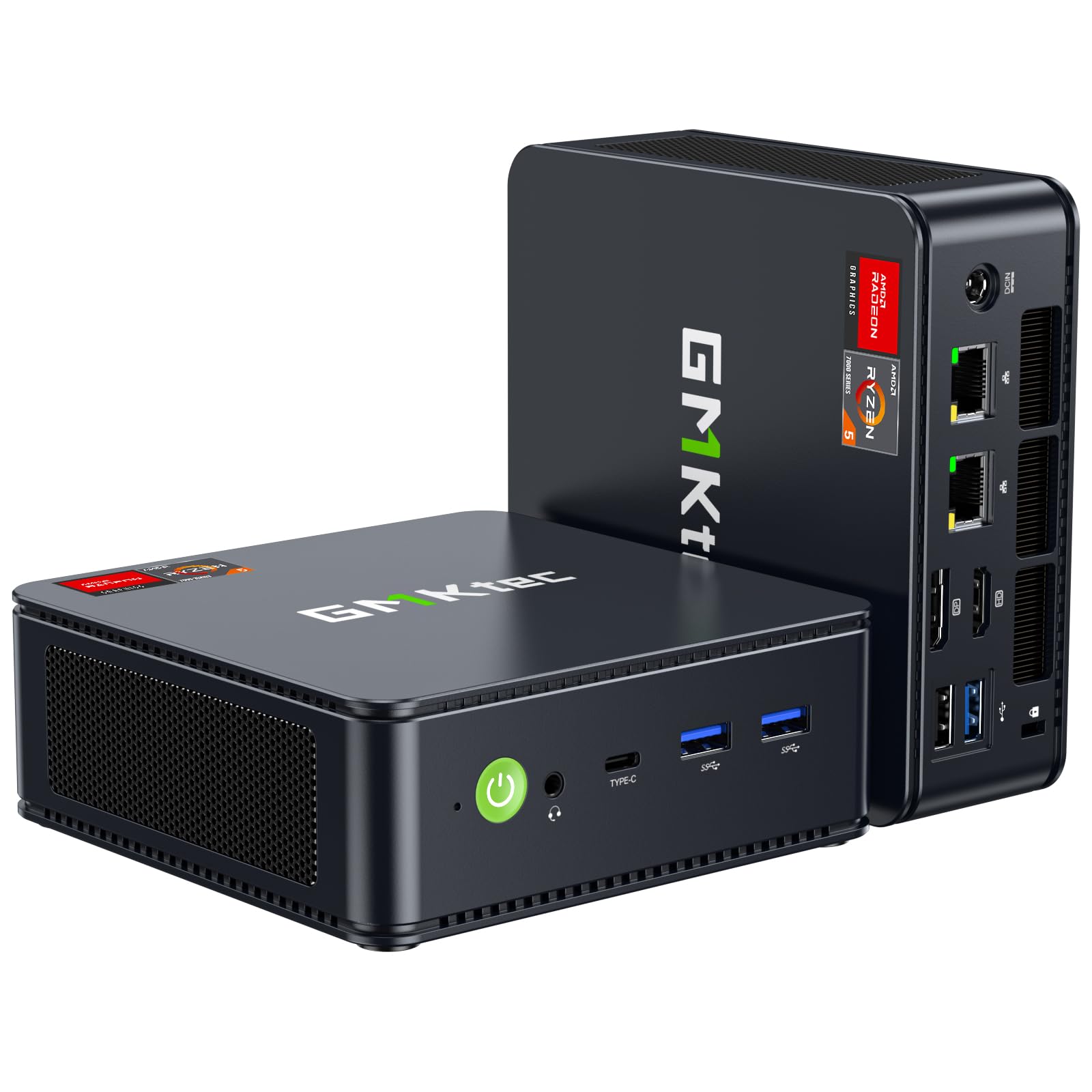
The GMKtec M6 Ultra packs an AMD Ryzen 5 7640HS with 32GB DDR5 RAM and a 1TB PCIe SSD into a 5-inch cube. The dual 2.5GbE NIC makes it a capable mini storage server for a home office. The Radeon 760M iGPU handles light photo editing, though its real strength is as a low-power file server for your network.
The USB4 port supports 8K display output and eGPU docking for expansion. Triple 4K display support is useful for photographers running asset management software across multiple monitors. The compact size and quiet dual-fan cooling make it easy to tuck into a media cabinet.
Some users report the unit runs warm under sustained load, and the rear USB-A ports are limited to USB 2.0 speeds. For a secondary server dedicated to photo storage and streaming, the M6 Ultra offers an excellent performance-to-size ratio.
Why it’s great
- Ultra-compact footprint for discreet placement
- Dual 2.5GbE NIC for flexible networking and server use
- USB4 with eGPU support for expansion
Good to know
- Reports of stability issues under sustained heavy loads after months of use
- Rear USB-A ports limited to USB 2.0 speeds
10. Dell Slim Desktop ECS1250

The Dell Slim Desktop ECS1250 is a budget-friendly entry into the photo storage world. Powered by the Intel Core Ultra 5-225 processor and 16GB RAM, it handles basic file management, web browsing, and photo backup without issue. The 512GB M.2 SSD boots fast and loads applications quickly. An integrated 3.0 SD card reader simplifies importing from cameras.
Multi-monitor support through HDMI 2.1 and DisplayPort allows for a photo editing setup with two 4K displays. The slim tower design with tool-less access makes memory and storage upgrades accessible. The 1-year onsite service from Dell adds value for non-technical users.
This desktop is not designed for heavy photo editing or massive library indexing. It is best as a secondary machine for organizing and backing up photos while the primary editing machine handles the heavy lifting.
Why it’s great
- Compact slim tower fits small workspaces
- Integrated SD card reader for direct photo import
- 1-year onsite service provides peace of mind
Good to know
- Not suitable for heavy photo editing or large catalog management
- Integrated graphics limit display options for 4K workflows
11. Seagate Expansion 22TB External Hard Drive
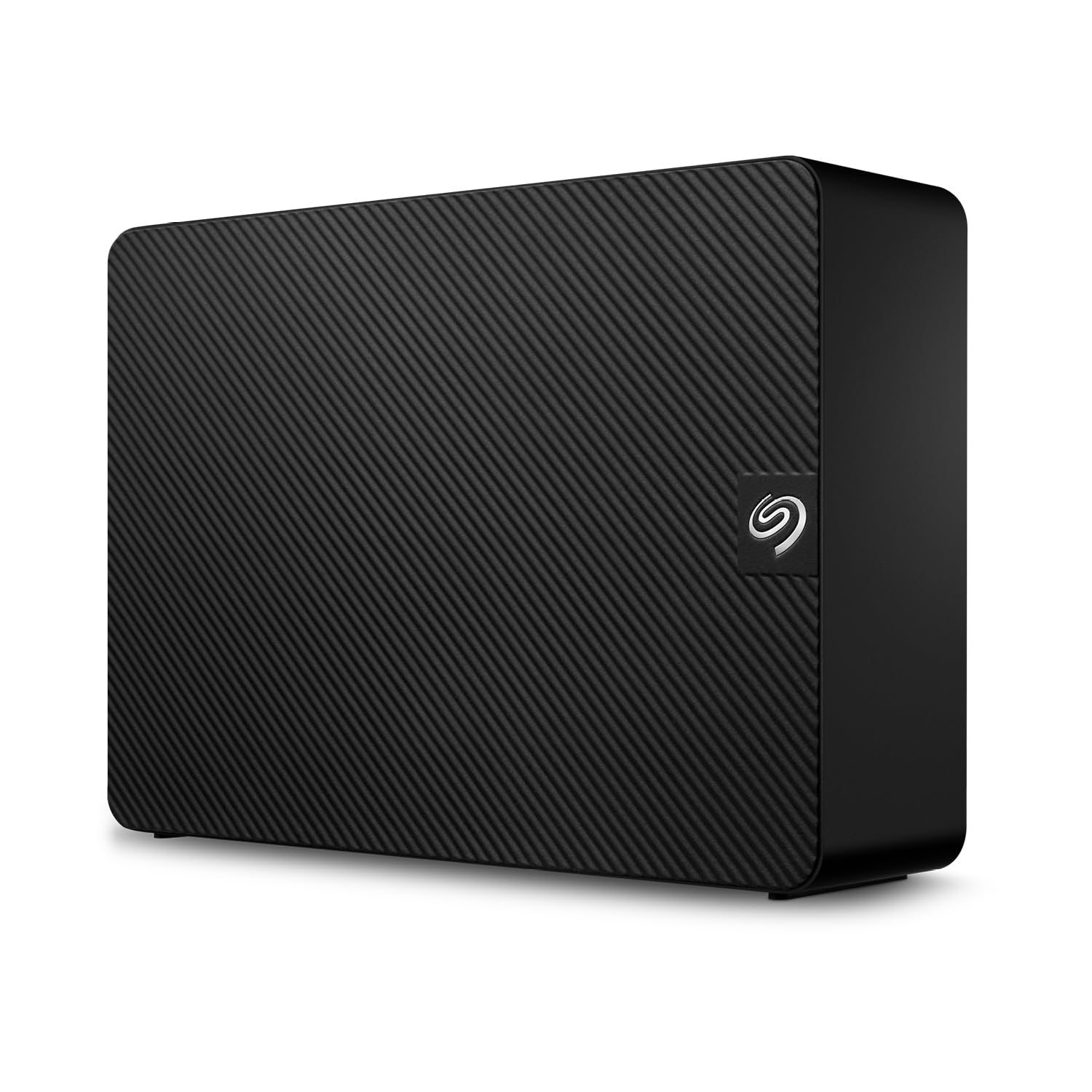
The Seagate Expansion 22TB is a straightforward, no-frills external drive for photographers who need massive capacity without network setup. With USB 3.0 connectivity, it achieves read speeds around 460 MB/s and write speeds around 390 MB/s—fast enough for transferring large batches of RAW files in one session.
The drive comes pre-formatted with exFAT, working out of the box with both Windows and Mac (reformat for Time Machine). The included Rescue Data Recovery Services provide an added safety net if the drive fails. Its 3.5-inch desktop form factor requires an external power adapter, so it is not portable.
While it lacks the redundancy and network features of a NAS, the 22TB capacity at a budget-friendly price serves as a simple cold storage solution or a backup target for your main photo library. The included travel power adapters make it convenient for international use.
Why it’s great
- Massive 22TB capacity for a low cost per terabyte
- Comes with Rescue Data Recovery Services for protection
- Plug-and-play USB 3.0 connection, no setup required
Good to know
- Single point of failure with no RAID redundancy
- Requires external power; not bus-powered
FAQ
What is the best RAID level for a photo library?
Do I need 10GbE for photo storage?
Can I edit photos directly from a NAS?
How many drive bays do I need for a large photo collection?
Final Thoughts: The Verdict
For most users, the best computer for photo storage winner is the UGREEN NAS DXP4800 GT because its dual 10GbE ports, powerful AMD processor, and 4-bay capacity future-proof your archive for years. If you want the best photo management software and a smooth migration path from older NAS units, grab the Synology DS925+. And for a set-and-forget solution with drives included, nothing beats the BUFFALO TeraStation Essentials.

Mo Maruf
I created WellFizz to bridge the gap between vague wellness advice and actionable solutions. My mission is simple: to decode the research and give you practical tools you can actually use.
Beyond the data, I am a passionate traveler. I believe that stepping away from the screen to explore new environments is essential for mental clarity and physical vitality.