Our readers keep the lights on and my smoothie glass nicely filled. As an Amazon Associate, I earn from qualifying purchases.
A computer for photo editing needs to do one thing exceptionally well: render your adjustments in real time without the spinning wheel of death. The difference between a frustrating workflow and a fluid creative session comes down to the synergy between your processor cores, GPU compute units, and color-accurate display. Choosing the wrong combination means wasted hours waiting for filters to apply or exports to complete.
I’m Mohammad Maruf — the founder and writer behind WellFizz. This guide is the result of weeks of cross-referencing benchmark scores, display gamut specs, and real-world performance data from users handling raw files and complex layer stacks.
From a budget-friendly tower with ample RAM to a premium AI-powered mini PC that drives multiple 4K panels, this roundup of the best computer for photo editing covers every tier a serious photographer or retoucher needs to consider.
How To Choose The Best Computer For Photo Editing
Photo editing workloads place unique demands on a system. Unlike video rendering, which scales almost linearly with multi-core performance, many photo editing tasks—especially in Adobe Photoshop and Capture One—rely heavily on single-core clock speed and the amount of dedicated graphics memory. Understanding which specs genuinely accelerate your workflow helps you avoid paying for power you won’t use.
CPU Architecture and Clock Speed
A processor with a boost clock above 4.5 GHz ensures that brush strokes, content-aware fills, and local adjustments feel instantaneous. Intel’s Core i5/i7/i9 12th-through-14th generation and AMD’s Ryzen 7000 and 8000 series both offer strong single-threaded performance. The key spec to check is boost frequency rather than core count—eight cores running at 4.5 GHz will outperform sixteen cores at 3.0 GHz for 90% of photo-editing operations.
GPU and VRAM for Display Acceleration
A dedicated GPU with at least 4 GB of VRAM is the minimum for smooth 4K canvas navigation. More important than raw GPU compute is how the card supports OpenGL and DirectX acceleration, which Photoshop uses to render zooming, panning, and filter previews. NVIDIA’s RTX series and AMD’s Radeon Pro lines offer the stability and driver optimization that professional editing suites require. Integrated graphics work for light edits but choke on complex layer comps and large raw files.
Display Panel and Color Gamut
For print and commercial work, a display covering at least 100% sRGB and 85% Adobe RGB is non-negotiable. OLED panels deliver true blacks and high contrast, while high-quality IPS panels offer consistent color across viewing angles. Resolution also matters: a 1440p or 4K panel gives you room to arrange tool palettes without crowding your image preview. Built-in factory calibration or Delta E < 2 accuracy reduces the need for external colorimeters.
Memory and Storage Bandwidth
16 GB of RAM is the baseline for editing files from a 24-megapixel camera; 32 GB or more is needed for multi-layer composites and large-format panoramas. DDR5 memory offers higher bandwidth than DDR4, which helps when loading large files into memory. For storage, a PCIe Gen 4 or Gen 5 NVMe SSD reduces the time to open a 50 MB raw file to under two seconds. A secondary SSD dedicated to your catalog and cache drive improves performance further.
Quick Comparison
On smaller screens, swipe sideways to see the full table.
| Model | Category | Best For | Key Spec | Amazon |
|---|---|---|---|---|
| GEEKOM IT15 | Mini PC | 8K editing & AI workflows | 32GB DDR5 / 2TB Gen4 SSD | Amazon |
| ASUS Vivobook S 16 | Laptop | Mobile photo editing on OLED | 3K 120Hz OLED / 100% DCI-P3 | Amazon |
| Dell 27 All-in-One | All-in-One | Clutter-free desktop workspace | FHD Touch / 32GB DDR5 | Amazon |
| ZYNEEX Prebuilt Gaming Desktop | Desktop | Budget-friendly editing rig | RTX 3050 6GB / 16GB DDR4 | Amazon |
| HP OmniBook 5 | Laptop | All-day battery + OLED display | Snapdragon X Plus / 16GB RAM | Amazon |
| Apple MacBook Air M5 | Laptop | Silent, portable macOS editing | M5 chip / 16GB Unified Memory | Amazon |
| NIMO Ryzen 7 8745HS Laptop | Laptop | High RAM for large photo catalogs | 32GB DDR5 / Radeon 780M | Amazon |
| HP Desktop i5-12500 Tower | Desktop | Office and entry-level editing | 32GB DDR4 / UHD 770 | Amazon |
| Lenovo ThinkPad E16 Gen 2 | Laptop | Business editing & data analysis | 16GB DDR5 / Radeon 680M | Amazon |
| Apple iMac Pro 27-inch | All-in-One | Professional color-graded editing | 5K Retina / 8GB Vega 56 | Amazon |
| Alienware Aurora ACT1250 | Desktop | High-end rendering & gaming | RTX 5070 / 32GB DDR5 | Amazon |
| NIMO Ryzen AI 9 Laptop | Laptop | Massive storage & memory for pros | 64GB DDR5 / 4TB SSD | Amazon |
| Dell Pro Tower i7-14700 | Desktop | Workstation-class multitasking | 64GB DDR5 / 2TB SSD | Amazon |
In‑Depth Reviews
1. GEEKOM IT15 Mini PC

The GEEKOM IT15 packs a 16-core Intel Ultra 9 285H with 99 TOPS of AI performance into a chassis smaller than a book. Its integrated Arc 140T GPU supports up to four displays—two at 8K—which means you can have a color-graded reference monitor, your editing timeline, and tool palettes all live simultaneously without a secondary GPU.
The 32 GB DDR5 RAM (upgradeable to 128 GB) and Gen 4 NVMe SSD are well-matched for loading 100 MP medium-format raw files or running Lightroom Classic alongside Photoshop. Users report that the fan stays inaudible during idle and remains quiet under sustained load, a rare trait in compact workstations.
For photographers who need a desk command center rather than portability, this mini PC offers the highest compute density in the roundup. Its VESA mount support lets you hide it behind a monitor, freeing desk space for a graphics tablet or prints. The 3-year warranty provides peace of mind for long-term investment.
Why it’s great
- Quad-display 8K output for multi-monitor color workflows
- 99 TOPS AI engine accelerates neural filters in Photoshop
- Compact, VESA-mountable design saves desk space
Good to know
- Integrated GPU cannot match discrete card for 3D rendering
- Some HDMI ports may require specific cable specs for full 8K
2. ASUS Vivobook S 16 AI PC
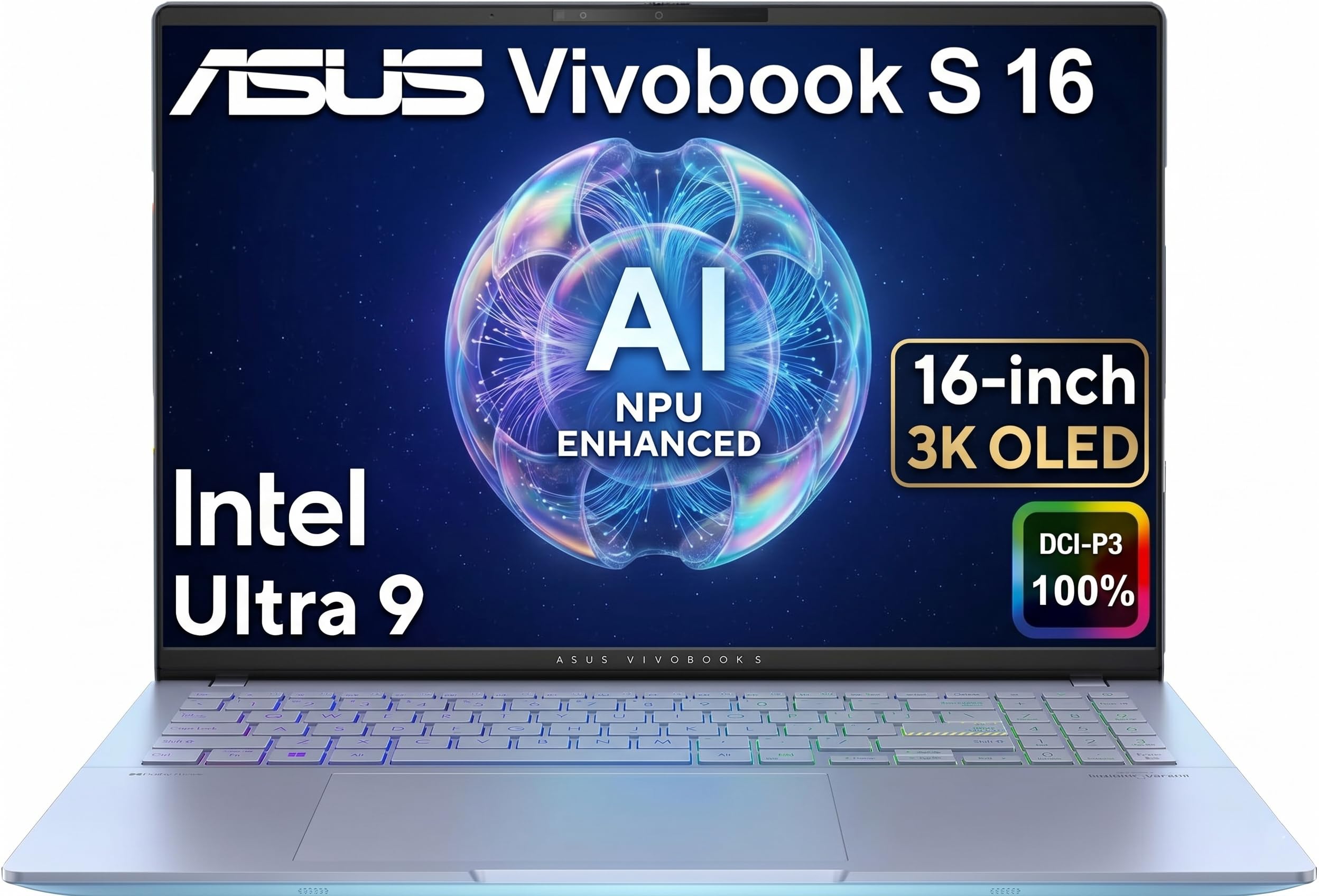
The Vivobook S 16’s 3K OLED panel covers 100% DCI-P3, which exceeds the Adobe RGB gamut needed for print-grade photo editing. The 120 Hz refresh rate makes canvas panning buttery smooth, and the 400-nit peak brightness is enough for semi-outdoor use. For a laptop that weighs just over four pounds, this display quality is exceptional.
Under the hood, the Intel Core Ultra 9 285H with 32 GB LPDDR5X RAM handles multi-layer PSDs without stutter. The integrated Intel Arc Graphics supports Thunderbolt 4 daisy-chaining to external monitors, so you can attach a calibrated secondary display at home. The MIL-STD-810H rating means it survives the bumps of location shoots.
The 75 Wh battery delivers up to 16 hours of runtime for light editing, though heavy GPU acceleration will drop that to around six hours. The IR webcam with privacy shutter supports Windows Hello, which is convenient for secure logins on set or in the office.
Why it’s great
- 3K OLED with 100% DCI-P3 for accurate color grading
- 120Hz refresh rate eliminates stutter during panning
- Thunderbolt 4 supports dual 4K external monitors
Good to know
- No dedicated GPU limits performance with heavy filters
- Keyboard numpad layout may feel cramped for data entry
3. Dell 27 All-in-One EC27250

The Dell 27 All-in-One eliminates the tower entirely, housing an Intel Core 7 150U and NVIDIA GeForce MX570A 2 GB GPU behind a 27-inch FHD touchscreen. The 99% sRGB coverage and ComfortView Plus blue-light reduction make it suitable for extended editing sessions without eye strain. The integrated 5 MP pop-up webcam with IR and HDR handles client video calls clearly.
The 32 GB of DDR5 RAM is generous for an AIO at this tier, and the 1 TB SSD provides enough space for a Lightroom catalog plus an active project folder. The 2 GB dedicated VRAM on the MX570A helps with smooth canvas performance in Photoshop, though it will struggle with very large composite files. The stand design cleverly hides the keyboard underneath, keeping the desk tidy.
Dell’s 1-year onsite service is a tangible advantage: if the display or internals fail, a technician visits your location rather than you shipping the unit. This is valuable for professionals who cannot afford downtime.
Why it’s great
- Touchscreen enables direct brush and selection control
- 1-year onsite service reduces downtime risk
- Clutter-free all-in-one form factor with under-display storage
Good to know
- MX570A 2GB VRAM limits heavy layer composites
- FHD resolution lacks the pixel density of 4K panels
4. ZYNEEX Prebuilt Gaming Desktop
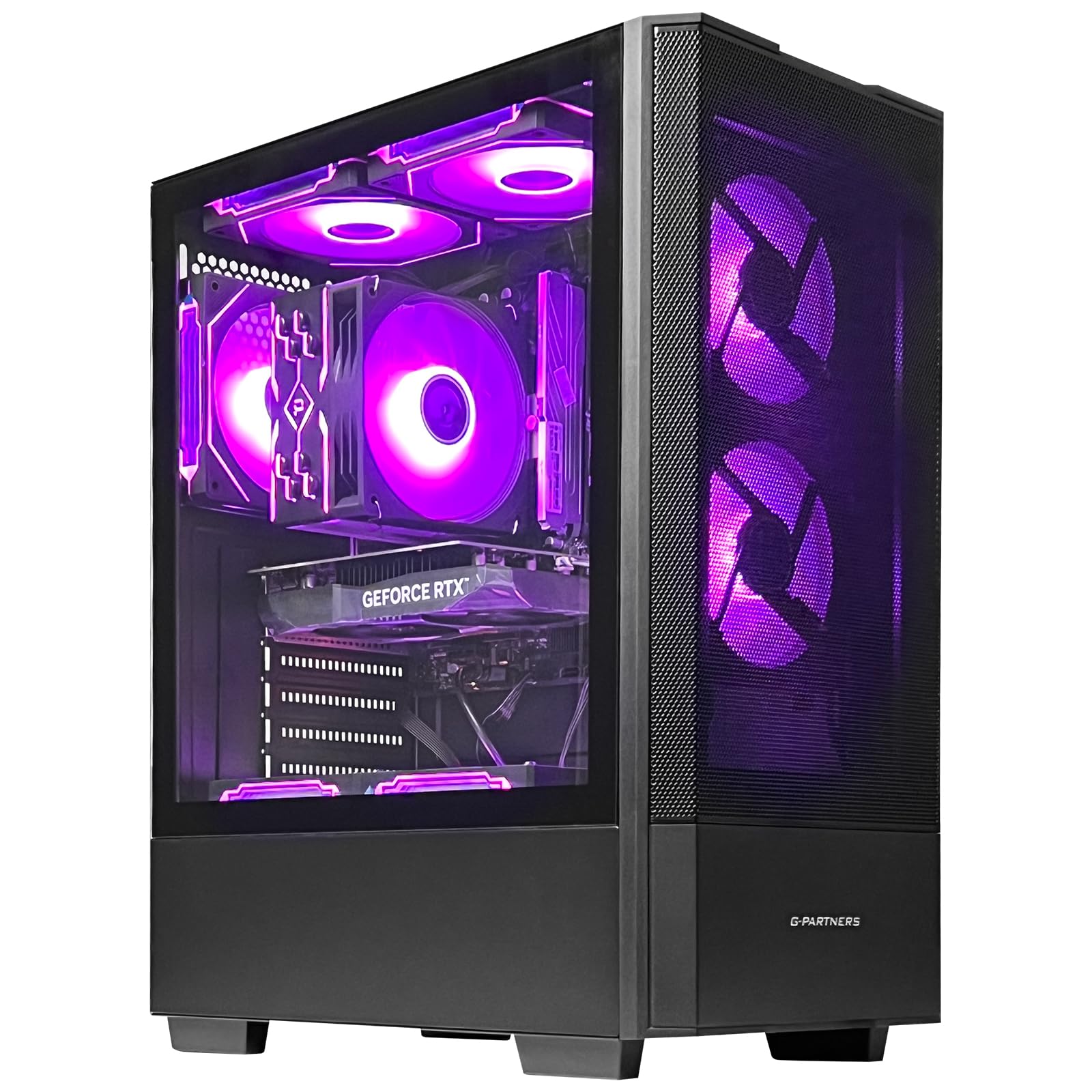
For photographers on a budget, the ZYNEEX desktop offers a dedicated RTX 3050 with 6 GB of VRAM—double what many entry-level editing PCs provide. The AMD Ryzen 5 5500 (6-core, up to 4.2 GHz) handles single-threaded operations like spot healing and layer masking competently. The 1 TB NVMe SSD and 16 GB DDR4 RAM cover the basics for raw file storage and catalog management.
The ARGB cooling system with a quad-copper-pipe air cooler keeps thermals under control during long export batches. While the RTX 3050 is not a powerhouse for 3D rendering, its 6 GB buffer allows Photoshop to load large PSDs without constantly swapping to system RAM. The included Wi-Fi and Bluetooth make it easy to connect peripherals in a home office setup.
User reviews confirm that this PC runs Photoshop and Lightroom smoothly for most non-commercial workflows. The 1-year warranty is standard for this tier. Consider upgrading the RAM to 32 GB if you regularly edit 50+ megapixel files.
Why it’s great
- Dedicated 6GB VRAM for smooth canvas interaction
- Quad-core air cooling prevents thermal throttling during exports
- Budget-friendly price for a dedicated GPU build
Good to know
- 16GB DDR4 RAM may feel tight with heavy multi-app workflows
- No color-calibrated display included in the package
5. HP OmniBook 5 14 Inch AI PC

The HP OmniBook 5 leverages a Snapdragon X Plus processor to deliver up to 34 hours of battery life—a record for this roundup. Its 14-inch OLED display with 1920×1200 resolution provides a 16:10 aspect ratio that gives extra vertical space for toolbars. The 300-nit brightness is adequate for indoor editing but may require shade in bright environments.
The 16 GB of LPDDR5x RAM and Qualcomm Adreno GPU are sufficient for Lightroom and Capture One tethering on location. The ARM architecture means some legacy Photoshop plugins may not run natively, though Adobe’s ARM-native versions perform well. The HP Fast Charge takes the battery from 0 to 50% in about 30 minutes.
For outdoor or travel photographers who need to edit on the go, this is the best endurance pick. The build incorporates ocean-bound plastic and recycled metal, appealing to environmentally conscious creators.
Why it’s great
- Industry-leading 34-hour battery for all-day location editing
- OLED panel delivers rich contrast for previewing shadows
- Fast Charge reaches 50% in 30 minutes
Good to know
- ARM compatibility limits some legacy plugin use
- Only two USB-C ports with no full-size SD card slot
6. Apple MacBook Air 13-inch M5

The MacBook Air M5 is the ultimate quiet editing machine. Its fanless design means zero fan noise during retouching sessions, and the M5 chip with 16 GB unified memory handles Apple ProRAW conversions and Photoshop layers without audible complaint. The 13.6-inch Liquid Retina display supports 1 billion colors, making it reliable for sRGB and P3 workflows.
The 12 MP Center Stage camera with Desk View is a practical addition for client review calls. Battery life reaches up to 18 hours, so you can edit an entire wedding gallery on a single charge. The 512 GB SSD is a good starting point, though photographers storing large catalogs may want the 1 TB option.
For photographers already in the Apple ecosystem, the seamless integration with iPhone via iCloud and Sidecar makes the MacBook Air a natural choice. The M5’s unified memory architecture means you don’t have to worry about separate VRAM limits—the system dynamically allocates resources.
Why it’s great
- Completely silent operation for distraction-free editing
- 1 billion colors on Liquid Retina display
- 18-hour battery life for all-day shoots
Good to know
- Limited to two Thunderbolt 4 ports
- No SD card slot requires a dongle for direct import
7. NIMO 17.3″ Laptop Ryzen 7 8745HS

The NIMO 17.3-inch laptop offers 32 GB of DDR5 RAM and a 1 TB SSD at a price point where many competitors only offer 16 GB. The AMD Ryzen 7 8745HS with Radeon 780M graphics delivers discrete-level performance for photo editing tasks, including smooth 4K previews in Lightroom and stable filter rendering in Photoshop.
The 17.3-inch FHD IPS display with an 85% screen-to-body ratio provides a large preview area. The AMD Radeon 780M, based on RDNA 3 architecture, accelerates OpenCL operations in Adobe applications. The 75 Wh battery supports up to 15.5 hours of active work, and the 100W USB-C fast charging is convenient for travel.
User reviews note that this laptop handles Photoshop 2025, Illustrator, and Premiere Pro without issues. The fingerprint reader integrated into the power button adds security without extra steps.
Why it’s great
- 32GB DDR5 RAM ideal for large catalogs and multi-app workflows
- 17.3-inch screen maximizes real estate for tool palettes
- USB4 and HDMI 2.1 support dual 4K external monitors
Good to know
- FHD resolution less sharp than 4K for pixel peeping
- Single-zone backlit keyboard may not suit all ambient conditions
8. HP Desktop Tower i5-12500

This HP tower focuses on pure productivity: an Intel Core i5-12500 (6 cores, 12 threads) with 32 GB DDR4 RAM and integrated UHD Graphics 770. The 1 TB PCIe SSD keeps boot times under 10 seconds. For photographers doing light edits and catalog management, the integrated GPU is enough for basic adjustments and previews.
The dual display support via HDMI and VGA—including legacy VGA—makes it easy to hook up older monitors. The 8 USB ports (4 front, 4 rear) provide ample connectivity for card readers, external drives, and a Wacom tablet. The inclusion of a keyboard and mouse makes it a true out-of-box solution for office photo editing.
The TPM 2.0 chip supports BitLocker encryption, which is valuable for photographers handling client data. The 180W power adapter is efficient but means no high-wattage GPU upgrades are possible.
Why it’s great
- 32GB RAM at a budget desktop price point
- 8 USB ports for connecting multiple editing peripherals
- Includes keyboard and mouse for immediate setup
Good to know
- Integrated GPU limits heavy filter and layer performance
- 180W PSU cannot support a dedicated graphics card
9. Lenovo ThinkPad E16 Gen 2
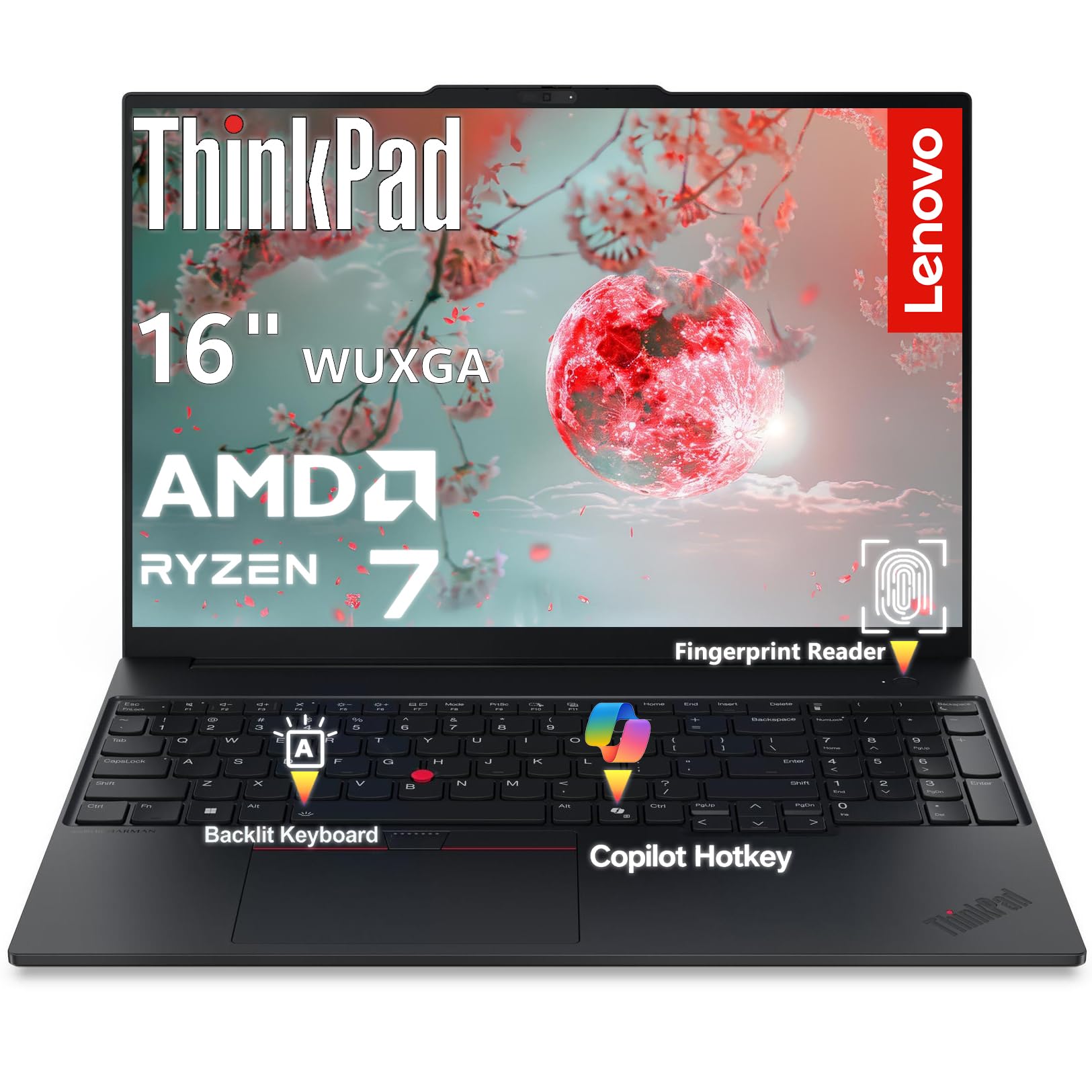
The ThinkPad E16 Gen 2 brings an AMD Ryzen 7 7735HS (8 cores, up to 4.75 GHz) with Radeon 680M graphics into a MIL-spec chassis. The 16-inch WUXGA (1920×1200) display with 16:10 ratio provides extra vertical space for editing panels. The IPS panel offers wide 178-degree viewing angles, making it suitable for sharing previews with clients.
The 16 GB DDR5 RAM is upgradable, and the 512 GB PCIe SSD with Opal 2.0 encryption ensures data security. The fingerprint reader and IR camera with Windows Hello provide dual-factor authentication for secure access to client portfolios. The aluminum chassis is designed for daily commuting and frequent travel.
For photographers who also work with spreadsheets and databases, this machine balances editing capability with professional durability. The ThinkPad keyboard is widely regarded as one of the best for long typing sessions, which matters for captioning and metadata entry.
Why it’s great
- Upgradable 16GB DDR5 RAM for future expansion
- Aluminum chassis with MIL-spec durability for travel
- Best-in-class keyboard for extended editing sessions
Good to know
- 45% NTSC color gamut below Adobe RGB requirements
- Radeon 680M integrated graphics, not discrete-level
10. Apple iMac Pro 27-inch

The 27-inch iMac Pro remains a reference standard for color-critical work. Its 5K Retina display (5120×2880) with P3 wide color and 500 nits brightness provides the pixel density needed to evaluate detail down to the individual pixel. The Radeon Pro Vega 56 with 8 GB HBM2 memory accelerates GPU-intensive filters and 360-degree panoramic stitching.
The Intel Xeon W 8-core processor with 32 GB ECC memory ensures error-free computation for long-running batch processes. The 10 Gigabit Ethernet port is a professional feature for NAS-based workflows where multiple editors access the same raw library. The included Magic Keyboard and Magic Mouse are usable, though many pros swap the mouse for a graphics tablet.
This is a refurbished model, so buyers should ensure the return policy covers potential hardware issues. For professional studios that demand the most accurate on-screen color preview, this iMac Pro remains a compelling choice despite its older architecture.
Why it’s great
- 5K Retina display with P3 wide color for critical evaluation
- ECC memory prevents data corruption during long renders
- 10Gb Ethernet for high-speed NAS workflows
Good to know
- Refurbished status means limited warranty coverage
- Intel Xeon architecture slower than modern Apple Silicon
11. Alienware Aurora ACT1250

The Alienware Aurora is designed for high-end rendering and gaming, but its RTX 5070 with 12 GB GDDR7 VRAM is a powerhouse for photo editing. NVIDIA’s Blackwell architecture accelerates AI-based denoising, upscaling, and neural filters in Photoshop to near-instantaneous speeds. The Intel Core Ultra 7 265F (20 cores) ensures no bottleneck during batch exports.
The 32 GB DDR5 RAM and 1 TB NVMe SSD handle large-format files with ease. Alienware Command Center allows custom performance profiles—useful for throttling noise during light editing and unleashing full power during export queues. The 1000W Platinum-rated PSU provides headroom for future GPU upgrades.
The Aurora is a full-size tower with customizable AlienFX lighting. While the aesthetics are gaming-oriented, the performance specs make it one of the fastest pure workstations on this list for GPU-accelerated editing tasks.
Why it’s great
- RTX 5070 12GB VRAM for instant AI filter acceleration
- 1000W Platinum PSU allows future GPU upgrades
- Custom performance profiles balance noise and power
Good to know
- Large tower footprint takes up significant desk space
- Gaming aesthetics may not suit all professional environments
12. NIMO 17.3″ AI Laptop Ryzen AI 9

With 64 GB of DDR5 RAM and a 4 TB PCIe 4.0 SSD, the NIMO AI laptop is built for photographers who work with massive libraries. The AMD Ryzen AI 9 HX 370 with Radeon 890M graphics delivers performance that beats many Intel Ultra 9 configurations in multi-threaded tasks. The 144 Hz FHD display provides smooth scrolling through catalogs and responsive brush strokes.
The 100W USB-C fast charging and 75 Wh battery support extended location shoots. The fingerprint reader integrated into the touchpad provides quick secure access. The 17.3-inch screen offers a spacious canvas, and the dedicated numpad speeds up data entry for metadata and pricing.
For studio photographers who need to carry their entire raw archive with them, the 4 TB SSD is transformative—no external drive required. The 2-year warranty provides assurance for this investment.
Why it’s great
- 64GB DDR5 eliminates any RAM bottleneck for giant composites
- 4TB SSD stores entire photo catalogs locally
- 144Hz display for fluid catalog scrolling
Good to know
- FHD resolution at 17.3 inches lower pixel density than 4K
- Weight and size reduce portability compared to 14-inch models
13. Dell Pro Tower i7-14700

The Dell Pro Tower delivers workstation-class performance with a 20-core Intel Core i7-14700 and 64 GB DDR5 RAM. The 2 TB PCIe SSD provides generous storage for applications and active projects. While it uses Intel UHD Graphics 770, the system is designed for professionals who will add a discrete GPU—the tower form factor supports full-height graphics cards.
Dual 4K display support via HDMI and DisplayPort enables a multi-monitor editing setup. The TPM 2.0 and Windows 11 Pro make it suitable for corporate environments where data security is paramount. Users report that the system is quiet and boots quickly, a plus for busy studios.
For photographers who need massive memory for large-format stitching or 3D rendering, this Dell tower provides the foundation. Adding an RTX or Radeon Pro GPU transforms it into a fully capable photo editing workstation.
Why it’s great
- 64GB DDR5 handles the largest multi-layer files
- 2TB SSD provides ample local storage
- Full-height expansion slot for adding a professional GPU
Good to know
- Integrated GPU insufficient for heavy editing tasks
- No built-in Wi-Fi requires USB adapter or ethernet
FAQ
Do I need a dedicated graphics card for Photoshop?
Is 16GB RAM enough for photo editing in 2026?
What resolution display is best for photo editing?
Final Thoughts: The Verdict
For most users, the best computer for photo editing winner is the GEEKOM IT15 because it packs workstation-class CPU and GPU performance into a compact, VESA-mountable chassis that supports quad 8K displays. If you want a color-accurate mobile workstation, grab the ASUS Vivobook S 16 with its 3K OLED panel. And for a budget-friendly desktop with a dedicated GPU, nothing beats the value of the ZYNEEX Prebuilt Gaming Desktop.

Mo Maruf
I created WellFizz to bridge the gap between vague wellness advice and actionable solutions. My mission is simple: to decode the research and give you practical tools you can actually use.
Beyond the data, I am a passionate traveler. I believe that stepping away from the screen to explore new environments is essential for mental clarity and physical vitality.