Our readers keep the lights on and my smoothie glass nicely filled. As an Amazon Associate, I earn from qualifying purchases.
Specs are compiled from manufacturer listings and verified buyer reviews and can change over time — please confirm the key details on the product page before buying.
Picking a computer for online schooling is less about raw horsepower and more about finding a machine that won’t freeze during a live lecture and has enough battery to survive a full day of classes. You need something that starts fast, handles a dozen browser tabs (your textbook, your Zoom call, and a research paper all at once), and doesn’t weigh you down between rooms. This guide focuses on screen clarity, memory, and keyboard comfort — the real-world details that matter for students.
I’m Mohammad Maruf — the founder and writer behind WellFizz. This guide is built by comparing the manufacturers’ published specifications and the patterns across verified customer reviews, so you get each pick’s real strengths and trade-offs instead of marketing spin.
Whether you are enrolling in a full-time online degree program or helping a middle-schooler get set up for remote classes, this roundup of the best computer for online schooling options covers every price tier with honest, real-world advice.
Quick Picks
- NIMO 15.6″ IPS FHD-Student-Laptop — Best Overall
- Acer Chromebook Plus 515 — Premium Pick
- HP 2025 Laptop for Student Business — Best Battery Life
- ASUS Chromebook CX15 — Best Value Chromebook
- 15.6 Inch Laptop with AI (AKCHART) — Big RAM Budget Pick
- 2026 Laptops Computer (NIAKUN) — Windows 11 Pro Value
- HP Home and Student Essential Laptop — Entry-Level Windows
- Acer 15.6” FHD Chromebook Laptop — Budget Chromebook Choice
- Lenovo Chromebook 14″ Touchscreen Slim Laptop — Budget Touchscreen Option
How To Choose The Best Computer For Online Schooling
Three specs determine if your laptop feels fast or frustrating within the first week of class. Here is what to prioritize.
RAM and Storage: The Real Multitasking Muscle
For online schooling, 8GB of RAM is the practical minimum. A Zoom call, a Google Doc, and five browser tabs will eat 4GB alive, causing stutters and freezes. Storage matters too: a solid-state drive (SSD) loads everything in seconds, while older eMMC storage is slower and more limiting. Aim for at least a 128GB SSD so you are not constantly shuffling files to free up space.
Screen Quality: Your Eyes Will Thank You
A 15.6-inch Full HD (1920×1080) screen lets you see more of a document or webpage without squinting. Cheaper 1366×768 displays feel cramped, especially when you split the screen between a video lecture and your notes. An IPS panel (a type of LCD screen that keeps colors and brightness consistent from wide angles) is a bonus for sharing your screen with a study group.
Operating System: Chrome OS vs. Windows
Chrome OS is fast and secure but relies on an internet connection and cannot run traditional Windows software like engineering or accounting programs. Windows offers full software compatibility with slightly more complexity. If your school lists specific software requirements, choose Windows. If your school lives inside Google Classroom and web apps, Chrome OS is simpler and often more affordable.
Quick Comparison
| Model | Best For | RAM / Storage | Screen | Battery | Amazon |
|---|---|---|---|---|---|
| NIMO 15.6″ IPS FHD | Best Overall Performance | 8GB / 128GB SSD | 15.6″ FHD IPS | 9 hours | Amazon |
| Acer Chromebook Plus 515 | Top-Tier Chromebook | 8GB / 256GB SSD | 15.6″ FHD IPS Touch | 10 hours | Amazon |
| HP 2025 Laptop | Premium Windows Pick | 16GB / 384GB (128+256) | 14″ HD (1366×768) | 12 hours | Amazon |
| ASUS Chromebook CX15 | Best Value Chromebook | 8GB / 128GB | 15.6″ FHD | 10 hours | Amazon |
| 15.6 Inch Laptop with AI (AKCHART) | Budget with Big RAM | 12GB / 256GB SSD | 15.6″ FHD IPS | 7000mAh | Amazon |
| 2026 Laptops Computer (NIAKUN) | Windows 11 Pro Value | 8GB / 256GB SSD | 15.6″ FHD | 6 hours | Amazon |
| HP Home and Student Essential | Entry-Level Windows | 8GB / 64GB eMMC | 14″ HD (1366×768) | 12 hours | Amazon |
| Acer 15.6” FHD Chromebook | Budget Chromebook Choice | 4GB / 576GB (64+512) | 15.6″ FHD | Great (reviewers) | Amazon |
| Lenovo Chromebook 14″ Touch | Budget Touchscreen Option | 4GB / 128GB (64+64) | 14″ FHD Touch | 13.5 hours | Amazon |
In‑Depth Reviews
1. NIMO 15.6″ IPS FHD-Student-Laptop
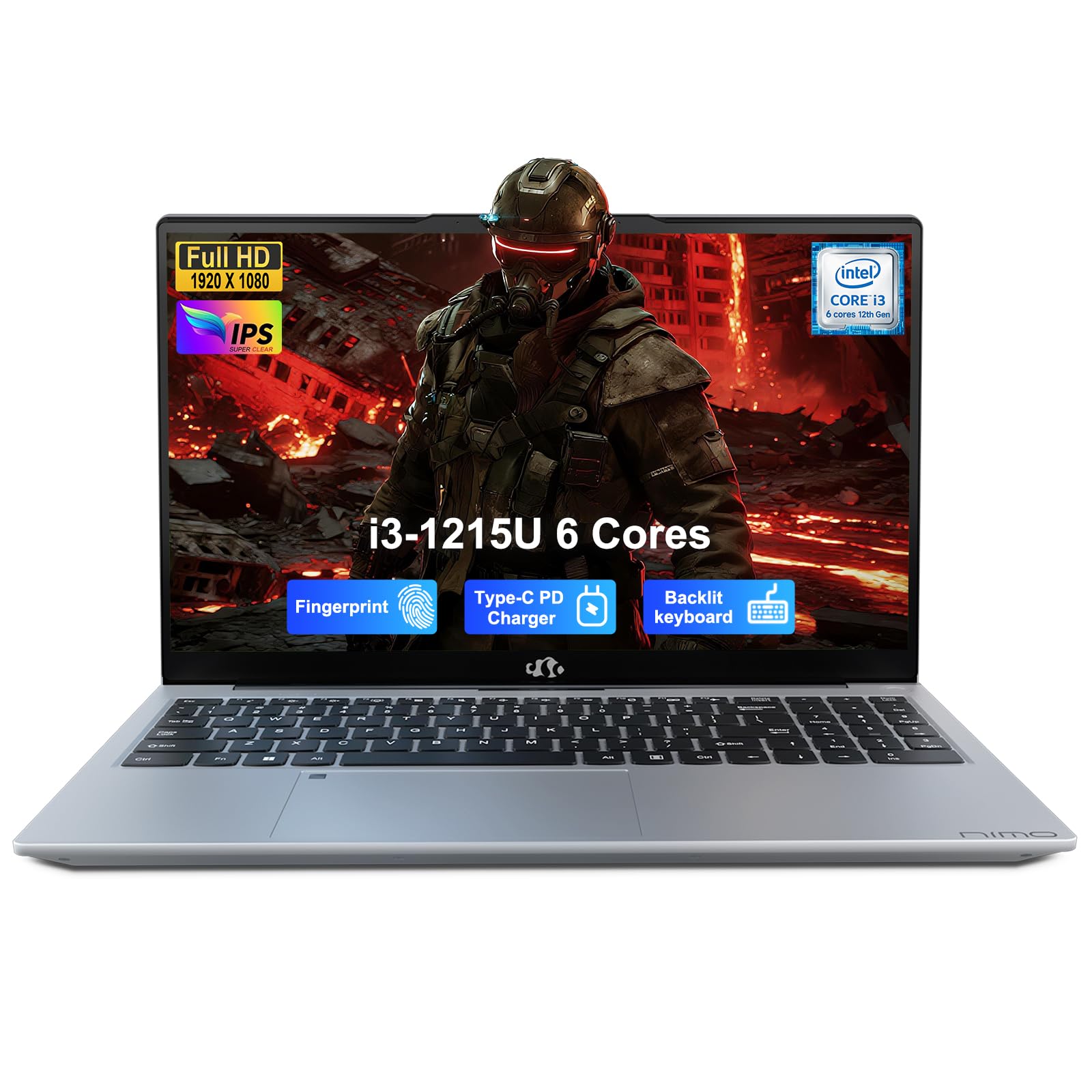
Its Intel Core i3 processor runs faster than the HP Home and Student Essential’s Celeron, so you avoid lag when switching between Zoom and your notes.
This NIMO laptop is the only pick in the mid-range that packs a real 12th Gen Intel Core i3-1215U processor (six cores, turbo up to 4.4GHz), which reviewers confirm feels fast even with multiple windows open. That processor beats the performance of the HP Home and Student Essential’s Intel Celeron N4500 by a wide margin, making this laptop feel much snappier when you are jumping between a Zoom lecture, a research browser, and a Word document. The 8GB of RAM and 128GB SSD are enough for daily school use, and the 15.6-inch FHD IPS screen (1920×1080) keeps text sharp during long reading sessions.
The backlit keyboard is a practical difference-maker for late-night studying, and the built-in fingerprint sensor (on the touchpad) means you log in instantly without typing a password. Buyers report it is fast and reliable, with one noting they transferred 40,000 files with no lag. The 54Wh battery is rated for 9 hours, and the included 65W USB-C charger refuels quickly. The catch: the speakers lack bass, though volume is adequate for a dorm room.
Processor that punches up: The Intel i3-1215U gives this laptop speed that rivals much more expensive models, so your school apps never feel sluggish.
One real trade-off: If you need a full day of classes without plugging in, the HP models with their 12-hour ratings last longer on a single charge.
Reach for this if: You want the fastest processor in the sub- student range and a backlit keyboard for low-light typing.
Look elsewhere if: You need maximum battery life beyond 9 hours, or you rely on software that requires a Windows environment (this is a Windows machine, so you are covered).
2. Acer Chromebook Plus 515

A 13th Gen Intel Core i3 processor and 256GB SSD make this Chromebook as fast as many Windows laptops, but without the Windows complexity.
This is the one to pick if your school lives inside Google Classroom, Gmail, and web-based apps, because the Chromebook Plus line delivers a 13th Gen Intel Core i3-1305U processor (turbo up to 4.5GHz) that reviewers call much faster than older Chromebooks. It has 8GB of LPDDR5X RAM and a 256GB PCIe Gen4 SSD, at 256GB versus the ASUS Chromebook CX15’s 128GB. The 15.6-inch Full HD (1920×1080) IPS touchscreen adds flexibility for navigating documents with a finger or stylus, and the 10-hour battery covers a full school day.
Owners mention that setup is easy — log into your Google account and everything syncs automatically. The included 12-month Google AI Pro subscription is a bonus for generating notes or summarizing research. One reviewer warns the keyboard is not backlit, which is a disappointment if you type in dim rooms. Also, this Acer Chromebook Plus gives you Wi-Fi 6E (the fastest wireless standard), so streaming lectures and downloading large files feels instant.
Specs that match a Windows laptop: With an i3 processor and 256GB SSD, this Chromebook handles heavy browsing and multitasking without the lag typical of budget Chromebooks.
Know before you buy: If your classes require Windows-only software (like SPSS or AutoCAD), stick with a Windows machine — Chrome OS cannot run traditional.exe programs.
Get this for: A student who wants a premium, fast, and simple laptop with a touchscreen and no Windows complexity.
Avoid it if: You need a backlit keyboard or your school software absolutely requires Windows.
3. HP 2025 Laptop for Student Business
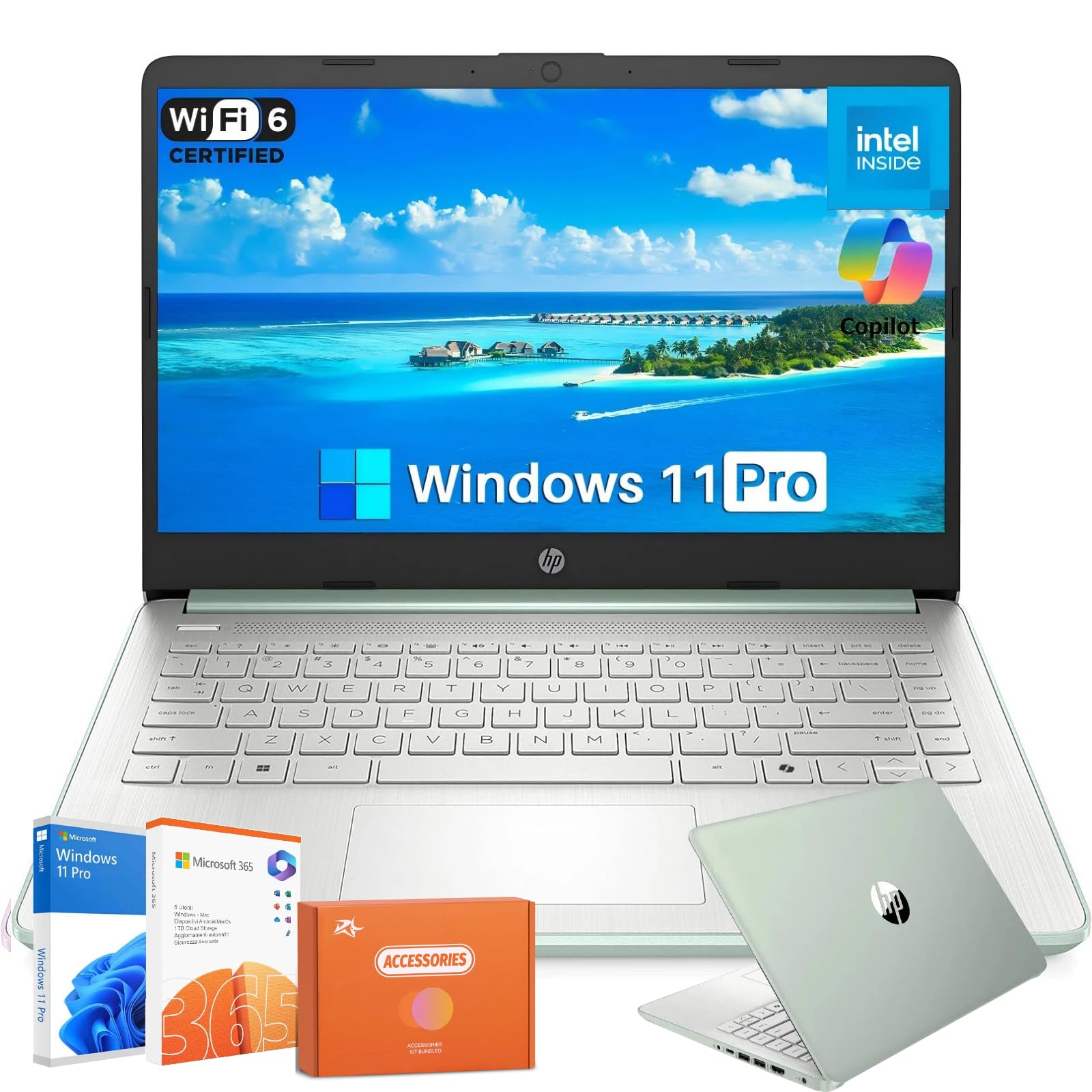
Its 12-hour battery and 16GB of RAM let you keep a dozen tabs open all day without reaching for a charger.
This HP stands out for having 16GB of DDR4 RAM — double what most competitors offer at this price — which means you can keep a dozen browser tabs, a Zoom call, and Microsoft Word open without a hiccup. The Intel Processor N150 and 384GB of total storage (128GB UFS plus a 256GB memory card) provide quick file access, and Windows 11 Pro (the version with more security features and Copilot AI) is pre-loaded with a one-year Microsoft 365 subscription. The 14-inch HD display (1366×768) is the weakest point here, offering less screen real estate than the FHD screens on other picks, though the anti-glare coating helps during outdoor use.
Customers note that the all-day 12-hour battery and HP Fast Charge (50% in about 45 minutes) are the real stars, getting you through back-to-back classes without hunting for an outlet. At 3.24 pounds and 0.71 inches thin, it is among the most portable Windows options. One reviewer noted early audio issues with Zoom that were later resolved. The 14-inch screen with 1366×768 resolution is noticeably less sharp than the 1920×1080 displays on the Acer and ASUS Chromebooks.
What stands out
- 16GB RAM offers heavy multitasking headroom
- 12-hour battery with fast charging
- Windows 11 Pro with Copilot AI and Office 365
- Very portable at 3.24 pounds
One trade-off
- 1366×768 screen is less sharp than 1080p displays
Choose this for: Students who need maximum battery life, lots of RAM, and full Windows software compatibility.
skip it if: A crisp Full HD screen is important to you for reading and detail work.
4. ASUS Chromebook CX15

Its MIL-STD-810H military-grade build survives backpack drops, and the 8GB of RAM and FHD screen make daily schoolwork smooth.
The ASUS CX15 hits a balance: a 15.6-inch Full HD (1920×1080) NanoEdge anti-glare display for crisp text, 8GB of LPDDR5 memory for smooth tab-switching, and 128GB of storage for your files. It is built to Military Grade standard MIL-STD-810H, meaning it can survive drops and vibration better than typical budget laptops — a real plus for students tossing a laptop into a backpack. The Intel Processor N50 provides snappy performance for web apps and streaming, and the battery is rated for up to 10 hours.
Buyers love the bright screen and the splashproof keyboard, and one reviewer notes it works well even for engineering apps like Fusion 360 and VS Code via web versions. The keyboard includes a numeric keypad, which is helpful for data entry classes.
Built student-tough: The MIL-STD-810H rating means this Chromebook survives daily commutes and accidental drops better than most.
One limitation: 128GB storage fills up quickly if you download many large files; consider the Acer Chromebook Plus if you need more space.
Ideal for: A student who wants a durable, full-sized Chromebook with a great screen and enough RAM for smooth multitasking.
Not for: Anyone who needs Windows-only school software or more than 128GB of built-in storage.
5. 15.6 Inch Laptop with AI (AKCHART)
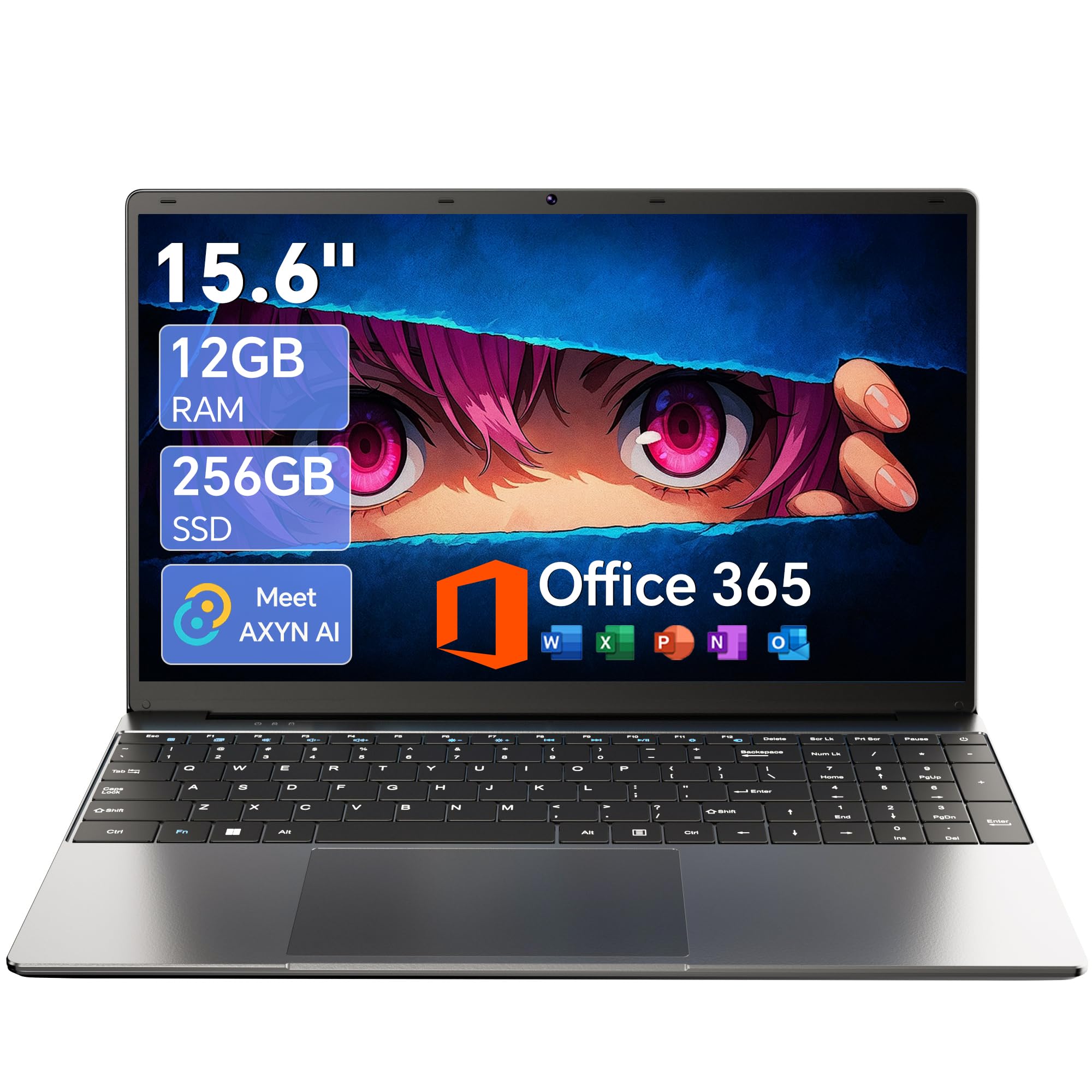
With 12GB of RAM and a 256GB SSD for a low price, you get smoother multitasking than the HP Home and Student Essential’s 64GB eMMC can deliver.
The Celeron J4105 processor is a quad-core chip that handles daily school tasks (browsing, documents, video calls) fine, and the 256GB M.2 SSD boot up quickly and provides storage that you can expand up to 2TB. The 15.6-inch FHD IPS display (1920×1080) gives you sharp, colorful visuals that make reading less tiring on the eyes, a clear step up from the 1366×768 screens on budget HP models.
Reviewers point out easy setup, smooth Windows 11 performance, and a battery that lasts through long classes — the 7000mAh capacity versus the 5000mAh battery in the 2026 Laptop (NIAKUN). It includes Office 365 and AI-powered Windows features. The 180-degree hinge is handy for sharing your screen with a study partner. The processor is slower than the Intel i3 in the NIMO, so heavy multitasking or complex programs may feel less responsive. Also, Wi-Fi 5 is a generation behind the Wi-Fi 6 found on the NIMO and HP picks.
Why it stands out
- 12GB RAM offers real multitasking headroom at this price
- FHD IPS display is sharp and color-rich
- Large 7000mAh battery
- Expandable storage up to 2TB
Where it saves
- Celeron J4105 processor is slower than Intel i3 options
- Wi-Fi 5 is less future-proof than Wi-Fi 6
Best for: The student on a tight budget who wants a large, sharp screen and extra RAM for smooth multitasking.
Consider another if: You need the fastest possible processor for demanding apps or the latest Wi-Fi standard.
6. 2026 Laptops Computer (NIAKUN)

You get Windows 11 Pro, a 256GB SSD, and Office 365 for a price that undercuts most laptops with half the storage.
This NIAKUN laptop gives you Windows 11 Pro (the business-grade version with extra security and management features) plus a one-year Office 365 subscription, all pre-loaded and ready from the start. The 8GB of RAM and 256GB SSD provide a solid foundation for school work — booting up and launching apps is noticeably faster than the HP Home and Student Essential with its 64GB eMMC storage The 15.6-inch FHD screen (1920×1080) makes text and images crisp, and the 180-degree hinge lets you lay the screen flat for easy sharing in study groups.
The Intel Pentium processor is adequate for browsing, documents, and streaming, but some shoppers say it feels slow during heavier multitasking. A reviewer notes that “if that’s not an issue for you, the computer is fine.” The battery is rated for 6 hours, which is shorter than the HP and ASUS picks, so you’ll need to carry the charger for a full day of classes. At 3.53 pounds, it is portable, and the 2-year warranty provides extra confidence.
top-tier for the price: The 256GB SSD and Windows 11 Pro with Office 365 give you a capable setup without spending extra on software.
One honest limitation: The 6-hour battery means you are hunting for an outlet by mid-afternoon, unlike the 12-hour HP models.
Grab this for: A student who needs Windows 11 Pro for security or specific school software and values a 256GB SSD over raw processor speed.
Avoid it if: You need all-day battery life beyond 6 hours or a faster processor for demanding apps.
7. HP Home and Student Essential Laptop
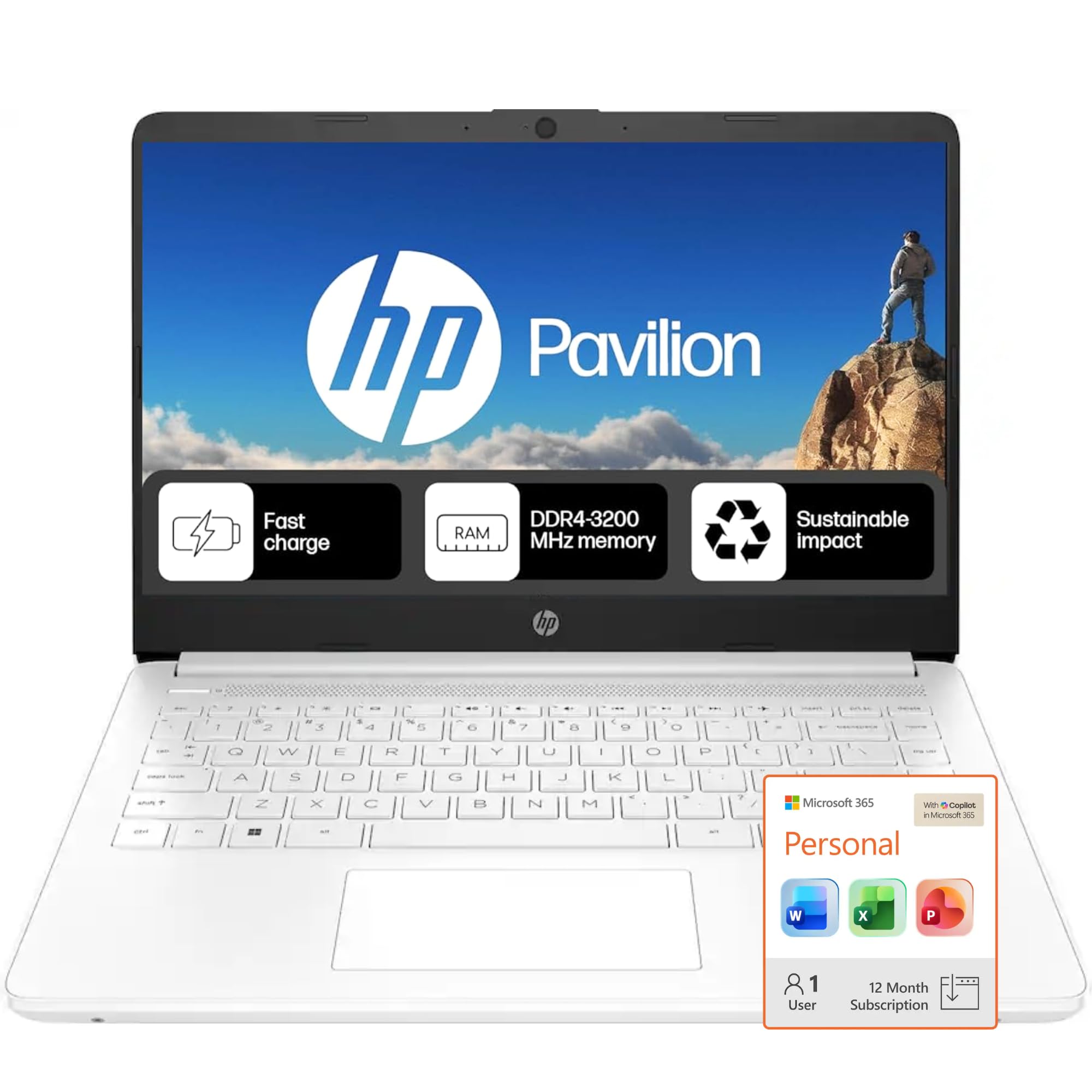
A 12-hour battery and a year of Office 365 keep costs low, but the 64GB eMMC storage is slow and fills up fast.
This HP gets two things right for student buyers: a 12-hour battery that genuinely lasts through a full day of classes, and a one-year Microsoft 365 subscription included. The 14-inch HD display (1366×768) is the lower-resolution screen compared to the 1920×1080 on the Acer and ASUS picks, which means less sharp text and a more cramped feel when splitting the screen. The Intel Celeron N4500 processor and 8GB of RAM are fine for basic browsing and document editing, but the 64GB eMMC storage is significantly slower and smaller than the 256GB SSD on the NIAKUN.
Buyers have mixed feelings: some love the value and long battery, while others report it is slow and freezes during meetings. One frustrated reviewer stated they returned it for an HP Ultrabook, noting a faulty touchpad and Windows S mode blocking Chrome. You can switch out of S mode for free (instructions are in the product description). The 1366×768 resolution and eMMC storage are the main reasons this falls below the NIAKUN and ASUS options for value.
What you get
- 12-hour battery is class-leading
- Microsoft 365 subscription included for one year
- Very affordable entry point to Windows
What you trade
- 64GB eMMC is slow and fills up quickly
- 1366×768 screen is less sharp than FHD
- Intel Celeron can feel sluggish with many tabs open
Pick this if: Your budget is very tight, you prioritize battery life above all else, and you only do basic web browsing and document editing.
pass on it if: You need a fast-feeling laptop or a sharp, large screen for reading and multitasking.
8. Acer 15.6” FHD Chromebook Laptop
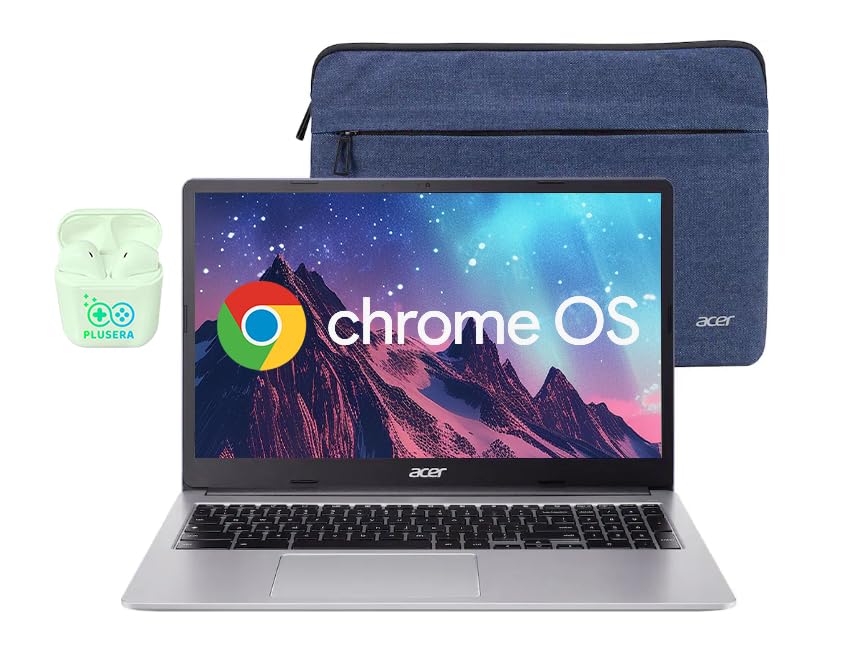
You get a 15.6-inch FHD screen and 576GB of total storage, versus the Lenovo Chromebook’s 128GB, all at a budget price.
This Acer Chromebook offers a 15.6-inch Full HD (1920×1080) IPS screen, compared to the HP Home and Student Essential’s 1366×768 display, so reading articles and viewing lecture slides is noticeably clearer. The total storage of 576GB, combining a 64GB eMMC drive and a 512GB SD card, towers over the Lenovo Chromebook’s 128GB (64GB eMMC+64GB card), for saving projects, textbooks, and media. The dual-core Intel Celeron N4500 processor handles Chrome OS smoothly for browsing, streaming, and Google Classroom tasks.
Buyers report great battery life and a screen that is a perfect size for school work. A reviewer who did not purchase the touchscreen version was happy with the display and storage space. Note that some models may be advertised as touchscreen when they are not, so confirm that feature before buying if it matters to you. The 4GB of RAM is the minimum you will find on any modern Chromebook — enough for a few tabs, but pushing into 10+ tabs may cause slowdowns. It comes with PLUSERA earphones in the box.
Storage champion: At 576GB total, this Acer holds far more files than any other budget pick here, including the Lenovo Chromebook.
One thing to check: 4GB of RAM is the bare minimum; if you tend to keep 15+ browser tabs open, consider an 8GB model like the ASUS CX15.
Ideal for: A student who needs maximum file storage on a Chromebook budget and values a large, sharp screen.
Not for: Heavy multitaskers who need more than 4GB of RAM for dozens of open tabs.
9. Lenovo Chromebook 14″ Touchscreen Slim Laptop

At 13.5 hours, its battery outlasts every other laptop here — you can go two school days on a single charge.
At 13.5 hours of battery life, this Lenovo Chromebook outlasts every other laptop on this list, making it the one you charge every other day. The 14-inch Full HD (1920×1080) touchscreen lets you tap, swipe, and scroll through online textbooks and quizzes naturally, and the IPS panel keeps viewing angles wide for sharing your screen. It weighs just 2.86 pounds and is 0.73 inches thin, so it slides into the smallest bag without adding weight. The MediaTek Kompanio 520 octa-core processor is designed for battery efficiency, not raw speed, making it ideal for web-based schoolwork.
Owners mention it works great for basic classes and note-taking, with one mom saying her son uses it for CNA classes and it does “everything he needed it to do plus more.” However, a buyer who returned the laptop noted it “couldn’t run required programming software,” so this is not the pick for computer science or engineering students who need powerful applications. The 4GB of RAM and 128GB storage are the lower end of the spectrum — the Acer Chromebook offers 576GB of storage for a similar price. The included 6-in-1 USB-C Docking Station Hub adds versatility for connecting monitors and peripherals.
Why it works
- 13.5-hour battery is the longest in this guide
- Touch FHD screen is responsive and clear
- Very lightweight at 2.86 pounds
- Includes a 6-in-1 USB-C hub
Where it limits
- 4GB RAM and 128GB storage are minimal
- Cannot run traditional Windows software for specialized college programs
Reach for this if: Battery life is your top priority and your school work stays inside the browser (Google Classroom, web apps).
Pass on it if: You need to run Windows software for your major or you routinely work with more than 10 browser tabs open.
Understanding the Specs
RAM (Memory)
RAM is your laptop’s short-term memory for everything you are doing right now — the browser tabs, the Zoom call, the Word document. For online schooling, 8GB is the comfortable minimum. If you go with 4GB, you will hit slowdowns when you open more than a handful of tabs. More RAM means you can switch between apps without the laptop having to reload anything.
SSD vs. eMMC Storage
An SSD (Solid State Drive) is a modern storage chip that loads your files and operating system almost instantly. eMMC is an older, cheaper type of storage that is noticeably slower. For a student laptop, an SSD-based machine (like the NIMO or NIAKUN) will feel faster on day one and stay that way. eMMC (found on the HP Home and Student Essential) works, but expect longer wait times when opening apps or files.
Screen Resolution (FHD vs. HD)
Full HD (1920×1080) and standard HD (1366×768) have different resolutions. On a 15.6-inch screen, that extra sharpness means you see more of a document or webpage without scrolling, and text does not look fuzzy. For reading-heavy schoolwork, the difference between FHD and HD is not subtle — FHD is genuinely easier on your eyes across a full day of classes.
Chrome OS vs. Windows
Chrome OS is a lightweight operating system from Google that runs web apps and Android apps. It boots in seconds, does not slow down over time, and is almost immune to viruses. Windows runs traditional software (Microsoft Office desktop apps, specialized engineering or accounting programs). If your school requires a specific program that only runs on Windows, do not buy a Chromebook. If your school lives inside a browser, Chrome OS is simpler and often cheaper.
FAQ
Can a Chromebook run all the software I need for college classes?
Is 4GB of RAM enough for online schooling?
What is the difference between eMMC and SSD storage?
How much storage do I need for online classes?
Is a touchscreen necessary for a student laptop?
Can I upgrade the RAM or storage on a school laptop later?
What is the best screen size for online schooling?
Do I need Windows 11 Pro or is Home version fine?
How long should a student laptop battery last?
What does the phrase “Windows 11 in S mode” mean?
Final Thoughts: The Verdict
For most buyers, the best computer for online schooling is the NIMO 15.6″ IPS FHD-Student-Laptop because it delivers an Intel Core i3 processor, 8GB of RAM, a backlit keyboard, and a sharp FHD screen at a price that undercuts most competitors with similar specs. If you want a premium Chromebook experience with a touchscreen and the longest battery, grab the Acer Chromebook Plus 515. And for the budget-conscious student who needs maximum battery life and Microsoft Office included, the HP 2025 Laptop offers 16GB of RAM and a 12-hour runtime that is tough to top.
How We Picked
We do not accept paid placement. Every pick is matched to a real buyer and a real use-case; we do not hands-on test units.
Sources & Methodology
Specifications: manufacturer listings and product documentation. Review insights: verified customer reviews, as of July 2026. Pricing: not shown on this page (it changes often); check the current price via the retailer link.
As an Amazon Associate, WellFizz earns from qualifying purchases. This does not affect which products we feature.
Related Guides

Mo Maruf
I created WellFizz to bridge the gap between vague wellness advice and actionable solutions. My mission is simple: to decode the research and give you practical tools you can actually use.
Beyond the data, I am a passionate traveler. I believe that stepping away from the screen to explore new environments is essential for mental clarity and physical vitality.