Our readers keep the lights on and my smoothie glass nicely filled. As an Amazon Associate, I earn from qualifying purchases.
Your laptop is your classroom, your library, and your study group rolled into one. Choosing a machine that can handle hours of video lectures, multiple research tabs, and last-minute paper edits without freezing is the single most important decision for your academic success. Online learning demands a specific balance of processing power, memory, and portability that standard consumer laptops often miss.
I’m Mohammad Maruf — the founder and writer behind WellFizz. My work focuses on deep market research and analyzing hardware specifications for student-focused computing, helping you find the machine that will actually survive your degree program.
This guide breaks down the top contenders based on real-world student needs, and highlights the best computer for online college in terms of value, performance, and long-term reliability.
How To Choose The Best Computer For Online College
An online college computer lives a specific life: constant video calls, dozens of browser tabs for research, writing papers, and occasional streaming breaks. General-use machines often skimp on RAM or battery life, leaving you frustrated mid-semester.
Prioritize RAM and Multitasking
Running a Zoom session, a browser with ten research tabs, a word processor, and a note-taking app simultaneously requires at least 16GB of RAM. Machines with 8GB will choke under this load, causing stuttering and lag. For serious multitasking, 32GB provides a noticeable buffer for future semesters.
Battery Life Is Non-Negotiable
A student laptop should survive a full day of classes and study sessions without hunting for an outlet. Look for machines rated for 8 hours or more of real-world use. Processor efficiency (like the Qualcomm Snapdragon X or Intel Core Ultra series) often determines whether you get 6 hours or 14 hours.
Storage Type and Capacity
Solid State Drives (SSDs) are mandatory for fast boot times and snappy application loading. A 512GB SSD is a good starting point; 1TB ensures you won’t run out of space for projects, downloads, and software. Avoid eMMC storage on primary machines, as it slows down over time.
Display and Portability
A 15.6-inch screen offers a comfortable workspace for split-screen studying, while a 14-inch model sacrifices a bit of real estate for better portability. A 1920×1080 (Full HD) resolution is the minimum; anti-glare screens reduce eye strain during long reading sessions. Weight under 4 pounds makes carrying between classes painless.
Quick Comparison
On smaller screens, swipe sideways to see the full table.
| Model | Category | Best For | Key Spec | Amazon |
|---|---|---|---|---|
| Lenovo IdeaPad 1 | Budget | Basic Productivity | 12GB RAM, 512GB + 128GB Storage | Amazon |
| HP Laptop 2026 Edit. | Mid-Range | Budget AI Features | 16GB RAM, 256GB + 128GB Storage | Amazon |
| NIMO 15.6″ Ryzen 5 | Mid-Range | High RAM & Storage | 32GB RAM, 1TB SSD | Amazon |
| ASUS Vivobook 16″ | Mid-Range | Snapdragon Efficiency | 16GB RAM, 512GB SSD | Amazon |
| Acer Aspire Go 15 | Mid-Range | Powerful Ryzen 7 | 16GB RAM, 512GB SSD | Amazon |
| HP 15.6″ FHD (2026) | Mid-Range | Massive Storage | 32GB RAM, 1TB SSD | Amazon |
| Dell Inspiron 15.6″ | Premium | i7 Performance, Office License | 32GB RAM, 1TB SSD | Amazon |
| LG Gram 17 | Premium | Ultra-Light & Large Screen | 32GB RAM, 2TB SSD | Amazon |
| Microsoft Surface Laptop | Premium | Copilot+ AI, Touchscreen | 16GB RAM, 1TB SSD | Amazon |
| Lenovo ThinkBook 16 | Premium | Business & AI Laptop | 16GB DDR5 RAM, 1TB SSD | Amazon |
| ASUS Vivobook 14″ | Premium | Intel Core 5, Portability | 12GB RAM, 1TB SSD | Amazon |
In‑Depth Reviews
1. Dell Inspiron 15.6″ Laptop Computer

The Dell Inspiron 15.6″ strikes a superb balance between performance and price, making it the default recommendation for most online college students. It houses a 10-core Intel Core i7-1255U processor capable of boosting up to 4.7 GHz, paired with a massive 32GB of RAM and a 1TB SSD. This combination handles heavy multitasking—Zoom lectures, a dozen tabs, a word processor, and a citation manager running simultaneously—without dropping a frame. The 120Hz IPS display at 1920×1080 resolution is unusually smooth for a student laptop, reducing eye fatigue during long reading sessions.
A standout feature for coursework is the inclusion of a Microsoft Office Lifetime License, saving you the recurring subscription cost that many students face. The numeric keypad is a genuine asset for data entry, finance, or STEM coursework. It runs Windows 11 Pro, which offers enhanced security and remote desktop features useful for campus IT portals. The only real compromise is Wi-Fi 5 rather than Wi-Fi 6, but for standard online learning platforms, this rarely creates a bottleneck.
Battery life is adequate for a full day of classes if you keep brightness moderate, and the 15.6-inch form factor remains portable enough for backpack carry. The anti-glare coating is effective under typical indoor lighting. If you want a machine that feels fast and will remain capable through four years of coursework without needing an upgrade, this Inspiron configuration is a standout choice in the mid-range landscape for a Computer For Online College.
Why it’s great
- Excellent 32GB RAM and 1TB SSD for lag-free multitasking
- Includes a lifetime Microsoft Office license, a real cost saver
- 120Hz display offers smoother scrolling than typical 60Hz student laptops
Good to know
- Uses Wi-Fi 5 instead of the newer Wi-Fi 6 standard
- Some buyers report the “Lifetime Office” license is a non-upgradeable version
- Lacks a USB-C Thunderbolt port
2. ASUS Vivobook 14″ FHD Business & Student Laptop

The ASUS Vivobook 14″ packs a 10-core Intel Core 5 120U processor (boosting up to 5 GHz) into a compact 14-inch chassis, making it an ideal balance of portability and power for online college work. It comes with 12GB of RAM and a generous 1TB PCIe SSD, offering fast boot times and ample space for projects, downloads, and media. The 1920×1080 IPS anti-glare display at 250 nits is crisp and comfortable for reading through lengthy course materials or streaming lectures.
Connectivity is robust for a 14-inch model: it includes USB-C 3.2, two USB-A 3.2 ports, HDMI, and a headphone jack, plus Wi-Fi 6 and Bluetooth. The camera privacy shutter is a welcome security feature for students who keep their laptop on during study sessions. The bundled PLUSERA 8-in-1 hub adds flexibility for connecting external storage or a second monitor, which is a nice bonus for a desktop-like study setup. The SonicMaster-tuned speakers offer decent audio for video calls without needing external speakers.
At just over 3 pounds, it slides easily into any backpack without adding noticeable weight. The keyboard is comfortable for extended typing sessions, and the 14-inch form factor fits well on small dorm desks or coffee shop tables. If you value portability without sacrificing storage capacity, this Vivobook is a strong premium-tier contender for a Computer For Online College.
Why it’s great
- Compact 14-inch design with a fast Intel Core 5 processor
- Generous 1TB SSD storage for long-term project storage
- Includes a useful 8-in-1 USB-C hub for expanding connectivity
Good to know
- 12GB RAM is less than the 16GB or 32GB found on some competitors
- Some listings may be mislabeled regarding screen size; verify the model
- Battery life is good but not exceptional for a full day of heavy use
3. LG 2025 Gram 17 Ultra-Light Business Laptop

The LG Gram 17 redefines what a large-screen student laptop can be by packing a massive 17-inch WQXGA (2560×1600) touchscreen into a chassis that weighs just 3.2 pounds. That combination is unheard of in the premium space—most 17-inch machines weigh closer to 5 pounds. It is powered by an Intel Core Ultra 7 258V processor with a built-in NPU for AI acceleration, 32GB of LPDDR5X RAM, and a 2TB SSD, making it a powerhouse for heavy research, creative projects, and data analysis without compromise.
The 320-nit anti-glare touchscreen offers excellent color accuracy (99% DCI-P3), which is beneficial for design, media, or any visually-oriented coursework. Connectivity is future-proof with Thunderbolt 4, USB4, HDMI 2.1, and Wi-Fi 7 support. The battery life is genuinely all-day—real-world usage reports suggest 10 to 14 hours of mixed productivity work, which means you can attend back-to-back classes and study sessions without hunting for an outlet. The keyboard is backlit, and the trackpad is responsive.
The bottom-firing speakers can sound muffled if the laptop is placed on a soft surface, and the price point places it at the high end of the student budget. However, for a student who needs a single machine that serves as both a primary computer and a portable device—and who values screen real estate without back pain—the Gram 17 is an unmatched performer. It is the ultra-lightweight titan in the premium tier for a Computer For Online College.
Why it’s great
- Weighs only 3.2 pounds despite a massive 17-inch touchscreen
- Excellent battery life lasting through a full day of classes
- Future-proof connectivity with Thunderbolt 4, USB4, and Wi-Fi 7
Good to know
- Bottom-firing speakers can sound muffled when on soft surfaces
- Higher price point compared to most student laptops
- Not designed for heavy gaming despite the powerful CPU
4. Microsoft Surface Laptop (2024)

The Microsoft Surface Laptop (2024) enters a new era of Windows computing with the Snapdragon X Elite processor—a 12-core ARM-based chip that delivers exceptional power efficiency and AI capabilities via its built-in NPU, qualifying it as a Copilot+ PC. The 15-inch PixelSense touchscreen is among the best in the category, with bright HDR support and an ultra-thin bezel design that maximizes viewing area. It comes with 16GB of RAM and a 1TB SSD, providing smooth performance for any student workload.
Battery life is the headline spec here: Microsoft claims up to 20 hours, and real-world users report it comfortably lasts through a full day of lectures, research, and streaming without needing a charge. The build quality is premium—the aluminum chassis feels solid, the trackpad is excellent, and the keyboard is comfortable for long typing sessions. It features Dolby Atmos Omnisonic speakers that deliver clear audio for video calls without external speakers. The Copilot+ AI features, accessible via a dedicated key, can help with summarization, drafting, and task management, which is genuinely useful for college students juggling multiple assignments.
The major caveat is compatibility: the ARM-based architecture does not support all x86 Windows software natively. While most common student apps (Office, Chrome, Zoom) work flawlessly, some specialized academic software, older games, or virtualization tools may have issues. If your coursework relies on legacy software or specific Windows-only engineering tools, verify compatibility before purchasing. For general online college use, this is a top-tier performer with incredible endurance, making it a premium AI-ready Computer For Online College.
Why it’s great
- Exceptional battery life lasting well over a full day of classes
- Beautiful 15-inch touchscreen with high brightness and HDR support
- Premium build quality and excellent keyboard and trackpad
Good to know
- ARM processor may cause compatibility issues with some specialized or older software
- Higher price point reflecting the premium design and new technology
- No headphone jack on some configurations; requires USB-C adapter
5. Lenovo ThinkBook 16 Gen 8 Business Laptop

The Lenovo ThinkBook 16 Gen 8 is built for the serious student who needs business-class reliability and AI-enhanced performance. It is equipped with the Intel Core Ultra 7 255H processor (boosting up to 5.1 GHz) with a dedicated Neural Processing Unit (NPU) for Lenovo AI Now features that optimize battery life and productivity. The 16-inch WUXGA (1920×1200) IPS anti-glare display with an 85% screen-to-body ratio provides a wide, high-resolution workspace ideal for reading textbooks and spreadsheets side-by-side.
With 16GB of high-speed DDR5 RAM and a 1TB PCIe NVMe SSD, this laptop handles demanding multitasking with ease. The RAM is also upgradable, which gives it more longevity than many sealed laptops. Security features include a fingerprint reader and a physical privacy shutter for the IR camera, which is useful for protecting sensitive academic and personal data. Connectivity is excellent: Thunderbolt 4, USB-C, HDMI 2.1, Ethernet, an SD card reader, and Wi-Fi 6E make it easy to connect to campus networks, external monitors, and peripherals.
The build quality is robust, with a premium Arctic Grey finish that looks professional in any setting. The keyboard and trackpad are comfortable, though some users note the keyboard is not backlit, which could be a drawback for late-night study sessions. Battery life is solid but not industry-leading, typically lasting a full school day with moderate use. For a student who anticipates a heavy workload, needs extra ports, and wants a laptop that will last beyond graduation, the ThinkBook 16 is a premium, future-ready Computer For Online College.
Why it’s great
- Powerful Intel Core Ultra 7 processor with built-in NPU for AI tasks
- Excellent connectivity including Thunderbolt 4, Ethernet, and HDMI 2.1
- Upgradable DDR5 RAM for future-proof performance
Good to know
- Keyboard is not backlit, which can be inconvenient in low light
- Battery life is good but not exceptional compared to ultra-portables
- Slightly heavier than some 14-inch alternatives
6. HP 15.6″ FHD Laptop 2026 Edition

The HP 15.6″ FHD Laptop (2026 Edition) offers a massive upgrade in memory and storage at a compelling mid-range price point. It packs 32GB of DDR4 RAM and a 1TB PCIe SSD, which is an unusually high combination for this tier. This configuration means you can run numerous applications, browser tabs, and virtual machines for programming courses without any slowdown. The Intel N100 processor (boosting up to 3.4 GHz) handles typical student workloads—office productivity, video streaming, and web browsing—efficiently, though it is not built for high-end gaming or intensive creative work.
The 15.6-inch Full HD anti-glare display reduces reflections during long study sessions, and the full-size keyboard with a numeric keypad is comfortable for data entry and accounting work. At just 3.64 pounds, it is light enough for daily campus commutes. Connectivity includes Wi-Fi 6, Bluetooth 5.3, USB-C, USB-A, and HDMI ports, covering all the standard bases for connecting peripherals. It comes with Windows 11 Home and a 1-year Microsoft 365 subscription for immediate productivity.
Some users report that the build feels slightly less premium than more expensive laptops, and the N100 processor is not as powerful as a Core i5 or Ryzen 5. However, for a student whose primary need is massive memory and storage for multitasking—without paying a premium for a high-end CPU—this HP delivers exceptional value. It is a smart choice for a mid-range Computer For Online College focused on RAM-heavy workflows.
Why it’s great
- Generous 32GB RAM and 1TB SSD combo for heavy multitasking
- Lightweight design at 3.64 pounds for easy portability
- Full-size keyboard with numeric keypad for data entry
Good to know
- Intel N100 processor is entry-level; not suited for gaming or video editing
- Build quality is adequate but not premium
- Some users experienced reliability issues; check warranty coverage
7. Acer Aspire Go 15 (AG15-42P-R9FW)

The Acer Aspire Go 15 is a strong mid-range contender that puts the excellent AMD Ryzen 7 7730U processor at the heart of the student experience. This 8-core, 16-thread CPU (boosting up to 4.5 GHz) outperforms many Intel alternatives in the same price bracket, delivering smooth performance for multitasking, photo editing, and even light gaming. It comes with 16GB of DDR4 RAM and a 512GB PCIe Gen 4 SSD, providing fast boot times and responsive application loading for all your coursework.
The 15.6-inch Full HD IPS display features narrow bezels for a modern look and Acer BluelightShield to reduce eye strain during extended reading sessions. The Copilot key gives you one-touch access to Windows AI assistant, which can help with drafting, summarizing, and organizing notes. Battery life is rated well above average, and real-world impressions suggest it can easily last through a day of classes. The fan is reported as quiet during typical browsing and word processing tasks, which is helpful in quiet study environments.
Connectivity includes a full-function USB Type-C port, HDMI 2.1, and Wi-Fi 6, ensuring stable connections for online exams and video calls. Some users reported that the sound volume was low and Bluetooth pairing was finicky, but these appear to be unit-specific issues rather than systemic flaws. For a student who wants a powerful CPU for occasional creative tasks or light gaming alongside serious studying, the Aspire Go 15 is a well-balanced mid-range Computer For Online College.
Why it’s great
- Powerful AMD Ryzen 7 processor for smooth multitasking and light gaming
- Full-HD IPS display with narrow bezels and eye strain reduction
- Quiet fan operation in typical student workloads
Good to know
- Some users reported low sound volume from built-in speakers
- Occasional Bluetooth pairing issues reported
- 512GB storage is adequate but less than 1TB competitors
8. ASUS Vivobook 16″ (X1607QA-DS54)

The ASUS Vivobook 16″ makes a compelling argument for ARM-based computing with its Qualcomm Snapdragon X 8 Core processor, which delivers a unique combination of high performance and exceptional power efficiency. The 16-inch WUXGA (1920×1200) display offers a taller 16:10 aspect ratio, giving you extra vertical screen space for reading documents and spreadsheets without scrolling. The 300-nit brightness is above average for this tier, and the anti-glare coating works well in bright rooms.
With 16GB of RAM and a 512GB PCIe SSD, this Vivobook handles typical student workloads smoothly. The Snapdragon X chipset includes a powerful Hexagon NPU (up to 45 TOPS) that enables AI features and helps extend battery life considerably. Real-world reports indicate the battery can last several days with 2-3 hours of daily use, which is remarkable for a 16-inch laptop. The Quiet Blue color is distinctive and professional-looking. It includes Wi-Fi 6 and Bluetooth 5.1 for reliable connectivity.
The main consideration is software compatibility—ARM architecture has the same limitation as the Surface Laptop and may not run some older or specialized Windows applications. For standard online college use (Office, web browsing, Zoom, streaming), it works flawlessly. The build quality feels solid, and several users report the device survived drops and minor impacts. For a student who prioritizes battery life and a large screen, this is a unique mid-range Computer For Online College.
Why it’s great
- Excellent battery life lasting multiple days with moderate use
- 16:10 aspect ratio screen provides extra vertical workspace for reading
- Snapdragon X processor with strong AI performance and efficiency
Good to know
- ARM architecture may have compatibility issues with some software
- 512GB storage is less than some competitors at the same price
- Not designed for gaming or intensive creative work
9. NIMO 15.6″ Laptop (AMD Ryzen 5)
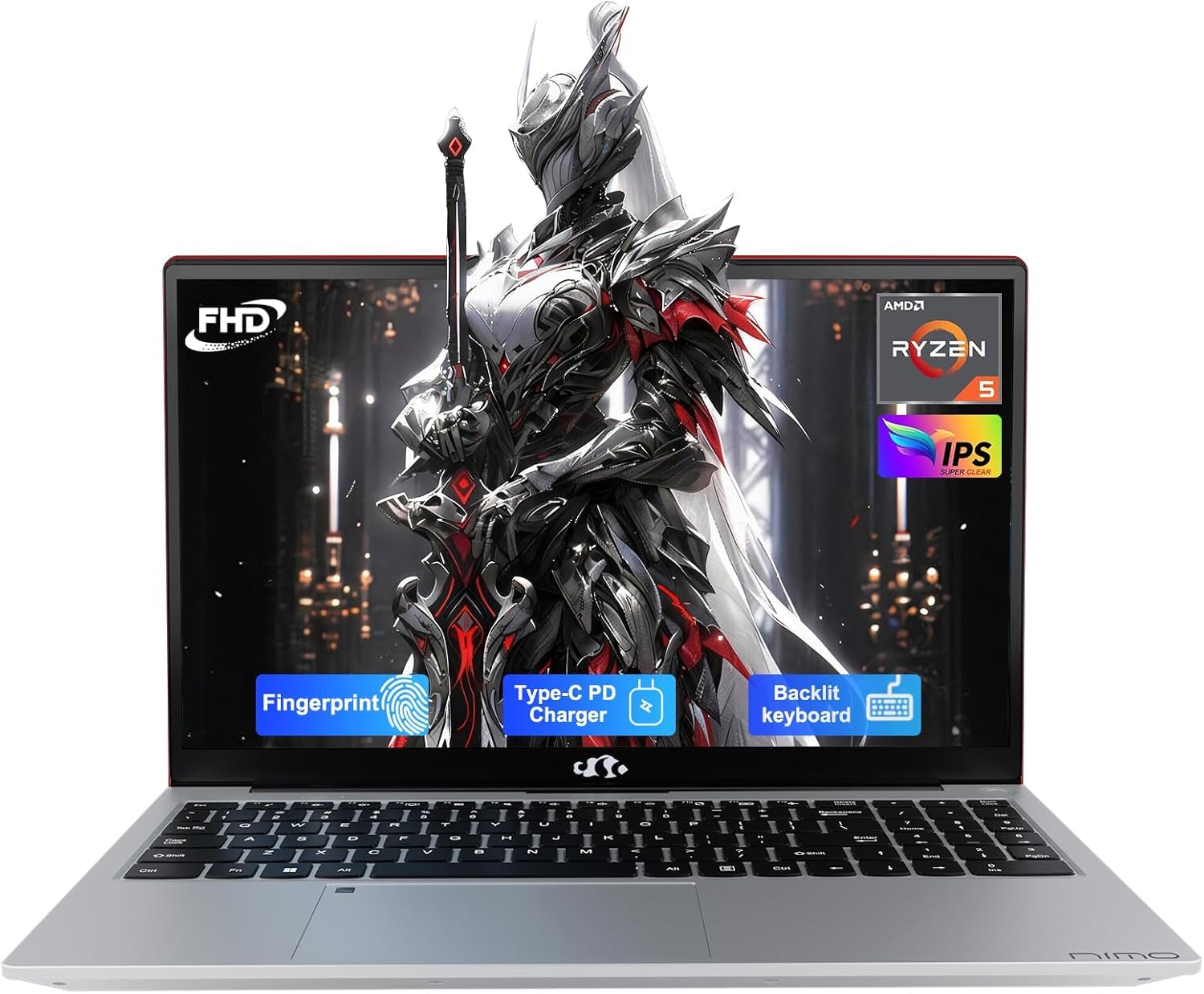
The NIMO 15.6″ Laptop prioritizes raw horsepower for multitasking with a compelling specification: 32GB of DDR4 RAM and a 1TB PCIe SSD, paired with an AMD Ryzen 5 processor (boosting up to 4.5 GHz). This is an unusual combination at a mid-range price point, making it a standout choice for students who juggle dozens of research tabs, run statistical software, or work with large datasets. The 15.6-inch Full HD (1920×1080) IPS anti-glare display with an 85% screen-to-body ratio provides vibrant visuals in a modern micro-edge design.
Beyond the core specs, NIMO includes thoughtful features for students: a backlit keyboard with adjustable brightness for late-night typing, a fingerprint reader integrated into the touchpad for instant secure login, and a 65W USB-C PD fast charger that can also power phones and tablets. The included 2-year manufacturer’s warranty and 90-day return policy provide peace of mind not always found with smaller brands. It comes with Windows 11 Home and is partially assembled in the USA, which some buyers may appreciate for quality assurance.
Battery life is a trade-off—the powerful RAM and processor draw more power, with some users reporting around 3 hours of real-world use, which is below average for a student laptop. The fans also spin up during charging or under load, which can be audible in quiet environments. For a student who stays near outlets and needs the extreme multitasking capacity that 32GB of RAM provides, the NIMO is a unique and powerful mid-range Computer For Online College.
Why it’s great
- Exceptional 32GB RAM and 1TB SSD for heavy multitasking
- Includes backlit keyboard and fingerprint reader for convenience
- 2-year manufacturer warranty offers long-term peace of mind
Good to know
- Battery life is limited, around 3 hours in real-world use
- Fans can be audible, especially during charging
- Entry-level Ryzen 5 processor; not for gaming or video editing
10. HP Laptop 2026 Edition with Copilot AI
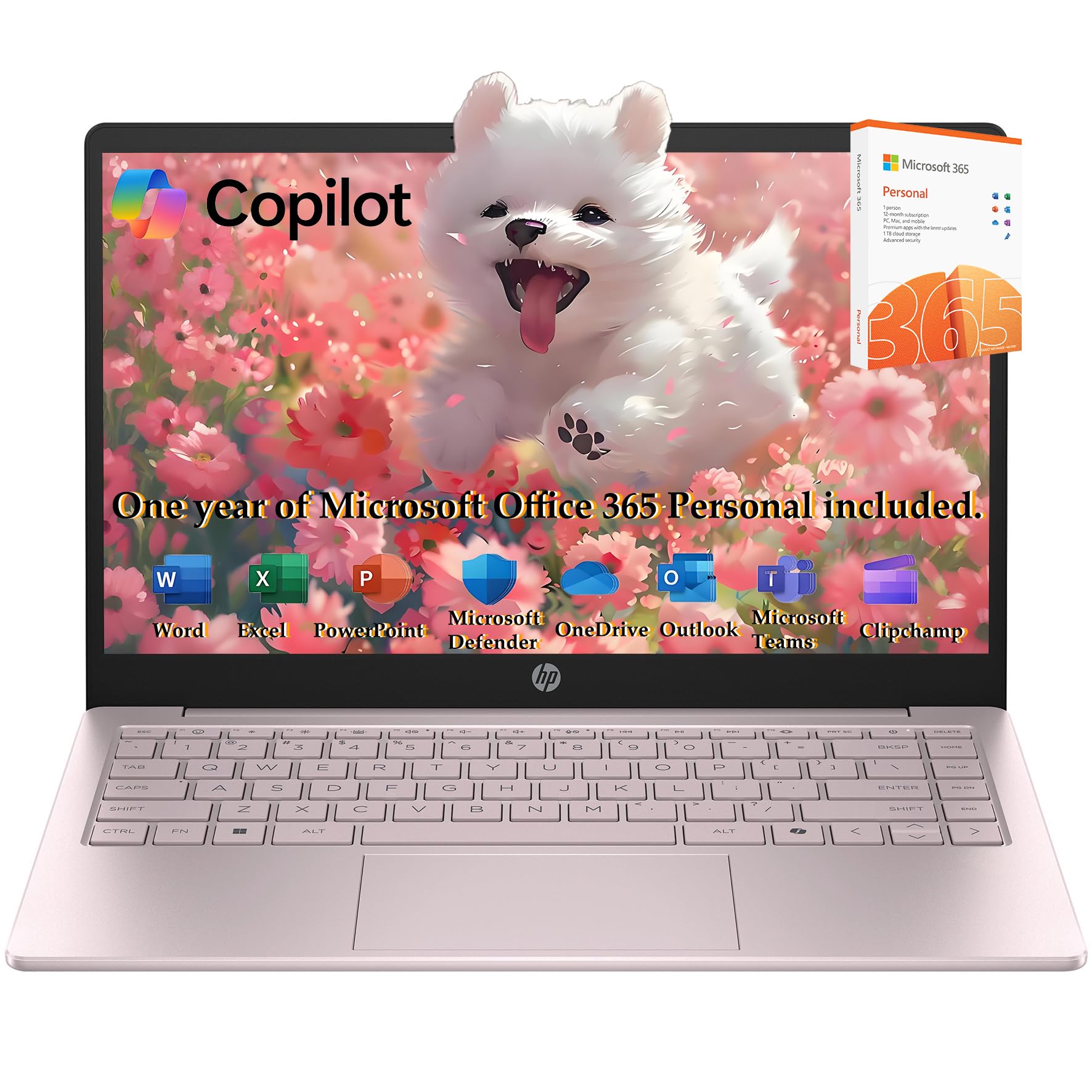
The HP Laptop 2026 Edition introduces Copilot AI features at a budget-friendly price point, making it accessible for students who want the latest Windows AI integration without overspending. It is powered by an Intel 4-core N150 processor (boosting up to 3.6 GHz) with 16GB of DDR4 RAM, providing enough power for standard academic tasks—Zoom calls, Microsoft Office, web browsing, and light content creation. The 14-inch anti-glare display is compact and portable, with a resolution of 1366×768, which is lower than the Full HD found on most competitors.
Storage is a hybrid setup: a 256GB PCIe NVMe SSD combined with 128GB flash storage, offering fast boot times and a decent amount of space for documents and applications. It includes a 1-year Microsoft Office 365 subscription, which is practical for immediate use. The Cherry Blossom Pink color is a unique aesthetic option for students who want something beyond the usual gray or black. It comes with a bundled Type-C HUB for expanded connectivity, and at 3.24 pounds, it is very portable.
The main compromises are the 1366×768 screen resolution, which is noticeably less sharp than 1920×1080 for reading text and viewing detailed images, and the entry-level N150 processor, which will struggle with heavy multitasking. Some users report reliability concerns, with isolated instances of motherboard failure. For a student on a strict budget who prioritizes AI features and portability over raw performance, this HP is a viable entry-level Computer For Online College.
Why it’s great
- Includes Copilot AI key for easy access to Windows AI features
- Lightweight at 3.24 pounds with a compact 14-inch form factor
- Comes with 1-year Office 365 subscription and a Type-C hub
Good to know
- Display resolution is only 1366×768, not Full HD
- Entry-level N150 processor limits heavy multitasking
- Some users report reliability issues; check warranty options
11. Lenovo IdeaPad 1 Student Laptop
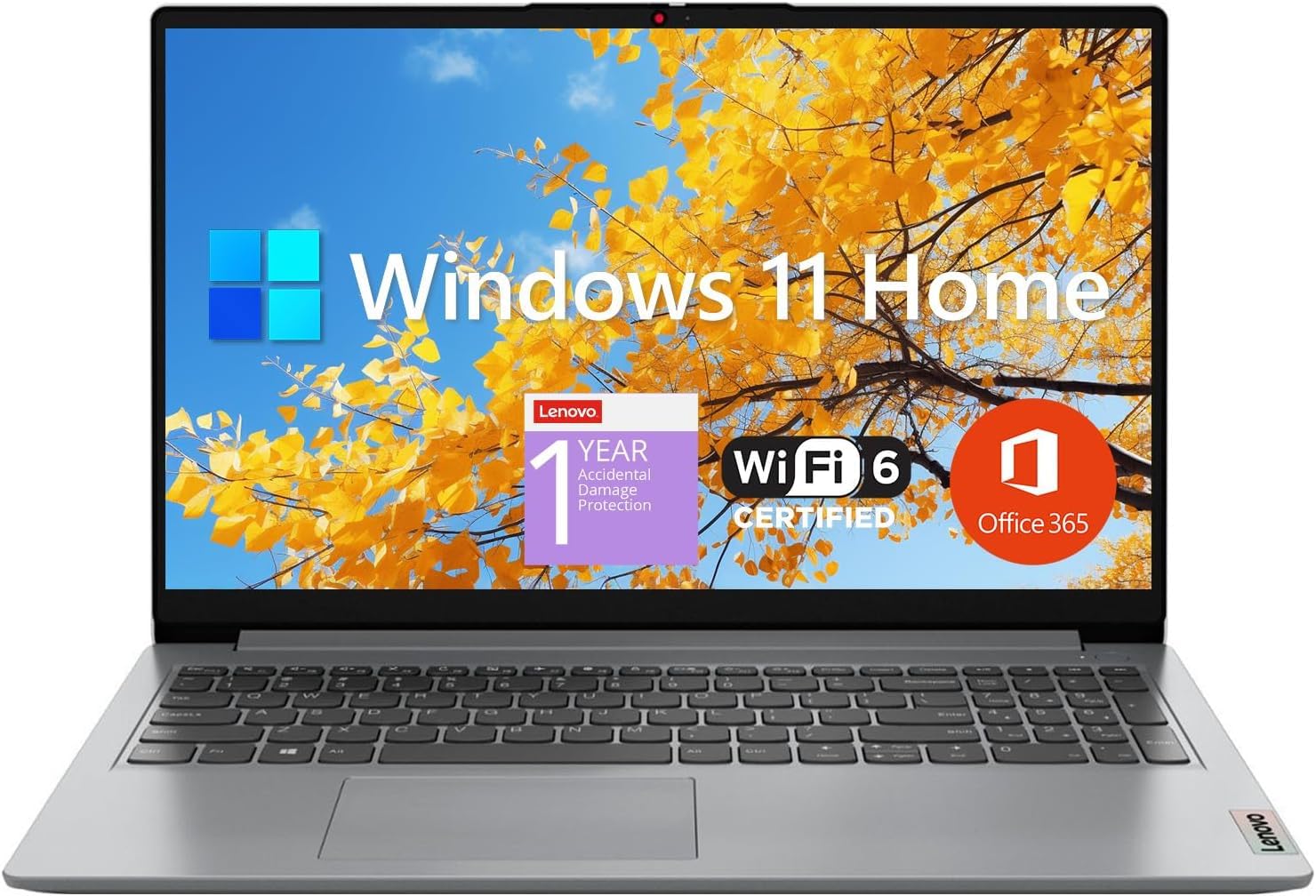
The Lenovo IdeaPad 1 is the most budget-conscious option on this list, but it manages to offer a Full HD 15.6-inch display, 12GB of RAM, and a 512GB SSD plus 128GB eMMC storage for under . This makes it a surprisingly capable machine for basic online college tasks: Zoom lectures, writing papers in Office, browsing research materials, and streaming videos. The Intel Celeron N4500 dual-core processor (boosting up to 2.8 GHz) is the weakest component, but for word processing and light web use, it handles the load adequately.
The 15.6-inch IPS anti-glare screen is genuinely nice for the price point, offering 1920×1080 resolution and decent viewing angles. It includes a good selection of ports: HDMI 1.4b, USB-C, two USB-A, a headphone jack, and an SD card reader. The inclusion of a 1-year Office 365 subscription adds immediate value for writing essays and creating presentations. At a lightweight build, it is easy to carry between classes. The battery life is rated at up to 9 hours, which should cover a full day of classes with moderate use.
Performance is the limiting factor—the Celeron processor will struggle with heavy multitasking, and the eMMC storage for the auxiliary drive is slower than a standard SSD. It is not suitable for gaming, video editing, or running complex software. Several users report occasional freezing and sluggishness when multiple apps are open. For a student on a tight budget who needs a reliable machine for basic coursework, the IdeaPad 1 is a functional entry-level Computer For Online College.
Why it’s great
- Full HD 15.6-inch IPS display at a very affordable price
- 12GB RAM and 512GB SSD for decent storage and memory
- Includes 1-year Office 365 for immediate productivity
Good to know
- Celeron N4500 processor is slow for multitasking or heavy apps
- eMMC storage is slower than a pure SSD configuration
- Some users report occasional freezing under load
FAQ
How much RAM do I actually need for online college classes?
Is a touchscreen useful for an online college computer?
Should I get a 14-inch or 15.6-inch laptop for college?
What does Copilot AI do for online students?
Can I use a Chromebook for online college?
Final Thoughts: The Verdict
For most users, the best computer for online college winner is the Dell Inspiron 15.6″ because it offers the best balance of a high-performance Core i7 processor, generous 32GB RAM, a huge 1TB SSD, and the valuable inclusion of a lifetime Office license—all at a price that represents genuine long-term value. If you want extreme portability with a massive screen, grab the LG Gram 17. And for AI-ready performance with incredible battery life, nothing beats the Microsoft Surface Laptop (2024).

Mo Maruf
I created WellFizz to bridge the gap between vague wellness advice and actionable solutions. My mission is simple: to decode the research and give you practical tools you can actually use.
Beyond the data, I am a passionate traveler. I believe that stepping away from the screen to explore new environments is essential for mental clarity and physical vitality.