Our readers keep the lights on and my smoothie glass nicely filled. As an Amazon Associate, I earn from qualifying purchases.
Specs are compiled from manufacturer listings and verified buyer reviews and can change over time — please confirm the key details on the product page before buying.
The perfect middle school computer needs to survive a backpack, handle a dozen Chrome tabs for research, and not slow down when the teacher drops a last-minute assignment. You also want something that won’t break the bank for a kid who might spill their water bottle on it. This guide cuts through the specs to find the machines that actually deliver on those promises.
I’m Mohammad Maruf — the founder and writer behind WellFizz. This guide is built by comparing the manufacturers’ published specifications and the patterns across verified customer reviews, so you get each pick’s real strengths and trade-offs instead of marketing spin.
Your middle schooler needs a laptop that survives a backpack tumble, lasts through a school day, and does not freeze when they have five tabs open for a project. The best computer for middle schoolers delivers exactly that — durability, battery life, and enough memory to keep up with their growing workload without constant frustration.
Our Picks at a Glance



How To Choose The Best Computer For Middle Schoolers
A computer for this age group has to be tough enough for a backpack, fast enough for homework, and secure enough for parents to sleep well at night. Here are the three things to look at first.
Build Quality and Durability
A school laptop gets shoved into a bag between classes, dropped on a desk, and occasionally knocked off the couch. Look for a model built to the MIL-STD-810G or MIL-STD-810H military standard — that rating means the chassis passed tests for drops, vibration, and temperature extremes. A lightweight design under 4 pounds also makes a big difference when your child is already carrying heavy textbooks.
Performance and RAM
Middle school work means a lot of browser tabs, Google Docs, and maybe a Zoom call or two. That is why 8GB of RAM is the real starting point. A machine with 4GB of RAM will choke the moment a few tabs are open alongside a video call, and that frustration kills productivity fast. A fast solid-state drive (SSD) of at least 128GB gives enough room for files without the loading delays of an older hard drive.
Operating System: ChromeOS vs. Windows
ChromeOS is a clean, secure, and simple system that runs flawlessly on lower-cost hardware, so a Chromebook often outruns a similarly priced Windows laptop on everyday school tasks. Windows 11 gives wider software compatibility, which matters if your middle schooler uses specific programs for coding, video editing, or advanced STEM courses. Choose ChromeOS for simplicity and speed, and Windows for flexibility.
Quick Comparison
| Model | Best For | RAM / Storage | Processor | Battery Life | Amazon |
|---|---|---|---|---|---|
| ASUS Chromebook CX15★ Best Overall | Best Overall | 8GB / 128GB | Intel N50 | 10 Hours | Amazon |
| Lenovo IdeaPad 3i ChromebookGreat Value | Value Choice | 8GB / 64GB | Intel Celeron N4500 | Amazon | |
| MELIUNA 15.6 Inch LaptopWindows Value | Windows Budget | 6GB / 128GB | Celeron J4105 | Amazon | |
| ASUS Vivobook Go L510KA | Budget Windows | 4GB / 128GB | Intel Celeron N4500 | Amazon | |
| HP 14-inch N4120 | Student Windows | 16GB / 64GB | Intel N4120 | Amazon | |
| NIAKUN 15.6″ Laptop | Windows Pro Value | 8GB / 256GB | Intel Pentium | 6 Hours | Amazon |
| ASUS Chromebook Flip CX1 | 2-in-1 Versatility | 8GB / 128GB | Intel Celeron N4500 | 11 Hours | Amazon |
| Acer Chromebook Plus 515 | Premium Power | 8GB / 256GB | Intel Core i3-1305U | 10 Hours | Amazon |
| HP 2025 N150 Laptop | Top Storage Combo | 16GB / 384GB | Intel N150 | Amazon |
In‑Depth Reviews
1. ASUS Chromebook CX15
Our pick — over 4★ from 700+ verified ratings; the strongest balance of quality and price.
The workhorse Chromebook built for school stress, not for the shelf.
This is the crowd-pleaser for a reason. The ASUS Chromebook CX15 packs the two specs that matter most for a middle schooler: 8GB of RAM (memory for running multiple apps at once) and 128GB of storage That combination means your child can keep a dozen research tabs open, stream a video for a project, and switch to a typing test without the laptop freezing — and it can survive a tumble out of a backpack.
The 15.6-inch Full HD anti-glare display (1920×1080 resolution) is big enough for split-screen work, and the anti-glare coating helps during study sessions near a sunny window. The keyboard includes a numeric keypad for typing in math answers quickly, and the machine weighs just 3.53 lbs — light enough to carry between classes without strain. The main trade-off is that it uses ChromeOS, so it relies on a steady internet connection and web-based apps, but for Google Classroom, Docs, and Sheets, it is snappy and secure.
Why parents love it
- 8GB of RAM and a fast 128GB SSD keep multitasking smooth
- Up to 10 hours of battery life lasts a full school day
- 15.6-inch Full HD anti-glare screen is easy on the eyes
The short side
- Runs ChromeOS, so offline functionality is limited
- Not built for gaming or heavy video editing tasks
Solid pick if: your student lives inside Google Classroom and needs a tough, fast machine that lasts all day without hitting a wall.
Think twice if: they need specific Windows-only software or a touchscreen for art and note-taking.
2. Lenovo IdeaPad 3i Chromebook
A budget-friendly Chromebook that still keeps the screen big and the battery full.
The Lenovo IdeaPad 3i Chromebook proves you do not have to spend a lot to get a solid school machine. It offers 8GB of RAM — the same amount as the ASUS CX15 above — giving a middle schooler enough memory to juggle Google Docs, a research tab, and a music stream. The 15.6-inch Full HD 1920×1080 display delivers crisp images for watching educational videos or reading assignments. It is noticeably slower than the ASUS, with a 64GB eMMC storage that holds half the data of the 128GB SSD in the CX15 (a 2.0x gap in storage speed and size), so it is better for students who keep their work in the cloud rather than saving large files locally.
Buyers rave about the “excellent battery life,” with one owner noting seven-plus hours still remaining at 79%. That stamina, combined with Dolby Audio speakers and a 720p HD camera with a privacy shutter, makes this a strong pick for distance learning or long days in the classroom. The trade-off is the Intel Celeron N4500 processor, which handles basics well but will lag if your child tries to run heavy apps or multiple demanding programs at once.
Standout strengths
- 8GB RAM keeps multitasking from bogging down
- Large Full HD screen for reading and video
- Reported battery life that easily outlasts the school day
Where it cuts corners
- 64GB eMMC storage is limited; cloud storage is required
- Processor is underpowered for heavy gaming or video editing
Reach for this if: you want a proven, low-risk budget Chromebook for a student whose work stays in the cloud.
Look elsewhere if: your child needs offline storage for large files or runs complex creative software.
3. MELIUNA 15.6 Inch Laptop
A Windows laptop at a Chromebook price, ready for Microsoft Office right from the start.
This MELIUNA laptop is the smart move for families who prefer the Windows ecosystem. It comes pre-installed with Windows 11 Home and includes an Office 365 subscription, so a middle schooler can start writing essays in Word and building presentations in PowerPoint immediately — no extra purchases required. The 15.6-inch IPS display delivers a clear, vibrant 1920×1080 picture with wide viewing angles, making it comfortable for group projects.
Performance comes from a Celeron J4105 processor, 6GB of RAM, and a fast 128GB M.2 SSD. Buyers report it is “perfect for everyday tasks like browsing, streaming, and office work” and praise the lightweight design. The 180-degree hinge lets the screen lie flat, which is handy for sharing homework during a study session. Just note that the Office 365 is a free trial, not a permanent subscription, .
Best for Windows families
- Includes Windows 11 Home and Office 365 right away
- 15.6-inch FHD IPS screen with vivid colors and wide viewing angles
- 128GB SSD delivers fast boot times and responsive app loading
- 180-degree hinge is useful for sharing the screen
Keep in mind
- Processor is entry-level; not for demanding software
- Office 365 is a free trial, not a lifetime subscription
Grab this if: your student needs real Microsoft Office access and you want a lightweight Windows machine for the price of a Chromebook.
skip it if: they need more than 6GB of RAM for heavier multitasking or plan to do any gaming beyond basic web titles.
4. ASUS Vivobook Go L510KA

An ultra-cheap Windows machine that does the basics, but only the basics.
The ASUS Vivobook Go L510KA is a true entry-level Windows laptop. It runs Windows 11 in S Mode (a locked-down mode that only allows apps from the Microsoft Store for security and performance), and it is powered by an Intel Celeron N4500 processor with 4GB of RAM. That is enough memory for one or two tabs and a Word document, but the moment a middle schooler opens a third research page alongside a video call, the machine will start struggling — reviewers report that memory sits at 85% idle and disk usage hits 100% under light loads.
The 15.6-inch display runs at 1920×1080 resolution, though owners describe it as “dim” and lacking clarity. The chassis includes a full set of ports including USB-C, USB-A, and HDMI. This is an option for the strictest of budgets, but the 4GB RAM limit makes it a short-term solution. As owners put it: “For basic use it’s perfect… but slow.” Compared to the ASUS Chromebook CX15, this Vivobook has half the RAM, so the CX15 is the better long-term investment if you can stretch the budget.
Extreme budget callout: This is the cheapest way to get a new Windows 11 laptop into your student’s hands. But the performance ceiling is low, and you may find yourself upgrading within a year.
Only if you must: the tightest budget forces the choice. It will open Word and a browser tab, but nothing more.
Better to skip if: your student does any multitasking at all — the 4GB RAM will frustrate them daily.
5. HP 14-inch N4120 Laptop

Lots of memory for the money, but a small screen and storage that runs out fast.
This HP 14-inch laptop grabs attention with 16GB of DDR4 RAM — a huge amount at this price point. That much memory means a middle schooler can open dozens of browser tabs, run a video call, and have several Office documents open without the system slowing down. The processor is an Intel Quad-Core N4120, and the machine includes a one-year Office 365 subscription, so it is ready for productivity from day one.
The catch is the 64GB eMMC storage, which fills up shockingly fast. With Windows 11 installed, your student may have room for only a few large apps and limited files before hitting the storage wall. The 14-inch display runs at 1366×768 resolution, which is noticeably less sharp than the 1920×1080 screens on the ASUS CX15 or the Lenovo IdeaPad 3i. The port selection includes HDMI, USB-C, and an RJ-45 Ethernet port for a stable wired connection. It is a decent student laptop for families who prioritize RAM for smooth browsing over screen quality and storage capacity.
Memory monster
- 16GB of RAM handles heavy multitasking without breaking a sweat
- Includes 1-year Office 365 subscription
- Ethernet port for stable internet during online classes
Trade-offs
- 64GB eMMC storage is very limited for Windows and apps
- 1366×768 display is noticeably less sharp than Full HD alternatives
Choose this if: your child constantly has 20+ tabs open and you have an external hard drive or cloud storage to handle files.
Pass on this if: screen quality and built-in storage space are important for your student’s daily use.
6. NIAKUN 15.6″ Laptop

A Windows Pro machine with double the storage and a 2-year warranty for confidence.
The NIAKUN 15.6-inch laptop stands out because it runs Windows 11 Pro — a version with extra security features like BitLocker encryption and remote desktop — and includes Office 365 right from the start. For a middle schooler, that means a secure computer that can handle school software and typing projects without needing upgrades. The 8GB of RAM and 256GB SSD provide a balanced pairing: plenty of speed for everyday tasks and enough room for files, unlike the 64GB eMMC storage found on budget Windows laptops. That 256GB SSD is four times larger than the 64GB eMMC in the HP N4120 above.
At just 3.53 lbs and 0.8 inches thin, it is genuinely portable, and the 15.6-inch 1920×1080 IPS screen delivers sharp visuals for watching educational content or editing presentations. The 5000mAh battery gives up to 6 hours of mixed use, which is shorter than many Chromebooks, so your student may need to plug in during afternoon activities. Some owners mention the performance is “pretty slow” for anything beyond basic tasks, so keep this aimed at light schoolwork like browsing, documents, and video calls.
Warranty winner: The 2-year warranty and 6-month return policy are rare at this price, giving you a safety net that the other budget Windows laptops do not offer.
Best for: families who want a light Windows laptop with double the storage of budget rivals and the security of a long warranty.
Not for: students who need a full day of unplugged use — the 6-hour battery is tighter than alternatives.
7. ASUS Chromebook Flip CX1

A convertible Chromebook that doubles as a tablet for note-taking and drawing.
The ASUS Chromebook Flip CX1 is the machine for the middle schooler who takes handwritten notes or enjoys drawing diagrams. Its 14-inch 1920×1080 touchscreen folds 360 degrees into four modes: clamshell for typing, tent for watching videos, stand for presentations, and tablet for sketching or reading. That versatility is rare at this price point, and it is backed by a MIL-STD 810H military durability rating, so the hinge can survive daily flipping without getting wobbly.
Inside, you get 8GB of RAM and 128GB of eMMC storage, driven by an Intel Celeron N4500 processor. That is enough for Google Classroom, web research, and light app use, and the battery lasts up to 11 hours — enough to get through a full school day plus after-school activities. Owners praise the “vivid screen color” and “solid touchscreen.” The main compromise is the lack of a backlit keyboard, which some users note as a missing feature for late-night study sessions, and the eMMC storage is slower than the SSD in the Acer Chromebook Plus 515 below.
Flex appeal
- 360-degree touchscreen flips between laptop and tablet modes
- MIL-STD-810H military-grade build for durability
- Up to 11 hours of battery life for all-day school use
Drawbacks
- No backlit keyboard for typing in dim light
- eMMC storage is slower than a full SSD
Reach for this if: your student takes handwritten notes or wants a touchscreen for creative projects and study apps.
Pick a standard laptop if: they never use touch input and you want faster storage for the same money.
8. Acer Chromebook Plus 515

The Chromebook that feels like a real PC, with an Intel Core i3 and 256GB of SSD speed.
This is the fastest Chromebook on this list by a wide margin. The Acer Chromebook Plus 515 runs on an Intel Core i3-1305U processor that can turbo up to 4.5GHz — a giant leap over the Celeron and Pentium chips in the other picks. That power, combined with 8GB of LPDDR5X RAM and a 256GB PCIe Gen 4 SSD, lets a middle schooler open 33 browser tabs simultaneously “with no problems, no freezing,” as one owner put it. It handles light video editing, software development, and demanding classroom tools without stuttering.
The 15.6-inch Full HD touchscreen display is sharp and responsive. The machine weighs only about 3 lbs, making it lighter than most 15-inch laptops despite having a metal-like build. It also comes with a free year of Google AI Pro (Gemini Advanced, 2TB of storage), which adds AI writing and photo-editing tools. The most common complaints are the lack of a backlit keyboard and a slightly awkward keyboard layout for PC switchers, but on pure power, this machine beats every other Chromebook on the list.
Performance king
- Intel Core i3-1305U is 2x faster than entry-level Chromebooks
- 256GB PCIe Gen 4 SSD for lightning-fast file access
- Supports 25+ tabs and 10 apps without lag
- FHD touchscreen with crisp visuals
Compromises
- No backlit keyboard is a letdown at this price
- Non-standard keyboard layout takes getting used to
Buy this if: your student does more than basic schoolwork — coding, light video editing, or running demanding web apps will all be smooth.
Save money if: your child’s school day is just Google Docs and YouTube; the ASUS CX15 offers a better price for the same everyday use.
9. HP 2025 N150 Laptop
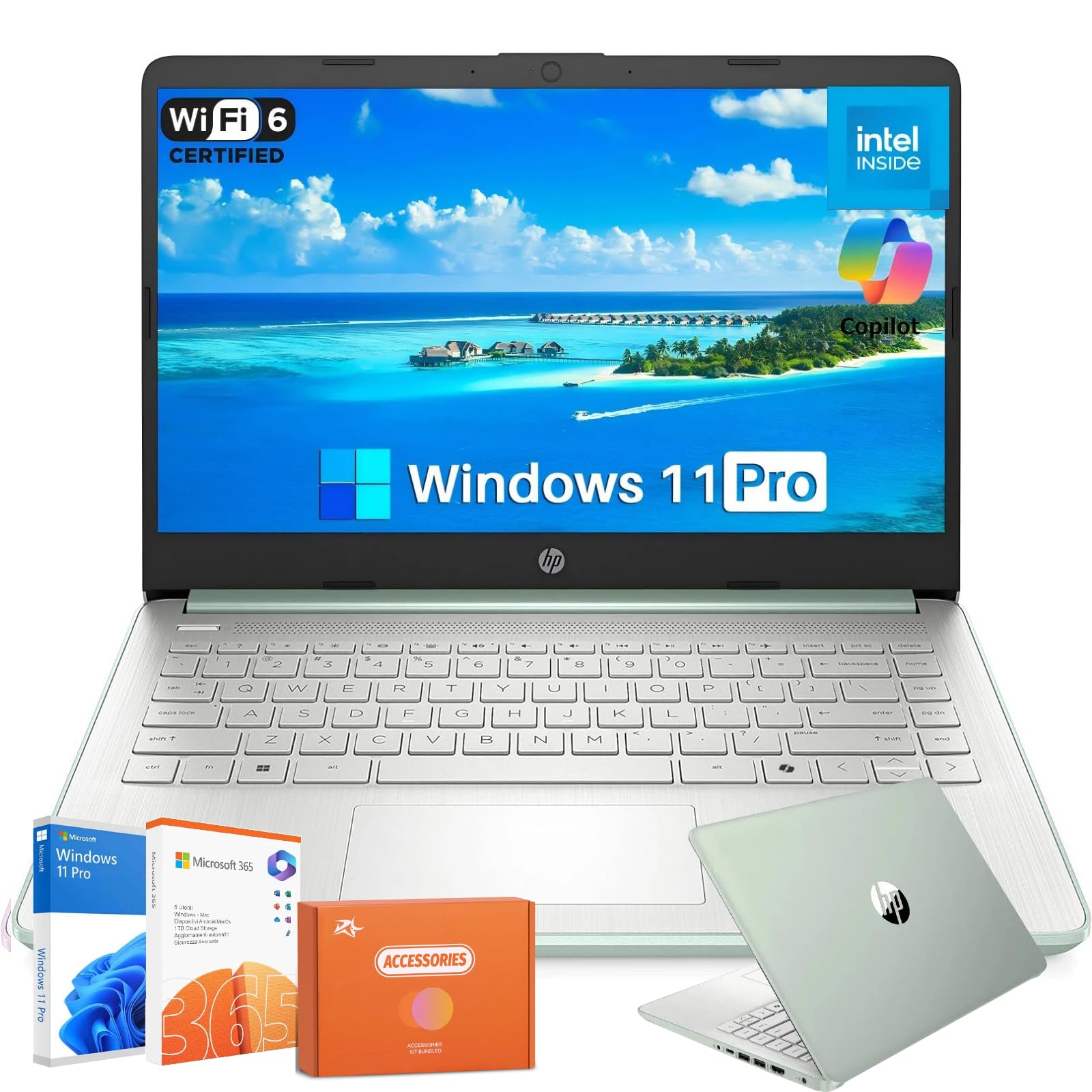
The longest battery life and the most storage on this list, all in a 3.24-pound package.
The HP 2025 N150 laptop is a storage and battery champion. It comes with 16GB of DDR4 RAM for smooth multitasking and a unique storage setup: 128GB of UFS storage for fast system performance plus a 256GB memory card for extra file space — totaling a massive 384GB. That is more than enough room for a middle schooler’s entire project archive, photos, music, and downloaded videos without any cloud storage anxiety.
The Intel Processor N150 runs cool and quiet, and the 14-inch HD display has an anti-glare coating for clear use outdoors or under bright classroom lights. It runs Windows 11 Pro with Copilot AI built in and includes a one-year Office 365 subscription. At under 3.25 lbs and 0.71 inches thick, it is incredibly portable. The main downside mentioned by owners is occasional stability issues, with some reporting crashes, so it is worth ensuring a good return policy. Compared to the HP 14-inch N4120 (also 16GB RAM), this HP has 6x the total storage (384GB vs 64GB) and a significantly better battery, making it the superior choice if the budget allows.
What you get
- 16GB RAM for easy multitasking
- 384GB total storage (128GB UFS + 256GB MSD) for large file libraries
- Lightweight 3.24 lb build for easy portability
Watch out for
- Reports of occasional system crashes among a small number of owners
- 1366×768 display resolution, not Full HD
Choose this if: battery life and local storage space are your top priorities, and your student runs Windows-only software.
Pick a Chromebook instead if: you prefer a simpler, more secure OS and do not need this much local storage for school files.
Understanding the Specs
RAM (Memory)
Think of RAM as your computer’s short-term memory for tasks it is working on right now. 4GB is the absolute minimum for a school laptop, but you will feel the strain the moment you open a few Chrome tabs. 8GB is the smart starting point — it lets a middle schooler research, write an essay, and watch a video all at once without the machine freezing. 16GB is overkill for most school work but ensures no slowdowns even with dozens of tabs open.
Storage Type: SSD vs. eMMC
Storage is where files live permanently. An SSD (Solid State Drive) is fast, so the laptop boots up in seconds and apps open nearly instantly. eMMC storage is basically a souped-up memory card soldered to the motherboard — it costs less but loads programs noticeably slower. For a middle schooler, a 128GB SSD is the practical balance. Anything smaller, like a 64GB eMMC, fills up fast after Windows and a few apps are installed.
Processor (CPU)
The processor is the engine. Intel Celeron N-series chips (N4500, N4120, N150) are good for basic word processing, web browsing, and video streaming but will struggle with heavy multitasking or editing. An Intel Core i3 is a big step up, handling dozens of tabs, light coding, and photo editing with ease. For middle school homework, a modern Celeron is usually fine, but the Core i3 future-proofs the purchase for later grades.
Operating System: ChromeOS vs. Windows
ChromeOS is a lightweight OS made by Google that lives mostly in the cloud. It boots in seconds, updates automatically, and is nearly immune to viruses. It is perfect for schools that use Google Classroom, Docs, and Sheets. Windows 11 offers more software compatibility, so your child can run desktop apps like specific coding tools, video editors, or older educational software. Choose ChromeOS for simplicity and speed; choose Windows for maximum flexibility.
FAQ
What is the difference between a Chromebook and a Windows laptop for a middle schooler?
How much RAM does a middle schooler really need?
Is 64GB of storage enough for a student laptop?
What does MIL-STD-810H mean for a school computer?
How long should the battery last for a school day?
Can a middle schooler use a Chromebook for online classes?
Is a touchscreen important for a school laptop?
Do I need to buy Microsoft Office for a student laptop?
Final Thoughts: The Verdict
For most families, the computer for middle schoolers winner is the ASUS Chromebook CX15 because it checks every critical box — 8GB of RAM, 128GB of SSD storage, a 10-hour battery, and a military-grade chassis — at a price that does not require a second mortgage. If you want a convertible touchscreen for note-taking, grab the ASUS Chromebook Flip CX1. And for a Windows laptop with the most storage and best battery life, the HP 2025 N150 is the one to reach for — just note the 1366×768 display is not Full HD.
How We Picked
We do not accept paid placement. Every pick is matched to a real buyer and a real use-case; we do not hands-on test units.
Sources & Methodology
Specifications: manufacturer listings and product documentation. Review insights: verified customer reviews, as of July 2026. Pricing: not shown on this page (it changes often); check the current price via the retailer link.
As an Amazon Associate, WellFizz earns from qualifying purchases. This does not affect which products we feature.
Related Guides

Mo Maruf
I created WellFizz to bridge the gap between vague wellness advice and actionable solutions. My mission is simple: to decode the research and give you practical tools you can actually use.
Beyond the data, I am a passionate traveler. I believe that stepping away from the screen to explore new environments is essential for mental clarity and physical vitality.