Our readers keep the lights on and my smoothie glass nicely filled. As an Amazon Associate, I earn from qualifying purchases.
A law school laptop lives under a unique kind of pressure—not just running LexisNexis and Westlaw side by side with a dozen open PDFs, but surviving the library grind, the coffee shop commute, and the 12-hour briefing sessions without thermal throttling or a dead battery. You need a machine that balances raw processing power for document review with absolute portability for campus life. The wrong choice means fighting with lag during a cold call or hauling a brick through the halls.
I’m Mohammad Maruf — the founder and writer behind WellFizz. My research for this guide involved cross-referencing processor benchmarks, memory configurations, display quality, real-world battery estimates, and chassis durability across dozens of models to isolate the machines that genuinely support the law school workflow, not just the marketing claims.
After hundreds of hours comparing specs and reading verified buyer experiences, I’ve built a precise list of the best computer for law school that prioritizes screen clarity, keyboard comfort, RAM capacity for massive multitasking, and the battery endurance you will actually need between the library and the lecture hall.
How To Choose The Best Computer For Law School
Choosing a laptop for law school is not about flashy specs—it is about durability, screen real estate, and a keyboard you can type thousands of words on without pain. Here are the core areas that separate a good study machine from a frustrating one.
Processor: Core Counts More Than Clock Speed
Law students run multiple browser tabs, a word processor, and a legal database simultaneously. An Intel Core i5 or i7 (12th Gen or newer) or an AMD Ryzen 5 or 7 provides enough cores to handle that workload without stuttering. Avoid Celeron, Pentium, or entry-level chips—they choke on heavy multitasking.
Memory: 16GB Is The Floor, 32GB Is The Sweet Spot
You will have 20+ tabs open across Westlaw, LexisNexis, Google Docs, and PDF annotations. 8GB of RAM forces constant swapping and slows you down. 16GB allows comfortable work, but 32GB future-proofs you for three years of law school plus any lightweight data analysis or exam software.
Display: Anti-Glare And Resolution Matter
Reading statutes and case law for hours demands a sharp, non-reflective screen. Aim for a 1920×1080 (FHD) display at minimum. Higher resolutions like 2.5K or 2.8K reduce scrolling and make footnotes readable at a glance. Anti-glare coatings reduce eye strain under library or café lighting.
Keyboard And Build: Your Primary Interface
You will type tens of thousands of words per semester. A backlit keyboard with adequate key travel and a firm feel prevents fatigue. A metal or magnesium alloy chassis resists wear from daily backpack commuting better than flimsy plastic.
Battery: One Full Day Without A Plug
Law school schedules are unpredictable—back-to-back classes, library sessions, and study groups. A laptop that offers 8-12 hours of real-world battery life means you rarely hunt for an outlet. Rapid charging is a bonus for quick top-ups between blocks.
Ports And Connectivity: Dongles Are A Hassle
You will connect external monitors for research, USB drives for file sharing, and headphones for quiet study zones. Having at least one USB-A port, HDMI, and a headphone jack saves you from carrying adapters. Thunderbolt 4 or USB4 adds future display and charging flexibility.
Quick Comparison
On smaller screens, swipe sideways to see the full table.
| Model | Category | Best For | Key Spec | Amazon |
|---|---|---|---|---|
| Dell 14 Plus | Ultrabook | Premium portability & vivid display | 2.5K 16:10 Display | Amazon |
| Lenovo ThinkPad X1 Carbon Gen 13 | Flagship Business | Ultra-light weight & legendary keyboard | 2.17 lbs / 15 hr battery | Amazon |
| LG gram 17 | Large Ultraportable | Massive screen in a light frame | 3.2 lbs / 17″ 2560×1600 | Amazon |
| ASUS Vivobook S16 | Creator AI PC | Stunning OLED and massive storage | 16″ 2.8K OLED 120Hz | Amazon |
| LG gram Pro 17 | Performance Powerhouse | High-end performance with dedicated GPU | Intel Ultra 9 / RTX 5050 | Amazon |
| Lenovo ThinkPad E16 Gen 3 | Business Workhorse | Enterprise reliability and security | 16″ FHD+ IPS Display | Amazon |
| GEEKOM GeekBook X14 Pro | Ultra-thin OLED | Featherlight with premium screen | 2.2 lbs / 2.8K OLED | Amazon |
| Samsung Galaxy Book5 360 | 2-in-1 Convertible | Versatile touchscreen & AI features | FHD AMOLED Touch | Amazon |
| HP 17″ Business Laptop | Large Screen Value | Budget-friendly 17-inch experience | 32GB RAM / 1TB SSD | Amazon |
| HP Touchscreen Laptop | Touchscreen Power | Massive RAM and touch capability | 64GB RAM / 2TB SSD | Amazon |
| ASUS Vivobook 16 | Core i7 Value | Reliable performance for the price | Intel Core i7-1355U | Amazon |
| HP New Pavilion 15.6″ Touch | Entry Touchscreen | Low-cost touchscreen with decent RAM | 32GB DDR4 RAM | Amazon |
| Lenovo IdeaPad 15.6″ | Budget All-Rounder | High storage and included software | 40GB RAM / 2.5TB Storage | Amazon |
In‑Depth Reviews
1. Dell 14 Plus DB14250

The Dell 14 Plus delivers an exceptional balance for law students who spend hours reading and writing. Its 14-inch 2.5K (2560×1600) 16:10 display provides noticeably more vertical space for documents and web pages, reducing scrolling during case briefings. The Intel Core Ultra 7-258V processor with its dedicated NPU handles AI-assisted features like real-time captioning and document summarization—practical tools for lectures and research.
Matching 32GB of LPDDR5X RAM and a 1TB SSD ensures that even when you have Westlaw, LexisNexis, a dozen PDFs, and Word open simultaneously, the system remains fluid. The chassis is a sleek aluminum build that feels premium in the hand and passes military-grade durability tests. The backlit keyboard is comfortable for marathon typing sessions, and the 1080p webcam with AI noise reduction delivers clear video for remote classes or study groups.
The 16:10 aspect ratio alone makes this a top pick for law school—it fits more text on screen without scrolling. Battery life easily covers a full day of mixed use. The lack of a numeric keypad is a non-issue for law work, and the port selection includes USB-C, HDMI, and USB-A, covering most connectivity needs without a dongle. A refined machine that understands the law student’s workflow.
Why it’s great
- 16:10 display shows more text per view
- 32GB RAM handles extreme multitasking
- Lightweight aluminum build
- AI processor for on-device productivity
Good to know
- No dedicated GPU for heavy creative work
- No fingerprint reader
2. Lenovo ThinkPad X1 Carbon Gen 13 Aura Edition

ThinkPads have been the gold standard for professional keyboards for decades, and the X1 Carbon Gen 13 upholds that legacy with precise, tactile key travel that reduces fatigue during all-night writing sessions. Weighing just 2.17 pounds with a 14-inch 2.8K OLED display, it is the lightest premium contender here, making it effortless to carry between classes, the library, and home.
The Intel Core Ultra 7 258V processor includes a 47 TOPS NPU, enabling AI Copilot+ features like real-time transcription and smart meeting summaries—useful for recording lecture insights. With 32GB of DDR5 RAM and a 1TB SSD, this machine never bottlenecks on multitasking. The OLED screen delivers true blacks and vibrant colors, making long hours of reading less straining on the eyes, and the anti-glare coating helps in bright environments.
Battery life reaches up to 15 hours, so you can go a full day without a charger. ThinkPad durability is MIL-STD-810H certified, and the included 7-in-1 USB-C hub expands connectivity for external monitors and peripherals. The only trade-off is the premium price, but for law students who prioritize typing comfort and ultra-portability over everything else, this is the definitive choice.
Why it’s great
- Best-in-class keyboard for long typing
- Incredibly lightweight at 2.17 lbs
- Stunning 2.8K OLED display
- Enterprise-grade build and security
Good to know
- High price point
- Only one USB-A port
3. LG gram 17 (2025)

The LG gram 17 is a paradox—a 17-inch laptop that weighs only 3.2 pounds. For law students who need to view two documents side by side or read full-page PDFs without constant zooming, this extra screen real estate is transformative. The 2560×1600 WQXGA touch display has an anti-glare coating and 320 nits of brightness, keeping text crisp in any lighting.
Under the hood, the Intel Core Ultra 7 258V processor with 32GB of LPDDR5X RAM and a 2TB SSD handles intensive multitasking without breaking a sweat. The Intel Arc integrated GPU provides enough graphics power for light creative work or quick data visualizations. The port selection is generous with Thunderbolt 4, USB4, and HDMI 2.1, so connecting to external monitors for research is plug-and-play.
Battery life comfortably lasts a full day, and the AI-powered LG gram Link allows seamless file sharing with your phone. The build quality is rigid despite the featherweight design, passing military-grade durability tests. The bottom-firing speakers can get muffled on soft surfaces, but for a dedicated study machine, the screen size-to-weight ratio is unmatched.
Why it’s great
- Extraordinarily light for a 17-inch laptop
- WQXGA screen reduces scrolling
- 2TB SSD for massive file storage
- Thunderbolt 4 and HDMI 2.1 ports
Good to know
- Speakers located on bottom
- Screen flex under pressure
4. ASUS Vivobook S16 AI PC
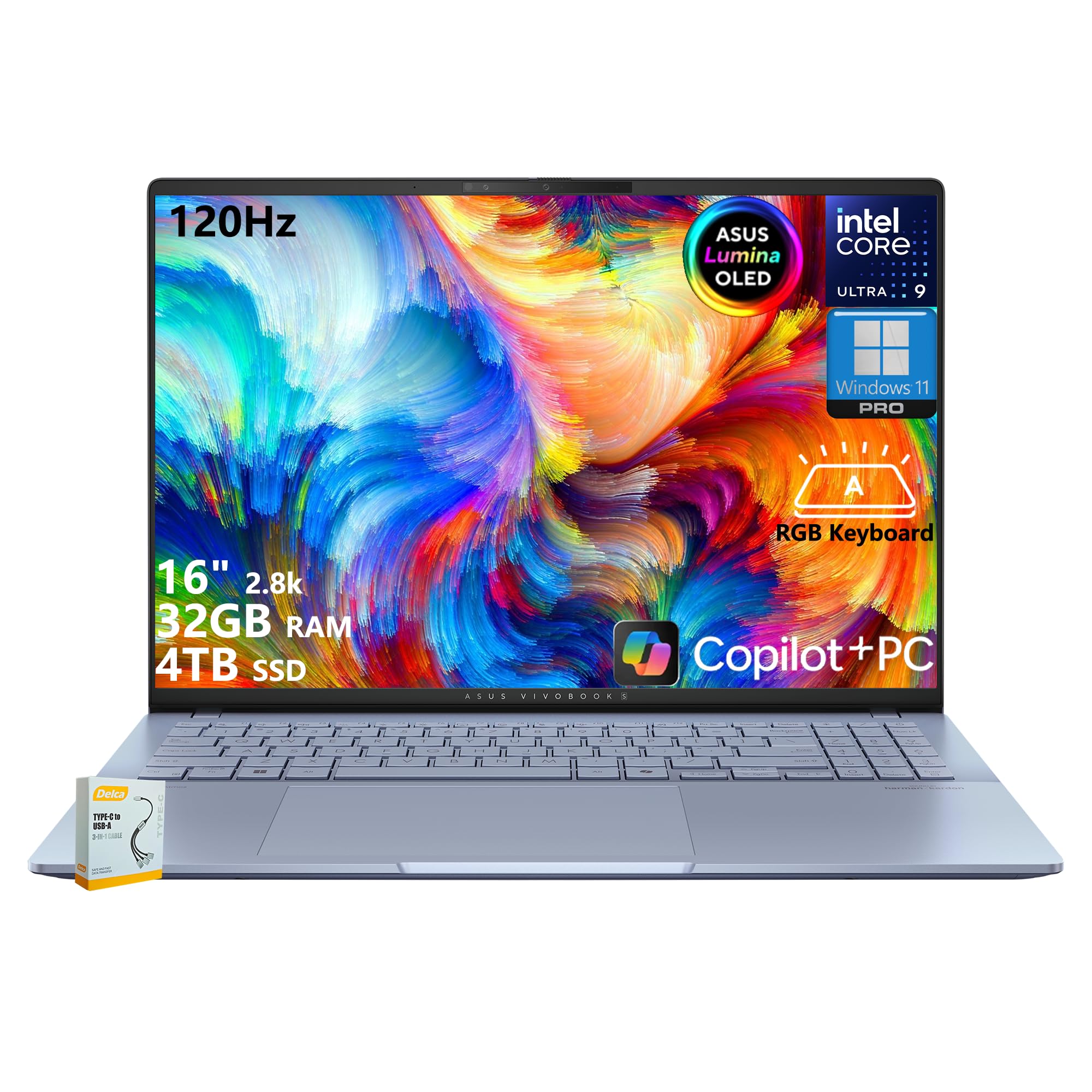
The ASUS Vivobook S16 is built around one of the best displays you can put in a law school laptop: a 16-inch 2.8K OLED panel with a 16:10 aspect ratio, 120Hz refresh rate, and 600 nits peak brightness. Every document, footnote, and web page looks razor-sharp with true blacks, reducing eye strain during hours of reading. The Intel Core Ultra 9 285H processor with 32GB of RAM ensures that no workload feels sluggish.
The 4TB SSD is overkill for most students, but if you store years of case files, recordings, and academic archives locally, it removes any worry about running out of space. The RGB backlit keyboard is comfortable, though the key labels can be difficult to read due to the backlight shading. The port selection is excellent with two Thunderbolt 4 ports and HDMI 2.1, making external monitor setups seamless.
Battery life is adequate—expect around 4-6 hours under a heavy load, which is lower than some competitors, though fast USB-C charging mitigates this. The laptop is lightweight and premium-feeling with a Mist Blue aluminum chassis. For law students who also do light video editing or design work, the Vivobook S16’s display and storage set it apart.
Why it’s great
- Outstanding 2.8K OLED display
- Massive 4TB SSD storage
- Intel Core Ultra 9 processor
- Two Thunderbolt 4 ports
Good to know
- Keyboard backlighting can obscure keys
- Battery life is average
5. LG gram Pro 17

The LG gram Pro 17 combines the largest display in this lineup with a dedicated NVIDIA RTX 5050 GPU, making it a rare hybrid for a law school laptop. If your studies involve heavy data visualization, occasional video editing, or light gaming, this machine handles it without compromise. The 17-inch display is bright and vivid, with a 144Hz variable refresh rate that makes scrolling through documents exceptionally smooth.
The Intel Core Ultra 9 285H processor with 32GB of DDR5 RAM and a 2TB SSD delivers top-tier performance for any academic workload. Weighing 3.3 pounds, it is incredibly portable for its screen size. The 90Wh battery provides up to 25 hours of video playback, though real-world usage with Wi-Fi and multiple apps will land closer to a full day of heavy work. The internal dual cooling system keeps the laptop silent during reading and barely audible under load.
The build quality is premium with minimal flex, and the laptop can be opened with one hand—a small but appreciated detail. The full numeric keyboard is a bonus for anyone doing data entry or financial calculations. For law students who want a do-everything machine that can also handle creative tasks, the gram Pro 17 is a rare find.
Why it’s great
- Dedicated NVIDIA RTX 5050 GPU
- 17-inch display in a 3.3 lbs frame
- Up to 25 hours video battery
- Full numeric keyboard
Good to know
- Very high price point
- No Ethernet port
6. Lenovo ThinkPad E16 Gen 3
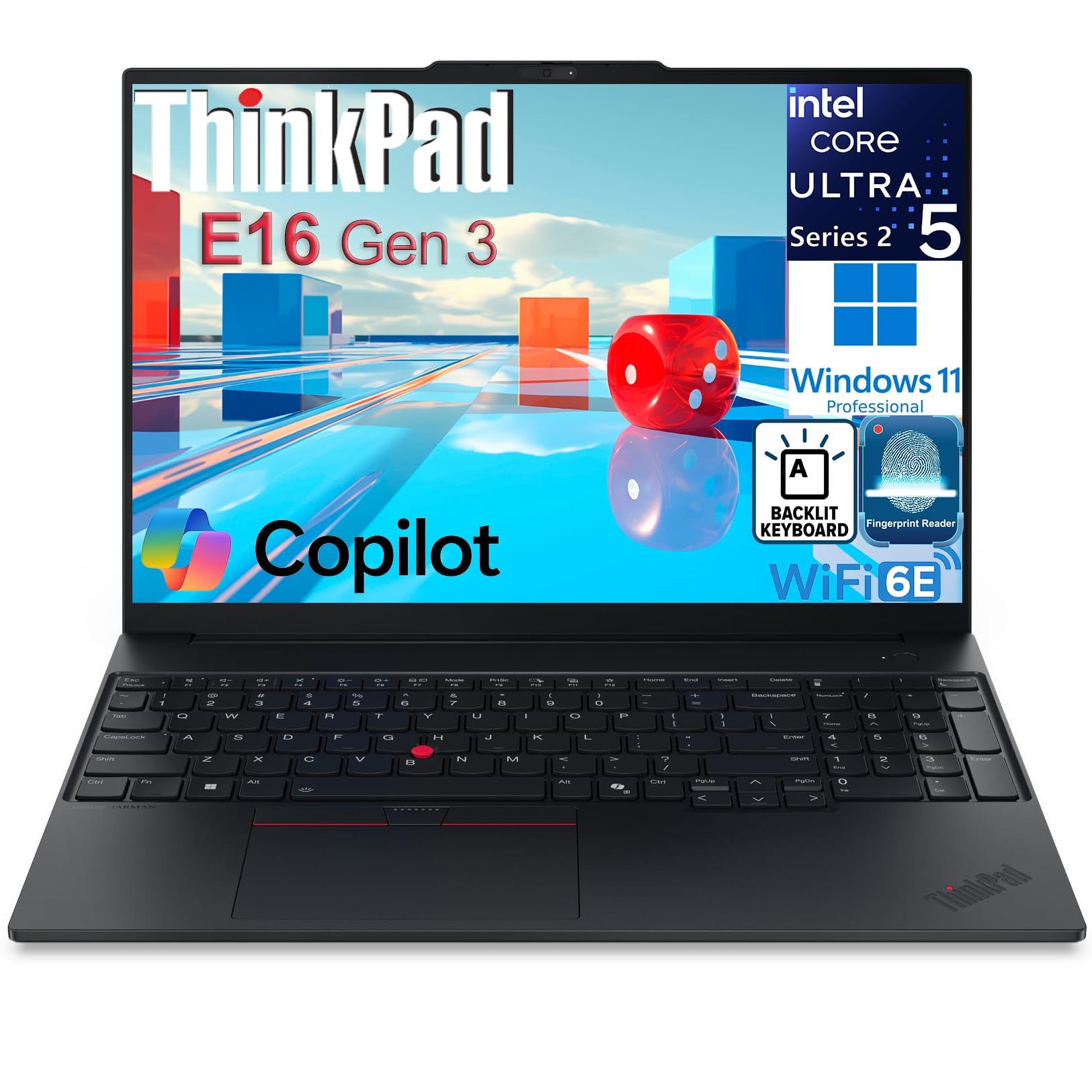
The ThinkPad E16 Gen 3 brings Lenovo’s enterprise DNA to a more accessible price point. The 16-inch WUXGA (1920×1200) IPS display has a 16:10 aspect ratio that shows more vertical content—ideal for legal documents and research papers. The Intel Core Ultra 5 225H processor with its integrated AI Boost NPU provides smooth multitasking and AI-enhanced productivity features without demanding flagship prices.
With 16GB of DDR5 RAM and a 1TB NVMe SSD (configured as two 512GB drives for redundancy), this machine is ready for professional workloads out of the box. The legendary ThinkPad keyboard offers deep, tactile key travel that makes typing case briefs comfortable for hours. The fingerprint reader integrated into the power button adds quick, secure login. Ports include Thunderbolt 4 and HDMI 2.1, plus an Ethernet port for stable dorm connections.
Users report excellent reliability and a sturdy build that outlasts cheaper alternatives. The speakers lack bass and can sound tinny, so headphones are recommended for media. It is heavier than ultrabooks at around 4.3 pounds, but the combination of reliability, the iconic keyboard, and robust connectivity makes it a top choice for budget-conscious law students.
Why it’s great
- Superior ThinkPad keyboard feel
- 16:10 display for more content
- Fingerprint reader and TPM security
- Thunderbolt 4 and Ethernet ports
Good to know
- Heavier than ultrabooks
- Speaker quality is weak
7. GEEKOM GeekBook X14 Pro

The GEEKOM GeekBook X14 Pro is a surprising contender that punches well above its weight. Weighing just 2.2 pounds and measuring 0.23 inches thick, it is one of the most portable laptops available. The 14-inch 2.8K OLED display with 100% DCI-P3 and a 120Hz refresh rate produces stunning visuals that make reading case law and long articles much less fatiguing.
The Intel Core Ultra 9 185H processor with 32GB of LPDDR5x RAM (7500MHz) and a 1TB PCIe Gen4 SSD handles any law school task with ease. The IceBlade 2.0 thermal system keeps the laptop cool and quiet, even during sustained heavy loads. The battery life reaches up to 16 hours, and the 65W GaN charger can bring the battery to 80% in about an hour—perfect for between-class top-ups.
The included docking station expands connectivity, compensating for the limited built-in ports. The build quality is impressive, using aerospace-grade magnesium alloy with a CNC unibody design. The fingerprint reader and physical camera shutter add privacy layers. The speakers are underwhelming for media, but for a laptop this light with an OLED display, it is a remarkable value for students who prize portability above all.
Why it’s great
- Extremely lightweight and thin
- Brilliant 2.8K OLED screen
- Fast charging GaN adapter
- Included docking station
Good to know
- Speakers lack depth
- Lesser-known brand warranty
8. Samsung Galaxy Book5 360

The Samsung Galaxy Book5 360 is a 2-in-1 convertible that offers unique flexibility for law students. The 15.6-inch FHD AMOLED touchscreen is vibrant with deep blacks, and the 360-degree hinge allows you to use it in tent or tablet mode for annotating PDFs, highlighting text, or sketching diagrams during study sessions. At 3.22 pounds, it remains portable for campus life.
The Intel Core Ultra 7 processor (Series 2) with 16GB of RAM and a 512GB SSD provides smooth performance for standard law school workloads. The AI Copilot+ features are practical—AI Select lets you search anything on screen without typing, and Live Captions provide real-time translations for multilingual lecture content. The Samsung ecosystem integration allows seamless file sharing with Galaxy phones and tablets via Quick Share.
The build quality is premium with CNC aluminum, and the battery life is solid for a full day of mixed use. The port selection is limited to USB-C and HDMI, so you may need adapters for legacy USB-A devices. For students who want to move beyond a traditional clamshell and leverage touch and pen input for active reading and annotation, the Galaxy Book5 360 is a standout.
Why it’s great
- Vibrant AMOLED touch display
- Versatile 2-in-1 design for annotations
- AI-powered search and translation
- Samsung ecosystem integration
Good to know
- Limited to 16GB RAM
- Few USB-A ports
9. HP 17″ Business Laptop

The HP 17-inch Business Laptop offers a massive screen at a mid-range price, making it a compelling option for law students who want maximum screen real estate without spending flagship money. The 17.3-inch HD+ (1600×900) anti-glare display reduces reflections during long study sessions, and the BrightView technology keeps text clear in various lighting conditions.
The Intel 10-Core i5-1334U processor with 32GB of DDR4 RAM and a 1TB SSD provides enough power for multitasking between legal databases, word processors, and research tools. The full-size backlit keyboard with a numeric keypad is a productivity booster for those who frequently enter data. The fingerprint reader and Windows 11 Pro add a layer of security suitable for handling sensitive academic work.
Connectivity is modern with Wi-Fi 6 and Bluetooth 5.4, plus USB-C and HDMI ports for external displays. Weighing around 4.5 pounds, it is less portable than ultrabooks, but if you primarily work at a desk in your dorm or library, the trade-off for the larger screen is worthwhile. The 720p webcam is adequate for classes, and the user experience is reliable out of the box.
Why it’s great
- Large 17.3-inch screen for less
- 32GB RAM for heavy multitasking
- Backlit keyboard with numeric pad
- Fingerprint reader and Windows 11 Pro
Good to know
- Display is only HD+ resolution
- Heavier than average
10. HP Touchscreen Laptop (i7)
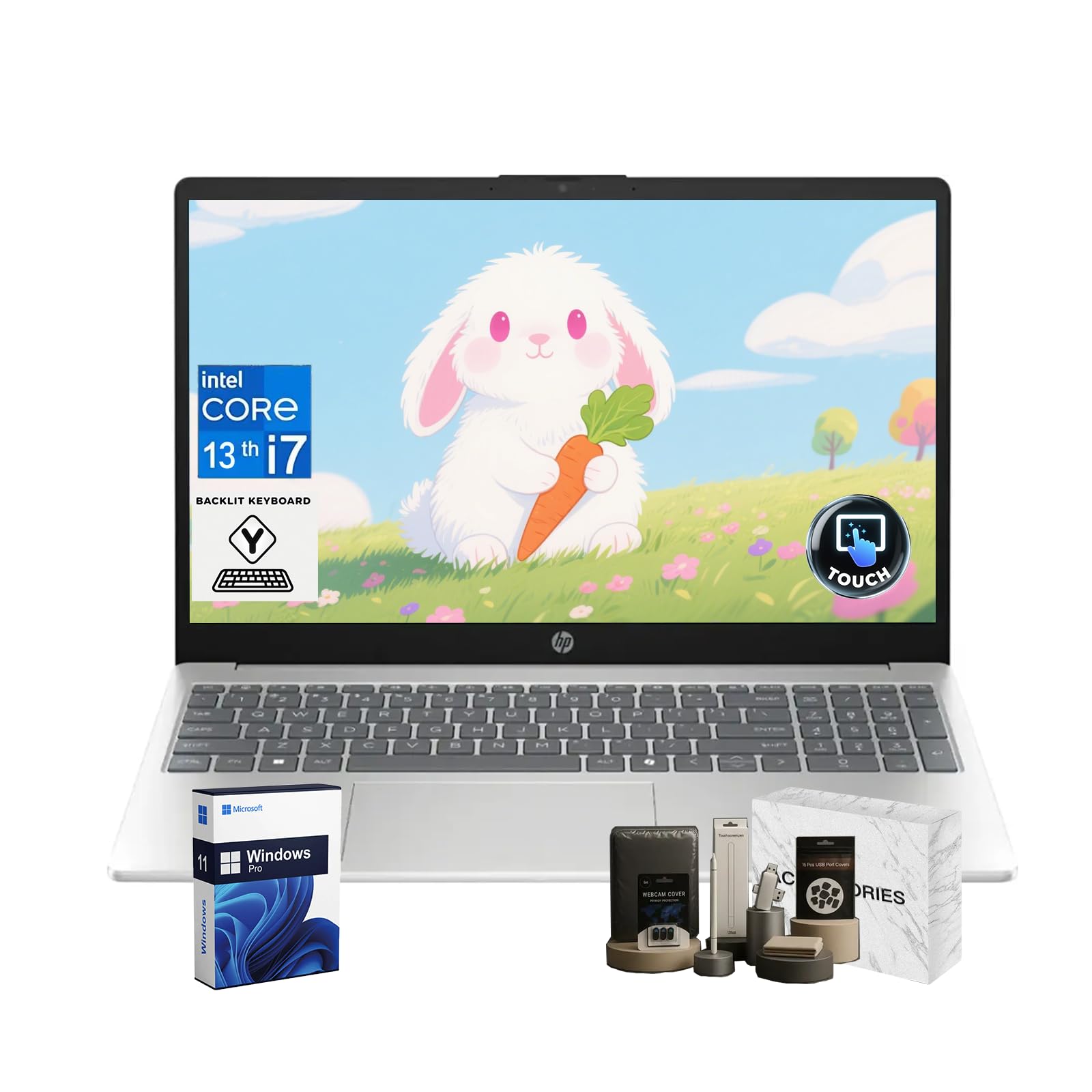
This HP Touchscreen Laptop is built for law students who refuse to tolerate any slowdown. With 64GB of DDR4 RAM—the highest in this lineup—you can run an absurd number of browser tabs, multiple instances of legal research software, word processors, and PDF readers simultaneously without a hiccup. The 2TB NVMe SSD offers enormous local storage for case files, recordings, and backups.
The Intel i7-1355U processor with 10 cores and 5.0 GHz turbo boost provides responsive performance for any academic task. The 15.6-inch Full HD touch IPS display is bright at 300 nits and supports touch input for quick scrolling and zooming through documents. Wi-Fi 6 and Bluetooth 5.3 keep connectivity modern, and the HP True Vision 720p HD camera with a privacy shutter adds security during video calls.
The laptop weighs about 3.5 pounds, which is reasonable for its specs. The touchpad can be overly sensitive, and some users disable it, preferring a mouse. The Windows 11 Pro operating system supports virtualization and advanced security features. For law students who keep everything open all the time and want to never worry about memory, this machine delivers unmatched RAM capacity.
Why it’s great
- Massive 64GB RAM capacity
- 2TB SSD storage
- Touchscreen display
- Privacy shutter and backlit keyboard
Good to know
- Touchpad sensitivity issues
- Speakers are average
11. ASUS Vivobook 16

The ASUS Vivobook 16 is a straightforward, reliable laptop that offers a strong Intel Core i7-1355U processor at an entry-level premium price. The 16-inch WUXGA display provides clear, sharp text for reading cases and articles. The deca-core processor ensures smooth performance for standard law school multitasking, from research databases to document drafting.
The 16GB of RAM is adequate for most workflows, though power users may want more for extreme multitasking. The 1TB SSD provides generous storage for academic files. The SonicMaster audio system delivers better-than-average sound for a laptop in its class, making lecture recordings and video calls clearer. The laptop is lightweight for a 16-inch model and the Indie Black finish looks professional.
The keyboard is comfortable for typing, but the 720p webcam is only average for video calls. The battery life is solid, covering a full day of classes and study sessions. For law students who need a dependable Core i7 machine without paying for extra features they do not require, the Vivobook 16 is a sensible pick that balances performance and cost effectively.
Why it’s great
- Powerful Core i7 processor
- Clear 16-inch WUXGA display
- Lightweight for its size
- Good audio quality for laptop speakers
Good to know
- Only 16GB RAM standard
- Average webcam quality
12. HP New Pavilion 15.6″ Touch

The HP Pavilion 15.6-inch Touch is an entry-level touchscreen laptop with a generous 32GB of RAM—more than many budget laptops offer. For law students on a tight budget who still want touch capability for annotating and scrolling through documents, this machine provides that functionality. The Intel Core i3-1215U processor is adequate for basic productivity tasks like word processing, web browsing, and email.
The 1TB SSD offers solid storage, and the 15.6-inch micro-edge anti-glare display reduces reflections during library work. The battery life of up to 12 hours is excellent for a budget model, allowing a full day of classes without needing a charge. The laptop is lightweight at 3.75 pounds and slim enough to slip into most backpacks.
The main limitations are the 1366×768 display resolution, which is noticeably less sharp than FHD screens, and the lack of a backlit keyboard—a common complaint from users. The Core i3 processor may struggle with very heavy multitasking, but for standard law school use with a reasonable number of open tabs, it functions competently. A practical entry point for students who must prioritize cost.
Why it’s great
- 32GB RAM at a low price
- Touchscreen for active reading
- Excellent battery life (12 hours)
- Lightweight design
Good to know
- Low 1366×768 screen resolution
- No backlit keyboard
13. Lenovo IdeaPad 15.6″

The Lenovo IdeaPad 15.6-inch delivers an eye-catching spec sheet at a budget-friendly price. With 40GB of DDR4 RAM and a 2.5TB total storage (2TB SSD + 512GB docking station), this machine is built for students who need to store everything locally—years of case files, recordings, and software tools. The Intel Core i5 processor with 10 cores provides sufficient power for daily multitasking.
The 15.6-inch FHD (1920×1080) anti-glare display is sharp and comfortable for reading, with a narrow bezel that maximizes screen space. The laptop includes Windows 11 Pro and a lifetime Microsoft Office license, which adds significant value for law students who need Word, Excel, and PowerPoint for assignments. The camera privacy shutter and dual array microphones support clear video conferencing.
Battery life is decent but not outstanding, and some users report the build feels slightly less premium than more expensive options. The included earphones and docking station are useful extras. For law students who prioritize RAM and storage capacity above all else and want a machine that is ready to use out of the box with included software, this IdeaPad configuration is a strong budget contender.
Why it’s great
- Huge 40GB RAM capacity
- Massive 2.5TB total storage
- Includes lifetime Microsoft Office license
- FHD anti-glare display
Good to know
- Build feels less premium
- Battery life is average
FAQ
Is a touchscreen useful for law school?
Do I need a dedicated graphics card for law school?
How much storage do I actually need?
Is a 17-inch laptop too big to carry to class?
Should I get a Mac or a Windows PC for law school?
Final Thoughts: The Verdict
For most users, the computer for law school winner is the Dell 14 Plus because it combines a high-resolution 16:10 display, 32GB of RAM, a modern AI-capable processor, and a lightweight aluminum build at a mid-range price. If you want the absolute best keyboard and ultra-portability, grab the Lenovo ThinkPad X1 Carbon Gen 13 Aura Edition. And for a massive screen that is still light enough to carry, nothing beats the LG gram 17.

Mo Maruf
I created WellFizz to bridge the gap between vague wellness advice and actionable solutions. My mission is simple: to decode the research and give you practical tools you can actually use.
Beyond the data, I am a passionate traveler. I believe that stepping away from the screen to explore new environments is essential for mental clarity and physical vitality.