Our readers keep the lights on and my smoothie glass nicely filled. As an Amazon Associate, I earn from qualifying purchases.
Specs are compiled from manufacturer listings and verified buyer reviews and can change over time — please confirm the key details on the product page before buying.
If you are tired of your laser engraver sitting idle, waiting for your computer to finish processing a single image, you need a PC that keeps up with the burn. This guide walks you through the specs that actually matter for laser work and the nine computers that handle the job best.
I’m Mohammad Maruf — the founder and writer behind WellFizz. This guide is built by comparing the manufacturers’ published specifications and the patterns across verified customer reviews, so you get each pick’s real strengths and trade-offs instead of marketing spin.
Whether you are running LightBurn, LaserGRBL, or LightWorks, the processor speed and memory in your computer directly control how fast your designs load and how smoothly the g-code streams. This guide focuses on the computer for laser engraving that delivers the fastest processing and most reliable connection to your laser machine.
Our Picks at a Glance

How To Choose The Best Computer For Laser Engraving
Choosing a computer for a laser engraver is different from picking a general-use PC. The engraving software sends thousands of tiny movement commands every second. If the processor chokes, the laser pauses and leaves a burn mark. Here is what to prioritize.
Processor speed is king
The processor (CPU) speed, measured in gigahertz (GHz), determines how fast your computer can calculate the laser path. A single-core speed of 3.5 GHz or higher prevents stuttering during long engraves. Multi-core processors help when you run the engraver and a second design program at the same time.
RAM capacity prevents file crashes
Laser files (SVG, DXF, AI) with high-resolution images eat up memory quickly. 8 GB of RAM is the absolute minimum. For heavy layered designs or large-format engraving, 32 GB or more keeps the software from freezing when you zoom in or apply a complex trace.
Graphics card matters for preview
A dedicated graphics card, like the Nvidia RTX or AMD Radeon series, helps render a live preview of your laser path. The preview might lag on integrated graphics (the basic graphics built into the CPU), making it hard to arrange multiple parts visually before the burn starts.
Quick Comparison
| Model | Best For | Processor | RAM | Storage | Amazon |
|---|---|---|---|---|---|
| HP 15.6 Laptop Touchscreen★ Best Overall | Portable sketching + engraving | AMD Ryzen 3 7320U (4.1 GHz) | 8 GB | 128 GB | Amazon |
| Reatan X8 Mini PCAlso Great | High-end engraving & AI tasks | AMD Ryzen AI 9 HX 470 (5.2 GHz) | 48 GB | 2 TB | Amazon |
| Galaxy V3 Gaming PCBest for 3D Previews | Complex 3D engraving previews | AMD Ryzen 7 9800X3D (5.2 GHz) | 32 GB | 2 TB | Amazon |
| Dell OptiPlex 3060 | Reliable desktop for LightBurn | Intel i7-8700 (4.6 GHz) | 32 GB | 1 TB + 1 TB | Amazon |
| Dell Optiplex 5060 | Budget-friendly desktop workhorse | Intel i7 8th Gen (3.4 GHz) | 32 GB | 1 TB | Amazon |
| HP OmniBook 3 17.3 | Large screen for design work | AMD Ryzen 3 (4.1 GHz) | 8 GB | 512 GB | Amazon |
| HP 15.6 FHD Business Laptop | Basic LightBurn control | Intel Core i3 1315U | 8 GB | 256 GB | Amazon |
| HP Pavilion 15.6 | Student/home engraving hobby | Intel N100 (3.4 GHz) | 8 GB | 256 GB | Amazon |
| 24″ All-in-One Desktop | Ultra-basic engraver control | Intel Celeron N5095 (2.9 GHz) | 4 GB | 128 GB | Amazon |
In‑Depth Reviews
1. HP 15.6 Laptop Touchscreen
Our pick — 4.5★ from 1,500+ verified ratings; the strongest balance of quality and price.
A touch screen lets you pinch and zoom your design directly on the display.
This HP laptop has a micro-edge HD touchscreen display with 1366 x 768 resolution. You can pinch, tap, and swipe to zoom into your engraving designs or adjust settings in LightBurn. It runs on an AMD Ryzen 3 7320U processor with a maximum speed of 4.1 GHz and uses integrated AMD Radeon graphics. The 8 GB of LPDDR5 RAM is power-efficient and gives you quick responsiveness for day-to-day engraving tasks.
The battery life is rated at 12 hours. Buyers report that after 4.5 hours of use with multiple tabs, music, and Office running, the battery was still at 88% — that is excellent stamina for a workshop away from power outlets. The laptop also has a physical camera shutter and a microphone mute button for privacy. Note that the RAM, M.2 drive, and battery are not user-replaceable; opening the case voids the warranty.
Unlike the HP OmniBook 3 above, this model has only a 128 GB SSD, which fills up quickly with design files. You will likely need an external drive for your engraving project library.
What works
- Touchscreen allows intuitive design zooming
- Excellent battery life, holds charge well under real use
- Fast AMD Ryzen 3 7320U processor (4.1 GHz)
What to watch
- Only 128 GB SSD storage
- Sealed unit, RAM and battery not replaceable
- 1366 x 768 resolution is lower than the OmniBook’s FHD display
Great for: Mobile engravers who attend maker fairs or work in shared spaces and need a long-lasting battery.
Avoid if: You store thousands of design files locally — 128 GB will run out fast.
2. Reatan X8 Ryzen AI 9 HX 470 Mini PC
The powerhouse that handles 8K laser previews without a single stutter.
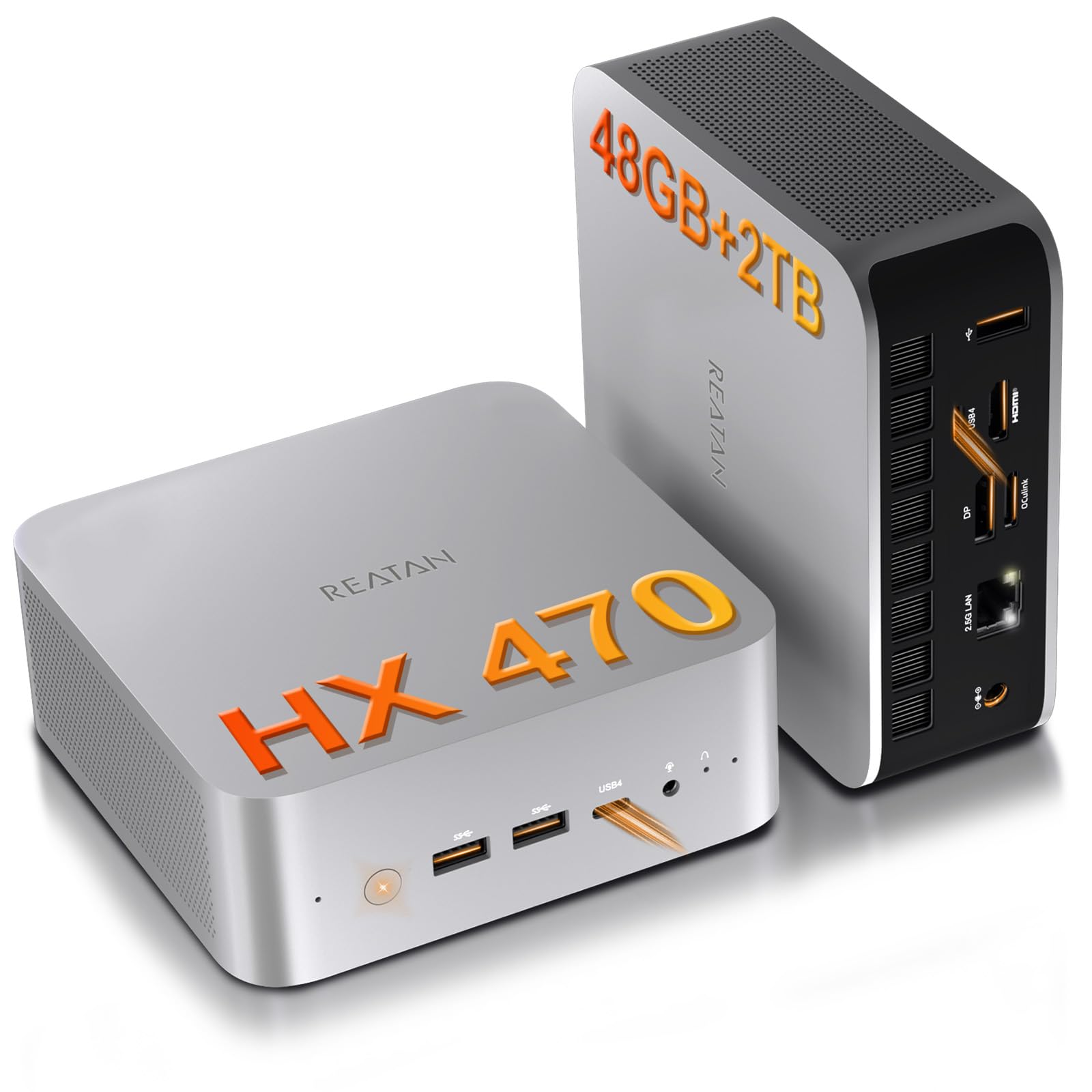
This mini PC carries the AMD Ryzen AI 9 HX 470 processor, which clocks up to 5.2 GHz and gives you 12 cores and 24 threads. For laser engraving, that speed crunches g-code in LightBurn faster than nearly anything else in this list. It also includes 48 GB of DDR5 RAM, so you can load huge DXF files, apply image traces, and still have memory left for a web browser and music player in the background.
The integrated Radeon 890M graphics (running at 3100 MHz) are strong enough for smooth previewing of complex 3D engraves. It also has an OCuLink port, meaning you can plug in an external desktop graphics card later if you start doing heavy 3D modeling for your laser projects. Buyers report it handles AI and LLM development without slowdowns, which shows how much raw power it has for any task you throw at it.
The premium price targets commercial shops, not hobbyists. For production shops, the speed upgrade pays for itself.
Why it leads
- 48GB DDR5 RAM handles massive design files easily
- Processor speed up to 5.2 GHz for fast g-code processing
- OCuLink port for future external GPU expansion
The trade-offs
- Premium cost
- USB-C ports only on the front
- No built-in card reader
Ideal for: Commercial engraving shops that need zero lag between hitting “Start” and seeing the laser move.
Skip if: Your engraving is small, simple text or logos on a hobby machine — the 48 GB RAM is overkill for basic jobs.
3. Galaxy V3 Gaming PC
A gaming rig turned laser-engraving beast with exceptional preview rendering.
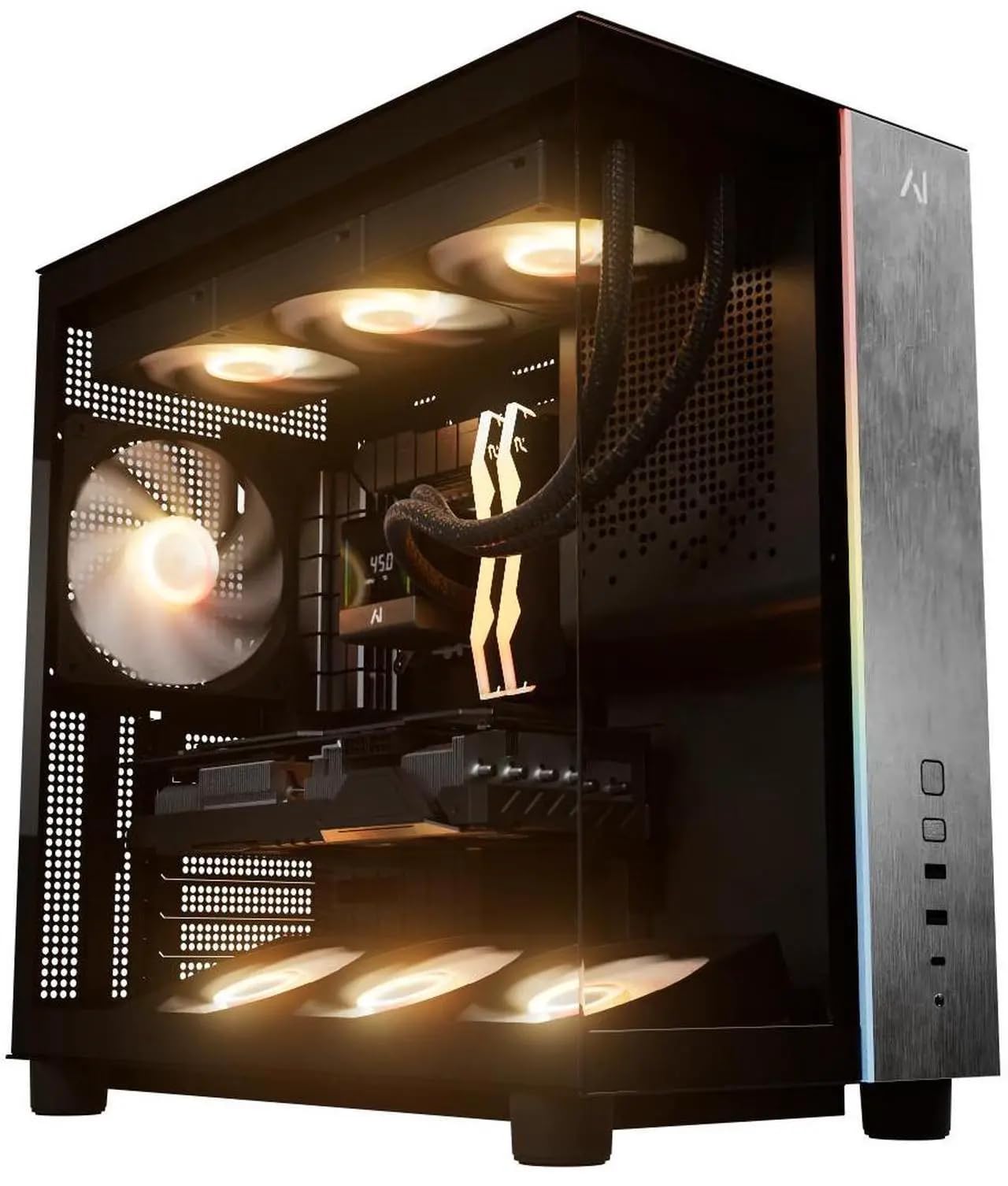
This prebuilt desktop comes with an AMD Ryzen 7 9800X3D processor, which boosts to 5.2 GHz, and a dedicated RX 9070 XT graphics card with 16 GB of dedicated video memory (GDDR6). That dedicated GPU matters for laser engraving because it renders real-time previews of the laser path at up to 8K resolution. Owners mention it runs 1440p games at 180 FPS, which tells you the graphics power is more than enough to handle the heaviest LightBurn job.
The 32 GB of DDR5 RAM and 2 TB SSD storage give you plenty of space for design files and fast loading. It also includes a B850 motherboard with Wi-Fi and Bluetooth built-in. Unlike the Reatan mini PC above, this machine has a dedicated power supply (850W Gold) and a larger case with ARGB fans, so it stays cool during long overnight engraving sessions.
One owner mentioned the PC arrived with no bloatware and clean cable management. The only visual quirk: the white GPU might not match a black-themed workshop, but that is purely cosmetic.
Standout advantages
- RX 9070 XT 16GB dedicated GPU for smooth previews
- 32GB DDR5 RAM handles layered designs easily
- 850W Gold PSU provides stable power for extended runtime
Notable drawbacks
- Larger tower takes up desk space
- White GPU may clash with black PC cases
- More power than basic engraving tasks require
The right choice for: Engravers who design complex 3D objects and need real-time preview rendering without lag.
Consider another if: You only engrave text and simple shapes — the dedicated GPU power will sit mostly unused.
4. Dell OptiPlex 3060 Desktop

A refurbished workhorse that packs 32 GB of RAM at a mid-range price.
This Dell OptiPlex 3060 runs on an Intel i7-8700 processor, a hexa-core chip that reaches up to 4.6 GHz. That is a 59% higher maximum speed than some budget options, which directly translates to faster g-code file processing in LightBurn. It comes with 32 GB of DDR4 RAM, so you can have multiple engraving software windows open plus a browser with reference images — all without any slowdown.
It also includes both a 1 TB M.2 NVMe SSD for your operating system and a separate 1 TB HDD for storing design files. The built-in Wi-Fi 6E means you can connect the computer wirelessly to your network while keeping the USB ports free for the laser engraver. Customers note the boot time is “fantastically short,” which gets you from power-on to engraving faster. One owner noted it worked until a specific date and then hit a BIOS error, so it is note the refurbished nature comes with some risk.
Unlike the gaming PC above, this machine uses integrated graphics, so live previews of highly complex 3D designs might be slower. However, for standard 2D laser engraving, the 32 GB of RAM and 4.6 GHz processor are a powerful combination.
Strengths
- 32 GB RAM is excellent for large design files
- Processor speed up to 4.6 GHz
- Dual storage (1TB SSD + 1TB HDD) offers flexibility
Limitations
- Refurbished unit with BIOS error risk reported by one buyer
- Integrated graphics limit complex 3D preview
- Wireless mouse/keyboard included may disconnect frequently
Best for: The mid-budget engraver who wants a big memory upgrade without paying for a new computer.
Think twice if: You need a dedicated graphics card for real-time 3D path previews.
5. Dell Optiplex 5060 Desktop

A refurbished Dell with 32 GB of RAM that costs less than a new mid-range phone.
This Dell Optiplex 5060 is built around an 8th-gen Intel Hexa-Core i7 processor running at 3.4 GHz. While that clock speed is not as high as the 3060 above, it still provides solid performance for streaming g-code to your laser engraver. 32 GB of DDR4 RAM and a 1 TB SSD handle large SVG files and multitasking.
Reviewers point out that the boot time is “fantastically short,” and the computer runs fast without any glitches after data transfer. It supports 4K resolution (3840×2160), which helps when you zoom into fine details on a design. One reviewer noted the case is small and air does not flow well, so adding a small external fan near the PC during long engraving sessions is a good idea.
Compared to the Reatan X8, this PC costs less, but it also has older wireless technology (802.11n) and no OCuLink port for GPU upgrades. However, for the price, getting 32 GB of RAM in a desktop is a huge advantage over laptops in the same budget range.
Value highlights
- 32 GB DDR4 RAM at an entry-level price point
- 1TB SSD for fast file loading
- 4K resolution support for detailed design work
Compromises
- 3.4 GHz processor is slower than the OptiPlex 3060
- Small case restricts airflow
- Older 802.11n Wi-Fi standard
Reach for this if: You have a tight budget but still need 32 GB of memory for large engraving projects.
Pass on this if: You want the fastest possible g-code processing speeds — the 3.4 GHz CPU will lag behind the 4.6 GHz 3060.
6. HP OmniBook 3 17.3 Laptop

A 17.3-inch screen that lets you see every detail of your engraving path.
The HP OmniBook 3 stands out for its large 17.3-inch Full HD IPS display with 178-degree viewing angles. That big screen makes a real difference when you are zoomed into a high-resolution engraving design — you can see the fine details without squinting or using an external monitor. It runs on an AMD Ryzen 3 processor that reaches 4.1 GHz, which is fast enough for most LightBurn tasks and typical g-code streaming.
It comes with 8 GB of LPDDR5 RAM and a 512 GB PCIe NVMe SSD. The battery is rated for up to 14 hours and 15 minutes, and the HP Fast Charge technology gets the battery from 0% to 50% in about 45 minutes. That battery life means you could take this laptop to a workshop without looking for a wall outlet. Shoppers say it works perfectly for basic office use and email, though one buyer mentioned that transferring data from a Mac took over 24 hours with Windows.
Compared to the OptiPlex 3060 above, this laptop has only 8 GB of RAM versus 32 GB. For heavy layered engraving files, that lower memory could cause slowdowns. But the portability is the big advantage.
Why it stands out
- Large 17.3-inch FHD IPS display for detailed design work
- Long battery life (up to 14h 15min)
- Fast Charge reaches 50% in 45 minutes
What holds it back
- Only 8 GB of RAM limits large file handling
- 512 GB storage fills up fast with design files
- Data transfer from other systems can be difficult
Perfect for: The engraver who works from a garage or workshop without a dedicated desk and needs a mobile solution.
Look elsewhere if: Your engraving files regularly exceed 200 MB — you will want more than 8 GB of RAM.
7. HP 15.6 FHD Business Laptop
A simple, ultra-quiet laptop for running LightBurn without fan noise.
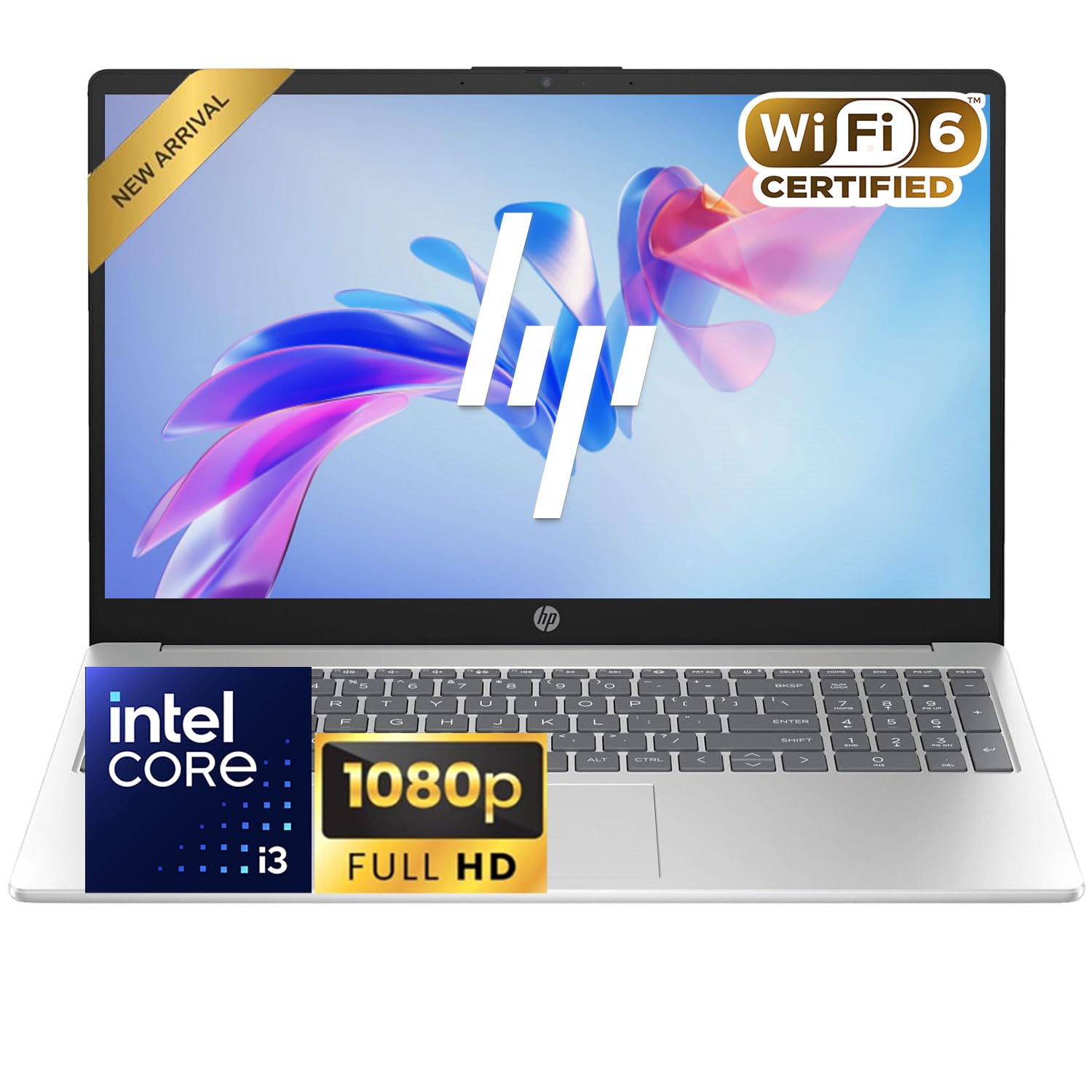
This HP business laptop runs on an Intel Core i3 1315U processor with 8 GB of DDR4 RAM. The description calls out an “Ultra-Quiet Design,” which is useful when your laser engraver fan is already loud enough. You do not want a roaring laptop fan on top of that. It has a 15.6-inch FHD (1080p) display and a 256 GB SSD for storage. Up to 2 TB of built-in storage is listed as expandable, which gives you room for a large design library later.
The laptop supports Wi-Fi 6, which offers fast wireless speeds if you stream designs from a network drive. Battery life is listed as “Long Battery Life,” though one buyer says it is “short.” Keep that in mind if you plan to run it away from a power outlet. Another reviewer mentioned it needs more RAM for business use, which applies to laser engraving as well. The integrated Intel UHD Graphics can handle basic LightBurn previews but will struggle with heavy 3D renders.
Compared to the HP 15.6 Touchscreen above, this model has a sharper 1080p screen but lacks the touch input. The trade-off is 1080p clarity versus touchscreen zoom.
Good points
- Ultra-quiet design for noisy workshop environments
- 1080p FHD screen is clear for design details
- Wi-Fi 6 support for fast wireless file transfers
Weak points
- Battery life reportedly shorter than advertised
- 8 GB RAM is the bare minimum for engraving files
- Integrated graphics limit preview quality
Suits: The engraver on a strict budget who only runs simple text and line-art jobs.
Not for: Anyone needing to preview complex 3D paths or run multiple software tools simultaneously.
8. HP Pavilion 15.6 Laptop

A lightweight laptop that boots in under 10 seconds for quick engraving setups.
The HP Pavilion 15.6 uses an Intel N100 processor with a boost speed up to 3.4 GHz. It has 4 cores and 4 threads, which is enough for basic LightBurn or LaserGRBL operations. The 8 GB of DDR4 RAM and 256 GB PCIe NVMe SSD deliver fast boot times (under 10 seconds) and quick file access. A 10-second boot gets you from power-on to engraving faster.
The 15.6-inch FHD (1920×1080) anti-glare display helps reduce eye strain during long design sessions. It also includes Wi-Fi 6 and Bluetooth 5.3 for wireless connectivity. At only 3.64 lbs and 0.73 inches thick, it is the lightest laptop on this list, making it easy to carry to a shared workshop. Owners mention it works beautifully for daily tasks and is a dynamite computer for the price.
However, one owner reported the computer stopped powering on after 9 days — a real concern next to the sturdier Dell OptiPlex desktops. The N100 processor (a low-power chip) is also less powerful than the Ryzen 3 in the HP 15.6 Touchscreen above, so skip this if you need faster processing for complex engraving files.
Upsides
- Very light (3.64 lbs) and thin (0.73 inch) for portability
- Boots in under 10 seconds
- Anti-glare FHD display reduces eye strain
Downsides
- N100 processor is less powerful than Ryzen or i3 options
- Reported early power failure (9 days in one case)
- Lifetime Office 365 not included despite claims in the ad
Works for: A student or hobbyist who needs a lightweight, cheap laptop to occasionally control a desktop engraver.
Skip this model if: You rely on the computer for daily commercial production — the reliability reports are too mixed.
9. 24″ All-in-One Desktop PC

An all-in-one unit with a built-in screen, but 4 GB RAM is a hard limit.
This Core Innovations all-in-one desktop packs the computer into the back of a 24-inch 1920×1080 FHD IPS display. That means one cable handles power and the whole thing is ready to go. It runs on an Intel Celeron N5095 processor at 2.9 GHz with 4 GB of RAM. The 128 GB storage is minimal, and the cache memory is only 1.5 MB. These numbers are the lowest in this list.
4 GB of RAM is a major bottleneck for laser engraving. Even a simple SVG file with a few layers can push LightBurn past 4 GB, causing the software to slow down or crash. One customer observed all four units they bought were defective within 8 months and the manufacturer refused warranty support. Another noted the screen stand does not tilt, so the viewing angle is fixed at an awkward position.
Compared to the Dell OptiPlex 3060 above, this machine has 4 GB of RAM versus 32 GB in the Dell OptiPlex 3060, and its processor speed is capped at 2.9 GHz versus the OptiPlex 3060’s 4.6 GHz. This computer is better for web browsing than laser engraving.
What you get
- All-in-one design saves desk space
- 24-inch FHD IPS display included
- Low initial cost
What you risk
- 4 GB RAM will struggle with any engraving software
- Screen stand does not tilt
- Multiple customers note total failure within months
Only consider if: You have a simple diode laser that runs on standalone controller software requiring minimal processing.
Strongly avoid if: You plan to run LightBurn, LaserGRBL, or any software with a live preview — 4 GB of RAM is insufficient.
Understanding the Specs
Processor Clock Speed (GHz)
This is the speed at which your computer’s brain (the CPU) calculates the laser’s movement path. Each small move the laser makes requires a calculation. A higher number, like 4.6 GHz versus 2.9 GHz, means the computer can send those instructions to the laser faster, reducing pauses that cause burn marks on your material.
RAM (Random Access Memory)
RAM is the short-term memory that holds your design file while LightBurn or LaserGRBL processes it. A large file with many vector paths needs more RAM. If you run out, the software either crashes or slows to a crawl. For laser engraving, 8 GB is the floor, 16 GB is comfortable, and 32 GB handles a full production workload with multiple files open.
FAQ
Can I use a Raspberry Pi to run a laser engraver?
What is the minimum RAM I need for LightBurn?
Does a laptop work as well as a desktop for laser engraving?
Do I need a graphics card or is integrated graphics enough?
How fast does the processor need to be for smooth engraving?
Can a Chromebook run a laser engraver?
What storage capacity do I need for engraving files?
Is a gaming PC good for laser engraving?
Final Thoughts: The Verdict
For most buyers, the computer for laser engraving winner is the Reatan X8 Mini PC because it combines a top-tier 5.2 GHz processor with 48 GB of RAM in a compact chassis — no other machine on this list matches its raw speed and memory for production-level engraving. If you want a dedicated graphics card for smooth 3D previews, grab the Galaxy V3 Gaming PC. And for a budget-friendly desktop workhorse, the Dell Optiplex 5060 with 32 GB of RAM costs a fraction of the Reatan X8 — ideal if you don’t need the fastest processor.
How We Picked
We do not accept paid placement. Every pick is matched to a real buyer and a real use-case; we do not hands-on test units.
Sources & Methodology
Specifications: manufacturer listings and product documentation. Review insights: verified customer reviews, as of July 2026. Pricing: not shown on this page (it changes often); check the current price via the retailer link.
As an Amazon Associate, WellFizz earns from qualifying purchases. This does not affect which products we feature.
Related Guides

Mo Maruf
I created WellFizz to bridge the gap between vague wellness advice and actionable solutions. My mission is simple: to decode the research and give you practical tools you can actually use.
Beyond the data, I am a passionate traveler. I believe that stepping away from the screen to explore new environments is essential for mental clarity and physical vitality.