Our readers keep the lights on and my smoothie glass nicely filled. As an Amazon Associate, I earn from qualifying purchases.
Specs are compiled from manufacturer listings and verified buyer reviews and can change over time — please confirm the key details on the product page before buying.
The question isn’t if you need a computer for your home business — it’s whether you can afford one that won’t freeze during a video proposal or take ten minutes to open a spreadsheet. You need a machine that boots fast, runs your invoicing software and browser tabs without stuttering, and handles a multi-monitor setup so you can actually see your data. This guide breaks down the specs that actually matter for your bottom line, from processor speed to memory capacity, using real published specs and customer experiences so you can pick the workhorse that earns its spot on your desk.
I’m Mohammad Maruf — the founder and writer behind WellFizz. This guide is built by comparing the manufacturers’ published specifications and the patterns across verified customer reviews, so you get each pick’s real strengths and trade-offs instead of marketing spin.
Whether you process orders, run video calls, manage inventory, or juggle a dozen browser tabs for research, the right machine keeps your day moving. Here is how to find the computer for home business that actually matches the workload on your desk.
Our Picks at a Glance


How To Choose The Best Computer For Home Business
Picking the right business computer depends on matching the hardware to your daily tasks — not just the price tag. A machine that starts slow or struggles under a normal workload will cost you more in lost productivity than you saved upfront. Here are the four specs you need to nail down.
Processor: The Engine of Your Workday
The processor, or CPU, determines how fast your computer can complete tasks. For a home business, a modern quad-core processor at minimum handles spreadsheets, web browsing, and video calls without frustration. Look for a turbo boost speed — the maximum the chip can run under load — of at least 4.0 GHz for a snappy experience. Mid-range options like Intel Core i5 or i7 and AMD Ryzen 5 or 7 give you the headroom for multitasking without overpaying for features you don’t need.
Memory (RAM): Room to Juggle
Think of RAM as your computer’s short-term memory for everything you’re doing right now. For a home business, 16GB of RAM is the balance — it lets you run your accounting software, a browser with a dozen tabs, email, and a video call simultaneously. Dropping to 8GB can work for very light use, but you may find yourself closing apps to keep things running smoothly. 32GB is overkill for most, but useful if you run virtual machines or edit large media files.
Storage: Speed vs. Space
A Solid State Drive (SSD) is non-negotiable for a business computer — it boots in seconds and loads programs instantly, unlike older hard drives (HDDs) that take minutes. A 512GB SSD is a good starting point for documents and essential software. If you handle large files like scanned receipts, product photos, or video content, aim for a 1TB SSD. Some computers offer a smaller SSD for the operating system paired with a larger HDD for file storage, which is a budget-friendly compromise.
Connectivity: Ports and Wireless
Your desk setup dictates the ports you need. If you run two or three monitors, ensure the computer has the right video outputs (DisplayPort, HDMI, or VGA). USB-A ports are still standard for printers and external drives, but a USB-C port adds future-proofing for newer devices. For a stable internet connection, wired Ethernet (RJ-45) is more reliable than Wi-Fi, but having Wi-Fi 6 (the latest high-speed wireless standard) gives you flexibility. Bluetooth 5.0 or better is essential for a wireless mouse and keyboard.
Quick Comparison
| Model | Best For | Processor | RAM | Storage | Amazon |
|---|---|---|---|---|---|
| Dell Tower ECT1250★ Best Overall | Overall Power & Speed | Intel Core Ultra 7 (5.3 GHz) | 32 GB | 1 TB M.2 SSD | Amazon |
| Dell Pro Tower PlusMax Storage | Max Performance & Storage | Intel Core Ultra 7 265 (5.3 GHz) | 32 GB DDR5 | 2 TB PCIe SSD | Amazon |
| ASUS V500 TowerPremium Performer | Premium Multi-Tasking | Intel Core i7-13620H (4.9 GHz) | 32 GB DDR5 | 1 TB SSD | Amazon |
| HP 27 All-in-One | All-in-One Simplicity | AMD Ryzen 7 7730U | 32 GB | 1 TB SSD | Amazon |
| HP Pro Tower 290 G9 | Solid Business Tower | Intel Core i5-12500 (4.6 GHz) | 16 GB | 512 GB PCIe SSD | Amazon |
| HP ProDesk 600 G6 | Quiet Budget Pro | Intel i5-10400F (4.3 GHz) | 16 GB DDR4 | 1 TB NVMe SSD | Amazon |
| Acer Aspire Business | Entry-Level Value | Intel Core i3-13100 (4.4 GHz) | 16 GB DDR5 | 512 GB SSD + 500 GB HDD | Amazon |
| Lenovo IdeaCentre Tower | Small Business Tower | Intel Core i3-14100T (4.4 GHz) | 16 GB DDR5 | 256 GB SSD + 500 GB HDD | Amazon |
| Dell 24 All-in-One | Clean Desk Setup | Intel Core 3 100U (4.7 GHz) | 8 GB DDR5 | 512 GB SSD | Amazon |
| Lenovo IdeaCentre AIO | Budget All-in-One | Intel N100 (3.4 GHz) | 8 GB | 512 GB PCIe SSD | Amazon |
| HP ProDesk 600G4 (Renewed) | Budget Refurbished | Intel i7-8700 (4.6 GHz) | 32 GB DDR4 | 1 TB SSD | Amazon |
In‑Depth Reviews
1. Dell Tower Desktop ECT1250
Our pick — 4.5★ from 350+ verified ratings; the strongest balance of quality and price.
A powerhouse desktop that boots in under 30 seconds and drives two 4K monitors for serious multitasking.
This Dell tower is built for the home business owner who needs speed and screen real estate. The Intel Core Ultra 7 processor hums along at up to 5.3 GHz , giving you easy performance when you’re juggling spreadsheets, video calls, and database software. The massive 30 MB cache memory installed size is 30 MB, versus 6 MB for an all-in-one, which helps frequently used data load faster. You can connect up to four FHD monitors using DisplayPort daisy chaining, or run two 4K displays via the HDMI 2.1 and DisplayPort ports — real estate that stock traders and data analysts depend on. Buyers report it “boots in under 30 seconds,” and with a 1 TB M.2 SSD, that speed stays consistent as your file library grows.
One thoughtful design touch is the tool-less entry and removable side panel, making it truly easy to open the case and add more RAM or swap a drive down the road. It also includes a hardware TPM security chip for encrypting your business data, along with a built-in lock slot and padlock loop to physically secure the tower. Dell backs it with 1 Year Onsite Service, which means a technician comes to your home or office if an issue cannot be resolved remotely — a genuine safety net when your computer is your income.
Pros: Power Under The Hood
- Fast 5.3 GHz processor
- Supports four FHD monitors or two 4K displays
- Easy tool-less upgrades
- Onsite service included
Cons: Real-World Limits
- 180W power supply limits GPU upgrades
- No extra M.2 slot, only a SATA port for additional storage
- Only a front audio jack
Your best bet if: you run a multi-monitor trading or data setup and want the fastest processor in this comparison, plus a warranty that sends a technician to your desk.
One honest limit: the low-wattage power supply means you cannot easily add a high-end dedicated graphics card later — this is a business machine, not a gaming rig.
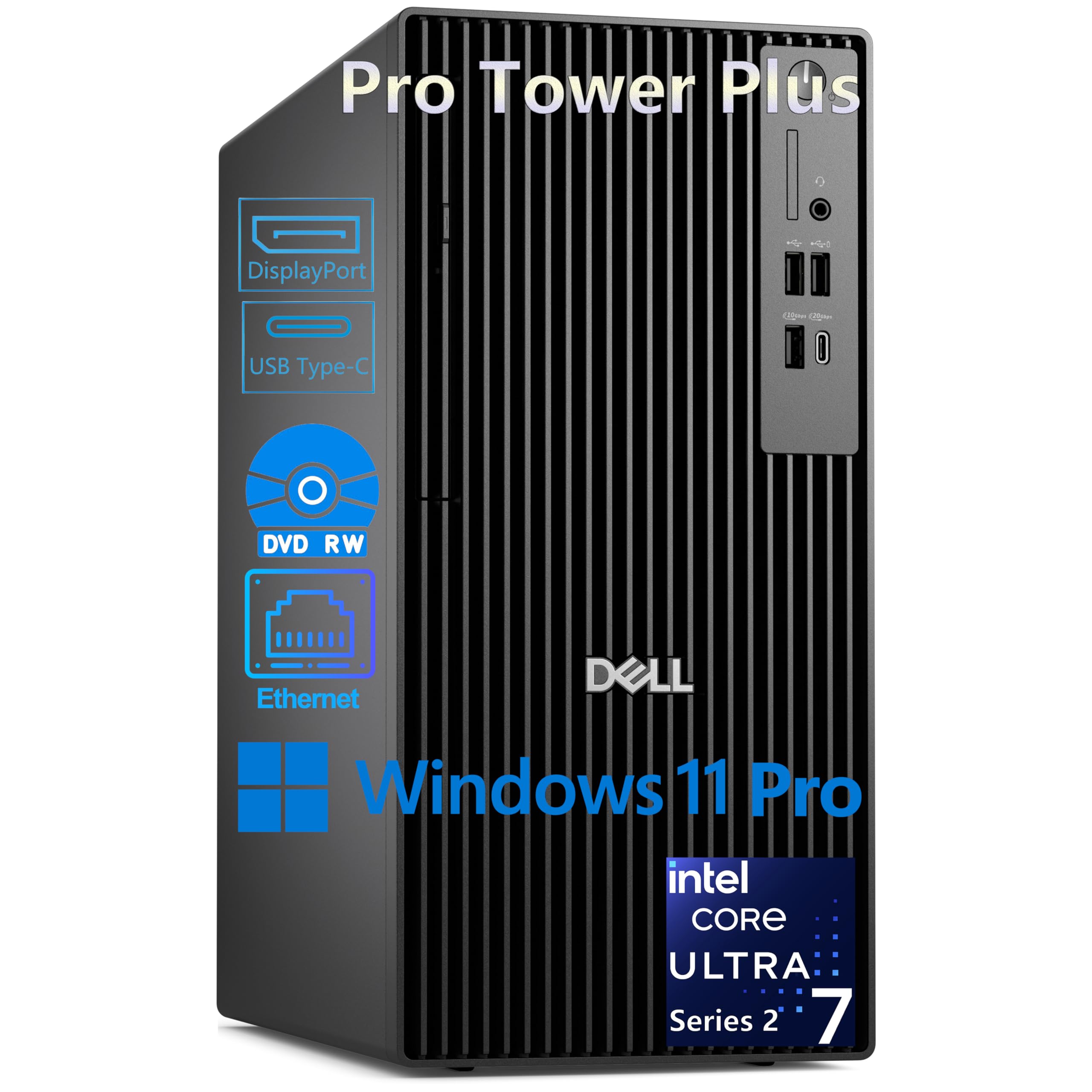
2. Dell Pro Tower Plus Desktop PC
A 20-core business tower with an AI brain and 2 terabytes of storage for the most demanding home offices.
This is the top-tier workhorse in the lineup. The Intel Core Ultra 7 265 processor packs 20 cores (8 performance and 12 efficient) running up to 5.3 GHz, and it includes an AI Boost NPU (a dedicated neural processing unit that accelerates AI tasks like real-time transcription or background blur in video calls) capable of 13 trillion operations per second. You get 32 GB of DDR5 RAM and a massive 2 TB PCIe NVMe SSD, which means lightning-fast boot times and enough storage for a huge library of scanned documents, product photos, and client files. A DVD-RW drive is also included for legacy data disc access — a detail one reviewer specifically noted with satisfaction. This machine supports triple 4K displays simultaneously via its three DisplayPort 1.4a ports, making it ideal for financial analysis, CAD design, or any workflow requiring a wall of data.
Connectivity is generous with two USB-C ports (one on the front, one on the rear) and multiple USB 3.2 ports. One important note for your setup: there is no built-in Wi-Fi, so you will need to use the Gigabit Ethernet port or add your own wireless adapter. The computer runs Windows 11 Pro with BitLocker encryption and the Copilot AI assistant. Buyers who made the leap from older machines report being “able to do things in a fraction of the time” — a clear sign that for heavy workloads, this tower eliminates downtime.
AI-Powered Production: The built-in NPU accelerates tasks like voice typing and background effects during video calls, keeping your machine responsive even under heavy multitasking.
The Cable Catch: No Wi-Fi is built-in, and it uses DisplayPort outputs only — you will need DisplayPort cables or adapters for your monitors.
Grab this tower if: your business generates massive amounts of data and you need a machine that will stay fast for years without upgrades, plus you want the latest AI features for productivity.
Look elsewhere if: your desk is far from your router and you cannot run an Ethernet cable, or if you prefer an all-in-one to save space.
3. ASUS V500 Home & Business Tower Desktop
A 10-core Intel Core i7 tower with 32GB of DDR5 RAM that runs whisper-quiet through your busiest workday.
This ASUS tower brings high-end mobile processor performance to a desktop form factor. The Intel Core i7-13620H offers 10 cores and 16 threads with a top speed of 4.9 GHz, paired with 32 GB of modern DDR5 memory for smooth multitasking. A 1 TB SSD gives you fast boot and app loading with enough room for a growing business library. Unlike some rivals that use older DDR4 memory, the DDR5 here offers higher bandwidth, which shows in quicker file transfers and more responsive application switching. It supports multiple monitors via HDMI and DisplayPort outputs, making it easy to build the workstation setup you need. Buyers praise its speed and note it is “very quiet,” which matters when your office is in your living room.
This bundle includes an A-DATA 64GB USB flash drive for portable file transfers. It runs Windows 11 Pro, giving you business-grade security features like BitLocker device encryption and Remote Desktop for accessing your desktop from a laptop. It is worth knowing the unit has had its original seal opened to upgrade the RAM and SSD — these upgraded parts carry a 1-year warranty from PCOnline US, while the remaining components keep the original manufacturer’s warranty. One reviewer noted not receiving the flash drive, so verify the inclusion upon arrival.
Why It Stands Out
- 10-core processor with 4.9 GHz turbo boost
- DDR5 memory for snappier multitasking
- Compact, quiet operation
- Windows 11 Pro for business security
Things To Note
- Upgraded unit, not factory-sealed
- Included USB flash drive may not ship
- No dedicated graphics card for heavy rendering
Ideal for the professional who: needs a fast, quiet desktop with the latest memory technology and built-in multi-monitor support, without spending over.
One thing to check: this is a professionally upgraded unit, not a new-sealed retail box, so verify the warranty terms with the seller if that concerns you.
4. HP 27 inch All-in-One Desktop PC

A 27-inch all-in-one with an AMD Ryzen 7 processor that hides powerful internals behind a clean, single-cable desk.
If you hate the tangle of cables and the footprint of a tower, this HP all-in-one is a strong contender. It packs an AMD Ryzen 7 7730U processor (a powerful 8-core chip that handles heavy multitasking without breaking a sweat) with 32 GB of RAM and a 1 TB SSD. The 27-inch Full HD display features a micro-edge bezel with up to a 90% screen-to-body ratio, which gives you a large workspace without a bulky frame. It includes a tiltable pop-up privacy camera and dual-array microphones with advanced noise reduction, so your video calls look and sound professional. One buyer who upgraded from an old computer called this machine “a beast” that doesn’t slow down even with many browser tabs open.
The single-cable design is genuinely freeing — just plug in the power cord and you are done. The included keyboard and mouse are basic but functional, and the system runs Windows 11 Home smoothly. A few buyers have reported the computer shutting off randomly due to thermal protection, a known issue with some all-in-one designs where the internal power supply trips to prevent overheating. This is worth considering if your office gets warm or you run the machine hard for hours without a break.
Clean Desk Winner: With everything integrated into the 27-inch display, there is no tower taking up floor space and no video cables to manage — just one power cord.
The Heat Trade-Off: A slim all-in-one chassis has less airflow than a tower; owners mention random shutdowns during heavy use as the system protects itself from overheating.
Best suited for: the home business owner who values a clean, minimal desk and wants strong performance for video calls and office apps without managing a separate tower.
A reason to pause: the all-in-one form factor limits upgrades and can struggle with heat during sustained heavy workloads.
5. HP Pro Tower 290 G9 Business Desktop

A compact business tower with a 12th Gen Intel Core i5 that handles dual monitors and demanding applications all day.
This HP Pro Tower is built specifically for office productivity, and it shows in the details. The Intel Core i5-12500 with six performance cores can turbo up to 4.6 GHz, and the 18 MB cache helps it pull up frequently used data faster than lower-tier processors. With 16 GB of DDR4 RAM and a 512 GB PCIe NVMe SSD, it boots up quickly and runs your core business apps smoothly. The Intel UHD Graphics 770 supports dual monitors, so you can keep your email on one screen and your main application on the other. It comes with a Wi-Fi and Bluetooth wireless connectivity suite, plus a full set of front and rear ports — four USB 3.0 on the front alone. The compact tower design (13.27 inches tall) fits easily on a desk or in a small cabinet.
This machine includes a TPM 2.0 security chip for data encryption and an 80 Plus Gold rated 180W power supply for energy efficiency. The biggest red flag from buyers is reliability: multiple reviews report the computer arriving with a “Boot Device Not Found” error or failing within the first hour, and one buyer mentioned it “couldn’t handle the tasks I was giving it” with the CPU hitting 100% usage regularly. The mix of positive and negative reviews (4.4 stars average from 404 ratings) suggests quality control varies, so buy from a seller with a solid return policy and test the unit thoroughly within the first week.
Solid Specs For The Price
- Powerful 6-core i5 processor with turbo up to 4.6 GHz
- Dual monitor support via HDMI and VGA
- Compact, space-saving design
- TPM 2.0 security chip
The Risk To Know
- Multiple reports of DOA units or early failure
- Some users report CPU hitting 100% under moderate load
Workable for the value-conscious buyer if: you are confident you can test and return quickly — the specs are right for business use, but quality appears inconsistent based on customer reports.
The honest warning: the number of 1-star reviews citing immediate failure makes this a higher-risk pick than the Dell or ASUS towers; budget for potential hassle.
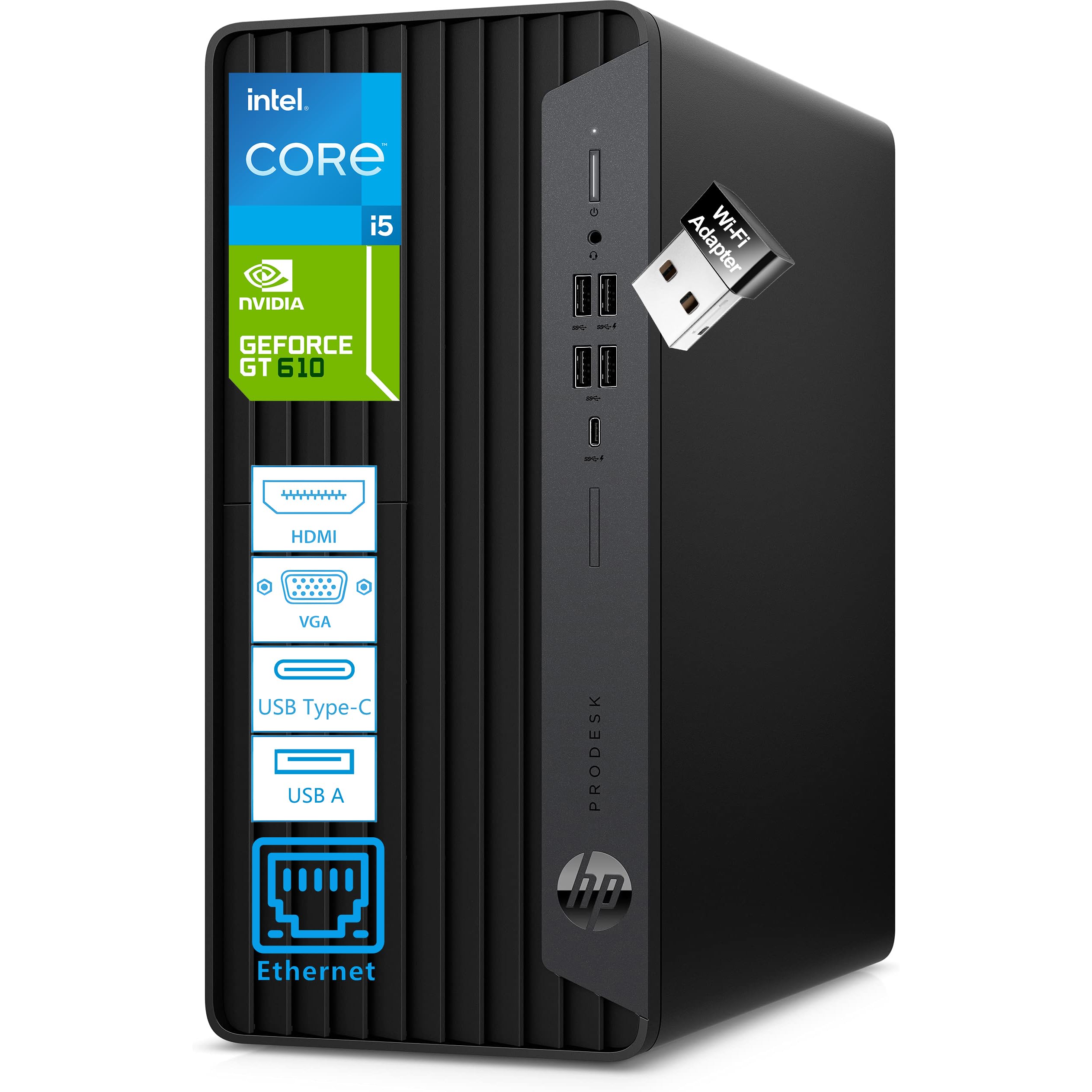
6. HP ProDesk 600 G6 MT Business Desktop
An ultra-quiet business desktop with a dedicated GeForce graphics card and a 1TB NVMe drive for under.
One of the few machines in this price range with a dedicated graphics card, the HP ProDesk 600 G6 includes an NVIDIA GeForce GT 610 with 2 GB of dedicated video memory. This makes it a reasonable choice if you work with basic design tools or need smooth visuals across multiple monitors. The Intel Core i5-10400F has 6 cores and 12 threads, running up to 4.3 GHz, which is more than adequate for office applications and data analysis. The 1 TB NVMe PCIe SSD is a genuine highlight at this tier—it provides boot times under 15 seconds according to the manufacturer, and buyers confirm the startup time is accurate and lightning-fast. With 16 GB of DDR4 RAM, you can keep your full workflow open without slowdowns.
The ultra-quiet design is a real-world bonus, with buyers noting the machine is “quiet” and “meets expectations.” It includes a microtower form factor (under 6 inches wide) that fits neatly on a desk corner. The pre-installed Windows 11 Pro provides business-grade security and management features. A key limitation: there is no built-in Bluetooth — you will need a USB adapter to connect wireless peripherals, though one owner reported this was a simple fix. It supports three monitors via its HDMI, DVI-I, and VGA ports, which is rare at this price point.
Quiet Workhorse: Buyers consistently praise the nearly silent operation, making this tower a great fit for open-plan home offices or shared living spaces.
The Missing Piece: No Bluetooth built-in means you will need a USB adapter for a wireless mouse or headphones, adding a small step to your setup.
A smart buy for the budget-conscious pro: you get a huge 1TB NVMe SSD, a dedicated GPU, and three-monitor support at a price that undercuts similarly-specced towers.
skip it if: you need Bluetooth from the start or require a newer-generation processor for specific software compatibility.
7. Acer Aspire Business Desktop

An entry-level tower that packs DDR5 memory and a fast quad-core processor at a genuinely low cost.
This Acer Aspire is built for the home business owner who needs solid performance without spending a lot. The Intel Core i3-13100 is a quad-core processor with a turbo speed of 4.4 GHz, which can actually outperform older mid-range chips like the i5-12400T in single-threaded tasks (tasks that rely on one core, like opening a large spreadsheet or loading a webpage). It comes with 16 GB of DDR5 RAM, a spec usually reserved for more expensive machines, delivering faster data transfer speeds between your memory and processor. The storage is a hybrid setup: a 512 GB SSD for your operating system and programs, plus a 500 GB HDD for storing files and documents. One buyer pointed out the hard drive came in a separate box rather than pre-installed, so basic computer expertise helps for installation.
Connectivity includes dual-band Wi-Fi 6E and Bluetooth 5.3, keeping you connected to your network and peripherals wirelessly. It offers a mix of USB-C and USB-A ports, with dual HDMI outputs for connecting one or two monitors. The included keyboard and mouse are basic but serviceable. The 300-watt power supply, noted by a buyer, provides some room for basic expansion. Overall, buyers are very satisfied at this price point, calling it a “great budget computer” that is “priced right and ready to go from the start.”
High Value, Low Price
- Quad-core i3 processor with fast 4.4 GHz turbo
- 16 GB of modern DDR5 RAM
- Wi-Fi 6E for latest wireless standard
The Fine Print
- Quad-core chip may struggle with heavy multitasking compared to 6+ core CPUs
- Additional HDD may be loose in the box, requiring installation
A great starting point if: your work is mostly web-based, email, and standard office apps, and you want the speed of modern memory and wireless standards without paying a premium.
Stretch further if: you regularly run several heavy applications at the same time or handle large datasets — a six-core processor will serve you better.
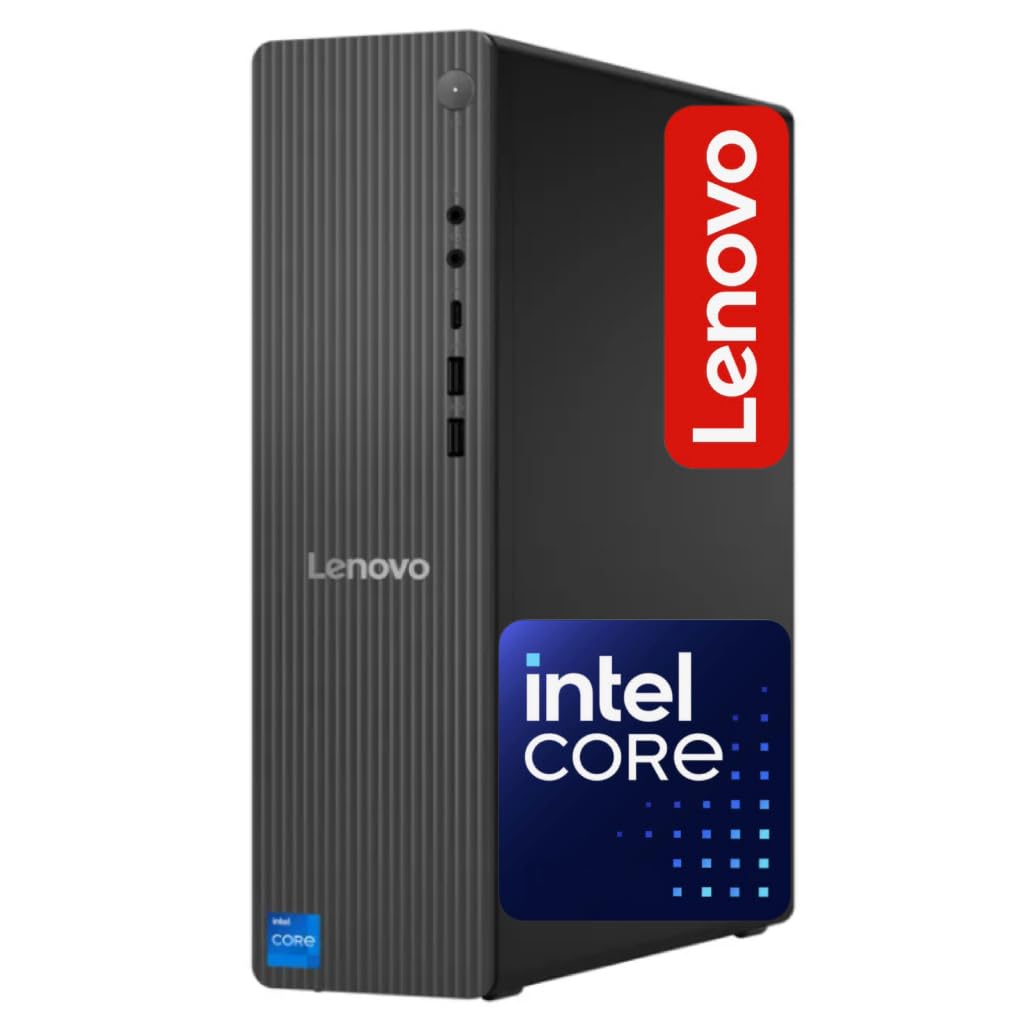
8. Lenovo IdeaCentre Business Tower Desktop
A space-saving tower with DDR5 memory and Wi-Fi 6E that fits into tight desk corners without sacrificing modern specs.
This Lenovo IdeaCentre tower is designed for the small business owner who wants a modern, professional machine in a compact footprint. It runs on an Intel Core i3-14100T, a quad-core processor with a 4.4 GHz Turbo Boost that offers snappy performance for everyday office tasks. The 16 GB of DDR5 RAM is a notable feature at this tier, providing faster data access than the older DDR4 standard. Storage is split between a 256 GB SSD for the operating system and core apps, and a 500 GB HDD for documents, photos, and archived files. The front USB-C port makes it easy to quickly transfer files from a phone or portable SSD.
The machine includes built-in Wi-Fi 6E and Bluetooth 5.2 for the fastest available wireless speeds and easy connection to a wireless peripherals. It has an HDMI 2.1 port for connecting a 4K monitor, and a full set of USB-A ports on the rear for your printer, scanner, and other devices. The form factor (22.1 x 16 x 10.8 inches) is noticeably more compact than a standard tower. Buyers call it a “great work station” that is “space saving and powerful,” though one customer observed the built-in fan can be loud under load. The lower 4.4 GHz turbo speed compared to the Dell (5.3 GHz) means it’s better suited for standard office workflows than heavy data processing.
Compact & Capable
- Space-saving design ideal for small desks
- 16 GB of modern DDR5 RAM for smooth multitasking
- Built-in Wi-Fi 6E and Bluetooth 5.2
A Few Hiccups
- Fan can be loud under sustained load
- Mixed SSD+HDD storage rather than a single large SSD
Perfect for the desk-space conscious: you get modern memory and the fastest wireless standard in a small box that fits almost anywhere.
Not ideal if: you need a near-silent operation for a recording or quiet office — the fan noise has been mentioned by more than one buyer.
9. Dell 24 All-in-One Desktop ec24250

A clean white all-in-one with a blue-light filter and a high-quality 5MP webcam for comfortable all-day video calls.
This Dell all-in-one is designed for the home business owner who spends hours on video calls and wants a tidy, single-cable desk. The 23.8-inch Full HD IPS display has Dell ComfortView Plus, which reduces harmful blue light emissions to help keep your eyes comfortable during long sessions. The 5MP IR webcam includes HDR technology to make you look your best even in challenging lighting, and the display tilts from 0 to 20 degrees for the perfect angle. Dual Bluetooth speakers with Dolby Atmos spatial sound deliver loud, clear audio for conference calls. It runs on an Intel Core 3 100U processor with a boost speed of 4.7 GHz and 8 GB of DDR5 RAM, which is enough for standard office apps, web browsing, and light multitasking.
A 512 GB SSD provides fast boot times and ample storage for your documents and essential software. The built-in memory card reader is convenient for transferring photos or files from a camera. This model includes 1 Year Onsite Service (a technician comes to you for hardware issues) plus 6 Months of Dell Migrate software to help you transfer your files from an old PC. Buyers rave about the “easy set up” and call it a “great basic computer” that is “fast and smooth.” The main limitation is the 8 GB of RAM — if you tend to keep many browser tabs and applications open simultaneously, you may find the system slowing down compared to 16 GB models.
Built for Video Calls: With a 5MP HDR camera, dual speakers, and Dolby Atmos, this is arguably the best machine here for virtual meetings — you will look and sound professional.
RAM That Limits: 8 GB is fine for light tasks, but power users opening many tabs or running heavier business software will likely want 16 GB.
An excellent choice for the talking business: coaches, consultants, and remote workers who live in video calls will appreciate the camera, audio, and eye-comfort features.
Reconsider if: your work involves running heavy data software, virtual machines, or keeping more than 15 browser tabs open at once — the 8 GB cap on RAM will become a constraint.
10. Lenovo IdeaCentre All-in-One Desktop

A budget all-in-one with a quad-core Intel N100 chip that works for basic tasks but comes with notable caveats.
This Lenovo all-in-one is the most affordable AIO in the list, and it is important to match its capabilities to your actual workload. It uses an Intel N100 processor, a quad-core chip with a maximum speed of 3.4 GHz — significantly slower than the 5.3 GHz Dell tower , with only 6 MB of cache memory compared to the Dell’s 30 MB . This makes it suitable for web browsing, email, word processing, and streaming video, but it will struggle with heavy multitasking or professional-grade business software. The 23.8-inch Full HD IPS anti-glare display is sharp, with 99% sRGB color coverage and 250 nits brightness, making it decent for spreadsheet work and media consumption. It includes 8 GB of DDR4 RAM and a 512 GB PCIe SSD for storage.
The built-in connectivity is modern, with Wi-Fi 6, Bluetooth 5.2, Gigabit Ethernet, and a useful set of ports including a USB-C 10Gbps port. The included keyboard and mouse are basic. Perhaps the biggest red flag from buyers is reliability: one user highlighted it “worked for two weeks then stopped working,” while another discovered the unit was manufactured for the UAE market and could not be registered for a US warranty, sold through a third-party seller with poor support. The 1920×1080 display resolution is standard for this price tier but is a lower pixel count than a 4K display like the Dell tower’s 3840×2160 resolution, which means text will be noticeably less sharp.
Positives At This Price
- Included 23.8″ FHD anti-glare display
- Modern Wi-Fi 6 and Bluetooth 5.2
- USB-C port for fast data transfer
Serious Concerns
- Low-power N100 processor limits multitasking
- Some units reported as non-US market versions
- 8 GB RAM is the minimum for business use
Only consider this if: your home business is strictly light web work and email, and you are willing to risk potential warranty issues for the lowest possible price.
Strongly recommend passing if: you need reliability for your income or use software that demands a modern processor — the Dell Tower or ASUS will save you frustration and downtime.
11. HP ProDesk 600G4 Tower Desktop Computer (Renewed)

A fully-loaded refurbished tower with 32GB RAM and a 1TB SSD — impressive specs for a low price, with serious risks.
This HP ProDesk is the most budget-friendly entry in the list, and on paper the specs are eye-catching: an 8th Gen Intel Core i7-8700 (a 6-core, 12-thread processor with a turbo speed of 4.6 GHz), 32 GB of DDR4 RAM, and a 1 TB Solid State Drive. That is a lot of memory and storage for very little money. It runs Windows 11 with 4K support, includes multiple USB 3.0 and USB 2.0 ports, plus two DisplayPort outputs for a dual-monitor setup. The well-equipped buyer might find this a great deal — if the unit is in good condition. Some customers note a smooth experience, calling it “super fast” and “quiet.”
The reviews, however, paint a split picture of quality control. While multiple buyers are happy with their units, one buyer described the worst-case scenario: the “power supply loud, shuts down after 45-60 min,” with a case that looked repainted. Others note the Wi-Fi and Bluetooth are provided by USB dongles rather than built-in, the rear ports may differ from the listing photos, and the budget SSD can feel unreliable. The processor generation is older (2017-era), which means lower power efficiency and slower performance per core than the modern CPUs in the Dell or ASUS towers. For a business where downtime is costly, the gamble on a refurbished unit with variable quality is a real concern.
The Draw
- Massive 32GB RAM and 1TB SSD at the lowest price in this guide
- Fast 4.6 GHz turbo boost on a 6-core chip
- Supports dual 4K monitors
The High Risk
- Refurbished quality varies wildly — some units fail completely
- Older 8th Gen processor, slower than modern chips
- Wi-Fi via USB dongles, not built-in
Only for the risk-tolerant buyer: if you have a low budget and need high RAM for basic tasks, you may get a good unit — but be prepared to return a defective one.
Make the safer choice: the extra money for the Dell Tower or Acer Aspire buys you modern performance, build quality, and a warranty that actually protects your business.
Understanding the Specs
Processor Cache vs. Turbo Speed
Two numbers tell you how fast a processor works. The cache memory (measured in MB) is like a tiny, ultra-fast scratchpad where the CPU stores data it uses constantly — a larger cache, like 30 MB on the Dell Ultra 7, means it can hold more frequently-used data close at hand, so apps feel snappier. The turbo speed (measured in GHz) is how fast the chip can run at its maximum effort when you’re doing something demanding. A processor with a higher turbo speed, like 5.3 GHz, will open a huge spreadsheet or render a PDF faster than one with a 3.4 GHz limit. Both numbers matter, but cache often determines how smooth your everyday workflow feels, while turbo speed affects short bursts ofintensive work like calculations or loading a heavy webpage.
DDR4 vs. DDR5 RAM
RAM, or random-access memory, is your computer’s short-term memory for everything you are doing right now. DDR5 is the newer generation, and it transfers data faster than DDR4, which means applications load data quicker and your system feels more responsive when switching between tasks. For a home business, a computer with 16 GB of DDR5 is a noticeable upgrade over a machine with 16 GB of DDR4 because the faster memory reduces those tiny pauses when you swap between your accounting software, video call, and web browser. The real-world difference is most clear when you have many programs open at once — the DDR5 machine handles the juggling with less stutter.
NVMe SSD vs. SATA SSD vs. HDD
These are the three types of long-term storage for your files and applications. An NVMe SSD (Non-Volatile Memory Express) is the fastest consumer option available, hitting read and write speeds that are faster than a standard SATA SSD — you will see this in sub-15-second boot times and near-instant app launches. A SATA SSD is still fast compared to an old hard drive but uses an older connector that bottlenecks data speed. A traditional HDD (hard disk drive) uses spinning magnetic platters and is the slowest option; it can take several minutes to boot up and load programs. For any business computer, an SSD is essential — your time is money, and you should not be waiting for a hard drive to spin up every time you start the workday.
Dedicated vs. Integrated Graphics
Graphics processing can be handled by a dedicated card (a separate GPU with its own video memory) or an integrated graphics processor (built into the CPU, sharing your system RAM). Integrated graphics are fine for office applications, spreadsheets, and streaming video — they handle everyday tasks without extra cost or power consumption. A dedicated graphics card, like the NVIDIA GeForce GT 610 found in the HP ProDesk 600 G6, provides extra power for tasks like running multiple high-resolution monitors smoothly, basic photo editing, or any 3D visualization your business software might use. Most home business workers can rely on integrated graphics without issue; consider a dedicated card only if your work involves video editing, design, or running three or more monitors.
FAQ
How much RAM do I need for a home business computer?
Is a 4K monitor necessary for a business computer?
Can I connect two or more monitors to these desktops?
How long should a business desktop computer last?
Is a tower desktop better than an all-in-one for business?
Should I buy a refurbished business computer?
What is a hardware TPM chip and do I need it?
Will a business desktop work with my existing printer and scanner?
How important is the power supply wattage in a business desktop?
What is the difference between Windows 11 Home and Windows 11 Pro for a business?
Final Thoughts: The Verdict
For most buyers, the computer for home business winner is the Dell Tower Desktop ECT1250 because it offers a strong balance of raw power (5.3 GHz processor, 32 GB RAM, 1 TB SSD), multi-monitor support, and a 1-year onsite service warranty at a fair mid-range price. If you need maximum storage and cutting-edge AI capabilities for data-heavy workloads, grab the Dell Pro Tower Plus with its 2 TB SSD and integrated NPU. And for the budget-conscious professional who wants modern specs on a tighter budget, the standout is the Acer Aspire Business Desktop for combining a fast quad-core processor with 16 GB of DDR5 memory at a genuinely low cost.
How We Picked
We do not accept paid placement. Every pick is matched to a real buyer and a real use-case; we do not hands-on test units.
Sources & Methodology
Specifications: manufacturer listings and product documentation. Review insights: verified customer reviews, as of July 2026. Pricing: not shown on this page (it changes often); check the current price via the retailer link.
As an Amazon Associate, WellFizz earns from qualifying purchases. This does not affect which products we feature.
Related Guides

Mo Maruf
I created WellFizz to bridge the gap between vague wellness advice and actionable solutions. My mission is simple: to decode the research and give you practical tools you can actually use.
Beyond the data, I am a passionate traveler. I believe that stepping away from the screen to explore new environments is essential for mental clarity and physical vitality.