Our readers keep the lights on and my smoothie glass nicely filled. As an Amazon Associate, I earn from qualifying purchases.
A high schooler’s laptop lives a rough life: stuffed into a crowded backpack, opened and closed a dozen times between classes, and asked to run everything from a multi-tab research session to a Minecraft server. The machine that survives this gauntlet without crashing early or weighing down a shoulder is not found by accident — it’s chosen by understanding the trade-offs between build quality, battery endurance, and the processor’s ability to handle the specific workload of secondary education.
I’m Mohammad Maruf — the founder and writer behind WellFizz. I’ve spent hundreds of hours dissecting hardware specifications, comparing real-world benchmarks, and analyzing thousands of verified reviews to pinpoint which laptops genuinely deliver for high school students, not just which ones look good in a marketing photo.
After evaluating a range of models based on portability, processing power, storage configurations, and screen quality, I’ve compiled a clear guide to the best available options. This article covers everything you need to confidently choose the best computer for high schoolers that fits your specific academic and extracurricular demands.
How To Choose The Best Computer For High Schoolers
The right laptop for a high schooler balances three competing forces: enough horsepower to manage schoolwork without lag, a battery that survives a full school day plus study hall, and a weight that doesn’t cause shoulder fatigue between periods. The following factors are the most critical to evaluate before making a purchase.
Processor: The Engine for School Tasks
The processor determines how quickly a laptop can launch applications, switch between tabs, and handle video calls. For high school use, an Intel Core i3 or AMD Ryzen 3 represents the entry point for smooth performance. An Intel Core i5 or AMD Ryzen 5 provides headroom for more demanding tasks like photo editing or light programming. Avoid Celeron or Pentium processors unless the budget is extremely tight, as they struggle with basic multitasking.
RAM: How Many Tabs Can You Keep Open?
8GB of RAM is the baseline for a usable high school laptop. With 8GB, a student can run a browser with several tabs, a word processor, and a messaging app without major slowdown. 16GB becomes valuable if the student uses multiple heavy applications simultaneously, such as a browser with ten-plus tabs, a note-taking app, and a video editor. 4GB laptops are not suitable for modern school workloads.
Storage: SSD Speed Over Capacity
The type of storage matters more than the total size. A PCIe NVMe SSD is dramatically faster than an eMMC or traditional hard drive, meaning the laptop boots in seconds and applications load instantly. Look for at least 256GB SSD. If the laptop has only 128GB, ensure there is a microSD card slot or USB port for external storage expansion.
Battery Life: Surviving the School Day
A high schooler’s day often includes six to seven periods plus a lunch break. The laptop needs enough charge to last through it all without requiring a midday recharge. Look for models with at least eight hours of advertised battery life. Real-world battery performance often falls 10-20% below the manufacturer’s rating, so padding the estimate is wise.
Weight and Build: Backpack Ready
Students carry their laptops everywhere. A weight under four pounds makes a noticeable difference when walking between classes. Build quality matters too — a laptop with a sturdy hinge and a metal or reinforced plastic chassis can withstand the bumps of daily transport. Avoid ultra-cheap builds that flex or creak when picked up.
Quick Comparison
On smaller screens, swipe sideways to see the full table.
| Model | Category | Best For | Key Spec | Amazon |
|---|---|---|---|---|
| Apple MacBook Neo 13 | Premium | All-day battery & macOS ecosystem | A18 Pro chip, 16hr battery | Amazon |
| HP 15.6″ FHD 2026 Edition (32GB) | Premium | Heavy multitasking & large storage | 32GB RAM, 1TB SSD | Amazon |
| HP 255 G10 (Ryzen 7) | Mid-Range | Business-grade build & performance | Ryzen 7 7730U, 16GB RAM | Amazon |
| NIMO 15.6″ FHD Intel N150 | Mid-Range | Backlit keyboard & fingerprint unlock | 256GB SSD, 53Wh battery | Amazon |
| Lenovo IdeaPad 1 (Ryzen 5) | Mid-Range | Multitasking on a budget | Ryzen 5 5500U, 8GB RAM | Amazon |
| Dell 15 (Core 3) | Mid-Range | 120Hz display & comfort view | 120Hz FHD, Core 3 100U | Amazon |
| ASUS Vivobook 14 (i3) | Mid-Range | 16GB RAM in a compact frame | 16GB DDR4, 512GB SSD | Amazon |
| Lenovo IdeaPad 1 (Celeron) | Value | Budget-friendly with 12GB RAM | 12GB RAM, 512GB + 128GB | Amazon |
| HP 17 (i3-1125G4) | Value | Large 17.3″ screen for home use | 17.3″ HD+ display | Amazon |
| ASUS Vivobook Go 15.6″ | Entry-Level | Lightweight & military-grade build | Ryzen 3 7320U, 8GB RAM | Amazon |
| HP Laptop (N150) | Entry-Level | Most affordable with Office 365 | Intel N150, 8GB RAM | Amazon |
In‑Depth Reviews
1. Apple 2026 MacBook Neo 13-inch

The MacBook Neo with the A18 Pro chip redefines what a student laptop can be at this price point. Its 13-inch Liquid Retina display with 500 nits of brightness and support for a billion colors makes reading documents and watching lecture videos a genuinely pleasant experience. The aluminum chassis feels premium in hand and weighs just 2.71 pounds, making it the lightest full-featured option on this list.
Battery life is the headline feature here — up to 16 hours means a high schooler can go multiple days without charging under normal use. The A18 Pro chip handles the macOS environment with effortless fluidity, and the 1080p FaceTime HD camera with a dual-mic array delivers clear video calls for remote learning. The 8GB of unified memory keeps the system responsive, though power users who run many heavy apps simultaneously may wish for more.
Apple Intelligence features are built directly into the chip, enabling on-device AI summarization, writing assistance, and photo editing without an internet connection. The trade-off is limited port selection — two USB-C ports (one is USB 2.0) and no USB-A or HDMI. Students who need to plug in flash drives or external monitors will need adapters. Overall, this is the most refined and portable machine for a high schooler who values battery life and build quality above all else.
Why it’s great
- Outstanding 16-hour battery life easily lasts multiple school days
- Premium aluminum build at just 2.71 lbs is highly portable
- Brilliant Liquid Retina display with 500 nits brightness
- On-device Apple Intelligence for AI-powered school tasks
Good to know
- Limited port selection requires dongles for USB-A and HDMI
- No backlit keyboard on this base model
- 8GB unified memory cannot be upgraded later
2. HP 15.6″ FHD Laptop 2026 Edition (32GB RAM, 1TB SSD)

This HP laptop solves the most common student complaint: running out of storage and having the system slow down from too many open programs. With 32GB of DDR4 RAM and a 1TB PCIe NVMe SSD, this machine can handle a high schooler’s entire digital life — research papers, downloaded textbooks, photo collections, and game files — without ever feeling cramped. The Intel N100 processor is modest, but the generous RAM compensates by keeping multiple heavy applications running smoothly.
Weighing just 3.64 pounds, it is surprisingly portable for a 15.6-inch laptop. The anti-glare display at 1920×1080 reduces eye strain during long study sessions, and the full-size keyboard with numeric keypad makes data entry in math or science classes more comfortable. WiFi 6 ensures stable connections for Zoom classes and online collaboration, while the array of ports — USB-C, USB-A, HDMI, and headphone jack — covers nearly every peripheral a student might need.
The inclusion of a lifetime Office for web license adds real value, eliminating the need for a separate subscription. The Intel UHD Graphics handles video streaming and light gaming, but this is not a machine for hardcore gaming or video editing. Some users reported setup issues with Windows activation, but most found the laptop ready to use out of the box. For students who keep everything and never want to worry about deleting files, this is the most storage-forward choice.
Why it’s great
- 32GB RAM handles extreme multitasking without lag
- 1TB SSD provides massive storage for files and games
- Lightweight 3.64 lbs for a 15.6-inch machine
- Includes lifetime Office for web subscription
Good to know
- Intel N100 processor is entry-level for demanding tasks
- No touchscreen or backlit keyboard
- Some units reported setup difficulties out of box
3. HP 255 G10 15.6″ FHD (AMD Ryzen 7)

The HP 255 G10 pairs an AMD Ryzen 7 7730U processor with 16GB of high-bandwidth RAM, creating a laptop that can easily outpace many competitors in raw processing power. The 8-core, 16-thread CPU with a max turbo frequency of 4.50 GHz makes short work of compiling code, editing video for school projects, or running virtual machines for computer science classes. The 512GB PCIe M.2 SSD provides fast boot times and ample storage for most students.
The 15.6-inch FHD IPS anti-glare display offers a crisp viewing experience, and the micro-edge design keeps the overall footprint relatively compact. Windows 11 Pro comes pre-installed, which adds enterprise-grade security features like BitLocker encryption — a bonus for students handling sensitive data. The numeric keypad is a practical addition for spreadsheets and data entry, and the port selection includes USB-C, USB-A, HDMI, and a headphone jack.
Some users reported that the casing can show separation after a few months of use, and there were isolated reports of freezing issues. The integrated AMD Radeon Graphics handle everyday tasks and light gaming, but this is not a dedicated gaming machine. For a high schooler who wants a laptop that can handle advanced academic software and moderate content creation, this HP delivers impressive performance for the price.
Why it’s great
- Ryzen 7 7730U offers 8 cores for demanding tasks
- 16GB RAM ensures smooth heavy multitasking
- Windows 11 Pro includes enhanced security features
- Numeric keypad aids data entry and math work
Good to know
- Build quality concerns reported after a few months
- Integrated graphics limit gaming potential
- Some units may have speaker hiss or screen backlight bleed
4. NIMO 15.6″ FHD Student Laptop (Intel N150)
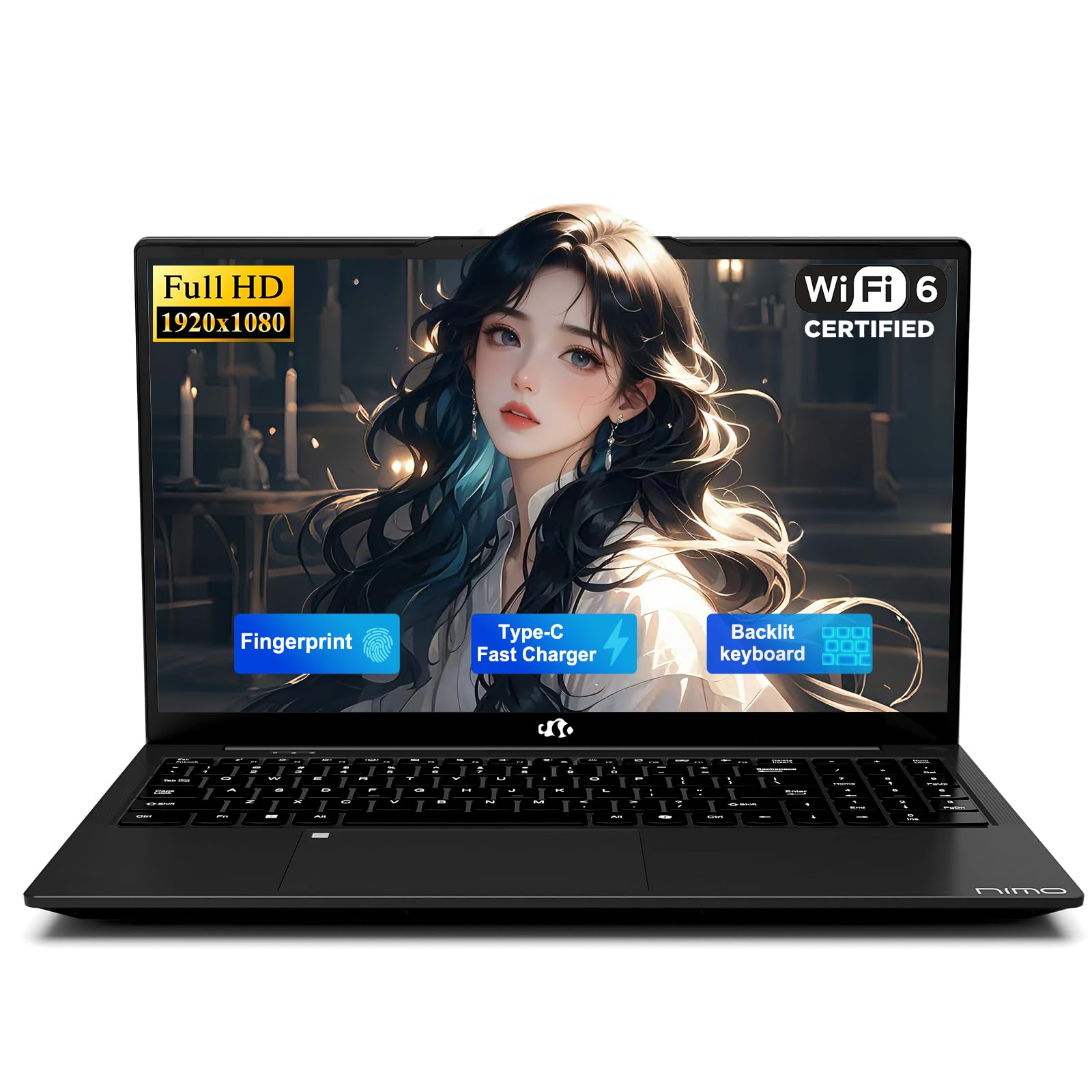
The NIMO N157 stands out for the features that matter most during late-night study sessions: a backlit keyboard and a fingerprint sensor integrated into the touchpad. The backlit keys let a student type accurately in a dark dorm room or library without disturbing others, while the fingerprint unlock means no fumbling with passwords between classes. The Intel N150 processor at 15W TDP runs cool and quiet, making it library-friendly.
The 15.6-inch FHD display with a 175-degree flexible hinge allows the screen to lay almost flat for group project sharing. The 256GB M.2 SSD provides adequate storage for essays and photos, and the microSD card reader offers future expansion. The 53Wh battery with 65W USB-C fast charging keeps the laptop going through a full school day, and the metal top cover adds a touch of premium feel to an otherwise affordable chassis.
One notable limitation is that the RAM is soldered and cannot be upgraded, so the 8GB configuration is final. The speakers are described as tinny, so headphones are recommended for media consumption. The laptop includes a generous 2-year warranty, which provides peace of mind for a student’s heavy usage cycle. For high schoolers who write papers late into the night, the backlit keyboard alone makes this a compelling choice.
Why it’s great
- Backlit keyboard enables typing in low-light environments
- Fingerprint sensor provides quick, secure login
- 175-degree hinge facilitates group project sharing
- Includes 2-year comprehensive warranty
Good to know
- RAM is soldered and not upgradeable
- Speakers are tinny; headphones recommended
- Fingerprint reader can be unreliable at times
5. Lenovo IdeaPad 1 (AMD Ryzen 5 5500U)

The Lenovo IdeaPad 1 with an AMD Ryzen 5 5500U processor delivers the best performance-to-price ratio in this guide. The 6-core, 12-thread CPU with a 20W TDP punches well above its weight class, handling multiple browser tabs, streaming video, and office applications without hesitation. The 8GB of DDR4 RAM is sufficient for most high school workloads, and the 512GB PCIe SSD provides fast storage that boots Windows 11 Home in seconds.
Weighing just 3.5 pounds with a 15.6-inch FHD display, this Lenovo is both portable and screen-rich. The Dolby Audio speakers deliver clear sound for video calls and media, and the physical privacy shutter on the 720p camera adds a layer of security that privacy-conscious students will appreciate. The “Flip to Start” feature wakes the laptop instantly upon opening the lid, saving precious seconds between classes.
Battery life is rated at around 10 hours, but real-world use with moderate brightness and multiple tabs typically yields around 7 hours. The screen quality is adequate but not exceptional — some users note the display requires maximum brightness in well-lit rooms. The laptop lacks an ethernet port and CD drive, but modern students rarely need these. For a high schooler who wants consistent performance without breaking the bank, this Lenovo is a top contender.
Why it’s great
- Ryzen 5 5500U offers strong multitasking performance
- Lightweight 3.5 lbs with a large 15.6-inch screen
- Physical privacy shutter on the webcam
- Flip to Start feature speeds up daily use
Good to know
- Screen quality is average; needs max brightness often
- Real-world battery life is closer to 7 hours
- No ethernet port or CD drive
6. Dell 15 Laptop (Core 3 100U)

The Dell 15 distinguishes itself with a 120Hz FHD display — a rarity at this price point. A 120Hz refresh rate makes scrolling through documents, web pages, and social media feeds feel noticeably smoother and more responsive than standard 60Hz panels. This is particularly beneficial for students who spend hours reading and researching, as the reduced motion blur lessens eye fatigue. The ComfortView software further reduces harmful blue light emissions for extended viewing comfort.
Under the hood, the Intel Core 3 100U processor with speeds up to 4.7 GHz provides adequate power for everyday school tasks. The 8GB of DDR4 RAM and 512GB SSD hit the sweet spot for most high schoolers — enough memory for tab-heavy browsing and enough storage for files and projects. The lifted hinge design creates an ergonomic typing angle that reduces wrist strain during long typing sessions, a thoughtful touch for students writing lengthy papers.
The dedicated numeric keypad is a practical addition for math and science classes, and the port selection includes two USB-A ports, one USB-C, and HDMI. However, the battery life is on the shorter side — many users report around 5-6 hours of real-world usage — so this laptop is best for students who have regular access to power outlets. The webcam quality is also below average, but adequate for video calls. For a student who values a smooth visual experience, this Dell is a unique find.
Why it’s great
- 120Hz display provides noticeably smoother scrolling
- ComfortView reduces blue light for eye comfort
- Ergonomic typing angle with lifted hinge design
- Includes separate numeric keypad for data entry
Good to know
- Battery life is shorter at around 5-6 hours real world
- Webcam quality is below average
- Only two USB-A ports may limit peripheral connections
7. ASUS Vivobook 14 (i3-1215U, 16GB RAM)

The ASUS Vivobook 14 packs 16GB of DDR4 RAM into a compact 14-inch chassis, making it an excellent choice for students who keep dozens of browser tabs open simultaneously. The Intel Core i3-1215U processor with 6 cores (2 Performance + 4 Efficient) reaches up to 4.4 GHz, providing snappy performance for everyday applications. The 512GB PCIe NVMe SSD ensures fast boot times and quick file access, and the 14-inch FHD IPS-level display with anti-glare coating is comfortable for extended reading sessions.
At this size, the Vivobook is highly portable and fits easily on cramped classroom desks or airplane tray tables. The keyboard includes a touchpad with a numpad feature, though some users find the numpad implementation awkward. The port selection is generous for a 14-inch laptop: USB-C, two USB-A, HDMI, and a headphone jack cover most connectivity needs. WiFi 6 provides fast wireless speeds for online research and streaming.
Some users reported touchpad sensitivity issues that required driver adjustments, and the absence of a dedicated GPU means this laptop is not suitable for gaming or heavy video editing. The build quality is decent but not premium — the plastic chassis feels light but may not withstand heavy drops. For a high schooler who prioritizes RAM capacity in a portable package, this ASUS model delivers strong value. One unit reportedly stopped working after nearly two years, so individual reliability may vary.
Why it’s great
- 16GB RAM handles extreme tab-heavy browsing
- Compact 14-inch form factor is highly portable
- Fast 512GB PCIe NVMe SSD for quick boot times
- Good port selection for a small laptop
Good to know
- Touchpad numpad feature can be awkward to use
- No dedicated GPU for gaming or editing
- Some units required driver adjustments for touchpad
8. Lenovo IdeaPad 1 (Celeron N4500, 12GB RAM)
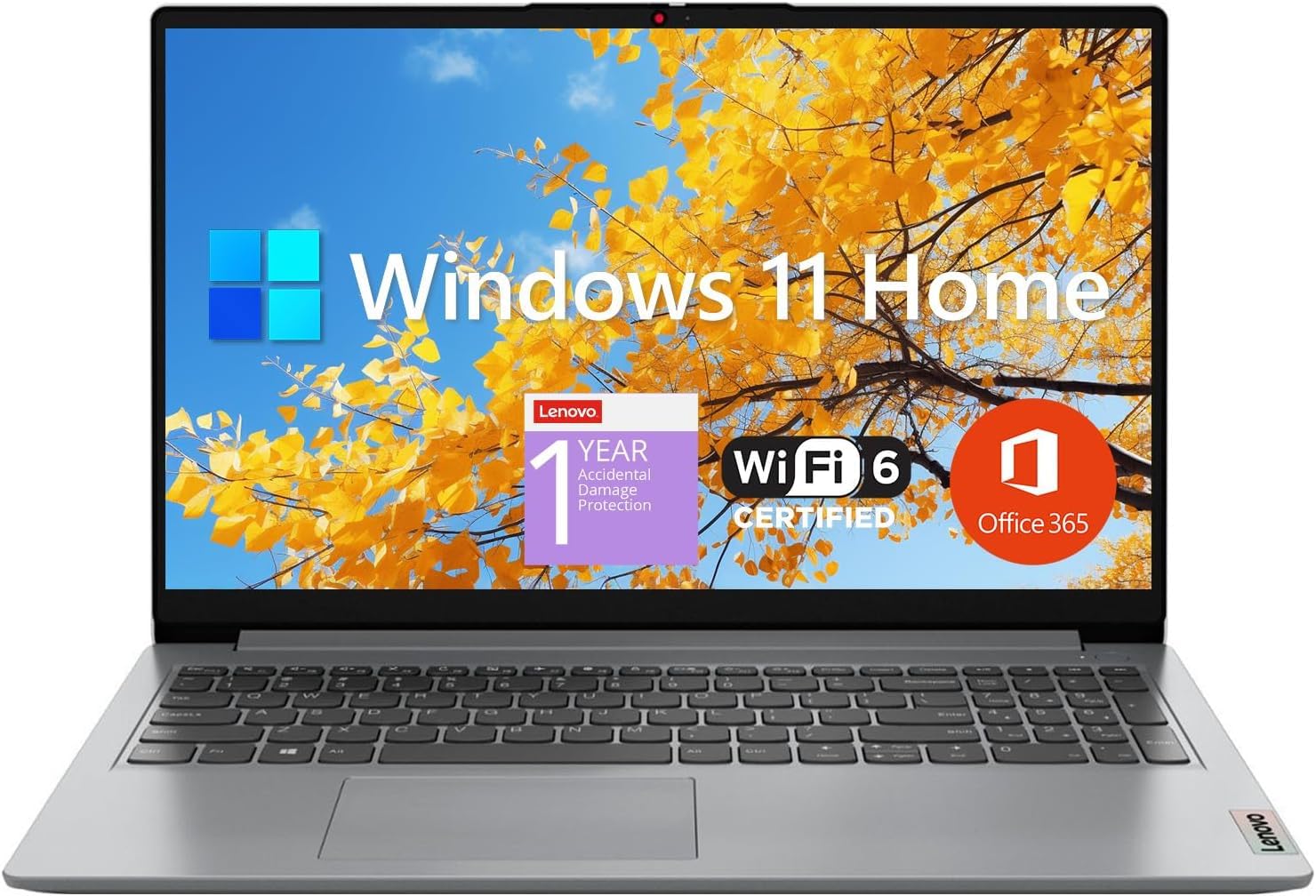
The Lenovo IdeaPad 1 takes an unconventional approach: pairing a modest Intel Celeron N4500 processor with a generous 12GB of RAM and a combined 640GB of storage (512GB SSD + 128GB eMMC). The extra RAM helps compensate for the weaker CPU, allowing the laptop to handle multiple browser tabs and office applications without choking. The dual-drive configuration provides fast boot times from the SSD plus ample space for file storage on the eMMC.
The 15.6-inch FHD IPS-level anti-glare display is a pleasant surprise at this price point, offering sharp text and decent color reproduction for a budget panel. The included 1-year Office 365 subscription adds real value for students who need Word, Excel, and PowerPoint for schoolwork. The port selection includes USB-C, USB-A, HDMI, and a microSD card reader, covering essential connectivity needs. WiFi 6 ensures fast wireless performance for online classes.
The Celeron processor is the clear bottleneck here. Page loads can take 2-4 seconds, and the laptop is not suitable for gaming or heavy content creation. Some users reported freezing after a year of use. The laptop feels sturdy enough for daily transport, but the plastic build lacks the rigidity of pricier models. For a high schooler on a tight budget who primarily needs a machine for word processing, web browsing, and email, this Lenovo provides the most storage and RAM for the least money.
Why it’s great
- 12GB RAM and 640GB total storage at a low cost
- FHD IPS anti-glare display is sharp for the price
- Includes 1-year Microsoft 365 subscription
- Good port selection with USB-C and card reader
Good to know
- Celeron processor is slow for demanding tasks
- Some units freeze after extended use
- Not suitable for gaming or video editing
9. HP 17 Laptop (i3-1125G4)

For students who prefer a desktop-replacement experience, the HP 17 offers a massive 17.3-inch HD+ display (1600 x 900) that reduces the need for zooming in on small text. The 11th Gen Intel Core i3-1125G4 processor with 4 cores and 8 threads delivers solid performance for everyday school tasks like web browsing, word processing, and video streaming. The 8GB of RAM and 256GB PCIe NVMe SSD are adequate for a student who uses cloud storage for most files.
The large display makes this laptop ideal for students who work with spreadsheets, read PDF textbooks, or watch lecture videos — the extra screen real estate reduces eye strain and improves productivity. The anti-glare coating helps maintain visibility in bright rooms or near windows. The port selection is generous with USB-C, two USB-A, and HDMI, allowing easy connection to external monitors or printers.
The 17-inch form factor is not truly portable — it is heavy and will not fit in smaller backpacks. Battery life is rated at only 6 hours, so this laptop is best used at a desk with access to power. Some users reported issues with microphone configuration out of the box, and there were concerns about warranty coverage with some sellers. For a high schooler who rarely takes their laptop to school and values a large screen for home study, this HP is a practical, budget-friendly choice.
Why it’s great
- Large 17.3-inch display reduces eye strain on documents
- Anti-glare coating helps visibility in bright rooms
- Generous port selection with USB-C and HDMI
- i3-1125G4 is adequate for school tasks
Good to know
- Too large and heavy for daily backpack transport
- Battery life is limited to around 6 hours
- Warranty issues reported with some third-party sellers
10. ASUS Vivobook Go 15.6” (Ryzen 3 7320U)

The ASUS Vivobook Go 15.6” proves that an entry-level price does not have to mean fragile construction. This laptop meets military-grade durability standards, meaning it can survive the drops, bumps, and temperature variations that come with daily student life. The AMD Ryzen 3 7320U quad-core processor reaches up to 4.1 GHz and provides enough power for browsing, writing, and video streaming without the sluggishness of a Celeron-based budget machine.
The 15.6-inch FHD NanoEdge display has slim bezels that maximize screen space in a relatively compact footprint. The 8GB of DDR5 RAM is faster than the DDR4 found in many competitors, improving responsiveness in multitasking scenarios. The 128GB SSD is the main limitation — it fills up quickly with apps and files — but the microSD card slot offers an affordable expansion path. The SonicMaster audio system produces clear sound for video calls and media.
One quirk: Windows S Mode is enabled by default, which restricts app installations to the Microsoft Store. Exiting S Mode is straightforward but requires an internet connection and a Microsoft account. The power button requires a precise hold to turn on reliably. For a high schooler who needs a durable, lightweight laptop for basic school tasks and wants to avoid the cheapest Celeron options, this ASUS model offers a good balance of build quality and price.
Why it’s great
- Military-grade durability withstands student life wear
- Ryzen 3 is faster than entry-level Celeron CPUs
- FHD NanoEdge display with slim bezels
- DDR5 RAM provides faster memory performance
Good to know
- 128GB SSD fills up quickly; expansion card needed
- Windows S Mode limits app installation initially
- Power button hold timing can be finicky
11. HP Laptop (Intel N150, Sky Blue)
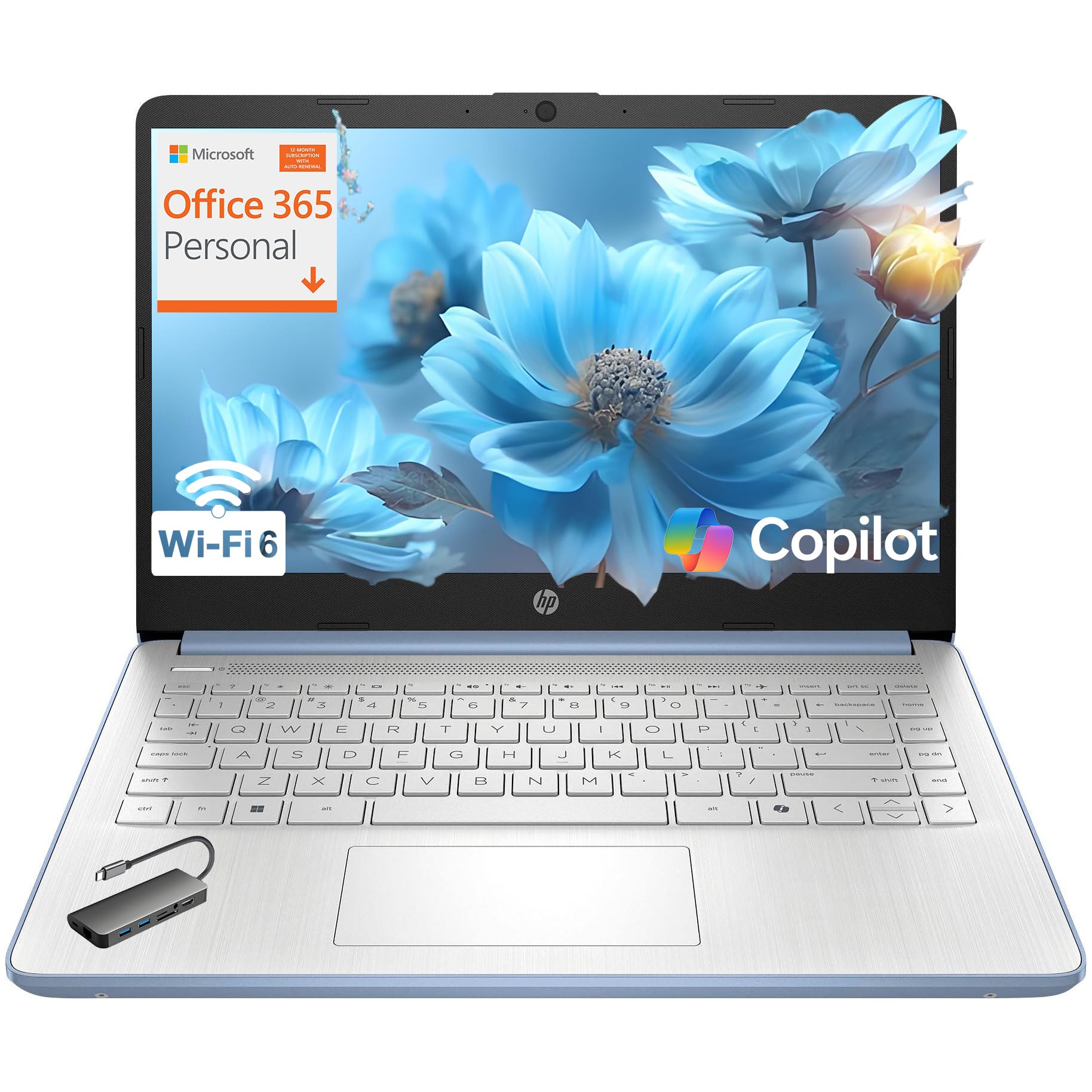
This HP laptop in Sky Blue is the most affordable option on the list, making it accessible for families on a strict budget. The Intel Processor N150 provides basic quad-core performance suitable for web browsing, word processing, and video streaming. The 8GB of DDR4 RAM is standard for entry-level laptops, and the 128GB UFS storage offers faster load times than a traditional hard drive but slower than a proper SSD. The included 1-year Microsoft 365 subscription adds significant value.
The 14-inch HD display (1366 x 768) is the weakest component — text is not as sharp as on FHD panels, and the 250 nit brightness is adequate for indoor use but washes out in direct sunlight. The laptop is lightweight at 3.11 pounds and comes in an eye-catching Sky Blue finish with a crepe pink keyboard that younger students may find appealing. The privacy shutter on the 720p webcam is a welcome security feature. WiFi 6 and Bluetooth 5.4 ensure modern wireless connectivity.
The Intel UHD Graphics can handle streaming and basic video playback but will struggle with any modern games or video editing. Windows 11 Home in S Mode is enabled by default, limiting app installations to the Microsoft Store. Some users noted that the laptop takes a while to power on. For a high schooler with minimal computing needs who wants the lowest possible price without sacrificing a modern operating system and Office access, this HP gets the job done.
Why it’s great
- Lowest price point makes it accessible for tight budgets
- Includes 1-year Microsoft 365 subscription
- Lightweight at 3.11 lbs for easy carrying
- Privacy shutter on webcam for security
Good to know
- HD display is less sharp than FHD alternatives
- 128GB UFS storage is limited and slower than SSD
- Intel UHD Graphics not suitable for gaming or editing
FAQ
Is 8GB of RAM enough for a high school student?
Can a high school laptop run video games?
Is Windows 11 Home S Mode restrictive for students?
How much storage does a high schooler need?
Is a touchscreen important for school use?
Final Thoughts: The Verdict
For most users, the best computer for high schoolers winner is the Apple MacBook Neo 13-inch because it combines the longest battery life (16 hours), the lightest weight (2.71 lbs), and the most premium build quality in a package that easily survives a full school day. If you want the most storage and RAM for heavy multitasking and keeping everything locally, grab the HP 15.6″ FHD 2026 Edition. And for a high schooler who needs a durable, lightweight machine for basic tasks and values a backlit keyboard for late-night studying, nothing beats the NIMO 15.6″ FHD Student Laptop.

Mo Maruf
I created WellFizz to bridge the gap between vague wellness advice and actionable solutions. My mission is simple: to decode the research and give you practical tools you can actually use.
Beyond the data, I am a passionate traveler. I believe that stepping away from the screen to explore new environments is essential for mental clarity and physical vitality.