Our readers keep the lights on and my smoothie glass nicely filled. As an Amazon Associate, I earn from qualifying purchases.
When your daily workflow involves spinning up multiple virtual machines, cracking encrypted containers, and running packet capture suites that melt consumer-grade hardware, a standard laptop simply won’t hold up. You need a machine that thrives under sustained CPU loads, offers copious memory for parallel sandboxing, and packs reliable storage for raw data dumps.
I’m Mohammad Maruf — the founder and writer behind WellFizz. My research involves mapping hardware specifications against the real demands of penetration testing, digital forensics, and isolated lab environments, sifting through thousands of user reports and benchmark logs to separate machines that throttle under pressure from those built to endure.
After weeks of analyzing performance metrics and community feedback, I’ve compiled the definitive analysis of the best computer for hacking, focusing on CPU multi-core endurance, RAM expandability, and thermal design that keeps your workstation stable during marathon sessions.
How to Choose the Best Computer for Hacking
Selecting a machine for ethical hacking, penetration testing, or security research is fundamentally different from picking a general-purpose laptop. You need raw parallel processing power, headroom for multiple guest operating systems, and a thermal solution that won’t stutter during a six-hour brute force session. Here are the three critical areas to evaluate.
CPU Architecture and Core Count
Your hypervisor allocates virtual cores to each guest OS. More physical cores and threads directly translate into smoother concurrent VM operation. Look for processors with at least 8 cores and 16 threads — the 12th-gen Intel i7 and above, or AMD Ryzen 7 and 9 series. The Intel Core Ultra 9 185H with 16 cores and 22 threads is a standout for multi-VM environments. Avoid ultra-low-power U-series chips for sustained hacking workloads.
RAM Capacity and Expandability
Each virtual machine needs anywhere from 2 GB to 8 GB of dedicated RAM. Run four VMs alongside your host OS with analysis tools, and you’ll quickly eat through 32 GB. Prioritize 32 GB as a minimum, 64 GB for serious lab work. Pay close attention to whether the RAM is socketed (upgradeable) or soldered onboard — socketed DDR5 modules let you scale up later without buying a whole new machine.
Storage Speed and Redundancy
NVMe PCIe Gen 4 SSDs deliver sequential read speeds above 5,000 MB/s, dramatically reducing the time it takes to spin up a VM from a saved snapshot. Dual M.2 slots allow you to run a dedicated drive for your host OS and a second for your VM library. Capacities of 1 TB or higher are non-negotiable once you start storing packet captures, disk images, and tool repositories.
Quick Comparison
On smaller screens, swipe sideways to see the full table.
| Model | Category | Best For | Key Spec | Amazon |
|---|---|---|---|---|
| NIMO Ryzen AI 9 HX 370 | Premium | Heavy VM & AI Workloads | 64GB DDR5 / 4TB Gen4 SSD | Amazon |
| Lenovo ThinkPad P16s Gen 4 | Premium | Mobile Workstation | 32GB DDR5 / OLED 4K Touch | Amazon |
| Lenovo ThinkBook 16 | Premium | Enterprise Multi-Tasking | 64GB DDR5 / 2TB Gen4 SSD | Amazon |
| GEEKOM GeekBook X16 Pro | Premium | Ultra-Portable Power | 32GB LPDDR5x / 2TB Gen4 SSD | Amazon |
| HP OmniBook 7 17.3″ | Mid-Range | AI-Accelerated Workflows | 32GB Onboard / 2TB Gen4 SSD | Amazon |
| Dell Latitude 5550 | Mid-Range | Business & Remote Work | 32GB DDR5 / 1TB Gen4 SSD | Amazon |
| ASUS Vivobook S16 | Mid-Range | Visual Analysis & Design | 32GB LPDDR5x / 1TB Gen4 SSD | Amazon |
| HP EliteBook 6 G1a | Mid-Range | AI Business Security | 32GB DDR5 / 1TB Gen4 SSD | Amazon |
| HP 17 Laptop (i7-1355U) | Mid-Range | Large-Screen Lab Work | 64GB DDR4 / 2TB Gen4 SSD | Amazon |
| Panasonic Toughbook FZ-55 | Mid-Range | Field Operations | 32GB DDR4 / 1TB Gen3 SSD | Amazon |
| HP 17″ Laptop (i5-1334U) | Budget | Entry-Level Pentest Lab | 32GB DDR4 / 1TB Gen3 SSD | Amazon |
| NIMO 17.3″ IPS (Ryzen 7) | Budget | Gaming & Light Labwork | 32GB DDR5 / 1TB Gen4 SSD | Amazon |
| Dell Inspiron 15.6″ | Budget | Basic Analysis & Office | 32GB DDR4 / 1TB Gen3 SSD | Amazon |
In-Depth Reviews
1. NIMO 17.3″ AI Laptop (AMD Ryzen AI 9 HX 370, 64GB RAM, 4TB SSD)

The NIMO 17.3″ AI Laptop is the standout workhorse for anyone running intensive penetration testing labs. Its AMD Ryzen AI 9 HX 370 processor delivers 12 cores and 24 threads, beating the Intel Core Ultra 9 285H in multi-threaded benchmarks. This translates directly into smooth operation when you have three or four virtual machines running simultaneously — each with its own dedicated OS and toolset.
The 64 GB of DDR5 RAM ensures you won’t hit a memory ceiling during large packet captures or when loading up a full Kali Linux environment alongside a Windows 10 guest for lateral movement testing. The 4 TB PCIe Gen 4 SSD offers vast storage for disk images, captures, and tool repositories without needing external drives. The USB 4.0 port supports eGPU docking if you ever need dedicated GPU acceleration for password cracking.
Its 144 Hz display might seem like a luxury, but the smooth scrolling helps reduce eye strain on long command-line sessions. The backlit keyboard with a numpad is excellent for data entry, and the integrated fingerprint reader on the touchpad provides solid security for your host OS. The 2-year warranty provides peace of mind for an investment of this caliber.
Why it’s great
- 12-core Ryzen AI processor sustains heavy multi-VM loads without throttling
- 64GB DDR5 RAM is headroom for any pentest lab scenario
- 4TB NVMe Gen4 SSD stores massive volumes of image data and tools
- USB 4.0 supports eGPU for accelerated brute-force work
Good to know
- Windows 11 Home requires Pro upgrade for advanced networking features
- Larger 17.3-inch chassis is less portable than 15-inch alternatives
2. Lenovo ThinkPad P16s Gen 4 (AMD Ryzen AI 7 PRO, 32GB RAM, 1TB SSD)
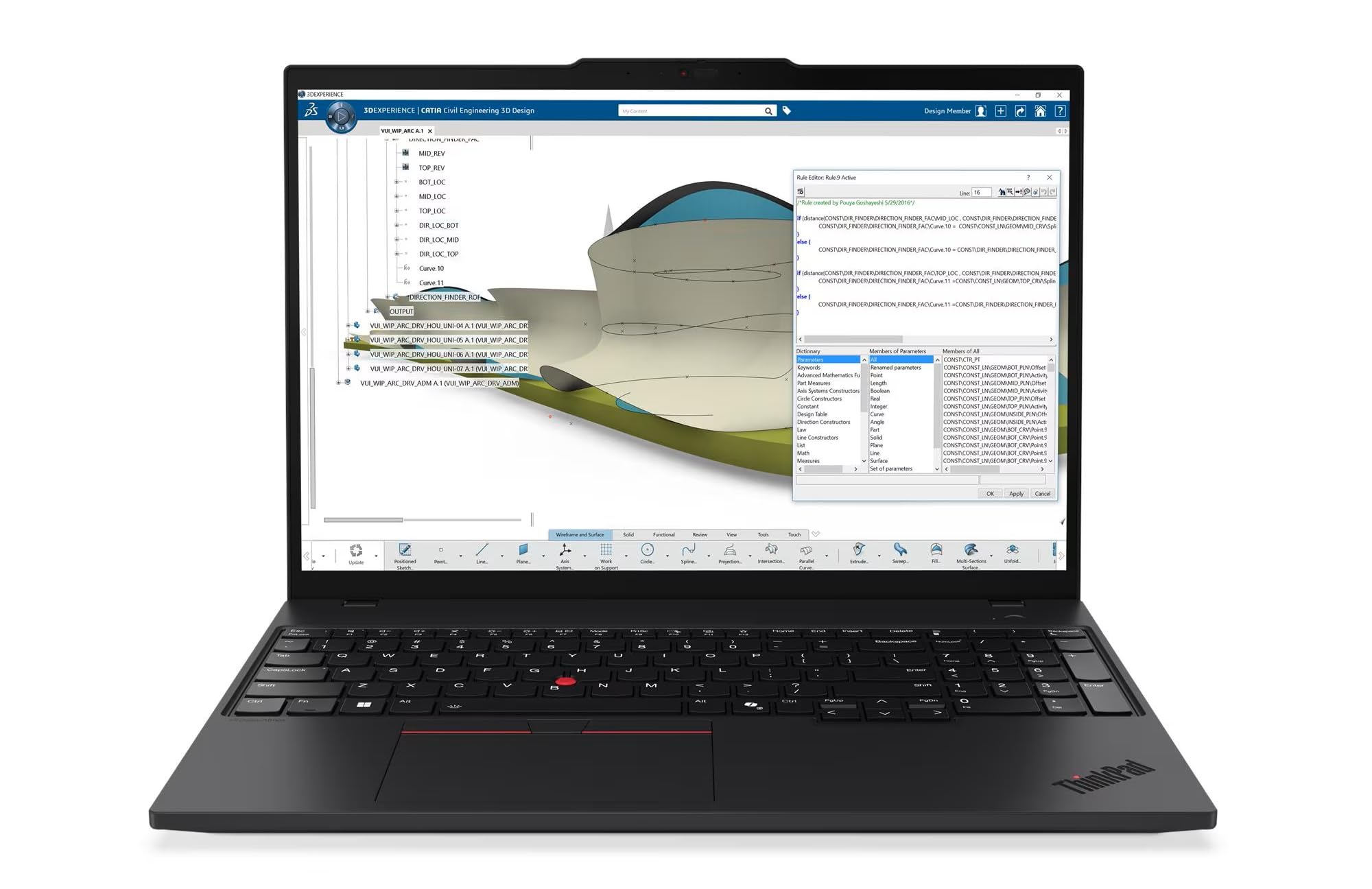
The ThinkPad P16s Gen 4 is a certified mobile workstation with ISV-level build quality. Its AMD Ryzen AI 7 PRO 350 processor includes a dedicated NPU that accelerates local AI workloads — useful for automating reconnaissance scripts or running lightweight machine learning models for pattern analysis in packet data. The 32 GB of DDR5 memory is upgradeable, letting you expand to 64 GB or beyond as your lab grows.
The 16-inch OLED WQUXGA touchscreen display is a revelation for reading hex dumps and log files. Its 4K resolution and 100% DCI-P3 color accuracy make it ideal for forensic image analysis and GUI-heavy tools like Burp Suite or Wireshark. The screen reaches high brightness levels, making it usable in bright fieldwork environments. The 5MP IR camera with a privacy shutter ensures you can check in for remote briefings without compromise.
Connectivity is comprehensive with two Thunderbolt 4 ports, HDMI 2.1, and an Ethernet jack, so you can connect to isolated lab networks without a dongle. The MIL-STD-810H certification means it survives the bumps and drops common in field engagements. The ThinkShield security suite provides BIOS-level protection, and the fingerprint reader adds a second authentication layer.
Why it’s great
- OLED 4K display provides unparalleled clarity for log and code analysis
- MIL-STD-810H certified for rugged field reliability
- Upgradeable RAM allows future expansion beyond 32GB
- Thunderbolt 4 and Ethernet ports eliminate dongle dependency
Good to know
- Premium price reflects the workstation-grade components
- OLED burn-in risk exists if static toolbars are left on for hours
3. Lenovo ThinkBook 16 Gen 8 (Intel Ultra 7 255H, 64GB RAM, 2TB SSD)

The Lenovo ThinkBook 16 Gen 8 is built for professionals who need desktop-grade parallelism in a portable form. Its Intel 16-core Ultra 7 255H processor, combined with 64 GB of DDR5 RAM, hits the sweet spot for running multiple VMs concurrently. Users report smooth operation with a Kali Linux VM, a Windows 10 sandbox, and a Metasploitable environment running simultaneously without system-wide drag.
The 2 TB PCIe Gen 4 SSD provides enough space for a full VM library plus all your custom scripts and scraping tools. The 16-inch FHD+ display at 1920×1200 offers 11% more vertical space than a standard 1920×1080 panel, meaning you can see more console output before scrolling. The Intel Arc 140T integrated graphics handle 4K external monitors via Thunderbolt 4 for dual-display setups when you need to monitor multiple consoles.
Wi-Fi 6E and Bluetooth 5.3 support fast wireless data transfers, while the fingerprint reader and Windows 11 Pro provide enterprise-level security. Users praise its quiet fan operation even under sustained load, making it unobtrusive during late-night sessions. The build quality is solid, with a sturdy hinge and premium matte finish that resists fingerprints.
Why it’s great
- 64GB DDR5 RAM eliminates memory bottlenecks in multi-VM labs
- 16-core CPU delivers exceptional multi-threaded performance
- FHD+ 16:10 display shows more command-line output per view
- Quiet thermal system suitable for shared office spaces
Good to know
- RAM is soldered and not user-upgradeable
- No SD card reader if you need to image small media directly
4. GEEKOM GeekBook X16 Pro (Intel Ultra 9 185H, 32GB RAM, 2TB SSD)

The GEEKOM GeekBook X16 Pro is a lightweight powerhouse that proves portability doesn’t have to sacrifice performance. At just 2.8 pounds with an all-metal magnesium alloy chassis, it’s the lightest machine on this list while packing an Intel Core Ultra 9 185H with 16 cores and 22 threads. The 32 GB of LPDDR5x RAM at 7500 MHz is among the fastest memory available in a laptop, reducing latency for memory-intensive tasks like decompressing 7z archives or launching large IDA Pro databases.
The 16-inch 2.5K IPS display with a 16:10 ratio and 120 Hz refresh rate delivers crisp text and smooth scrolling — a boon for reading documentation and monitoring real-time output from live packet captures. The 77 Wh battery provides up to 17 hours of runtime, so you can work through a full day of training or CTF events without hunting for an outlet. The IceBlade 2.0 cooling system with dual fans keeps the Ultra 9 from throttling during extended compilation runs.
The USB 4.0 port with Power Delivery supports external GPU enclosures, and the dual USB-A ports let you connect a hardware security key or a USB-to-serial adapter without a dongle. Users note the keyboard is comfortable for prolonged typing sessions, and the fingerprint sensor integrates neatly into the power button. The 2 TB Gen4 SSD provides ample room for your toolchains and VM images.
Why it’s great
- Ultra-light 2.8 lbs chassis doesn’t compromise on core count
- Fast LPDDR5x 7500MHz RAM improves memory-intensive task performance
- 17-hour battery life supports marathon hacking sessions
- USB 4.0 allows eGPU expansion for GPU-accelerated workloads
Good to know
- RAM is soldered and cannot be upgraded past 32GB
- Some users report fan noise under sustained 100% CPU load
5. HP OmniBook 7 17.3″ (Intel Ultra 7 258V, 32GB RAM, 2TB SSD)
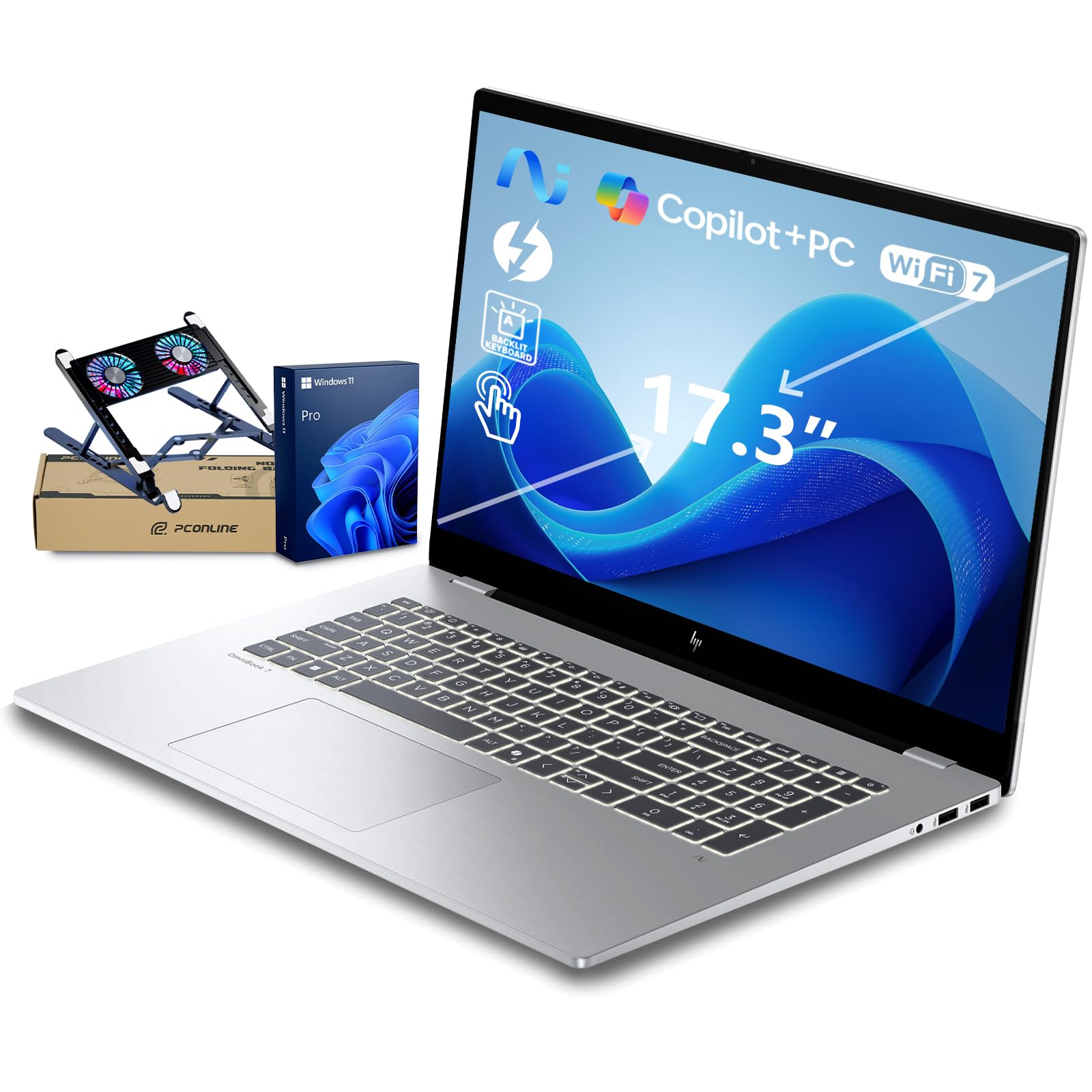
The HP OmniBook 7 introduces a next-gen AI PC architecture with a dedicated NPU rated at 47 TOPS. For a security researcher, this opens up possibilities: local language model inference for analyzing log files, automated anomaly detection in network traffic, and AI-assisted decompilation without sending data to the cloud. The Intel Core Ultra 7 258V processor with the NPU handles these tasks while keeping power consumption low.
The 17.3-inch FHD IPS touchscreen with 400 nits brightness and 100% sRGB coverage is large enough to run multiple terminal windows side by side without external monitors. The 5MP IR camera with temporal noise reduction is useful for remote collaboration, and the Poly Studio audio tuning ensures clear voice in virtual meetings. The 2 TB PCIe Gen 4 SSD provides storage for a substantial tool collection.
Connectivity is forward-looking with Wi-Fi 7 and Bluetooth 5.4, plus Thunderbolt 4 for 40 Gbps data transfers. The HP OmniBook is MIL-STD-810H certified, adding durability that matters if you’re doing physical penetration testing or working in less-than-ideal environments. The battery life extends to 12 hours, and HP Fast Charge reaches 50% in 30 minutes.
Why it’s great
- 47 TOPS NPU enables on-device AI for log analysis and anomaly detection
- Large 17.3-inch touchscreen with 100% sRGB for GUI tool clarity
- MIL-STD-810H certified for field durability
- Wi-Fi 7 and Thunderbolt 4 for high-speed connectivity
Good to know
- RAM is 32GB onboard and not upgradeable
- No Ethernet port requires a USB-C adapter for wired lab networks
6. Dell Latitude 5550 (Intel Ultra 5 125U, 32GB RAM, 1TB SSD)

The Dell Latitude 5550 offers a rare combination in the modern laptop space: a full set of legacy ports, including an RJ-45 Ethernet jack, two Thunderbolt 4 ports, and two USB-A 3.2 ports. For a security researcher, this means connecting to a physical lab switch, plugging in a hardware debugger, and attaching a serial console adapter without reaching for a single dongle. The Intel Core Ultra 5 125U with 12 cores provides enough grunt for a modest VM lab of two or three guests.
The 15.6-inch FHD anti-glare IPS display reduces eye fatigue during long sessions. The 32 GB of DDR5 RAM is enough for most penetration testing scenarios, and the dual 512 GB SSDs configured separately for system and storage drives improve file management and stability — you can keep your host OS lean while dedicating the second drive entirely to VMs and tool builds. The FHD RGB webcam with a privacy shutter adds a layer of reassurance for remote engagements.
Battery life is rated at up to 11 hours, which is competitive for the class. The backlit keyboard is comfortable for extended typing, and the overall 3.86-pound weight makes it easy to carry to client sites or training events. Users consistently report reliable performance and praise the hardware configuration for business-critical work.
Why it’s great
- Full port selection includes Ethernet, Thunderbolt 4, and USB-A
- Dual SSDs allow separate system and VM storage drives
- 11-hour battery supports all-day fieldwork
- Anti-glare display reduces eye strain on long sessions
Good to know
- Ultra 5 processor is not ideal for 4+ concurrent VMs
- RAM is soldered and not user-upgradeable
7. ASUS Vivobook S16 (Intel Ultra 9 285H, 32GB RAM, 1TB SSD)

The ASUS Vivobook S16 is built around a stunning 16-inch 2.8K OLED display with a 120 Hz refresh rate and 600 nits peak brightness. For security work that involves reading packet hex dumps, analyzing pixel-level changes in steganography images, or running GUI-heavy forensics tools like Autopsy, this screen provides exceptional clarity and contrast. The OLED panel delivers true blacks and vibrant colors, making it easier to spot subtle visual anomalies in network traffic patterns or file structures.
Under the hood, the Intel Core Ultra 9 285H with 16 cores and 16 threads drives the system, supported by Intel Arc integrated graphics. The 32 GB of LPDDR5x RAM is fast but soldered, so you’re locked into that capacity. Two Thunderbolt 4 ports, HDMI 2.1, and a Micro SD card reader provide solid connectivity. The RGB backlit keyboard adds a touch of personalization, though some users find the key legends hard to read due to the backlight shading design.
The chassis is remarkably thin and light for a 16-inch machine, weighing in under 3.5 pounds. The 75 Wh battery delivers solid runtime, and USB-C fast charging gets you back in action quickly. Users praise the overall performance for software development and note that the OLED display is transformative for color-sensitive work.
Why it’s great
- 2.8K OLED display with 120 Hz is unmatched for visual analysis work
- 16-core Ultra 9 processor handles multi-threaded tasks with ease
- Ultra-thin and lightweight design for easy portability
- Two Thunderbolt 4 ports support dual 4K external monitors
Good to know
- 32GB RAM is soldered with no upgrade path
- Keyboard backlight design can make key legends harder to read
8. HP EliteBook 6 G1a AI PC (AMD Ryzen 5 220, 32GB RAM, 1TB SSD)
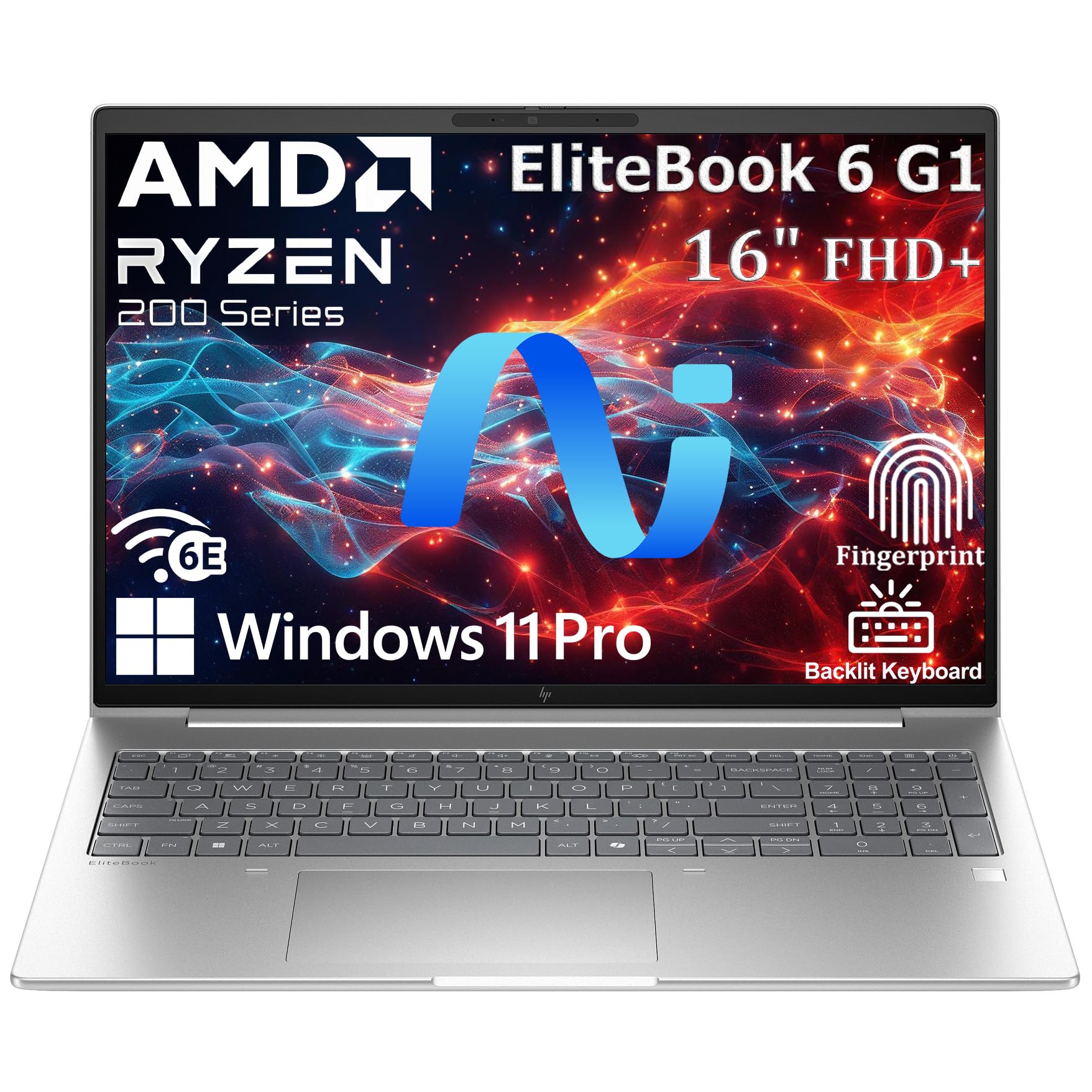
The HP EliteBook 6 G1a brings enterprise-grade build quality and AI acceleration to a 16-inch form factor. The AMD Ryzen 5 220 processor is a 6th-gen chip with integrated AI capabilities, meaning it can handle basic NPU tasks like voice recognition and background blur without taxing the main cores. The 32 GB of DDR5 RAM is sufficient for running two to three VMs, and the 1 TB PCIe NVMe SSD provides fast boot times under 10 seconds.
The 16-inch WUXGA anti-glare display at 1920×1200 offers excellent readability in bright environments. The extended 16:10 aspect ratio is particularly useful for security research, giving you more vertical space for reading log files and console output. The fingerprint reader integrated into the power button provides quick biometric access to your system, and Windows 11 Pro includes BitLocker encryption for data-at-rest protection.
Thunderbolt 4 support with 40 Gbps transfer speeds means you can connect external GPUs or high-speed storage arrays. The backlit keyboard ensures comfortable typing in low-light conditions, and the 3.86-pound weight keeps it travel-friendly. Users praise the solid construction and responsive performance for business applications, though some note it can get warm under sustained load.
Why it’s great
- Enterprise-grade build with MIL-grade chassis durability
- AI-capable Ryzen 5 processor handles basic NPU tasks
- 16:10 anti-glare display is ideal for reading command-line output
- Thunderbolt 4 enables high-speed peripheral connectivity
Good to know
- Ryzen 5 220 is less powerful than Ultra 7 or Ryzen 7 alternatives
- Some users reported intermittent freezing issues
9. HP 17 Laptop (Intel i7-1355U, 64GB RAM, 2TB SSD)

The HP 17 Laptop is a pure value play for anyone who needs massive RAM capacity without breaking the bank. Its 64 GB of DDR4 RAM is currently the highest capacity in the mid-range tier, making it an excellent choice for researchers who need to spin up four or more VMs simultaneously. The Intel Core i7-1355U with 10 cores and 12 threads provides decent multi-threaded performance for virtualization workloads.
The 17.3-inch HD+ touchscreen display is larger than most competitors, giving you ample screen real estate for multiple terminal windows. However, the 1600×900 resolution is noticeably lower than the FHD panels found on most rivals, meaning less workspace pixel density. The 2 TB PCIe NVMe SSD offers generous storage for VM images and forensic data. The backlit keyboard and numeric keypad are useful for data entry tasks.
Connectivity is satisfactory with SuperSpeed USB Type-C and Type-A ports plus HDMI 1.4b. Users praise the raw processing power and memory capacity but note the battery life is limited to around 3 hours under load, and the display resolution feels dated. The machine is heavier than its 15-inch counterparts, but the trade-off is a huge screen and unmatched memory at its tier.
Why it’s great
- 64GB DDR4 RAM at a mid-range price point is exceptional value
- 2TB storage provides ample room for VM images and captures
- Large 17.3-inch display for multi-window workflow
- Backlit keyboard with numpad for efficient data entry
Good to know
- HD+ resolution (1600×900) is lower than FHD competitors
- Battery life is short at around 3 hours under load
- DDR4 memory is slower than current-gen DDR5 options
10. Panasonic Toughbook FZ-55 MK1 (Intel i7-8665U, 32GB RAM, 1TB SSD)

The Panasonic Toughbook FZ-55 is a purpose-built ruggedized laptop for field operations. Its MIL-STD-810H certification and IP53 sealing mean it can withstand drops, dust, and water splashes — essential if you’re conducting physical penetration testing in industrial environments, server rooms, or outdoor locations. The 14-inch FHD touchscreen is readable at up to 1000 nits, making it usable in direct sunlight.
Under the hood, the Intel Core i7-8665U vPro processor with 32 GB of DDR4 RAM and a 1 TB M.2 SSD handles a moderate VM load, though the 8th-gen processor is showing its age compared to newer chips. The built-in 4G LTE modem provides always-on connectivity for remote access even without Wi-Fi. The laptop also includes a docking connector, USB-A 3.1, USB-C 3.1, HDMI, and Ethernet for versatile connectivity.
The integrated handle makes carrying the machine easy, and the modular design allows you to add ports like serial or a second battery. The keyboard is superb with an RGB backlight, making it usable in any lighting condition. Users note that these units are often factory-refurbished and can show cosmetic wear, but the underlying hardware is built to last. The biometric iris scanner and Windows Hello provide secure login.
Why it’s great
- MIL-STD-810H ruggedization for extreme field conditions
- 1000-nit display is fully readable in direct sunlight
- Built-in 4G LTE provides connectivity without Wi-Fi
- Modular design allows serial port and second battery expansion
Good to know
- 8th-gen processor is outdated for heavy multi-VM workloads
- Renewed units may have cosmetic imperfections from previous use
- Heavy at 5+ pounds with the handle
11. HP 17″ Laptop (Intel i5-1334U, 32GB RAM, 1TB SSD)

The HP 17 Inch Laptop is an entry-level option that still provides enough RAM to dip your toes into security research. With 32 GB of DDR4 memory and a 1 TB SSD, it’s adequate for running two lightweight VMs, such as Kali Linux and a Windows sandbox, as long as you’re not loading them with heavy tooling. The Intel Core i5-1334U with 10 cores offers decent multi-threading for its price point.
The 17.3-inch HD+ anti-glare display is large but limited to 1600×900 resolution. It’s workable for console-based work but won’t give you the pixel real estate for detailed forensics analysis. The Wi-Fi 6 and Bluetooth 5.4 connectivity are modern and reliable. The fingerprint reader provides a convenient biometric login, and the backlit keyboard with a numeric keypad is a productivity plus.
Windows 11 Pro comes preinstalled, giving you BitLocker and Hyper-V capability out of the box. Users report the machine is fast for everyday use and appreciate the build quality for the price. The primary limitation is the i5 processor, which will struggle with more than two or three concurrent VMs, and the DDR4 RAM is a generation behind the current standard.
Why it’s great
- 32GB RAM at an entry-level price is hard to beat for value
- Large 17.3-inch screen for multi-window console work
- Fingerprint reader and Windows 11 Pro provide solid security
- Modern Wi-Fi 6 and Bluetooth 5.4 connectivity
Good to know
- i5-1334U CPU limits heavy multi-VM workloads
- HD+ resolution (1600×900) is below the FHD standard
- DDR4 RAM is slower than DDR5 options in this guide
12. NIMO 17.3″ IPS Laptop (AMD Ryzen 7 8745HS, 32GB RAM, 1TB SSD)

The NIMO 17.3-inch IPS Gaming Laptop is a budget-friendly option that brings modern DDR5 memory and a capable processor to the table. Its AMD Ryzen 7 8745HS processor delivers 8 cores and 16 threads, providing solid multi-threaded performance for virtualization tasks. The 32 GB of DDR5 RAM is fast and sufficient for a modest lab environment with two or three VMs.
The Radeon 780M integrated graphics are among the best in the iGPU class, capable of light gaming and video editing, but they also provide a boost for GPU-accelerated password cracking tooling like Hashcat over the CPU alone. The 17.3-inch FHD display with a 144 Hz refresh rate offers smooth visuals, and the backlit keyboard with a numeric keypad is comfortable for extended typing sessions.
The 100W PD Type-C charging supports rapid replenishment, and the USB 4.0 connectivity ensures you can connect external displays and peripherals. The machine includes a 2-year warranty and 90-day return policy, which provides confidence for a lesser-known brand. Users report good performance for media creation and gaming, with the major caveat being some units have experienced hardware failures within the first two years.
Why it’s great
- DDR5 RAM and modern Ryzen 7 processor at a budget price
- Radeon 780M iGPU provides GPU acceleration for Hashcat
- 144 Hz display for smooth terminal and GUI tool navigation
- 2-year warranty included for peace of mind
Good to know
- Some users report hardware failures within 2 years of light use
- Windows 11 Home requires Pro upgrade for advanced networking
- Less established brand compared to Dell, HP, or Lenovo
13. Dell Inspiron 15.6″ (Intel i7-1255U, 32GB RAM, 1TB SSD)

The Dell Inspiron 15.6 is the closest thing to a no-frills starter machine for security research. It features an Intel Core i7-1255U with 10 cores and 12 threads paired with 32 GB of DDR4 RAM, giving you enough capacity to learn the fundamentals of penetration testing on a pair of VMs. The 1 TB PCIe SSD provides decent storage for your toolchain and captured data.
The 15.6-inch FHD IPS display with a 120 Hz refresh rate is a standout spec at this price tier. The anti-glare coating and narrow border make for a pleasant viewing experience when reading console output or running GUI-based scanners. The included Microsoft Office Lifetime License is a bonus for documentation, though the license is a perpetual Office 2019 version that has reached its end of life for security updates.
Connectivity is basic with USB-A, HDMI, and an SD card reader, but lacks USB-C charging and Thunderbolt support. The Wi-Fi 5 standard is a generation behind current technology. Users generally report satisfaction for home use and basic work tasks, but note the marketing can be misleading about the Office license longevity. The 250-nit display brightness is on the dim side, making outdoor use difficult.
Why it’s great
- 120 Hz FHD IPS display at an entry-level price
- 32GB RAM is sufficient for learning security fundamentals
- Includes a perpetual Office license for documentation
- Solid Dell build quality with strong brand reputation
Good to know
- DDR4 RAM and Wi-Fi 5 are older generation specs
- 250-nit display is dim for outdoor or bright-room use
- Office license is Office 2019, now past its security update window
FAQ
How much RAM do I need to run Kali Linux and multiple VMs?
Is a dedicated GPU necessary for password cracking and forensics?
Why does screen resolution matter for security research?
Final Thoughts: The Verdict
For most users, the best computer for hacking overall is the NIMO 17.3″ AI Laptop because its 12-core AMD Ryzen AI 9 HX 370, 64 GB of DDR5 RAM, and 4 TB Gen4 SSD provide the ideal balance of processing power, memory headroom, and storage for a multi-VM lab environment. If you need ruggedized field capability, the Panasonic Toughbook FZ-55 is the only true MIL-spec option. And for the tightest budget that still offers upgradeable RAM, the HP 17 Laptop with 64GB of RAM delivers exceptional memory capacity at a value price, though its older CPU and display resolution compromise overall experience.

Mo Maruf
I created WellFizz to bridge the gap between vague wellness advice and actionable solutions. My mission is simple: to decode the research and give you practical tools you can actually use.
Beyond the data, I am a passionate traveler. I believe that stepping away from the screen to explore new environments is essential for mental clarity and physical vitality.