Our readers keep the lights on and my smoothie glass nicely filled. As an Amazon Associate, I earn from qualifying purchases.
Specs are compiled from manufacturer listings and verified buyer reviews and can change over time — please confirm the key details on the product page before buying.
Graphic design software like Photoshop, Illustrator, and Blender demands real horsepower, but the price tags on professional workstations can make your eyes water. The good news? You do not have to empty your savings to get a machine that handles layers, vectors, and 3D renders without grinding to a halt. This guide breaks down the best pre-built desktops that balance performance and cost, so you can focus on creating instead of waiting for progress bars to crawl.
I’m Mohammad Maruf — the founder and writer behind WellFizz. This guide is built by comparing the manufacturers’ published specifications and the patterns across verified customer reviews, so you get each pick’s real strengths and trade-offs instead of marketing spin.
Whether you are a freelance designer, a student, or a small business owner, finding a reliable computer for graphic design on a budget means knowing exactly which specs matter for your workflow and which ones you can safely compromise on without sacrificing performance.
Our Picks at a Glance


How To Choose The Best Computer For Graphic Design On A Budget
Picking a budget-friendly design computer is less about finding the cheapest option and more about smart compromises on things like storage speed versus raw GPU power. Graphic design software leans heavily on the graphics card and the amount of RAM you have, so those two specs should be your top priority even when money is tight.
Prioritize the Graphics Card Above All Else
The GPU handles the heavy lifting for rendering effects, applying filters, and driving high-resolution monitors. For design work, a dedicated card with at least 4 GB of VRAM, like an NVIDIA RTX 3050 or an AMD Radeon RX 560, matters more than a top-tier processor. Without a strong GPU, even a fast CPU will stutter when you try to work with large 4K canvases or complex vector paths.
RAM is Your Second Line of Defense
Every open tab, every large brush stroke, and every history state in Photoshop eats up system memory. For modern design workflows, 16 GB of RAM is the absolute floor. If your budget allows a stretch to 32 GB, you will notice significantly better performance when toggling between multiple heavy applications, especially if you run Illustrator alongside a browser with dozens of tabs.
Storage Speeds Up Your Workflow
A fast NVMe SSD means your design software launches in seconds and large files save almost instantly. Avoid any computer that still uses a traditional spinning hard drive as its main drive. The difference between an NVMe SSD and an HDD is dramatic — loading a 500 MB Photoshop file can go from a 20-second wait to a 2-second blink.
Quick Comparison
| Model | Best For | GPU Memory | System RAM | Storage | Amazon |
|---|---|---|---|---|---|
| HP OmniDesk (Ryzen 7 8700G) | Balanced AI-enhanced work | Integrated Radeon 780M | 32GB DDR5 | 1TB NVMe | Amazon |
| ASUS V500 (i7-13620H) | Multi-monitor setups | Integrated | 32GB DDR5 | 1TB SSD | Amazon |
| SKYESEV Gaming PC (R5 5600 / RTX 3050) | Ray tracing and rendering | 6GB GDDR6 | 32GB DDR4 | 1TB NVMe | Amazon |
| KOTIN Prebuilt (R5 9600X / RTX 5060) | Heavy 3D rendering | 8GB GDDR6 | 16GB DDR5 | 1TB NVMe | Amazon |
| Lenovo Legion Tower 5i (Ultra 7 / RTX 5060 Ti) | High-end creative workflows | 8GB GDDR6 | 16GB DDR5 | 1TB SSD | Amazon |
| Dell Slim ECS1250 (Core Ultra 5) | Compact office design work | Integrated | 16GB DDR5 | 512GB M.2 | Amazon |
| GEEKOM AX8 Max (R7 8745HS) | Ultra-quiet mini workstation | Integrated Radeon 780M | 16GB DDR5 | 1TB NVMe | Amazon |
| ZYNEEX Prebuilt (R5 5500 / RTX 3050) | Streaming and multi-tasking | 6GB GDDR6 | 16GB DDR4 | 1TB NVMe | Amazon |
| Dell Tower ECT1250 (Core Ultra 7) | Expandable future-proof tower | Integrated | 32GB DDR5 | 1TB M.2 | Amazon |
| HP Desktop Tower (i5-12500) | Reliable home office use | Integrated UHD 770 | 32GB DDR4 | 1TB NVMe | Amazon |
| suevery Pre-Built (R5 / RTX 3050) | Entry-level dedicated GPU | 6GB GDDR6 | 16GB DDR4 | 512GB NVMe | Amazon |
| YAWYORE Gaming PC (R5 5600GT) | Sleek budget workstation | Integrated Vega | 16GB DDR4 | 1TB NVMe | Amazon |
| WIWB Ryzen 5 4500 (RX 560) | Light graphic design entry | 4GB GDDR5 | 16GB DDR4 | 512GB NVMe | Amazon |
In‑Depth Reviews
1. HP OmniDesk Desktop Computer PC, AMD Ryzen 7 8700G, 32GB DDR5 Memory, 1TB NVMe SSD, Radeon 780M Graphics
The balanced powerhouse that throws AI muscle at demanding creative tasks on a budget.
Graphic design has never been so accessible for under. This HP OmniDesk pairs an AMD Ryzen 7 8700G processor, which can boost up to 5.1 GHz, with an integrated AMD Radeon 780M graphics unit — a piece of silicon that punches well above its weight. You get the benefit of 32 GB of DDR5-5200 MT/s memory, which means you can have Photoshop, Illustrator, and a dozen reference images open in chrome without any slowdown.
Unlike many budget towers that use older DDR4 RAM, the 32 GB of DDR5 here allows for faster data transfer between the CPU and memory, a real asset when rendering high-resolution art. The 1 TB PCIe Gen4 NVMe SSD provides plenty of room for your project files, fonts, and stock assets. It supports Wi-Fi 6 (2×2) and Bluetooth 5.4, so you can connect a graphics tablet or wireless speakers without cluttering your desk with cables.
Buyers report that the AI capabilities of the Ryzen 7 8700G, with its 16 NPU TOPS (a dedicated neural processing unit that accelerates AI tasks), noticeably speed up features like Photoshop’s neural filters and content-aware fill. The only trade-off is that it relies on integrated graphics rather than a full-size discrete GPU, so intense 3D modeling in Blender will lag behind a rig with a dedicated RTX 3050.
A well-balanced bridge: The HP OmniDesk hits a balance for designers who need plenty of fast memory and a capable integrated GPU, but do not need high-end ray-tracing performance for 3D work.
Reach for this if: you are a multitasker who keeps dozens of tabs open alongside creative apps and wants AI-accelerated features in Adobe software.
Look elsewhere if: you do heavy 3D modeling or rendering that demands a dedicated, discrete graphics card with its own high-speed video memory.
2. ASUS V500 Home & Business Tower Desktop, 10-core Intel Core i7-13620H Processor, 32GB DDR5 RAM, 1TB SSD
A 10-core workhorse ideal for designers who thrive on multi-screen workspaces.
The ASUS V500 stands out in this crowded field by featuring a 10-core Intel Core i7-13620H processor, a chip typically found in high-performance laptops but very effective in a compact desktop chassis. It runs at a base of 2.4 GHz and can turbo up to 4.9 GHz, with 16 threads and 24 MB of Intel Smart Cache. This multi-core muscle is excellent for export rendering and batch-processing multiple files.
You get a substantial 32 GB of DDR5 memory alongside a 1 TB SSD, which gives you generous storage for large PSD files and quick boot times. The bundled package includes an A-DATA 64 GB USB flash drive, which is handy for transferring project files between machines. The HDMI and DisplayPort outputs let you connect up to two 4K monitors or multiple full HD displays to organize your tool palettes and canvases.
The primary limitation here is graphics. The integrated GPU is fine for 2D design and basic UI work, but it lacks the dedicated VRAM needed for heavy GPU acceleration. For pure graphic design, owners mention it is a snappy and responsive machine, but users note that it is not suitable for 3D rendering or gaming at high settings. It runs on Windows 11 Pro, which includes advanced security features for business environments.
Multi-screen maestro: the ASUS V500 excels for designers who run multiple monitors and need plenty of CPU power for export-heavy workflows, but it skips a dedicated graphics card to keep costs down.
Best suited for: a designer who uses dual monitors and works primarily in 2D applications like Illustrator, InDesign, or Affinity Designer.
Her one caveat: without a discrete GPU, it cannot handle GPU-accelerated effects or 3D modeling efficiently.
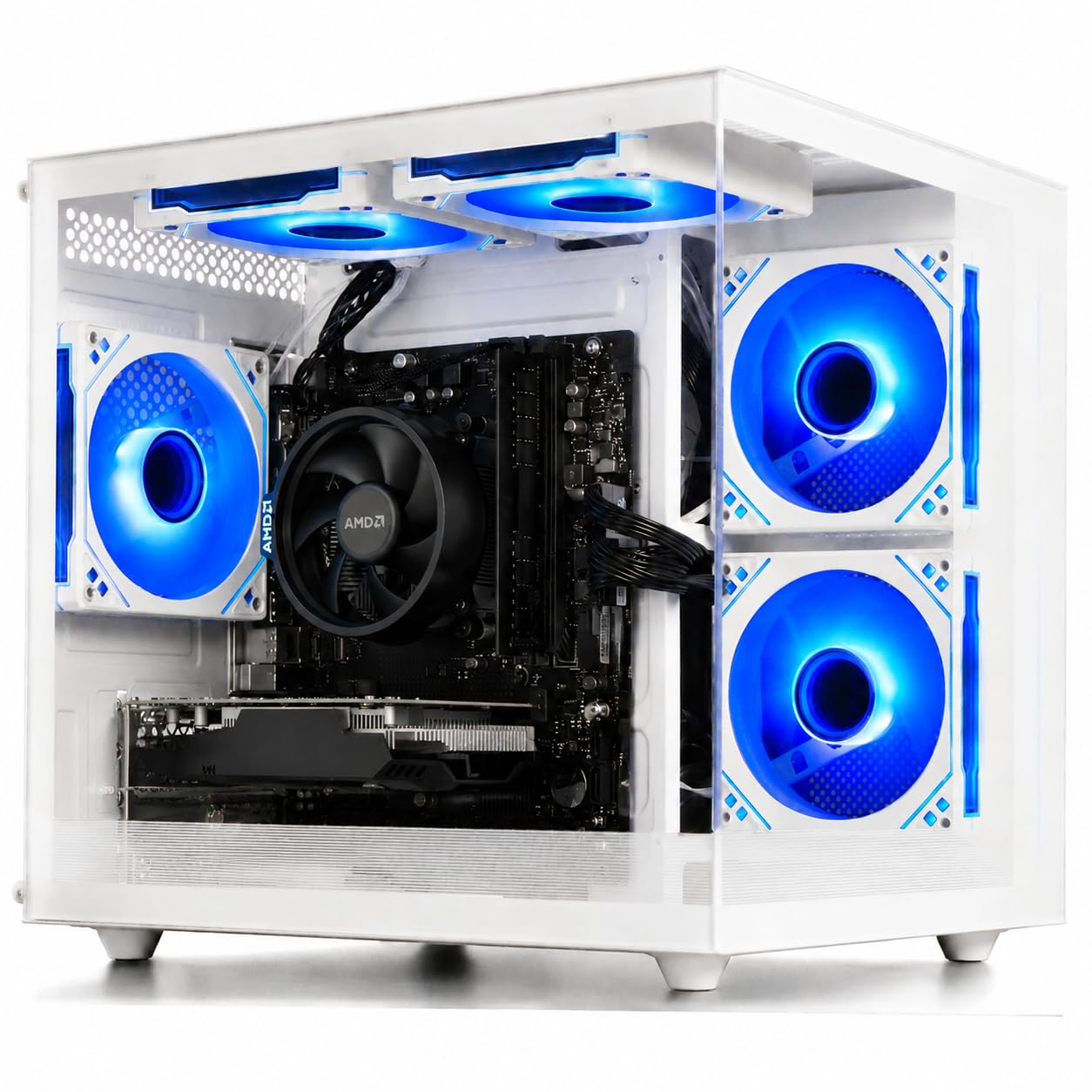
3. SKYESEV Gaming Desktop Computer PC, AMD Ryzen 5 5600, RTX3050 6GB, 32GB DDR4 | 1TB M.2 NVMe

The rare budget desktop that pairs a discrete GPU with a generous 32 GB of RAM.
This configuration is a unicorn in the budget design space. The SKYESEV desktop features an AMD Ryzen 5 5600 processor that hits up to 4.4 GHz, with an MSI A520M-A PRO motherboard, and pairs it with an NVIDIA GeForce RTX 3050 that has 6 GB of GDDR6 video memory. The 6 GB of VRAM is a significant advantage over the 4 GB versions, giving you more headroom for complex layer comps and texture-heavy projects.
The 32 GB of DDR4 RAM running at 3200 MHz in dual-channel mode ensures smooth multitasking when you switch between rendering tasks and editing. The 1 TB M.2 NVMe SSD provides fast storage for your active projects. The case includes five ARGB 120mm fans with a remote control and intelligent temperature management, which keeps the system cool during long rendering sessions. It also comes with built-in Wi-Fi and Bluetooth.
Customers note the RTX 3050 6GB variant handles Adobe Premiere Pro timeline scrubbing and Photoshop’s 3D workspace much better than any integrated solution. One owner mentioned the shipping foam inside the chassis must be removed before use. The 550W 80 Plus Bronze power supply is sturdy for this setup. Compared to the HP OmniDesk above, this SKYESEV wins for GPU performance but loses on memory speed, using DDR4 instead of DDR5.
Why this works for designers
- The 6 GB RTX 3050 GPU accelerates rendering and supports ray-tracing for realistic previews.
- 32 GB of RAM allows running multiple creative apps side-by-side without lag.
- The 1 TB NVMe storage provides ample space for design libraries and active projects.
What to watch for
- It uses DDR4 memory rather than the newer DDR5 standard.
- Reviewers point out the internal packing foam must be removed manually after unboxing.
Strong pick for: designers who need guaranteed GPU acceleration for rendering and want the most RAM possible at this price point.
Consider something else: if you want the absolute latest DDR5 memory technology and are willing to sacrifice some GPU power.
4. KOTIN Prebuilt Gaming PC, Ryzen 5 9600X, 16GB DDR5, RTX 5060 8GB, 1TB SSD

Future-proof performance with the latest generation CPU, GPU, and memory standards.
The KOTIN D32B pushes the boundary of what a budget graphic design PC can offer with an AMD Ryzen 5 9600X processor that can boost up to 5.4 GHz, a brand new chip built on a modern architecture. It is paired with the equally new GeForce RTX 5060 8 GB graphics card. This GPU delivers 8 GB of GDDR6 memory and supports DLSS 4, ray tracing, and Reflex 2 low-latency technology, making it ideal for both 2D design and 3D modeling.
You get 16 GB of DDR5 6000 MHz memory, which is exceptionally fast for this price bracket, and a 1 TB PCIe 4.0 NVMe SSD with read speeds up to 6000 MB/s — meaning your software and files load almost instantly. The B850M motherboard has three M.2 slots (one is PCIe 5.0), so you can expand storage later. It features Wi-Fi 7 and Bluetooth 5.4, the latest wireless standards. The 650W 80 PLUS Gold power supply provides stable, efficient power.
The main compromise here is the 16 GB of RAM. While fast, 16 GB is the bare minimum for demanding design workflows. Shoppers say it handles 1080p to 1440p gaming and design tasks with ease. It is assembled in California, which is a nice touch for support. Compared to the ASUS V500, the KOTIN offers a far superior GPU but half the RAM — a classic trade-off you need to weigh based on your work.
Generational leap: the KOTIN brings the newest CPU, GPU, and memory standards to a budget-friendly package, but the 16 GB RAM may require an upgrade for heavy multitaskers.
Ideal for: a designer who wants the latest CPU and GPU technology and is comfortable upgrading RAM in the future.
Not ideal for: someone who needs 32 GB of RAM from the start for heavy multitasking workloads.
5. Lenovo Legion Tower 5i – AI-Powered Gaming PC – Intel® Core Ultra 7 265F Processor – NVIDIA® GeForce RTX™ 5060 Ti Graphics

A premium, expandable tower that brings an RTX 5060 Ti and top-tier cooling to creative work.
The Lenovo Legion Tower 5i is designed for creators who do not want to compromise on performance. It is powered by a 5.3 GHz Intel Core Ultra 7 265F processor, which includes a dedicated AI engine to accelerate specific creative tasks. The NVIDIA GeForce RTX 5060 Ti with 8 GB of GDDR6 memory is among the most powerful graphics cards on this list, offering exceptional performance for rendering, 3D modeling, and high-resolution image processing.
It comes with 16 GB of 5600 MHz DDR5 memory, expandable up to 128 GB, and a 1 TB SSD for storage. The transparent, tool-less side panel lets you easily upgrade components later without needing a screwdriver. The tower features an tune air-cooling system rated for up to 180W to keep the CPU and GPU cool under heavy loads. You also get 2.5G Ethernet and Wi-Fi 6E for fast network transfers. A 3-month Xbox Game Pass subscription is included.
Buyers highlight the quiet operation of the cooling system even during long rendering sessions. The main drawback is the starting RAM of 16 GB, which might feel tight for simultaneous Photoshop, Illustrator, and browser use. However, the upgrade path is wide open. It offers a more premium build quality than the KOTIN, but at a higher entry cost. The 256000 GB graphics card ram is a data error and should be ignored.
What stands out
- The RTX 5060 Ti GPU provides top-tier rendering and ray-tracing performance.
- Tool-less side panel and expandable RAM make future upgrades very simple.
- The 180W tune air-cooling solution keeps the system quiet and cool.
Limitations to weigh
- It comes with only 16 GB of RAM stock, which may need an immediate upgrade.
- It is the most expensive option on this list, stretching the budget definition.
Best for: a serious designer who wants a powerful, upgradeable machine that will last for years and is willing to add RAM later.
Skip if: your budget is strictly under and you need maximum RAM from the start.
6. Dell Slim Desktop ECS1250 – Intel Core Ultra 5-225 Processor, UHD Graphics, 16GB Memory, 512GB M.2 SSD

A sleek, space-saving tower with modern AI hardware and great multi-monitor support.
The Dell Slim Desktop ECS1250 is designed for small workspaces and home offices where a full-sized tower would be too bulky. It runs on an Intel Core Ultra 5-225 processor (boost up to 4.9 GHz) with a built-in NPU for AI acceleration, 16 GB of memory, and a 512 GB M.2 SSD. The tool-less entry and removable side panel make upgrades easy, which is a great feature that helps extend its lifespan.
This machine supports up to four FHD monitors using DisplayPort 1.4a and daisy chaining, or two 4K displays via HDMI 2.1 and DisplayPort. That multi-monitor flexibility is a huge plus for any designer who needs a separate monitor for tool palettes, reference images, and the main canvas. It includes a built-in 3.0 SD card reader, a wired keyboard, and a mouse. The 1-year onsite Dell service provides direct support at your location.
The trade-off is the integrated UHD graphics, which lack the power for any heavy GPU-accelerated rendering. Buyers report it handles general office programs and basic graphic design software well. However, the 512 GB storage is half of what most competitors offer, and the 16 GB RAM is the bare minimum. If your design work is strictly 2D layouts and vector art, this compact machine will serve you well.
Stylish and efficient: this Dell Slim is perfect for a freelancer who values a clean desk and works with 2D design tools, but it needs you to stay realistic about its graphic capabilities.
Choose this if: your design work is limited to 2D software and you want a small, serviceable machine that can run four monitors.
Avoid it for: any serious 3D modeling, video editing, or rendering tasks that demand a dedicated graphics card.
7. GEEKOM AX8 Max Silent Operation Mini PC Office/Multitasking/NAS, AMD Ryzen 7 8745HS |16GB DDR5 1TB SSD
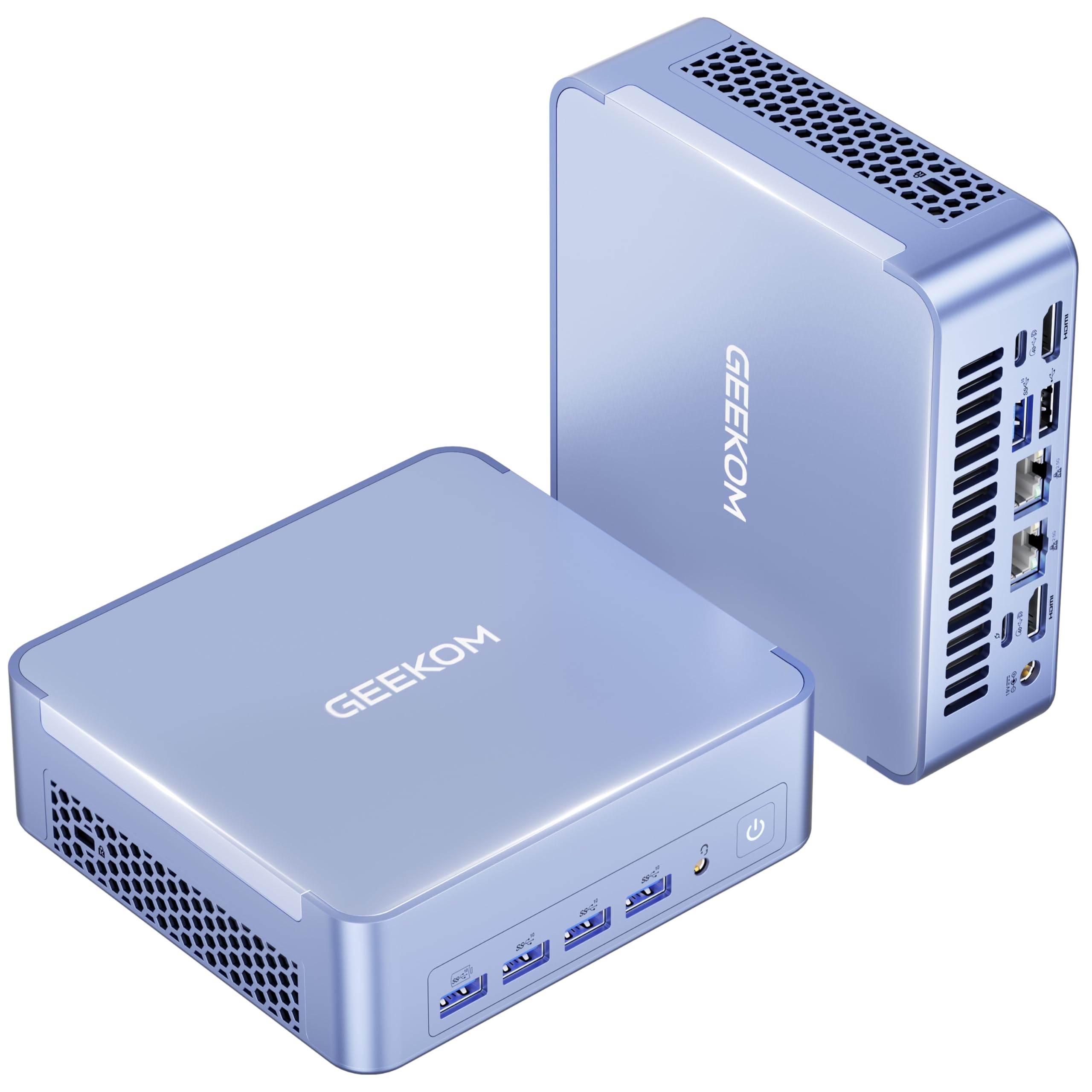
A whisper-quiet mini PC that handles graphic design and is small enough to mount behind a monitor.
The GEEKOM AX8 Max is a mini PC that competes with much larger towers, packing an AMD Ryzen 7 8745HS processor (running up to 4.9 GHz with 8 cores and 16 threads) into a tiny, aircraft-grade aluminum alloy frame. Its integrated AMD Radeon 780M graphics can rival a GTX 1060 in some tasks, making it surprisingly capable for graphic design and even some creative 3D work. It supports up to four 8K displays.
With 16 GB of high-speed DDR5 RAM (expandable to 128 GB) and a 1 TB NVMe Gen 4 SSD (upgradeable to 8 TB), you have plenty of speed and storage for design applications. Its silent operation is a standout feature — GEEKOM’s IceBlast 2.0 cooling system reduces noise by up to 50% compared to traditional mini PCs, which is perfect for a quiet studio. It includes two USB4 ports (40 Gbps) for an external GPU or ultra-fast data transfers, plus dual 2.5 GbE LAN ports.
The 780M graphics are fast, but they still fall short of a discrete GPU like the RTX 3050 found in the SKYESEV for intensive rendering workloads. Owners mention it handles Photoshop, Illustrator, and 4K video editing smoothly. Its small size means you have very limited internal expansion for standard desktop components. The three built-in modes (Quiet, Normal, Performance) let you balance noise and power as needed.
Where it shines
- Its nearly silent operation lets you work without fan noise in a quiet creative space.
- The USB4 port supports an external GPU upgrade for future performance boosts.
- It drives up to four 8K displays from a device smaller than a book.
Where it compromises
- The integrated 780M graphics cannot match a discrete GPU for sustained heavy rendering.
- Internal component upgrades are limited compared to a tower PC.
Great for: a designer who needs a space-saving, near-silent workstation for 2D design and occasional 3D, with the option to add an external GPU later.
Not a good fit for: users who plan to do heavy 3D rendering on a daily basis without an eGPU.
8. Prebuilt Gaming Desktop PC, AMD Ryzen 5 5500, GeForce RTX 3050 6GB, 16GB DDR4 3200MHz RAM, 1TB NVMe SSD

A well-balanced rig that pairs a 7nm Zen3 CPU with a capable 6 GB dedicated GPU.
Built on the efficient 7nm Zen3 architecture, the AMD Ryzen 5 5500 processor (base 3.6 GHz, boost 4.2 GHz, 6 cores, 12 threads) delivers stable performance while staying affordable or the power budget. It is paired with a GeForce RTX 3050 that features 6 GB of dedicated video memory, making it a strong candidate for graphic design work that benefits from GPU acceleration.
This ZYNEEX desktop comes with 16 GB of DDR4 3200 MHz low-latency RAM and a 1 TB NVMe PCIe SSD, which provides ample space for project files. The advanced cooling system uses a quad-copper-pipe air cooler and multiple ARGB case fans for efficient heat dissipation during long work sessions. It includes a full set of ports: HDMI, DisplayPort, DVI, and USB, and has built-in Wi-Fi.
Compared to the WIWB (Product 1) which uses an RX 560 4GB, this ZYNEEX has a 6 GB RTX 3050 that holds a 2 GB VRAM advantage for texture-heavy files. However, its CPU boost speed of 4.2 GHz is lower than the 4.9 GHz found on the Dell ECS1250. Customers note it is quiet and handles complex multi-layer PSD files smoothly.
Solid and direct: this is a classic, no-surprises build that focuses your budget on a good CPU-GPU combo with plenty of storage.
Pick this up if: you want a dedicated 6 GB GPU and 1 TB of storage in a simple, reliable package for graphic design and light editing.
Move past this if: you need 32 GB of RAM from the start to handle extremely heavy multitasking.
9. Dell Tower Desktop ECT1250 – Intel Core Ultra 7-265 Processor, 32GB Memory, 1TB M.2 SSD

A full-size tower with an AI-ready processor and a generous 32 GB of RAM for heavy multitasking.
The Dell Tower ECT1250 brings the latest Intel Core Ultra 7-265 processor (with a boost speed of 5.3 GHz) and 32 GB of memory into a traditional tower chassis that is easy to upgrade. Its tool-less entry and removable side panel make adding components simple. It supports up to four FHD monitors using DisplayPort and daisy chaining, or two 4K displays through HDMI 2.1 and DisplayPort.
With 32 GB of memory, you can run multiple creative applications without running out of overhead. The 1 TB M.2 SSD gives you fast boot times and quick file access. It includes a built-in 3.0 SD card reader, a wired keyboard, and a mouse. It relies on integrated UHD graphics, so it is not designed for heavy GPU tasks, but the CPU’s built-in AI hardware (NPU) can accelerate some creative software tasks.
Buyers rate this machine highly (4.5/5 from 371 ratings) for its build quality and the reassurance of Dell onsite service. The primary limitation is the integrated graphics, which means you will not get GPU acceleration for rendering. The 5.3 GHz max boost speed is the highest of any CPU on this list, making it excellent for CPU-heavy batch exports in Lightroom or Media Encoder.
Capacity-focused foundation: the Dell ECT1250 is a strong base for a designer who wants to add a discrete GPU later but needs abundant RAM and a powerful CPU now.
Good for: a designer who plans to install their own graphics card, values a sturdy 32 GB RAM configuration, and needs a powerful CPU.
Bad for: anyone who needs a ready-to-use machine for GPU-accelerated design work without making upgrades.
10. HP Desktop Computer Tower PC | Intel 6-Core i5-12500 | 32GB RAM + 1TB PCIe SSD

A sensible, well-priced tower focusing on a spacious 32 GB RAM and a full set of peripherals.
The HP Desktop Tower uses a 12th Gen Intel 6-core i5-12500 processor (turbo up to 4.40 GHz) with Intel UHD Graphics 770. While the CPU is a few generations old, it is still very capable for running design software. The big draw here is the 32 GB of DDR4 SDRAM, which is double what many competitors in this price range offer.
The 1 TB PCIe NVMe SSD provides fast storage for your operating system and creative apps. This ready-to-use bundle includes Windows 11 Home, a wired keyboard, and a mouse. For connectivity, you get four USB Type-A 5Gbps ports on the front, four USB 2.0 ports on the back, an HDMI port, a VGA port, and a RJ-45 Ethernet port. It also includes Wi-Fi and Bluetooth.
The integrated Intel UHD Graphics 770 is the bottleneck here. It is fine for general office tasks and basic 2D design, but it will struggle with complex GPU-accelerated effects in Photoshop or any 3D work. Reviewers point out it is a very reliable machine for home office and student work.
Storage and memory master: the HP Desktop Tower delivers the most RAM at a reasonable cost, making it ideal for software that loves memory, but it is limited by integrated graphics.
Great for: a budget-conscious graphic designer who works mainly in 2D vector software and values having 32 GB of RAM more than a fast GPU.
Avoid if: your daily work involves 3D rendering or heavy Photoshop composites that rely on GPU acceleration.
11. suevery Pre-Built Gaming PC • 16G DDR4 3200MHz RAM • AMD Ryzen5 6Cores • PCIE 512G SSD • RTX 3050 6G

An accessible entry point into dedicated GPU-powered design work for the tightest budgets.
The suevery desktop provides a clear path into graphic design computing while staying affordable. It features an AMD Ryzen 5 6-core processor (boosting to 4.1 GHz) and, crucially, a GeForce RTX 3050 with 6 GB of dedicated graphics memory. This is the same powerful RTX 3050 6G seen in pricier models, giving you the GPU acceleration needed for Photoshop, Illustrator, and light video editing.
It comes with 16 GB of DDR4 3200 MHz RAM and a 512 GB M.2 PCIe NVMe SSD that the manufacturer claims loads games and files up to 30 times faster than traditional hard drives. The system includes built-in Wi-Fi 6 for fast, low-latency networking, and multiple USB ports (2 USB 3.0 and 4 USB 2.0). It also has a sleek white chassis with customizable RGB lighting.
The biggest trade-off is the storage: 512 GB is half of what many competitors provide and can fill up quickly with design software, fonts, and assets. Compared to the ZYNEEX which has 1 TB storage and the same GPU, the suevery lags in capacity. However, buyes report this is a great starter machine for students. The Wi-Fi 6 feature is a nice bonus for reliable online collaboration.
What makes it stand out
- Integrates a powerful 6 GB RTX 3050 GPU for hardware-accelerated rendering.
- Built-in Wi-Fi 6 for fast, stable internet connections during cloud-based work.
Where it cuts corners
- The 512 GB SSD offers less storage than most other options on this list.
- The RAM is limited to 16 GB, which is the starting floor for graphic design.
Choose for: a student or beginner designer who needs an affordable system with a real dedicated GPU and is fine adding external storage later.
Better to skip: if you need a lot of built-in storage space or plan to run many high-resolution projects simultaneously.
12. YAWYORE Gaming PC Desktop Computer AMD R5 5600GT 16GB 1TB NVMe Towers WiFi

A clean, modern tower focused on a fast CPU and abundant storage rather than a dedicated GPU.
The YAWYORE desktop uses an AMD Ryzen 5 5600GT processor (turbo up to 4.6 GHz) with integrated AMD Radeon Vega graphics and an MSI A520M-A PRO motherboard. This CPU-integrated graphics solution is capable of playing 1080p mainstream games and can handle basic graphic design tasks. The focus here is on raw CPU performance and storage for the budget.
You get 16 GB of DDR4 3200 MHz RAM and a spacious 1 TB M.2 NVMe PCIe SSD for your design files. It is powered by a reliable 550W 80 PLUS Bronze power supply. The case includes 5 x 12 cm ARGB fans and an AMD air cooling solution to keep temperatures low. It has built-in Wi-Fi and Bluetooth for wireless connections.
The lack of a discrete GPU is the major limitation. The integrated Radeon Vega graphics will not provide the GPU acceleration needed for complex filters or 3D modeling. Shoppers say the system is very good for general office tasks and light gaming. Its 1 TB SSD is a strong selling point for storing large design libraries.
CPU-focused value: the YAWYORE prioritizes a fast processor and a large 1 TB SSD, making it a smart pick for a designer who works with CPU-intensive filters but not heavy 3D.
Best for: a designer on a strict budget who primarily uses CPU-dependent applications and needs ample built-in storage for large asset libraries.
Steer clear if: your workflow relies on any GPU-accelerated features within Adobe Creative Suite or other design tools.
13. Ryzen 5 4500 Desktop Computer | 16GB DDR4 RAM | 512GB NVMe SSD | RX 560 4GB Graphics | WiFi 6
The absolute floor for entry-level graphic design, offering a dedicated 4 GB GPU at a rock-bottom price.
This WIWB desktop provides the most affordable route to a dedicated graphics card for design work. It features an AMD Ryzen 5 4500 6-core processor (turbo up to 4.1 GHz) paired with an AMD Radeon RX 560 which has 4 GB of GDDR5 video memory. While the RX 560 is an older GPU, it is a dedicated card that will handle Photoshop’s GPU acceleration and dual 4K monitor setups, which is a huge step up from integrated graphics.
The system includes 16 GB of DDR4 3200 MHz RAM and a 512 GB NVMe PCIe 3.0 SSD (with read speeds up to 3500 MB/s). It also features Wi-Fi 6 for fast internet speeds, plus Gigabit Ethernet, USB 3.0, HDMI, and DisplayPort connectivity. The white case is compact and quiet.
Compared to the suevery desktop which has the more modern RTX 3050 6 GB, the RX 560 4 GB here is significantly weaker for GPU-accelerated tasks. The 512 GB NVMe storage is also the smallest on this list. Buyers report it is a reliable machine for light gaming and office work. The 4 GB of VRAM is the firm minimum for any graphic design work in 2024.
Lowest-cost entry: this PC is your ticket into dedicated-GPU territory for graphic design, but it is also the lowest-powered option you should realistically consider.
Acceptable for: a student taking their first steps into graphic design software who needs to keep the budget under strict control.
Not recommended if: you are a professional designer who needs to work with large, complex files or use modern GPU-accelerated features.
Understanding the Specs
Dedicated Graphics Card (GPU)
The GPU is the single most important component for graphic design. A dedicated graphics card has its own video memory (VRAM) which it uses to handle visual tasks like rendering effects and driving high-resolution monitors. A card with at least 4 GB of VRAM is the starting point for modern design software. The RTX 3050 6 GB found in several picks on this list offers a good balance of power and cost for a budget machine.
System Memory (RAM)
RAM is your system’s short-term memory. The more RAM you have, the more applications and tabs you can keep open without slowdown. For graphic design, 16 GB is the absolute minimum, but 32 GB is strongly recommended if you plan to run Photoshop, Illustrator, and a web browser simultaneously. Faster RAM, such as DDR5 at 5200 MT/s or higher, can improve performance in data-heavy creative tasks compared to older DDR4.
FAQ
Do I need a dedicated graphics card for graphic design?
Is 16 GB of RAM enough for graphic design?
Is a fast SSD important for a design computer?
What is the difference between an integrated GPU and a discrete GPU?
Will a Ryzen 5 processor be fast enough for design work?
Can I use a mini PC for graphic design?
How much GPU memory (VRAM) do I need?
Is a pre-built computer better than building my own for a budget design PC?
Final Thoughts: The Verdict
For most buyers, the best computer for graphic design on a budget is the HP OmniDesk because it offers a brilliant balance of a fast CPU, a potent integrated GPU, and a generous 32 GB of DDR5 memory. If you want the best dedicated GPU for heavy rendering, grab the SKYESEV Gaming PC. And for a compact, silent workstation ideal for a tidy studio, the GEEKOM AX8 Max is a fantastic choice.
How We Picked
We do not accept paid placement. Every pick is matched to a real buyer and a real use-case; we do not hands-on test units.
Sources & Methodology
Specifications: manufacturer listings and product documentation. Review insights: verified customer reviews, as of July 2026. Pricing: not shown on this page (it changes often); check the current price via the retailer link.
As an Amazon Associate, WellFizz earns from qualifying purchases. This does not affect which products we feature.
Related Guides

Mo Maruf
I created WellFizz to bridge the gap between vague wellness advice and actionable solutions. My mission is simple: to decode the research and give you practical tools you can actually use.
Beyond the data, I am a passionate traveler. I believe that stepping away from the screen to explore new environments is essential for mental clarity and physical vitality.