Our readers keep the lights on and my smoothie glass nicely filled. As an Amazon Associate, I earn from qualifying purchases.
Simulations, finite element analysis, 3D rendering, compiling code, and multitasking across virtual machines push hardware to its limits—and the line between a productive workstation and a frustrating paperweight is razor thin. The market is flooded with options, but engineering-specific needs require careful attention to cooling, memory bandwidth, and GPU compute capability.
I’m Mohammad Maruf — the founder and writer behind WellFizz. This guide is the result of my deep market research weighing processor architectures, thermal designs, memory configurations, and real-world performance data to find the computers that can actually handle the demands of modern engineering software.
This article will walk you through my picks for the best computer for engineering and explain exactly why each one earns its place.
How To Choose The Best Computer For Engineering
Engineering software like SolidWorks, AutoCAD, MATLAB, ANSYS, and Visual Studio place unique demands on hardware. Unlike casual productivity, these workloads can stress every component simultaneously for hours. Understanding the key factors will help you avoid bottlenecks and get a machine that lasts.
CPU Core Count and Clock Speed
Most engineering tasks benefit from high single-core clock speeds for modeling and many cores for simulation rendering. Intel Core i7 and i9 HX-series chips or AMD Ryzen 7 and 9 HS/HX processors are industry standards. For CAD and design, clock speed above 4.5GHz is ideal, while rendering benefits from 8 or more cores.
GPU Compute and VRAM
Certified workstation GPUs like NVIDIA RTX A-series or Quadro offer ISV certification for stability in professional apps. However, many modern GeForce RTX laptop GPUs with 6GB or more VRAM handle SolidWorks, Revit, and rendering well. Dedicated VRAM is mandatory for complex assemblies and real-time shading.
RAM Capacity and Bandwidth
16GB is the minimum for serious engineering multitasking. 32GB is the sweet spot for running CAD, a browser, and a simulation simultaneously. 64GB is recommended for large simulation datasets or running multiple virtual machines. DDR5 at 5600MHz or faster reduces compile times noticeably.
Quick Comparison
On smaller screens, swipe sideways to see the full table.
| Model | Category | Best For | Key Spec | Amazon |
|---|---|---|---|---|
| LG gram Pro 17 | Premium Ultrabook | Portable rendering & design | Intel Ultra 9 / RTX 5050 / 32GB | Amazon |
| Dell Alienware 18 Area-51 | Flagship Workstation | High-end simulation & VR | RTX 5090 / 64GB / Ultra 9 275HX | Amazon |
| Lenovo ThinkBook 16 Gen 8 | Business Workstation | Data analysis & virtual machines | 64GB DDR5 / 2TB SSD / Intel Ultra 7 | Amazon |
| GEEKOM X16 Pro | Premium Ultrabook | Architecture & 3D modeling | Ultra 9 185H / 32GB / 2.8 lbs | Amazon |
| GIGABYTE AERO X16 | Creator Laptop | AI workloads & rendering | RTX 5070 / Ryzen AI 9 / 165Hz | Amazon |
| Microsoft Surface Laptop 2024 | ARM AI PC | Lightweight productivity | Snapdragon X Elite / 15″ Touch | Amazon |
| Acer Aspire AI 2026 | Mid-Range Ultrabook | Remote engineering work | Ultra 7 258V / 32GB / 2TB SSD | Amazon |
| ASUS ROG Strix G16 | Gaming Laptop | CAD & light simulation | RTX 5060 / i7-14650HX / 165Hz | Amazon |
| Alienware 16 Aurora | Gaming Laptop | Engineering gaming hybrid | RTX 5060 / Intel 7-240H / 16″ | Amazon |
| NIMO Ryzen 7 8745HS | Mid-Range Workhorse | Budget multitasking & CAD | 32GB DDR5 / 1TB / Radeon 780M | Amazon |
| HP OmniBook 3 16 | AI Ultrabook | Low-power engineering work | Ryzen AI 5 / 16GB / 2K Touch | Amazon |
| HP 255 G10 | Business Laptop | Light modeling & office | Ryzen 7 7730U / 32GB / Win 11 Pro | Amazon |
| NIMO Business Laptop R7 | Budget Workhorse | Entry-level engineering | Radeon 780M / 32GB / 75Wh | Amazon |
In‑Depth Reviews
1. LG gram Pro 17

The LG gram Pro 17 packs a desktop-class Intel Core Ultra 9 285H processor and an NVIDIA RTX 5050 GPU into a 3.3-pound chassis. That combination delivers real power for SolidWorks assemblies, rendering in KeyShot, and multitasking across large datasets. The 2.5K 144Hz variable refresh rate display makes working with detailed schematics and models a pleasure, with smooth panning and zero stutter.
With 32GB of DDR5 RAM and a 2TB SSD, you can keep multiple project files open simultaneously without slowdown. The 90Wh battery lasts up to 25 hours for video playback, translating to a full day of moderate CAD work. The internal dual cooling system prevents thermal throttling during sustained renders, a critical factor for engineering workflows. Military-grade durability tests mean it can handle travel between sites.
The RTX 5050 with 8GB VRAM handles moderate rendering and real-time ray tracing previews, though it is not a professional-grade Quadro. Still, for most mechanical and civil engineering tasks, this GPU delivers impressive performance. Users report smooth operation in SolidWorks and Fusion 360. The lack of an Ethernet port is the only notable omission for wired networking in office environments.
Why it’s great
- Incredibly lightweight for a 17-inch with a dGPU
- Excellent battery life supports all-day work
- Sharp, high-refresh-rate display for CAD
Good to know
- No dedicated Ethernet port
- Premium price point reflects the ultraportable design
2. Dell Alienware 18 Area-51

The Alienware 18 Area-51 sits at the absolute top of the engineering laptop food chain. Its Intel Core Ultra 9 275HX processor combines with an NVIDIA GeForce RTX 5090 GPU and 64GB of DDR5 RAM to power through the most demanding ANSYS simulations, real-time ray-traced renders, and large-scale data modeling. The 18-inch 2.5K WQXGA anti-glare display offers plenty of real estate for complex schematics.
DLSS 4 and Multi Frame Generation technology on the RTX 5090 provide massive performance boosts for GPU-accelerated engineering apps. With 2TB of PCIe SSD storage, you can store extensive project libraries and run virtual machines without external drives. WiFi 7 and Bluetooth 5.4 ensure fast data transfer and peripheral connectivity. The advanced thermal design keeps noise levels lower than many competitors under load.
This is a true portable workstation, but its weight and size mean it is not for daily commuting. Users report it outperforms previous-gen MSI Titan laptops while running quieter. The RTX 5090 includes full ray tracing and neural rendering support, beneficial for future-proofing against next-gen engineering software. Expect a battery life of around 2-3 hours under full load, which is normal for this performance tier.
Why it’s great
- Top-tier RTX 5090 delivers desktop-class compute
- 64GB RAM handles massive simulation datasets
- Effective cooling keeps performance stable
Good to know
- Heavy and bulky for portable use
- Short battery life under load
3. Lenovo ThinkBook 16 Gen 8

The Lenovo ThinkBook 16 Gen 8 is engineered for business AI workloads, making it a natural fit for engineers who rely on data analysis, virtual machines, and parallel processing. Its Intel 16-Core Ultra 7 255H with AI acceleration handles complex spreadsheets, simulation compiles, and enterprise applications effortlessly. The 64GB of DDR5 RAM is the standout feature here, enabling you to run multiple large datasets and heavy multitasking without a hitch.
The 2TB PCIe SSD provides ample space for project files, operating systems, and virtual environments. The 16-inch FHD+ display offers clear, sharp visuals for reading schematics and analyzing data. WiFi 6E and Bluetooth 5.3 ensure stable connections for remote collaboration and file sharing. The fingerprint reader and Windows 11 Professional add enterprise-grade security for sensitive engineering data.
While it lacks a dedicated GPU, the integrated Intel Arc 140T graphics can handle 2D CAD and light 3D modeling. This machine is best suited for software engineers, data analysts, or those who prioritize CPU and RAM over raw graphics power. Users praise its speed, quiet operation, and reliability with dual monitor setups. The business-class build quality ensures long-term durability.
Why it’s great
- Massive 64GB RAM for heavy multitasking
- Fast 2TB SSD with plenty of storage
- Excellent business-grade security features
Good to know
- No dedicated GPU for advanced 3D rendering
- FHD+ resolution is adequate but not 2K
4. GEEKOM GeekBook X16 Pro

At just 2.8 pounds with a 16-inch 2.5K 120Hz display, the GEEKOM X16 Pro redefines portability for engineering professionals. Its Intel Core Ultra 9 185H processor, 32GB of LPDDR5x RAM at 7500MHz, and 2TB SSD deliver desktop-level responsiveness for 3D modeling, code compilation, and rendering. The IceBlade 2.0 cooling system with dual fans and heat pipes keeps performance stable during long sessions.
The 16:10 aspect ratio with 100% sRGB color gamut is ideal for architecture and design work where vertical screen space matters. The dedicated NPU enables on-device AI acceleration for Copilot+ features, beneficial for automating repetitive tasks. With up to 17 hours of battery life and a compact 65W GaN charger, you can work all day without hunting for an outlet. The all-metal magnesium alloy chassis feels premium and durable.
Some users report fan noise under heavy load and occasional freezing issues, but the general consensus is very positive. The 32GB RAM being non-upgradable is a limitation for future-proofing, but it is sufficient for most current engineering workflows. The fingerprint reader and USB4 port add modern connectivity. For the weight and performance, this is an exceptional value.
Why it’s great
- Extremely lightweight for a 16-inch powerhouse
- Beautiful 2.5K 120Hz display with great color
- Long battery life with fast charging
Good to know
- RAM is soldered and non-upgradable
- Fan noise can be noticeable under load
5. GIGABYTE AERO X16

The GIGABYTE AERO X16 combines an AMD Ryzen AI 9 HX 370 processor with an NVIDIA GeForce RTX 5070 laptop GPU, creating a formidable machine for AI-assisted engineering and advanced rendering. This Copilot+ PC leverages DLSS 4 and neural rendering to accelerate workflows in apps like Blender, DaVinci Resolve, and SolidWorks. The 16-inch 165Hz WQXGA display provides ultra-smooth visuals for real-time model manipulation.
With 32GB of DDR5 RAM and a 1TB SSD, it handles large assemblies and multiple software instances efficiently. The laptop is surprisingly thin at 0.65 inches and weighs just 4.18 pounds, making it portable for a dGPU-equipped machine. Users report excellent thermal performance, with CPU/GPU temperatures staying in the mid-60s°C under load with a cooling pad. The GiMATE AI software adds intelligent control features for power management.
Some users note that the single USB-C port may require a hub for extensive peripherals. Battery life is decent at around 7 hours for light use, with gaming performance drawing 45fps at max settings with ray tracing. The minimal bloatware and clean Windows 11 Home installation are appreciated. For engineers balancing AI workloads with traditional CAD, this is a top-tier choice.
Why it’s great
- Powerful RTX 5070 with DLSS 4 support
- Thin and light for a gaming-class laptop
- Great thermal management under load
Good to know
- Only one USB-C port
- Battery life is average for the category
6. Microsoft Surface Laptop (2024)

The 2024 Surface Laptop represents a bold step into the ARM-based Copilot+ PC era. Its Snapdragon X Elite (12-core) processor delivers performance that beats the MacBook Air M3 according to Microsoft, with a blazing fast NPU for AI acceleration. The 15-inch PixelSense touchscreen display with HDR support is stunning for reviewing models and presentations. With up to 20 hours of battery life, it is ideal for engineers who spend long days away from a desk.
The premium build quality, smooth trackpad, and Omnisonic speakers with Dolby Atmos make it a pleasure to use. Face recognition login via Windows Hello adds convenience and security. However, the ARM architecture introduces app compatibility issues. Some engineering applications like VMware, certain CAD plugins, and legacy x64 Windows apps may not run natively. Docker and WSL 2.0 do work, but users should verify their specific software stack.
With 16GB of RAM and a 1TB SSD, it is capable for many engineering tasks, but RAM is not upgradable. The lack of a dedicated GPU limits its use for heavy 3D rendering. This machine is best suited for software engineers, data analysts, and project managers who prioritize battery life and portability over raw compute. It is a first-class Windows laptop, but not for every engineering use case.
Why it’s great
- Exceptional battery life for all-day use
- Premium build and beautiful touchscreen display
- Fast and quiet for productivity tasks
Good to know
- ARM architecture may cause app incompatibility
- No dedicated GPU for 3D rendering
7. Acer Aspire AI (2026)

The Acer Aspire AI (2026) is a well-balanced machine for the remote engineering professional. Powered by the Intel Core Ultra 7 258V with a dedicated NPU delivering 47 TOPS, it enables local AI acceleration for video enhancement, background blur, and task automation. The 32GB of LPDDR5X RAM ensures smooth multitasking across dozens of browser tabs, engineering software, and communication tools. The 1TB PCIe SSD provides near-instant boot times and ample storage.
The 14-inch FHD touchscreen with stylus support is ideal for precise photo retouching, signing documents, and interactive design work. The included USB-C hub adds HDMI, USB-A, SD card, and Ethernet ports, solving the connectivity issue many ultrabooks face. WiFi 6E ensures stable video calls and fast file uploads. At just 3.09 pounds, it is highly portable for engineers who work from multiple locations.
The Intel Arc 140V graphics can handle 1080p video editing in DaVinci Resolve and basic 3D modeling, but it is not designed for heavy rendering. Some users noted the “Lifetime Office 365” description is misleading—it includes Microsoft Office for the Web, not a full subscription. Overall, this is a great choice for software engineers, remote project managers, and students who need AI-powered productivity in a portable package.
Why it’s great
- AI acceleration with dedicated NPU
- Very lightweight and portable
- Includes a useful USB-C hub
Good to know
- Integrated GPU not suitable for heavy rendering
- “Lifetime Office 365” is web-only version
8. ASUS ROG Strix G16 (2025)

The ASUS ROG Strix G16 is a gaming laptop that doubles as a capable engineering workstation. Its Intel Core i7-14650HX processor and NVIDIA GeForce RTX 5060 with DLSS 4 deliver smooth performance for CAD modeling, simulation, and even light rendering. The 16-inch FHD+ display with 165Hz refresh rate and 3ms response time provides fluid visuals for both design and testing. The end-to-end vapor chamber and tri-fan cooling system keep thermals in check.
With 16GB of DDR5-5600MHz RAM and a 1TB Gen 4 SSD, it handles most engineering tasks without bottlenecks. The 360-degree RGB light bar can be set to Stealth Mode for professional environments. Users report running demanding Steam games and engineering software like Blender at 110fps on Ultra settings in Turbo mode. The keyboard layout is comfortable for extended typing sessions.
Some users experienced initial driver issues that were resolved with BIOS updates. The RTX 5060 with 8GB VRAM is a good mid-tier GPU, but the 8GB limit may constrain very large assemblies or 4K textures. Battery life is short at around 2 hours under load, which is typical for gaming laptops. For engineers who also game, this is a solid dual-purpose machine.
Why it’s great
- Excellent cooling system prevents throttling
- High refresh rate display is smooth for CAD
- Good performance for both gaming and engineering
Good to know
- Short battery life under load
- 8GB VRAM may limit very large projects
9. Alienware 16 Aurora

The Alienware 16 Aurora brings Alienware’s legendary build quality and gaming performance to engineering workloads. Powered by an Intel Core 7-240H Series 2 processor and an NVIDIA GeForce RTX 5060 with 8GB GDDR7 VRAM, it handles demanding applications with ease. The 16-inch 16:10 WQXGA display at 300 nits provides crisp, detailed visuals for schematics and 3D models. The new Cryo-Chamber cooling system focuses airflow on core components, reducing thermal throttling.
With 16GB of DDR5 RAM and a 1TB SSD, it offers solid performance for multitasking. Users report excellent picture quality and smooth performance in digital art and video editing. The customizable Alienware dashboard gives you control over performance profiles. The comfortable focus design eliminates the rear thermal shelf, making it easier to slot into a backpack for occasional transport.
Some users report frequent daily crashes with “Your Device Has Ran Into a Problem” errors, though others have had flawless experiences. The laptop is heavier than most ultrabooks. Battery life is short under load, which is expected for this performance tier. It is best suited for engineers who want a premium gaming hybrid that can also serve as a primary workstation for moderate engineering workloads.
Why it’s great
- Premium build quality and iconic design
- Great 16:10 display for productivity
- Effective cooling system
Good to know
- Some users reported stability issues
- Heavy and short battery life
10. NIMO 15.6″ Ryzen 7 8745HS
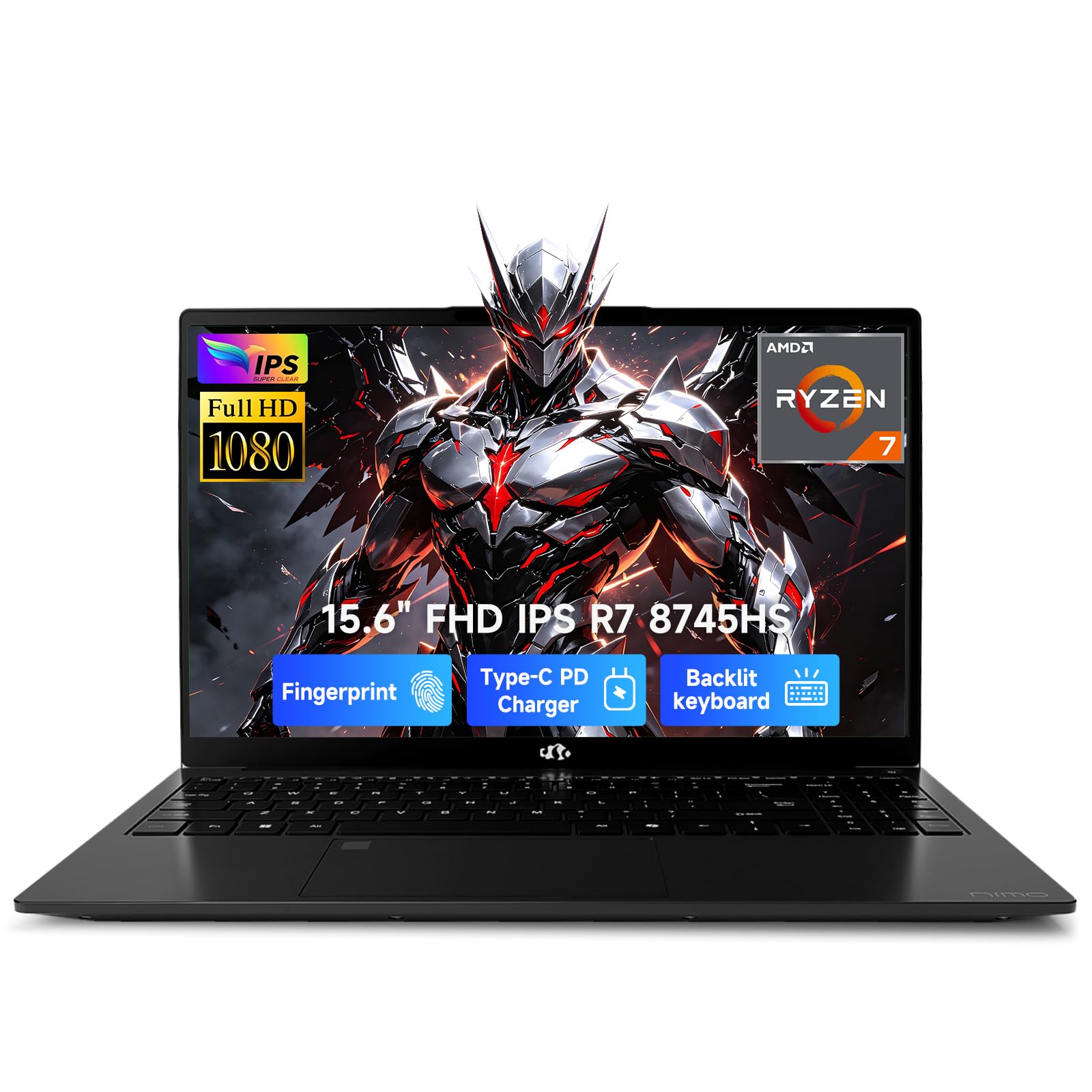
The NIMO 15.6-inch laptop is a dark horse for budget-conscious engineering students and professionals. Its AMD Ryzen 7 8745HS processor with 8 cores and 16 threads, combined with 32GB of DDR5 RAM and a 1TB SSD, provides strong multi-core performance for compiling code, running simulations, and multitasking. The Radeon 780M integrated graphics with RDNA 3 architecture is surprisingly capable for light 3D modeling and 1080p gaming.
The 15.6-inch FHD display with a 180-degree lay-flat hinge is great for collaboration in group projects. The 100W USB-C PD fast charging reaches 50% in 30 minutes, and the 54Wh battery delivers up to 15.5 hours of light use. The USB4 port, HDMI 2.1, and fingerprint reader add modern connectivity and security. Users praise its lightweight build at under 1.7kg and quiet operation.
While the integrated graphics cannot match a dedicated GPU for heavy rendering, the Radeon 780M is one of the best iGPUs on the market. It handles SolidWorks parts, MATLAB plots, and basic simulation previews well. The 2-year warranty and 90-day return policy provide peace of mind. For entry-level engineering work and budget-constrained users, this is an impressive value.
Why it’s great
- Excellent value with 32GB RAM and fast CPU
- Lightweight and portable design
- Impressive Radeon 780M integrated graphics
Good to know
- No dedicated GPU for heavy rendering
- Plastic chassis feels less premium
11. HP OmniBook 3 16
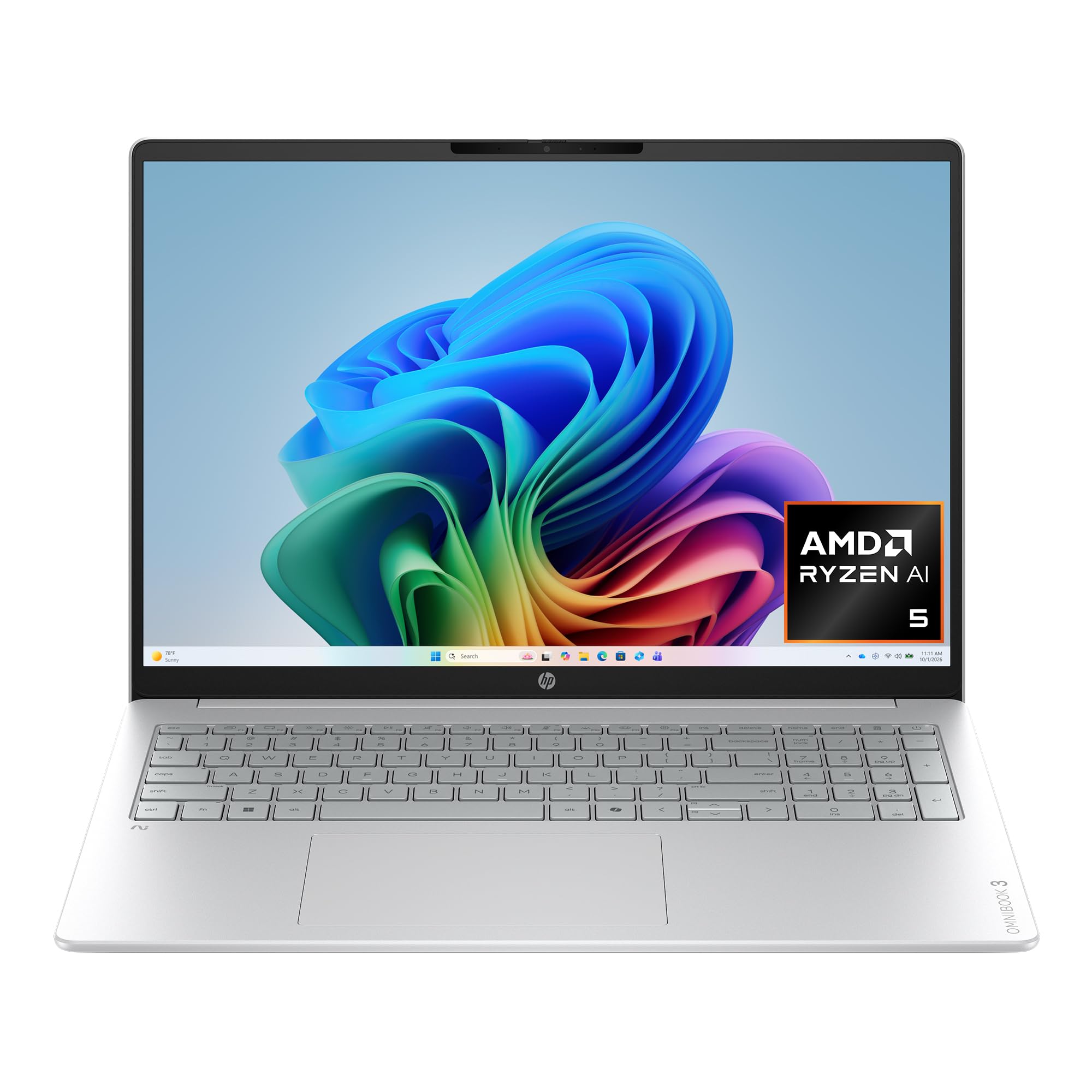
The HP OmniBook 3 16 is a Copilot+ PC designed for AI-driven productivity. Its AMD Ryzen AI 5 430 processor and Radeon 840M graphics provide competent performance for office engineering tasks, 2D CAD, and data analysis. The 16-inch 2K IPS touchscreen display delivers incredible detail and lifelike color, making it great for reviewing schematics and presentations. With up to 19.5 hours of battery life and HP Fast Charge, it is built for all-day mobility.
The 16GB of DDR5 RAM and 512GB SSD are sufficient for typical workflows, though power users may want more RAM. The FHD IR camera with HDR auto-switch and AI noise reduction ensures clear video calls. WiFi 6 and Bluetooth 5.4 provide reliable connectivity. The laptop is EPEAT Silver Climate+ registered, reflecting HP’s commitment to sustainability.
The RAM is soldered and non-upgradable, which is a limitation for future-proofing. The integrated Radeon 840M graphics are not designed for intensive 3D rendering. It is best suited for software engineers, project managers, and students who need a reliable, long-lasting machine for daily engineering tasks without heavy simulation. The build quality feels slightly plastic, but the overall package is solid for the price.
Why it’s great
- Excellent battery life for all-day work
- Beautiful 2K touchscreen display
- AI-powered features for productivity
Good to know
- RAM is soldered and non-upgradable
- Integrated GPU limits 3D capabilities
12. HP 255 G10

The HP 255 G10 is a straightforward business laptop that gets the engineering job done without fuss. Its AMD Ryzen 7 7730U processor with 8 cores and 16 threads, paired with 32GB of RAM, provides solid multi-core performance for compiling code, running light simulations, and multitasking across engineering apps. The 1TB PCIe SSD ensures fast boot times and ample storage. The 15.6-inch FHD anti-glare display reduces eye strain during long work sessions.
Windows 11 Pro comes pre-installed, offering enterprise-grade security and management tools like remote desktop and single sign-on. The numeric keypad is useful for data entry and CAD shortcuts. Port selection includes USB-C, HDMI, and Wi-Fi 6. Users report reliable daily performance with no issues over several months of use.
The integrated AMD Radeon Graphics are sufficient for 2D CAD and basic visualization, but not for heavy 3D rendering. Battery life is decent for office tasks but drains faster when watching videos. The build quality is good for the price point, but the display is only 250 nits and 45% NTSC, which may feel dim compared to premium options. It is a reliable workhorse for budget-constrained engineering students or professionals.
Why it’s great
- Strong multi-core CPU performance for the price
- Windows 11 Pro for enterprise security
- Reliable and durable build
Good to know
- Display brightness and color accuracy are limited
- No dedicated GPU for 3D work
13. NIMO Business Laptop R7
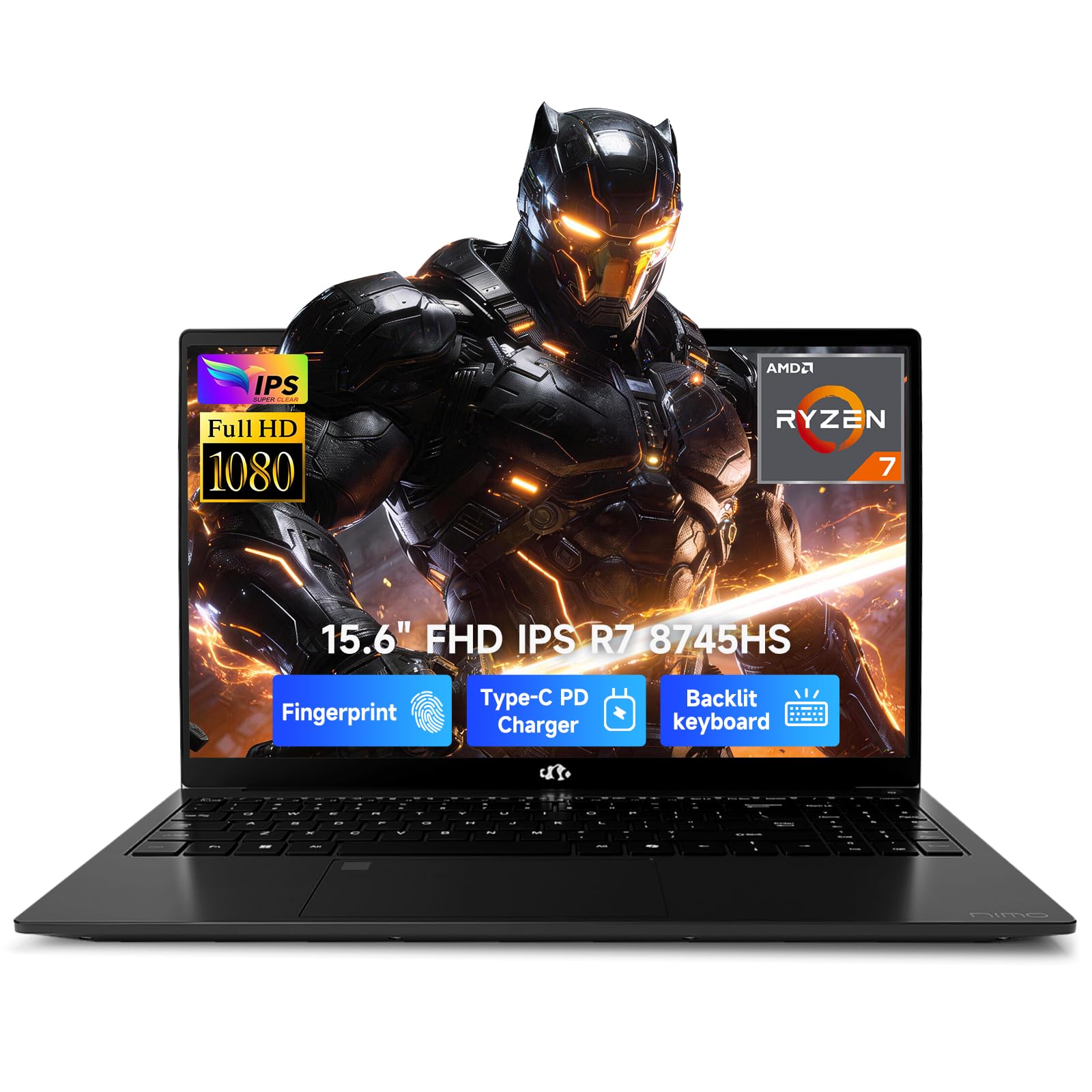
The NIMO Business Laptop R7 is practically identical to the first NIMO model but with a larger 75Wh battery for extended runtime. Powered by the same AMD Ryzen 7 8745HS processor and Radeon 780M graphics, it delivers the same strong multi-core performance for entry-level engineering tasks. The 32GB RAM and 1TB SSD configuration is generous at this price point. The 15.6-inch FHD IPS anti-glare display with an 85% screen-to-body ratio looks modern.
The 100W Type-C fast charging and up to 15.5 hours of battery life make it suitable for long workdays. The backlit keyboard and fingerprint reader add convenience and security. USB4 support provides high-speed connectivity for external storage and displays. Users appreciate its lightweight design and reliable performance for school and office work.
Some users reported trackpad issues possibly related to driver updates, but these were isolated. The integrated Radeon 780M is a powerful iGPU but still cannot match a dedicated graphics card for heavy rendering. The 2-year warranty adds value. This is a compelling option for budget-conscious engineering students who need a capable machine for coursework, coding, and light CAD.
Why it’s great
- Large 75Wh battery for extended runtime
- Strong CPU and generous RAM for the price
- USB4 and HDMI 2.1 connectivity
Good to know
- Trackpad issues reported by some users
- Integrated GPU limits intensive rendering
FAQ
How much RAM do I need for engineering software?
Is a dedicated GPU necessary for SolidWorks and AutoCAD?
Can a gaming laptop serve as an engineering workstation?
What is the ideal display resolution for CAD work?
Final Thoughts: The Verdict
For most users, the best computer for engineering winner is the LG gram Pro 17 because it delivers a rare combination of high-end Intel Ultra 9 performance, a dedicated RTX 5050 GPU, and extreme portability at just 3.3 pounds. If you need uncompromising compute power for heavy simulation and rendering, the Dell Alienware 18 Area-51 with its RTX 5090 and 64GB RAM is the flagship choice. And for a value-packed machine that handles CAD and multitasking on a tight budget, the NIMO Ryzen 7 8745HS delivers surprisingly strong performance at an accessible price.

Mo Maruf
I created WellFizz to bridge the gap between vague wellness advice and actionable solutions. My mission is simple: to decode the research and give you practical tools you can actually use.
Beyond the data, I am a passionate traveler. I believe that stepping away from the screen to explore new environments is essential for mental clarity and physical vitality.