Our readers keep the lights on and my smoothie glass nicely filled. As an Amazon Associate, I earn from qualifying purchases.
Choosing a machine for digital art is a negotiation between color fidelity, processing muscle, and the tactile feedback of your stylus. The wrong decision means fighting your tools for every stroke rather than chasing the idea in your head.
I’m Mohammad Maruf — the founder and writer behind WellFizz. My work involves matching raw hardware specifications against the real-world demands of creative software like Photoshop, Clip Studio Paint, and Blender to find the gear that actually delivers on its promises.
This guide breaks down the most capable options on the market to help you find the best computer for digital art that matches your budget and creative workflow.
How To Choose The Best Computer For Digital Art
Digital art hardware lives at the intersection of display accuracy, processing power, and input technology. Deciding where to allocate your budget starts with understanding how each component affects your specific tools and workflow.
Color Accuracy vs. Raw Performance
A 100% sRGB panel is the bare minimum for web-based illustration. If your art ends up in print or on fabric, you need 99% Adobe RGB coverage — that wider gamut catches colors sRGB cannot display. Machines targeting creators typically pair Pantone-validated displays with dedicated GPUs, but a glossy OLED with high color volume can still suffer from reflections in a bright studio, which a matte IPS handles better.
Integrated vs. Dedicated Graphics
Integrated graphics like AMD Radeon 780M or Intel Arc can handle 2D illustration, photo retouching, and lightweight animation. The jump to a dedicated GPU with its own VRAM matters when you work with 100-layer PSDs, 3D sculpting in Blender, or real-time brush engines that rely on GPU compute. 2GB of dedicated VRAM is the floor for 3D work; 6GB or more keeps you comfortable with multi-material scenes.
Form Factor: Laptop, Desktop, or Pen Display
Laptops with convertible hinges (Lenovo Yoga, Acer ConceptD Ezel) let you angle the screen like a drafting table. All-in-one desktops save desk space and keep cable clutter low, but they lock you to one spot. Pen displays such as the Wacom Cintiq Pro 27 are the gold standard for drawing feel but require a separate computer. Portability is the trade-off — a 17-inch laptop weighs under five pounds, while a 27-inch pen display weighs over fifteen.
RAM, Storage, and Upgrade Path
16GB of RAM is the practical starting point for heavy compositing. 32GB lets you keep a browser, reference images, and a large canvas file open without stuttering. PCIe SSDs are mandatory — loading times for brushes, textures, and project files are determined by drive speed. Check whether the RAM is soldered or socketed; many ultrabooks lock you into the initial configuration, while desktop and larger laptops allow future upgrades.
Quick Comparison
On smaller screens, swipe sideways to see the full table.
| Model | Category | Best For | Key Spec | Amazon |
|---|---|---|---|---|
| Wacom Cintiq Pro 27 | Pen Display | Professional Drawing Feel | 99% Adobe RGB, 4K, 120Hz | Amazon |
| Microsoft Surface Laptop Studio | Convertible Laptop | On-the-Go Creation | NVIDIA RTX 3050 Ti, 120Hz | Amazon |
| ASUS Vivobook S 16 | Creator Laptop | OLED Color & Portability | 3K OLED, 100% DCI-P3 | Amazon |
| Acer ConceptD 3 Ezel | Convertible Laptop | Adjustable Drafting Angle | Pantone Validated, 100% sRGB | Amazon |
| Dell 27 All-in-One | Desktop All-in-One | Touch & Desktop Clarity | NVIDIA MX570A 2GB VRAM | Amazon |
| HP 27 All-in-One (Ryzen 7) | Desktop All-in-One | Large Memory Creator Desktop | 32GB RAM, Ryzen 7 7730U | Amazon |
| Samsung Galaxy Book Pro 360 | Convertible Laptop | AMOLED Color with S Pen | Super AMOLED, S Pen, 16GB | Amazon |
| Lenovo Yoga 7i 2-in-1 | Convertible Laptop | Versatile Touch & Build | 2K IPS Touch, Core Ultra 7 | Amazon |
| NIMO 17.3″ Laptop | Budget Laptop | Large Screen on a Budget | 4K Display, Ryzen 7, 32GB | Amazon |
| HP 27 All-in-One Touch | Budget All-in-One | Budget Touchscreen Desktop | Touch IPS, Ryzen 5, 16GB | Amazon |
In‑Depth Reviews
1. Wacom Cintiq Pro 27

The Cintiq Pro 27 sets the benchmark for drawing feel with its etched glass surface that mimics the tooth of paper and a 120Hz refresh rate that eliminates cursor lag. The 4K UHD panel covers 99% Adobe RGB and 98% DCI-P3, rendering gradients smoothly thanks to 10-bit color processing. The Pro Pen 3 offers adjustable weight and 8,192 levels of pressure sensitivity, making it responsive from light sketch lines to heavy shading.
Wacom integrated eight customizable ExpressKeys and improved multi-touch gestures for zooming and rotating the canvas without reaching for a keyboard. The display includes four ¼-inch threaded inserts for standard monitor arms, which is necessary because the included stand is sold separately and adds significant cost. Fan noise remains minimal even during extended use, and the screen temperature stays comfortable at typical brightness levels.
This peripheral requires a separate computer to run, so budget accordingly. The mounting options and cable management are well thought out, but the 15.9-pound weight demands a sturdy arm or desk stand. For professionals who spend eight hours a day painting, the drawing surface fidelity and color accuracy are unmatched by any laptop or all-in-one solution.
Why it’s great
- Industry-leading paper-like drawing feel with etched glass
- 120Hz refresh rate and 4K resolution eliminate visual lag
- Pro Pen 3 with adjustable weight and 8,192 pressure levels
- 99% Adobe RGB and 98% DCI-P3 for print-accurate color
Good to know
- Requires a separate host computer; not standalone
- Stand sold separately, and official stand is expensive
- Heavy at 15.9 pounds — needs a sturdy monitor arm
2. Microsoft Surface Laptop Studio

The Surface Laptop Studio solves the laptop-versus-tablet compromise with a dynamic woven hinge that pulls the display forward into a studio mode, angling the 14.4-inch PixelSense Flow touchscreen for drawing. The display runs at 120Hz with true-to-life color, and the RTX 3050 Ti GPU with 4GB VRAM handles heavy compositing in Photoshop and 3D scenes in Blender. The 32GB of RAM keeps large reference images and multi-layer projects snappy.
The Surface Slim Pen 2 magnetically stores and charges under the front palm rest, always within reach. The pen delivers haptic feedback that simulates the friction of a pencil on paper, a subtle tactile cue that helps control strokes. The laptop weighs under four pounds, making it genuinely portable, though the proprietary Surface Connect port limits charging options without an adapter.
Reviewers consistently praise the display brightness and pen integration, but note the 1TB SSD fills fast for artists with large texture libraries. The cloth hinge has proven durable over long-term use, and the 18-hour battery estimate holds up well during mixed sketching and note-taking sessions. If you need a single device for studio work and on-location sketching, this is the most polished option.
Why it’s great
- Dynamic hinge folds into a comfortable drawing angle
- 120Hz display with excellent color accuracy and brightness
- RTX 3050 Ti GPU supports light 3D and heavy 2D work
- Slim Pen 2 stores and charges magnetically under the keyboard
Good to know
- Proprietary Surface Connect port limits third-party charging
- Pen not included with purchase
- 1TB storage fills fast for high-res texture libraries
3. ASUS Vivobook S 16
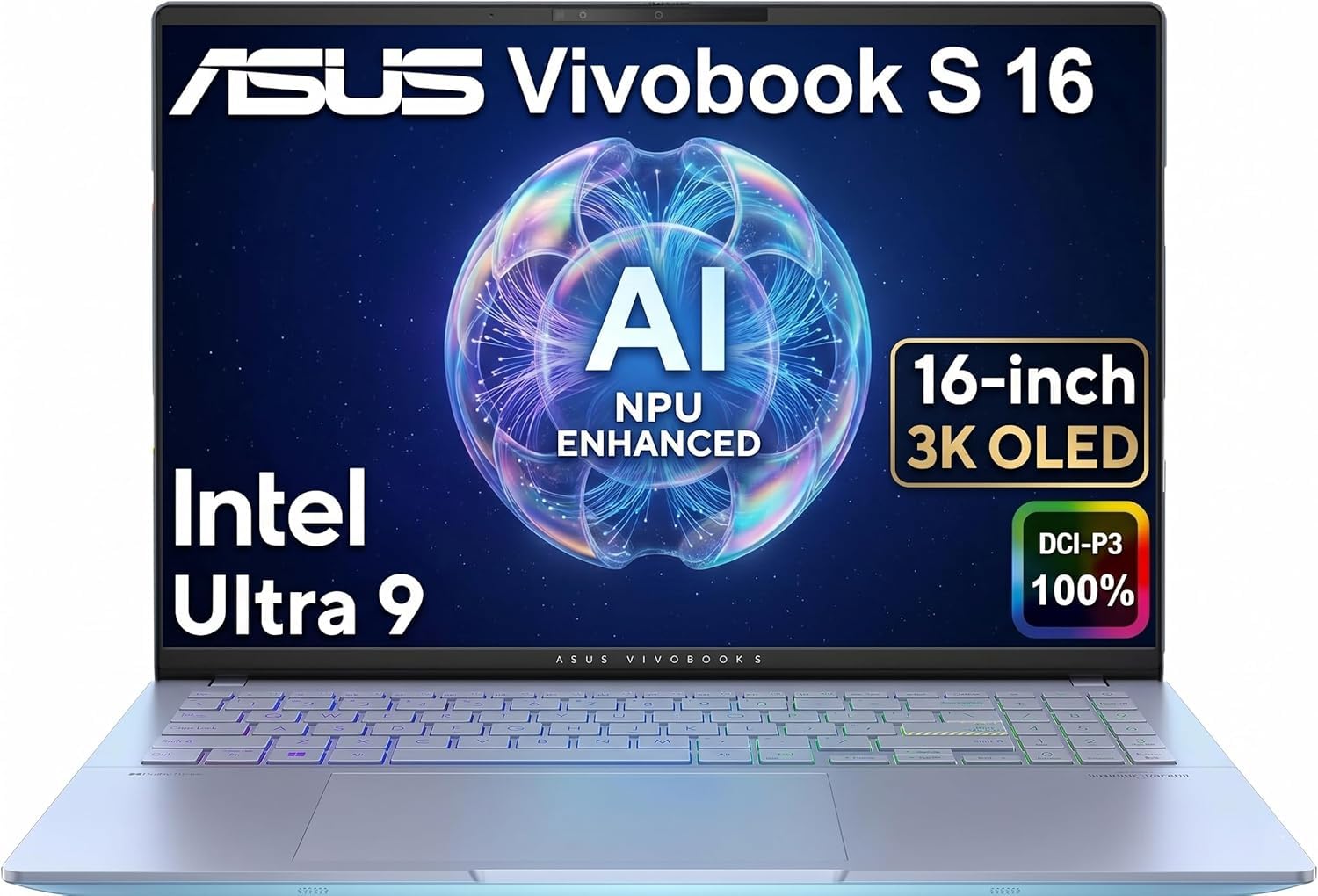
The Vivobook S 16 delivers a 16-inch 3K OLED panel with 100% DCI-P3 coverage, making it a strong choice for illustrators who work with wide-gamut displays and need deep blacks. The Intel Core Ultra 9 285H processor with integrated Intel Arc Graphics handles 2D compositing smoothly, and the 32GB of DDR5 RAM ensures little slowdown when running Adobe Substance alongside a browser with dozens of reference tabs. The 75Wh battery provides up to 16 hours of runtime on lighter workloads.
Connectivity is generous for a slim laptop: two Thunderbolt 4 ports, HDMI 2.1, and two USB-A ports support multiple external monitors at 4K. The 1080p IR webcam includes a privacy shutter, and the RGB backlit keyboard is comfortable for long typing sessions. The MIL-STD-810H certification suggests the chassis can handle travel to conventions or client sites.
This laptop lacks a built-in stylus or touchscreen, so you will need a separate pen tablet or pen display for direct drawing. The OLED panel is glossy, and bright studio lights can cause reflections. For artists who prioritize color fidelity and portability over direct on-screen drawing, the Vivobook S 16 delivers panel quality that rivals monitors costing double.
Why it’s great
- 16-inch 3K OLED with 100% DCI-P3 and deep black levels
- 32GB DDR5 RAM and Intel Core Ultra 9 processor
- Two Thunderbolt 4 ports for multi-monitor setups
- MIL-STD-810H durability rating for travel
Good to know
- No built-in stylus or touchscreen support
- Glossy OLED panel reflects bright studio lighting
- Integrated GPU limits complex 3D rendering performance
4. Acer ConceptD 3 Ezel

The ConceptD 3 Ezel features a unique hinge mechanism that lifts the 14-inch FHD display forward and tilts it into a stable drawing angle, bridging the gap between a laptop and a dedicated pen display. The Pantone-validated 100% sRGB IPS panel includes a matte Corning Gorilla Glass coating that reduces glare and feels smooth under the included Wacom AES 1.0 pen. Pressure sensitivity is accurate, and palm rejection works reliably in Clip Studio Paint and Photoshop.
The 10th-gen Intel i7-10750H processor combined with the GTX 1650 Max-Q GPU provides enough power for moderate 2D work and basic 3D sculpting. The 16GB of RAM is soldered, so plan your upgrade before purchase — the 512GB NVMe SSD can be swapped. The backlit keyboard and large trackpad are comfortable, and ports include USB-C, HDMI, and a full SD card slot for photographers who double as illustrators.
Users report that the Ezel hinge is an engineering marvel that holds the screen rigidly at any angle, and the matte screen is a blessing for artists who hate reflections. The main downsides are the older CPU generation, the 16:9 aspect ratio that feels cramped for vertical compositions, and the battery life that falls short of advertised numbers during heavy drawing sessions. If you want a convertible laptop with a true drafting-table feel, this is the one.
Why it’s great
- Unique Ezel hinge creates a stable, tilting drafting surface
- Matte Corning Gorilla Glass display reduces glare
- Pantone-validated 100% sRGB for accurate color
- Includes Wacom AES 1.0 pen with pressure sensitivity
Good to know
- 16GB RAM is soldered and not upgradable
- 16:9 display feels short for tall canvases
- Older 10th-gen Intel processor runs hot under load
5. Dell 27 All-in-One

The Dell 27 All-in-One brings a 27-inch FHD IPS touchscreen with 99% sRGB coverage and ComfortView Plus blue-light reduction to a tidy desktop package. The Intel Core 7 150U processor paired with the NVIDIA GeForce MX570A with 2GB GDDR6 VRAM handles layer-heavy composites and Photoshop filters without bogging down. The 32GB of DDR5 RAM provides ample headroom for multitasking between art software, browsers, and communication apps.
The 5MP infrared webcam supports Windows Hello and includes HDR to handle challenging lighting in home studios. The pop-up camera mechanism slides down into the chassis when not in use, addressing privacy without external covers. The keyboard fits neatly under the display stand, saving desk space, and the 1TB SSD offers fast project loading.
The MX570A is entry-level for 3D work — expect to drop resolution for complex scenes in Blender. The 16:9 aspect ratio is standard, and users report that the wireless keyboard occasionally disconnects. For digital painters who want a clutter-free studio desktop with a responsive touchscreen and enough power for 2D creation, this all-in-one is a solid mid-range anchor.
Why it’s great
- Large 27-inch FHD IPS touchscreen with 99% sRGB
- 32GB DDR5 RAM supports heavy multitasking
- NVIDIA MX570A GPU with 2GB VRAM for 2D acceleration
- Pop-up 5MP IR webcam with HDR
Good to know
- Entry-level GPU limits 3D rendering performance
- Wireless keyboard may lose connection intermittently
- No fingerprint reader for quick login
6. HP 27 All-in-One (Ryzen 7)

This HP all-in-one desktop puts 32GB of RAM at the center of its value proposition, making it a cost-effective option for illustrators who keep reference images, asset libraries, and multiple Adobe apps open simultaneously. The AMD Ryzen 7 7730U processor provides eight cores and sixteen threads for responsive multitasking, and the integrated Radeon Graphics handle 2D acceleration and 4K video playback without a hitch. The FHD IPS display features a three-sided micro-edge bezel that pushes the screen-to-body ratio to 90%.
The pop-up tiltable webcam with dual-array microphones and noise reduction keeps video calls clear, and the 1TB PCIe SSD ensures fast loading times for large PSD files. The mouse and keyboard are included, and the wireless connectivity supports Wi-Fi 6 and Bluetooth 5.2. The minimalist white design blends into most studio environments.
The integrated GPU limits this machine to 2D illustration and photo editing — complex 3D rendering or real-time brush engines that rely on GPU compute will struggle. Some users report random shutdowns under extended load, possibly related to thermal management. For digital painters working primarily in Photoshop with a focus on budget-conscious setups, the 32GB RAM gives this all-in-one an edge in the value tier.
Why it’s great
- 32GB RAM handles heavy multi-app photo and 2D workflows
- Ryzen 7 with eight cores for smooth multitasking
- Pop-up webcam with noise reduction for remote collaboration
- Aluminum finish with slim bezels saves desk space
Good to know
- Integrated GPU not suitable for 3D rendering
- Random shutdowns reported under sustained heavy load
- FHD resolution at 27 inches means lower pixel density
7. Samsung Galaxy Book Pro 360

The Galaxy Book Pro 360 wraps a 15.6-inch Super AMOLED touchscreen with deep blacks and vibrant colors into a 2-in-1 laptop that includes the S Pen in the box. The Intel Core i7-1260P processor with Iris Xe graphics provides enough power for photo editing, concept art, and digital painting on the go. The 16GB of RAM and 1TB SSD cover moderate loads, and the battery is rated for up to 18 hours, though real-world use during creative work cuts that to about half.
The 360-degree hinge allows full tablet mode for sketching, and Samsung’s Multi Control lets you use the laptop keyboard and trackpad with your Galaxy phone or tablet for a unified workflow. The Thunderbolt 4 ports support up to two external 8K displays, making it easy to extend to a larger monitor at your desk. The laptop weighs under three pounds and is 11.6mm thin, fitting easily into a bag for on-location art.
The AMOLED display looks stunning but is glossy and causes reflections in bright environments. The S Pen lacks the hover cursor and barrel eraser of a Wacom stylus, and some users report that the 21-hour battery claim is inflated. For artists who work predominantly on a vibrant screen and want a lightweight device for digital painting away from the studio, this is a compelling choice.
Why it’s great
- Stunning Super AMOLED display with deep contrast and vivid color
- Includes S Pen for out-of-box drawing capability
- Ultra-lightweight and thin for easy portability
- Thunderbolt 4 ports allow dual 8K external displays
Good to know
- Glossy screen causes reflections in bright studios
- Real-world battery life is significantly less than advertised
- Integrated graphics limit 3D and intensive GPU tasks
8. Lenovo Yoga 7i 2-in-1

The Lenovo Yoga 7i 2-in-1 features a 16-inch 2K IPS touchscreen with the Intel Core Ultra 7 155U processor, balancing 12 cores between performance and efficiency cores. The display covers a wide color gamut and includes IPS technology for consistent viewing angles, which helps when sharing your screen with clients or collaborators. The 16GB of DDR5 RAM and 1TB PCIe SSD are sufficient for illustration software and asset management.
The 360-degree hinge lets the Yoga switch between laptop, tent, stand, and tablet modes. The tent mode works well for presentations, and the stand mode positions the screen for comfortable touch interaction. Lenovo Transition automatically adjusts applications to full screen when you change modes. The backlit keyboard is comfortable for long typing sessions, and the fingerprint reader on the power button speeds up login.
This laptop does not include a stylus in the box, so you will need to purchase one separately to take full advantage of the touchscreen for drawing. Some users report pre-installed bloatware that pushes advertisements, which can be cleaned up with a fresh Windows install. For a dependable mid-range 2-in-1 that handles 2D art software and doubles as a daily driver, the Yoga 7i delivers reliable performance.
Why it’s great
- 16-inch 2K IPS display with good color and wide viewing angles
- 12-core Intel Core Ultra 7 processor for balanced performance
- 360-degree hinge for versatile drawing and presentation modes
- Fingerprint reader and backlit keyboard for secure, comfortable use
Good to know
- Stylus not included with the purchase
- Pre-installed bloatware may require cleanup
- Integrated graphics not suited for 3D rendering
9. NIMO 17.3″ Laptop

The NIMO 17.3-inch laptop delivers a massive screen and 32GB of DDR5 RAM at an entry-level price point, making it an attractive option for digital artists who need a large canvas on a tight budget. The AMD Ryzen 7 8745HS processor with integrated Radeon 780M graphics offers surprisingly capable integrated GPU performance — strong enough for 2D painting, basic 3D sculpting, and 4K video playback. The included 2-year warranty and 90-day return period provide peace of mind.
The display supports up to 4K resolution, giving you plenty of screen real estate for toolbars, palettes, and your canvas side by side. The 180-degree hinge allows the screen to lay flat for sharing with collaborators. The 100W USB-C fast charging keeps the 58Wh battery topped off quickly, and the slim metal chassis keeps weight under 4.6 pounds, respectable for a 17-inch machine.
The brand is less established than Dell or Lenovo, and one reviewer reported a sudden failure after intermittent use. The integrated Radeon 780M, while impressive, still lags behind dedicated GPUs in gaming and heavy rendering tasks. For the budget-conscious artist who needs a large display and plenty of RAM, the NIMO offers exceptional raw specs per dollar.
Why it’s great
- 17.3-inch 4K-capable display for a large drawing canvas
- 32GB DDR5 RAM and 1TB SSD provide excellent headroom
- Radeon 780M graphics punch above their class for 2D work
- Includes 2-year warranty for long-term reliability
Good to know
- Less established brand with reports of intermittent failures
- Integrated GPU can’t match dedicated graphics for 3D rendering
- Battery life may fall short during heavy creative sessions
10. HP 27 All-in-One Touch (Ryzen 5)

The HP 27-inch FHD Touchscreen All-in-One offers the lowest entry point for artists who want a large touchscreen desktop without spending for a drawing tablet. The AMD Ryzen 5 7520U processor with Radeon Graphics handles basic 2D illustration and photo editing, and the 16GB of RAM keeps the system responsive for light multitasking. The 1TB SSD provides fast storage for project files, and the included wireless keyboard and mouse complete the setup.
The 27-inch 1080p IPS touchscreen supports direct finger interaction for zooming, rotating, and panning. The IPS panel provides decent viewing angles, and the anti-glare coating reduces reflections in a brightly lit room. The all-in-one form factor eliminates tower clutter, and the white finish gives the system a clean, modern look. Connectivity includes USB-C, multiple USB-A ports, HDMI, and an Ethernet port.
The touchscreen works well for basic input, but it lacks stylus support, so precision drawing requires a separate pen tablet. The integrated graphics are not designed for heavy 3D work or complex layer compositing. Some users report keyboard and mouse connection issues at startup. For budget-focused artists who need a large FHD touchscreen for reference viewing and light editing, this all-in-one serves as a reliable workstation.
Why it’s great
- Large 27-inch FHD IPS touchscreen at an entry-level price
- 16GB RAM and 1TB SSD for smooth 2D workflows
- All-in-one design saves desk space
- Includes wireless keyboard, mouse, and 8-in-1 hub
Good to know
- No stylus support — requires separate pen tablet
- Integrated Radeon graphics not suitable for 3D rendering
- Occasional wireless keyboard and mouse connection issues
FAQ
How much RAM do I need for digital art?
Do I need a dedicated GPU for Photoshop?
Is a 4K monitor necessary for drawing?
Can I use any laptop for digital art?
Final Thoughts: The Verdict
For most users, the best computer for digital art winner is the Microsoft Surface Laptop Studio because it combines a high-refresh-rate color-accurate display, a dedicated GPU, and a clever hinge that transforms into a drawing easel without sacrificing portability. If you prioritize the feel of drawing directly on a premium screen, grab the Wacom Cintiq Pro 27. And for photographers who need a lightweight machine with an outstanding OLED panel, nothing beats the ASUS Vivobook S 16.

Mo Maruf
I created WellFizz to bridge the gap between vague wellness advice and actionable solutions. My mission is simple: to decode the research and give you practical tools you can actually use.
Beyond the data, I am a passionate traveler. I believe that stepping away from the screen to explore new environments is essential for mental clarity and physical vitality.