Our readers keep the lights on and my smoothie glass nicely filled. As an Amazon Associate, I earn from qualifying purchases.
Every data analyst knows the feeling: you’re six pivot tables deep, Power BI is grinding, and your laptop fan sounds like a jet engine preparing for takeoff. The right machine doesn’t just run your tools — it disappears beneath your workflow, letting you focus on the patterns in the numbers, not the spinning wheel of death.
I’m Mohammad Maruf — the founder and writer behind WellFizz. I’ve spent hundreds of hours cross-referencing benchmark scores, memory bandwidth limits, thermal design profiles, and real-world workflow tests to build this guide around the specific hardware demands that define modern data analysis.
Whether you’re wrangling millions of rows in Python, building dashboards in Tableau, or running SQL queries on large datasets, the best computer for data analyst is the one that balances processor speed, memory capacity, and display real estate without breaking your budget.
How To Choose The Best Computer For Data Analyst
Data analysis is uniquely punishing on hardware. You’re asking the computer to hold massive datasets in memory, swap between visualization tools and code editors, and render complex charts — often simultaneously. A machine built for general office work will choke on these demands. Here’s what to prioritize.
RAM — The Non-Negotiable Ceiling
16GB is the absolute entry point for comfortable multi-tab analysis. 32GB is where serious work begins — Python with pandas, Power BI desktop, and multiple browser windows with large CSV files will eat memory quickly. If you work with datasets exceeding a few hundred thousand rows or use R with large packages, 64GB is not overkill.
Processor — Understanding Real-World Bottlenecks
Single-core speed matters more than core count for most analysis tools. SQL queries, VLOOKUPs in Excel, and Python scripts often run on a single thread before any parallelization kicks in. Intel Core Ultra 7, AMD Ryzen 7, and Apple’s M4 chip all offer excellent single-threaded performance. The key is a turbo clock speed above 4.5 GHz — don’t get distracted by core count alone.
Storage — Speed Cuts Loading Times
A PCIe NVMe SSD is mandatory. Large CSV or Parquet files load noticeably faster from NVMe storage than from SATA SSDs. Aim for at least 512GB. 1TB or more is ideal when you keep multiple project datasets locally. External drives add latency that slows your workflow.
Display Real Estate — Reducing Fatigue
A 15.6-inch screen is the bare minimum. 16-inch displays with 16:10 aspect ratios offer extra vertical space for code editors and data tables. 17.3-inch screens let you see more rows in a spreadsheet without scrolling. If you work at a desk, prioritize a machine that drives at least two external monitors at QHD or 4K — this dramatically speeds up dashboard building and cross-referencing.
Quick Comparison
On smaller screens, swipe sideways to see the full table.
| Model | Category | Best For | Key Spec | Amazon |
|---|---|---|---|---|
| NIMO 17.3″ Gaming Laptop | Laptop | Heavy multitasking & large datasets | 32GB DDR5 RAM | 1TB SSD | Amazon |
| Lenovo ThinkPad E16 Gen 2 | Laptop | Business reliability & portability | 16GB DDR5 RAM | 16″ WUXGA | Amazon |
| HP OmniBook 7 17.3″ Touchscreen | Laptop | AI-powered workflows & touchscreen | 32GB RAM | 1TB SSD | Amazon |
| Apple 2025 MacBook Air 15″ M4 | Laptop | Silent operation & long battery life | 16GB Unified Memory | 512GB | Amazon |
| HP EliteBook 6 G1a AI PC | Laptop | Enterprise security & 16:10 display | 32GB DDR5 RAM | 1TB SSD | Amazon |
| Lenovo ThinkBook 16 Gen 8 | Laptop | Massive RAM for extreme datasets | 64GB DDR5 RAM | 2TB SSD | Amazon |
| HP Business 17t | Laptop | Massive storage & screen | 64GB DDR4 RAM | 2TB SSD | Amazon |
| Dell Pro Tower Plus Desktop | Desktop | Professional workstation & 4K triple monitors | 64GB DDR5 RAM | 1TB SSD | Amazon |
| HP Mini Desktop PC | Desktop | Space-saving & triple 4K monitors | 64GB DDR4 RAM | 2TB SSD | Amazon |
| Dell Pro Tower Desktop | Desktop | Budget-friendly desktop upgrade | 16GB DDR5 RAM | 512GB SSD | Amazon |
| ASUS Vivobook 14″ | Laptop | Entry-level student analyst | 12GB DDR4 RAM | 1TB SSD | Amazon |
| Lenovo V-Series V15 | Laptop | High RAM on a budget | 40GB DDR4 RAM | 1TB SSD | Amazon |
| Dell T7810 Workstation | Desktop | Extreme core count & memory | 128GB DDR4 RAM | No HDD | Amazon |
In‑Depth Reviews
1. NIMO 17.3″ Gaming Laptop

The NIMO strikes the hardest balance between price and raw analysis capability. Its AMD Ryzen 7 8745HS delivers 8 cores with a 4.9 GHz boost clock, meaning single-threaded Excel and SQL tasks run fast while the 8-core layout handles parallelized Python and R scripts without bogging down. The 32GB of DDR5 RAM is the real star — this is the sweet spot for loading multi-million-row CSV files into pandas without swapping to disk.
The 17.3-inch FHD IPS anti-glare display gives you a genuine advantage during long sessions: more rows visible per spreadsheet, less scrolling, fewer errors. With 1TB of NVMe SSD storage and a 75Wh battery that supports up to 15.5 hours of active work, this machine stays productive through cross-country flights or full workdays away from a power outlet. WiFi 6 and Bluetooth 5.2 ensure your remote connections stay stable.
The 100W USB-C PD fast charging refills the battery quickly during short layovers. The integrated Radeon 780M graphics, while not a dedicated card, handles Power BI visual rendering and dashboard previews with no stutter. For data analysts who need a single machine that does everything well without compromise, this is the pick.
Why it’s great
- 32GB DDR5 hits the ideal performance ceiling for large datasets
- 17.3-inch screen reduces scrolling fatigue during data exploration
- 75Wh battery with 100W fast charging supports all-day fieldwork
Good to know
- Plastic chassis doesn’t match premium aluminum feel of business-class laptops
- Integrated graphics limit heavy 3D visualization tasks
2. Apple 2025 MacBook Air 15-inch M4

The MacBook Air M4 redefines what a silent analysis workstation looks like. The fanless design means zero noise during hours-long data wrangling sessions in Jupyter Notebooks or RStudio. The M4 chip’s single-core performance leads the industry on most benchmarks, making it exceptionally responsive for sequential tasks like formula recalculations in large spreadsheets or querying databases through an IDE.
The 15.3-inch Liquid Retina display renders 1 billion colors with sharp contrast, which matters more than most analysts realize — color-coded data tables, conditional formatting, and chart elements become significantly easier to parse at a glance. The 16GB unified memory architecture means the CPU and GPU share a single pool, reducing latency when switching between Power BI and a SQL client. The 512GB SSD provides adequate speed for loading even substantial Parquet files.
The 12MP Center Stage camera and six-speaker Spatial Audio system make this an excellent choice for analysts who spend a significant portion of their day in video calls presenting dashboards. The 18-hour battery life is unrivaled for fieldwork. The Thunderbolt 4 ports support dual external displays, expanding your workspace when docked. The main adjustment is the macOS ecosystem — if your workflow depends on Windows-only tools like advanced Power BI features or specific Excel add-ins, factor in the learning curve.
Why it’s great
- Completely silent operation — no fan noise during heavy workloads
- 18-hour battery life outlasts any workday
- M4 single-core performance is class-leading for responsive tool interactions
Good to know
- macOS requires adaptation if your analysis tools are Windows-native
- 16GB unified memory is not user-upgradeable after purchase
3. HP OmniBook 7 17.3″ AI PC
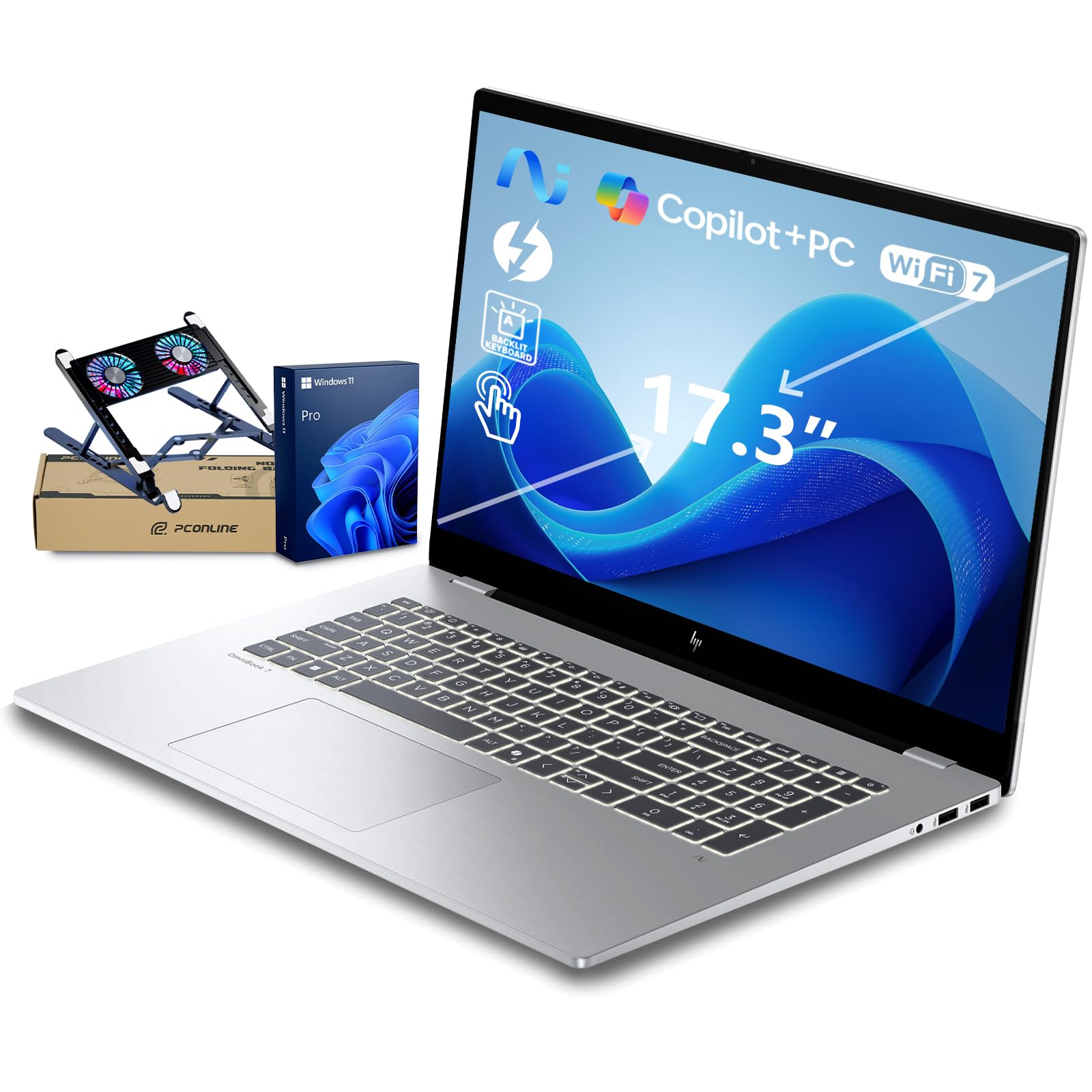
The OmniBook 7 represents the new wave of AI-optimized PCs built specifically for data professionals. The Intel Core Ultra 7 258V integrates a neural processing unit (NPU) delivering 47 TOPS, which directly accelerates local AI tasks — think running smaller language models for data classification, anomaly detection, or automated report generation without relying on cloud services. This is a forward-looking spec for analysts exploring machine learning workflows.
The 17.3-inch FHD IPS touchscreen hits 400 nits brightness with 100% sRGB color gamut, making dashboard colors accurate and readable even in bright office environments. The 32GB of onboard RAM paired with a 1TB PCIe Gen4 SSD ensures that loading large datasets and switching between heavy applications remains snappy. The military-grade durability rating means this laptop survives the bumps of daily commuting and field work without developing loose connections.
The 5MP IR camera with temporal noise reduction and Poly Studio audio tuning delivers professional-level video call quality — crucial for analysts who present findings to stakeholders regularly. The battery life reaches 12 hours, and HP Fast Charge reaches 50% in roughly 30 minutes. The included PCO laptop cooler helps maintain thermal stability during extended analysis sessions. The one clear trade-off is the 17.3-inch chassis is heavy, making it less ideal for daily backpack travel.
Why it’s great
- 47 TOPS NPU accelerates local machine learning and AI analysis tasks
- 400-nit touchscreen with 100% sRGB ensures color-accurate dashboard previews
- Military-grade durability handles travel and fieldwork reliably
Good to know
- 17.3-inch chassis is heavy and bulky for frequent commuters
- Cooling fan can become audible during sustained high-load periods
4. Lenovo ThinkPad E16 Gen 2
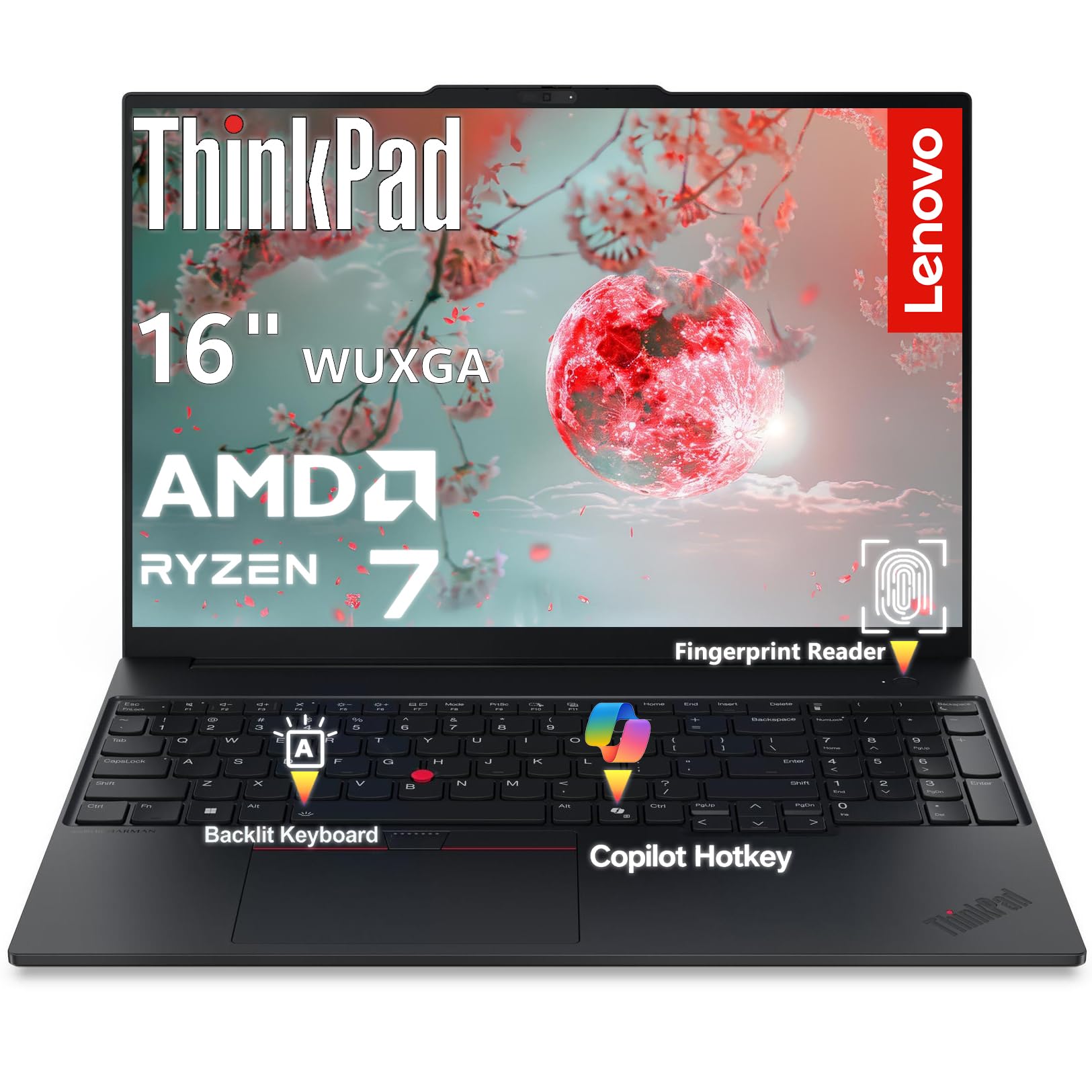
The ThinkPad E16 Gen 2 brings the legendary keyboard and build quality of Lenovo’s business line to data analysis work. The 16-inch WUXGA display with a 16:10 aspect ratio is the standout feature — it provides 11% more vertical space than a standard 16:9 screen, which translates to roughly two extra rows of code in your IDE or a dozen more rows in a spreadsheet before you need to scroll. For analysts who stare at text all day, this is a genuine productivity gain.
The AMD Ryzen 7 7735HS with 8 cores and a 4.75 GHz boost clock handles threaded workloads efficiently, and the integrated Radeon 680M graphics handle dashboard rendering without issue. The aluminum chassis keeps weight down to 3.99 pounds despite the 16-inch form factor, making it genuinely portable for a screen of this size. The 16GB of DDR5 RAM is adequate for moderate analysis but will demand upgrade consideration if you work with multi-million-row datasets regularly.
Security features like the fingerprint reader, discrete TPM 2.0 chip, and Kensington lock slot make this a strong fit for analysts handling sensitive business data under compliance requirements. The WiFi 6E and Bluetooth 5.3 ensure fast, reliable connectivity. The full-size HDMI 2.1 port supports 4K at 60Hz for external monitors. The keyboard, backlit for low-light work, remains one of the best typing experiences in the laptop market — crucial for anyone who types queries all day.
Why it’s great
- 16:10 display provides extra vertical space for code and data tables
- Excellent keyboard for extended typing sessions
- Aluminum chassis is lightweight and travel-friendly
Good to know
- 16GB RAM may require upgrading for heavy data analysis workloads
- 45% NTSC color gamut is modest for color-sensitive visualization work
5. HP EliteBook 6 G1a AI PC
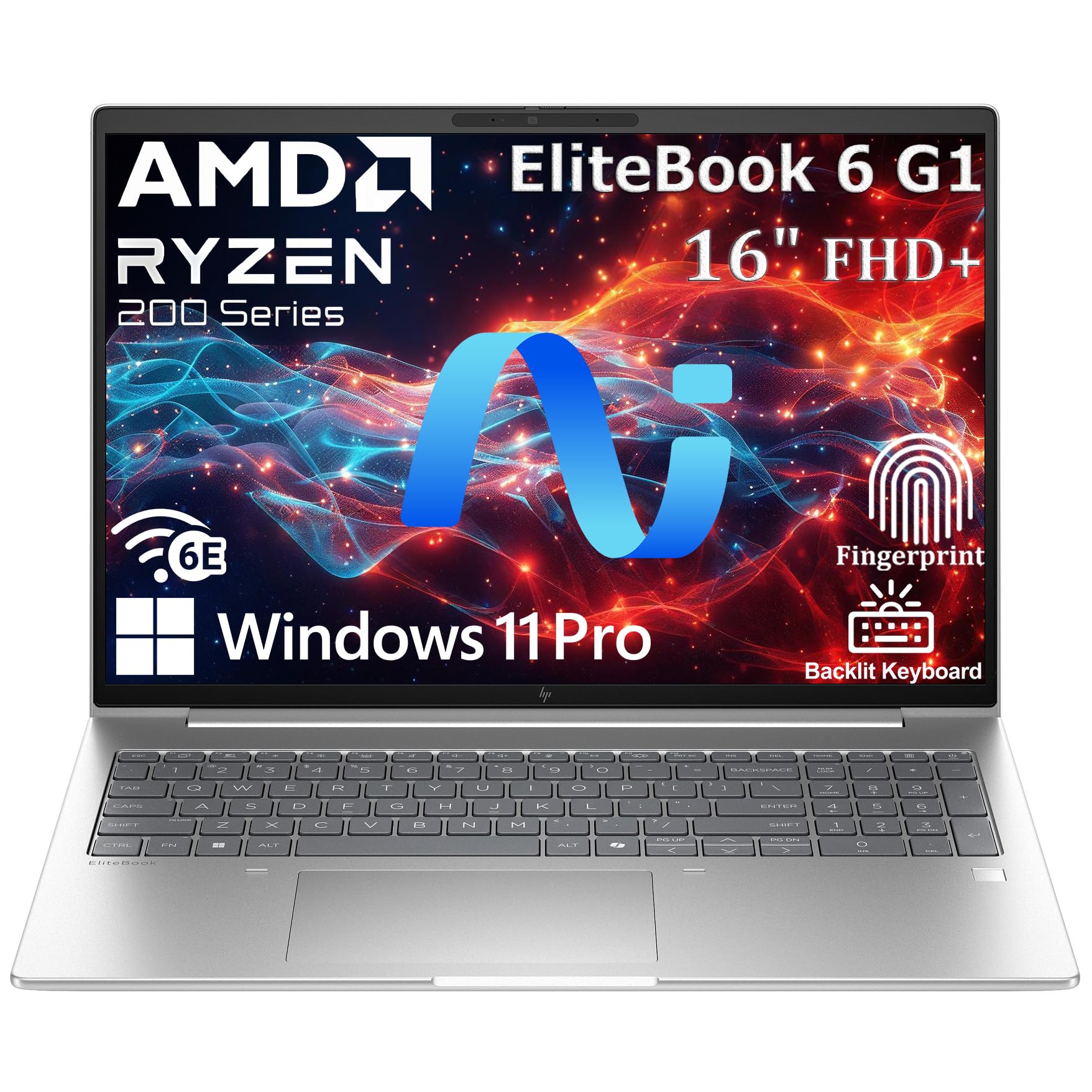
The EliteBook 6 G1a targets analysts who work in enterprise environments where security compliance is as important as processing power. The AMD Ryzen 5 220 with integrated AI capabilities adapts power distribution based on your workflow, keeping the machine responsive during intensive query executions while conserving battery during lighter tasks like data preparation. The 32GB of DDR5 RAM hits the recommended baseline for comfortable multi-tool analysis work.
The 16-inch WUXGA anti-glare display with 16:10 aspect ratio again offers that extra vertical workspace, but the anti-glare coating is the real differentiator here — it significantly reduces eye strain in bright office environments with overhead fluorescent lighting or windows nearby, a common pain point for analysts who spend eight-plus hours staring at screens. The Thunderbolt 4 port supports 40Gbps data transfer and dual 4K displays, making this a powerful hub-driven desk setup.
The fingerprint reader and Windows 11 Pro with BitLocker encryption satisfy enterprise IT requirements. At 3.86 pounds, it remains portable enough for the analyst who splits time between home office, corporate headquarters, and client sites. The backlit keyboard works well in dim conference rooms. The Radeon 740M graphics handle data visualization tools smoothly. The main observation from early users is occasional system freezing during heavy multi-application loads, though firmware updates have addressed this.
Why it’s great
- Anti-glare display reduces eye strain during all-day analysis work
- Thunderbolt 4 enables fast data transfer and dual 4K monitor setups
- Lightweight aluminum design at 3.86 pounds
Good to know
- Some users report occasional freezing under heavy multi-application load
- Does not include Microsoft Office pre-installed
6. Lenovo ThinkBook 16 Gen 8

The ThinkBook 16 Gen 8 is built for analysts who refuse to compromise on memory capacity. With 64GB of DDR5 RAM and a 2TB PCIe SSD, this machine chews through the largest datasets without breaking a sweat. Loading a 50-million-row CSV into pandas, running multiple Jupyter notebooks, maintaining an open connection to a SQL server, and keeping Power BI running — all at the same time — is exactly the scenario this laptop was designed for.
The Intel 16-Core Ultra 7 255H processor with AI acceleration handles background optimization of power and thermal management. The Intel Arc 140T integrated graphics provide solid performance for data visualization and dashboard rendering. The 16-inch FHD+ display delivers crisp text at 1920×1200 resolution, making long code blocks and wide data tables readable without squinting. The WiFi 6E and Bluetooth 5.3 ensure stable connectivity for cloud-based data access.
The fingerprint reader and Windows 11 Professional provide enterprise-grade security. The 2TB SSD means you can keep your entire project history, multiple database dumps, and virtual environments stored locally without managing external storage. User reviews consistently praise the speed and ease of dual-monitor setup. The chassis feels premium with a durable metal exterior. The only meaningful downside for mobile analysts is the weight — with this much hardware inside, it’s not the lightest option on the market.
Why it’s great
- 64GB DDR5 RAM handles the largest analysis datasets without swapping
- 2TB PCIe SSD offers massive local storage for project files and databases
- Intel Arc 140T graphics handle dashboard rendering smoothly
Good to know
- Heavier chassis due to high-capacity hardware inside
- Premium price reflects the top-tier memory and storage configuration
7. HP Business 17t Laptop

The HP Business 17t offers an unusual combination: a 17.3-inch HD+ touchscreen paired with 64GB of DDR4 RAM and a 2TB SSD at a mid-range price point. For data analysts who prioritize screen real estate and memory capacity over raw processor performance, this configuration makes practical sense. The Intel Core i7-1355U with 10 cores and a 5.0 GHz turbo clock handles single-threaded tasks efficiently, while the massive 64GB RAM allocation ensures you can run multiple memory-intensive tools concurrently.
The 17.3-inch touchscreen at HD+ resolution (1600 x 900) is not the sharpest panel in this guide, but the large physical size still reduces scrolling during spreadsheet navigation. The touchscreen capability is genuinely useful for zooming into visualization details and scrolling through data tables quickly. The 2TB SSD provides ample space for storing large datasets, project backups, and multiple software environments without needing external storage.
The fingerprint reader offers quick secure login. The HDMI 1.4b port supports external monitor expansion. The DDR4 RAM, while not as fast as DDR5, still provides adequate bandwidth for most analysis workflows. User feedback highlights excellent performance for Visual Studio development and general productivity. The main reliability concern is the thermal solution — some users report fan failure and system crashes after extended use, and the third-party warranty on upgraded components can be difficult to navigate.
Why it’s great
- 64GB RAM and 2TB SSD provide massive capacity for large projects
- 17.3-inch touchscreen offers intuitive navigation through data
- Strong performance for development and general productivity workflows
Good to know
- HD+ 1600×900 resolution is lower than competitors at this price point
- Reports of cooling fan failures and thermal issues over extended use
8. Dell Pro Tower Plus Desktop
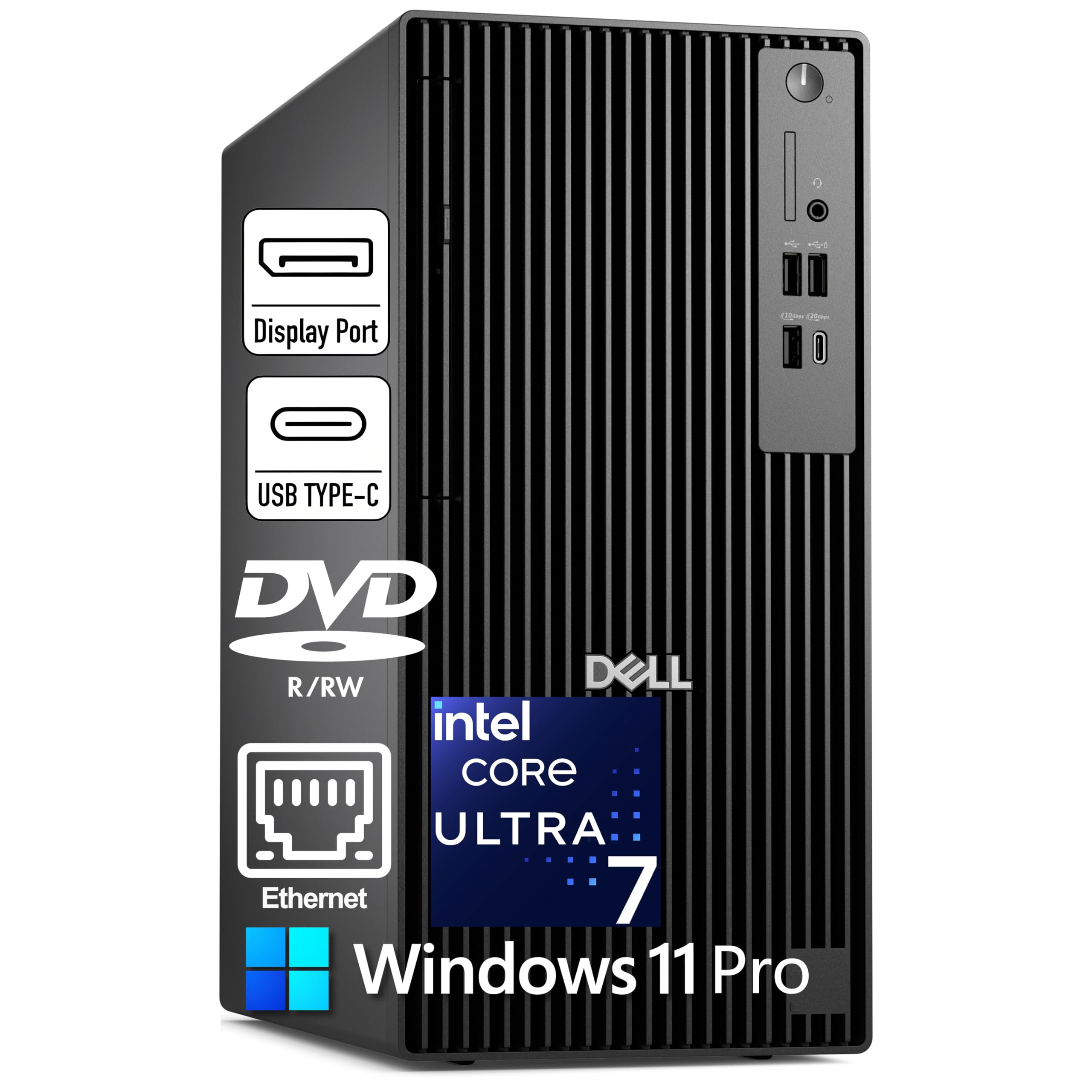
For the data analyst tethered to a desk, the Dell Pro Tower Plus is a workstation-grade machine that justifies its price with unmatched expandability and display support. The Intel Core Ultra 7 265 delivers 20 cores with a 5.3 GHz boost clock and a 13 TOPS NPU for local AI acceleration. This processor handles the most demanding analysis workflows — running complex simulations, processing massive datasets with parallel Python, or managing multiple virtual machines simultaneously.
The three DisplayPort 1.4a ports drive triple 4K monitors at 60Hz, creating a truly immersive analysis environment where you can have your code editor on one screen, interactive dashboard on another, and database interface on the third. The 64GB of DDR5 RAM ensures no swapping even with three monitors worth of applications open. The 1TB PCIe SSD provides fast boot and file access, plus the tower chassis allows easy upgrades for additional storage or a dedicated GPU if your work expands into data engineering or machine learning.
The Windows 11 Pro with BitLocker encryption and Copilot AI assistant provides a secure, modern operating environment. The inclusion of a DVD-RW drive and multiple USB-C ports adds versatility. The primary drawback for some analysts is the absence of built-in WiFi — this machine expects a wired Ethernet connection, which works fine for permanent desks but limits flexibility. The 260W Bronze power supply is adequate for the current configuration but may need an upgrade if you add a dedicated graphics card later.
Why it’s great
- Triple 4K monitor support creates an efficient multi-screen analysis workspace
- 20-core CPU with NPU handles complex simulations and AI tasks
- Expandable tower chassis allows future hardware upgrades
Good to know
- No built-in WiFi — requires wired Ethernet connection
- Power supply may need upgrading for dedicated GPU installations
9. HP Mini Desktop PC

The HP Mini Desktop PC solves a specific problem: delivering workstation-class specs in a 6.97-inch chassis that fits behind a monitor or under a desk. With 64GB of DDR4 RAM and a 2TB NVMe SSD, this tiny tower matches the memory and storage capacity of much larger machines. The Intel i7-12700T 12-core processor with a 4.7 GHz turbo clock provides responsive performance for SQL query execution, Python scripting, and dashboard rendering.
The triple 4K output via dual DisplayPort 1.4 and HDMI 2.1 is the defining feature for analysts who need maximum screen real estate. Running three 4K monitors simultaneously at 60Hz transforms complex analysis workflows — you can keep your data source, transformation script, and visualization output all visible at once without tab-switching. The 7 high-speed USB ports, including two USB-C with 20Gbps transfer, connect all your peripherals without needing a hub.
The included wired keyboard and mouse make this a true plug-and-play workstation. The 90W adapter keeps power consumption low. The whisper-quiet operation means it won’t distract in open office environments. The WiFi 5 connectivity is one generation behind current standards, but the Gigabit Ethernet port provides stable wired networking. Some users report difficulty installing Linux distributions, so if your analysis work happens in a Linux environment, verify compatibility before purchase.
Why it’s great
- Triple 4K monitor support in an ultra-compact 6.97-inch chassis
- 64GB RAM and 2TB SSD provide workstation-level capacity
- Includes keyboard, mouse, and stand — ready to use out of the box
Good to know
- WiFi 5 is slower than the WiFi 6 standard found on most current laptops
- Linux compatibility may require troubleshooting during installation
10. Dell Pro Tower Desktop
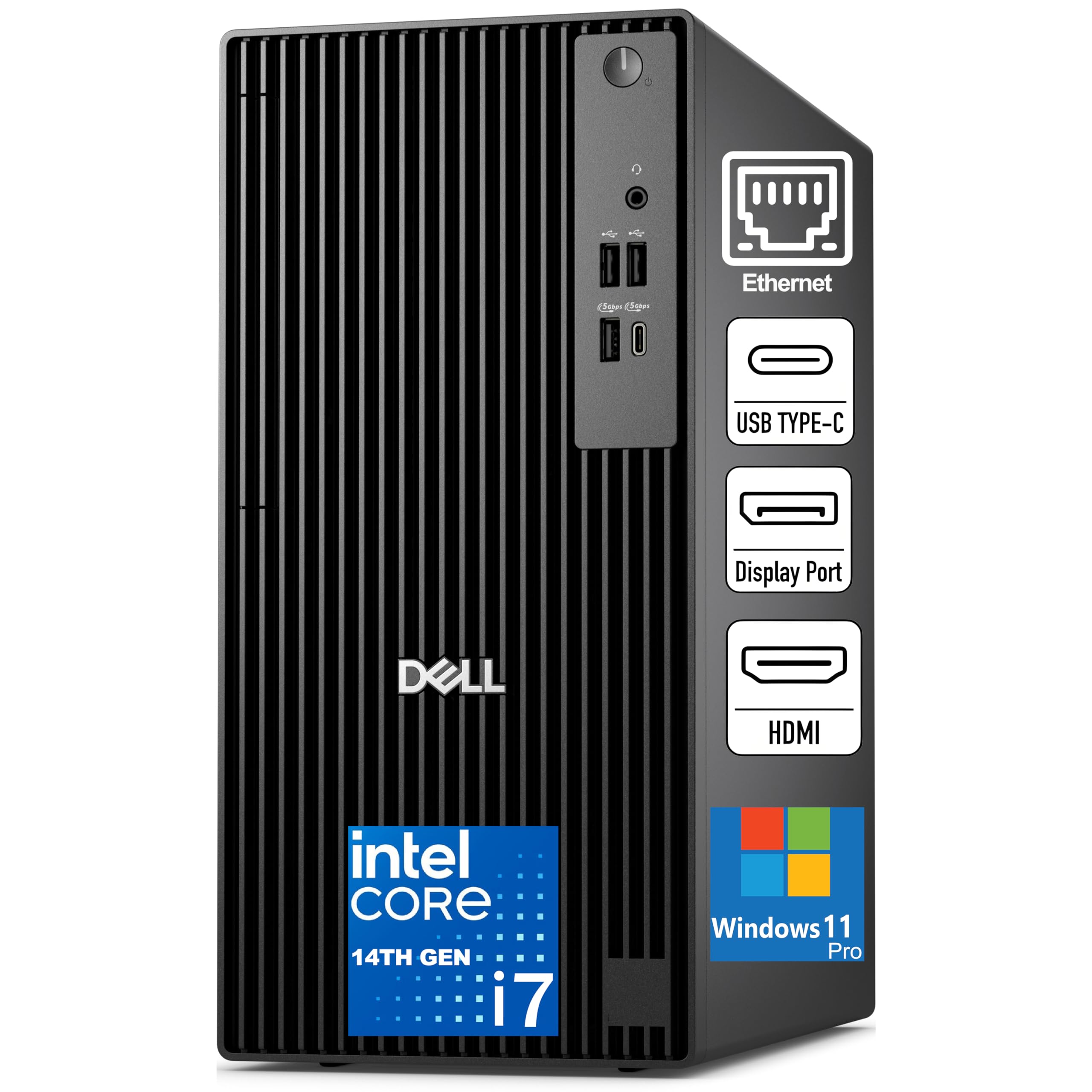
The Dell Pro Tower Desktop offers a solid entry point for data analysts who want desktop performance without high upfront costs. The Intel Core i7-14700 with 20 cores and a 5.4 GHz turbo clock delivers snappy single-threaded performance for Excel, SQL, and scripting. The 16GB DDR5 RAM is the minimum for comfortable analysis work, sufficient for moderate-sized datasets and running two to three tools simultaneously before you hit memory limits.
The 512GB PCIe SSD provides fast boot times and quick file loading. The tower chassis with discrete TPM 2.0 and chassis intrusion switch meets basic business security requirements. The connectivity options include HDMI 2.1, DisplayPort 1.4a, USB-C, and Gigabit Ethernet, supporting dual-monitor setups and peripheral connections. The compact black tower design fits standard office desks without dominating the workspace.
The integrated graphics handle dashboard rendering and data visualization without issues for most tools, though heavy Power BI reports with complex custom visuals may show some lag. The included keyboard and mouse get you started immediately. The main limitation is the 16GB RAM ceiling — if your datasets routinely exceed several hundred thousand rows, you will need to budget for a RAM upgrade. Some users report weak WiFi controller performance, so a wired Ethernet connection is recommended for stable data access.
Why it’s great
- 20-core i7-14700 provides strong single-threaded performance
- DDR5 RAM offers faster bandwidth than previous generation
- Compact tower saves desk space while maintaining upgrade potential
Good to know
- 16GB RAM needs upgrading for serious data analysis workloads
- WiFi performance may be inconsistent — wired connection recommended
11. ASUS Vivobook 14″

The ASUS Vivobook 14 is positioned for student data analysts or professionals starting their careers who need a capable machine without stretching their budget. The Intel Core 5 120U with 10 cores and a 5.0 GHz turbo clock provides responsive performance for learning SQL, writing Python scripts in Jupyter, and working with moderately sized datasets. The 12GB DDR4 RAM is a step above entry-level 8GB configurations, allowing for limited multi-tool workflows.
The 14-inch FHD IPS anti-glare display is compact enough for backpack travel and classroom use while providing clear text for data tables and code. The 1TB PCIe SSD is a welcome inclusion — finding this much storage at this tier is unusual and means you can store multiple project files, learning datasets, and software tools without running out of space. The included 8-in-1 hub adds versatility for connecting external monitors and peripherals.
The camera privacy shutter addresses a growing security concern for remote learning and video calls. The SonicMaster-tuned speakers provide adequate audio for online classes. Windows 11 Home covers the basics for student software compatibility. The 12GB RAM is the primary bottleneck — large Excel files with complex formulas, Power BI desktop, or datasets over 500,000 rows will push against this limit. If your analysis work grows, this will become the first component needing upgrade.
Why it’s great
- 1TB SSD provides generous storage for project files and learning materials
- 14-inch compact design is ideal for backpack travel and classroom use
- Includes 8-in-1 hub for flexible peripheral connectivity
Good to know
- 12GB RAM is the primary bottleneck for growing analysis workloads
- Intel Core 5 is not a high-performance processor for heavy number-crunching
12. Lenovo V-Series V15

The Lenovo V-Series V15 delivers 40GB of DDR4 RAM at a price point where most competitors offer 16GB, making it a value-focused choice for RAM-intensive analysis workflows. The AMD Ryzen 7 7730U with 8 cores and a 4.5 GHz boost clock provides solid multi-threaded performance for parallel Python operations and R computations. The 40GB memory pool allows loading large datasets into pandas without hitting swap limits, running multiple virtual environments, and keeping dozens of browser tabs open during research.
The 15.6-inch FHD display at 1920×1080 resolution delivers clear text and visuals for spreadsheet and code work. The numeric keypad is a practical addition for analysts who frequently enter numerical data. The inclusion of HDMI and RJ45 ports provides flexible connectivity for external monitors and wired networking. The 1TB PCIe SSD ensures fast boot and file loading. Windows 11 Pro includes BitLocker encryption and enterprise management features.
The battery life of around 8 hours supports a full workday of moderate use. The USB-C charger, while not the traditional Lenovo round-pin design, provides fast charging and compatibility with modern docking stations. User feedback notes that display color accuracy and contrast are modest — the screen is functional for data work but not suitable for color-critical visualization design. Some units have experienced reliability issues, so purchasing with a warranty extension is recommended.
Why it’s great
- 40GB RAM at a budget-friendly price is unparalleled in this segment
- Ryzen 7 processor provides excellent multi-threaded analysis performance
- Numeric keypad improves data entry efficiency
Good to know
- Display color accuracy is modest—not suitable for color-critical work
- Some user reports of manufacturing reliability issues
13. Dell T7810 Workstation

The Dell T7810 is a different breed — a dual-Xeon workstation with 28 cores and 128GB of DDR4 RAM. This is not a machine for the everyday analyst. It’s built for data scientists and analysts who work with datasets that measure in the tens of millions of rows, run complex simulations, or need to spin up multiple virtual machines concurrently. The two Intel Xeon E5-2690 v4 processors, each with 14 cores, provide 56 total threads for massively parallel workloads.
The 128GB RAM capacity means you can load entire database tables into memory, run memory-intensive R and Python scripts, and keep multiple analysis environments open simultaneously without any swapping. The Nvidia Quadro K620 2GB graphics card handles basic visualization, though serious data visualization work would benefit from a GPU upgrade. The workstation comes without hard drives and without an operating system, which means you have complete control over your storage configuration and OS choice but need technical expertise to set it up.
The tower chassis provides extensive room for storage expansion and hardware upgrades. The PCI Express interface allows adding dedicated GPUs for machine learning workloads. The renewed nature of this workstation means careful inspection on arrival is essential — some units arrive with thermal issues that require replacing CPU coolers or reseating RAM. The PCIe 3.0 interface limits GPU bandwidth compared to modern standards. This is a specialist tool for analysts who know exactly why they need this much hardware.
Why it’s great
- 128GB RAM handles massive datasets that overwhelm standard machines
- 28 cores provide exceptional parallel processing for computation-heavy analysis
- Expandable tower chassis allows extensive hardware customization
Good to know
- No hard drives or operating system included — requires technical setup
- Renewed workstation may have thermal or hardware issues upon arrival
- PCIe 3.0 limits GPU bandwidth for modern machine learning cards
FAQ
Is 16GB of RAM sufficient for a data analyst computer?
Should I choose a desktop or laptop for data analysis work?
Does screen size really matter for data analysis productivity?
Is an integrated GPU good enough for data visualization tools?
What storage configuration is best for analysis workflows?
Final Thoughts: The Verdict
For most users, the best computer for data analyst winner is the NIMO 17.3″ Gaming Laptop because its 32GB DDR5 RAM, fast AMD processor, and large screen hit the perfect balance of price and performance for daily analysis work. If you want silent operation and the best battery life on the market, grab the Apple MacBook Air 15-inch M4. And for a desktop-focused analyst who demands triple 4K monitors and maximum expandability, nothing beats the Dell Pro Tower Plus Desktop.

Mo Maruf
I created WellFizz to bridge the gap between vague wellness advice and actionable solutions. My mission is simple: to decode the research and give you practical tools you can actually use.
Beyond the data, I am a passionate traveler. I believe that stepping away from the screen to explore new environments is essential for mental clarity and physical vitality.