Our readers keep the lights on and my smoothie glass nicely filled. As an Amazon Associate, I earn from qualifying purchases.
Specs are compiled from manufacturer listings and verified buyer reviews and can change over time — please confirm the key details on the product page before buying.
Cyber security work is hungry — it chews through RAM, demands multi-core muscle for virtual machines (isolated operating systems you run for testing), and needs storage fast enough to keep your sandboxed environments snappy. Pick the wrong machine and you will spend more time waiting on compiles and loads than actually securing systems. This guide breaks down four computers built for that exact workload, from a budget-friendly tower you can upgrade to a premium laptop that doubles as a portable lab.
I’m Mohammad Maruf — the founder and writer behind WellFizz. This guide is built by comparing the manufacturers’ published specifications and the patterns across verified customer reviews, so you get each pick’s real strengths and trade-offs instead of marketing spin.
Spinning up virtual machines (VMs), analyzing packet captures, or building your home lab means you need a machine that keeps up. The best computer for cyber security gives you headroom to run multiple VMs, compile tools, and lock down your environment without waiting on hardware.
Quick Picks
- Lenovo ThinkBook 16 Gen 8 Business Laptop — Best Overall
- Alienware Aurora Gaming Desktop ACT1250 — GPU Powered
- Dell Pro Tower Business Desktop — Managed Security
- ASUS V500 Home & Business Tower Desktop — Budget Champion
How To Choose The Best Computer For Cyber Security
Cyber security workloads are not like normal office tasks. You are running multiple virtual machines (isolated operating systems for testing), decoding malware, monitoring network traffic, and sometimes compiling exploit code — all at once. The hardware that handles this well is different from what a general user needs.
RAM — The Headroom for Virtual Machines
Each virtual machine you run needs its own chunk of memory. If you plan to spin up three VMs alongside your host operating system, you will want at least 32GB of RAM. For heavier labs or running a full Active Directory environment, 64GB gives you comfortable breathing room.
CPU — Cores Over Clock Speed
Virtual machines distribute work across multiple CPU cores. A processor with more physical cores (think 10 or more) will handle concurrent VMs better than a chip with fewer but faster cores. Look for Intel Core i7 or i9, or equivalent AMD Ryzen 7 or 9 chips — these have the core counts that matter.
Storage — NVMe SSD for Snapshot Speed
In cyber security, you take frequent VM snapshots before testing risky code. An NVMe solid-state drive (SSD) makes those snapshots write in seconds rather than minutes. A 512GB drive is the minimum; 1TB or 2TB gives you room to store multiple VM images and capture files.
Quick Comparison
| Model | Best For | RAM | CPU Cores / Threads | Storage | Amazon |
|---|---|---|---|---|---|
| Lenovo ThinkBook 16 Gen 8 | Ultra-portable cyber lab | 64GB DDR5 | 16 cores / 16 threads | 2TB SSD | Amazon |
| Alienware Aurora ACT1250 | GPU-heavy security tasks | 32GB DDR5 | 8 cores / 16 threads | 1TB SSD | Amazon |
| Dell Pro Tower i5-14500 vPro | Enterprise-managed security workstation | 16GB DDR5 | 14 cores / 20 threads | 512GB SSD | Amazon |
| ASUS V500 i7-13620H | Value-driven home lab | 32GB DDR5 | 10 cores / 16 threads | 1TB SSD | Amazon |
In‑Depth Reviews
1. Lenovo ThinkBook 16 Gen 8 Business Laptop, Intel Core Ultra 7 255H, 64GB DDR5 RAM, 2TB SSD
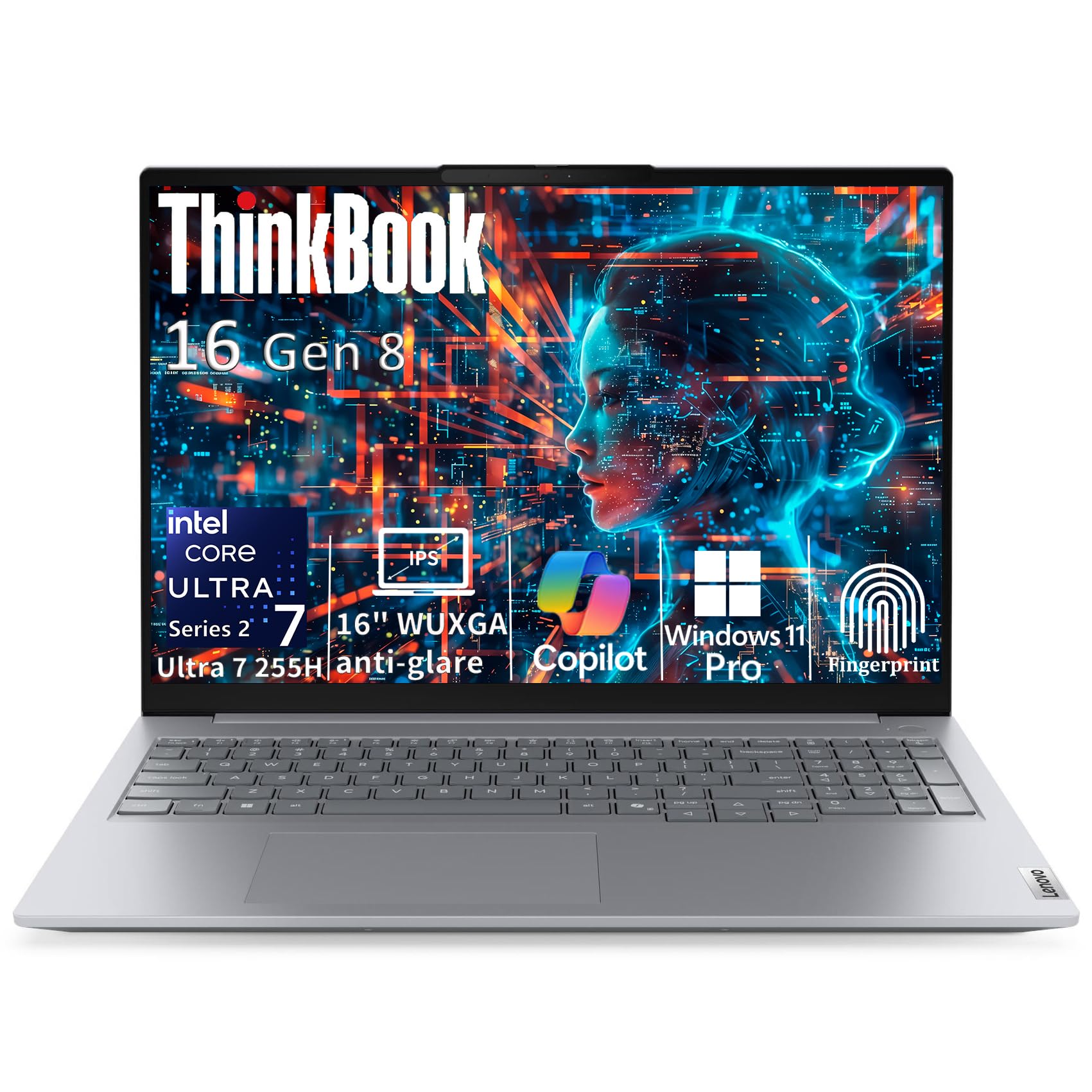
The portable lab with 64GB of headroom for running multiple VMs without slowdowns.
If you need to carry your entire cyber security lab in a backpack, this is the computer that can do it. The Intel Core Ultra 7 255H is a next-generation 16-core hybrid architecture processor (6 P-cores up to 5.1GHz plus 8 E-cores and 2 Low Power E-cores) that handles concurrent virtual machines and data analysis without choking. That 64GB of DDR5 RAM is the standout here — it gives you room to spin up three or four VMs alongside your host OS without swapping to disk. That is twice the RAM of the ASUS V500 or the Alienware Aurora, so if you regularly run heavy labs, you will notice the difference immediately.
The 16-inch WUXGA (1920×1200, 300 nits) IPS display gives you 11% more vertical workspace than standard Full HD 16:9 screens, which matters when you are monitoring multiple terminal windows side by side. Buyers report the laptop runs well but one noted a telling test: “I ran a 1 million for loop iteration ‘Hello world’ console app…I did feel a little heat and the battery drained more than expected.” That is the trade-off — the 2TB NVMe SSD means fast snapshots (saved states of a VM you can restore instantly), but sustained CPU loads pull power. At 3.75 lbs with a 0.69-inch profile in Arctic Grey aluminum, this is the most portable heavy lifter on this list.
The Memory Monster
- 64GB DDR5 RAM — enough for a full VM lab on the go
- 2TB PCIe NVMe SSD for rapid snapshot writes
- Thunderbolt 4 (40Gbps) for high-speed peripheral connections
- Fingerprint reader integrated into the power button for secure login
The Battery Drain
- Battery drains faster than expected under sustained CPU load
- Adding a 2.5-inch drive requires special parts that Lenovo reportedly discontinued
- WiFi performance some users report is weaker than a work Dell laptop
Grab it if: you need a portable machine that runs a full VM lab without plugging into external hardware.
Think twice if: you demand all-day battery under heavy compile loads — this machine draws power when pushed.
2. Alienware Aurora Gaming Desktop ACT1250 – Intel Core Ultra 7 265F, 32GB DDR5 RAM, 1TB SSD, NVIDIA GeForce RTX 5070

The desktop that brings a dedicated RTX 5070 to GPU-accelerated security analysis.
Most cyber security tasks run on CPU and RAM, but if your work touches machine learning for malware analysis or GPU-accelerated password cracking (using the graphics card to test many passwords per second), the NVIDIA GeForce RTX 5070 (powered by Blackwell architecture) makes a real difference. The Intel Core Ultra 7 265F with its 5.3 GHz max turbo speed and 66MB of cache handles multi-threaded workloads well, and the 1000W Platinum Rated PSU ensures stable power during sustained loads — something a cheaper power supply can compromise.
The 32GB DDR5 RAM is enough for a couple of concurrent VMs, though the Lenovo ThinkBook above doubles that to 64GB. What this machine does that the others cannot is run the RTX 5070, which matters if you plan to train or run any GPU-dependent security models locally. One reviewer noted it runs quietly: “Silent. Sometimes refuses to start; requires full discharge.” That is a quirk to know about — a cold discharge cycle (unplugging and draining residual power) is needed occasionally. The customizable AlienFX stadium lighting is secondary to the raw graphics power under the hood.
The Graphics Edge
- NVIDIA GeForce RTX 5070 for GPU-accelerated ML and password cracking
- 1000W Platinum Rated PSU for stable long-run loads
- Intel Core Ultra 7 265F with 5.3 GHz boost and 66MB cache
- 1 Year Onsite Service from Dell for repair support
The Boot Quirk
- Occasionally refuses to start and requires a full power discharge
- Boot time reported around 2 minutes by some users
- 32GB RAM is half what the Lenovo offers for VM-heavy users
Pick this for: GPU-heavy security tasks like ML model training or hash cracking where the RTX 5070 earns its place.
Skip if: you mainly run VMs — the 32GB RAM will feel tight compared to 64GB options.
3. Dell Pro Tower Business Desktop, 14th Gen Intel Core i5-14500 vPro (14-Core/20T), 16GB DDR5 RAM, 512GB PCIe SSD
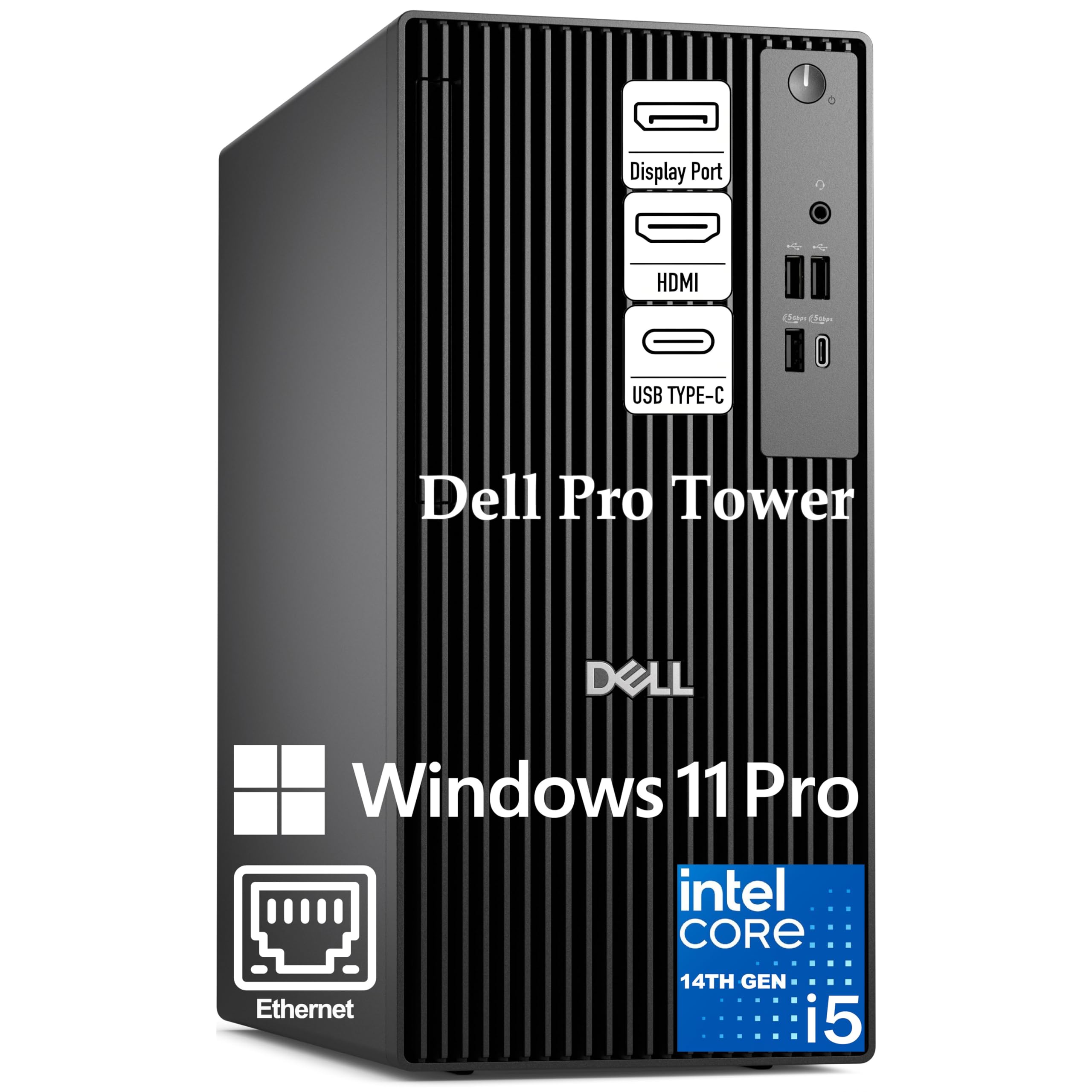
The business tower with vPro manageability that IT departments trust for secure remote work.
This Dell Pro Tower runs the Intel Core i5-14500 vPro, a 14-core processor (6 Performance + 8 Efficient cores, 20 threads) reaching up to 5.0GHz on the P-cores. What makes vPro different from a regular i5 is the hardware-based security and remote manageability — it lets IT administrators manage the machine remotely even when the OS is down, which matters in enterprise environments. One buyer summed it up neatly: “Cyber-proofed (son works NSA-adjacent).”
The integrated Intel UHD Graphics 770 drives two 4K displays simultaneously via HDMI 2.1 and DisplayPort 1.4a, which is useful for monitoring multiple security dashboards at once. The caveat is the 16GB DDR5 RAM and 512GB SSD — those are entry-level specs for a cyber security machine. You will likely need to upgrade the RAM to run multiple VMs comfortably, but the 11.5-inch compact chassis does leave room for expansion. One buyer mentioned “not as many USB inputs as I was expecting,” so factor in a hub if you need multiple peripherals.
The vPro Advantage
- Intel vPro platform for hardware-level security and remote management
- 14 cores / 20 threads handle multi-threaded workloads well
- Dual 4K display support for multi-dashboard monitoring
- Windows 11 Pro with BitLocker encryption from the start
The Upgrade Needed
- 16GB RAM is below what most VM-heavy users need
- 512GB SSD fills fast with VM images
- Limited USB ports reported by some buyers
Best in: managed enterprise environments where vPro remote management is a requirement, not a nice-to-have.
Not for: power users who want to run three VMs immediately — plan a RAM upgrade.
4. ASUS V500 Home & Business Tower Desktop, 10-core Intel Core i7-13620H, 32GB DDR5 RAM, 1TB SSD

The value machine that gives a 32GB RAM and 1TB SSD without the premium price tag.
If you are building a home cyber security lab on a tighter budget, this ASUS V500 delivers the specs that matter most for VM work. The Intel Core i7-13620H has 10 cores and 16 threads (base 2.4GHz, turbo up to 4.9GHz) with 24MB of Intel Smart Cache. The 32GB DDR5 RAM is the same capacity as the Alienware desktop but at a much lower price point, giving you enough headroom to run two or three concurrent VMs without slowdown. The 1TB SSD means you do not have to worry about running out of space for VM images immediately.
One buyer put it simply: “Refurb Gen13 i7/32GB/1TB/Win11Pro under K.” That value proposition is tough to top for someone starting out. The machine includes Wi-Fi 6 and Bluetooth connectivity, plus HDMI and DisplayPort outputs for a dual-monitor setup. Note that this unit has had its original seal opened for memory and storage upgrade purposes — the upgraded components carry a 1-year warranty from PCOnline US, while the rest keeps the original manufacturer’s 1-year warranty. It is slightly heavier than you might expect from a tower, but owners mention it runs quiet and fast once set up.
Lab-Ready Value
- 32GB DDR5 RAM at a budget-friendly price point
- 1TB SSD gives ample storage for VM images
- 10-core i7-13620H handles concurrent VMs well
- Includes Wi-Fi 6 and Bluetooth for flexible connectivity
The Refurb Note
- Unit was opened for upgrade — not a factory-sealed new unit
- Split warranty between upgraded and original components
- One owner reported the promised flash drive was not included
Who it fits: anyone building their first home cyber security lab who wants 32GB RAM and 1TB storage without overspending.
The heads-up: this is a refurb-upgraded unit, so check the warranty details before ordering if you prefer factory-sealed.
Understanding the Specs
RAM — Why 32GB Is the Starting Line
Every virtual machine you run needs its own reserved RAM. A typical Windows VM needs about 4GB to run comfortably; a Linux VM can work with 2GB. If you plan to run three VMs plus your host OS, you need at least 16GB just for the host and VMs alone, and more for your security tools. That is why 32GB is the realistic starting point for any cyber security machine, and 64GB gives you cushion for heavier labs or running full Active Directory domain controllers in VMs.
vPro vs Standard Processors
Intel vPro is not a faster processor — it is a platform feature that adds hardware-based security, remote management, and out-of-band manageability (managing a PC even when the operating system is not running). This means an IT admin can wipe, lock, or update the machine remotely even if the operating system is crashed or infected. For enterprise environments where compliance and remote management matter, vPro is valuable. For a solo security researcher building a home lab, a standard i7 or i9 without vPro will work fine and costs less.
FAQ
How much RAM do I actually need for cyber security work?
Is a dedicated GPU necessary for cyber security?
Can I use a laptop instead of a desktop for cyber security?
What is Intel vPro and do I need it for cyber security?
How much storage do I need for VM images and capture files?
What is the difference between DDR4 and DDR5 RAM for security work?
Can I run Kali Linux or Parrot OS on these computers?
Do I need Windows 11 Pro or is Home enough?
What is the minimum processor generation I should consider?
Final Thoughts: The Verdict
For most buyers, the best computer for cyber security winner is the Lenovo ThinkBook 16 Gen 8 because its 64GB DDR5 RAM, 2TB SSD, and portable form factor let you run a full VM lab from anywhere. If you want dedicated GPU power for machine learning and password cracking, grab the Alienware Aurora ACT1250 with its RTX 5070. And for a budget-friendly home lab that still delivers 32GB RAM and a 1TB SSD, the standout is the ASUS V500 on value.
How We Picked
We do not accept paid placement. Every pick is matched to a real buyer and a real use-case; we do not hands-on test units.
Sources & Methodology
Specifications: manufacturer listings and product documentation. Review insights: verified customer reviews, as of July 2026. Pricing: not shown on this page (it changes often); check the current price via the retailer link.
As an Amazon Associate, WellFizz earns from qualifying purchases. This does not affect which products we feature.
Related Guides

Mo Maruf
I created WellFizz to bridge the gap between vague wellness advice and actionable solutions. My mission is simple: to decode the research and give you practical tools you can actually use.
Beyond the data, I am a passionate traveler. I believe that stepping away from the screen to explore new environments is essential for mental clarity and physical vitality.