Our readers keep the lights on and my smoothie glass nicely filled. As an Amazon Associate, I earn from qualifying purchases.
Between juggling lecture notes, late-night study sessions, streaming breaks, and group projects, the laptop you bring to campus needs to handle everything without you having to think about it. A truly reliable computer for college means fast boot times, enough memory to keep twenty browser tabs open, battery life that survives a full day of classes, and a chassis that can handle being tossed into a backpack between dorms and libraries. The wrong choice means laggy software, constant charger hunting, and a machine that slows you down right when you need it most.
I’m Mohammad Maruf — the founder and writer behind WellFizz. For this guide, I’ve spent hours analyzing technical specs, customer feedback, and real-world performance benchmarks specifically for the campus lifestyle, from Intel Core and AMD Ryzen processors to battery watt-hours and chassis weight.
Whether you’re an engineering student compiling code or a liberal arts major writing essays, the right machine keeps you productive without the headaches. This guide breaks down the top contenders for the best computer for college, focusing on the specs that actually matter for your daily workload.
How To Choose The Best Computer For College
Selecting a laptop for your college years is a four-year investment, not a casual purchase. You need a machine that can handle writing papers, research browsing, streaming lectures, and perhaps some light gaming or creative work. Here are the key specs to prioritize.
Processor: Balancing Speed and Efficiency
Your laptop’s brain dictates how quickly it launches apps and handles multitasking. For most college workloads, an Intel Core i5 (13th Gen or newer) or an AMD Ryzen 5 provides the best balance of performance and price. If your major involves video editing, 3D modeling, or data science, stepping up to a Core i7 or Ryzen 7 will shave significant time off rendering and compiling tasks.
Memory and Storage: The Real-World Bottlenecks
8GB of RAM is the absolute minimum, but 16GB is the real sweet spot for college. You will run a browser with 10+ tabs, a word processor, a music streaming app, and possibly a virtual machine without hitting a wall. For storage, a 512GB SSD is the baseline — a 1TB drive gives you room for game libraries, media projects, and software installations without carrying an external drive.
Display and Portability
A 15.6-inch screen offers a comfortable balance between workspace and backpack-friendliness, while a 16:10 aspect ratio (like on some premium models) gives extra vertical space for reading documents and code. Weight under four pounds makes a real difference when you are walking across campus all day. Look for a 1080p (FHD) resolution minimum for sharp text.
Build Quality and Battery Life
College laptops take a beating. A chassis that meets MIL-STD-810H military-grade durability standards is worth seeking out. Battery life should be a minimum of eight hours under mixed use — enough to get through a full day of classes without hunting for an outlet.
Quick Comparison
On smaller screens, swipe sideways to see the full table.
| Model | Category | Best For | Key Spec | Amazon |
|---|---|---|---|---|
| GEEKOM GeekBook X16 Pro | Premium | Heavy Multitasking & Creative Work | 32GB RAM / 2TB SSD | Amazon |
| Dell 14 Plus DB14250 | Premium | AI-Powered Productivity | 2.5K Display / 32GB RAM | Amazon |
| Samsung Galaxy Book4 Business | Mid-Range | Business & Security | 10-Core Intel 7-150U | Amazon |
| NIMO 15.6″ Gaming Laptop | Mid-Range | Gaming & Creativity on a Budget | Radeon 680M GPU | Amazon |
| Dell 15 DC15250 | Mid-Range | Everyday Computing | 120Hz FHD Display | Amazon |
| ASUS Vivobook 16 | Mid-Range | Performance & Large Screen | Intel Core i7-1355U | Amazon |
| HP 15.6″ FHD Laptop 2026 | Mid-Range | Students Needing Massive Storage | 1TB SSD / 16GB RAM | Amazon |
| Apple MacBook Neo 13″ | Mid-Range | Apple Ecosystem Users | A18 Pro Chip / 16h Battery | Amazon |
| HP 17.3″ Laptop | Mid-Range | Large Screen & Comfort | 17.3″ HD+ Display | Amazon |
| Acer Aspire Go 15 | Budget-Friendly | Value & Performance | Ryzen 7 / 16GB RAM | Amazon |
| Lenovo 2026 Business Laptop | Budget-Friendly | Portability & Durability | 3.51 lbs / MIL-STD-810H | Amazon |
In‑Depth Reviews
1. GEEKOM GeekBook X16 Pro

The GEEKOM GeekBook X16 Pro is a statement piece for any student who refuses to compromise on performance. The Intel Core Ultra 9 185H processor paired with 32GB of LPDDR5x RAM and a 2TB SSD means this machine chews through compiling code, rendering video timelines, or toggling between a dozen research tabs without breaking a sweat. The 16-inch 2.5K IPS display with a 120Hz refresh rate and 16:10 aspect ratio gives you that extra vertical space for document scrolling and code editing — a real advantage in tight library carrels.
Weighing just 2.8 pounds with an aerospace-grade magnesium alloy chassis, it is lighter than many 13-inch ultraportables while housing a full-size keyboard. The dual-fan IceBlade 2.0 cooling system keeps the chassis comfortable even during extended sessions, and the 77Wh battery delivers up to 17 hours on a single charge — enough to get you through a full day of classes plus an evening study session. The 40Gbps USB4 port and HDMI 2.1 let you connect to external monitors for dual-screen productivity in the dorm.
For students in intensive majors like computer science, digital media, or data analytics, this is the machine that will still feel fast in your senior year. The fingerprint reader and Windows 11 Pro add a layer of security for sensitive research data. The fans can become audible under sustained heavy loads, and the non-upgradable RAM means you must choose your configuration wisely upfront.
Why it’s great
- Exceptional 32GB RAM and 2TB SSD for heavy multitasking
- Ultra-light 2.8 lbs magnesium alloy chassis
- Vibrant 2.5K 120Hz 16:10 display
Good to know
- Fans can be audible under sustained load
- RAM is not user-upgradeable
2. Dell 14 Plus Laptop DB14250

The Dell 14 Plus is engineered for the student who wants to harness AI-powered workflows without waiting for cloud processing. The Intel Core Ultra 7-258V processor features a built-in NPU that accelerates everything from real-time background blur in video calls to summarizing research papers locally. The 32GB LPDDR5X RAM and 1TB SSD provide a fluid multitasking experience, while the 14-inch 2.5K (2560×1600) 16:10 display delivers exceptional sharpness for reading dense PDFs and spreadsheets.
The aluminum chassis feels premium and passes MIL-STD-810H military-grade testing, so a drop in the hallway or a bump in a crowded commuter bus won’t end your semester. The backlit Copilot Key gives you one-touch access to AI assistance, useful for drafting emails or brainstorming project outlines. The 14-inch form factor is genuinely portable, slipping into small backpacks without the bulk of a 15-inch model. The 65W Type-C adapter keeps charging fast and compatible with portable power banks.
There is no fingerprint reader on this model, which means you will rely on Windows Hello facial recognition or a PIN for login. Some users report that Dell’s warranty support can be tricky if you take the laptop outside the country of purchase, so international students should verify coverage. The integrated Intel Arc Graphics handle light creative work well, but this is not a gaming laptop for esports titles.
Why it’s great
- Cutting-edge Intel Core Ultra 7 with dedicated NPU for AI tasks
- Sharp 2.5K 16:10 display with great color accuracy
- Rugged MIL-STD-810H tested aluminum build
Good to know
- No fingerprint reader included
- International warranty coverage can be limited
3. Samsung Galaxy Book4 Business Laptop

The Samsung Galaxy Book4 Business is a focused tool for students who prioritize security and typing comfort without sacrificing portability. Powered by a 10-core Intel Core 7-150U processor that boosts up to 5.4GHz, this laptop handles demanding spreadsheets, data analysis tools, and research databases with ease. The 16GB of LPDDR4X RAM and 512GB SSD ensure quick app launches and smooth multitasking, while the 15.6-inch FHD LED display at 300 nits is bright enough for well-lit lecture halls.
Weighing just 3.42 pounds, it is one of the more portable 15-inch options on this list. The backlit keyboard includes a numeric keypad for business and accounting students who crunch numbers daily. The fingerprint reader and Windows 11 Pro add enterprise-grade security, making it ideal for students handling sensitive research data or working part-time in university administration. The up to 15 hours of battery life covers a full day of classes and study sessions without needing a recharge.
The integrated Intel Graphics are not designed for gaming or heavy 3D rendering, so creative majors should look elsewhere. Some users note the display, while clear, lacks the color saturation of higher-end IPS panels. The plastic chassis, though lightweight, does not feel as premium as aluminum alternatives.
Why it’s great
- Excellent 10-core processor for heavy multitasking
- Lightweight 3.42 lbs with long battery life
- Fingerprint reader and Windows 11 Pro for security
Good to know
- Integrated GPU not suitable for gaming or 3D work
- Display lacks the vibrancy of premium IPS panels
4. NIMO 15.6″ FHD IPS Light Gaming Laptop
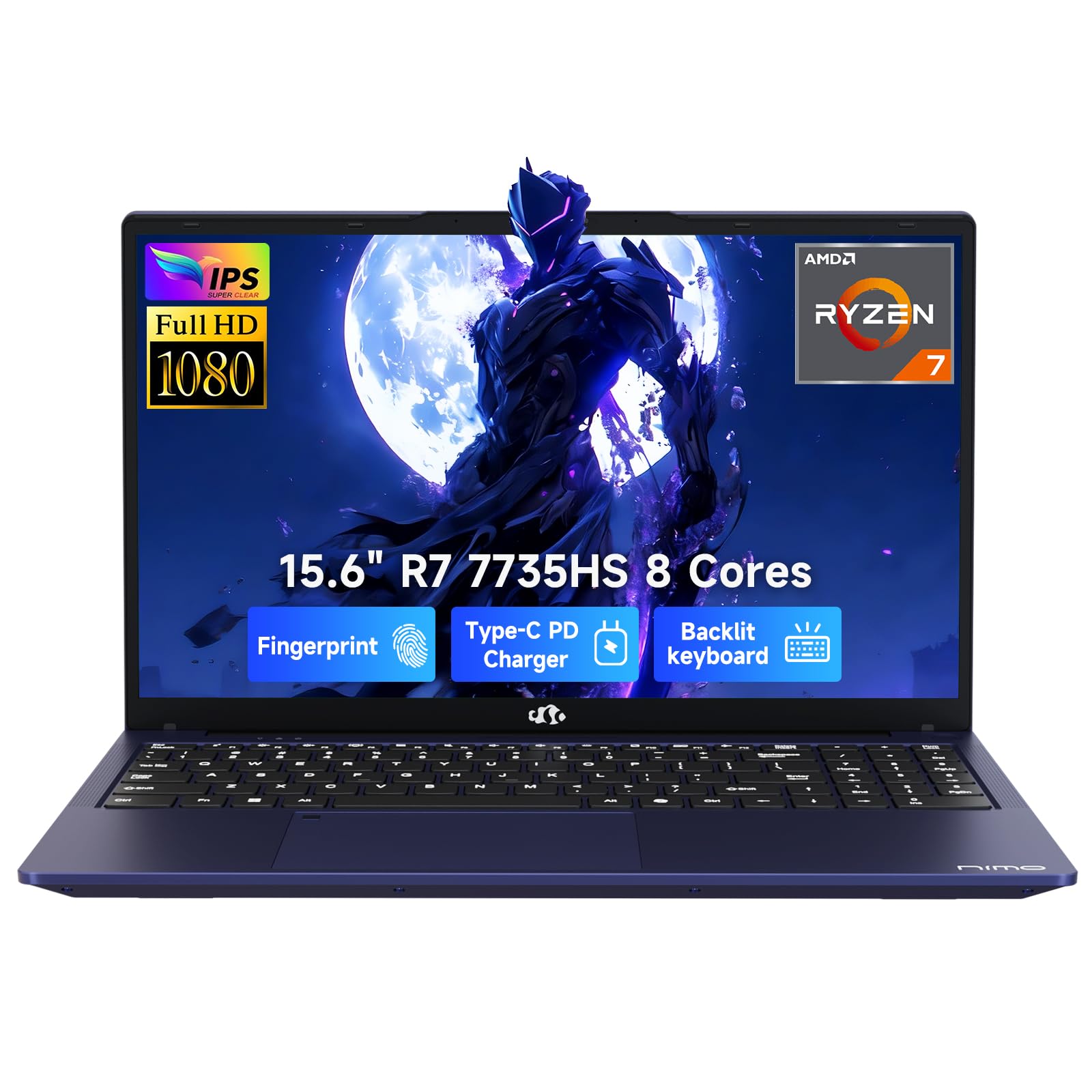
The NIMO gaming laptop bridges the gap between study and play for the college student who wants to game without carrying a bulky desktop replacement. Driven by an AMD Ryzen 7 7735HS processor and Radeon 680M graphics based on RDNA 2 architecture, this machine handles light esports titles like Fortnite, Valorant, and Rocket League at playable frame rates, while also accelerating photo editing in Lightroom and casual video editing. The 16GB DDR5 RAM and 1TB PCIe SSD provide snappy app loading and enough storage for a game library and project files.
The 15.6-inch Full HD IPS display with a 180° lay-flat hinge makes it easy to share screens during group study sessions. The backlit keyboard is comfortable for late-night typing, and the integrated fingerprint sensor on the touchpad provides instant secure login in busy library environments. The 100W Type-C PD fast charging means you can recharge quickly between classes, and the 2-year manufacturer’s warranty offers peace of mind for a four-year college investment.
Battery life is a significant compromise here — under gaming loads, the 53.58Wh battery drains quickly, lasting barely over an hour. You will need to stay near an outlet for anything beyond casual web browsing. The chassis, while thin, does not feel as premium as aluminum competitors, and the fan noise is noticeable during gaming sessions.
Why it’s great
- Radeon 680M GPU handles light gaming and creative work
- Fast 100W PD charging and generous 2-year warranty
- 180° lay-flat hinge for easy screen sharing
Good to know
- Battery life is poor under load
- Fan noise can be distracting during gaming
5. Dell 15 Laptop DC15250

The Dell 15 DC15250 is a straightforward, no-nonsense laptop for the student who just needs things to work. The 13th Gen Intel Core i5-1334U processor, 16GB DDR4 RAM, and 512GB SSD deliver snappy performance for word processing, spreadsheet management, and media streaming. The standout feature here is the 15.6-inch FHD display with a 120Hz refresh rate — scrolling through long PDFs and web pages feels noticeably smoother than on standard 60Hz screens, reducing eye strain during extended reading sessions.
The lifted hinge design provides an ergonomic typing angle that reduces wrist fatigue during those five-page essay marathons. Dell’s ComfortView software filters blue light emissions to keep your eyes feeling fresh during late-night study sessions. The numeric keypad is a welcome addition for finance and accounting majors who enter data frequently. Dell includes a 1-year onsite service warranty, meaning a technician will come to your dorm or home if something breaks.
The thermal management on some units has raised concerns — a few users report the bottom and keyboard area getting uncomfortably hot under sustained loads, and the fan can be inconsistent. There is no fingerprint reader, so you will rely on passwords for login. The chassis, while functional, uses more plastic than the premium Dell XPS line.
Why it’s great
- 120Hz FHD display for smooth scrolling
- Comfortable ergonomic typing design
- 1-year onsite service warranty included
Good to know
- Some units report thermal management issues
- No fingerprint reader for quick login
6. ASUS Vivobook 16″ WUXGA Laptop
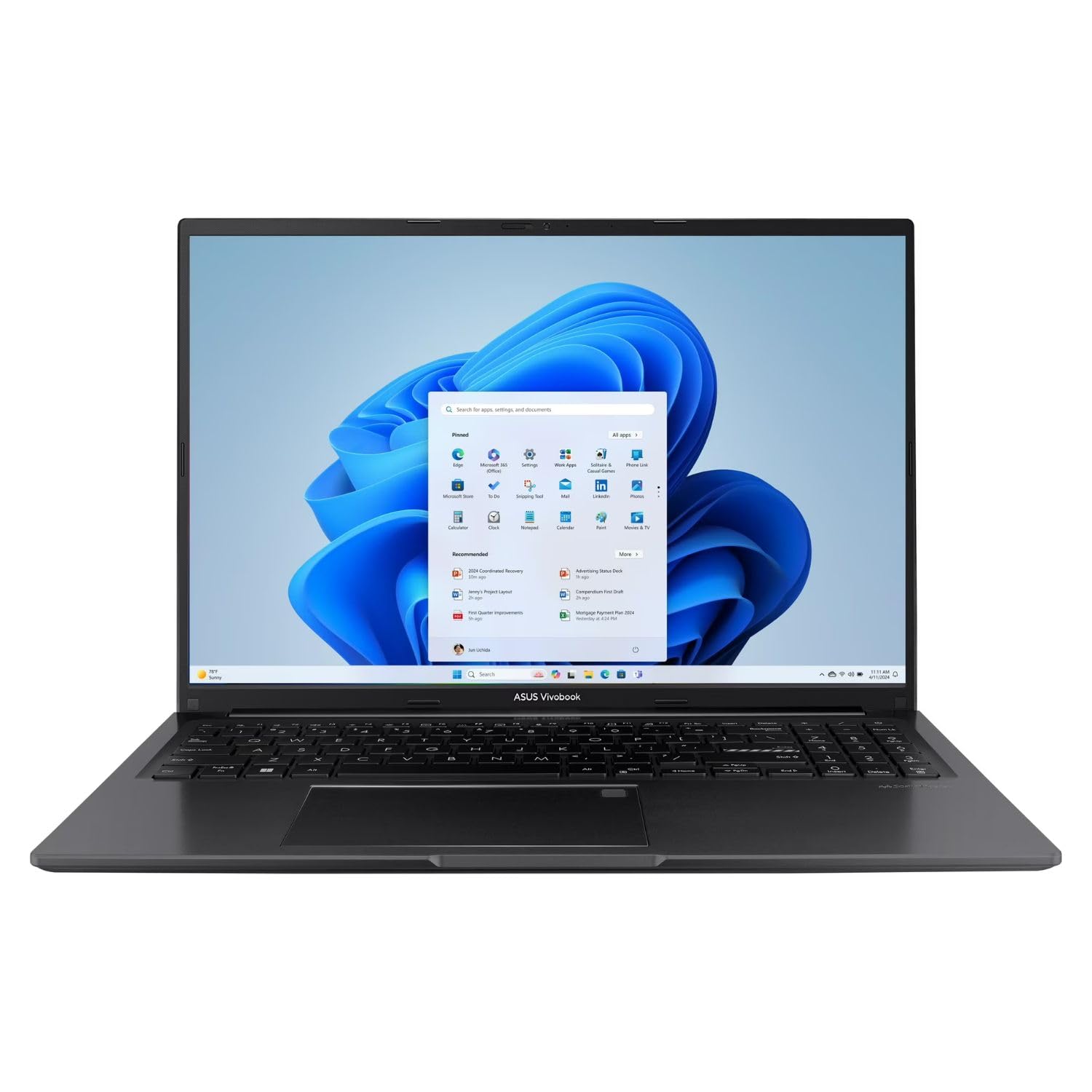
The ASUS Vivobook 16 packs a 13th Gen Intel Core i7-1355U processor into a slim chassis, offering performance that rivals many desktop setups. With 16GB of RAM and a 512GB SSD, it breezes through multitasking — from compiling code to running virtual machines for network engineering classes. The 16-inch WUXGA (1920×1200) display provides a touch more vertical real estate than standard FHD screens, which is a genuine productivity boost when editing long documents or comparing research data.
The Intel Iris Xe integrated graphics deliver smooth visuals for streaming and light photo editing, though they are not suitable for modern gaming. The chassis is finished in Indie Black with a minimalist aesthetic that looks professional in both lecture halls and study lounges. WiFi 6 and Bluetooth 5.1 keep connectivity fast and stable on crowded campus networks. The port selection includes USB-C, USB-A, HDMI, and a microSD card reader, covering the essentials without needing a dongle.
The 16-inch form factor, while offering more screen space, is slightly bulkier than 15-inch rivals and may not fit comfortably in smaller backpack sleeves. Battery life is respectable at around 7-8 hours under mixed use, but power users running demanding applications will need to charge by mid-afternoon. The speakers are adequate for YouTube but lack the bass for an immersive movie experience.
Why it’s great
- Powerful Core i7-1355U for demanding workloads
- 16-inch WUXGA display with extra vertical space
- Versatile port selection without dongles needed
Good to know
- Larger form factor may not fit all backpacks
- Battery life average for the size and specs
7. HP 15.6″ FHD Laptop 2026 Edition

The HP 15.6-inch 2026 Edition is the storage champion for students who accumulate massive media libraries, project files, and software installations. The 1TB internal SSD is double the baseline capacity of most budget laptops, meaning you will not need an external drive until well into your junior year. The Intel N100 processor and 16GB RAM handle everyday tasks like web browsing, Office for web, and lecture streaming without hiccups, though it is not designed for heavy gaming or video editing.
Weighing just 3.64 pounds, it is impressively portable for a 15.6-inch laptop with such a large drive. The anti-glare display reduces reflections in bright lecture halls, and the full-size keyboard with numeric keypad makes data entry comfortable. WiFi 6 ensures stable connections even on congested campus networks, and the long battery life with quick charge keeps you going through back-to-back classes. The Copilot button provides one-touch access to AI assistance for drafting emails or generating study notes.
The Intel N100 is a budget-oriented processor, so do not expect blazing performance for anything beyond basic productivity and streaming. The display is standard FHD with lower brightness (around 250 nits), which can feel dim in very bright environments. Some units have reported start-up issues, so check the return policy carefully. This is a smart pick for students whose primary work is writing, research, and Office applications.
Why it’s great
- Generous 1TB SSD for massive storage needs
- Lightweight 3.64 lbs for a 15.6-inch laptop
- Includes Copilot key and quiet fan operation
Good to know
- Intel N100 processor is entry-level
- Display brightness is lower than premium panels
8. Apple 2026 MacBook Neo 13-inch

The MacBook Neo 13-inch is Apple’s answer to the student laptop market, offering the company’s signature build quality and ecosystem integration at a lower price point than the MacBook Air. The A18 Pro chip delivers M1-rivaling performance for everyday tasks, from Safari browsing and Pages document editing to light photo editing in Pixelmator. The 13.3-inch Liquid Retina display at 500 nits brightness is sharp, vibrant, and color-accurate, making it a joy for reading PDFs and watching lectures.
The fanless design means the Neo runs completely silent during study sessions in the library or coffee shop. The all-day battery life reaches up to 16 hours, easily surviving a full day of classes, note-taking, and streaming. The 1080p FaceTime HD camera and dual-mic array provide crisp video call quality for Zoom lectures. The aluminum chassis is available in four colors — Silver, Blush, Citrus, and Indigo — with a color-coordinated keyboard for a cohesive aesthetic. Apple Intelligence built into macOS helps summarize notes, draft messages, and manage schedules locally.
The 8GB of unified memory is not upgradeable, so heavy multitaskers or users running multiple virtual machines will hit the ceiling. The base model lacks a backlit keyboard and Touch ID, which are notable omissions for the price. The port selection is limited to two USB-C ports and a headphone jack, meaning you will likely need a dongle for HDMI, SD cards, or USB-A peripherals. This is a great fit for students deeply embedded in the Apple ecosystem with an iPhone and iPad.
Why it’s great
- Fanless design runs completely silent
- Stunning 500-nit Liquid Retina display
- 16-hour battery for all-day use
Good to know
- Non-upgradeable 8GB memory limits heavy multitasking
- Limited ports and no backlit keyboard on base model
9. HP 17.3″ Laptop, HD+ Display

The HP 17.3-inch laptop is built for students who want the most screen real estate without moving to a desktop setup. The 17.3-inch HD+ (1600×900) display with an anti-glare coating is excellent for spreadsheet-heavy courses, side-by-side document comparison, and immersive movie streaming in the dorm. The AMD Ryzen 5 7520U quad-core processor paired with 16GB of LPDDR5 RAM and a 512GB SSD handles productivity tasks smoothly, from Microsoft Office to web research with dozens of tabs.
The lift-hinge design raises the keyboard to a comfortable typing angle, reducing wrist fatigue during long writing sessions. The HP True Vision HD camera with AI noise reduction ensures your voice comes through clearly during Zoom lectures, even in noisy environments. The numeric keypad is a must-have for students in finance, accounting, or data-entry-heavy courses. HP has incorporated ocean-bound recycled plastic in the bezel and speaker enclosures, which appeals to environmentally conscious students.
The HD+ resolution (1600×900) is noticeably less sharp than Full HD panels — text and images lack the crispness of FHD displays. At over five pounds, this is not a laptop you want to carry across campus daily. The 7.15-hour battery life is average, and the large chassis demands a bigger backpack compartment. This is best suited for students who primarily work in one location, like a dorm room or apartment study desk.
Why it’s great
- Massive 17.3-inch screen for productivity
- Ergonomic lift-hinge design for comfortable typing
- AI noise reduction for clear video calls
Good to know
- HD+ resolution is less sharp than FHD
- Heavy at over 5 lbs for daily carry
10. Acer Aspire Go 15 AI Ready Laptop

The Acer Aspire Go 15 offers an incredible processor-to-price ratio that budget-conscious students should not ignore. The AMD Ryzen 7 7730U processor with Radeon integrated graphics delivers multi-core performance that rivals Intel Core i7 chips at a significantly lower cost. Paired with 16GB of DDR4 RAM and a 512GB PCIe Gen4 SSD, this laptop breezes through programming IDEs, data analysis in Python, and casual gaming like The Sims 4 and City Skylines without stuttering.
The 15.6-inch Full HD IPS display with narrow bezels provides an immersive viewing experience for streaming lectures and movies. Acer’s BluelightShield technology reduces blue light emission to lessen eye strain during late-night study sessions. The full-function USB Type-C port supports fast charging and video output, while WiFi 6 and HDMI 2.1 ensure fast data transfers and crisp external display connections. The Copilot key gives one-touch access to AI assistance for summarizing notes or drafting emails.
Some users have reported the speakers lacking volume even at maximum settings, making external speakers or headphones necessary for media consumption. The chassis, while serviceable, uses plastic rather than premium metal, though this keeps the weight reasonable. The screen has a slight yellow tint out of the box that requires disabling the default eye shield setting. Battery life is decent but not exceptional at around 7-8 hours under mixed use.
Why it’s great
- Excellent Ryzen 7 processor for the price
- 16GB RAM handles heavy multitasking
- Full-function USB-C port with fast charge
Good to know
- Speakers can be quiet at maximum volume
- Plastic chassis lacks premium feel
11. Lenovo 2026 Premium Business & Student Laptop

The Lenovo 2026 Premium laptop is an ultra-portable workhorse that proves lightweight does not mean underpowered. At just 3.51 pounds and 0.67 inches thin, it is one of the most backpack-friendly 15-inch laptops available, perfect for students running between dorms, lecture halls, and library study rooms. The 13th Gen Intel Core i5-13420H processor (8 cores, up to 4.6GHz) with 8GB DDR5 RAM provides solid performance for programming, online classes, and multitasking between research tabs and writing.
The 15.3-inch WUXGA (1920×1200) IPS display offers 11% more vertical pixels than standard FHD screens, meaning you see more rows in spreadsheets or lines of code without scrolling. The anti-glare coating keeps the screen legible in bright lecture halls. The full-size keyboard with numeric keypad simplifies data entry, and the 720p HD webcam with a physical privacy shutter ensures you stay secure during video calls. WiFi 6 and Bluetooth 5.2 keep connectivity fast on campus networks, and the MIL-STD-810H durability rating means this laptop can survive drops and bumps.
The 8GB of RAM is the minimum recommended for college use — heavy multitaskers running multiple virtual machines or dozens of browser tabs will feel the bottleneck. The battery life, while advertised as all-day, typically delivers around 6-7 hours under mixed use, requiring a mid-day charge for most students. The integrated graphics are not suitable for gaming or GPU-accelerated creative work. This is a smart pick for students who prioritize portability and durability above raw specs.
Why it’s great
- Ultra-light 3.51 lbs with MIL-STD-810H durability
- WUXGA display with extra vertical resolution
- Full keyboard with numeric keypad and privacy shutter
Good to know
- 8GB RAM may limit heavy multitasking
- Battery life is average at around 6-7 hours
FAQ
Is a touchscreen necessary for a college laptop?
How much battery life do I really need for a full day of classes?
Should I choose a 14-inch or 15.6-inch laptop for college?
Final Thoughts: The Verdict
For most students, the best computer for college winner is the GEEKOM GeekBook X16 Pro because its combination of a powerful Ultra 9 processor, massive 32GB RAM and 2TB SSD, ultra-light magnesium alloy chassis, and stunning 16-inch 2.5K display makes it a four-year investment that will handle any major’s workload. If you want a more budget-friendly option with excellent multitasking performance, grab the Acer Aspire Go 15. And for students deeply embedded in the Apple ecosystem who value silent operation and long battery life, nothing beats the Apple MacBook Neo 13-inch.

Mo Maruf
I created WellFizz to bridge the gap between vague wellness advice and actionable solutions. My mission is simple: to decode the research and give you practical tools you can actually use.
Beyond the data, I am a passionate traveler. I believe that stepping away from the screen to explore new environments is essential for mental clarity and physical vitality.