Our readers keep the lights on and my smoothie glass nicely filled. As an Amazon Associate, I earn from qualifying purchases.
The churn of spreadsheets, the lag of video calls, the anxiety of a crashing deadline — your business machine should be the anchor, not the anchor pulling you down. Choosing the wrong computer for daily professional use isn’t just a bad purchase; it’s a persistent tax on your time and focus. This guide cuts through the marketing gloss to find the hardware that actually earns its keep in a demanding work environment.
I’m Mohammad Maruf — the founder and writer behind WellFizz. I’ve spent hundreds of hours analyzing processor architectures, RAM configurations, storage types, and chassis durability to separate genuine business-grade performance from consumer hype.
Your business machine should fade into the background, letting you focus on the work that matters. After deep analysis of dozens of models, I’ve pinpointed the best computer for business that balances raw speed with the reliability your daily operations demand.
How To Choose The Best Computer For Business
A business computer is a tool for production, not just consumption. Prioritizing specs that speed up your workflow — and ignoring those that don’t — is the key to a smart investment. Focus on the components that directly impact your daily tasks.
Processor and Platform: The Brains of Your Operation
The CPU is the engine. For business, look at the latest generation chips — Intel Core Ultra (Series 2) or 13th/14th Gen, AMD Ryzen 7000 series, or Apple’s M4. These offer significant gains in efficiency and AI acceleration for features like Windows Copilot. A Core i5 or Ryzen 5 is often sufficient for standard office work, while a Core i7 or Ryzen 7 is better for heavy data analysis, coding, or virtualization. Do not buy an old-gen processor just for a lower price; the performance gap in multi-tasking is substantial.
RAM and Storage: Your Digital Workspace
16GB of RAM is the new minimum for seamless business multitasking. 8GB will cause slowdowns with multiple browser tabs, spreadsheets, and communication apps open simultaneously. For storage, a 512GB PCIe NVMe SSD is the baseline. 1TB is recommended for professionals who handle large files. Avoid models with eMMC storage or older SATA SSDs, as they are dramatically slower.
Connectivity, Security, and Build Quality
A business machine must be a reliable hub. Look for Thunderbolt 4 / USB4 ports for fast data and display connections, an HDMI port for monitors, and Wi-Fi 6E or 7 for wireless speed. Security features like a TPM 2.0 chip, fingerprint reader, IR camera for Windows Hello, and a physical webcam shutter are non-negotiable for protecting sensitive data. A durable chassis and a comfortable, spill-resistant keyboard are essential for all-day use.
Quick Comparison
On smaller screens, swipe sideways to see the full table.
| Model | Category | Best For | Key Spec | Amazon |
|---|---|---|---|---|
| Lenovo ThinkPad E16 Gen 3 | Premium Laptop | High-performance power user | Intel Ultra 7, 32GB DDR5, 2TB SSD | Amazon |
| Apple MacBook Air M4 | Premium Laptop | Ecosystem-focused professionals | Apple M4 chip, 16GB Unified Memory | Amazon |
| LG Gram 17 | Ultra-Portable | Mobile professionals on the go | Intel Ultra 7, 32GB RAM, 2TB SSD | Amazon |
| Microsoft Surface Laptop | Premium Laptop | Creative business users | Snapdragon X Plus, 16GB RAM | Amazon |
| HP EliteBook Business | Premium Laptop | Enterprise security and durability | Intel Ultra 7, 32GB DDR5, 1TB SSD | Amazon |
| Dell Tower ECT1250 | Desktop Tower | Multi-monitor office workstation | Intel Ultra 7, 32GB Memory, 1TB SSD | Amazon |
| Lenovo V15 Business | Mid-Range Laptop | Budget-conscious multitasker | AMD Ryzen 7, 40GB RAM, 1TB SSD | Amazon |
| HP Pro Tower 290 G9 | Desktop Tower | Reliable business desktop | Intel i5-12500, 16GB RAM, 512GB SSD | Amazon |
| Apple MacBook Neo | Mid-Range Laptop | Everyday productivity in macOS | A18 Pro chip, 8GB Unified Memory | Amazon |
| HP 15.6″ FHD 2026 Edition | Value Laptop | Students and home office | Intel N100, 32GB RAM, 1TB SSD | Amazon |
| Dell Slim Desktop ECS1250 | Desktop Tower | Space-saving office desktop | Intel Ultra 5, 16GB Memory, 512GB SSD | Amazon |
| Lenovo V14 G5 Hybrid | Budget Laptop | Portable budget workhorse | Core 7-240H, 16GB RAM, 512GB SSD | Amazon |
| Alienware 16 Aurora | Performance Laptop | Demanding creative workloads | Core 7-240H, RTX 5060, 1TB SSD | Amazon |
In‑Depth Reviews
1. Lenovo ThinkPad E16 Gen 3

The Lenovo ThinkPad E16 Gen 3 is the benchmark for serious business computing. It packs an Intel Core Ultra 7 255H processor with 16 cores, delivering the raw AI-accelerated power needed for heavy data analysis, virtualization, and massive spreadsheet crunching without a stutter. The 32GB of DDR5 RAM and 2TB PCIe SSD ensure you never hit a bottleneck, even with dozens of applications open.
ThinkPad DNA is evident in its robust build, the legendary spill-resistant keyboard, and a full complement of enterprise ports including Thunderbolt 4, HDMI 2.1, and an RJ-45 Ethernet jack. Security is paramount with a fingerprint reader integrated into the power button and a physical webcam shutter, all running Windows 11 Pro for advanced data protection.
This machine feels purpose-built for the professional who demands uncompromising performance and reliability. While its premium build makes it slightly heavier than an ultraportable, the sheer processing ability and storage capacity make it the ultimate mobile workstation for demanding roles.
Why it’s great
- Exceptional Intel Ultra 7 performance with AI boost
- Massive 2TB SSD and 32GB DDR5 RAM for zero-lag multitasking
- Outstanding build quality and ThinkPad keyboard
Good to know
- Higher price point reflects its premium positioning
- Speakers are adequate but not exceptional for media
2. Apple 2025 MacBook Air 13-inch with M4

The MacBook Air with the M4 chip represents a paradigm of silent, efficient power. Its fanless design means zero noise in quiet offices, while the 16-core Neural Engine accelerates AI tasks like real-time transcription and image processing in compatible apps. The 13.6-inch Liquid Retina display with support for a billion colors makes long hours of reading and data entry significantly less fatiguing.
Battery life is a standout feature, delivering up to 18 hours on a single charge — enough to power through a full workday and then some. The 12MP Center Stage camera keeps you framed perfectly during video calls, and the three-mic array captures your voice with crystal clarity. The 16GB of unified memory ensures smooth multitasking between productivity suites and communication tools.
For professionals already embedded in the Apple ecosystem, the seamless handoff with iPhone and iPad is a genuine productivity multiplier. The 256GB base SSD is the primary compromise for storage-heavy users, but for cloud-centric workflows, this is an exceptionally refined and portable business tool.
Why it’s great
- Blazing-fast M4 performance with silent, fanless operation
- Excellent 18-hour battery life for all-day work
- Premium build quality and exceptional display
Good to know
- Base model storage is limited to 256GB SSD
- Limited port selection, requiring dongles for some peripherals
3. LG 2025 Gram 17

The LG Gram 17 defies physics, packing a massive 17-inch WQXGA touchscreen into a chassis that weighs just 3.2 pounds. This makes it the ultimate machine for professionals who need maximum screen real estate for spreadsheets, coding, or design work without the back-breaking weight of a traditional 17-inch laptop. The Intel Core Ultra 7 processor and 32GB of RAM handle complex multitasking with ease.
The inclusion of a full port suite — two Thunderbolt 4 ports, HDMI 2.1, and a USB-A port — is a rare and welcome feature in an ultrabook, eliminating the need for a docking station for most setups. The 2TB SSD provides ample local storage, and the Wi-Fi 7 connectivity is future-proof for high-speed wireless networking. The anti-glare coating makes it usable even in brightly lit environments.
Battery life is impressive for a large-screen machine, often lasting a full workday. The trade-off for the incredible lightness is a chassis that, while durable, doesn’t feel as rigid as a MacBook Pro or ThinkPad. However, for the road warrior who values screen size and portability above all else, the Gram 17 is in a league of its own.
Why it’s great
- Incredibly light 3.2-pound design for a 17-inch screen
- Excellent port selection with Thunderbolt 4 and HDMI
- Massive 2TB storage and fast Intel Ultra 7 performance
Good to know
- Build feels slightly less premium than some competitors
- Speaker placement on the bottom can muffle sound
4. Microsoft Surface Laptop (2024)

The 2024 Surface Laptop marks a bold shift to ARM architecture with the Snapdragon X Plus chip, delivering excellent performance and impressive battery life in a thin, elegant form factor. The 13.8-inch PixelSense touchscreen with a unique 3:2 aspect ratio offers more vertical screen space, which is a genuine advantage for document editing and web browsing. The 120Hz refresh rate makes scrolling feel incredibly smooth.
This is a true Copilot+ PC, designed to leverage on-device AI for tasks like Windows Studio Effects and real-time captions. The all-day battery life (over 15 hours in testing) is a major selling point, as is the premium build quality with a magnesium-aluminum chassis. The keyboard and haptic trackpad are best-in-class, rivaling the MacBook Air for typing comfort.
The primary consideration is software compatibility. As an ARM-based Windows machine, some legacy x64 applications may not run perfectly or require emulation. For users whose workflow relies entirely on modern, cloud-based apps (browsers, Office 365, Teams, Slack), this is a fantastic choice. For those needing niche, older x86 software, thorough compatibility checks are essential.
Why it’s great
- Excellent battery life and instant-on functionality
- Best-in-class build, keyboard, and haptic trackpad
- Stunning 13.8-inch 120Hz touchscreen display
Good to know
- ARM architecture may have compatibility issues with some software
- Base storage (256GB) fills up quickly for some users
5. HP EliteBook Business Laptop

The HP EliteBook lineup is the gold standard for enterprise deployment, and this configuration reinforces that reputation. With an Intel Core Ultra 7 processor, 32GB of DDR5 RAM, and a 1TB PCIe SSD, it delivers the horsepower needed for demanding business applications. The 32GB of RAM ensures even the most bloated of corporate software suites run smoothly, while the 1TB drive offers ample local storage for projects.
Security is the defining feature of this machine. It includes a fingerprint reader, an IR camera for Windows Hello, a physical webcam shutter, and a TPM 2.0 chip. The spill-resistant backlit keyboard and durable chassis are built for the rigors of daily business travel. The inclusion of Thunderbolt 4 and HDMI 2.1 provides excellent docking and display flexibility.
This is a machine where reliability and manageability are prioritized over flashy design. It’s built for IT departments and professionals who need a laptop that can be deployed at scale, secured out of the box, and survive a bumpy commute. While it may not be the slimmest or lightest option, its focus on security and durability makes it a top-tier choice for corporate environments.
Why it’s great
- Enterprise-grade security features (fingerprint, IR, shutter)
- Robust, spill-resistant build for travel durability
- Strong performance with Intel Ultra 7 and 32GB RAM
Good to know
- Design is more utilitarian than consumer-oriented laptops
- Heavier and thicker than ultraportable alternatives
6. Dell Tower Desktop ECT1250

When a laptop’s thermal limits and portability trade-offs aren’t acceptable, the Dell Tower Desktop ECT1250 delivers uncompromising stationary power. The Intel Core Ultra 7-265 processor with its 20 cores (performance + efficient cores) crushes through CPU-intensive tasks like compiling code, financial modeling, and running multiple virtual machines. The 32GB of memory ensures massive headroom for each process.
The true strength of this desktop lies in its expandability and multi-monitor support. It can drive up to four FHD or two 4K displays via its DisplayPort and HDMI 2.1 ports, creating a command-center-level workspace. The tool-less entry makes upgrading the RAM or adding storage incredibly easy. It is whisper-quiet, barely audible even under sustained load, which is crucial for a distraction-free office environment.
The 1TB NVMe SSD provides fast boot times and plenty of space. The included wired keyboard and mouse are adequate for immediate setup. This is the ideal solution for a fixed desk where maximum performance, silence, and future-proofing are the highest priorities, without the extra cost and compromise of a portable system.
Why it’s great
- Blazing-fast Intel Ultra 7 20-core desktop processor
- Supports up to four monitors for an expansive workspace
- Near-silent operation and easy tool-less upgrades
Good to know
- Requires your own monitor, keyboard, and other peripherals
- Not portable; strictly a stationary workstation
7. Lenovo V-Series V15 Business

The Lenovo V-Series V15 is a spreadsheet warrior’s dream, offering a staggering 40GB of RAM at a mid-range price point. This massive memory capacity allows dozens of browser tabs, multiple Office documents, Slack, Teams, and a database client to run simultaneously with zero judder. The AMD Ryzen 7 7730U processor provides powerful 8-core performance for sustained multitasking.
The 15.6-inch FHD display is spacious enough for comfortable split-screen work, and the inclusion of a numeric keypad is a boon for anyone who works extensively with data entry. The port selection is excellent for a budget-oriented business machine, featuring USB-C, HDMI, and an RJ-45 Ethernet port, ensuring wired network connectivity when Wi-Fi is unreliable.
There are some compromises to hit this price point. The display’s color accuracy and contrast are not exceptional, and the keyboard lacks a backlight. The build, while solid, is more utilitarian than premium. However, for a focused investment in pure multitasking capability, the 40GB of RAM makes this an unbeatable value proposition for data-intensive professional workflows.
Why it’s great
- Exceptional 40GB RAM for heavy multitasking
- Fast AMD Ryzen 7 processor with capable integrated graphics
- Good port selection including RJ45 Ethernet
Good to know
- Display quality is serviceable but not vibrant
- Keyboard not backlit; power adapter uses USB-C port
8. HP Pro Tower 290 G9 Business Desktop

The HP Pro Tower 290 G9 is the definition of a dependable, no-fuss business desktop. Powered by a 12th Gen Intel Core i5-12500 with 6 performance cores, it delivers snappy performance for standard office applications, web browsing, and video conferencing. The 16GB of DDR4 RAM is sufficient for smooth daily multitasking with a moderate number of applications open.
This tower is built for the long haul with a robust power supply and a compact, space-saving design. It supports dual monitors via HDMI and VGA, and the inclusion of an RJ-45 Ethernet port ensures a stable network connection. Windows 11 Pro is pre-installed, offering business-focused management features. The wired keyboard and mouse included in the bundle get you started immediately.
For a small office, home office, or as a standardized unit for a company, this desktop offers excellent value and reliability. The 512GB SSD is fast for booting and applications. While it will struggle with heavy video editing or gaming, its single-core performance is excellent for the tasks a standard knowledge worker encounters daily.
Why it’s great
- Reliable performance for all standard office tasks
- Compact tower design fits easily into any workspace
- Affordable price with Windows 11 Pro included
Good to know
- Not suitable for demanding tasks like heavy video editing or gaming
- Limited upgrade path compared to full-sized towers
9. Apple 2026 MacBook Neo 13-inch

The MacBook Neo is Apple’s introduction to the Mac lineup for budget-conscious professionals and students. The A18 Pro chip delivers performance that rivals older M-series chips, making it snappy for all core productivity apps like Pages, Numbers, and Safari. The 13-inch Liquid Retina display is bright and sharp, and the design is characteristically sleek and durable.
Battery life is a strong point, with Apple claiming up to 16 hours. It can comfortably last a full workday. The 1080p FaceTime HD camera and dual-mic array ensure good call quality. However, the 8GB of unified memory is a limiting factor for heavy multitasking with several professional apps or many browser tabs open simultaneously.
The absence of a backlit keyboard on the base model and a limited port selection (likely only USB-C) are notable omissions. For a user whose workflow is entirely web-based and uses only standard Apple productivity apps, this is an excellent, affordable entry into the seamless Mac ecosystem. For power users, the MacBook Air M4 is a far better long-term investment.
Why it’s great
- Excellent performance for the price with the A18 Pro chip
- All-day battery life for unplugged productivity
- Beautiful design and bright Liquid Retina display
Good to know
- 8GB unified memory is a bottleneck for heavy multitasking
- No backlit keyboard on the base configuration
10. HP 15.6″ FHD Laptop 2026 Edition

This HP 15.6-inch laptop is built for users who need ample RAM and storage without investing in a premium CPU. It features 32GB of RAM and a 1TB SSD, which are excellent for students or home office users handling large files, many browser tabs, and multiple Office applications simultaneously. The Intel N100 processor is a low-power chip suitable for these basic tasks.
The 15.6-inch FHD anti-glare display is comfortable for long study or work sessions, and the full-size keyboard with a numeric keypad is a plus for data entry. It offers a good selection of ports, including USB-C and HDMI, and Wi-Fi 6 ensures stable wireless connectivity. At just 3.64 pounds, it’s relatively portable for a 15.6-inch machine.
The major trade-off is the Intel N100 processor, which lacks the performance headroom of Core i5 or Ryzen 5 processors. It will handle office tasks and streaming fine but will struggle with heavy multitasking, professional-grade software, or anything beyond casual use. This is a budget-focused specification that prioritizes memory and storage capacity over raw processing power.
Why it’s great
- Generous 32GB RAM for smooth basic multitasking
- Massive 1TB storage for files and documents
- Lightweight for a 15.6-inch laptop, good for backpacks
Good to know
- Intel N100 processor is low-power, not for heavy workloads
- Lacks a touchscreen display
11. Dell Slim Desktop ECS1250

The Dell Slim Desktop ECS1250 is a stylish, compact tower that packs modern AI-accelerated performance. The Intel Core Ultra 5 processor with its built-in NPU offers a performance boost for productivity tasks and is more efficient than older chips. The 16GB of memory handles standard business multitasking with ease, making it a great replacement for an aging office PC.
Its slim profile is a major advantage for cluttered desks and small home offices. It supports up to four monitors via its DisplayPort and HDMI ports, which is fantastic for multi-tasking. The tool-less case design makes it incredibly easy to open up and upgrade the RAM or storage — a feature often missing in cheaper pre-builts. The included wired keyboard and mouse get you started right away.
This desktop is nearly silent in operation, a significant quality-of-life improvement over older, louder machines. While not designed for gaming, its integrated UHD graphics are more than capable for business graphics, 4K video streaming, and running dual displays. For a quiet, modern, and space-efficient desktop for standard office work, this is an excellent choice.
Why it’s great
- Modern Intel Ultra 5 processor with AI acceleration
- Ultra-quiet operation and sleek, slim design
- Supports multiple monitors with excellent connectivity
Good to know
- Integrated graphics not suitable for demanding games
- Limited GPU upgrade potential for workstation tasks
12. Lenovo V14 G5 Hybrid Work Laptop
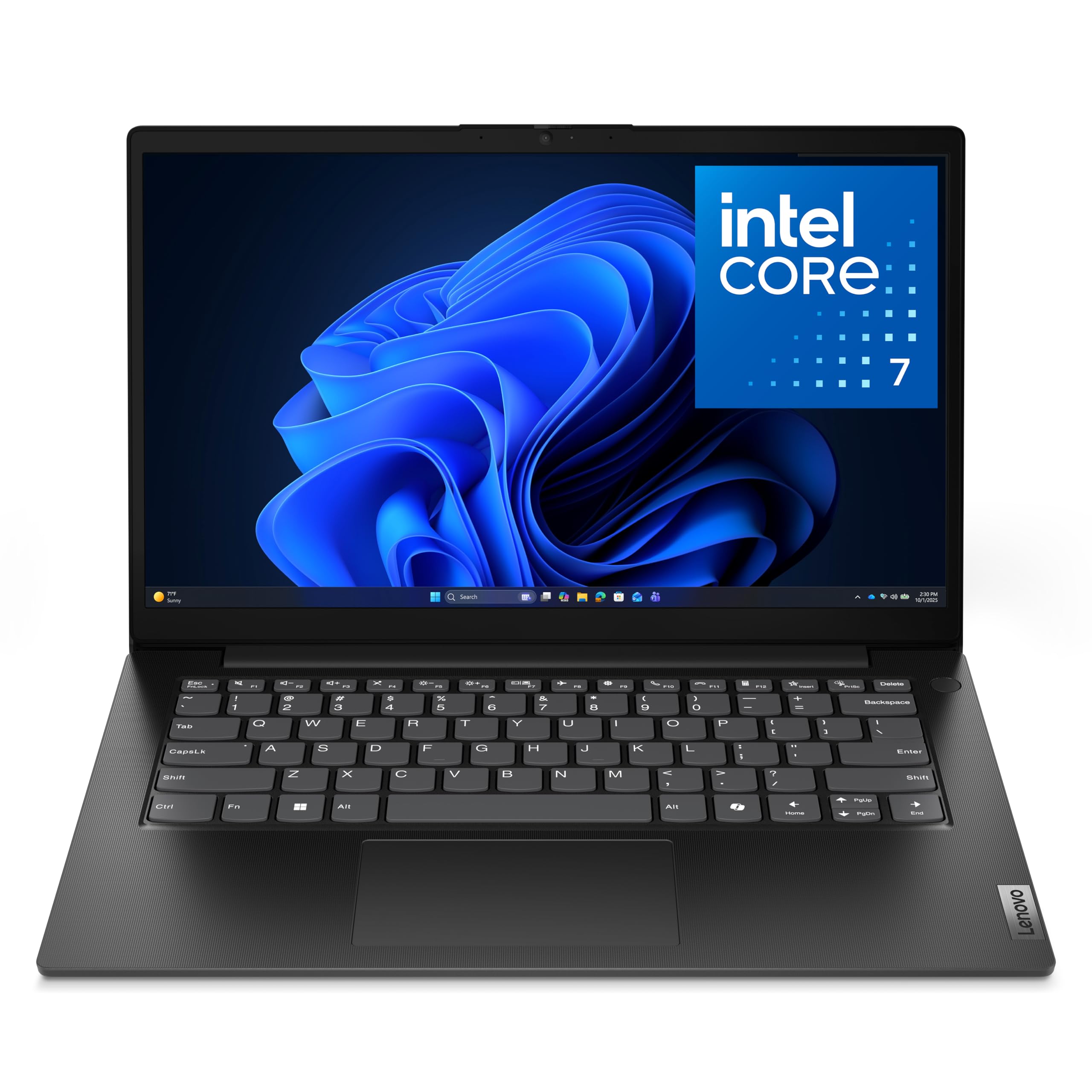
The Lenovo V14 G5 is an affordable entry-level business laptop that doesn’t skimp on the fundamentals. The Intel Core 7-240H processor provides capable performance for productivity apps like Office 365 and web browsing. 16GB of RAM is a welcome spec at this price point, ensuring that standard multitasking between a few apps is fluid. The 14-inch FHD display is sharp and clear for its class.
Security is addressed with a physical webcam shutter and a Kensington NanoSaver lock slot. The port selection is a highlight, including an RJ-45 Ethernet port, HDMI, and USB-C, providing essential connectivity for business peripherals without requiring a dongle. The inclusion of Wi-Fi 6 is good for modern wireless networks. The chassis is lightweight (under 4 pounds), making it portable.
Battery life is a notable weakness, with real-world use often yielding only 4-6 hours on a charge. The display and keyboard are decent but not premium. This machine is best suited for a user with a strict budget who needs a reliable, secure laptop with good ports for basic office functions and is mostly near a power outlet.
Why it’s great
- Excellent value with capable Core 7 processor and 16GB RAM
- Full business port selection including RJ45 Ethernet
- Webcam privacy shutter and Kensington lock slot
Good to know
- Below-average battery life of 4-6 hours
- Build and keyboard feel budget-oriented
13. Alienware 16 Aurora Laptop

The Alienware 16 Aurora is a gaming laptop by heritage, but its specifications make it a formidable business workstation for creative professionals. The NVIDIA GeForce RTX 5060 with 8GB of VRAM is a powerhouse for GPU-accelerated tasks like 3D modeling in SolidWorks, video editing in Premiere Pro, and high-res photo manipulation in Photoshop. The 16-inch 16:10 WQXGA display is excellent for these tasks.
Performance is exceptional, driven by an Intel Core 7-240H processor and 16GB of DDR5 RAM. The implementation of a 2560×1600 display with excellent color accuracy provides a expansive canvas for detailed work. The dedicated Cryo-Tech cooling system keeps the components running at peak performance during sustained loads, which is critical for rendering and exports.
The trade-offs are significant for a traditional office environment. The battery life is very short when performance is needed, the fans can be loud under load, and it is heavy (over 5 pounds). This is not a machine for a standard office worker or someone who needs all-day unplugged portability. It is a specialized tool for a professional whose primary requirement is raw graphical computing power.
Why it’s great
- Excellent RTX 5060 GPU for creative and design workloads
- High-resolution, high-refresh-rate 16-inch display
- Exceptional raw performance for demanding applications
Good to know
- Short battery life and heavy weight hinder portability
- Fans can be loud under sustained heavy load
FAQ
Is 8GB of RAM enough for a business computer in 2026?
Should I get a desktop or a laptop for my business?
What is the difference between a business laptop and a consumer laptop?
Final Thoughts: The Verdict
For most users, the best computer for business winner is the Lenovo ThinkPad E16 Gen 3 because its combination of a powerful Intel Ultra 7 processor, 32GB of RAM, a massive 2TB SSD, and legendary ThinkPad durability make it a flawless tool for any demanding professional. If you want absolute portability and an incredible display, grab the Apple MacBook Air M4. And for a stationary powerhouse that drives multiple monitors in near silence, nothing beats the Dell Tower Desktop ECT1250.

Mo Maruf
I created WellFizz to bridge the gap between vague wellness advice and actionable solutions. My mission is simple: to decode the research and give you practical tools you can actually use.
Beyond the data, I am a passionate traveler. I believe that stepping away from the screen to explore new environments is essential for mental clarity and physical vitality.