Our readers keep the lights on and my smoothie glass nicely filled. As an Amazon Associate, I earn from qualifying purchases.
Finding a single laptop that handles spreadsheet-heavy business tasks by day and streaming, browsing, or creative projects by night is the defining challenge of the modern hybrid worker. You need a machine that won’t stutter during a video conference with twelve tabs open, yet remains portable and quiet enough for the living room couch.
I’m Mohammad Maruf — the founder and writer behind WellFizz. I’ve spent hundreds of hours analyzing benchmark scores, build materials, port selections, and real-world user feedback to separate the true dual-purpose performers from the one-trick ponies.
Whether you require a powerful workstation for data analysis or a sleek ultraportable for client meetings, this guide breaks down the top contenders for a computer for business and personal use based on performance, durability, and everyday practicality.
How To Choose The Best Computer For Business And Personal Use
The line between a work machine and a personal device has blurred, but not every laptop bridges the gap well. You need a system that combines the security, reliability, and connectivity of a business laptop with the media-friendly features and design of a consumer model. Here’s what to prioritize.
Processor and RAM: The Multitasking Engine
A mid-range to premium Intel Core i5 or i7, AMD Ryzen 5 or 7, or the new Snapdragon X series is the baseline for smooth multitasking. For RAM, 16GB is the new minimum — it allows you to keep your CRM, email client, and a dozen browser tabs open alongside streaming music or a video editor. Power users running virtual machines or heavy data analysis will benefit from 32GB.
Display: Where Work Meets Play
A 15.6-inch or 16-inch Full HD (1920×1080) IPS panel offers a good balance of screen real estate and portability. For business, you want high brightness (300 nits or more) and anti-glare coating to work near a window. For personal use, look for wider color gamuts (like 100% sRGB) and higher refresh rates (120Hz) for smoother scrolling and better video playback.
Build Quality and Portability
Aluminum or magnesium alloy chassis feel more premium and dissipate heat better than plastic, making them ideal for long days on the go. Weight is a critical factor — a laptop under 4 pounds is much easier to carry between home and office. Battery life should comfortably exceed a full workday (8+ hours) to avoid hunting for an outlet during personal downtime.
Quick Comparison
On smaller screens, swipe sideways to see the full table.
| Model | Category | Best For | Key Spec | Amazon |
|---|---|---|---|---|
| Lenovo ThinkBook 16 Gen 8 | Business | Enterprise-level multitasking | 32GB DDR5 / 2TB SSD | Amazon |
| Microsoft Surface Laptop 2024 | Premium | AI-powered productivity | 15″ Touchscreen / 1TB SSD | Amazon |
| HP OmniBook 5 16 | AI PC | All-day battery & 2K display | 2K OLED / 34h battery | Amazon |
| ASUS ExpertBook P5 | Ultraportable | Frequent travelers | 2.84 lbs / 32GB LPDDR5X | Amazon |
| LG gram Pro 16 | Lightweight | Maximum portability & storage | 2.7 lbs / 2TB SSD | Amazon |
| HP EliteBook 6 16 | Business | Office data processing | Thunderbolt 4 / Win 11 Pro | Amazon |
| Dell Business Laptop 2026 | Mid-Range | Power users on a budget | Ryzen 7 / 32GB DDR5 | Amazon |
| Samsung Galaxy Book4 | Mid-Range | Multimedia & multitasking | Intel Core 7 / 512GB SSD | Amazon |
| Acer Aspire 16 AI | AI PC | Copilot+ features & style | 120Hz Display / 16GB RAM | Amazon |
| HP 17.3″ Laptop | Mid-Range | Large screen & value | 17.3″ FHD / 16GB DDR4 | Amazon |
| Dell 15 Laptop | Mid-Range | Everyday computing | 120Hz Display / 16GB RAM | Amazon |
| Apple MacBook Neo 13 | Entry-level | Apple ecosystem users | A18 Pro / 512GB SSD | Amazon |
| Lenovo V15 Gen 4 | Value | Budget-friendly reliability | i5-13420H / Windows 11 Pro | Amazon |
In‑Depth Reviews
1. Lenovo ThinkBook 16 Gen 8

The Lenovo ThinkBook 16 Gen 8 is the definition of an uncompromising hybrid machine. With a 16-core Intel Ultra 7 255H processor and 32GB of DDR5 RAM, it handles everything from complex database work and 3D rendering to streaming 4K video without breaking a sweat. The 2TB PCIe SSD means you can store your entire project library and personal media collection locally.
The 16-inch FHD+ display (1920×1200) offers extra vertical space for spreadsheets and coding, while the anti-glare coating keeps reflections at bay in bright offices or coffee shops. The inclusion of Wi-Fi 6E and Bluetooth 5.3 ensures your video calls remain stable, and the fingerprint reader with Windows 11 Professional provides enterprise-level security for sensitive work data.
Users consistently praise its speed and quiet operation, even when running multiple external monitors. The build quality is typical Lenovo — sturdy, durable, and designed for years of daily use. It’s a heavy lifter that feels equally at home in a corporate IT environment as it does on a home desk.
Why it’s great
- 32GB DDR5 RAM and 2TB SSD handle any workload.
- Intel Ultra 7 with AI acceleration for modern apps.
- Windows 11 Pro with fingerprint reader offers strong security.
Good to know
- Heavier than ultraportable competitors.
- Integrated graphics, not for heavy gaming.
2. Microsoft Surface Laptop 2024

The Microsoft Surface Laptop has always set the standard for design and build quality, and the 2024 Copilot+ PC version raises the bar. Powered by the Snapdragon X Elite (12-core) chip, it delivers performance that beats the MacBook Air M3 in multi-threaded tasks, all while remaining completely silent thanks to its fanless design. The 15-inch PixelSense touchscreen is stunning, with bright HDR support and a razor-thin bezel.
Battery life is exceptional, offering up to 20 hours of video playback, which means it easily lasts through a full workday and a long evening of personal browsing without needing a charge. The NPU (Neural Processing Unit) enables advanced AI features like Windows Studio Effects, which automatically adjusts your webcam framing and background blur during meetings — a real productivity booster for remote workers.
The main caveat is the ARM architecture, which means some legacy x86 applications or niche games may not run natively. However, for standard business apps (Office, web browsers, Slack) and personal use (streaming, photo editing), the Surface Laptop is incredibly fast, portable, and a joy to use. Its premium aluminum body feels fantastic, and the 1TB SSD provides ample storage for both work files and personal projects.
Why it’s great
- Stunning 15″ touchscreen with outstanding battery life.
- Fanless design means silent operation at all times.
- AI-powered camera features for professional video calls.
Good to know
- ARM chip limits compatibility with some software.
- Premium price point for the high-end configuration.
3. HP OmniBook 5 16

The HP OmniBook 5 16 is a revelation for users who need a beautiful display and marathon battery life. Its 2K (1920×1200) OLED panel delivers inky blacks and vibrant colors, making it perfect for creative professionals who need accurate color grading for personal photo projects, as well as those who simply enjoy premium movie-watching experiences. The Snapdragon X X1-26-100 processor is incredibly power-efficient.
HP claims up to 34 hours and 45 minutes of battery life, and real-world tests consistently show it can power through multiple full workdays of productivity tasks, email, and web browsing. The 65W fast charger can bring it from 0 to 50% in about 30 minutes, minimizing downtime. The aluminum chassis feels premium and the 180-degree lie-flat hinge adds versatility for presentations.
While the ARM-based processor is great for efficiency, it may struggle with some legacy x86 business applications or demanding video editing software. The Otter.ai integration is a unique bonus for note-taking professionals. Overall, this is the best choice if display quality and battery stamina are your top priorities for a dual-use machine.
Why it’s great
- Stunning 2K OLED display with excellent color accuracy.
- Unmatched battery life lasting well over a full day.
- Premium, thin aluminum design with fast charging.
Good to know
- ARM chip may limit some software compatibility.
- Limited to 16GB of soldered RAM, no upgrade path.
4. ASUS ExpertBook P5

The ASUS ExpertBook P5 is an ultraportable powerhouse designed for the mobile professional. Weighing just 2.84 pounds and measuring a mere 0.65 inches thin, it’s incredibly easy to slip into a bag alongside personal items. Despite its size, it packs 32GB of LPDDR5X RAM and a 1TB SSD, ensuring you can handle heavy multitasking without slowdowns whether you’re in a WeWork or at a kitchen table.
The 14-inch WQXGA (2560×1600) non-touch display is sharp and detailed, with excellent brightness and color reproduction. The Intel Core Ultra 7 258V processor with Intel AI Boost NPU (up to 47 TOPS) is ideal for AI-assisted tasks and light creative work. The all-metal chassis feels surprisingly robust, and the 180-degree hinge is a practical touch for collaborative sessions.
User feedback highlights its quiet fan operation and strong battery life, allowing for a full day of work and an evening of streaming. The lack of hyperthreading is its only potential weakness for heavily parallel tasks, but for 95% of business and personal use, this laptop is a phenomenal balance of power, portability, and premium feel.
Why it’s great
- Extremely lightweight and thin for easy portability.
- Sharp 14″ 2560×1600 display with 144Hz refresh rate.
- Powerful Intel Ultra 7 with ample 32GB RAM.
Good to know
- Lacks hyperthreading for some professional workloads.
- Down-firing speakers are adequate, not exceptional.
5. LG gram Pro 16

The LG gram Pro 16 is the ultimate statement in portable performance. At just 2.7 pounds, it is one of the lightest 16-inch laptops on the market, making it effortless to carry between home and office. It doesn’t sacrifice power, featuring an Intel Core Ultra 7 258V processor, 32GB of RAM, and a massive 2TB SSD — enough storage for a vast business archive and a personal movie or photo collection.
The 16-inch IPS display is bright and color-accurate, with a variable refresh rate from 31Hz to 144Hz for smooth scrolling and reduced battery drain when not needed. LG claims up to 25.5 hours of video playback, and the 77Wh battery typically delivers a full day of mixed use. The dual-fan cooling system keeps the system from overheating even under sustained load, and the build passes seven military-grade durability tests.
The main compromises are the non-backlit keyboard (as noted by some users) and that it ships with Windows 11 Home instead of Pro. However, for the combination of extreme portability, immense storage, and all-day battery, the LG gram Pro 16 is a top-tier choice for the road warrior who refuses to compromise on screen size or performance.
Why it’s great
- Incredibly lightweight for a 16-inch laptop.
- Massive 2TB SSD and 32GB RAM for any workload.
- Impressive battery life with fast charging support.
Good to know
- Keyboard is not backlit, a surprising omission.
- Comes with Windows 11 Home, not Pro.
6. HP EliteBook 6 16

The HP EliteBook 6 is built from the ground up for the corporate environment, but its features make it equally viable for personal use. Powered by an Intel Core Ultra 7 255U with 16GB of DDR5 RAM and a 1TB SSD, it handles Office suites, data processing, and video conferencing with ease. The inclusion of Thunderbolt 4, HDMI 2.1, and RJ-45 Ethernet means you can connect to any office docking station or home monitor setup.
Security is a major focus for this machine. The fingerprint reader combined with Windows 11 Pro provides enterprise-level data protection, while the spill-resistant keyboard and MIL-STD-810H durability mean it can survive the occasional coffee spill during a late-night work session. The backlit keyboard with numeric keypad is comfortable for long typing sessions, and the included mouse is a nice touch for immediate productivity.
Some user reports mention specific durability issues, so a thorough warranty check is recommended. However, when it works, it is a fast, secure, and highly functional machine. The port selection is its strongest asset, making it a great choice for users who frequently connect to multiple peripherals at both work and home.
Why it’s great
- Comprehensive business port connectivity (Thunderbolt 4, HDMI, RJ-45).
- Windows 11 Pro with fingerprint reader for security.
- Spill-resistant keyboard designed for daily office hazards.
Good to know
- Some users have reported reliability concerns.
- Speakers lack volume; headphones recommended for media.
7. Dell Business Laptop 2026
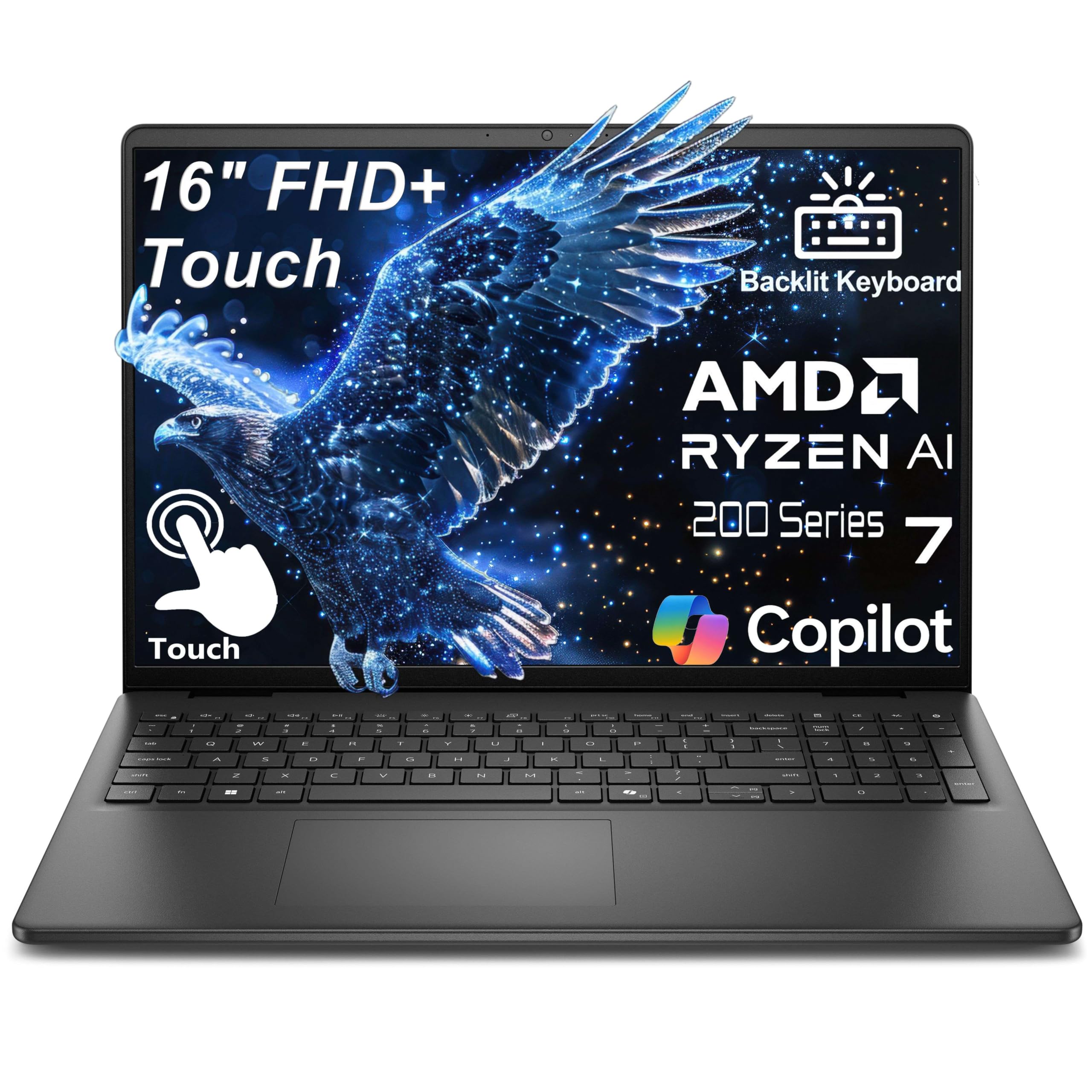
The Dell Business Laptop 2026 offers a compelling middle ground for power users who need high specs without paying the ultra-premium price. Its AMD Ryzen 7 170 processor (8 cores, up to 5.1GHz) combined with a massive 32GB of DDR5 RAM and a 1TB NVMe SSD makes it a beast for video editing, 3D rendering, virtual machines, and complex data analysis — all tasks that blur the line between work and personal creative projects.
The 16-inch FHD+ (1920×1200) touchscreen adds a versatile layer of interaction for scrolling through documents, zooming into maps, or sketching ideas. The 16:10 aspect ratio provides extra vertical space compared to standard 16:9 screens, which is beneficial for coding and productivity. The carbon black chassis with a backlit keyboard looks professional and feels portable at 4.18 pounds.
User reviews are overwhelmingly positive, citing its speed, touchscreen responsiveness, and excellent value for the money. The main trade-off is the lack of a dedicated GPU, but the integrated graphics handle everyday tasks and 4K video playback smoothly. For anyone needing high RAM and storage on a reasonable budget, this Dell is a standout contender.
Why it’s great
- 32GB DDR5 RAM and 1TB SSD for heavy multitasking.
- Powerful AMD Ryzen 7 processor for demanding applications.
- Responsive 16″ FHD+ touchscreen display.
Good to know
- No dedicated GPU for serious gaming.
- Build feels a bit plasticky compared to premium metal chassis.
8. Samsung Galaxy Book4

The Samsung Galaxy Book4 is a well-rounded option that excels in multimedia and daily productivity. Its Intel Core 7 150U processor (10 cores) with 16GB of LPDDR4 RAM and a 512GB SSD delivers snappy performance for business apps, web browsing, and streaming. The 15.6-inch FHD IPS display is bright and vibrant, with a thin bezel design that looks modern on any desk or coffee shop table.
Samsung’s ecosystem integration is a key advantage for users who own a Galaxy smartphone or tablet. Features like multi-device connectivity and file sharing work seamlessly, making it easy to transition from a work spreadsheet on your laptop to a personal video on your phone. The backlit keyboard with a numeric keypad is comfortable for data entry, and the fingerprint reader adds a layer of convenient security for both personal and professional logins.
Some users have noted the fan can be audible under load, which might be distracting in a quiet home office environment. However, for the price, the Galaxy Book4 offers a fantastic balance of performance, display quality, and connectivity features, making it a strong contender for users who want a single machine for their mixed digital life.
Why it’s great
- Excellent integration with Samsung phone and tablet ecosystem.
- Bright and vibrant 15.6″ FHD IPS display.
- Backlit keyboard and fingerprint reader included.
Good to know
- Fan can be noticeable under heavy multitasking loads.
- Only 512GB SSD may fill up quickly for heavy media users.
9. Acer Aspire 16 AI Copilot+ PC

The Acer Aspire 16 AI is a stylish and affordable entry point into the Copilot+ PC world. It is powered by a Snapdragon X chip with a 45 TOPS NPU, enabling advanced AI features like Recall (preview) and Windows Studio Effects. The 16-inch WUXGA (1920×1200) display runs at a smooth 120Hz and covers 100% sRGB, making it excellent for both detailed spreadsheets and colorful personal projects.
Battery life is a standout feature, with claims of up to 27 hours of video playback and an estimated 18 hours of web browsing. This means you can go a full workday and then stream movies all evening without recharging. The aluminum chassis is thin and light, and the 1440p QHD webcam with AI noise cancellation ensures you look and sound your best during video calls, whether for a board meeting or a family chat.
The main limitation is the Snapdragon X architecture, which may not run all legacy Windows x86 applications natively. For standard business and personal use (Office, web, streaming, video calls), it is more than capable. The Aspire 16 AI is an excellent value for those wanting to experience the latest AI features without a premium price tag.
Why it’s great
- Excellent battery life for all-day use.
- Smooth 120Hz display with vibrant 100% sRGB colors.
- AI-powered features and QHD webcam for clear video calls.
Good to know
- ARM processor may have compatibility issues with some apps.
- RAM is soldered and cannot be upgraded.
10. HP 17.3″ Laptop

For users who prioritize screen real estate, the HP 17.3-inch laptop offers an immersive viewing experience that is equally satisfying for business presentations and personal movie marathons. The 17.3-inch FHD IPS display with 178-degree viewing angles is spacious and vibrant, reducing the need for an external monitor at home. Powered by a 13th Gen Intel Core i5-1334U and 16GB of DDR4 RAM, it handles multitasking smoothly.
The 512GB SSD ensures fast boot times and application launches. The large chassis allows for a full keyboard with a numeric keypad, which is a boon for data entry professionals. The physical camera shutter is a simple but effective privacy feature for both work video calls and personal chats, giving you peace of mind when the camera is not in use.
The trade-off for this large screen is portability — this is a heavy laptop not meant for frequent travel. Some users also noted the battery life is shorter than expected, likely due to the power draw of the large display. However, for a stationary desk setup where you want a big, clear screen for both productivity and entertainment, this HP is an excellent value pick.
Why it’s great
- Large 17.3″ FHD IPS display is fantastic for productivity and media.
- Affordable price for a full-sized laptop with a numeric keypad.
- Physical camera shutter for privacy assurance.
Good to know
- Heavy and bulky, not ideal for travel.
- Battery life is moderate, not all-day for heavy use.
11. Dell 15 Laptop DC15250

The Dell 15 Laptop is a reliable mid-range workhorse built for everyday computing. It features a 15.6-inch FHD display with a 120Hz refresh rate, which makes scrolling through long documents and web pages feel exceptionally smooth — a benefit for both business research and personal browsing. Powered by a 13th Gen Intel Core i5-1334U with 16GB of DDR4 RAM and a 512GB SSD, it starts up quickly and handles typical office and streaming tasks with ease.
Dell’s ComfortView software reduces harmful blue light emissions, which is a thoughtful feature for users who spend long hours working and then unwind by watching content on the same machine. The lifted hinge design creates an ergonomic typing angle, reducing wrist strain during extended use. The inclusion of a separate numeric keypad and calculator hotkey is a plus for number-crunching professionals.
A significant concern reported by some users is that the machine can run dangerously hot under sustained load, a known issue that may require BIOS updates or power management adjustments. Despite this, for general office work, web conferencing, and personal tasks, the Dell 15 offers a solid, feature-rich experience at a competitive price point.
Why it’s great
- 120Hz display makes scrolling and navigation very smooth.
- ComfortView software reduces eye strain during long sessions.
- Ergonomic lifted hinge design with a full numeric keypad.
Good to know
- Some users report overheating issues under heavy load.
- No fingerprint reader for biometric login.
12. Apple MacBook Neo 13

The Apple MacBook Neo 13 is a fantastic entry point for users deeply embedded in the Apple ecosystem but needing a computer for both work and personal life. Powered by the A18 Pro chip, it delivers performance that rivals the M1 in everyday tasks and excels at AI and Apple Intelligence features. The 13-inch Liquid Retina display is excellent, with 500 nits of brightness and support for a billion colors, making it perfect for photo editing and movie watching.
Battery life is up to 16 hours, easily lasting through a workday and into an evening of streaming. The fanless design means the MacBook Neo is completely silent, which is a significant advantage in quiet workspaces or personal libraries. The integration with iPhone is seamless — you can copy and paste between devices, answer calls, and send messages directly from the laptop, creating a unified workflow that is hard to beat.
The base model comes with 8GB of unified memory, which may feel limited for heavy multitasking with many professional apps. It also lacks a backlit keyboard and includes limited ports. For students, writers, and users whose workflow is based on web apps and standard office tasks, the MacBook Neo is a stylish, powerful, and exceptionally mobile choice.
Why it’s great
- Seamless integration with iPhone and Apple services.
- Silent, fanless operation with a stunning Liquid Retina display.
- Excellent battery life and powerful A18 Pro chip.
Good to know
- Base model has only 8GB of unified memory, which can feel limited.
- No backlit keyboard and very few ports (only USB-C).
13. Lenovo V15 Gen 4 Business Laptop

The Lenovo V15 Gen 4 is the entry-level king for budget-conscious buyers who need a reliable machine for both business and personal use. Powered by an Intel Core i5-13420H processor with 16GB of RAM and a 512GB SSD, it punches above its price class in raw performance. The 15.6-inch FHD display is adequate for work tasks and media consumption, and the inclusion of Windows 11 Pro adds enterprise-level security and remote desktop features typically reserved for more expensive models.
Lenovo includes a full suite of connectivity options, including HDMI, RJ-45 Ethernet, multiple USB ports, and a numeric keypad on the keyboard. These features make it a practical choice for home office setups where you need to connect to a wired network or external monitor. The webcam with a privacy shutter is a welcome addition for maintaining security during personal video calls.
The build quality is noted as plastic-heavy, which affects the premium feel but keeps the weight down and the cost low. Some users noted the 4GB of RAM mentioned in one spec section seems like a typo, and the actual 16GB config performs well. For anyone needing a new laptop for basic office work, online courses, and streaming on a tight budget, the Lenovo V15 Gen 4 delivers exceptional value.
Why it’s great
- Excellent performance per dollar with Core i5 and 16GB RAM.
- Comes with Windows 11 Pro for advanced business features.
- Full port selection including HDMI, RJ-45, and USB ports.
Good to know
- Plastic chassis feels less premium than metal builds.
- Display is standard FHD, not high-refresh or color-accurate.
FAQ
Should I choose an Intel, AMD, or Snapdragon processor for a hybrid laptop?
What is the minimum RAM I need for business and personal multitasking?
How important is an anti-glare display for dual-purpose use?
Final Thoughts: The Verdict
For most users, the computer for business and personal use winner is the Lenovo ThinkBook 16 Gen 8 because it offers enterprise-grade performance, security, and expandability in a package that handles heavy workloads and personal media with ease. If you want exceptional battery life and a stunning display, grab the HP OmniBook 5 16. And for extreme portability without sacrificing a large screen, nothing beats the LG gram Pro 16.

Mo Maruf
I created WellFizz to bridge the gap between vague wellness advice and actionable solutions. My mission is simple: to decode the research and give you practical tools you can actually use.
Beyond the data, I am a passionate traveler. I believe that stepping away from the screen to explore new environments is essential for mental clarity and physical vitality.