Our readers keep the lights on and my smoothie glass nicely filled. As an Amazon Associate, I earn from qualifying purchases.
Specs are compiled from manufacturer listings and verified buyer reviews and can change over time — please confirm the key details on the product page before buying.
You need a machine that can run large language models locally, or fine-tune a diffusion model, or compile code while an AI agent crawls your documentation — without stalling or hitting a memory wall. The difference between a computer that handles AI work well and one that makes you wait all day depends on three things: the amount of memory, the TOPS (trillions of operations per second) the processor can push, and whether the GPU has enough VRAM to hold the model weights. This guide lays out ten systems, from compact mini PCs to purpose-built NVIDIA supercomputers and workstation GPUs, each matched to a specific kind of AI workload.
I’m Mohammad Maruf — the founder and writer behind WellFizz. This guide is built by comparing the manufacturers’ published specifications and the patterns across verified customer reviews, so you get each pick’s real strengths and trade-offs instead of marketing spin.
if you need a portable workstation for on-the-go inference, a desktop for training and rendering, or a dedicated GPU for the heaviest models, here is the computer for ai that matches your actual workflow.
Our Picks at a Glance


How To Choose The Best Computer For AI
Picking the right machine for AI work starts with knowing what you want to run. Running a local chatbot like a 7B parameter model and training a stable diffusion model are very different tasks. The key spec that rules them all is memory — both the amount and how it is shared between the CPU and the GPU.
TOPS vs. RAM vs. VRAM: What to prioritize first
TOPS (trillions of operations per second) tells you how fast your machine can process AI tasks, but it is useless if your machine runs out of memory. For running large language models locally, you need enough unified memory or VRAM (video memory on the GPU) to hold the entire model. A 7B parameter model can run on 8GB of VRAM, while a 70B model needs around 40GB, and models with over 100B parameters need 128GB or more. If you are buying a computer purely for AI inference (running pre-trained models), prioritize total memory (RAM + VRAM) above raw processing power. If you plan to train or fine-tune models, the GPU processing power in TOPS matters more.
The difference between an NPU, a GPU, and a CPU for AI
An NPU (Neural Processing Unit) is a dedicated chip designed for low-power AI tasks like running Windows Copilot or background image processing. It is efficient but not very powerful for heavy lifting. A GPU (Graphics Processing Unit) is what actually accelerates large AI workloads — it handles matrix math very fast. A CPU (Central Processing Unit) can run some small AI models but is far slower than a GPU. For serious AI work, the GPU (or the integrated graphics in an APU) is the component that matters most. The NPU is a bonus feature for light, always-on tasks, not a substitute for GPU power.
Quick Comparison
| Model | Best For | Memory | Max AI TOPS | Storage | Amazon |
|---|---|---|---|---|---|
| GEEKOM A9 Max★ Best Overall | AI-assisted coding & light LLMs | 32GB DDR5 | 80 | 1TB SSD | Amazon |
| GEEKOM IT15Top Performer | 4K video editing & multitasking | 32GB DDR5 | 99 | 1TB NVMe Gen 4 | Amazon |
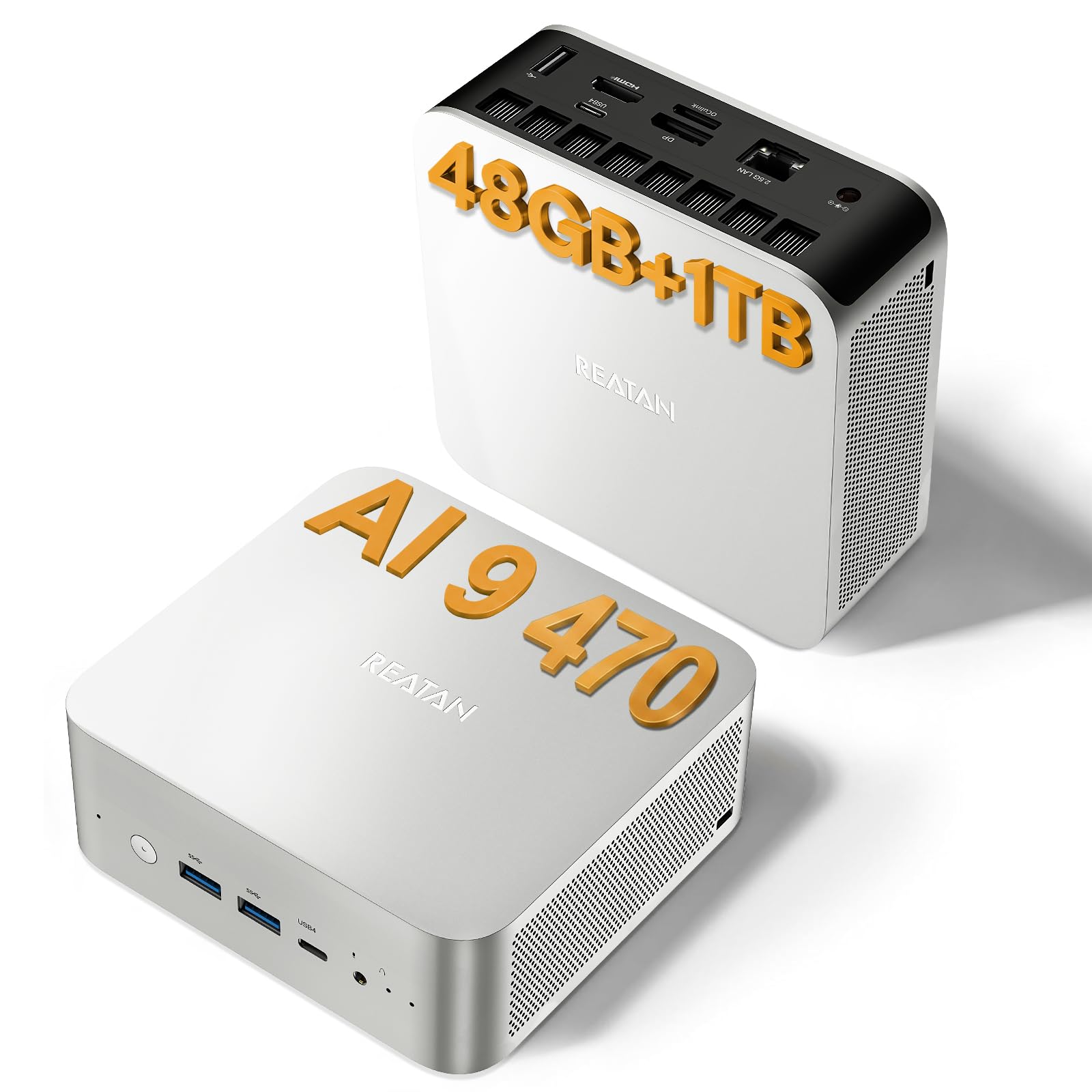
| Reatan Ryzen AI 9 HX 470Best Value | AI tinkerers on a mid-range budget | 48GB DDR5 | 86 | 1TB SSD | Amazon |
| BOSGAME M5 AI PC | Running 128B models locally | 128GB LPDDR5x | 50+ | 2TB PCIe 4.0 | Amazon |
| GMKtec EVO-X2 | LLM hobbyists & multi-modal AI | 128GB LPDDR5x | 50+ | 2TB PCIe 4.0 | Amazon |
| NVIDIA DGX Spark | Up to 200B parameter models | 128GB Unified | 1,000 | 4TB NVMe | Amazon |
| Alienware Aurora ACT1250 | Prebuilt AI & creator tower | 32GB DDR5 | — | 1TB SSD | Amazon |
| HP OMEN 45L | 64GB DDR5 | — | Amazon | ||
| msi EdgeXpert AI | 128GB LPDDR5 | 1,000 | Amazon | ||
| Skytech Gaming Legacy 4 | 64GB DDR5 | — | Amazon |
In‑Depth Reviews
1. GEEKOM A9 Max
Our pick — 4.5★ from 350+ verified ratings; the strongest balance of quality and price.
A compact AI powerhouse that brings 80 TOPS to your desk in a small, quiet chassis.
The A9 Max is the most balanced entry point into local AI computing right now. Powered by the AMD Ryzen AI 9 HX 370, it delivers 80 TOPS of total AI performance, with a dedicated XDNA 2 NPU (Neural Processing Unit) that contributes 50 TOPS for low-power background AI tasks. This means you can run AI-assisted coding tools, local chatbots like ChatGPT through Ollama, and image generation in Stable Diffusion or ComfyUI without the system breaking a sweat. The 12-core, 24-thread Zen 5 processor and Radeon 890M graphics with 16 RDNA 3.5 compute units also handle 4K video editing and 3D rendering in Blender or DaVinci Resolve smoothly.
The performance is the most-discussed aspect among owners — 68 people call it out positively, and the speed is the second most-praised feature. People find it “tiny but powerful” and appreciate the quiet operation. The IceBlast 2.0 cooling system with copper heat sinks and dual heat pipes keeps the thermals in check during long AI inference runs. One area where it falls short of the IT15 is NPU performance: the A9 Max has a 50 TOPS NPU, while the IT15’s NPU is just 13 TOPS (though the IT15’s total system TOPS is higher at 99). If your main focus is heavy local training rather than inference, the IT15 may have an edge.
Why it wins
- 80 total TOPS with a 50 TOPS NPU for efficient local AI work
- Pre-installed Windows 11 Pro with 3-year warranty — rare at this tier
- Supports up to 128GB DDR5 and 8TB storage for future expansion
Consider this
- Integrated graphics limit heavy 3D rendering compared to a dedicated GPU
- Single-channel RAM config from the start may need upgrading for peak performance
Reach for this if: you want a compact, quiet, all-in-one system for AI-assisted coding, local LLM experimentation, and content creation without building a full tower.
Look elsewhere if: you need to run models larger than 30B parameters locally — the 32GB RAM is a bottleneck for bigger models.
2. GEEKOM IT15
The Intel alternative that generates 4K concept art in 8.3 seconds.
The GEEKOM IT15 is the Intel-based sibling to the A9 Max, packing the Intel Ultra 9 285H processor that delivers a total of 99 TOPS of AI performance. That is 99 TOPS versus the A9 Max’s 80 TOPS, but the distribution is different: 13 TOPS from the NPU, 77 TOPS from the Arc 140T GPU, and 9 TOPS from the CPU. This makes it particularly strong for GPU-accelerated AI tasks like running Stable Diffusion — the spec sheet says it generates 4K concept art in just 8.3 seconds. It is tune for over 3,500 AI plugins across Adobe, Blender, and Unreal Engine.
What owners praise most is the raw performance — 90 people single it out as exceptional. The compact size also gets a lot of love, with people noting it is “smaller than external backup drives.” The 32GB of DDR5 RAM is upgradeable to 128GB, and the 1TB NVMe Gen 4 SSD is 75% faster than Gen 3 drives. The IT15’s Arc 140T GPU handles casual gaming (League of Legends, Fortnite) and also supports eGPU (external GPU) expansion via the two USB4 Type-C ports, which run at 40Gbps and support Power Delivery 4.0. This gives you a path to add a discrete GPU later if your AI needs grow.
Standout connectivity: Wi-Fi 7 with 3D beamforming antennas and Bluetooth 5.4 make lag-free remote editing and real-time cloud collaboration genuinely workable.
The honest trade-off: The fan profile from the start can be loud; a BIOS tweak is a common owner recommendation. Some also note the GPU is weak for serious gaming — this is an AI workstation first.
Perfect for: video editors and AI artists who need fast GPU inference for image generation and can benefit from the higher total system TOPS.
Think twice if: you need a quiet machine right from the start — the fan noise is a recurring point in reviews.
3. Reatan Ryzen AI 9 HX 470
A mid-range mini PC that packs 48GB of DDR5 right from the start.
This is the machine that gives you the most RAM for your money at this tier. The Reatan Ryzen AI 9 HX 470 comes with a single 48GB stick of DDR5 memory, giving you a huge head start for running larger AI models. Its XDNA 2 NPU delivers 55 TOPS for dedicated AI inference, and the total system AI performance reaches 86 TOPS. The 12-core, 24-thread Zen 5 processor with a max boost clock of 5.2GHz is excellent for multi-threaded AI data preprocessing. The Radeon 890M iGPU with 16 RDNA 3.5 compute units runs AAA games at 1080p with medium-high settings and supports hardware ray tracing.
People who have bought this machine praise its performance for the price. The unit runs quietly, and the 48GB of RAM means you can load up sizable models (around 13B-20B parameters) without hitting a wall. The single RAM slot is upgradeable to 96GB, and you can add up to 8TB of SSD storage. The USB4 port delivers 40Gbps bandwidth for external GPU expansion — you can plug in a powerful discrete GPU later for serious training workloads. The 2.5GbE LAN and Wi-Fi 7 (roughly 4.8 times faster than Wi-Fi 6) mean fast data transfers from network storage.
Smart buy for: someone who wants to jump into local AI with solid hardware at a reasonable cost and appreciates having 48GB of RAM pre-installed.
The catch: single-channel RAM configuration means you are leaving some GPU performance on the table compared to dual-channel setups. Adding a second stick later improves memory bandwidth significantly.
Ideal for: AI tinkerers on a budget who need enough unified memory to run 13B-20B models locally and want the option to add an eGPU later.
Not for: anyone who needs dual-channel RAM from the start or who plans to run models over 30B parameters without buying more memory.
4. BOSGAME M5 AI PC Max+ 395
A mini PC built to run 128B models at over 40 tokens per second.
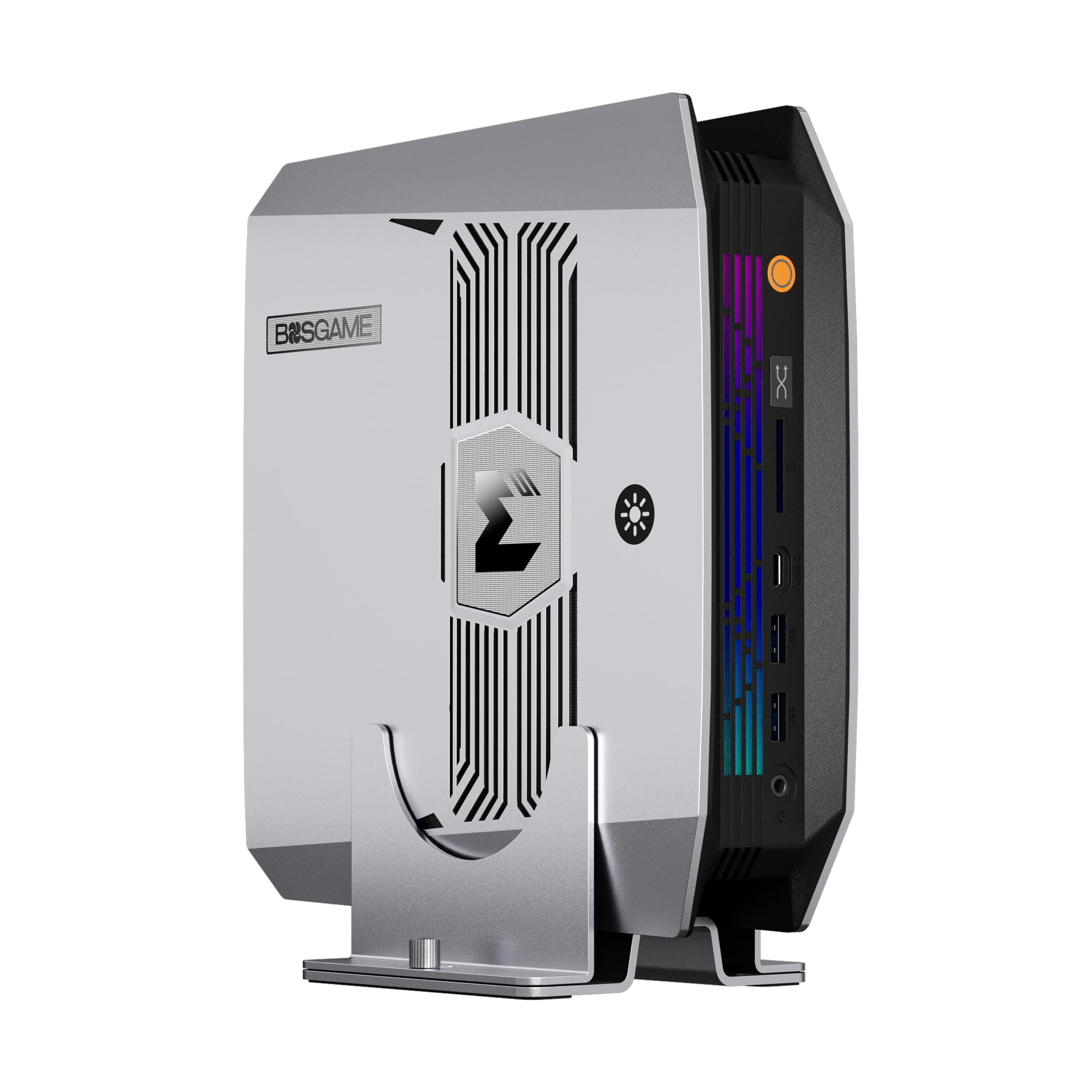
The BOSGAME M5 is a significant leap forward in what a compact machine can handle. It is powered by the 16-core, 32-thread AMD Ryzen AI Max+ 395, with an integrated NPU and a Radeon 8060S GPU clocked at 2900MHz. The killer feature is the 128GB of onboard LPDDR5X memory, which uses AMD’s Variable Graphics Memory (VGM) technology. This unified memory architecture allows you to allocate up to 96GB of that memory as dedicated VRAM — enough to run 4-bit quantized models up to 128B parameters or FP16 models up to 32B. The spec sheet says it runs GPT-OSS-120B at over 40 tokens per second.
Owners agree this is a fast, capable machine for AI workloads. The performance is the most praised aspect, with people noting it works “great” for varied tasks. The quad 8K display support via HDMI 2.1, DisplayPort 1.4, and two USB4 ports is a real advantage for researchers and traders who need a multi-monitor command center. The vapor chamber cooling keeps the system quiet — under 25dB for office work and under 38dB under a full 240W load. The dual USB4 ports also support daisy-chaining multiple M5 units together, letting you scale up local AI compute power.
Where it shines: The 128GB of unified memory in a mini PC form factor is a genuine breakthrough. You pay a premium for it, but it eliminates the need for a massive desktop tower for running large models.
A word of caution: With only 41 total ratings, the sample size is small. The 1+3 year warranty and lifetime technical support from BOSGAME help cover the risk.
Reach for this if: you need to run serious 70B+ parameter models locally and want the flexibility of a mini PC form factor with unified memory.
Look elsewhere if: you want a mature product with thousands of reviews — this is a newer, relatively unproven model in the market.
5. GMKtec EVO-X2

A purpose-built AI machine with eight-channel LPDDR5x memory and flashy RGB cooling.
The GMKtec EVO-X2 shares the same AMD Ryzen AI Max+ 395 processor as the BOSGAME M5 but differentiates itself with eight-channel LPDDR5x memory clocked at 8000MT/s The massive unified 128GB memory pool, combined with the ability to allocate up to 96GB of VRAM via AMD software, makes this a local AI inference powerhouse.
These machines can handle models that many dedicated desktops struggle with. According to verified reviewers, the EVO-X2 runs sub-70GB models (those with 120-130B parameters at Q4 quantizations) smoothly. Mixture-of-Experts (MoE) models achieve around 12 tokens per second, while dense 70B models hit around 3 tokens per second. One owner runs it 24/7 as a local AI LLM server accessible over the network and calls it “a dream come true.” Another achieved 44 t/s on a 35B MoE model after Linux GRUB tuning.
Why it is a beast
- Eight-channel LPDDR5x at 8000MT/s — among the fastest unified memory available in a mini PC
- Three cooling fans with 13 RGB modes keep the 140W TDP in check (35dB in Quiet Mode)
- SD 4.0 card reader for fast photo/video transfers (UHS-II support)
The work required
- RAM is soldered, so the 128GB is your max forever — no upgrades possible
- Community reports that significant Linux GRUB tuning is needed for ROCm stability
- Some units arrive with damaged packaging, raising questions about handling
Ideal for: LLM enthusiasts who want the fastest unified memory configuration available and are comfortable tweaking Linux settings for optimal performance.
Not for: anyone who wants a plug-and-play experience or plans to upgrade the RAM in the future.
6. NVIDIA DGX Spark

NVIDIA’s personal AI supercomputer that can handle models up to 200 billion parameters.
The DGX Spark is a dedicated AI supercomputer in the truest sense. Powered by the NVIDIA GB10 Grace Blackwell Superchip, it delivers up to 1 petaFLOP (1,000 TOPS) of AI performance — a massive leap over any consumer CPU or integrated GPU. The 128GB of unified memory, shared coherently between the ARM-based CPU and the Blackwell GPU, allows it to handle models up to 200 billion parameters at FP4 precision. This is the machine that lets you fine-tune large language models on your desk without renting cloud GPUs.
Owners use it for local LLM research and find it excellent for that purpose. One researcher runs Qwen 3.6:27B via Ollama and OpenCode to review ITAR codebases securely, mapping schematics and tracing runtime problems completely offline. The system is silent in operation, with no power indicator light, and integrates smoothly with the full NVIDIA AI software stack. The DGX Spark includes a ConnectX-7 Smart NIC, 4TB NVMe M.2 self-encrypting storage, and dual USB4 ports. It pre-installs with NVIDIA DGX OS (a Linux-based Ubuntu distribution) — there is no Windows option.
The standout advantage: The full NVIDIA AI stack is built in — you can develop locally and deploy to DGX cloud or data center resources without re-platforming.
Reliability caveat: Amazon’s own review summary notes that reliability receives mixed feedback. A few buyers report overheating issues requiring returns. Buy from a reputable retailer with a good return policy.
Reach for this if: you do serious local AI research, need to run 200B parameter models on your desk, and already live in the NVIDIA ecosystem.
Look elsewhere if: you need Windows compatibility or are not comfortable with Linux-only systems — this is an ARM Linux machine built for developers.
7. Alienware Aurora ACT1250

A complete liquid-cooled desktop that pairs an RTX 5080 with an Intel Core Ultra 9 for serious local AI work.
The Aurora ACT1250 is a fully built desktop, so there are no GPUs to seat or power supplies to source — it ships ready to run AI workloads out of the box. At its core is the NVIDIA GeForce RTX 5080 built on the Blackwell architecture with 16GB of GDDR7 VRAM, paired with the 24-core Intel Core Ultra 9 285 processor and 32GB of DDR5 memory. That combination is enough to run local LLMs through Ollama or LM Studio, generate images in Stable Diffusion and ComfyUI, and accelerate model inference far faster than any integrated NPU. A 1000W Platinum-rated PSU keeps clean power flowing to the GPU under sustained load.
Alienware wraps the internals in an optimized “basalt black” chassis with customizable AlienFX lighting and an optional 240mm liquid-cooling loop that holds temperatures steady during long inference runs. Owners give it a 4.2-star average across 134 ratings, and the build quality and thermals are among the most-praised aspects. Because it is a Dell product, it also ships with 1-year onsite service — a level of support you never get from a bare graphics card.
The big selling point: a complete, ready-to-run tower — RTX 5080, Core Ultra 9, and a 1000W Platinum PSU already assembled and warrantied, with no parts-picking required.
Honest warning: the 32GB of system RAM and 16GB of VRAM cap the size of models you can fully load; very large 70B+ models will need quantization.
Ideal for: creators and developers who want a turnkey AI-capable desktop with a modern GPU and onsite warranty instead of building their own.
Not for: anyone who needs 48GB+ of VRAM in a single card for the very largest local models.
8. HP OMEN 45L

A full-sized gaming desktop with the latest RTX 5090 for AI and gaming alike.
The HP OMEN 45L is the traditional desktop tower in this list, and it comes with the most powerful consumer GPU available: the NVIDIA GeForce RTX 5090 with 32GB of GDDR7 dedicated memory. While the RTX 5090 is a gaming card, its third-generation Tensor Cores and massive memory bandwidth make it a force for AI workloads like local model inference, image generation in Stable Diffusion, and AI-assisted video editing. The Intel Core Ultra 9 285K processor provides a solid CPU foundation, and the 64GB of DDR5 RAM handles large datasets.
Owners call this machine a “beast” that fires up instantly and runs all games at max settings without sweating. The OMEN Cryo Chamber is a patented cooling system that channels fresh, cold air from outside the case to cool the liquid-cooled CPU while keeping the system quiet. The 360mm LCD liquid cooler adds dynamic lighting effects. The industry-standard form factor and tool-less access make it easy to upgrade components later — a big advantage over mini PCs where everything is soldered. The build quality receives mixed feedback, with some praising its construction and others calling it “delicate.”
Why buy this over a mini PC: The RTX 5090’s 32GB of dedicated GDDR7 VRAM is faster than any unified memory solution, and you can swap the GPU, RAM, and storage years from now.
A few things to note: Some units have arrived with incorrect components, and a minority of buyers experienced dead-on-arrival units. Buy from a reputable seller with a solid return policy.
Perfect for: gamers who also do AI work, or creators who want a powerful, upgradeable desktop that can handle both gaming and AI inference.
Think twice if: you need a quiet, compact machine — this is a full tower with powerful fans that are audible under load.
9. msi EdgeXpert AI Mini Desktop
MSI’s take on the DGX platform with a 4TB Gen5 SSD and a refined cooling system.
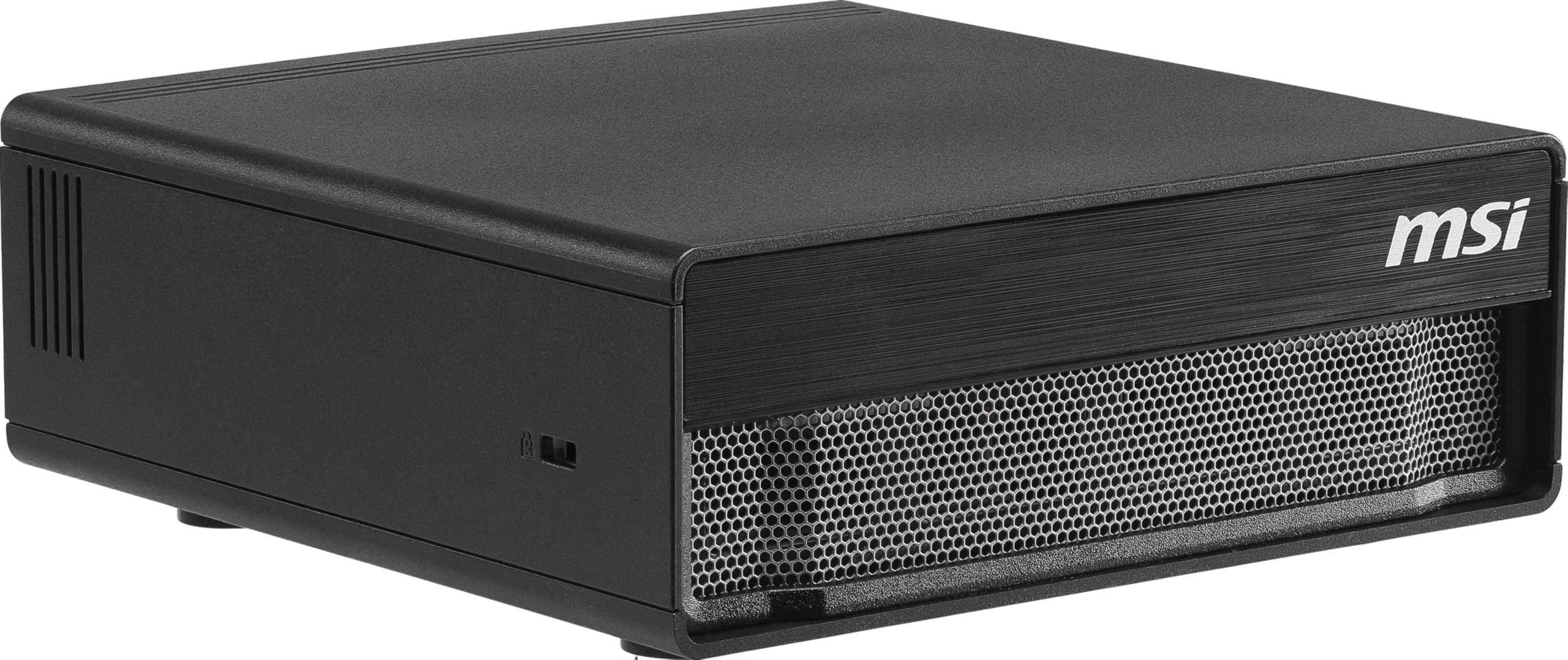
The msi EdgeXpert AI is essentially a licensed version of the NVIDIA DGX Spark platform, built into a compact desktop chassis by MSI. It uses the same NVIDIA GB10 Grace Blackwell Superchip with 128GB of unified LPDDR5 memory (273 GB/s bandwidth) and promises up to 1000 TOPS of AI performance. The key differentiation here is the storage: a 4TB PCIe Gen5 NVMe SSD that reaches read speeds up to 10,000 MB/s — double what Gen4 drives offer — plus self-encrypting capabilities for data security if you handle sensitive IP.
The 20-core ARM CPU (10 high-performance Cortex-X925 cores + 10 efficiency Cortex-A725 cores) handles multitasking efficiently. Owners mention no overheating issues, with one adding a 140mm fan to keep the system under 80°C under sustained load. The real-world performance is impressive: one owner achieved 30 tokens per second on a qwen3.5-122b-int4 model and up to 65 tokens per second with a currency setting of 4. Another runs Nemotron 3 Super LLM with a 400,000 token context window while also running Stable Diffusion at 1080p, and notes that dedicated LLM use yields over 1 million tokens of context.
What stands out
- 4TB Gen5 SSD with 10,000 MB/s read speeds — among the fastest available in a pre-built AI system
- Better thermal design than the reference DGX Spark; no throttling under heavy load
- Quiet operation with a sturdy cooling system that keeps temps in the 70s°C range
The trade-offs
- Pre-installed with NVIDIA DGX OS (Linux) — no Windows support
- Official PyTorch lacks native GB10 support; you must use NVIDIA’s container on this system
Reach for this if: you want the fastest storage available in a purpose-built AI mini PC and need a system that handles large context windows (400K+ tokens) without breaking a sweat.
Look elsewhere if: you are not comfortable with Linux-only environments or need to use standard PyTorch builds without containerization.
10. Skytech Gaming Legacy 4

A fully built flagship tower with an RTX 5090’s 32GB of GDDR7 — the most local AI power you can get without assembling a thing.
The Legacy 4 is Skytech’s flagship prebuilt, and it delivers the single most powerful configuration on this list without asking you to build anything. The NVIDIA GeForce RTX 5090 brings 32GB of GDDR7 VRAM — enough to run 70B-class models locally, fine-tune with LoRA, and drive high-resolution image and video generation. It is paired with the 16-core AMD Ryzen 9 9950X3D (up to 5.7GHz), 64GB of DDR5-6000 memory, and a 4TB Gen4 NVMe SSD that loads massive model weights almost instantly.
A 420mm AIO liquid cooler keeps the CPU and its 3D V-Cache stable through hours of sustained AI processing, and the X870 board leaves room to add memory or storage later. Owners rate it 4.6 stars across more than 450 ratings, praising the cooling and out-of-box performance. Unlike a bare workstation card, it arrives with Windows installed, no bloatware, and a power and cooling system already dialed in.
The ultimate advantage
- RTX 5090 with 32GB GDDR7 — the most VRAM of any single-card system here, ready to run
- Ryzen 9 9950X3D and 64GB DDR5 handle data prep and heavy multitasking with ease
- 4TB Gen4 SSD and a 420mm liquid cooler, built, tested, and warrantied out of the box
Serious caveats
- Premium flagship pricing — this is a multi-thousand-dollar machine
- A full tower needs real desk space and draws significant power under load
- Overkill unless you genuinely need RTX 5090-class VRAM for large local models
Ideal for: professionals and researchers who want maximum local AI horsepower in a ready-to-run tower — RTX 5090 VRAM, a top-tier CPU, and 64GB of RAM without building a PC.
Not for: hobbyists or anyone on a budget — the flagship price only makes sense if you truly need 5090-class performance.
Understanding the Specs
TOPS (Trillions of Operations Per Second)
Think of TOPS as the engine horsepower for AI tasks. A higher TOPS number means the system can process AI data faster — generating images, processing language, or running inference more quickly. For reference, a dedicated NPU in a modern CPU might offer 10-15 TOPS, while a full desktop GPU can offer hundreds. For basic AI features like Windows Copilot, even 10 TOPS is enough. For running a local language model like a 7B parameter model smoothly, you want at least 40-50 TOPS. The NPU (Neural Processing Unit) is a special chip designed to run AI tasks efficiently at low power, so it handles things like voice commands or real-time background blur without draining your battery or slowing down the main processor.
Unified Memory vs. Dedicated VRAM
Unified memory means the CPU and GPU share the same pool of RAM. This is common in mini PCs with integrated graphics and in specialized systems like the NVIDIA DGX Spark. The advantage is that you can access a very large memory pool (128GB) for running massive AI models — no “out of memory” errors because the GPU has only 12GB of VRAM. The trade-off is memory bandwidth: unified memory typically runs at 100-300 GB/s, while dedicated GDDR7 VRAM like the RTX PRO 6000’s 1.8 TB/s is dramatically faster for repeated data access. For most model inference tasks, having enough total memory space is more important than raw memory speed. For training, dedicated VRAM with high bandwidth is significantly better. The VGM (Variable Graphics Memory) feature in some AMD mini PCs lets you allocate a portion of unified RAM as dedicated VRAM, giving you the best of both approaches.
FAQ
How much RAM do I need to run local AI models?
What is the difference between an NPU and a GPU for AI?
Can I upgrade the RAM and storage in these AI mini PCs?
Is Windows or Linux better for AI computing?
How do I know which AI model I can run on a specific computer?
Will a gaming computer work for AI tasks?
What is eGPU expansion and why does it matter for AI?
How important is cooling for sustained AI workloads?
Can these computers run multiple AI models simultaneously?
How long does an AI computer typically last before needing an upgrade?
Final Thoughts: The Verdict
For most users building a computer for ai, the GEEKOM A9 Max delivers the best balance of AI performance (80 TOPS), upgradability, and value — it is the crowd favorite for good reason. If your work centers on GPU-accelerated tasks like image generation and you need the highest system TOPS, the GEEKOM IT15 at 99 TOPS is the one to reach for. And if you need to run the largest models (70B+ parameters) locally without hitting a memory wall, the BOSGAME M5 with its 128GB of unified memory is the specialized tool that makes it possible in a compact package.
How We Picked
We do not accept paid placement. Every pick is matched to a real buyer and a real use-case; we do not hands-on test units.
Sources & Methodology
Specifications: manufacturer listings and product documentation. Review insights: verified customer reviews, as of July 2026. Pricing: not shown on this page (it changes often); check the current price via the retailer link.
As an Amazon Associate, WellFizz earns from qualifying purchases. This does not affect which products we feature.
Related Guides

Mo Maruf
I created WellFizz to bridge the gap between vague wellness advice and actionable solutions. My mission is simple: to decode the research and give you practical tools you can actually use.
Beyond the data, I am a passionate traveler. I believe that stepping away from the screen to explore new environments is essential for mental clarity and physical vitality.