Our readers keep the lights on and my smoothie glass nicely filled. As an Amazon Associate, I earn from qualifying purchases.
The difference between a smooth month-end close and a frustrating one often comes down to your hardware. When you’re reconciling ledgers, managing multiple client files, or running complex tax software, a computer that stutters on large spreadsheets isn’t just annoying—it costs billable hours.
I’m Mohammad Maruf — the founder and writer behind WellFizz. I’ve spent countless hours analyzing hardware specifications and real-world performance data for productivity-focused workstations, ensuring this guide matches the actual demands of accounting professionals.
Whether you work from a cubicle, a home office, or a co-working space, choosing the right computer for accounting means balancing processor speed, memory capacity, and storage responsiveness without paying a premium for gaming-grade graphics you’ll never use.
How To Choose The Best Computer For Accounting
An accounting computer needs to handle several distinct workloads: large spreadsheets, multi-window financial software, secure cloud connections, and document management. Unlike gaming machines that prioritize GPU performance, accounting rigs live and die by their CPU speed, RAM headroom, and storage throughput.
Processor: Cores vs. Clock Speed for Ledger Work
Accounting software like QuickBooks, Excel, and tax preparation suites are typically single-threaded for most operations. A processor with a high clock speed (above 4.0 GHz) will open files and recalculate formulas faster than a chip with more cores but lower frequency. However, if you run virtual machines for multiple client environments, extra cores from an Intel Core i5 or i7 become valuable. Mid-range processors like the Intel Core i5-13420H or AMD Ryzen 7 7730U deliver the best balance for dedicated accounting work without paying for workstation Xeons.
Memory: Why 16GB is the Practical Baseline
Eight gigabytes of RAM is functional for light spreadsheet work, but accounting professionals often hit limitations when a single Excel workbook contains hundreds of thousands of rows or multiple large PDFs are open alongside the accounting platform. Sixteen gigabytes allows comfortable multi-tasking, while 32GB is increasingly standard for CPAs running virtualized client environments or handling complex data analysis within Power BI or Tableau alongside their core accounting software.
Storage: The NVMe Advantage for File Loading
Accounting work involves opening and saving many files throughout the day—client financials, tax returns, invoices, and supporting documents. An NVMe SSD reduces file load times by 3-5x compared to a SATA SSD, and by 10-15x compared to a traditional hard drive. A 512GB drive is the minimum comfortable capacity, while 1TB eliminates anxiety about year-end data storage. Look for PCIe Gen 3 or Gen 4 NVMe drives; the difference is noticeable when opening a 50MB tax return file.
Display and Connectivity: The Multi-Monitor Reality
Most accounting professionals work with at least two monitors—one for the main application and one for reference documents or emails. A computer with HDMI, DisplayPort, or USB-C video output supporting dual 1080p or 4K displays is a practical necessity. On laptops, a numeric keypad saves significant time during data entry, and a 15.6-inch screen is the minimum for comfortable spreadsheet work without external monitors.
Quick Comparison
On smaller screens, swipe sideways to see the full table.
| Model | Category | Best For | Key Spec | Amazon |
|---|---|---|---|---|
| Dell Pro Tower i7-14700 | Premium Desktop | Heavy data analysis & virtualized clients | 64GB DDR5 + 20-Core i7 | Amazon |
| Dell Tower OptiPlex i5-14500 | Mid-Range Desktop | Dual 4K workflows & enterprise security | 32GB DDR5 + 14-Core i5 | Amazon |
| Lenovo ThinkPad T14 Gen 6 | Premium Business Laptop | Mobile CPA & secure client meetings | 32GB DDR5 + Fingerprint Reader | Amazon |
| HP Pro Tower 290 G9 | Business Desktop | Small office fleet deployment | 16GB DDR4 + 512GB NVMe | Amazon |
| HP 255 G10 Ryzen 7 | Mid-Range Laptop | High-RAM portable accounting | 32GB DDR4 + 1TB NVMe | Amazon |
| Dell Slim Desktop Ultra 5 | Compact Desktop | Space-saving office workstation | 16GB DDR5 + Ultra 5 AI | Amazon |
| HP Desktop i5-12500 | Budget Desktop | Basic bookkeeping & single-user | 8GB DDR4 + 256GB NVMe | Amazon |
| Lenovo V15 Gen 4 i5 | Budget Laptop | Entry-level mobile accounting | 16GB DDR4 + 512GB NVMe | Amazon |
| ASUS Vivobook 14 | Value Laptop Bundle | Student accounting with bundled Office | 24GB DDR4 + Lifetime Office | Amazon |
| Apple MacBook Neo 13 | Consumer Laptop | Light personal finance & budgeting | 8GB Unified + 256GB SSD | Amazon |
| Alienware 16 Aurora | Gaming Laptop | Not recommended for accounting | RTX 5060 + 16GB DDR5 | Amazon |
In‑Depth Reviews
1. Dell Pro Tower i7-14700

For accounting professionals managing multiple virtual client environments or running resource-intensive data analysis alongside their core software, this tower delivers workstation-class memory capacity. The 64GB of DDR5 RAM allows you to keep a dozen large Excel files, QuickBooks, a tax preparation suite, and a virtual machine all open simultaneously without any slowdown. The 20-core i7-14700 processor handles complex recalculation tasks with ease, and the 2TB NVMe SSD provides ample storage for years of client data.
The absence of built-in Wi-Fi is a deliberate choice for security-conscious workplaces that prefer hardwired ethernet connections, and the dual 4K display support via DisplayPort makes multi-monitor setups effortless. The compact tower footprint fits neatly under a desk without dominating the workspace, and the 180W 80 Plus Gold power supply keeps energy costs reasonable during all-day operation.
While this system is overkill for a single-user bookkeeper working on basic ledgers, it becomes cost-effective when calculating the lost productivity of a machine that slows down during month-end closings. The enterprise-grade components and DDR5 memory bandwidth ensure this workstation remains responsive for at least five to seven years, making it a long-term investment for growing firms.
Why it’s great
- 64GB DDR5 RAM handles the heaviest multi-client accounting workloads
- 20-core i7 processor delivers exceptional performance for complex Excel models
- Dual 4K monitor support provides ample screen real estate for spreadsheets
Good to know
- No built-in Wi-Fi requires wired ethernet connection
- More computing power than needed for basic bookkeeping tasks
2. Dell Tower OptiPlex i5-14500

The 14th Gen Intel Core i5-14500 with 14 cores delivers a remarkable performance-to-cost ratio for accounting work. The six performance cores clock up to 5.0 GHz, providing the single-threaded speed that spreadsheet recalculations demand, while the eight efficiency cores handle background tasks like cloud syncing and antivirus scanning without stealing resources from your active work. The 32GB of DDR5 RAM is the sweet spot for most accounting professionals—enough to keep multiple instances of Excel, QuickBooks, and a web browser running without hitting memory limits.
Intel vPro technology adds hardware-based security and remote management capabilities that IT departments value, while the dual 4K display support via HDMI 2.1 and DisplayPort 1.4a allows you to connect two high-resolution monitors natively. The compact 11.5-inch tower fits easily into any office environment, and the included wired keyboard and mouse get you started immediately.
For firms that need to deploy multiple workstations across a practice, this OptiPlex balances performance with reasonable cost. The DDR5 memory provides a tangible speed advantage over DDR4 systems when handling large dataset imports or complex financial models, and the 1TB PCIe NVMe SSD ensures fast boot times and responsive file access throughout the workday.
Why it’s great
- 32GB DDR5 RAM at a mid-range price point for accounting multitasking
- Dual 4K monitor support enables efficient multi-window workflows
- Intel vPro provides enterprise-grade security for client data
Good to know
- Integrated graphics are not suitable for 3D applications or gaming
- Wired keyboard and mouse included but may feel basic
3. Lenovo ThinkPad T14 Gen 6

The ThinkPad T14 Gen 6 is built for the mobile CPA who needs professional-grade performance in a portable form factor. The Intel Core Ultra 5 225U processor with 12 cores balances power efficiency with enough single-threaded speed to handle complex Excel files, while 32GB of DDR5 RAM ensures you can run your accounting platform, tax software, and a document scanner interface without friction. The 14-inch WUXGA display with anti-glare coating reduces eye strain during eight-hour work sessions at client sites or coffee shops.
Dual Thunderbolt 4 ports allow connection to two external 4K monitors when docked at the office, effectively giving you a full workstation setup without carrying a heavy tower. The fingerprint reader and 5MP IR webcam provide biometric security and clear video calls for client meetings. MIL-STD-810H certification means this machine can survive the bumps of daily commuting in a laptop bag.
For accountants who need to visit clients, work from multiple locations, or simply want desktop-grade RAM capacity in a laptop, this ThinkPad delivers. The AI-powered Copilot integration in Windows 11 Pro can help automate document summarization and email management, saving time during busy tax seasons. The backlit keyboard and solid build quality reflect the premium that serious professionals expect from their primary work machine.
Why it’s great
- 32GB DDR5 RAM in a portable laptop for client-site accounting work
- Dual Thunderbolt 4 enables dual external 4K monitors when docked
- MIL-STD-810H durability and fingerprint security for traveling professionals
Good to know
- 14-inch screen may feel small for extended spreadsheet work without external monitor
- Premium pricing reflects business-grade build and security features
4. HP Pro Tower 290 G9

The HP Pro Tower 290 G9 is a dependable choice for accounting firms deploying workstations across a small office. The Intel Core i5-12500 processor with six cores and a 4.6 GHz turbo speed provides the single-threaded performance essential for QuickBooks and Excel tasks, while 16GB of DDR4 RAM handles typical multi-application usage without issue. The 512GB PCIe NVMe SSD ensures quick boot times and responsive file access for daily workflows.
Dual display support via HDMI and VGA ports allows connection to two monitors—a practical setup for accountants who need to view spreadsheets alongside their accounting platform. The included wired keyboard and mouse reduce setup time, and the Wi-Fi 6 and Bluetooth 5.3 connectivity ensure reliable wireless connections for printers and peripherals. The compact tower design with a 180W 80 Plus Gold power supply keeps operational costs low during extended use.
This system is particularly well-suited for firms that want reliable, standardized hardware across multiple desks. HP’s reputation for business-class support adds peace of mind for IT administrators, and the TPM 2.0 security chip provides hardware-level encryption for client financial data. While not the most powerful option on the list, it delivers consistent performance for the daily tasks that define most accounting practices.
Why it’s great
- Dual monitor support (HDMI + VGA) for efficient multi-window accounting
- Wi-Fi 6 and Bluetooth 5.3 for reliable peripheral connectivity
- Trusted HP build quality with TPM 2.0 security for client data
Good to know
- 16GB RAM is adequate but may need upgrading for heavy virtualized environments
- VGA port limits display resolution for modern high-res monitors
5. HP Desktop i5-12500

This HP desktop provides a cost-effective entry into professional accounting hardware for solo practitioners or small businesses with basic bookkeeping needs. The Intel Core i5-12500 processor is capable for typical QuickBooks and Excel tasks, offering six cores and a 4.6 GHz turbo boost that handles most accounting applications without lag. The 8GB of DDR4 RAM is sufficient for single-user scenarios where only one major application is active at a time.
The 256GB PCIe NVMe SSD provides responsive storage for the operating system and essential applications, though users with large client file archives may need external or cloud storage. Dual display support via HDMI and VGA enables a basic two-monitor setup, which is a significant productivity boost over a single screen even at this price point. The included wired keyboard and mouse eliminate the need for additional peripheral purchases.
For the accountant or bookkeeper who needs a reliable machine for basic ledger work, invoicing, and payroll without excessive computing overhead, this desktop delivers solid value. The Windows 11 Home operating system includes TPM 2.0 security, though professionals handling sensitive client data should consider upgrading to Windows 11 Pro for BitLocker encryption and additional management features.
Why it’s great
- Affordable entry point for solo accounting practitioners
- Dual display support (HDMI + VGA) for improved productivity
- Reliable HP build with solid processor performance for basic tasks
Good to know
- 8GB RAM limits heavy multitasking with multiple large spreadsheets
- 256GB storage requires cloud or external solutions for large file collections
6. Dell Slim Desktop Ultra 5

The Dell Slim Desktop brings modern AI-enhanced processing to a compact form factor that fits easily into small office spaces. The Intel Core Ultra 5-225 processor includes a dedicated AI engine that can optimize performance for repetitive tasks, and the 16GB of DDR5 RAM provides responsive multitasking for accounting applications. The 512GB M.2 SSD offers fast storage with enough capacity for most small practice needs.
The tool-less entry design makes upgrades straightforward—a practical consideration for accounting firms that want to extend the lifespan of their hardware with future RAM or storage additions. The ability to connect up to four FHD monitors through DisplayPort daisy chaining or two 4K displays via HDMI 2.1 and DisplayPort 1.4a provides exceptional flexibility for power users who need extensive screen real estate.
For the accounting professional who values desk space and energy efficiency alongside performance, this slim desktop delivers. The included one-year onsite service and six-month Dell Migrate tool reduce downtime and simplify the transition from an older machine. The combination of DDR5 memory and the modern Ultra 5 processor ensures strong performance for several years of accounting use.
Why it’s great
- Ultra-compact footprint saves valuable desk space in small offices
- AI-enhanced processor optimizes performance for repetitive accounting tasks
- Tool-less design allows easy DIY upgrades for future-proofing
Good to know
- 16GB RAM is adequate but not future-proof for heavy virtualized workloads
- No dedicated graphics for anything beyond standard office displays
7. Lenovo V15 Gen 4 i5

The Lenovo V15 Gen 4 offers a practical balance between affordability and the features that matter most for accounting work. The Intel Core i5-13420H processor with eight cores delivers strong performance for multitasking, and the 16GB of DDR4 RAM provides enough headroom to run QuickBooks alongside a web browser and email client. The 15.6-inch FHD display is large enough for comfortable spreadsheet work, and the integrated numeric keypad significantly speeds up data entry tasks.
Connectivity is well-considered for accounting environments: the HDMI port allows connection to an external monitor for dual-display setups, the RJ45 ethernet port ensures stable wired network access, and the USB-C port accommodates modern peripherals. Windows 11 Pro provides enterprise-grade security features including BitLocker encryption, which is crucial for protecting client financial data when working remotely.
For the accountant on a tighter budget who needs a mobile machine capable of handling core accounting tasks, this Lenovo delivers dependable performance. The build quality is more utilitarian than premium, but the focus on practical features like the numeric keypad and full-size ethernet port makes it a sensible choice for professionals who prioritize function over form.
Why it’s great
- Integrated numeric keypad accelerates data entry for accounting tasks
- 16GB RAM and HDMI port support practical dual-monitor workflows
- Windows 11 Pro includes BitLocker for client data protection
Good to know
- Plastic construction feels less premium than business-grade alternatives
- DDR4 RAM instead of DDR5 limits future performance headroom
8. ASUS Vivobook 14
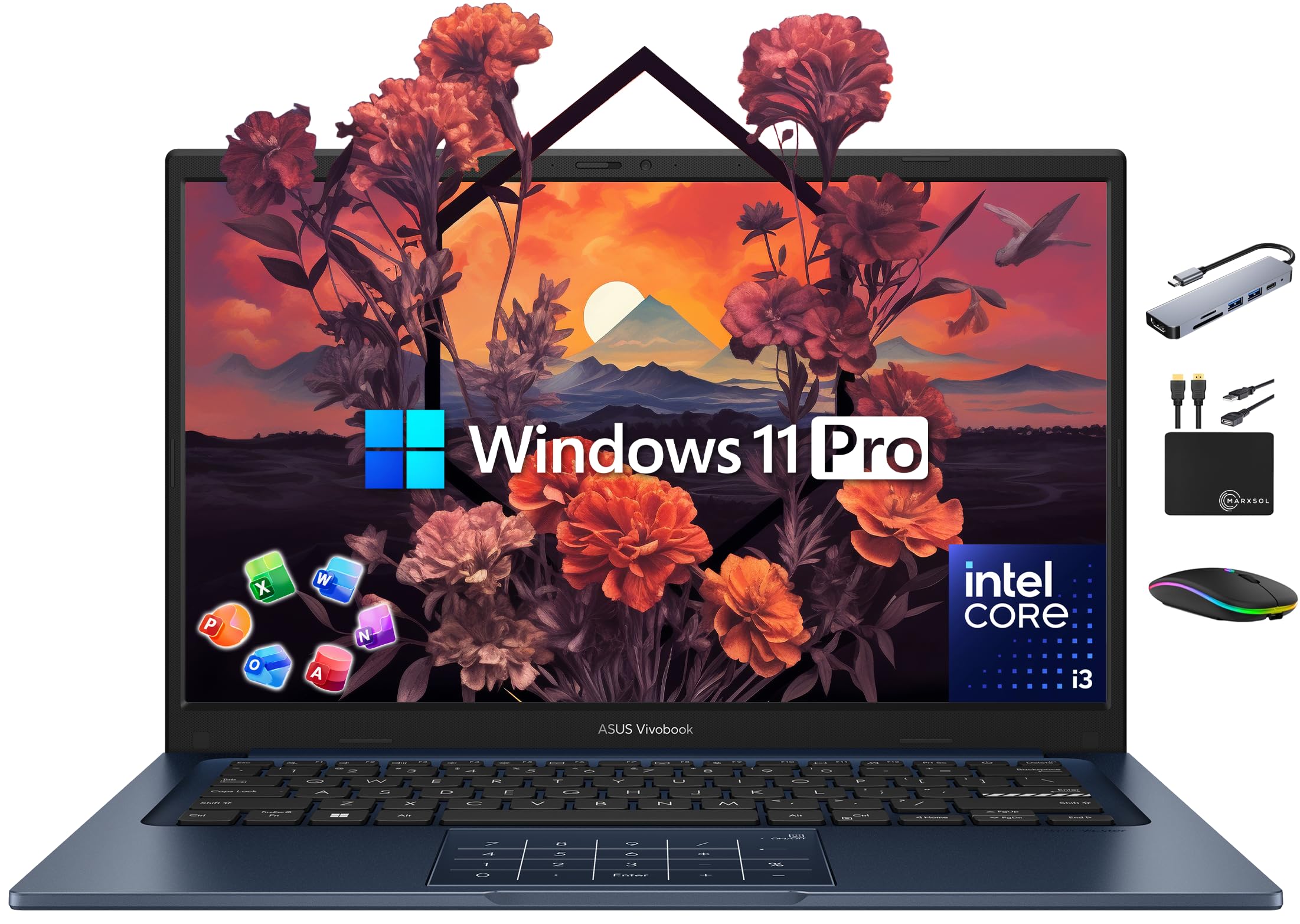
The ASUS Vivobook 14 stands out for its generous bundled accessories and included software, making it an attractive option for small practices or accounting students starting out. The 24GB of DDR4 RAM is exceptionally high for this price tier, allowing comfortable multitasking across multiple applications and browser tabs. The Intel Core i3-1315U processor is sufficient for basic accounting tasks like spreadsheets, invoicing, and payroll processing, though it will show its limits with very large datasets or complex financial models.
The bundled Lifetime Microsoft Office Professional 2024 license eliminates a significant recurring cost for budget-conscious professionals, and the included 500GB external drive provides additional storage for client file backups. The 14-inch FHD display with slim bezels is portable enough for commuting, and the bundle includes a wireless mouse, USB-C hub, and other accessories that would otherwise require separate purchases.
For the accounting student or the freelancer building a practice, this bundle reduces upfront costs significantly. The Core i3 processor is not as fast as the i5 or i7 options on this list, but the 24GB of RAM compensates by allowing more applications to remain open simultaneously. This trade-off works well for users who prioritize multitasking over raw calculation speed.
Why it’s great
- 24GB RAM at an accessible price point enables heavy multitasking
- Included Lifetime Office 2024 eliminates recurring subscription costs
- Bundle includes mouse, external drive, and USB-C hub for immediate use
Good to know
- Core i3-1315U processor is slower than i5/i7 for complex calculations
- 14-inch screen lacks numeric keypad for efficient data entry
9. HP 255 G10 Ryzen 7

The HP 255 G10 offers an impressive 32GB of RAM at a mid-range price point, making it a strong candidate for the accountant who needs memory headroom without stepping up to premium-tier pricing. The AMD Ryzen 7 7730U processor with eight cores delivers competent single-threaded performance for spreadsheet work while providing enough multi-core capability for running virtual machines or handling data analysis in parallel applications.
The 15.6-inch FHD anti-glare display is comfortable for extended work sessions, and the integrated numeric keypad is essential for efficient data entry. The 1TB PCIe NVMe SSD provides ample storage for client files, tax returns, and accounting software installations without worrying about running out of space. Wi-Fi 6 ensures fast wireless connectivity for cloud-based accounting platforms.
For the accounting professional who needs high RAM capacity and large storage on a tighter budget, this HP laptop delivers strong value. The Ryzen 7 processor provides good battery efficiency for full workdays away from a desk, and the Windows 11 Pro operating system includes the security and management features that professional accountants require for handling sensitive client data.
Why it’s great
- 32GB RAM at a mid-range price for serious accounting multitasking
- 1TB NVMe SSD provides ample local storage for client data
- Numeric keypad and anti-glare display support long work sessions
Good to know
- Battery life may suffer during intensive tasks like video conferencing
- DDR4 RAM instead of DDR5 for memory bandwidth
10. Apple MacBook Neo 13

The MacBook Neo 13 with the A18 Pro chip offers a polished user experience for light accounting tasks, but its limitations become apparent with professional-grade workloads. The 8GB of unified memory is shared between the processor and applications, which means running a large Excel workbook alongside a browser with multiple tabs and an accounting platform will quickly consume the available bandwidth. The 256GB SSD provides minimal storage for professional use, especially for tax professionals who need to store years of client files locally.
The Liquid Retina display and excellent build quality make this a pleasure to use for basic tasks like invoicing, budget tracking, and personal finance management. The 16-hour battery life is exceptional for mobile work, and the 1080p FaceTime HD camera ensures clear video calls. macOS integration with iPhone allows seamless document transfer and app continuity.
For the sole proprietor handling basic bookkeeping for a small number of clients and who values the Apple ecosystem, this MacBook can work with careful memory management. However, for any professional managing multiple client engagements, running tax preparation software, or working with large datasets, the memory and storage constraints will create productivity bottlenecks that more capable machines avoid.
Why it’s great
- Outstanding build quality and Liquid Retina display for comfortable viewing
- Up to 16 hours battery life for all-day mobile accounting work
- Seamless iPhone integration for document and workflow continuity
Good to know
- 8GB unified memory is insufficient for professional multi-application workflows
- 256GB SSD fills quickly with accounting files and tax documents
11. Alienware 16 Aurora

The Alienware 16 Aurora is a powerful gaming laptop that is fundamentally misaligned with accounting workflow needs. The premium paid for the NVIDIA GeForce RTX 5060 GPU is entirely wasted on spreadsheet applications and accounting software, which rely almost exclusively on CPU performance and memory bandwidth rather than dedicated graphics processing. The 16GB of DDR5 RAM, while adequate, is less than what several more affordable options on this list offer.
The Cryo-Tech cooling system is designed to handle gaming heat loads, not the sustained quiet operation preferred in office environments, and the battery life is optimized for short gaming sessions rather than full workdays. The form factor is significantly heavier and bulkier than business laptops, making it less practical for commuting accountants. The 16-inch WQXGA display is excellent for gaming but provides no advantage for spreadsheet work over standard FHD panels.
If you need both a gaming machine and a work computer, a separate budget for each purpose will almost always yield better results than trying to combine them. For accounting work specifically, the Alienware 16 Aurora represents an inefficient allocation of resources—the graphics budget would be better spent on additional RAM, storage, or a professional-grade business laptop with better ergonomics and security features.
Why it’s great
- High-quality WQXGA display is visually impressive for any task
- Powerful RTX 5060 GPU could assist with data visualization work
- Durable build quality with Alienware reliability reputation
Good to know
- Gaming GPU adds significant cost without benefit for accounting software
- Heavier and louder than business laptops designed for office use
FAQ
Is 8GB of RAM enough for accounting work?
Do I need a dedicated graphics card for accounting software?
Is a laptop or desktop better for an accounting professional?
How much storage do I need for accounting files?
Why does the Alienware appear in a guide for accounting computers?
Final Thoughts: The Verdict
For most users, the computer for accounting winner is the Dell Tower OptiPlex i5-14500 because it delivers 32GB of DDR5 RAM, a 14-core processor with excellent single-threaded speed, and dual 4K monitor support at a price point that makes sense for serious accounting professionals. If you need ultimate power for virtualized client environments or heavy data analysis, grab the Dell Pro Tower i7-14700 with 64GB RAM. And for mobile accountants who require 32GB of memory in a portable, business-grade package, nothing beats the Lenovo ThinkPad T14 Gen 6.

Mo Maruf
I created WellFizz to bridge the gap between vague wellness advice and actionable solutions. My mission is simple: to decode the research and give you practical tools you can actually use.
Beyond the data, I am a passionate traveler. I believe that stepping away from the screen to explore new environments is essential for mental clarity and physical vitality.