Finding a computer for 1000 dollars that actually delivers on performance without costing you more later can feel like a guessing game. The biggest trap is thinking every machine in this price range handles gaming and heavy multitasking equally. In reality, some are built with fast, dedicated graphics that let you play modern games at smooth 1080p, while others rely on basic integrated chips fine only for web browsing and office documents — and telling them apart before you click “buy” is what this guide does for you.
I’m Mohammad Maruf — the co-founder and writer behind WellFizz. This guide is built by comparing the manufacturers’ published specifications and the patterns across verified customer reviews, so you get each pick’s real strengths and trade-offs instead of marketing spin.
We break down the ten best options for a computer for 1000 dollars, covering dedicated gaming towers, all-in-one space savers, and professional workstation PCs so you can match the right machine to your actual needs.
How To Choose The Best Computer For 1000 Dollars
Choosing a computer at this budget comes down to one key decision first: what you will actually do with it. A tower built for gaming packs a separate graphics card that handles intense visuals, while an all-in-one saves desk space but relies on simple integrated graphics perfect for homework, spreadsheets, and streaming shows. Nail your use case first, then match the specs.
Graphics Card: The Biggest Performance Decider
A dedicated graphics card (like an Nvidia GeForce RTX 3050 or an AMD Radeon RX 560) has its own video memory and processing power, so it handles modern games, video editing, and 3D design software smoothly. Integrated graphics (built into the processor) share your main system RAM and can only handle light tasks like watching YouTube or using Microsoft Office. If you ever plan to play a modern game or edit video, you need a dedicated GPU.
RAM: How Many Tasks You Can Keep Open
RAM is your computer’s short-term memory for running apps. 8GB is the bare minimum for basic browsing and office work — you will notice stuttering if you leave many browser tabs open. 16GB is the sweet spot for smooth multitasking and modern gaming, while 32GB is overkill unless you edit high-resolution video or run virtual machines. At this budget, aim for 16GB if you can.
Storage: SSD vs. Old Hard Drives
An SSD (Solid State Drive) uses flash memory, so it boots your computer in seconds and loads games and apps almost instantly. The old spinning hard drives (HDDs) are much slower. Every computer in this guide uses an SSD. A 512GB drive holds around 10-15 modern games, while a 1TB drive doubles that capacity. If you store lots of large files, prioritize the bigger drive.
Quick Comparison
On smaller screens, swipe sideways to see the full table.
| Model | Category | Best For | Key Spec | Amazon |
|---|---|---|---|---|
| SKYESEV Gaming Desktop (Ryzen 5 5600, RTX 3050) | Gaming Tower | High-end gaming at 1080p with ample RAM | 32GB DDR4 RAM, 1TB SSD | Amazon |
| NOVATECH Titan Pro (RTX 5060) | Gaming Tower | Latest-gen graphics for 1440p and 4K gaming | 1TB SSD, RTX 5060 8GB | Amazon |
| Gaming Desktop PC – Ryzen 5 4500, RTX 3050 | Gaming Tower | Balanced gaming and productivity | 4.1 GHz CPU, 16GB DDR4 | Amazon |
| LXZ Gaming PC (Ryzen 5 4500, RTX 3050) | Gaming Tower | 1080p gaming on a budget | 16GB DDR4, 512GB NVMe SSD | Amazon |
| Dell Pro Tower (14th Gen i3, 32GB DDR5) | Business Tower | Professional multitasking and dual-4K monitors | 32GB DDR5, 1TB PCIe SSD | Amazon |
| HP Prodesk (i5-10400F, 32GB RAM) | Business Tower | Triple-monitor office setup | 32GB DDR4, 1TB NVMe SSD | Amazon |
| CyberPowerPC Gamer Master (RX 6500 XT) | Gaming Tower | Entry-level gaming with upgrade path | 500GB PCIe 4.0 SSD, 8GB DDR4 | Amazon |
| STGAubron Prebuilt Gaming PC (RX 560) | Budget Gaming Tower | Budget-friendly entry into PC gaming | 512GB SSD, 16GB RAM | Amazon |
| HP 21.5″ All-in-One (Intel N100) | All-in-One | Space-saving home office or student desk | 384GB total storage (128GB SSD + 256GB SD) | Amazon |
| Lenovo V100 All-in-One (Intel N100) | All-in-One | Simple everyday computing and video calls | 8GB RAM, 512GB PCIe SSD | Amazon |
In‑Depth Reviews
1. SKYESEV Gaming Desktop PC (Ryzen 5 5600, RTX 3050, 32GB RAM)

The 32GB of DDR4 RAM at 3200MHz is double what most gaming PCs at this price offer, making the SKYESEV the top pick for the gamer or content creator who wants strong multitasking without spending more later on upgrades.
You get a Ryzen 5 5600 processor boosting up to 4.4GHz paired with a GeForce RTX 3050 6GB graphics card for smooth 1080p gaming with ray-tracing effects on titles like Call of Duty and Overwatch. The 1TB M.2 NVMe PCIe SSD lets you install around 20-25 modern games and still have space for projects. Buyers report seeing over 60fps on a 32-inch 4K monitor with medium settings, calling it “powerful, quiet, works perfectly out of box.”
The honest limit is that the case comes packed with shock-absorbing foam during shipping, and some buyers found the initial setup instructions for cords a bit lacking. If you want the most RAM and storage you can get at this price, paired with a capable gaming GPU, the SKYESEV is the smartest buy in the lineup.
Why it’s great
- 32GB DDR4 RAM handles heavy multitasking and demanding games with ease.
- Ryzen 5 5600 boosts up to 4.4GHz for fast processing in games and creative software.
- 1TB NVMe SSD provides huge, lightning-fast storage for games and files.
Good to know
- Must carefully remove internal shock-absorbing foam before powering on.
- Setup instructions for cable connections could be clearer.
2. NOVATECH Titan Pro – Prebuilt Gaming PC (RTX 5060, Ryzen 5)

Where the SKYESEV leads on RAM capacity, the NOVATECH Titan Pro beats it on raw graphics power with the newer Nvidia RTX 5060 GPU — an 8GB card that delivers smoother frame rates at 1440p and can even handle 4K streaming. This pick is for the gamer who prioritizes visual fidelity and future-proofing over having 32GB of memory right out of the box. The Ryzen 5 5500 processor boosts up to 4.2GHz, paired with 16GB of DDR4 RAM, which is still plenty for modern gaming without bottlenecking the GPU.
In real use, the 1TB M.2 SSD boots Windows 11 Pro in seconds, and owners mention it “runs smooth as silk” even with 5-6 browser tabs open while gaming. The vibrant RGB fans and high-quality tower design make it a great centerpiece for a gaming desk. One reviewer who received a dead-on-arrival unit noted that NovaTech support sent a quick replacement, and the second PC worked perfectly — so their customer service is worth noting.
The catch is that reports of DOA units do appear, but the replacement process is responsive. If getting the most advanced graphics card for the money matters most to you, the NOVATECH Titan Pro edges ahead of the SKYESEV on GPU alone.
Where it shines
- Nvidia RTX 5060 with 8GB GDDR6 handles 1440p gaming and 4K streaming smoothly.
- 1TB M.2 SSD provides fast boot times and huge game storage.
- Includes Windows 11 Pro and a 1-year warranty.
Worth noting
- Some units arrive dead on arrival, though replacement support is reported as helpful.
- Only 16GB of RAM — less than the SKYESEV for heavy multitasking.
3. Gaming Desktop PC – Ryzen 5 4500, GeForce RTX 3050, 16GB RAM
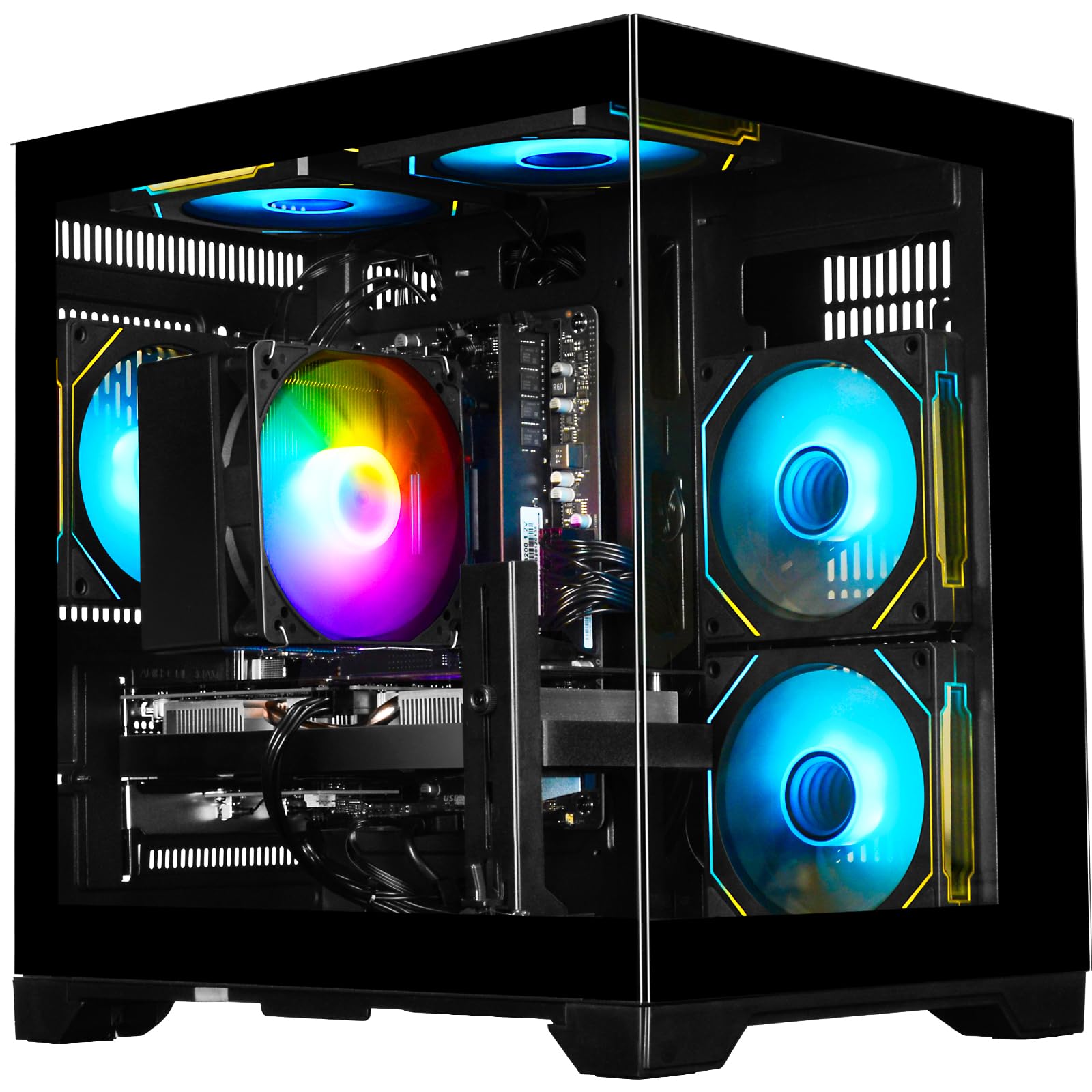
If you are a gamer who wants a well-balanced rig that can handle AAA gaming at 1080p and creative work like video editing without breaking the budget, this PC delivers. The Ryzen 5 4500 processor boosts up to 4.1GHz, which is 21% faster than the Lenovo V100’s Intel N100, making multitasking noticeably quicker. Paired with the GeForce RTX 3050 6GB GPU, you get ray-tracing and DLSS (AI upscaling that boosts performance) for smoother frame rates in games like Fortnite and Call of Duty.
The 16GB of DDR4 3200MHz RAM handles streaming while gaming without slowdowns, and the 512GB NVMe SSD loads Windows and games in seconds. Customers note it as “fast loading, quiet, and can handle downloads well” — one reviewer uses it for Roblox, Rival Stars, and GTA without any hiccups. The plug-and-play design means you unbox, connect a monitor and mouse, and you are gaming in minutes.
A standout detail: the 512GB NVMe SSD storage is identical to the LXZ gaming PC, but this unit’s Ryzen 5 4500 has a base clock of 3.6GHz (matching the CyberPowerPC’s Ryzen 5 5500 base). If you want the best blend of gaming performance and day-to-day speed without the highest price, this is the one to get.
What stands out
- Ryzen 5 4500 boosts up to 4.1GHz for fast multitasking and gaming.
- GeForce RTX 3050 6GB delivers ray-traced visuals and smooth 1080p gameplay.
- 16GB DDR4 RAM ensures responsive multitasking while streaming or editing.
The trade-offs
- Graphics card has 6GB VRAM — less than the 8GB on the NOVATECH RTX 5060.
- PCIe Gen 3 support means somewhat slower data transfer than Gen 4 drives.
4. LXZ Gaming PC Desktop (Ryzen 5 4500, RTX 3050 6GB, 16GB RAM)
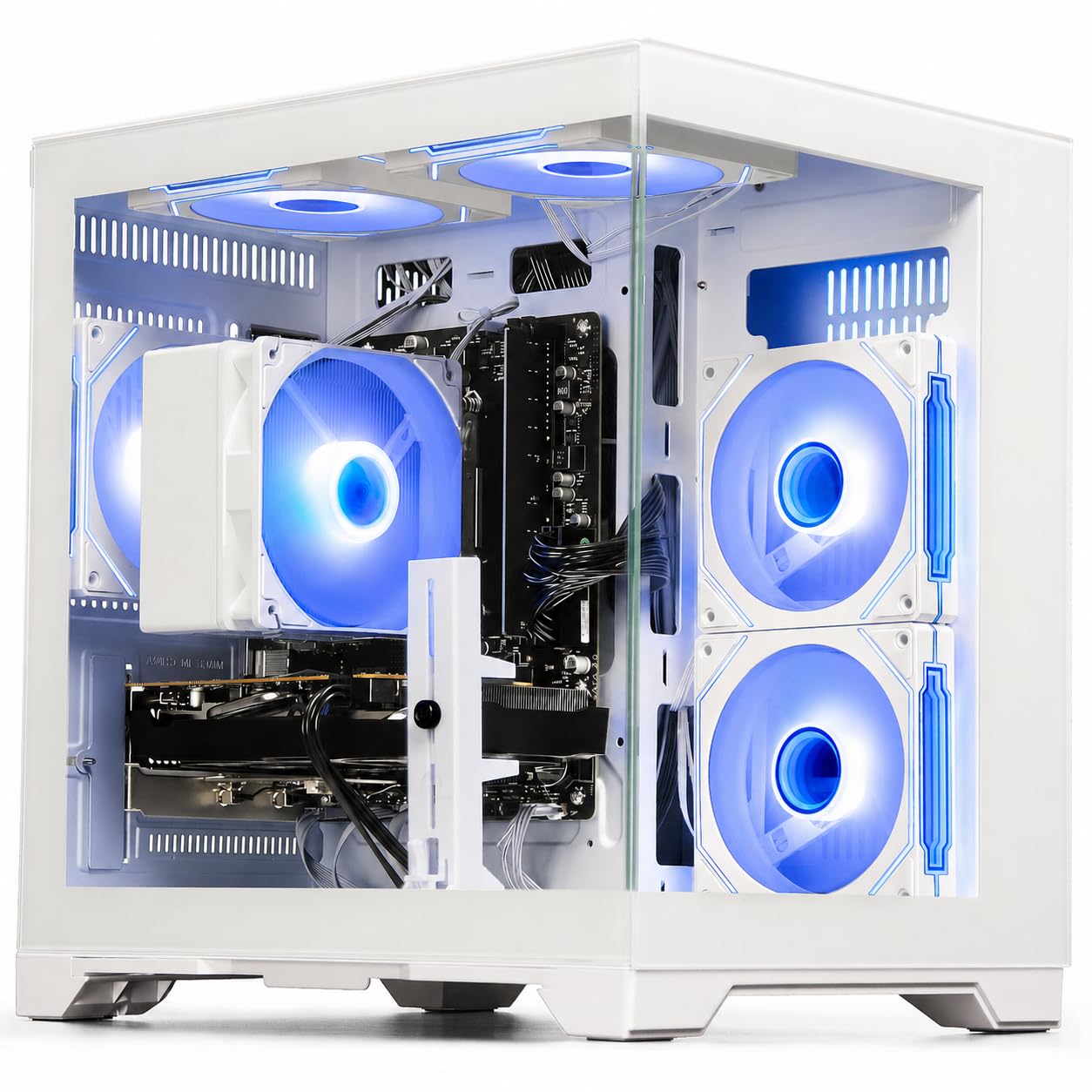
The single number that matters most in this category is the GPU: the GeForce RTX 3050 6GB scores as a capable 1080p gaming card with DLSS support, handling Fortnite, Valorant, and Call of Duty at high settings with smooth frame rates.
The LXZ Gaming PC lands at a slightly higher price than the WIWB Ryzen 5 4500 desktop but delivers nearly identical core specs: the same Ryzen 5 4500 CPU (up to 4.1GHz), the same GeForce RTX 3050 6GB GPU, and the same 16GB of DDR4 RAM and 512GB NVMe SSD. The key difference here is the white tower design with quiet airflow cooling, which makes it a better fit for a bright, modern desk setup. Its WiFi 6 connectivity also gives you faster, more stable wireless internet than older standards — ideal for online gaming without a direct Ethernet cable. Reviewers point out this PC works “flawlessly out of the box,” with one reviewer noting that “this PC brand needs to be recognized more” after their brother, an experienced builder, confirmed the build quality. The quiet cooling system keeps fan noise low even during longer sessions.
The downside is the power supply: some buyers found the included 400W unit too weak to reliably start the PC and had to replace it with a 650W model, which is an added cost you should budget for. If you are comfortable swapping a power supply or don’t mind the potential hassle, the LXZ delivers solid 1080p gaming performance in a clean white chassis — making its price-to-value read as decent only if you factor in that potential PSU replacement cost.
The upsides
- GeForce RTX 3050 6GB handles popular games at high 1080p settings.
- Built-in WiFi 6 provides fast, low-latency wireless for gaming and streaming.
- Quiet air cooling keeps noise low during heavy use.
Keep in mind
- Stock 400W power supply may be too weak and require replacement with a 650W unit.
- Many Windows updates required before first use, typical for pre-built PCs.
5. Dell Desktop Computers Pro Tower (14th Gen i3, 32GB DDR5, 1TB SSD)
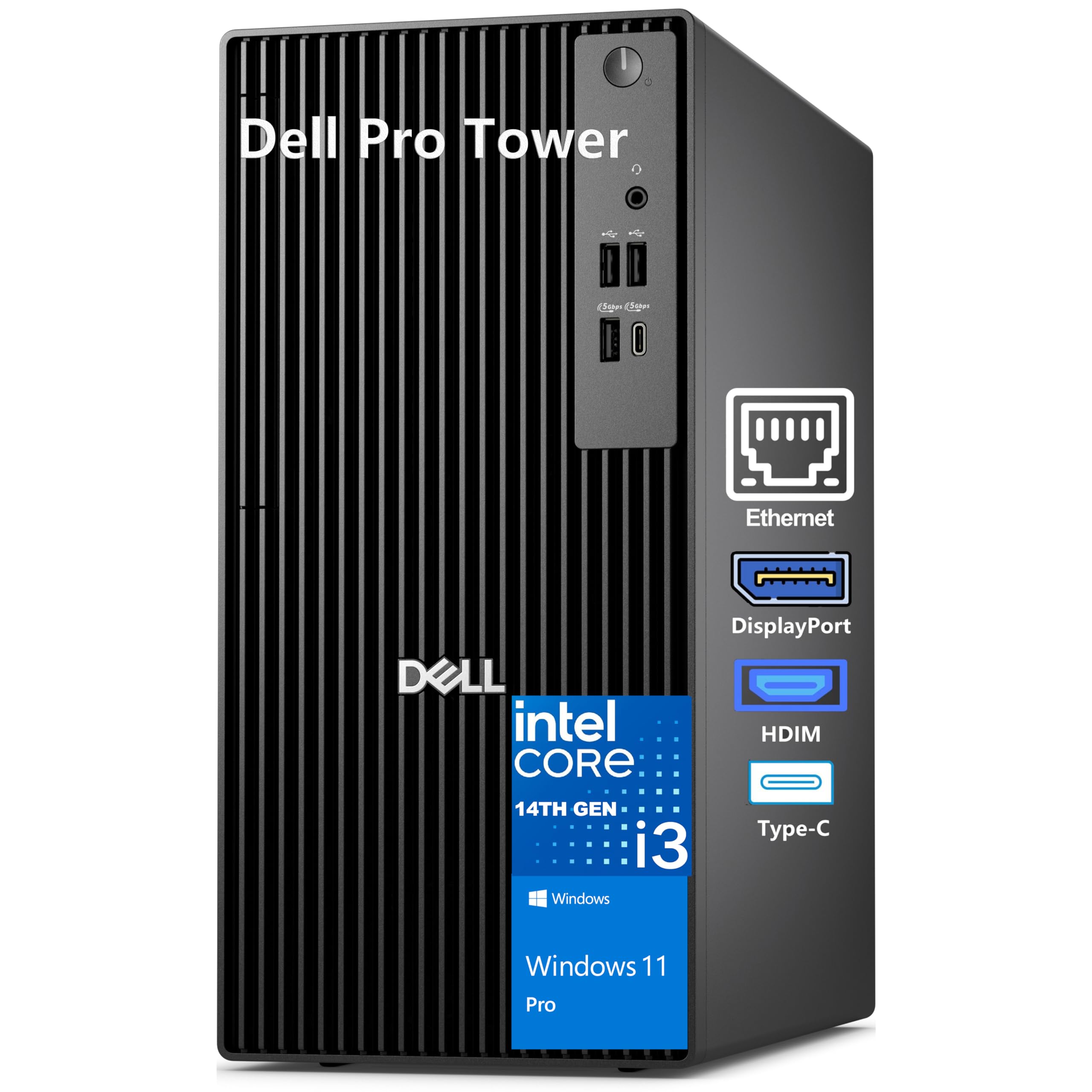
What you actually get at this lower price is a professional-grade workstation built for financial analysis, coding, or running heavy spreadsheets across two 4K monitors, not a gaming rig. The 14th Gen Intel Core i3-14100 (4 cores, boosting to 4.7GHz) is snappy for office tasks, but the real story is the 32GB of DDR5 RAM — the fastest memory standard available — which lets you juggle dozens of browser tabs, large databases, and video calls without a single hiccup. This is the only PC here with DDR5, offering noticeably faster data transfer than the DDR4 used in all the gaming towers.
The 1TB PCIe NVMe SSD boots Windows 11 Pro in seconds, and the Intel UHD Graphics 730 drives two 4K monitors at 60Hz through HDMI 2.1 and DisplayPort — perfect for multi-monitor stock trading or design work. Built on Dell’s reliable business heritage, one buyer praised its speed, noting the 32GB memory “makes a big difference.” The compact 12.77-inch tower fits easily on a desk without dominating the room.
The trade-off is this PC has no built-in Wi-Fi, so you will need an Ethernet cable or a USB Wi-Fi adapter (which is easy to add). It also uses integrated graphics, so it will not run modern games well. This is a pure productivity powerhouse for professionals who value multitasking speed and dual-4K output over gaming performance — the exact budget buyer it is perfect for.
Why we’d pick it
- 32GB of ultra-fast DDR5 RAM handles heavy professional multitasking with ease.
- Drives dual 4K monitors at 60Hz via HDMI 2.1 and DisplayPort.
- 1TB PCIe SSD and Windows 11 Pro provide fast boot and enterprise-level security.
A few caveats
- Does not include built-in Wi-Fi — you need Ethernet or a USB adapter.
- Integrated graphics will not run modern games or demanding 3D software.
6. HP Prodesk Desktop (Intel i5-10400F, 32GB RAM, 1TB SSD)
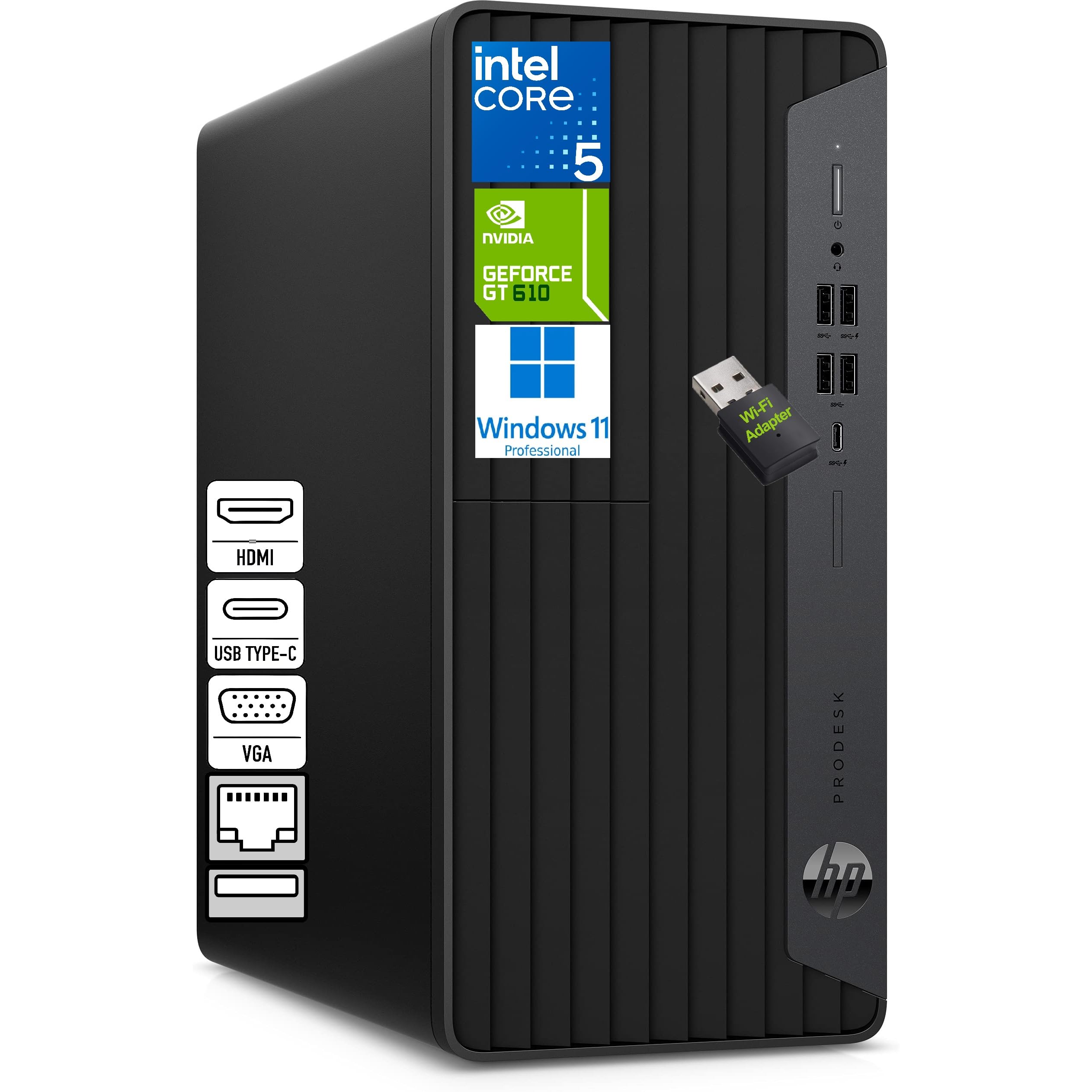
For the home office worker or small business owner who needs a quiet, compact tower that can drive three monitors at once, the HP Prodesk is the specialist pick. It uses an Intel Core i5-10400F (6 cores, 12 threads up to 4.3GHz) — a slightly older but still very capable processor — paired with 32GB of DDR4 RAM and a 1TB NVMe SSD. This combination makes it ideal for multitasking across accounting software, spreadsheets, and video calls without slowdowns.
The triple-display support via HDMI, VGA, and DVI-I outputs sets it apart from almost every other PC here — you can run three separate screens for monitoring stock tickers, coding, or managing multiple applications simultaneously. Shoppers say it is “very fast” and that the compact microtower and silent design fit easily into a workspace without fan noise. The included HP keyboard and mouse mean you have a complete setup out of the box.
The honest weakness is the i5-10400F lacks integrated graphics, so the PC uses a small dedicated GPU (1GB) that is fine for office apps but weak for any gaming — one reviewer noted stuttering on some games. If you are a professional who lives in spreadsheets and browser tabs and needs three monitors, this is the perfect workstation, but skip it if you also want to game.
Strong points
- Triple-display support (HDMI, VGA, DVI-I) for expansive professional workspaces.
- 32GB DDR4 RAM and 1TB NVMe SSD handle heavy office multitasking smoothly.
- Compact, silent microtower design fits discreetly on any desk.
Before you buy
- Small dedicated GPU (1GB) cannot handle modern gaming well.
- Processor is last-gen (10th Gen) — slower than the Dell’s 14th Gen i3.
7. CyberPowerPC Gamer Master (Ryzen 5 5500, RX 6500 XT 4GB)

At roughly $700–$800, the CyberPowerPC Gamer Master undercuts most other picks in this guide by $200–$300, making it the cheapest system with a dedicated GPU. That price gap is the whole point: you get a working gaming PC for hundreds less than the median entry here, though the hardware is noticeably scaled back compared to the $1,000 machines above it.
A key trade-off here is the 8GB of DDR4 RAM — half of what the SKYESEV or Dell offer — which means you may notice some stutter if you keep many browser tabs open while gaming. Multiple buyers report that upgrading to 16GB is recommended and easy to do later. The tempered glass side panel and RGB lighting give it the gaming aesthetic, and the included keyboard and mouse let you start playing right away. One buyer called it a “solid budget starter PC with Windows 11 preinstalled.”
The rougher edge is that the power supply and GPU are on the weaker side for the price. The one clear reason to choose it is the lowest possible entry cost to PC gaming with a dedicated GPU and a clear upgrade path.
What we like
- Ryzen 5 5500 handles medium/high settings on popular esports titles.
- 500GB PCIe 4.0 SSD provides fast load times for games and apps.
- Tempered glass side panel and RGB lighting create a clean gaming look.
The downsides
- Only 8GB RAM — plan on upgrading to 16GB for smoother multitasking.
- RX 6500 XT 4GB GPU struggles with 4K or very demanding AAA games.
8. STGAubron Prebuilt Gaming PC (Radeon RX 560, Intel Core i5)

At the lowest price point of any gaming-capable PC in this list, the STGAubron delivers what matters most: a dedicated AMD Radeon RX 560 4GB graphics card and 16GB of RAM for under your budget, making it a genuine entry-level gaming machine for the strict budget gamer who wants to play Fortnite, Roblox, or Valorant at 60+ FPS right now.
What you give up is long-term reliability on some units. While many buyers describe it as a “good starter PC for small games” and praise the “easy setup, fast downloads,” a significant number of reviews report issues after a few months — failed SSD, failing fans, and a graphics card that gave out. The manufacturer offers 1-year parts and labor warranty plus lifetime tech support, and buyers who contacted them reported good outcomes with replacements. One buyer mentioned the customer service “troubleshooted, then sent shipping label and replacement quickly.”
This PC is perfect for the strict budget gamer who wants to play Fortnite, Roblox, or Valorant at 60+ FPS right now and is comfortable dealing with potential warranty claims down the road. For just a bit more, the LXZ or WIWB builds offer stronger GPUs and better long-term value — a genuine entry-level machine for those willing to gamble on warranty support.
Why it’s great
- Dedicated Radeon RX 560 4GB GPU handles popular games at 60+ FPS.
- 16GB RAM and 512GB SSD offer solid specs for the price.
- Includes RGB keyboard, mouse, and 1-year warranty with lifetime support.
Good to know
- Some units develop issues (failing SSD, overheating) after several months.
- Outdated i5 and RX 560 GPU may struggle with newer AAA titles.
9. HP 21.5″ FHD All-in-One Desktop (Intel N100, 8GB RAM)

If your desk space is tight and you just need a clean, simple computer for web browsing, Zoom calls, and office documents, this HP all-in-one puts everything — screen, computer, speakers, and webcam — into one slim unit with just one power cable, unlike the top pick which requires a separate tower and monitor. The 21.5-inch 1920×1080 anti-glare VA display delivers sharp text and images for everyday use, and the adjustable stand tilts from -6° to 21° so you can find a comfortable viewing angle. The Intel N100 processor (4 cores up to 3.4GHz) is designed for light tasks, not games, and its 6W TDP uses far less power than the top pick’s processor.
The storage setup is a bit unusual: it includes a 128GB internal SSD plus a 256GB SD card inserted into a docking station, giving you 384GB total, which is less than the top pick’s 512GB SSD. Owners mention it works great out of the box, with one noting “Came quickly and so far works great.” The 8GB of DDR5 RAM is actually faster than the DDR4 found in many laptops, helping the system feel snappy for basic multitasking. The 720p front camera and DTS-tuned speakers handle video calls clearly.
The clear limit is the 8GB RAM and N100 processor cannot handle gaming, video editing, or heavy multitasking — this is strictly a web-and-documents machine. The included 8-in-1 docking hub adds useful ports like USB-C and HDMI. Choose this HP over the top pick if you prioritize a clutter-free, all-in-one design with a single power cable and minimal desk footprint over raw performance and upgradeability.
Where it shines
- Space-saving all-in-one design with a single power cable and adjustable stand.
- 21.5-inch 1080p anti-glare screen is clear and comfortable for reading.
- DDR5 RAM and SSD storage provide responsive everyday performance.
Worth noting
- Intel N100 processor and 8GB RAM cannot run games or heavy software.
- Storage includes an SD card, which may be confusing for some users.
10. Lenovo V100 23.8″ FHD All-in-One (Intel N100, 8GB RAM)

If you need a family computer for homework, video calls, and streaming in a bright room, the Lenovo V100 23.8″ All-in-One offers a larger IPS display with 99% sRGB color coverage and 250 nits brightness, plus an anti-glare coating that reduces reflections near a window. It uses the same Intel N100 processor (up to 3.4GHz) and 8GB of DDR4 RAM as the HP, so performance is similar — fine for browsing, Office apps, and streaming, not for gaming.
A connectivity advantage over the HP is the included USB-C port (10Gbps) alongside USB-A ports, plus HDMI-out for a second external display. The integrated Intel UHD Graphics handles video calls and 1080p video smoothly. Buyers rave about it: one 80-year-old reviewer said “Love this computer” and noted the included transfer cable made setup easy, while another user who has been using it for 4+ months praised the “stunning display” and ability to handle “heavy compute.”
The weak spot reported by several buyers is the USB port placement on the back near the monitor stand, making them genuinely challenging to reach for flash drives or peripherals, and the camera quality is average. If the larger, more vibrant screen matters more for your daily use, the Lenovo gives you a better display than the HP for a slightly lower price.
What stands out
- 23.8-inch IPS display with 99% sRGB coverage looks vibrant and accurate.
- Anti-glare coating reduces screen reflections in bright rooms.
- USB-C port and HDMI-out support a second external monitor.
The trade-offs
- USB ports are placed in a hard-to-reach location on the back of the monitor stand.
- Integrated graphics cannot handle gaming or 3D creative work.
Understanding the Specs
CPU (Processor)
The CPU, or processor, is the brain of your computer that handles all calculations and instructions. A higher clock speed (measured in GHz) and more cores let you do more things at once. Modern gaming PCs in this guide use AMD Ryzen 5 or Intel Core i5 processors with 6 cores, boosting up to 4.1GHz or higher. Office-focused all-in-ones use Intel N100 chips that peak at 3.4GHz — fine for basic tasks but you will notice lag if you try to game or edit video.
GPU (Graphics Card)
The GPU handles rendering everything you see on screen. A dedicated GPU (like an Nvidia GeForce RTX 3050 or AMD Radeon RX 560) has its own memory and processing power, so it runs games, video editing, and 3D software smoothly. Integrated graphics (built into the CPU) share your system RAM and can only handle basic tasks like browsing or streaming video. For any visual-heavy work, you need a dedicated GPU with at least 4GB of its own memory.
RAM (Memory)
RAM is your computer’s short-term memory for running apps now. More RAM means you can keep more programs and browser tabs open at once without slowdowns. 8GB is the minimum for basic office work; 16GB is the sweet spot for smooth gaming and multitasking; 32GB is overkill unless you edit 4K video or run virtual machines. The type also matters — DDR5 is faster than DDR4, but the difference is small for most users.
SSD (Storage Drive)
An SSD (Solid State Drive) uses flash memory, unlike old spinning hard drives (HDDs). This makes your PC boot up in seconds, load games quickly, and feel generally snappy. A 512GB SSD holds about 10-15 modern games or thousands of documents and photos. A 1TB SSD doubles that capacity. All computers in this guide use SSDs, so you will not experience the slow, sluggish feel of an old HDD.
FAQ
Can a computer for 1000 dollars handle modern gaming at 1080p?
Is it worth getting an all-in-one desktop for 1000 dollars or should I get a tower?
How much RAM do I really need for 1000 dollars?
Can I upgrade a prebuilt PC I buy for around 1000 dollars?
Do these computers come with Windows already installed?
Final Thoughts: The Verdict
If you want one dependable pick, the computer for 1000 dollars winner is the SKYESEV Gaming Desktop because its Ryzen 5 5600, RTX 3050, 32GB RAM, and 1TB SSD offer the best all-around performance for both gaming and multitasking without compromise. If you want the absolute newest graphics card for higher-resolution gaming, grab the NOVATECH Titan Pro with RTX 5060. And for a professional office setup with dual-4K monitor support, the standout is the Dell Pro Tower with 32GB DDR5 RAM.

Mo Maruf
I created WellFizz to bridge the gap between vague wellness advice and actionable solutions. My mission is simple: to decode the research and give you practical tools you can actually use.
Beyond the data, I am a passionate traveler. I believe that stepping away from the screen to explore new environments is essential for mental clarity and physical vitality.