Our readers keep the lights on and my smoothie glass nicely filled. As an Amazon Associate, I earn from qualifying purchases.
Editing a raw RAW file only to discover the final print looks nothing like your screen is a workflow killer. That mismatch — between what you see and what you get — is the single biggest frustration in digital photography, and it lives or dies by your display’s color accuracy, bit depth, and internal uniformity.
I’m Mohammad Maruf — the founder and writer behind WellFizz. I’ve spent hundreds of hours cross-referencing factory calibration reports, Pantone validation lists, and Delta E variance data across dozens of professional displays to find the monitors that actually hold a consistent color signal across the panel.
This guide ranks the best options by real-world color fidelity, connectivity for photo workflows, and long-term calibration stability to help you find the right computer display for photography that matches your editing style and budget.
How To Choose The Best Computer Display For Photography
Photography editing demands a display that can reproduce subtle tonal shifts without banding, hold a consistent white point across the entire panel, and stay accurate after months of daily use. The wrong screen introduces a constant guessing game — you push color corrections that look right on screen but fall apart when opened on a calibrated phone or in print.
Color Space Coverage and Delta E Accuracy
The two color spaces that matter most for photo work are sRGB (for web delivery and social media) and Adobe RGB (for print workflows that span a wider gamut). A display that covers 100% sRGB and at least 98% Adobe RGB or DCI-P3 gives you room to edit without clipping. Delta E measures how far the display’s color deviates from the reference standard — Delta E under 2 is considered excellent, while values under 1 are effectively invisible to the human eye. Look for factory calibration reports that list Delta E averages, not just claims.
Panel Technology: IPS, IPS Black, and QD-OLED
IPS panels remain the workhorse for photography because they offer wide viewing angles and consistent luminance across the screen. IPS Black is a newer variant that doubles the contrast ratio — deeper blacks without the off-axis haze that older IPS panels show in dark scenes. QD-OLED delivers the highest contrast and richest blacks, but text rendering and burn-in risk are real concerns for a photo editing desk that may display toolbars and static panels for hours each day. For pure color grading and print proofing, IPS Black currently offers the best balance of uniformity, longevity, and shadow detail.
Connectivity and Desk Integration
Single-cable USB-C connectivity with power delivery (60W to 140W) makes a huge difference for tethered shooting and laptop-based editing workflows — you get video signal, data transfer, and charging through one cable. KVM switching allows you to share the same display between a desktop and a laptop without unplugging anything. Thunderbolt 4 adds daisy-chaining capability so you can run two 4K displays from one port, which matters if you keep a reference preview on a secondary screen while editing on the main panel.
Quick Comparison
On smaller screens, swipe sideways to see the full table.
| Model | Category | Best For | Key Spec | Amazon |
|---|---|---|---|---|
| Apple Studio Display | Premium | Mac ecosystem color matching | 5K 218 PPI Retina, P3 wide color | Amazon |
| BenQ SW272Q | Premium | Print-to-screen proofing | 99% Adobe RGB, 16-bit 3D LUT | Amazon |
| Dell UltraSharp U2725QE | Premium | High-end multi-monitor workflows | IPS Black, 99% DCI-P3, Thunderbolt 4 | Amazon |
| BenQ PD2705U | Mid-Range | Color-managed Mac workflows | 100% sRGB/Rec.709, AQCOLOR, KVM | Amazon |
| BenQ MA320U | Mid-Range | MacBook ecosystem integration | P3 gamut, 90W USB-C, Mac color match | Amazon |
| BenQ MA270U | Mid-Range | Compact Mac-based photo editing | P3 gamut, 90W USB-C, Mac color match | Amazon |
| ASUS ProArt PA329CV | Mid-Range | Large-screen photo editing | 32″ 4K, 100% sRGB/Rec.709, Delta E < 2 | Amazon |
| MSI PRO MAX 271UPXW12G | Mid-Range | QD-OLED color grading | QD-OLED, 98W PD, Delta E < 2 | Amazon |
| ASUS ProArt PA279CV | Mid-Range | Entry-level professional color work | 27″ 4K, 100% sRGB, Delta E < 2, USB-C 65W | Amazon |
| Samsung ViewFinity S8 S80D | Budget-Friendly | Sharp 4K at an accessible price | 27″ 4K UHD, HDR10, ergonomic stand | Amazon |
| ViewSonic VP2756-4K | Budget-Friendly | ColorPro accuracy on a budget | 27″ 4K, Pantone Validated, USB-C 60W | Amazon |
In‑Depth Reviews
1. Apple Studio Display
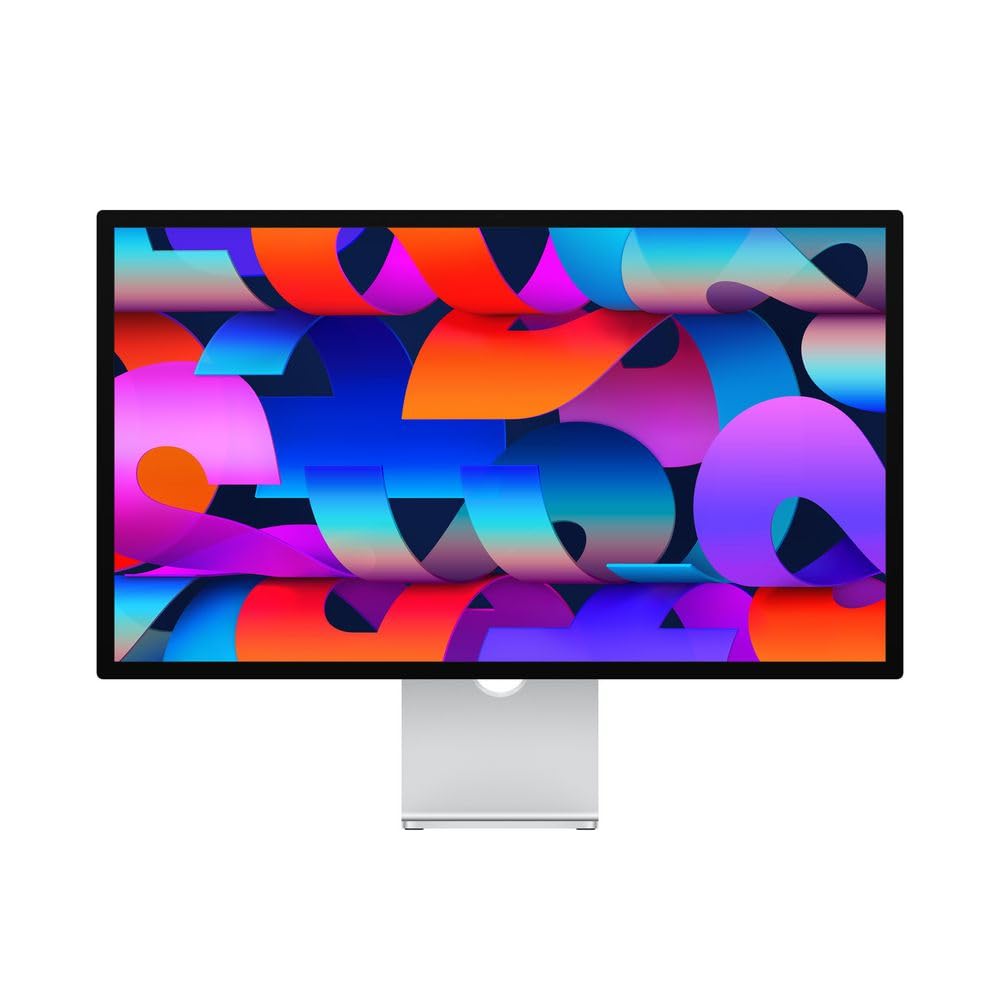
The Apple Studio Display is the reference monitor for anyone working inside the Mac ecosystem. Its 27-inch 5K Retina panel at 218 pixels per inch renders text and image detail sharper than any 4K display — you can inspect a skin texture at 100% magnification without seeing pixel artifacts. The P3 wide color gamut, paired with 600 nits of brightness, gives highlight detail and saturated tones a realism that lower-brightness panels lose. The built-in 12MP Ultra Wide camera with Center Stage, studio-quality three-mic array, and six-speaker Spatial Audio system are extras you did not ask for but will appreciate during client reviews and video calls.
Color accuracy out of the box is outstanding — the display is factory-calibrated to a white point that matches the iMac 5K and MacBook Pro screens, so your edits transfer between devices without a visible shift. The glass panel has a very tight anti-reflective coating that preserves contrast in mixed lighting, and the nano-texture option scatters ambient light for studios with uncontrolled windows. The 96W power delivery through Thunderbolt 3 charges a MacBook Pro while transmitting the full 5K video signal through a single cable, keeping your desk clean.
The main limitation is the stand. The base model comes with a tilt-adjustable stand that lacks height adjustment — you will want the tilt-and-height-adjustable option or a VESA mount, both of which push the total cost higher. There is no HDMI input, so connecting a non-Mac source requires an active adapter that does not always work reliably at 5K. For a pure color-critical Mac photo workflow, however, no other display combines this level of per-pixel density and system integration.
Why it’s great
- 5K resolution delivers unmatched pixel density for detail inspection
- Factory color matching across Apple devices eliminates cross-screen shifts
- Built-in high-quality speakers, mics, and camera reduce desk clutter
Good to know
- Height-adjustable stand is a costly upgrade over the base tilt-only model
- No HDMI input limits non-Mac connectivity
- Premium price that may exceed the budget of casual photographers
2. BenQ SW272Q Photographer Monitor

The BenQ SW272Q is specifically built for photographers who need print-to-screen consistency, and it shows in every design decision. The 27-inch 2560×1440 QHD resolution may seem lower than the 4K competition, but the panel prioritizes color volume and tonal smoothness over raw pixel count — the 99% Adobe RGB coverage and 98% DCI-P3 coverage mean your edits stay inside the wider print gamut where many 4K panels clip. The 16-bit 3D LUT produces 1.07 billion colors with internal processing that reduces banding in sky gradients and shadow transitions, which is exactly where cheaper displays fail.
The Nano Matte Panel with TUV anti-reflection certification simulates a paper-like surface texture that reduces glare without scattering contrast — critical if you edit in a room with windows or overhead lights. BenQ’s Paper Color Sync software lets you select your printer model and paper type so the screen preview mimics what the print will look like before you hit send. The included shade hood keeps ambient light off the panel, and the bundled wireless HotKey Puck lets you switch between sRGB, Adobe RGB, and black-and-white modes without digging through an OSD menu.
The QHD resolution is a trade-off — at 27 inches, the pixel density sits at 109 PPI, which is noticeably less sharp than a 4K or 5K panel when inspecting fine detail at 100% zoom. You also get no built-in speakers, and the 60Hz refresh rate is standard for this class but feels dated if you occasionally game on the same monitor. For a dedicated editing display that prioritizes print accuracy above everything else, however, this is the most purpose-built monitor in the list.
Why it’s great
- 99% Adobe RGB and 16-bit LUT deliver exceptional gradient smoothness
- Paper Color Sync and included hood provide real print proofing
- Anti-reflection Nano Matte panel reduces glare without haze
Good to know
- QHD resolution is less sharp than 4K for pixel-level detail inspection
- No built-in speakers
- Screen hood adds bulk to the desk footprint
3. Dell UltraSharp U2725QE

The Dell UltraSharp U2725QE 27-inch 4K UHD monitor uses IPS Black technology to achieve a 2000:1 contrast ratio — roughly double what standard IPS panels deliver. This deeper black level is immediately visible when editing low-key portraits or nightscapes because shadow details no longer wash into a gray haze. The factory calibration report targets Delta E < 1.5 across 99% DCI-P3 coverage, and in practice the panel holds white point consistency across the full screen surface with no noticeable color shift from edge to edge.
The 120Hz refresh rate is a welcome upgrade for photography workflows that involve scrolling through high-resolution catalogs or retouching with pen input. The Thunderbolt 4 port delivers up to 140W power delivery and supports daisy-chaining a second 4K display from a single laptop connection — a setup that simplifies tethered shooting with a secondary reference monitor. The built-in ambient light sensor adjusts brightness automatically, and ComfortView Plus reduces blue light without the yellow cast that cheaper blue-light filters introduce.
The stand provides full ergonomic adjustment — height, tilt, swivel, and pivot — with a cable management channel that keeps the desk tidy. Some Mac users have reported a compatibility warning when connecting via Thunderbolt 4, though the display continues to function normally in most cases. The anti-glare coating is less aggressive than the nano-texture on the Studio Display, so reflected light can be distracting in very bright rooms. For a photo editing desk that demands high contrast, factory color accuracy, and multi-monitor flexibility, this is the strongest IPS-based choice.
Why it’s great
- IPS Black panel doubles contrast for deeper shadow detail
- Delta E < 1.5 factory calibration ensures out-of-box accuracy
- Thunderbolt 4 with 140W PD and daisy chaining simplifies cable management
Good to know
- Some Mac users encounter Thunderbolt compatibility warnings
- Anti-glare coating not as effective as nano-texture options
- Expensive for a 27-inch IPS without OLED-level blacks
4. BenQ PD2705U Mac-Ready AQCOLOR Monitor

The BenQ PD2705U is a 27-inch 4K UHD IPS monitor factory-calibrated to cover 100% sRGB and Rec. 709 with an average Delta E ≤ 3, making it a reliable option for web-focused photo editing and video color grading. The AQCOLOR technology reproduces consistent color across the panel, and the included calibration report gives you measurable proof out of the box. The 65W USB-C port handles video, data, and charging for a MacBook Air or Pro through a single cable, which reduces desktop clutter when switching between tethered shooting and editing.
The built-in KVM switch and HotKey Puck set this monitor apart for photographers who work between two computers. You can keep a desktop PC for heavy rendering and a MacBook for editing, and toggle keyboard, mouse, and display control between them without reaching behind the desk. The ICC Sync feature through BenQ Display Pilot software maps the correct color profile in about one second, removing the guesswork when switching between sRGB and Display P3 modes. The stand provides height, tilt, swivel, and pivot adjustment with a solid metal base that does not wobble during extended editing sessions.
The Delta E ≤ 3 rating is acceptable for professional work, but some mid-range competitors hit Delta E < 2 at a similar price point, so critical color graders may want to budget for an external calibration sensor. The 60Hz refresh rate is standard, and the 350 cd/m² brightness is sufficient for indoor studios but lacks headroom for HDR editing in bright rooms. Overall, this is a well-thought-out monitor for photographers who value multi-computer workflow efficiency over raw color spec.
Why it’s great
- KVM switch with HotKey Puck streamlines dual-computer editing setups
- USB-C 65W PD charges a MacBook through a single cable
- ICC Sync software automates color profile switching
Good to know
- Delta E ≤ 3 is adequate but not as tight as sub-2 competitors
- Brightness tops out at 350 cd/m² — limited for HDR grading
- Speakers are basic and best replaced with dedicated monitors
5. BenQ MA320U 32-inch Mac Monitor

The BenQ MA320U expands the Mac-optimized design of its 27-inch sibling into a 32-inch 4K panel that gives you more canvas for editing large panoramas and multi-layer composites. The P3 wide color gamut, calibrated through BenQ’s proprietary color tuning to match MacBook Pro and MacBook Air screens, ensures that exposure and white balance edits transfer consistently between your laptop and this external display. The 400 cd/m² brightness provides enough headroom for working near windows, and the IPS panel holds color fidelity across the 178-degree viewing angle — important if you reference the screen from the side while adjusting lighting gear.
The dual USB-C ports deliver 90W power delivery to a MacBook Pro and 15W to charge an iPad or iPhone simultaneously, which cuts down the number of power bricks on your desk. You can adjust brightness and volume directly from the MacBook keyboard without reaching for the monitor controls — a small detail that saves friction during long editing sessions. The ergonomic stand supports height, tilt, swivel, and pivot adjustments, and the pivot rotation is especially useful when editing vertical portrait series or comparing full-height images side by side.
The 32-inch size at 4K resolution results in a lower pixel density compared to a 27-inch 4K screen — about 140 PPI versus 163 PPI — so fine text and image details are slightly less sharp. Some users have reported the anti-glare coating introduces a minor graininess on solid white backgrounds, which can be distracting when masking or working with clean graphics. For Mac photographers who prioritize screen real estate and seamless system integration over maximum pixel density, this is a very capable large-format option.
Why it’s great
- P3 color matching eliminates cross-screen shifts with MacBook displays
- 90W USB-C powers a MacBook while charging an iPad via second port
- Generous 32-inch screen with full ergonomic adjustment
Good to know
- 4K on 32 inches yields lower pixel density than 27-inch alternatives
- Anti-glare coating can appear grainy on white backgrounds
- No built-in camera or microphone for video calls
6. BenQ MA270U 27-inch Mac Monitor

The BenQ MA270U distills the same Mac-optimized design philosophy into a 27-inch 4K IPS panel that serves as a strong alternative to the Apple Studio Display at a significantly lower investment. The P3 wide color gamut is calibrated to match MacBook Pro and MacBook Air screens, so you can pull a RAW file from Lightroom on your laptop and open it on this monitor without a visible color shift. The 400 cd/m² brightness and 2000:1 contrast ratio produce deeper blacks than standard IPS panels — close to the IPS Black performance of the Dell U2725QE but at a lower entry cost.
The dual USB-C ports deliver 90W power delivery for the MacBook and 15W for an iPad or iPhone, which is particularly useful for photographers who tether an iPad for client previews while editing on the main screen. Mac keyboard brightness and volume controls work natively without extra software, and the Display Pilot 2 software enables fine-tuning of color temperature and gamma settings. The stand provides height, tilt, swivel, and pivot adjustment with a compact footprint that fits easily into a home studio desk arrangement.
Early reliability reports include isolated instances of the display developing a dark vertical bar after a few weeks of use, though BenQ support has handled replacements under warranty. The built-in speakers are poor and will need replacement with external monitors for client reviews. The pixel density at 27 inches 4K (163 PPI) is sharp enough for most editing work, though critical inspectors will still prefer the 218 PPI of the Studio Display.
Why it’s great
- Mac color match ensures accurate file transfer between laptop and display
- 90W USB-C charges a MacBook and an iPad from the same monitor
- Full ergonomic stand with pivot saves space on a photography desk
Good to know
- Isolated reports of early panel failure requiring warranty service
- Built-in speakers are not usable for client audio previews
- Still noticeably less sharp than the Apple 5K panel
7. ASUS ProArt PA329CV 32-inch 4K

The ASUS ProArt PA329CV delivers a 32-inch 4K UHD workspace with factory Calman-verified color accuracy targeting Delta E < 2 and full 100% sRGB and Rec. 709 coverage. The larger screen real estate is particularly valuable for photographers who keep editing toolbars visible while working on a full-resolution image, and the 178-degree IPS viewing angle ensures that client viewing from the side does not introduce a color bias. The brightness rating of 400 cd/m² provides comfortable headroom for a moderately lit studio, and the 100,000,000:1 smart contrast ratio helps preserve highlight detail in backlit subjects.
The connectivity suite includes USB-C with 65W power delivery, DisplayPort, and HDMI, along with a four-port USB 3.1 hub that can handle a card reader and a Wacom tablet without an external hub. The included desk clamp (C-clamp) is a thoughtful addition for photographers who want to clear desk space by mounting the monitor on the edge of the desk. The adjustable stand supports height, tilt, swivel, and pivot, and the front-facing power buttons allow quick access to input and calibration controls without reaching around the back of the panel.
The 60Hz refresh rate is standard for this price tier but limits smooth scrolling through large catalogs. Some users have experienced USB-C display disconnection on M1 Macs that required a firmware update, so factor in a Windows machine or a prepared USB drive for the update process. The anti-glare coating is effective but produces a slight haze that reduces perceived contrast in dark scenes — something to test with your specific editing environment.
Why it’s great
- 32-inch 4K panel provides generous workspace without sacrificing accuracy
- Calman verified with Delta E < 2 for reliable out-of-box color
- Includes desk C-clamp for space-saving and flexible mounting
Good to know
- USB-C disconnection may require firmware update on M1 Macs
- Anti-glare coating can reduce perceived contrast in dark images
8. MSI PRO MAX 271UPXW12G QD-OLED Hub Monitor

The MSI PRO MAX 271UPXW12G is a 27-inch 4K UHD QD-OLED monitor that offers contrast and color volume that IPS panels cannot match. The QD-OLED panel produces true black levels and vibrant color saturation, which makes shadow detail in underexposed photos visible without clipping. The Delta E < 2 factory calibration and 97.5% DCI-P3 coverage ensure that the vibrant color reproduction stays accurate for editorial work, not oversaturated. The DisplayHDR True Black 400 certification adds headroom for HDR previews if you deliver content for modern displays.
The dual USB-C hub delivers 98W power delivery and 15W for a secondary device, supporting a one-cable MacBook setup. MSI Mac Optimization Software synchronizes macOS color settings and keyboard shortcuts, bridging the gap between Windows hardware and Mac workflow. The 120Hz refresh rate and FreeSync Premium Pro make scrolling through high-resolution catalogs and panning across zoomed images smooth and responsive.
QD-OLED burn-in is a real consideration for photography editors who keep the same panel layout (toolbars and palettes) for hours each day — while MSI includes a heatsink and burn-in mitigation features, no OLED technology is fully immune. Text clarity is slightly reduced compared to high-PPI IPS displays due to the subpixel layout, so this monitor is better suited to image editing than spreadsheet-heavy administrative tasks. For photographers who prioritize infinite contrast and inky blacks over absolute text sharpness, this is a compelling choice.
Why it’s great
- QD-OLED delivers true blacks and unmatched shadow detail for photo editing
- 98W USB-C PD with Mac color sync enables seamless one-cable workflow
- 120Hz refresh rate keeps scrolling smooth through large catalogs
Good to know
- Burn-in risk from static toolbars requires careful usage habits
- Text clarity is slightly softer than high-PPI IPS panels
- White chassis may not match all studio aesthetics
9. ASUS ProArt PA279CV 27-inch 4K

The ASUS ProArt PA279CV is the 27-inch sibling of the PA329CV, offering the same Calman-verified Delta E < 2 calibration and 100% sRGB/Rec. 709 coverage in a more compact and affordable package. The 27-inch 4K IPS panel hits the sweet spot of pixel density — 163 PPI — which makes text and fine image details crisp without requiring display scaling that reduces usable screen area. The USB-C port delivers 65W power delivery, enough to charge a MacBook Air or a 13-inch MacBook Pro during an editing session, and the USB 3.1 hub provides four downstream ports for peripherals.
The factory calibration report included in the box gives you a documented Delta E measurement for each color patch, which is rare at this price tier. The stand supports height, tilt, swivel, and pivot adjustment, including 90-degree rotation for vertical composition review. ASUS includes a three-month Adobe Creative Cloud subscription with the purchase, providing immediate access to Lightroom and Photoshop for photographers building their workflow from scratch.
Some users report a slight green tint out of the box that requires manual tint adjustment in the OSD to reach neutral gray. The 60Hz refresh rate is standard for pro-grade monitors, and the contrast ratio (1000:1 typical) is adequate but not as deep as IPS Black or OLED alternatives. For a photographer stepping up from a consumer display into color-managed editing, this is the most straightforward upgrade path with verifiable accuracy.
Why it’s great
- Factory Delta E < 2 calibration with documented report for verification
- USB-C 65W PD and four-port USB hub simplify cable management
- Full ergonomic stand with pivot for portrait orientation editing
Good to know
- Some units ship with a green tint requiring manual correction
- Contrast ratio is standard IPS — blacks wash out in dark rooms
10. Samsung ViewFinity S8 S80D 27-inch 4K

The Samsung ViewFinity S8 S80D is a 27-inch 4K UHD LED monitor that brings high-resolution editing to photographers working with a limited budget. The 3840 x 2160 resolution provides plenty of detail for reviewing RAW files, and the HDR10 support preserves highlight range in high-contrast scenes. The matte screen finish reduces reflection effectively, making it usable in less controlled studio lighting. The ergonomic stand supports height, tilt, swivel, and pivot adjustments, including 90-degree rotation for vertical portrait edits — a feature not always found at this level.
The connectivity includes HDMI, DisplayPort, and USB-A and USB-B ports, though there is no USB-C with power delivery, so connecting a MacBook requires an additional charging cable. The TUV-certified Eye Saver Mode and Flicker-Free technology reduce eye strain during extended editing sessions. The easy setup stand requires no tools or screws, which makes the unboxing and assembly process quick.
The color accuracy is decent out of the box but is not factory-calibrated to the Delta E < 2 standard of the professional-grade options, so serious color work will require an external calibrator. The menu buttons on the bottom edge are frustrating to navigate without looking, and there are no built-in speakers. For a photographer who needs 4K resolution and an adjustable stand on a tight budget, this is a practical starting point, but plan to add a calibration sensor to your cart.
Why it’s great
- Sharp 4K UHD resolution with HDR10 at a very accessible price
- Full ergonomic stand with pivot rotation for portrait editing
- Matte screen and TUV eye care reduce fatigue during long sessions
Good to know
- No USB-C power delivery — MacBooks need a separate charging cable
- Not factory calibrated — requires external calibrator for accurate color
- Menu buttons are awkward to use
11. ViewSonic VP2756-4K ColorPro Monitor

The ViewSonic VP2756-4K is a 27-inch 4K UHD IPS monitor that carries Pantone Validation and covers 100% sRGB, EBU, and SMPTE-C standards with a Delta E < 2 factory calibration. The Pantone certification means the monitor can reproduce the specific Pantone Matching System colors used in commercial photography, which is important for photographers who deliver color-critical work to brands and publishers. The 350 cd/m² brightness is sufficient for a studio environment, and the USB-C port delivers 60W power delivery — enough to charge a MacBook Air during editing.
The ergonomic stand supports height, tilt, swivel, and pivot with a smooth-action mechanism that stays in position without drifting. The Flicker-Free technology and Blue Light Filter reduce eye strain during extended editing sessions, and the built-in USB hub provides four downstream ports for a card reader, mouse, and keyboard. The OSD software control through a PC application is more convenient than the physical menu buttons, though the physical interface is clunky when used alone.
The speakers are adequate for system sounds but not for client audio review — plan to use external speakers or headphones for serious previews. The Mac rotation support is inconsistent: the display hardware supports pivot, but some Mac users find the rotation function does not work as shown in the product images. For photographers who need verifiable color standards (Pantone, EBU) at a budget-friendly price, this is the most certified option in the entry tier.
Why it’s great
- Pantone Validation and Delta E < 2 ensure color-critical accuracy
- USB-C 60W PD with built-in hub reduces cable clutter
- Full ergonomic stand with smooth height and pivot adjustment
Good to know
- Pivot rotation has inconsistent compatibility with macOS
- Speakers are usable but not suitable for audio editing
- Physical OSD buttons are clunky to navigate
FAQ
Do I need 4K resolution for photo editing on a 27-inch monitor?
Can I use a gaming monitor with high refresh rate for photography editing?
What is the difference between hardware calibration and software profiling?
Is Adobe RGB coverage more important than sRGB for a photography monitor?
Final Thoughts: The Verdict
For most photographers, the computer display for photography winner is the BenQ SW272Q because it combines 99% Adobe RGB coverage, a 16-bit 3D LUT, and paper-specific preview software into a print-ready editing tool that no other monitor at this level matches. If you want pixel-level sharpness and seamless Mac integration, grab the Apple Studio Display. And for a high-contrast, large-screen editing environment with Thunderbolt 4 simplicity, nothing beats the Dell UltraSharp U2725QE.

Mo Maruf
I created WellFizz to bridge the gap between vague wellness advice and actionable solutions. My mission is simple: to decode the research and give you practical tools you can actually use.
Beyond the data, I am a passionate traveler. I believe that stepping away from the screen to explore new environments is essential for mental clarity and physical vitality.