Our readers keep the lights on and my smoothie glass nicely filled. As an Amazon Associate, I earn from qualifying purchases.
Noise and heat are the two silent killers of a high-performance PC build. Whether you are pushing a Ryzen 9 through a rendering session or gaming on an Intel Core i9, the hum of a struggling cooler can ruin the experience and throttle your hardware.
I’m Mohammad Maruf — the founder and writer behind WellFizz. I’ve spent countless hours dissecting pump designs, heat pipe counts, fin density, and fan curves to separate genuine performance from marketing hype in the thermal management space.
This guide distills that research into a focused selection of the best computer cooling system options to keep your CPU operating at its peak without breaking your budget or your peace.
How To Choose The Best Computer Cooling System
Choosing between a tower air cooler and an all-in-one liquid loop comes down to three factors: the thermal design power of your CPU, your case’s physical clearance, and your tolerance for pump whine versus fan swoosh. Ignoring any one of these leads to a system that either throttles under load or sounds like a server rack.
Heat Pipe Density vs. Radiator Surface Area
Air coolers rely on copper heat pipes making direct contact with the CPU lid. More pipes — typically six or seven — spread heat across a larger aluminum fin stack. AIO coolers shift heat to a radiator via a pump-driven liquid loop; here, radiator thickness and fan static pressure dictate performance. A 360mm radiator with three high-static-pressure fans usually beats a dual-tower air cooler on peak loads, but a dense seven-pipe tower can match or exceed a cheap 240mm AIO without the risk of pump failure.
Noce Profile and Pump Acoustics
Noise is measured in decibels, but the character of the sound matters more. Air coolers produce a broad whoosh as fans spin up. AIOs add a higher-pitched pump buzz that can be intrusive at idle. Premium liquid coolers use progressive IC pump motors and vibration-dampening mounts to push that noise floor down. Always check whether the listed decibel rating was measured in a controlled lab setting — brand-reported figures can differ wildly from real-world bench tests.
Socket Compatibility and RAM Clearance
Not all coolers clear tall RAM heat spreaders. Large dual-tower air coolers often overhang the first DIMM slot, forcing you to install memory before the cooler or use short-profile sticks. AIOs avoid this entirely since the block sits flat on the CPU. Also verify that your case fits the cooler height (air) or radiator length (AIO). A 154mm tower like the Thermalright PS120SE fits most mid-towers, but a 38mm-thick radiator like the ARCTIC Liquid Freezer III requires extra clearance beyond standard 25mm fan space.
Quick Comparison
On smaller screens, swipe sideways to see the full table.
| Model | Category | Best For | Key Spec | Amazon |
|---|---|---|---|---|
| Thermalright PS120SE | Air / Dual-Tower | High TDP on a budget | 7x 6mm heat pipes, 66 CFM | Amazon |
| be quiet! Light Loop 240 | AIO / 240mm | Silent operation + RGB | 21 dBA pump, refill port | Amazon |
| Cooler Master 360 Core II | AIO / 360mm | Ryzen 9 / Intel Ultra 9 | 1750 RPM fans, 70.5 CFM | Amazon |
| Corsair Nautilus 360 RS | AIO / 360mm | Low-noise, high static pressure | 20 dBA pump, convex cold plate | Amazon |
| ARCTIC Liquid Freezer III Pro 240 | AIO / 240mm | Ultra-quiet with VRM cooling | 38mm radiator, 77 CFM | Amazon |
In‑Depth Reviews
1. CORSAIR Nautilus 360 RS

The Corsair Nautilus 360 RS delivers near-inaudible pump operation at only 20 dBA, making it the quietest 360mm AIO in this selection. The slightly convex cold plate design ensures maximum contact pressure against the CPU’s integrated heat spreader, eliminating the micro-gaps that plague flat-base coolers and improving thermal transfer from the start.
The three RS120 fans use AirGuide technology and Magnetic Dome bearings to push high static pressure through a dense radiator without rattling. Daisy-chain wiring reduces cable clutter to a single 4-pin header, simplifying installation in tight cases. Users report idle temperatures around 28°C on Ryzen 9 9950X and a solid 10°C drop after replacing the pre-applied paste with a high-grade thermal compound.
Compatibility covers LGA 1851, 1700, AM5, and AM4. The 36 dBA noise level at full fan speed is louder than the pump alone, but custom fan curves keep the system whisper-quiet during typical workloads. For noise-sensitive builders who still want 360mm heat dissipation, this is the clear choice.
Why it’s great
- 20 dBA pump is essentially silent at idle
- Convex cold plate improves CPU contact
- Daisy-chain fans simplify cable management
- Strong 2100 RPM fan speed for peak loads
Good to know
- Pre-applied paste performs worse than aftermarket compounds
- Full fan speed can reach 36 dBA under extreme load
- Requires ample case space for the 360mm radiator
2. Thermalright PS120SE

The Thermalright PS120SE is a dual-tower air cooler with seven 6mm copper heat pipes using AGHP 4.0 technology, which reverses gravity effects regardless of vertical or horizontal orientation. With a 154mm height and a TDP rating of 105W to 280W, it fits most mid-tower cases while handling everything from an i7-4790K to a Ryzen 9 5900X without breaking a sweat.
Its two TL-C12B V2 PWM fans spin up to 1500 RPM and push 66.17 CFM of airflow at only 25.6 dBA — quieter than many 120mm AIO fans at similar speeds. The anodized black frosted top and finely carved pure copper base maximize heat transfer. Real-world testing shows an i7-4790K dropping from 98°C to under 65°C under load, and a 9800X3D hovering at 65-70°C with decent case airflow.
Installation requires motherboard back access and can be fiddly on mATX boards — the Y-adapter for the fans should be connected before mounting. Some units ship with dried-out thermal paste, so keep a spare tube handy. For the price, this cooler rivals many entry-level AIOs while eliminating pump failure risk entirely.
Why it’s great
- Seven heat pipes provide massive heat transfer capacity
- AGHP 4.0 works in any case orientation
- Quiet fans at 25.6 dBA
- Rivals 240mm AIO performance at a fraction of the cost
Good to know
- Installation alignment can be frustrating
- Included thermal paste may be dry
- Large size may obstruct RAM slots on some boards
3. ARCTIC Liquid Freezer III Pro 240 A-RGB
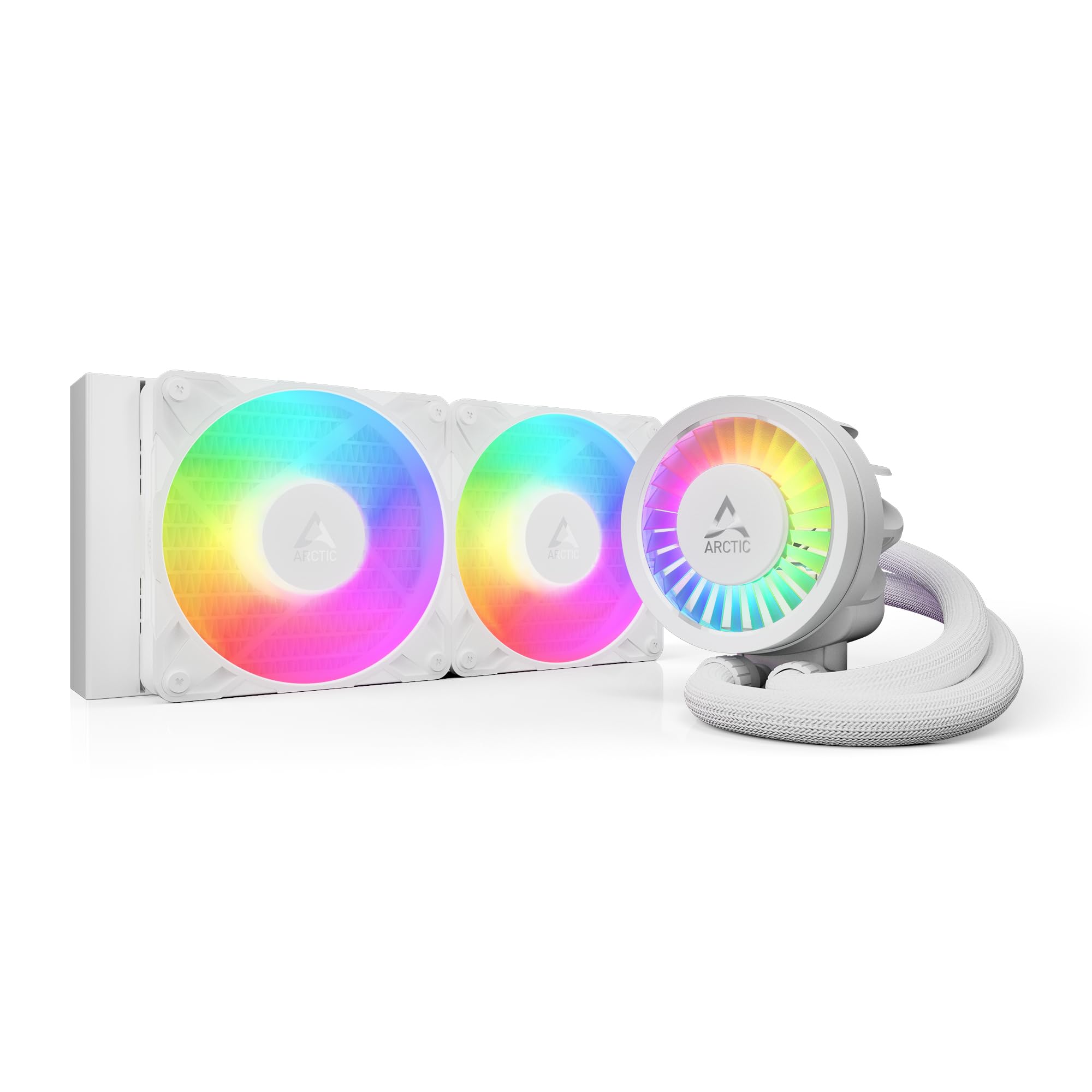
The ARCTIC Liquid Freezer III Pro 240 stands out with its 38mm-thick radiator — significantly denser than standard 27mm units — and an integrated PWM-controlled VRM fan that lowers voltage regulator temperatures for stable overclocking. The included contact frame for LGA 1851 and LGA 1700 distributes mounting pressure evenly, reducing CPU deformation risk and improving heat transfer by a measurable margin.
The P12 PRO fans push 77 CFM of airflow, the highest among the 240mm AIOs here, though they can get loud at max RPM. In practice, users report idle temps dropping from 38°C to 36°C and load temps falling from 72°C to 68°C compared to a previous Cooler Master ML240. The native offset mounting shifts the cold plate toward the CPU hotspot for both Intel and AMD sockets, extracting heat more efficiently from the die location.
Installation on AM5 is straightforward, but applying the cooler to the processor requires more downward force than typical AIOs. The single 4-pin connection for all fans and pump simplifies routing, and the white A-RGB version offers clean aesthetics for light-colored builds. For AM5 users seeking a quiet, high-performance 240mm loop with integrated VRM cooling, this is the premier option.
Why it’s great
- 38mm radiator provides superior heat capacity
- Integrated VRM fan improves motherboard longevity
- Contact frame optimizes CPU contact pressure
- Native offset mounting targets CPU hotspot
Good to know
- Fans can get loud at maximum speed
- Install requires more force than typical AIOs
- Thicker radiator may not fit all cases
4. Cooler Master 360 Core II
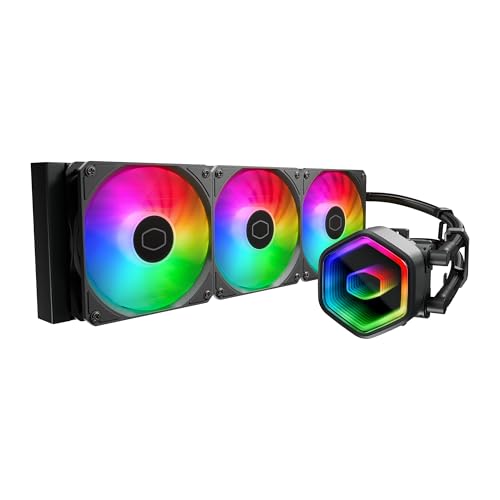
The Cooler Master 360 Core II uses a G9R Gen dual-chamber pump design that boosts water flow directly to the CPU hotspot, making it effective on high-core-count chips like the Ryzen 9 9900X and Intel Ultra 9. Its three 120mm fans operate between 650 and 1750 RPM, pushing 70.5 CFM of air while staying at a reasonable 30 dBA under typical loads.
The infinity mirror on the pump head delivers vivid ARGB lighting that syncs with motherboard software for a polished gaming aesthetic. Installation brackets snap onto LGA 1851, 1700, AM5, and AM4 without tools, and the included CryoFuze thermal paste maintains stable conductivity from -50°C to 250°C. In testing, the unit kept a Ryzen 9 9900X cool through extended sessions, though fan noise ramps noticeably under synthetic load.
Build quality is robust with no leaks reported across long-term use. The 360mm radiator fits most full-tower and larger mid-tower cases. For gamers who want the visual punch of a 360mm AIO with reliable all-around performance, this delivers strong value without the premium price tag of high-end units.
Why it’s great
- Dual-chamber pump targets CPU hotspot directly
- Infinity mirror ARGB adds premium visuals
- Tool-free bracket installation
- CryoFuze thermal paste handles extreme temperatures
Good to know
- Fan noise is noticeable under sustained heavy load
- Requires a case with 360mm radiator support
- Plastic build on some components feels less premium
5. be quiet! Light Loop 240mm Black
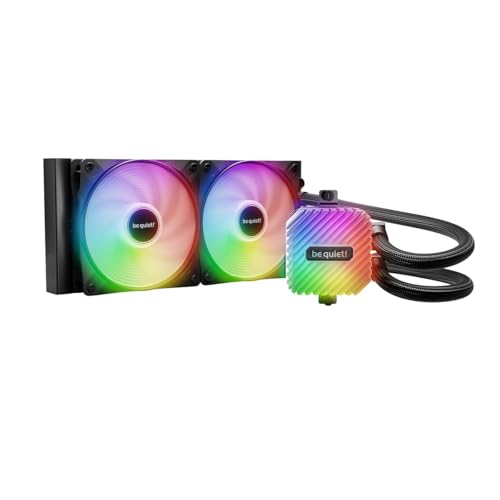
The be quiet! Light Loop 240mm Black pairs a low-noise pump and two Light Wings LX 120mm high-speed PWM fans to deliver strong cooling with minimal acoustic footprint. The pump uses a progressive IC motor that reduces switching noise, and a metal jet plate increases coolant flow speed for faster heat extraction from the cold plate’s high-density fin stack.
With 48 total ARGB LEDs — 16 per fan and 16 on the pump block — the illumination is vibrant and diffuses evenly across the fan blades. The included ARGB-PWM hub synchronizes up to six fans and six ARGB components, reducing motherboard header requirements. A refill port and included coolant bottle extend the unit’s lifespan beyond typical sealed AIOs, a rare feature at this price tier.
Installation is straightforward, though the heatsink mount may require referencing the website for bracket orientation. Users report Ryzen 7 7800X3D and 9800X3D temperatures staying below 70°C during stress tests with custom fan curves. The 34.9 dBA noise rating is higher than the Nautilus 360, but the pump remains silent under normal operation. For builders prioritizing quiet operation and long-term maintenance, this is a smart mid-range pick.
Why it’s great
- Refill port extends AIO lifespan
- Progressive IC pump motor reduces switching noise
- 48 ARGB LEDs for even illumination
- ARGB-PWM hub simplifies cable management
Good to know
- Noise rating of 34.9 dBA is higher than some competitors
- RGB hub requires SATA power
- Mount bracket orientation may need online reference
FAQ
Is a 240mm AIO enough for a Ryzen 9 9950X?
Why does my air cooler rattle at certain fan speeds?
Does an AIO pump need to be mounted higher than the radiator?
Can I mix fans of different static pressure ratings on the same radiator?
Final Thoughts: The Verdict
For most users, the best computer cooling system winner is the Thermalright PS120SE because it delivers AIO-matching thermal performance with zero pump failure risk and a noise profile that stays under 26 dBA. If you want a silent 360mm loop with a convex cold plate for optimal CPU contact, grab the Corsair Nautilus 360 RS. And for AM5 builders who value VRM cooling and a thick radiator in a compact 240mm form, nothing beats the ARCTIC Liquid Freezer III Pro 240.

Mo Maruf
I created WellFizz to bridge the gap between vague wellness advice and actionable solutions. My mission is simple: to decode the research and give you practical tools you can actually use.
Beyond the data, I am a passionate traveler. I believe that stepping away from the screen to explore new environments is essential for mental clarity and physical vitality.