Our readers keep the lights on and my smoothie glass nicely filled. As an Amazon Associate, I earn from qualifying purchases.
Finding a computer and printer combo that actually works together without headaches, compatibility issues, or half the gear collecting dust is harder than it should be. You need a desktop or all-in-one that pairs naturally with a reliable printer for documents, labels, schoolwork, or office tasks — not two separate devices that fight each other.
I’m Mohammad Maruf — the founder and writer behind WellFizz. I’ve spent hundreds of hours analyzing processor specs, printer duty cycles, connectivity standards, and user experiences to identify which bundles deliver real value instead of just adding peripheral clutter.
Every recommendation in this guide is rooted in real-world performance data, customer feedback, and category-specific spec analysis to help you confidently choose the best computer and printer combo for your workflow and budget.
How To Choose The Best Computer And Printer Combo
Selecting a computer and printer combo requires more than picking two devices at random. You need a balanced relationship between processing power, print speed, and long-term supply costs. The wrong pairing can leave you with a fast computer waiting on a slow printer — or a heavy-duty printer paired with an underpowered machine that struggles with print drivers and multitasking.
Match Processor Tier to Printer Speed Class
If your printer prints at 33 pages per minute in color, pairing it with a low-power N100 processor can create a slight delay when processing complex PDFs or print queues. For home offices with moderate print volumes, an Intel Core i5 or AMD Ryzen 5 class machine handles spooling, scanning, and application switching without lag. For basic household use with lower print speeds under 20 ppm, an N100 or Pentium-class chip is perfectly adequate.
Total Cost Per Page — The Hidden Factor
Inkjet combos often lure with a low upfront price but punish you later with expensive cartridge replacements. Color laser printers have higher upfront hardware costs but dramatically lower cost per page — often around 2 to 3 cents per page versus 14 cents for standard inkjet cartridges. If you print more than 200 pages per month, color laser or high-yield ink tank combos save significant money within the first year. Always check replacement toner yield in pages, not just the bundle price.
Connectivity and Workspace Fit
An all-in-one desktop that connects via Wi-Fi 6 or Bluetooth 5.2 pairs cleanly with a modern wireless printer, eliminating cable clutter. For businesses handling sensitive documents, look for printers with Gigabit Ethernet and NFC card authentication. Physical footprint also matters — a wide-format Epson EcoTank takes up roughly 24 by 32 inches of desk space, while a Brother color laser fits in half that area. Measure your workspace before committing to a bundle.
Quick Comparison
On smaller screens, swipe sideways to see the full table.
| Model | Category | Best For | Key Spec | Amazon |
|---|---|---|---|---|
| Brother MFC-L8930CDW | Color Laser | Business security & high volume | 33 ppm color, 7″ touchscreen, NFC auth | Amazon |
| Canon MF753Cdw II | Color Laser | Small workgroup & speed | 35 ppm color, 5″ touchscreen, 3-year warranty | Amazon |
| Dell 24 All-in-One EC24250 | All-in-One PC | Family office & eye comfort | Core 3 100U, 23.8″ FHD, 512GB SSD | Amazon |
| Lenovo IdeaCentre 24 AIO | All-in-One PC | Heavy multitasking & storage | 32GB DDR4, 1TB SSD, Intel N100 | Amazon |
| GEEKOM A7 MAX Mini PC | Mini PC | Creative & 4K workflows | Ryzen 9 7940HS, 16GB DDR5, 1TB SSD | Amazon |
| Brother MFC-L3720CDW | Color Laser | Home office & mobile printing | 19 ppm color, 3.5″ touchscreen, dual-band WiFi | Amazon |
| Dell Optiplex + Dual 24″ LCDs | Desktop Bundle | RGB gaming & dual-screen setup | i5-8500, 16GB RAM, 1TB SSD, 2 monitors | Amazon |
| HP 22″ All-in-One Desktop | All-in-One PC | Everyday home use & simplicity | Intel N100, 8GB DDR5, 128GB SSD | Amazon |
| Lenovo V100 23.8″ AIO | All-in-One PC | Budget browsing & streaming | Intel N100, 8GB RAM, 512GB SSD | Amazon |
| Apple iMac 21.5″ (Renewed) | All-in-One PC | Apple ecosystem on a budget | 2.7GHz i5, 8GB RAM, 256GB SSD | Amazon |
| Epson EcoTank ET-16650 | Ink Tank | Wide-format & high-volume ink | 25 ppm, 13×19″ print, 500-sheet capacity | Amazon |
In‑Depth Reviews
1. Brother MFC-L8930CDW Business Color Laser All-in-One

The Brother MFC-L8930CDW hits the sweet spot for professionals who need uncompromising print quality, speed, and security in one chassis. It churns out 33 pages per minute in both color and monochrome, with a fast first page out around 9.9 seconds. The 80-page auto document feeder handles high-volume scanning at up to 104 images per minute, making it a serious tool for busy offices, not just a secondary printer.
The standout addition is triple layer security — including an integrated NFC card reader for badge authentication. This is rare on a color laser under this tier and makes the L8930CDW ideal for handling sensitive documents. The 7-inch color touchscreen displays scan previews and up to 64 one-touch shortcuts, meaning you rarely dive into menus. Super high-yield TN635XXL cartridges push black output to 7,500 pages and color to 6,500, which drives the per-page cost extremely low for a color laser.
Connectivity covers dual-band wireless, Gigabit Ethernet, and USB 2.0. Some users reported a minor Firefox display issue with scanned PDFs, but switching to Foxit PDF viewer resolves it. The printer is 25 percent smaller than its predecessor, so it fits tighter desks without sacrificing paper capacity. For any business-grade computer and printer combo, this is the anchor peripheral.
Why it’s great
- Super high-yield toner keeps per-page costs to a fraction of inkjet setups
- NFC card reader and advanced security features protect sensitive office documents
- Fast 33 ppm color speed with an intuitive 7-inch touchscreen interface
Good to know
- Premium purchase price requires justification for low-volume home users
- Firefox PDF rendering may appear gray after driver installation; use Foxit as a workaround
2. Canon Color imageCLASS MF753Cdw II

The Canon MF753Cdw II earns its place in this guide by delivering the fastest print speed in the color laser tier at 35 pages per minute. The first print lands in about seven seconds, and the 50-sheet duplexing auto document feeder scans both sides in a single pass. This is a printer built for small workgroups where waiting time directly impacts productivity.
The 5-inch color touchscreen with Application Library lets you customize shortcuts for recurring tasks like scan-to-email or copy-to-PDF. Paper handling includes a 250-sheet standard cassette plus a 50-sheet multipurpose tray, expandable with an optional PF-K1 cassette to 550 sheets. Canon’s 069 high-capacity toner delivers long runs between replacements, and the 3-year limited warranty is one of the strongest in this class.
Some buyers reported intermittent network disconnection requiring a reboot, though this appears isolated rather than a widespread firmware problem. The Canon website and Windows 11 driver installation process frustrated a few users — the Windows built-in driver works instantly for both printing and scanning. For anyone building a desk with strong warranty coverage and blistering print speed, this is a top contender.
Why it’s great
- Industry-leading 35 ppm color speed with fast seven-second first print
- Three-year limited warranty provides peace of mind beyond typical coverage
- Expandable paper capacity up to 850 sheets with optional cassette
Good to know
- Canon software installation can be finicky on Windows 11; the built-in driver works perfectly
- Intermittent network drops reported by a small number of users
3. Dell 24 All-in-One Desktop EC24250

The Dell 24 All-in-One EC24250 combines an Intel Core 3 100U processor with 8GB of DDR5 RAM and a 512GB SSD in a white chassis that looks clean on any desk. Its 23.8-inch FHD IPS display covers 99 percent sRGB with 50 percent higher contrast than the previous generation, and Dell’s ComfortView Plus reduces blue light emissions without washing out colors. This matters for anyone spending six-plus hours daily reading or editing documents.
The built-in 5MP infrared camera supports Windows Hello facial recognition and includes HDR technology to handle challenging lighting. Dual Bluetooth speakers with Dolby Atmos spatial sound deliver clear conference audio without external speakers. Dell includes one year of onsite service — a technician comes to your location if an issue can’t be resolved remotely — plus six months of Dell Migrate to transfer files from your old PC.
Storage at 512GB is comfortable for documents, photos, and moderate software, though power users may want an external drive. The Core 3 100U isn’t a heavy-lifting chip, but it handles research, office apps, streaming, and casual gaming smoothly. For building a family office or remote workstation where screen quality and eye comfort are priorities, this Dell all-in-one is a strong anchor.
Why it’s great
- ComfortView Plus reduces eye strain during long work sessions without dimming visuals
- 5MP infrared camera enables secure Windows Hello login and HDR video calls
- Onsite service and file migration tool simplify setup and long-term support
Good to know
- Core 3 100U processor is sufficient for office work but not for heavy video editing
- Only 512GB of storage may require a cloud or external drive for large media collections
4. Lenovo IdeaCentre 24 AIO
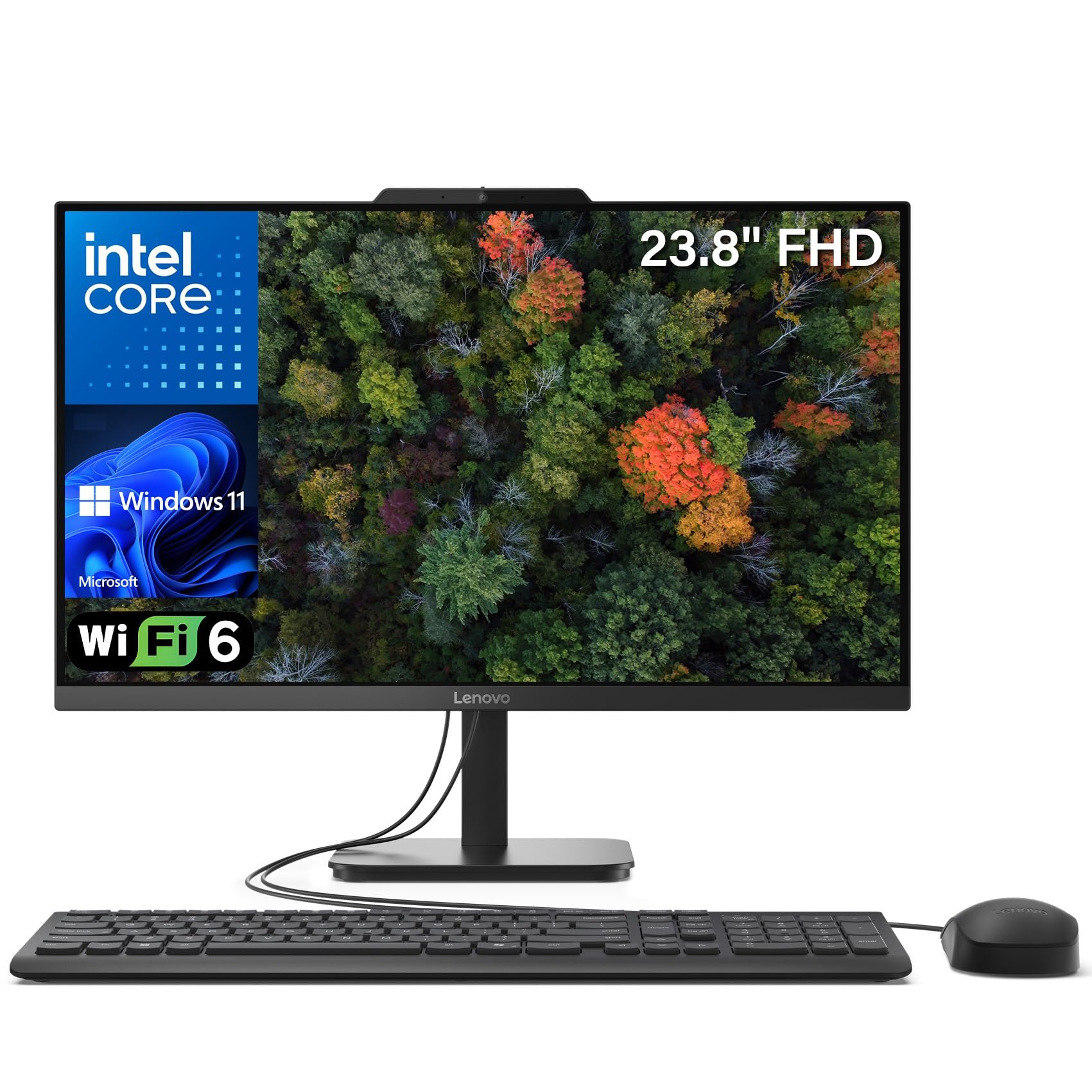
Lenovo’s IdeaCentre 24 AIO stands out for sheer memory density — 32GB of DDR4 RAM paired with a 1TB PCIe NVMe SSD. For users who keep 30 browser tabs open, run Office suite, manage photo libraries, and hop between video calls, that memory cushion prevents slowdowns. The 23.8-inch FHD IPS panel covers 99 percent sRGB with anti-glare coating, making it solid for light photo work and spreadsheet marathons.
The Intel N100 processor with four cores topping out at 3.4GHz is an efficient chip for everyday productivity, but the 32GB RAM allows heavy multitasking without hitting swap. Wi-Fi 6 and Bluetooth 5.2 ensure fast wireless connections to a printer or peripherals. The built-in HD webcam works for meetings, though users note the camera is exposed on top and a privacy cover is recommended.
The wired keyboard and mouse included are basic, and the USB ports sit on the bottom edge of the monitor, which can be awkward to reach. Some users noted a slightly slow startup, though the system runs smoothly once booted. For anyone who prioritizes ample memory and drive space for heavy multitasking over raw processing power, this Lenovo delivers impressive value.
Why it’s great
- 32GB DDR4 RAM handles extreme multitasking without lag or swapping
- 1TB SSD provides massive local storage for documents, media, and applications
- Wi-Fi 6 and Bluetooth 5.2 ensure fast, stable wireless connections to printers
Good to know
- USB ports on the bottom edge of the monitor are less convenient for frequent plugging
- Included keyboard and mouse feel basic; many users replace them immediately
5. GEEKOM A7 MAX Mini PC
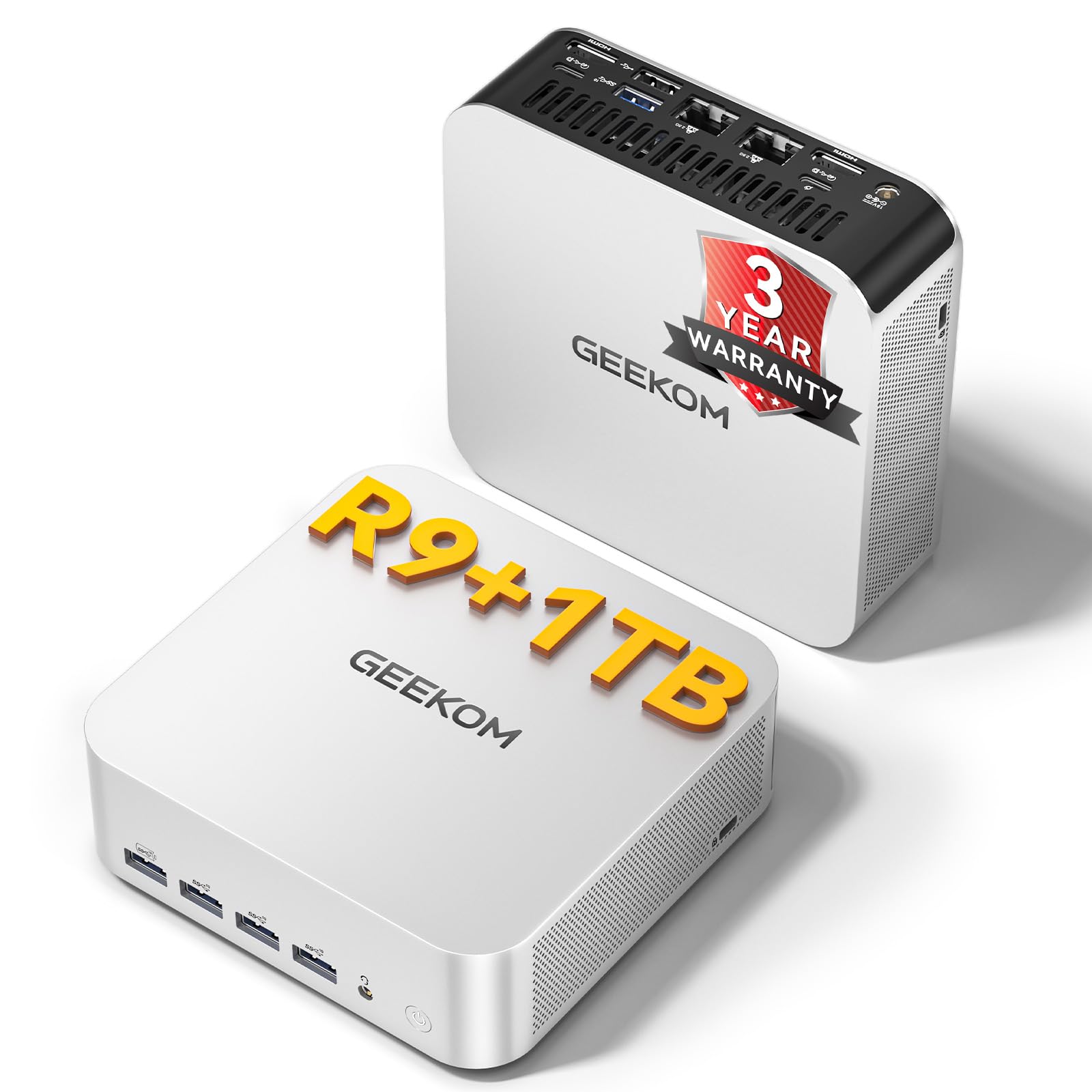
The GEEKOM A7 MAX is a powerhouse in a palm-sized aluminum chassis. The AMD Ryzen 9 7940HS with eight cores and 16 threads boosts up to 5.2GHz, and the integrated Radeon 780M GPU supports ray tracing at 1080p — no dedicated graphics card required. For video editors, financial traders running multi-monitor setups, or anyone handling 4K content, this mini PC punches far above its footprint.
Memory comes as 16GB of DDR5 (single channel occupied, one slot open), expandable up to 128GB. The 1TB NVMe Gen 4×4 SSD is upgradeable to 4TB, and a UHS-II SD card slot supports up to 2TB for creators. Dual 40Gbps USB4 ports and dual HDMI 2.0 drive up to four displays simultaneously. Dual 2.5G LAN ports allow physical network isolation between corporate and internet traffic, a rare feature for this form factor.
The IceBlast 2.0 cooling system keeps noise under 36dB even under sustained load, so it won’t distract in a quiet office. A few users reported initial DOA units, though Amazon’s return process resolved it quickly. The single-channel RAM configuration causes some sluggishness out of the box, but adding a second stick transforms it into a snappy workstation. For a compact, high-performance computer to pair with a premium printer, this is the standout pick.
Why it’s great
- Ryzen 9 7940HS with Radeon 780M handles 4K editing and AAA gaming without a GPU
- Dual 2.5G LAN and USB4 ports enable enterprise-grade network isolation and multi-monitor
- Compact all-aluminum design runs cool and quiet under heavy workloads
Good to know
- Single-channel RAM limits performance initially; adding a second stick significantly improves responsiveness
- A small number of units arrived DOA, though replacement via Amazon is straightforward
6. Brother MFC-L3720CDW Wireless Color Laser Printer

The Brother MFC-L3720CDW delivers professional color laser performance at 19 pages per minute with dual-band wireless networking supporting both 2.4GHz and 5GHz bands. The 50-sheet auto document feeder handles multipage scanning and copying, and the 250-sheet adjustable paper tray keeps interruptions minimal. The 3.5-inch color touchscreen offers 48 customizable shortcuts for frequent tasks like scan-to-email or cloud uploads.
Cloud integration includes direct access to Google Drive, Dropbox, and OneNote from the touchscreen, making it easy to digitize documents without a computer. Mobile printing through the Brother companion app lets you monitor toner levels, manage print jobs, and scan remotely. Automatic duplex printing saves paper without manual flipping.
Some users experienced a critical issue where the printer became unusable after around 1,000 pages due to a waste toner error that Brother support could not resolve. This appears to be a minority case, but warranty awareness is worth noting. Toner efficiency is generally good — standard yield cartridges are affordable, and XL options lower per-page costs further. For a reliable mid-range color laser to pair with any desktop, this Brother model is a solid choice.
Why it’s great
- Dual-band wireless plus Wi-Fi Direct makes network setup quick and stable
- Cloud service integration enables scan-to-Google Drive or Dropbox without a PC
- Mobile app provides remote toner monitoring and printer management
Good to know
- Some units have experienced a waste toner error that Brother support could not fix
- Color print speed of 19 ppm is slower than higher-tier Brother models
7. Dell Optiplex Computer PC w/RGB Lighting Bundle
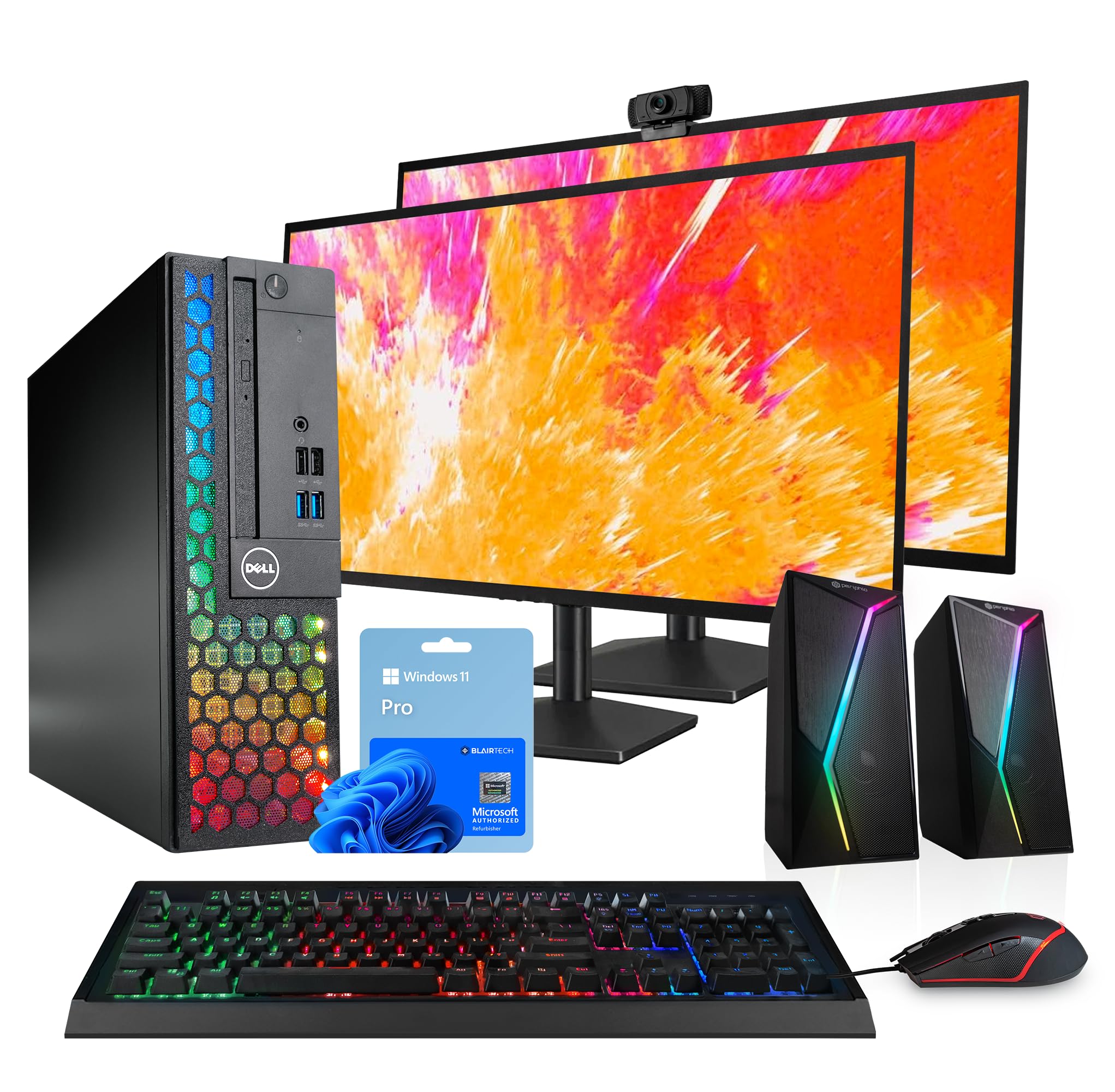
The Dell Optiplex bundle is an all-in-one workstation package — computer, two 24-inch LCD monitors, RGB speakers, a 2K webcam, and a wired RGB keyboard and mouse — all from a Microsoft Authorized Refurbisher. The core system runs an 8th Gen Intel i5-8500 with 16GB of DDR4 RAM and a 1TB SSD, providing snappy application launching and solid multitasking for office productivity or casual gaming.
The dual-monitor setup alone adds significant value for anyone who needs to compare documents, manage spreadsheets alongside email, or monitor multiple applications simultaneously. The RGB aesthetic appeals to gamers and streamers who want their workspace to reflect their style. Free U.S.-based technical support backs the hardware.
Several buyers reported the computer failing after three to four months with a flashing orange light indicating motherboard or RAM issues, and the 90-day warranty left some without recourse. The monitors and peripherals are renewed units, so cosmetic wear may be present. For those willing to accept refurbished hardware and want a turnkey multi-monitor setup, this bundle delivers immediate productivity but carries higher failure risk than new hardware.
Why it’s great
- Two 24-inch LCD monitors provide ample screen real estate for multitasking
- RGB keyboard, mouse, and speakers create a visually cohesive gaming or streaming desk
- 1TB SSD and 16GB RAM are generous specs for a refurbished bundle
Good to know
- Multiple reports of hardware failure after three months with limited warranty coverage
- Refurbished peripherals may show cosmetic wear and functional issues
8. HP 22″ FHD All-in-One Desktop

The HP 22-inch All-in-One Desktop targets everyday home users who need a simple, reliable machine for browsing, streaming, documents, and video calls without technical fuss. The 13th Gen Intel N100 quad-core processor paired with 8GB of DDR5 RAM handles basic productivity with ease. The integrated Intel UHD Graphics supports 1080p video playback without stuttering.
The 21.5-inch FHD display includes an anti-glare coating for comfortable viewing, and the built-in HD webcam features a physical privacy shutter — a thoughtful touch for security-conscious users. Port selection includes a USB-C 5Gbps port, multiple USB-A ports, HDMI-out, and an RJ-45 Ethernet jack. Wi-Fi 6 and Bluetooth 5.3 ensure fast wireless connectivity to a printer.
Storage is limited to a 128GB SSD, which fills quickly once Windows, Office, and applications are installed. External storage is essentially required for anyone storing photos or music libraries. The N100 processor is efficient but won’t handle heavy multitasking or complex software. For a budget-friendly entry-level computer to pair with a basic printer for school, email, and web use, this HP is a clean, straightforward choice.
Why it’s great
- Anti-glare display with privacy shutter webcam makes it ideal for home video calls
- USB-C port and Wi-Fi 6 offer modern connectivity for peripherals and printers
- Pre-installed Windows 11 Pro provides business-grade features out of the box
Good to know
- 128GB SSD is very limited; external storage or cloud space is necessary for media
- N100 processor is not designed for heavy multitasking or demanding applications
9. Lenovo V100 23.8″ FHD All-in-One Desktop
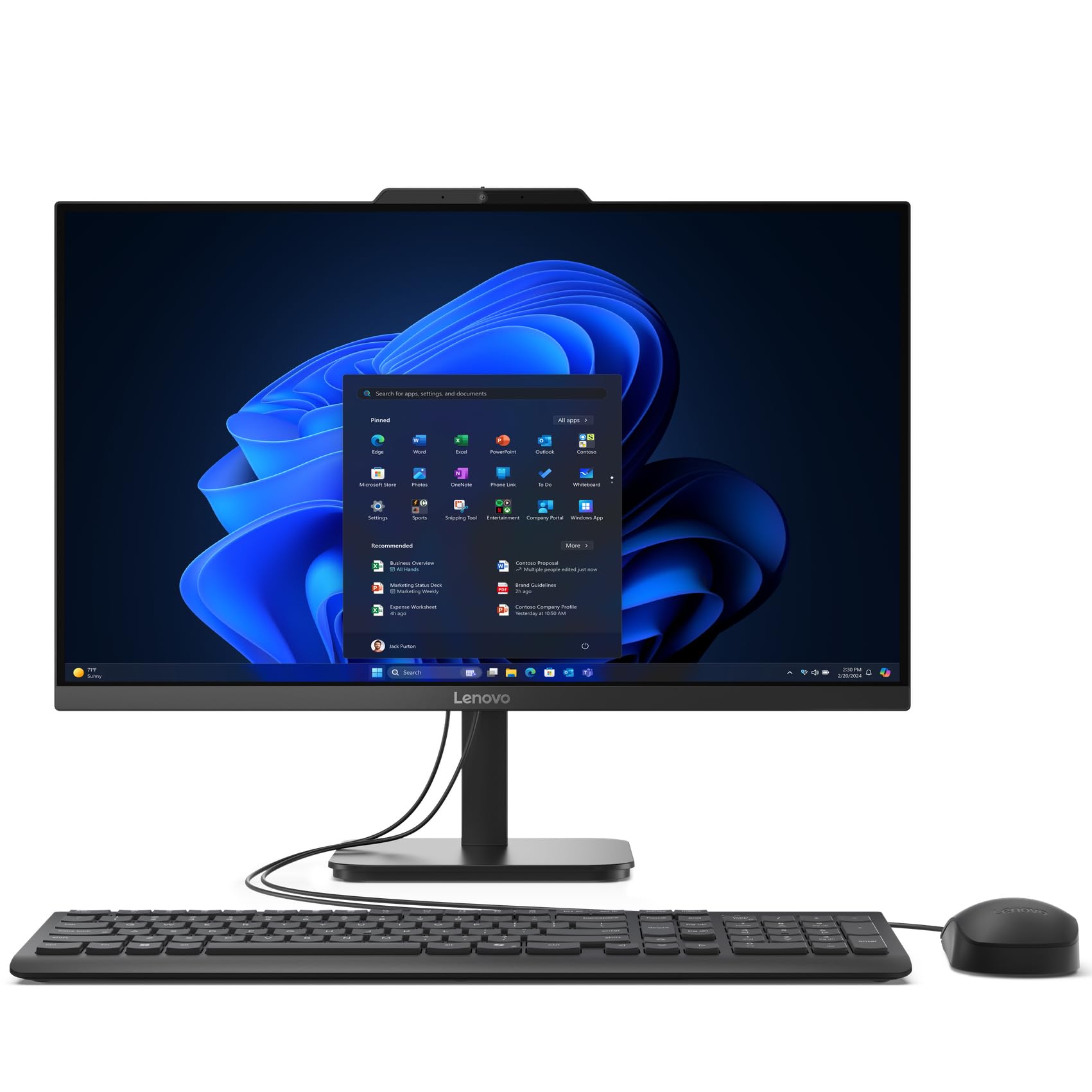
The Lenovo V100 offers a surprising amount of storage for its position — 512GB PCIe NVMe SSD paired with 8GB of DDR4 RAM and an Intel N100 processor. The 23.8-inch FHD IPS display covers 99 percent sRGB with anti-glare coating, delivering clear, color-accurate visuals for office work, streaming, and light creative tasks. The larger screen size at this tier is welcome for users who find 21.5-inch displays cramped.
Wi-Fi 6 and Bluetooth 5.2 provide modern wireless connectivity for printers and peripherals. The all-in-one design eliminates cable clutter, and the VESA mount option lets you attach it to an arm for an ultra-clean desk setup. The included keyboard and mouse are functional out of the box, though the spacebar may feel loose on some units.
The N100 processor handles web browsing, streaming, and office applications smoothly, but it struggles with heavy multitasking or complex creative software. USB ports are positioned close together, making it tight for larger flash drives. For buyers looking for a value-oriented all-in-one with decent storage and a large screen to pair with a standard home printer, the Lenovo V100 is a practical candidate.
Why it’s great
- 512GB SSD provides ample storage at a budget-friendly price point
- 23.8-inch FHD IPS panel with anti-glare reduces eye strain during long sessions
- Wi-Fi 6 ensures fast wireless printing and file transfer
Good to know
- Intel N100 is adequate for basic tasks but lacks power for heavy multitasking
- USB ports are tightly spaced, making it awkward for wider connectors
10. Apple iMac 21.5in 2.7GHz Core i5 (Renewed)

The renewed Apple iMac 21.5-inch offers an entry point into the Apple ecosystem for users who want macOS without the premium price tag. The 2.7GHz Intel Core i5 with 8GB of RAM and a 256GB SSD delivers smooth performance for everyday tasks, web browsing, and Apple-native applications like Pages, Numbers, and Keynote. The 1920×1080 display still holds up well for document work and media consumption.
This unit comes with macOS 10.12 Sierra installed but is upgradeable to newer versions. Customers reported the machine arrived in like-new condition with a clean screen, 256GB SSD, and a wireless keyboard and mouse included. The secure packaging and good seller communication made setup straightforward for most buyers.
The Bluetooth keyboard requires a wired connection during initial setup, which is standard for older iMacs but worth noting. Some units reportedly failed after a few months of use, not booting past the Apple logo. The renewed nature means quality varies by seller, and the lack of AppleCare coverage on a renewed unit is a risk. For users specifically wanting a Mac-based computer and printer combo on a budget, this iMac is the only option in this guide.
Why it’s great
- MacOS ecosystem integration with iCloud, AirDrop, and seamless Apple device pairing
- 256GB SSD ensures fast boot and application launch speeds
- Wireless keyboard and mouse included in the renewed package
Good to know
- Renewed unit quality varies; some buyers report failure after a few months
- Bluetooth keyboard requires wired connection for initial setup process
11. Epson EcoTank Pro ET-16650
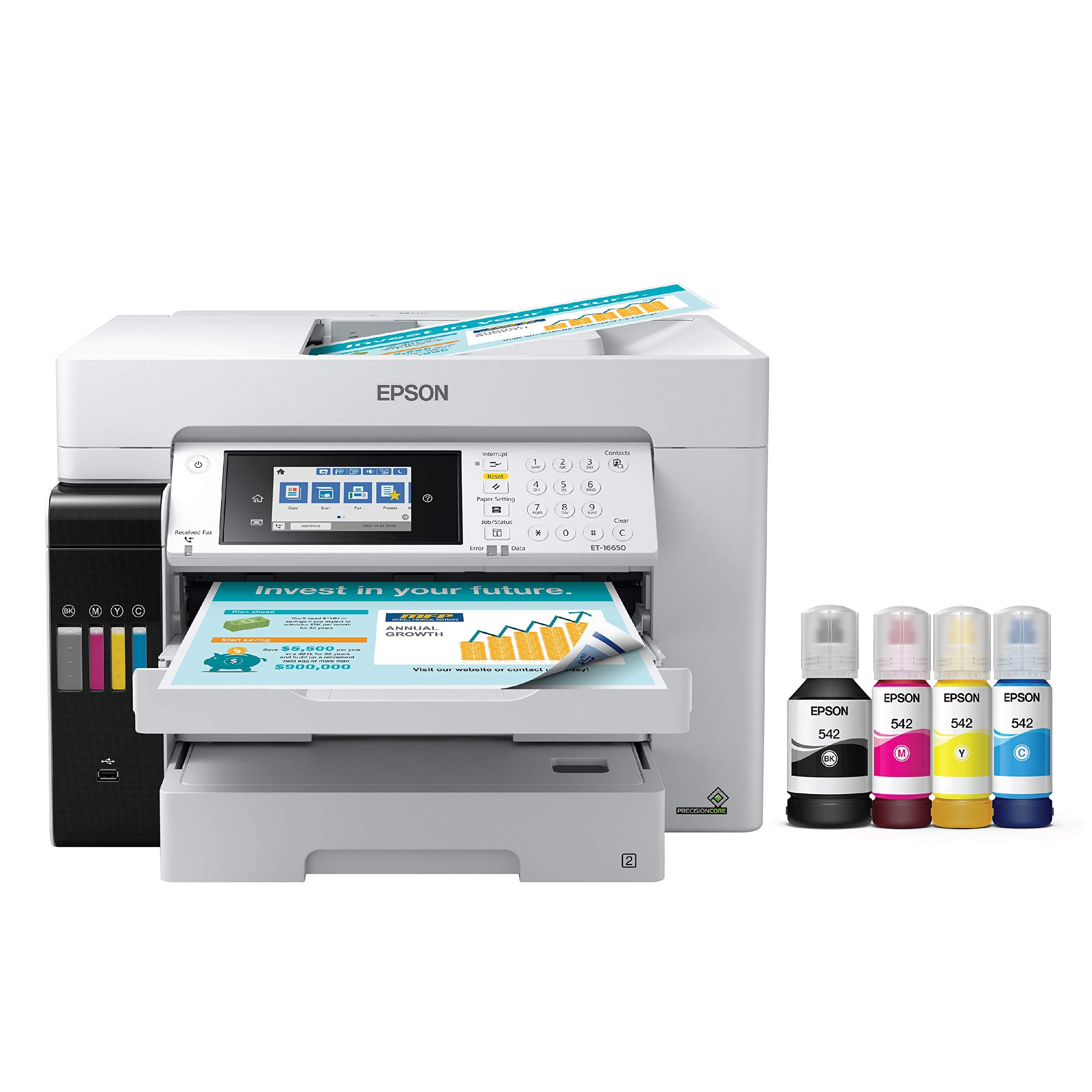
The Epson EcoTank Pro ET-16650 is a wide-format ink tank powerhouse that prints up to 13 by 19 inches and scans up to 11 by 17 inches. Its PrecisionCore Heat-Free technology delivers 25 pages per minute in both black and color. The included ink bottles yield up to 7,500 black pages and 6,000 color pages, making the cost per page roughly two cents — dramatically lower than cartridge-based laser alternatives.
The pigment-based DURABrite inks produce instant-dry, water-resistant output that resists smudging. The 500-sheet paper capacity spans two front trays plus a rear specialty feed, reducing refill frequency. Setup is clean and spill-proof with the bottle design, though the manual lacks detailed usage instructions. Duplex printing and scanning are fully automatic.
The printer is physically large, requiring a dedicated 24-by-32-inch footprint, and the motorized output tray feels somewhat fragile. Several users reported printhead failures after about a year, which Epson warranty denied due to colored ink in the ink tubes — a known design concern. The initial ink drop of roughly 20 percent during priming is normal but catches users off guard. For wide-format printing where per-page cost and ink yield are the top priorities, the ET-16650 is tough to beat despite its size and reliability caveats.
Why it’s great
- Ultra-low cost per page at roughly two cents with high-yield ink bottles
- Prints up to 13×19 inches for posters, banners, and large format documents
- Pigment ink is instant-dry and water-resistant for professional output quality
Good to know
- Requires a large desk footprint — measure 24 by 32 inches before purchasing
- Printhead failures reported after about a year; warranty claims can be challenging
FAQ
Should I buy a color laser or ink tank combo for a home office with moderate monthly printing?
How much RAM and storage do I need in the desktop part of the combo?
Can I connect my all-in-one desktop to a printer without Wi-Fi?
Is a mini PC viable for heavy printing and scanning workloads?
Final Thoughts: The Verdict
For most users, the best computer and printer combo winner is the Brother MFC-L8930CDW because it pairs exceptional speed, super high-yield toner, and enterprise-grade security that complement any mid-range or premium desktop. If you want blistering 35 ppm color output with a three-year warranty, grab the Canon MF753Cdw II. And for wide-format creative work where per-page cost is king, nothing beats the Epson EcoTank ET-16650.

Mo Maruf
I created WellFizz to bridge the gap between vague wellness advice and actionable solutions. My mission is simple: to decode the research and give you practical tools you can actually use.
Beyond the data, I am a passionate traveler. I believe that stepping away from the screen to explore new environments is essential for mental clarity and physical vitality.