Our readers keep the lights on and my smoothie glass nicely filled. As an Amazon Associate, I earn from qualifying purchases.
Specs are compiled from manufacturer listings and verified buyer reviews and can change over time — please confirm the key details on the product page before buying.
If your DSLR locks up mid-burst or you are waiting seconds for a buffer to clear, the card is the bottleneck. A slow CompactFlash card steals shots you thought you had, especially during fast action or chunky RAW sequences. This guide lines up six cards across the speed and capacity spectrum so you can pick the one that matches your shooting style without wasting money on speed you do not need.
I’m Mohammad Maruf — the founder and writer behind WellFizz. This guide is built by comparing the manufacturers’ published specifications and the patterns across verified customer reviews, so you get each pick’s real strengths and trade-offs instead of marketing spin.
Getting the right compactflash card means matching the transfer speed and capacity to the demands of your specific DSLR or HD camcorder, because shooting RAW bursts or 4K video is punishing on cards that are too slow.
Our Picks at a Glance


How To Choose The Best CompactFlash Card
At its simplest, you are choosing between speed and capacity. A faster card clears the camera’s buffer quicker, letting you shoot another burst sooner. A bigger card means fewer swaps during a wedding or long trip. The catch is that the fastest cards (UDMA 7, VPG-65) cost more, while cheaper high-capacity cards can feel sluggish after a burst. Match the card’s sustained write speed—not the peak read speed—to your camera’s needs.
Start with Your Camera’s Supported UDMA Mode
UDMA stands for “Ultra Direct Memory Access” and the number (UDMA 4, UDMA 6, UDMA 7) tells you the ceiling speed the card can reach. A UDMA 7 card like the SanDisk Extreme Pro runs up to 150 MB/s writes in compatible cameras. If your older DSLR only supports UDMA 4, a UDMA 7 card will still work but will slow down to that lower ceiling.
Look for the Video Performance Guarantee (VPG) Rating
The VPG number (VPG-20, VPG-65) is the minimum sustained write speed in MB/s the card guarantees. For smooth 4K video recording without dropped frames, you typically want VPG-65 or higher. VPG-20 is fine for standard Full HD video.
Read Speed Is for Transfers; Write Speed Is for Shooting
Manufacturers advertise big read speeds (120-160 MB/s) because they look impressive on the box. That number only matters when you offload files to a computer. The write speed (60-150 MB/s) determines how fast you can shoot continuous bursts and how quickly the camera’s buffer empties. A high write speed is the spec that improves your in-field experience.
Quick Comparison
| Model | Best For | Capacity | Write Speed | Weight | Amazon |
|---|---|---|---|---|---|
| SanDisk Extreme Pro 64GB★ Best Overall | Professional burst & 4K | 64 GB | 150 MB/s | 0.02 lbs | Amazon |
| SanDisk Extreme 64GBTop Performer | Reliable Full HD & bursts | 64 GB | 60 MB/s | 0.02 lbs | Amazon |
| 128GB UDMA CF Card | All-day shooting, high capacity | 128 GB | — | — | Amazon |
| Lexar Professional 1066x 16GB | Legacy camera speed boost | 16 GB | 65 MB/s (sustained) | 1.2 oz | Amazon |
| Cloudisk 64GB Pack of 2 | Budget twin-pack for older gear | 64 GB (x2) | — | 0.02 kg | Amazon |
| Transcend 133X 8GB | Entry-level DSLR and retro builds | 8 GB | 20 MB/s | 0.4 oz | Amazon |
In‑Depth Reviews
1. SanDisk Extreme Pro 64GB CompactFlash Card
Our pick — over 4.5★ from 10,000+ verified ratings; the strongest balance of quality and price.
The workhorse for pros who cannot afford a missed frame during a burst.
This card is built for the punishing demands of cinema-quality 4K and Full HD video recording, backed by a Video Performance Guarantee (VPG-65) that guarantees a minimum sustained write speed of 65 MB/sec. Where lesser cards stutter or drop frames, the Extreme Pro pushes up to 160 MB/s read and 150 MB/s write speeds, which means the camera’s buffer empties fast enough to keep shooting.
Buyers report it as “extremely reliable for professional use; no failures or corruption over years,” which tracks with the 4.8-star average across over 10,000 ratings. At 64GB, it has enough space for a day of heavy RAW shooting without needing a swap.
The trade-off is cost — this is the most expensive card per gigabyte on the list. If you shoot occasional JPEGs with an older camera that cannot take advantage of UDMA 7 speeds, the investment is wasted. But for a working pro shooting bursts, it is the clear benchmark that others are measured against.
What makes it the benchmark
- 150 MB/s write speed clears the buffer fast for continuous RAW bursts
- VPG-65 guarantees no dropped frames during 4K video capture
- Lifetime limited warranty included for long-term confidence
- One-year RescuePRO software download helps recover accidentally deleted files
Where it stings
- Premium price compared to mid-range and budget options
- Speeds are limited by the camera’s own UDMA ceiling on older bodies
- 64GB may be too small for marathon event shooters who do not carry spares
Reach for this if: you shoot fast RAW bursts, action, or 4K video professionally and need a card that has proven itself reliable across years of heavy use.
Look elsewhere if: your camera is older (pre-UDMA 7) or you only shoot JPEG stills — you will not see the speed payoff.
2. SanDisk Extreme 64GB CompactFlash Card
You get nearly the same speed as the Pro card for a lot less money, making this the smart pick for enthusiasts who want performance without overspending.
Dropping from the Pro’s 150 MB/s write speed to 60 MB/s does not sting as much as you would think. For Full HD video recording and bursts of RAW files on cameras like the Canon 5D Mark III, the VPG-20 rating (20 MB/s guaranteed minimum) is enough to prevent dropped frames. Owners mention it can shoot 20+ RAW 22.3 megapixel images in burst mode without hesitation.
The transfer speed of 120 MB/s read means dumping files to a computer is still quick. It is sealed with RTV silicone for protection against shock and vibration, so the card can handle being stuffed in a bag or dropped on a trail. At 64GB, you get the same capacity as the Pro card for noticeably less money.
The trade-off: you cannot shoot 4K video or long high-speed bursts as aggressively as you could with the Pro. One reviewer using a Nikon D800 reports it delivers “fast performance” with no file loss across two events, but the 60 MB/s write speed (the rate it saves images to the card) means your camera’s buffer fills up sooner than the Pro’s 150 MB/s during a heavy sequence. For portrait, landscape, and general event work, this card handles the job well and leaves more money in your pocket.
Strong points
- 120 MB/s read speed makes file transfers fast and efficient
- RTV silicone coating adds real drop and vibration protection
- Proven reliability across 12 years of commercial use for some owners
Limitations
- 60 MB/s write speed is slower than UDMA 7 competition
- VPG-20 may not be enough for sustained 4K video on demanding bodies
Best for: enthusiasts who need a reliable, fast card for Full HD video and general still photography without paying the Pro tax.
Not ideal for: heavy action shooters whose buffer fills faster than this card can empty it.
3. 128GB UDMA CompactFlash Card
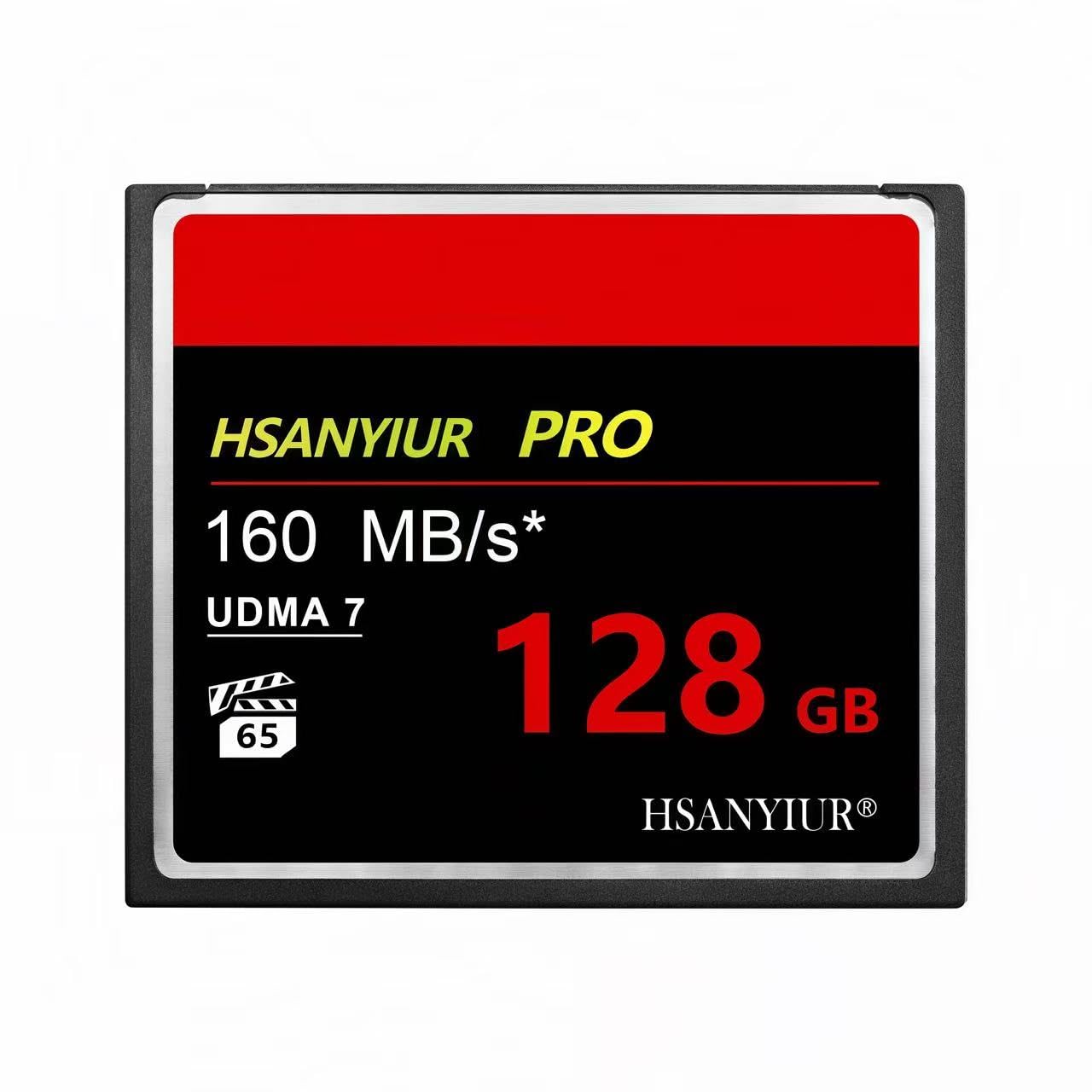
One card for a full day of shooting — no swaps, no worries.
With 128GB of storage, this card holds 128GB compared to the SanDisk Extreme Pro’s 64GB, meaning you can cover an entire wedding or week-long trip without swapping cards. It delivers read speeds up to 160MB/s and complies with the VPG standard for consistent video performance, so high-bitrate 4K recording stays smooth. Customers note “more than acceptable read and write speeds” and no issues with the card.
It is also built tough: waterproof, shockproof, and resistant to extreme temperatures, which matters if you shoot in rain, dust, or freezing conditions. The card works in both Canon and Nikon ecosystems, giving you flexibility if you switch between bodies.
The main consideration is hardware compatibility. The manufacturer explicitly says to “verify your device’s compatibility with 128GB CF cards before ordering.” Some older DSLRs (particularly pre-2010 models) cannot handle capacities above 32GB or 64GB, so check your camera’s manual first. Also, the exact sustained write speed is not published in the data, so the burst performance is less predictable than the SanDisk or Lexar cards.
Why capacity wins
- 128GB holds a full day of high-resolution photos and 4K video
- Read speed up to 160MB/s for fast file downloads to a computer
- Rugged build handles water, shock, and temperature extremes
Where to check first
- Sustained write speed is not specified — burst performance is unknown
- 128GB cards require compatibility verification with your camera
- Brand is less established than SanDisk or Lexar for long-term reliability
Pick this for: events, travel, or video shoots where changing cards mid-session is a disruption you want to avoid.
Rule it out if: your camera does not officially support 128GB CF cards or you depend on a known sustained write speed for burst action.
4. Lexar Professional 1066x 16GB CompactFlash Card
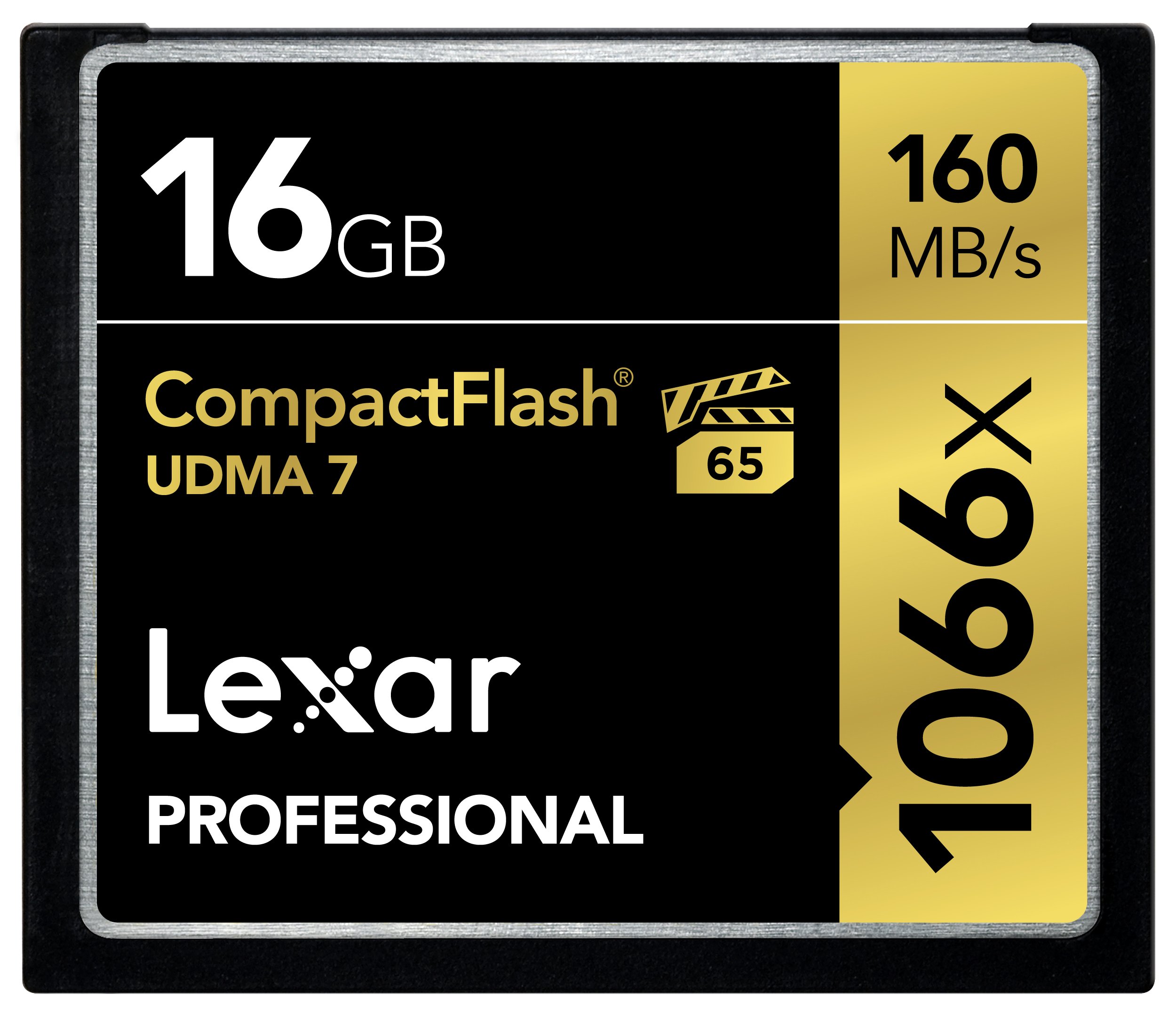
A speed demon for older Nikon and Canon bodies that can still chew through a burst.
The Lexar 1066x leverages UDMA 7 to push read speeds up to 160MB/s and is rated VPG-65, meaning it guarantees at least 65 MB/s sustained writes. One review compared it against a 400x card in a Canon 5D Mark II and found it achieved burst depth of 34 frames vs 27 at ISO 100 and cleared the buffer faster. For action shooters using legacy cameras, that buffer speed is the difference between getting the shot and watching the camera lock up.
At 1.2 ounces, it weighs three times as much as the 0.4-ounce Transcend card, but that difference is negligible inside a camera bag. It comes with downloadable Image Rescue software (a tool to recover lost photos) and a limited lifetime warranty, giving you extra confidence.
The hard cap is the capacity: 16GB is small for modern standards. It holds roughly 1,000 NEF RAW images on a Nikon D2X, which is fine for a focused shoot, but a wedding or event photographer will need multiple cards. At 61.95, it is also priced per-gigabyte at a premium compared to the SanDisk Extreme Pro 64GB.
Where it impresses
- 1066x (160MB/s) read speed speeds up downloads considerably
- VPG-65 eliminates dropped frames in 4K and 1080p video
- Buffer clears 4-5x faster than slower 400x cards in compatible bodies
Where it falls short
- 16GB capacity runs out quickly for event and travel photographers
- Cost per gigabyte is higher than larger-capacity competitors
Grab this if: you shoot action on a legacy Canon or Nikon body and need faster burst clearing without upgrading your camera.
Skip if: you need a single card for all-day coverage or shoot mainly slow-paced subjects where speed does not matter.
5. Cloudisk 64GB CompactFlash Card Pack of 2
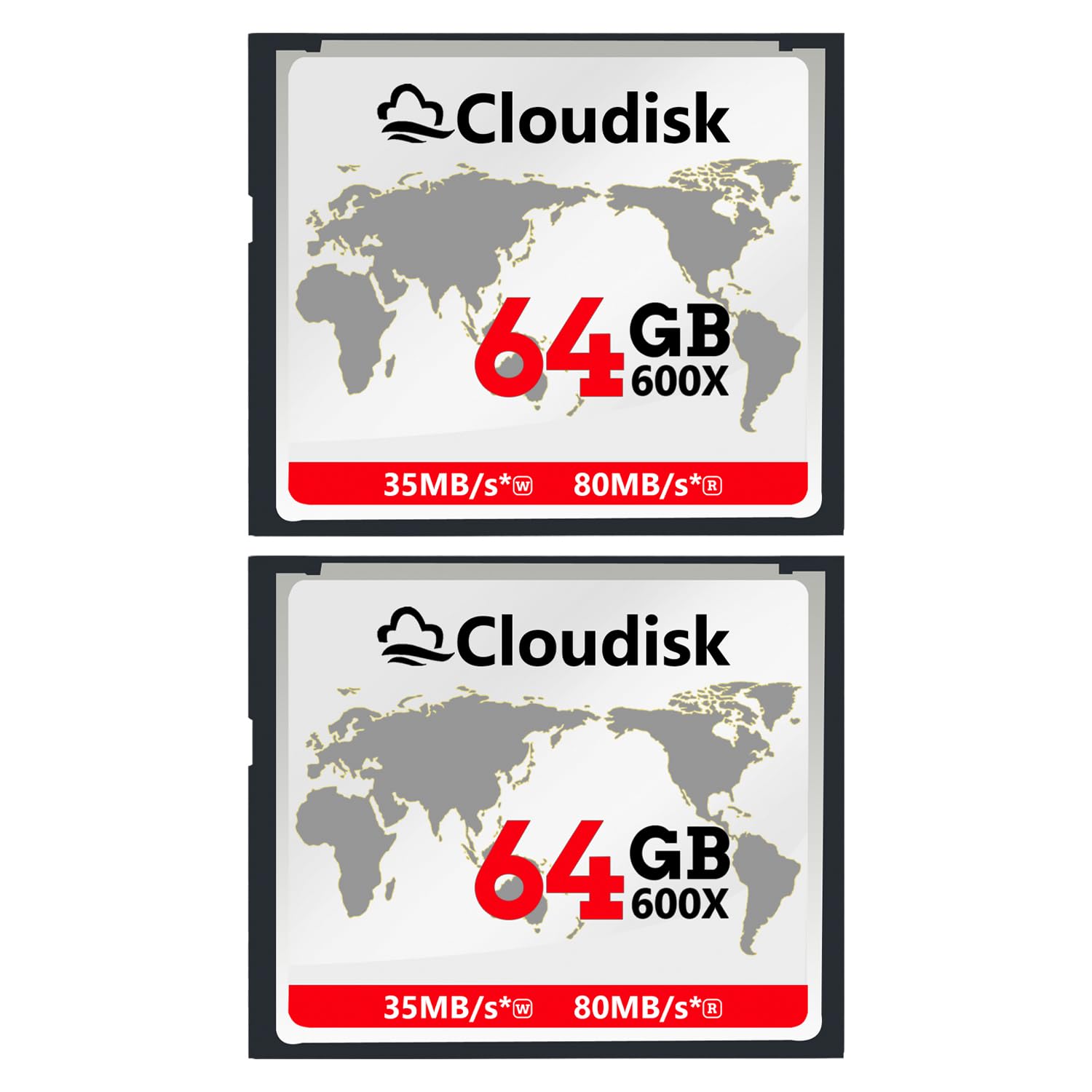
Two cards for the price of one good one — a capacity bargain with a speed warning.
At the same price as a single Lexar 1066x 16GB, the Cloudisk pack gives you two 64GB cards — a total of 128GB of storage. The read speed is 80 MB/s, which means transferring files to a computer is not painfully slow, but it is roughly half the peak of the SanDisk Pro card. The cards include RTV silicone coating for shock and vibration protection and hold FCC, CE, and ROSH certifications.
Reviewers point out that the write speed is “very slow but decent quality.” This matters: if your camera demands high sustained write speeds for RAW bursts, the Cloudisk cards will fill the buffer quickly and take time to clear. They work fine for single-shot photography, video on less demanding cameras, and as backup spares.
One reviewer noted these are a “quality, affordable alternative to SanDisk for older cameras,” which is the right use-case. They are not for a pro who needs 10 fps bursts, but for a hobbyist with an older DSLR who wants plenty of storage at low cost, this pack delivers decent value.
Value highlights
- Two 64GB cards provide ample total storage at budget-friendly pricing
- 80 MB/s read speed keeps file transfers reasonably quick
- RTV silicone coating adds basic protection against drops and vibration
Performance trade-offs
- Write speed is noticeably slow, causing buffer delays during bursts
- Reliability track record is shorter than established brands like SanDisk
Reach for this if: you need a large pool of storage on a tight budget for an older, slower DSLR that does not tax write speed.
Avoid these if: you shoot sports, wildlife, or any situation where you need to fire off continuous RAW bursts without waiting.
6. Transcend 133X 8GB CompactFlash Card

The cheapest reliable card in the list — built for entry-level DSLRs and retro computer projects.
With a 20 MB/s write speed and 8GB capacity, this card is not going to win any speed contests. It has a 20 MB/s write speed compared to the SanDisk Extreme Pro’s 150 MB/s, and 8GB capacity compared to the 128GB card’s 128GB. But it fills a real niche: entry-level DSLRs that do not shoot fast bursts, and retro computer builds where it replaces a failing hard drive in an iPod Video or NEC PC-98. Shoppers say that “burst speed matches 266x cards (13 RAW/52 JPEG)” on a Canon 5D Mark II, so for slow-paced studio, macro, or landscape work, it is perfectly adequate.
Weighing just 0.4 ounces, it is the lightest card here — it weighs 0.4 ounces compared to the Lexar 1066x’s 1.2 ounces. That makes no difference in a camera, but for a portable device mod, every gram matters. The MLC NAND flash memory is a solid older technology that prioritizes reliability over raw speed.
The obvious limitation is capacity and write speed. For rapid RAW bursts, one buyer mentioned it “misses shots” because the card cannot keep up. 8GB holds roughly 999+ images on a 5D Mark II, so it will fill up fast if you shoot heavily. It is best thought of as a cheap backup or a card for an older body that does not need blazing speed.
Why it still sells
- Very low price for a reliable brand — works perfectly for entry-level and retro uses
- 0.4 ounces is lightweight; ideal for portable device modifications
- Good for slow-paced photography: landscapes, macros, portraits, and HD video
Hard limits
- 20 MB/s write speed causes missed shots during fast RAW bursts
- 8GB capacity fills up quickly for event or travel photography
- Not suitable for 4K video or any demanding high-speed workflow
Best for: the buyer who needs a cheap, reliable card for an entry-level DSLR, retro computer, or iPod mod where speed does not matter.
Not for: anyone shooting action, sports, or recording 4K video — the slow write speed will frustrate you immediately.
Understanding the Specs
UDMA Mode
UDMA (Ultra Direct Memory Access) is the technology that sets the maximum speed ceiling for data transfer between the card and your camera. UDMA 4 caps out near 66 MB/s, while UDMA 7 pushes past 150 MB/s. A UDMA 7 card in a UDMA 4 camera will slow down to the camera’s limit, so check your camera’s specs before buying a high-speed card.
VPG (Video Performance Guarantee)
The VPG number — such as VPG-20 or VPG-65 — is the minimum sustained write speed the card guarantees in MB/s. VPG-65 means the card will never drop below 65 MB/s while recording video, which is necessary for smooth 4K capture. Cards without a VPG rating may stutter or drop frames when recording high-bitrate video.
Write Speed vs Read Speed
Write speed (how fast the card accepts data from the camera) determines your burst depth and buffer clearing. Read speed (how fast data moves from the card to a computer) only matters during file transfers. Manufacturers often advertise the higher read speed, so always check the write speed if burst shooting matters to you.
MLC NAND Flash
MLC stands for Multi-Level Cell, a type of NAND flash memory that stores two bits per cell. It is slower and less durable than SLC (Single-Level Cell) but cheaper and reliable enough for entry-level cameras and retro computer projects. Most modern high-speed CF cards use more advanced NAND technologies like 3D TLC.
FAQ
Can I use a UDMA 7 card in an older camera that only supports UDMA 4?
How do I know if my camera supports a 128GB CompactFlash card?
Is a faster card always better for video recording?
What does the read speed of 160MB/s mean in real-world use?
Can I use a CompactFlash card in a modern mirrorless camera?
Why is the Transcend 8GB card heavier than some 64GB cards?
What does 133X or 1066X mean on a CompactFlash card?
Is a higher capacity card more likely to fail or corrupt data?
Can I use these cards as a hard drive replacement in retro computers or iPods?
How do I recover accidentally deleted photos from a CompactFlash card?
Final Thoughts: The Verdict
For most buyers, the best compactflash card is the SanDisk Extreme Pro 64GB because it balances a professional-grade 150 MB/s write speed, VPG-65 video support, and proven long-term reliability from thousands of reviews. If you want maximum capacity for all-day event shooting, grab the 128GB UDMA CF Card. And for budget-conscious shooters with an older DSLR who need decent storage and reliability without the speed premium, the Cloudisk 64GB pack of two is the value pick.
How We Picked
We do not accept paid placement. Every pick is matched to a real buyer and a real use-case; we do not hands-on test units.
Sources & Methodology
Specifications: manufacturer listings and product documentation. Review insights: verified customer reviews, as of July 2026. Pricing: not shown on this page (it changes often); check the current price via the retailer link.
As an Amazon Associate, WellFizz earns from qualifying purchases. This does not affect which products we feature.
Related Guides

Mo Maruf
I created WellFizz to bridge the gap between vague wellness advice and actionable solutions. My mission is simple: to decode the research and give you practical tools you can actually use.
Beyond the data, I am a passionate traveler. I believe that stepping away from the screen to explore new environments is essential for mental clarity and physical vitality.