Our readers keep the lights on and my smoothie glass nicely filled. As an Amazon Associate, I earn from qualifying purchases.
Specs are compiled from manufacturer listings and verified buyer reviews and can change over time — please confirm the key details on the product page before buying.
A compact wireless printer that fits your life — not just your desk — can mean printing a boarding pass at the airport gate instead of hunting for a FedEx an hour before your flight. You might need a portable thermal unit that slips into a backpack for receipts and contracts on the road, or a color inkjet that tucks into a tight home-office corner for documents and photos. The right tiny printer makes printing feel easy. The real trade-offs are ink versus inkless, page speed versus portability, and which specs matter for how you work or travel.
I’m Mohammad Maruf — the founder and writer behind WellFizz. This guide is built by comparing the manufacturers’ published specifications and the patterns across verified customer reviews, so you get each pick’s real strengths and trade-offs instead of marketing spin.
The short version: for most people, the Canon PIXMA TS7720 delivers the best mix of features for a home desk, while travelers should look at the Gloryang portable for its tank-like battery. Read on for the full breakdown of the best compact wireless printer options.
Quick Picks
- Canon PIXMA TS7720 Wireless All-in-One Color Inkjet Printer — Best Overall
- Brother DCP-L2640DW Wireless Compact Monochrome — Laser Pro
- Brother HL-L2480DW Wireless Compact Mobile Monochrome — Renewed Value
- Brother MFC-L2820DW Wireless Compact Monochrome All-in-One — Full Office
- Gloryang Inkless Portable Printer for Travel — Long Battery
- Canon PIXMA TR160 Wireless Portable Lightweight Compact — Ultra Portable
- Portable Printers Wireless for Travel — Budget Travel
How To Choose The Best Compact Wireless Printer
The biggest choice is between thermal and inkjet technology. Thermal printers (like the Gloryang and the A285M) use special heat-sensitive paper and need zero ink — you never buy cartridges, never deal with clogged print heads. The trade-off is black-and-white-only output and paper that feels a bit different from standard copy paper. Inkjet printers (like the Canon models) print in full color on regular paper but you will need to replace cartridges occasionally. For a desk that needs color documents or photos, stick with inkjet. For travel, receipts, checklists, and black text, thermal is simpler and cheaper to run.
Portability: Battery, Size, and Weight
A portable printer you carry needs to be light and have a battery you can rely on. Look for a built-in rechargeable battery if you plan to print away from a wall outlet. The Gloryang has a pair of 2600mAh batteries that buyers report can print up to 360 sheets on a single charge — that is a full day of field work. The Canon TR160 also offers an optional battery, but it does not come standard in the box, so check the included items. Weight matters too: the A285M thermal printer weighs just 1.5 pounds, making it lighter than many laptops.
Connectivity: How You Send Your Files
Bluetooth is the go-to for phone printing — all the portable picks in this guide use Bluetooth so you can send a document from your iPhone or Android without a cable or a router. Some printers, like the Canon PIXMA TS7720 and the Brother laser models, also support Wi-Fi Direct, which lets your device talk to the printer even when there is no home network around. If you plan to print from a laptop via a cable, check that the printer has a USB-C or USB-B port that matches your computer. The Canon TR160 uses USB-C, which is the same port many modern laptops charge from.
Quick Comparison
| Model | Best For | B&W Speed (ppm) | Print Method | Battery | Amazon |
|---|---|---|---|---|---|
| Canon TS7720 | Best Overall Home Use | 15.0 ppm | Color Inkjet | No (AC) | Amazon |
| Brother DCP-L2640DW | Small Office Laser | 36 ppm | B&W Laser | No (AC) | Amazon |
| Brother HL-L2480DW | Compact Laser with Touchscreen | 36 ppm | B&W Laser | No (AC) | Amazon |
| Brother MFC-L2820DW | All-in-One with Fax | 36 ppm | B&W Laser | No (AC) | Amazon |
| Gloryang Inkless | Long Battery Travel | 35 ppm | B&W Thermal | 2x 2600mAh | Amazon |
| Canon TR160 | Ultra-Portable Inkjet | 9 ppm | Color Inkjet | Optional | Amazon |
| A285M Thermal | Budget Travel Thermal | 7.0 ppm | B&W Thermal | 2600mAh | Amazon |
In‑Depth Reviews
1. Canon PIXMA TS7720 Wireless All-in-One Color Inkjet Printer

The desk-friendly inkjet that does color, copies, and scans without hogging space.
If you need a single machine for homework printouts, photos, and the occasional scanned document, this Canon does it all. It prints at 15 black pages per minute and 10 color pages per minute — noticeably faster than the portable thermal units, which top out at 35 ppm on the Gloryang but lack color entirely. The 2.7-inch LCD touchscreen makes selecting tasks simple, and the automatic duplex (it prints on both sides of the page) saves paper without you lifting a finger. Owners mention that the initial Wi-Fi setup can sometimes require a manual connection to your router, but once it is on your network, printing from a phone is straightforward.
The main trade-off is size: this is not a backpack printer. At roughly 1.5 feet deep and wide, it needs a permanent spot on a desk or shelf. The standard ink cartridges are also starter-sized, so expect to replace them sooner than you might like — one reviewer noted the color output looked less vivid with the trial cartridges. For a home office that prints a few times a week and wants color capability, this is the most versatile option in the group. Another useful trick: one buyer found the default 4-hour auto-off can be changed to auto-on, so the printer stays ready when you need it.
What works
- Prints, copies, and scans in one compact unit
- Automatic duplex printing saves paper
- Intuitive 2.7″ LCD touchscreen for easy navigation
What to watch
- Starter ink cartridges run out fast
- Not portable — needs a dedicated desk space
- Initial Wi-Fi setup can be finicky
Best for the home office: This is the pick if you want color printing and scanning in a single compact device and do not plan to move it around.
The one hiccup: The trial ink cartridges mean you will be buying replacements sooner than you might expect — factor that into your budget.
2. Brother DCP-L2640DW Wireless Compact Monochrome Multi-Function Laser Printer

A monochrome laser that prints and scans at speeds that leave inkjets in the dust.
When your work depends on crisp black text and speed, this Brother laser is the answer. It outputs up to 36 pages per minute — more than double the Canon TS7720’s 15 ppm — and its 50-page automatic document feeder lets you scan or copy multi-page stacks without standing over the machine. The built-in dual-band wireless (2.4GHz and 5GHz) plus Ethernet gives you flexible connection options, and the Brother Mobile Connect app lets you print from your phone from almost anywhere. Buyers consistently mention that the setup is straightforward and the print quality is sharp, with one reviewer noting their previous Brother printer lasted 20 years.
The catch is monochrome only: no color at all. If you print color charts or photos, this is not your machine. The scanning software (PaperPort) gets mixed reviews — one user called it “clunky” and reported a glitch where the save window freezes, requiring a restart. For a small business or a home office that prints mostly text documents and needs a reliable workhorse, this is a durable choice that can handle volume. Unlike inkjet printers, toner does not dry out if you go weeks without printing, so it stays ready whenever you are.
Speed demon for text: At 36 ppm (pages per minute) with automatic duplex (prints both sides without you flipping paper) and a 50-page document feeder, this Brother handles high-volume black-and-white jobs faster than any other printer in this guide.
No color, no photos: If you ever need color prints, look at the Canon TS7720 instead — this machine does black and white only.
3. Brother HL-L2480DW Wireless Compact Mobile Monochrome Multi-Function Laser Printer (Renewed Premium)
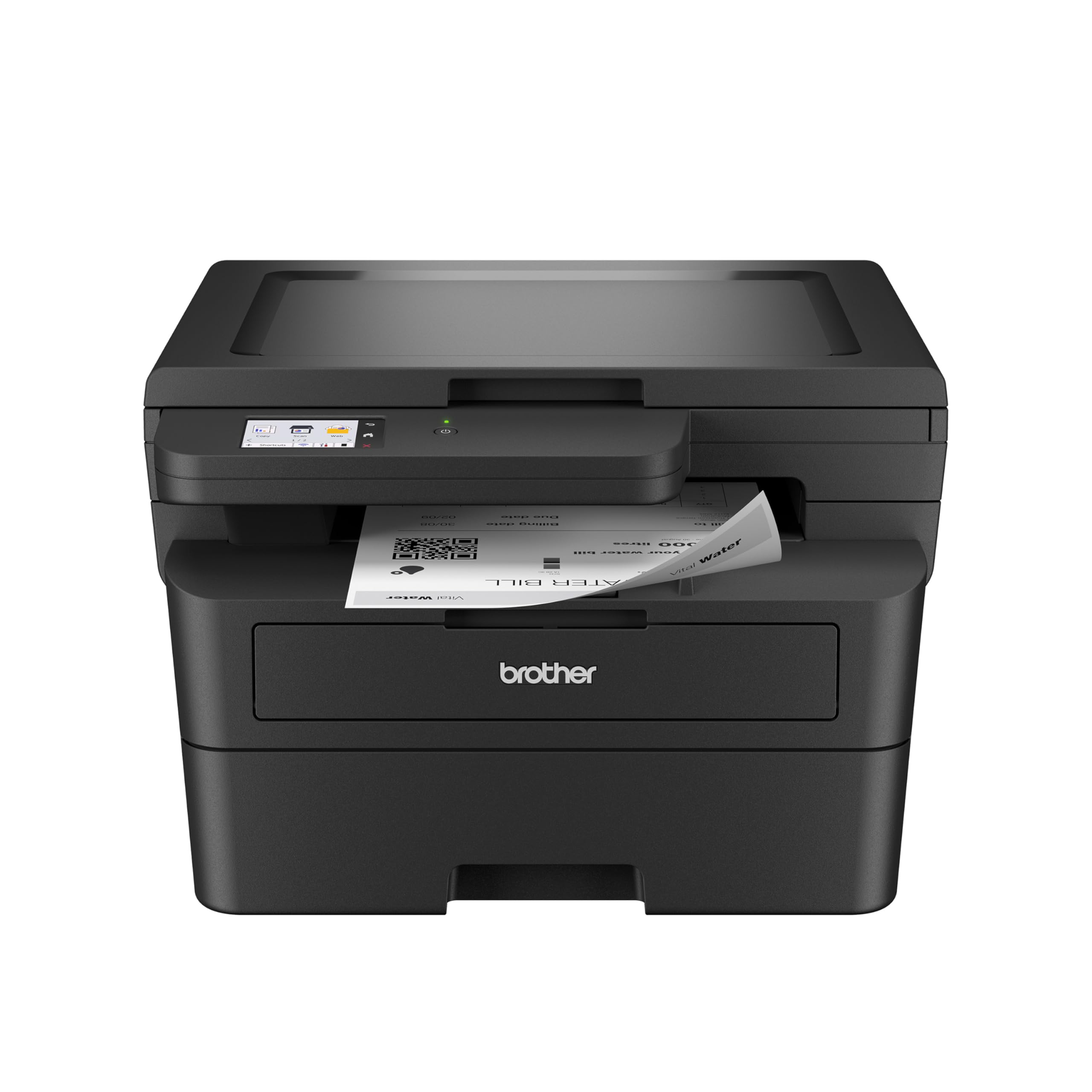
A renewed laser with the same 36 ppm speed and a big touchscreen at a smaller cost.
This is essentially the same core laser engine as the DCP-L2640DW — 36 pages per minute, automatic duplex, and wireless connectivity — but with a few extras that tilt it toward convenience. The 2.7-inch color touchscreen makes navigating menus, printing from cloud apps like Google Drive and Dropbox, and scanning to those services much more intuitive than a button-and-LCD setup. Customers note that the setup is straightforward with Apple products and that printing from an iPad worked flawlessly. One reviewer called it the “best printer I’ve ever used” after switching from an HP that had persistent wireless problems.
The “Renewed Premium” label means this is a refurbished unit, which typically comes at a lower cost than the new DCP-L2640DW but could have minor cosmetic wear. The machine is a bit larger than the DCP model at 15.7 inches deep, so measure your desk space. It also uses a manual flatbed scanner rather than an automatic document feeder, which means multi-page scanning requires you to lift the lid for each page. For a home office or small business that wants a fast, reliable monochrome laser with an easy-to-use touchscreen and is fine with a refurbished unit, this is a smart budget-conscious pick.
Touchscreen ease: The 2.7-inch display makes cloud printing and scanning to apps like Dropbox genuinely simple — no phone needed.
Flatbed only: Unlike the DCP-L2640DW, this model lacks an automatic document feeder, so scanning a stack of papers takes more manual work.
4. Brother MFC-L2820DW Wireless Compact Monochrome All-in-One Laser Printer with Fax

The laser all-in-one that adds fax and an auto document feeder for a complete small office setup.
This is the most full-featured Brother in the list, adding a built-in fax machine and a 50-page automatic document feeder (ADF) to the same fast laser engine. At 36 ppm and with automatic duplex, it prints as quickly as the other Brother models, but the addition of fax (still required in many medical offices and legal practices) and the ADF for multi-page copying and scanning make it a true all-in-one. The 2.7-inch touchscreen lets you print from and scan to cloud apps like Google Drive, Evernote, and OneNote, and the Brother Mobile Connect app handles remote printing. Reviewers report the setup is quick — one buyer had it recognized on their network in about 20 minutes via a Cat6 cable — and the print and scan quality after months of use remains highly satisfactory.
The fax feature adds a telephone line cord to the box, so you need a phone jack nearby if you plan to use it. The firmware occasionally prompts about third-party toner, which a few reviewers found annoying, but the hardware itself is widely praised as solid and reliable. At 36 ppm, some users wish it printed a little faster, but for typical small-office volumes it is more than adequate. If your work does not require fax, the DCP-L2640DW gives you the same core printing and scanning for less.
Full office toolkit
- Includes fax, copy, scan, and print in one compact machine
- 50-sheet auto document feeder for hands-off multi-page jobs
- Fast 36 ppm black-and-white output with automatic duplex
Trade-offs
- Requires a phone line for fax capability
- Firmware nags about third-party toner
- Some users say speed is slightly slower than expected for heavy use
Perfect for fax-dependent offices: Law firms, medical clinics, and any workplace that still relies on fax get everything in one box — print, scan, copy, and fax with a document feeder.
Skip if you do not fax: The DCP-L2640DW gives you the same fast laser printing and scanning for less money and without the phone cord clutter.
5. Gloryang Inkless Portable Printer for Travel, Wireless Thermal Printer
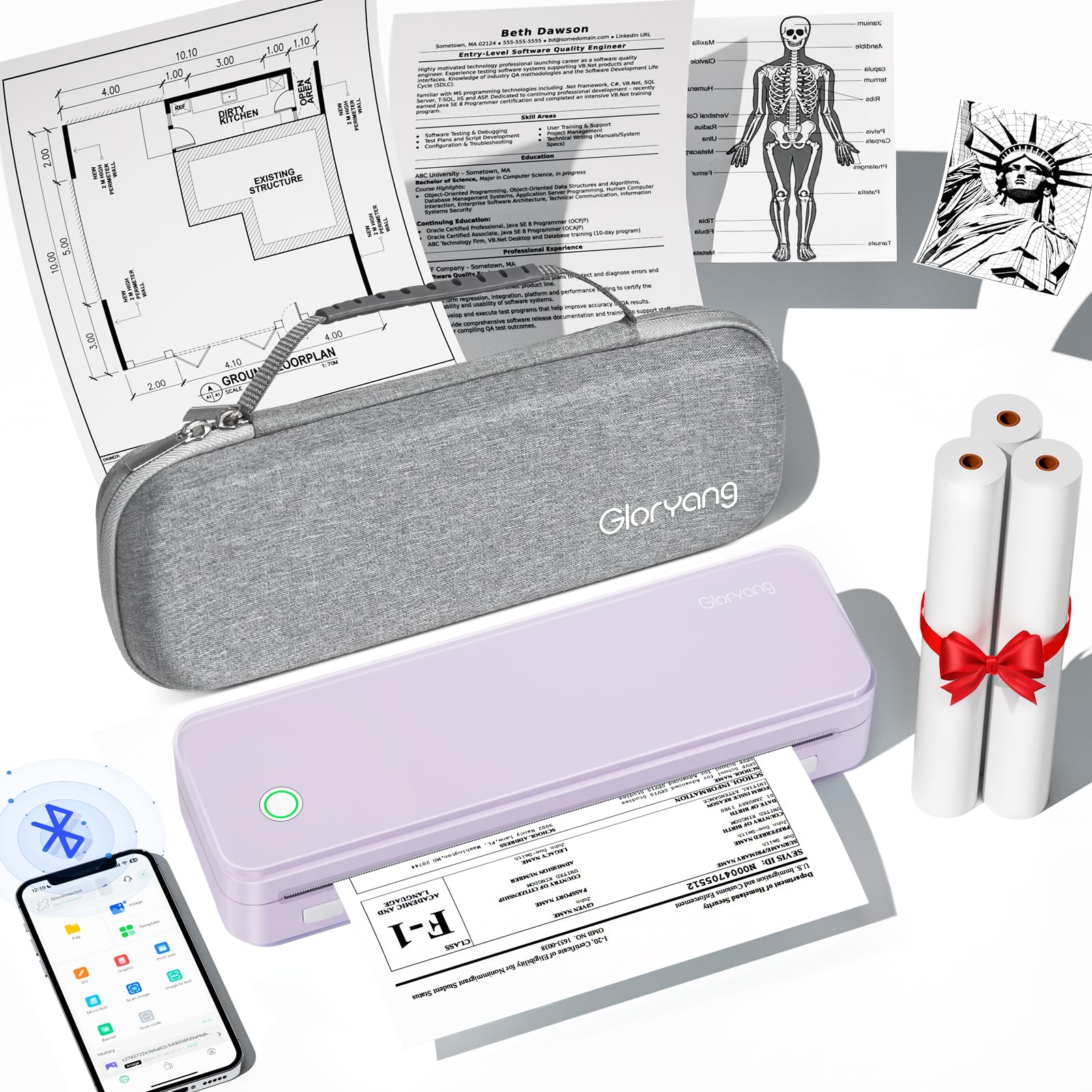
A thermal road warrior with twin batteries that prints 360 sheets on a single charge.
For anyone who prints on the move — field inspectors, truck drivers, traveling professionals — this Gloryang model stands out because of its battery endurance. It packs two built-in 2600mAh batteries, which reviewers point out deliver up to 3 hours of continuous printing and 360 sheets on a single charge. At 35 pages per minute, it is nearly as fast as the Brother laser printers, but it uses thermal technology (heat-sensitive paper, no ink cartridges). The 203 DPI resolution handles text, simple graphics, and design drawings clearly. Connectivity is via Bluetooth through the “Jadens Printer” app, and it also works with a laptop using a driver install. The included carrying case and three rolls of thermal paper (one pre-installed, two extra) mean you are ready to print from the start.
The trade-off is that this is a print-only device — no scanning or copying — and it only prints in black. Because it uses thermal paper rather than plain paper, the output feels different and may smudge or mark more easily, as one reviewer pointed out. Another user reported frequent Bluetooth disconnections from a computer and that the printer only prints every other page on larger jobs, with a 10-page maximum. If your printing is mostly short documents, forms, and labels in the field, the battery life and inkless simplicity are tough to top. For long, multi-page documents from a laptop, you may want to test the Bluetooth stability first.
Field-ready battery
- Two 2600mAh batteries give up to 360 sheets per charge
- Inkless thermal printing — no cartridges, no clogs
- Fast 35 ppm speed for a portable printer
- Includes carrying case and three starter paper rolls
Field limitations
- Print-only — no scanner or copier
- Black and white only, on thermal paper (not plain paper)
- Some users report Bluetooth disconnections on larger print jobs
Best for the mobile pro: If you need to print forms, receipts, or labels all day away from a wall outlet, the dual-battery Gloryang keeps going longer than any other portable here.
Not for heavy document printing: The Bluetooth stability issues on longer jobs and the 10-page limit mean this is better suited for short-form printing.
6. Canon PIXMA TR160 Wireless Portable Lightweight Compact Printer

A color inkjet that fits in a bag and prints anywhere you can find a plug or a battery pack.
This Canon is unique in this lineup because it is an inkjet printer you can actually carry. It measures 12.7 inches deep, 7.3 inches wide, and just 2.6 inches tall — slim enough to slide into a backpack alongside a laptop. The 5-color hybrid ink system delivers sharp black text and vibrant color photos up to 8.5 x 11 inches, with borderless printing supported. Connection options include the Canon PRINT app, Apple AirPrint, and Mopria Print Service, plus a Wireless Direct mode that lets your phone talk to the printer without a router. The 1.44-inch monochrome OLED screen gives you a quick read on ink levels and printer status. Buyers call it a “pint-sized portable printer” and note that the Bluetooth printing from both computer and phone is quick and reliable once set up.
The catch is that the battery is optional — it is not included in the box, so you need to buy the separate battery pack if you want to print truly cord-free. At 9 black pages per minute and 5.5 color ppm, it is slower than the thermal printers and much slower than the Brother lasers. The 50-sheet paper tray is small, enough for occasional jobs but not a large document stack. One buyer mentioned that initial connectivity on both computers and phones was intermittent, though it resolved after some troubleshooting. If you need a compact color inkjet for on-the-go use and are willing to buy the optional battery, this is the only color portable in the list. For faster black-and-white travel printing, the Gloryang thermal is cheaper and faster, but only in black.
Color in your carry-on: The TR160 is the only truly portable printer here that prints full color — great for real estate agents, field sales, or anyone who needs color documents away from the office.
Battery not included: Portability is limited without the separate battery pack, and the 9 ppm speed means larger jobs take patience.
7. Portable Printers Wireless for Travel, A285M Small Inkless Thermal Printer

A featherlight thermal printer that weighs just 1.5 pounds and goes anywhere a bag goes.
This is the lightest and smallest printer in the guide — it measures 10.39 inches deep, 3.07 inches wide, and 1.77 inches tall,n overall dimensions. At 1.5 pounds, it disappears into a backpack or briefcase. The thermal print technology means you never buy ink or toner, and the built-in 2600mAh battery (which shoppers say is better than the 1500mAh standard in many competitors) keeps you printing through a day of travel. It supports multiple paper sizes from 2.08-inch receipt-width up to 8.5 x 11-inch US Letter, so you can print everything from a packing label to a full contract. Connection is via Bluetooth to phones and tablets, or USB-C to a laptop (driver download required). Reviewers consistently praise the quick Bluetooth setup and the clear print quality for documents, receipts, and checklists.
The speed is the main compromise: at 7 pages per minute, it is one-fifth the speed of the Gloryang thermal printer (35 ppm) and takes noticeably longer for multi-page documents. It is also black-and-white only, limited to thermal paper (not regular copy paper), and does not include a travel case — a few buyers mentioned that as a missing accessory. For someone who prints a few pages at a time on the road and values ultra-light weight above all else, this is the most portable option available. If you print larger volumes in the field, the Gloryang’s faster speed and included case may be worth the extra cost.
Lightest in the list
- Weighs just 1.5 pounds — barely noticeable in a bag
- 2600mAh battery lasts through a full day of light printing
- Supports multiple paper widths from 2.08″ to 8.5″ x 11″
- No ink or toner costs ever
Speed trade-off
- 7 ppm is slow — a 10-page document takes nearly 90 seconds
- No travel case included
- Black and white only, thermal paper required
Perfect for the ultralight traveler: If every ounce in your bag counts and you just need the occasional form, boarding pass, or label, this printer’s portability is class-leading in this guide.
Not for volume: The 7 ppm speed and lack of a case mean this is strictly for light, occasional printing on the go — not a field workhorse.
Understanding the Specs
Pages Per Minute (PPM)
This is the speed your printer outputs pages, measured in pages per minute. A higher number means less waiting. For home use, 10-15 ppm is fine for occasional jobs. For a small office that prints dozens of pages daily, 36 ppm (like the Brother lasers) cuts wait time significantly. The portable thermal printers range from 7 to 35 ppm — check the speed against the typical length of your documents. A 35-ppm printer handles a 5-page contract in under 10 seconds, while a 7-ppm unit takes over 40 seconds for the same job.
Thermal vs. Inkjet vs. Laser
This is the core technology choice. Thermal printers use heat on special paper — no ink, no toner, no clogged nozzles. They are lightweight and cheap to run, but only print in black on thermal paper (which feels different from regular paper). Inkjet printers spray liquid ink onto plain paper and can print vivid color photos, but cartridges run out and can dry up if you do not print regularly. Laser printers use toner powder fused with heat — they are fast, produce sharp text that never smudges, and toner does not dry out, but they are typically larger and only do black and white at this compact size.
FAQ
Will a thermal printer work with regular copy paper?
Can I print photos in color with a compact wireless printer?
How long does a portable printer battery last?
Can I print from my iPhone without a Wi-Fi network?
What does “duplex” mean and why does it matter?
How do I connect a compact wireless printer to my laptop?
Is a monochrome laser printer better than a color inkjet for a home office?
Can I print on envelopes or specialty paper with these printers?
What is the difference between the Canon TS7720 and the Canon TR160?
Will the Brother DCP-L2640DW work with Alexa?
Final Thoughts: The Verdict
For the majority of shoppers, the compact wireless printer winner is the Canon PIXMA TS7720 because it balances color printing, copying, and scanning in a compact footprint with automatic duplex and an intuitive touchscreen. If you want laser speed and sharp text for a small office, grab the Brother DCP-L2640DW. And for on-the-go travel printing with a battery that lasts the whole day, the Gloryang Inkless Portable Printer is the top pick.
How We Picked
We do not accept paid placement. Every pick is matched to a real buyer and a real use-case; we do not hands-on test units.
Sources & Methodology
Specifications: manufacturer listings and product documentation. Review insights: verified customer reviews, as of July 2026. Pricing: not shown on this page (it changes often); check the current price via the retailer link.
As an Amazon Associate, WellFizz earns from qualifying purchases. This does not affect which products we feature.
Related Guides

Mo Maruf
I created WellFizz to bridge the gap between vague wellness advice and actionable solutions. My mission is simple: to decode the research and give you practical tools you can actually use.
Beyond the data, I am a passionate traveler. I believe that stepping away from the screen to explore new environments is essential for mental clarity and physical vitality.