Our readers keep the lights on and my smoothie glass nicely filled. As an Amazon Associate, I earn from qualifying purchases.
Specs are compiled from manufacturer listings and verified buyer reviews and can change over time — please confirm the key details on the product page before buying.
Finding a printer that works with your Mac and doesn’t eat your whole desk is harder than it should be. You need something small enough to tuck away, reliable enough to print without a fuss, and compatible with macOS without a long setup. The HP Envy Photo 7975 is the best overall pick because it combines fast color printing, automatic two-sided printing, a photo tray, and an auto document feeder in one compact machine. If you want similar features for less, the Canon PIXMA TR7120 is the best value all-in-one. And for pure black-and-white speed on text documents, the Brother HL-L2460DW is faster than any color inkjet here.
I’m Mohammad Maruf — the founder and writer behind WellFizz. This guide is built by comparing the manufacturers’ published specifications and the patterns across verified customer reviews, so you get each pick’s real strengths and trade-offs instead of marketing spin.
if you need a quick document for work, a boarding pass before a trip, or a photo to share, the right compact printer for Mac saves you time and desk space. compact printer for mac options range from inkless travel models to all-in-one home hubs — and this guide helps you pick the one that fits your life.
Our Picks at a Glance

How To Choose The Best Compact Printer For Mac
A printer’s size is the first thing you notice, but the real test is how it fits into your daily Mac workflow. A compact model that needs a different app for every task — or runs out of ink after a few pages — is no bargain at any price. Focus on these three things to get it right the first time.
Print Technology: Inkjet vs. Laser vs. Thermal
For a compact printer for Mac, the technology inside sets the tone. Inkjet printers (like the Canon PIXMA series) are your best bet for color documents and photos — they use a hybrid ink system with multiple cartridges (cyan, magenta, yellow, black) to produce sharp text and vivid colors. Laser printers (like the Brother HL-L2460DW) are faster and cheaper per page if you only need black and white text — they use toner, not ink, and can print at speeds up to 36 pages per minute. Thermal printers (like the Phomemo models) use no ink or toner at all — they burn images onto special thermal paper. They are the lightest and most portable, but they only print in black and white and require that special paper.
Connectivity and Mac Compatibility
Every printer on this list works with a Mac, but the connection method matters. Apple AirPrint is the gold standard — it lets you print from any Mac, iPhone, or iPad without downloading a separate app. If a printer offers AirPrint (the Canon PIXMA TR160 and TR7120 do), you simply hit Print from your Mac, and it appears. Some models also use a dedicated app for setup and mobile printing — the Canon PRINT app works with both Canon picks here, and the Phomemo app is required for the thermal models. A few printers also support USB connections for a wired backup plan.
Paper Handling and Portability
Compact means different things to different buyers. If you need to throw a printer in a backpack and print on a plane or in a car, look for models under 5 pounds — the Canon PIXMA TR160 weighs 4.5 pounds and has a slim 2.6-inch height. If you are printing at home and want to save desk space, a model like the HP Envy Photo 7975 is still compact but includes a separate photo tray and an auto document feeder for multi-page scanning. Pay attention to the paper tray capacity: a 50-sheet tray (like the TR160’s) is enough for light use, while a 250-sheet tray (like the Brother’s) handles high-volume jobs without constant refills. Duplex (automatic two-sided printing) saves paper and is standard on most mid-range and premium models here.
Quick Comparison
| Model | Best For | Print Speed (B&W) | Print Technology | Mac Connectivity | Amazon |
|---|---|---|---|---|---|
| Phomemo M08F (Black)★ Best Overall | Budget Inkless | 4.25 ppm | Thermal Inkless | Phomemo App (iOS) | Amazon |
| HP Envy Photo 7975Also Great | Best Overall | 15 ppm | Color Inkjet | AirPrint, HP App | Amazon |
| Canon PIXMA TR7120 | Best Value All-in-One | 14 ppm | Color Inkjet | AirPrint, Canon PRINT App | Amazon |
| Brother HL-L2460DW | Fast B&W Laser | 36 ppm | Monochrome Laser | AirPrint, Brother App | Amazon |
| Canon PIXMA TR160 | Ultra-Portable | 9 ppm | Color Inkjet | AirPrint, Canon PRINT App | Amazon |
| Phomemo M08F (White) | Inkless Travel | 4.25 ppm | Thermal Inkless | Phomemo App (iOS) | Amazon |
In‑Depth Reviews
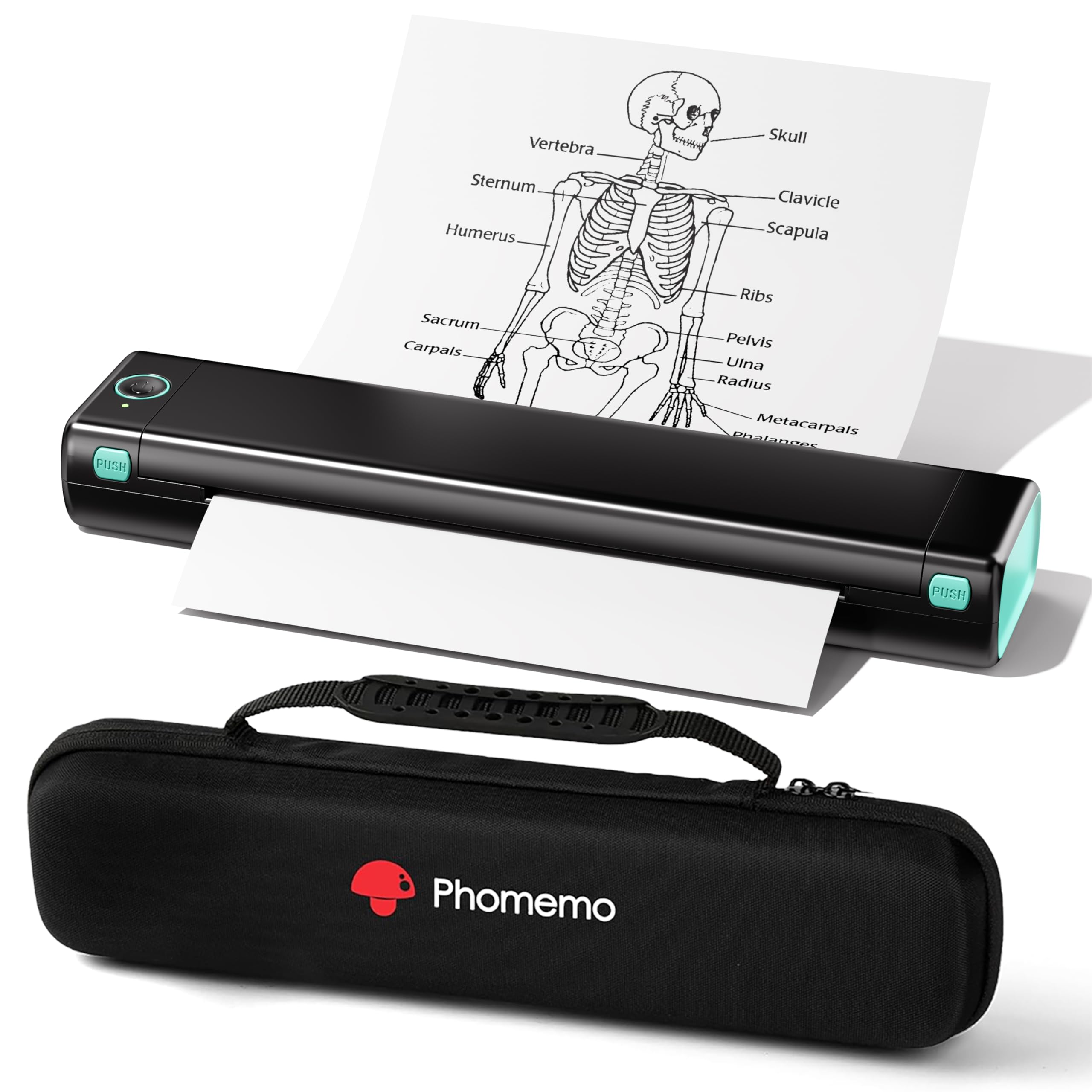
1. Phomemo M08F Thermal Bluetooth (Black)
Our pick — over 4★ from 3,000+ verified ratings; the strongest balance of quality and price.
A budget-friendly thermal printer that offers a few more speed ticks than its white sibling.
The black version of the Phomemo M08F prints black-and-white text at 4.25 pages per minute, the same speed as the white version. It uses the same inkless thermal technology, so you never buy cartridges. It comes with a hard carry case for extra protection during travel, unlike the white model’s soft pouch. Setup takes under five minutes: power on, download the Phomemo app, enable Bluetooth, and pair. For a Mac user, that means using the app on an iPhone or iPad as a bridge — there is no direct macOS driver for Bluetooth printing outside the app. Reviewers mention that the print clarity on text is sharp and dark, and the lack of ink costs is a huge plus for frequent light printing. The trade-off is the same: black and white only, special paper required, and no support for standard copy paper.
Standout features
- 4.25 ppm print speed for B&W documents
- Comes with a hard carry case for extra protection during travel
- No ink or toner costs — thermal paper is the only consumable
Limitations
- Requires the Phomemo app to print — no direct macOS print driver
- Black only, no color output
- Needs special thermal paper, not standard copy paper
Best budget travel pick: A hard case makes this the better value for anyone who needs inkless printing on the move.
Skip it: You need color or standard paper — this printer is strictly B&W on thermal paper.
2. HP Envy Photo 7975
A feature-packed home hub that puts photo quality on par with document speed.
The HP Envy Photo 7975 prints color documents at 10 pages per minute — noticeably quicker than the Canon PIXMA TR7120’s 9 ppm for color — so batch party invites or school flyers move faster. It prints black text at 15 ppm, and includes a separate photo tray for 5×7 or borderless 8.5×11 photo paper, an auto document feeder (ADF) for scanning stacks of pages, and automatic duplex (two-sided) printing to cut paper use in half. Buyers report the large touchscreen makes settings easy to navigate, and the HP AI tool strips out unwanted content from web pages before printing — a real time-saver for recipes or articles. The trade-off is the ongoing cost of ink, though the printer comes with a 3-month Instant Ink trial to help soften that. The 22-second initial page print time is a bit slower than some laser competitors, but once it gets going, it keeps up with most home demands.
What stands out
- Fast color printing at 10 ppm, noticeably quicker than many compact rivals
- Separate photo tray and auto document feeder for versatile media handling
- Automatic duplex (two-sided) printing saves paper
What to consider
- Initial page print time of 22 seconds means a small wait on the first page
- Ink replacement costs add up without a subscription
Best for households: This pick gives you print-copy-scan in one, with color photo quality that budget inkjets can’t match.
Hold off if: You only need black-and-white documents — a dedicated monochrome laser is faster and cheaper per page.
3. Canon PIXMA TR7120

An affordable all-in-one that brings duplex printing and an auto document feeder without the premium price tag.
The Canon PIXMA TR7120 gives you print, copy, and scan capabilities in a white, compact frame that fits neatly on a desk corner. It prints black text at 14 pages per minute and color at 9 pages per minute — slightly slower than the HP Envy on color, but still fast enough for everyday home or hybrid work use. What seals the deal at this price point is the Auto Document Feeder (ADF), which lets you scan or copy a stack of multi-page documents without standing at the machine, plus automatic two-sided printing that cuts your paper use in half.
Setup is straightforward: connect via dual-band Wi-Fi (2.4GHz or 5GHz) and print from your Mac using Apple AirPrint or the Canon PRINT App. The 1.42-inch monochrome OLED screen gives you a clear read on ink levels and printer status. Unlike the HP Envy, this model also works with voice control through Amazon Alexa. One small limitation — it does not have a separate photo tray, so switching between plain paper and photo paper means swapping the tray. But for the price, you get a surprising amount of versatility.
Smart all-rounder: The TR7120 delivers the core features — duplex, ADF, mobile printing — that most households actually use, at a price that undercuts the premium picks.
One missing piece: No dedicated photo tray, so printing a mix of documents and photos requires manual tray swaps.
Reach for this if: You want an all-in-one for documents and occasional color prints without spending for extra photo hardware.
Look elsewhere if: You print a lot of borderless photos — the HP Envy’s separate photo tray is better for that workflow.
4. Brother HL-L2460DW

The speed demon for anyone who prints text-heavy documents all day.
If you are a student, freelancer, or small office worker who prints mostly black-and-white documents, the Brother HL-L2460DW is a clear upgrade from a color inkjet. It prints black text at 36 pages per minute — more than double the speed of the HP Envy Photo 7975 — and includes automatic duplex printing as standard. The 250-sheet paper tray means fewer refills during long print jobs, and a manual feed slot handles envelopes and specialty paper when you need them.
Connection options are generous: dual-band wireless (2.4GHz and 5GHz), Ethernet for wired office networks, or USB for a single computer. The Brother Mobile Connect app lets you manage the printer remotely, check toner levels, and order Brother Genuine TN830 or TN830XL toner. Brother backs it with a 1-year limited warranty and free phone or live chat support for the whole life of the printer. Reviews call it reliable and easy to set up, with the caveat that this is a print-only machine — no scanner, no copier, no fax. If you need those, you will need a separate device or look at an all-in-one instead.
Speed champion: At 36 ppm for black text, this laser leaves every color inkjet in the dust for sheer document throughput.
Limited role: Print-only design means no scanning or copying — a dedicated scanner or all-in-one is needed if you do more than print.
Best for pure document tasks: If your workflow is black-and-white text — essays, contracts, reports — this is the fastest, most economical pick.
skip it if: You need color prints or an all-in-one — this printer prints black text only and nothing else.
5. Canon PIXMA TR160

A true travel companion that delivers full color prints from a backpack-friendly frame.
The Canon PIXMA TR160 is among the most genuinely portable color printers you can buy. It measures 12.7 inches deep, 7.3 inches wide, and just 2.6 inches high — slim enough to slide into a large bag or backpack — and weighs 4.5 pounds. That is a fraction of the bulk of a full-sized all-in-one, yet it still prints documents and photos up to 8.5 x 11 inches with a 5-Color Hybrid Ink System that produces sharp black text and vibrant colors, including borderless prints.
On a Mac, you connect via Apple AirPrint or the Canon PRINT app, and it supports Wireless Direct Mode — meaning you can print directly from your phone or laptop even without a Wi-Fi router nearby, perfect for hotel rooms or co-working spaces. The 1.44-inch monochrome OLED display lets you check ink levels and settings at a glance. The 50-sheet paper tray is enough for light travel use, and the print speed is 9 pages per minute black and 5.5 ppm color. The catch is that there is no duplex printing — you flip pages manually for two-sided work — and no scanning or copying here.
True portability: At only 2.6 inches tall and 4.5 lbs, this printer fits in a bag with room to spare — no other color inkjet on this list is this travel-friendly.
Trade-off: No duplex printing and no scanner — it is a print-only machine for on-the-go use, not a home office replacement.
Take it anywhere: This pick is for travelers, remote workers, and students who need color prints on the road without hauling a full printer.
Stay home if: You need an all-in-one for scanning and copying — the TR160 is print-only, full stop.
6. Phomemo M08F Thermal Bluetooth (White)

A featherlight inkless printer that cuts cost and clutter for text-only travel printing.
The Phomemo M08F thermal printer is a completely different approach to printing — it uses heat instead of ink or toner. That means no cartridges to replace, no ink-related blockages, and no cleanup. You simply load special thermal paper (the printer comes with 10 sheets of letter-sized thermal paper to get you started) and print black-and-white text, PDFs, images, or web pages from your phone via Bluetooth. The printer weighs only 1.5 pounds and comes with a soft storage pouch, making it genuinely portable for commutes, plane trips, or the car.
On a Mac, you connect through the Phomemo app on your iPhone or iPad using Bluetooth — the printer is designed for iOS and Android devices. The print speed is 4.25 pages per minute, so it is slow compared to a full-sized laser like the Brother, but for a quick boarding pass, a to-do list, or a recipe, it gets the job done without fuss. One important limitation: it only prints in black and white, and it requires that special thermal paper — regular copy paper will not work. Owners mention setup is fast and the print quality is crisp.
Why it wins
- No ink or toner to buy — thermal printing means zero cartridge costs
- Incredibly portable at 1.5 pounds with a pouch for carrying
- Simple Bluetooth setup via the Phomemo app on iOS
Where it falls short
- Print speed of 4.25 ppm is slow for multi-page documents
- Requires special thermal paper, not standard copy paper
- Black and white only — no color printing possible
Grab it for travel: If you need a low-cost, ink-free way to print text documents on the go, this is the most portable and economical option.
Pass it up: You need color, speed, or standard paper — thermal printing only works for monochrome on special paper.
Understanding the Specs
AirPrint & Mobile Apps
Apple AirPrint is the simplest way to print from a Mac — you just tap Print and your Mac finds the printer on the network, no driver download needed. Every Canon and HP printer on this list supports AirPrint natively. The Phomemo thermal printers use a separate Phomemo app that you open on your phone to send documents via Bluetooth. For a low-maintenance Mac experience, check that the printer supports AirPrint or has a solid companion app that works with your iOS device.
Pages Per Minute (ppm)
This number tells you how fast the printer cranks out pages once it starts. The Brother HL-L2460DW leads at 36 ppm for black text, which makes it ideal for document-heavy tasks. The HP Envy Photo 7975 does 15 ppm black and 10 ppm color. The thermal Phomemo printers are the slowest at 4.25 ppm — fine for a page or two, but not for bulk jobs. If speed is your priority, look for 14 ppm or higher in black.
Duplex Printing
Duplex printing means the printer automatically flips the page to print on both sides. This saves paper and cuts your costs in half for multi-page documents. The HP Envy Photo 7975, Canon PIXMA TR7120, and Brother HL-L2460DW all have automatic duplex. The Canon PIXMA TR160 and both Phomemo models do not — you would have to manually flip pages. For anyone printing school papers, reports, or contracts, duplex is a feature worth paying a little extra for.
Ink vs. Thermal vs. Laser
Inkjet printers (Canon, HP) use liquid ink cartridges in multiple colors — they excel at color photos and documents but have recurring costs for replacement cartridges. Laser printers (Brother) use a toner powder — they are faster and cheaper per page for black text, but they do not print color. Thermal printers (Phomemo) use heat on special paper — they have no ink or toner costs at all, but they only print in black and need that special thermal paper. Your choice depends on if you need color, speed, or zero consumable costs.
FAQ
Do all compact printers on this list work with a Mac?
Can I print photos with a compact thermal printer?
What size paper can these compact printers handle?
Which printer is the easiest to set up with a Mac?
How long does a compact printer typically last?
Can these printers print on both sides of the paper?
Do I need a subscription for ink with these printers?
What is the difference between the Phomemo M08F white and black models?
Can I print from a USB flash drive on these printers?
How heavy are these compact printers?
Final Thoughts: The Verdict
For most buyers, the best compact printer for Mac is the HP Envy Photo 7975 because it combines fast color printing, automatic duplex, a photo tray, and an auto document feeder all in one compact package. If you want a capable all-in-one that stretches your budget further, grab the Canon PIXMA TR7120 — it gives you duplex and an ADF at a lower entry cost. And for pure black-and-white speed on text documents, the standout is the Brother HL-L2460DW.
How We Picked
We do not accept paid placement. Every pick is matched to a real buyer and a real use-case; we do not hands-on test units.
Sources & Methodology
Specifications: manufacturer listings and product documentation. Review insights: verified customer reviews, as of July 2026. Pricing: not shown on this page (it changes often); check the current price via the retailer link.
As an Amazon Associate, WellFizz earns from qualifying purchases. This does not affect which products we feature.
Related Guides

Mo Maruf
I created WellFizz to bridge the gap between vague wellness advice and actionable solutions. My mission is simple: to decode the research and give you practical tools you can actually use.
Beyond the data, I am a passionate traveler. I believe that stepping away from the screen to explore new environments is essential for mental clarity and physical vitality.