Our readers keep the lights on and my smoothie glass nicely filled. As an Amazon Associate, I earn from qualifying purchases.
The problem with most home office printers is they are either too bulky for a small desk or too flimsy to handle a real week’s workload. The compact segment aims to solve both, but choosing wrong means either sacrificing print quality or living with a machine that constantly needs attention.
I’m Mohammad Maruf — the founder and writer behind WellFizz. I’ve spent hundreds of hours analyzing print engine types, page yields, connection protocols, and real-world reliability data on the most popular compact printers to separate viable home office tools from frustrating paperweights.
After parsing thousands of user experiences and spec sheets, I’ve narrowed down the nine models that actually deliver on their promises. This guide to the best compact printer for home office work covers everything from laser speed to ink tank economics.
How To Choose The Best Compact Printer For Home Office
A compact printer must balance size, speed, and per-page cost. If you print mostly text documents, a monochrome laser will outperform any inkjet in speed and long-term cost. If you need occasional color graphics or photos, an inkjet with a refillable tank system offers the lowest running cost for mixed use. The table below gives you the key specs to compare, but first consider your actual weekly page volume — a low-volume user can tolerate cartridge-based inkjets, while anyone printing more than 50 pages a week should lean toward laser or MegaTank models.
Print Technology: Laser vs. Inkjet
Compact laser printers use a toner cartridge and a heating element to fuse the toner onto the page. They deliver crisp, smudge-proof black text instantly, and they do not suffer from dried-up ink if left unused for weeks. The trade-off is color: compact color lasers cost more upfront and produce acceptable but not photo-grade color. Inkjets, especially modern MegaTank or Supertank models, match laser text quality for most documents while offering true photo output. Older cartridge-based inkjets, however, can be expensive per page and may clog if you only print once a month.
Connectivity and Wireless Reliability
A home office printer needs to handle print jobs from laptops, tablets, and smartphones without repeated connection drops. Dual-band Wi-Fi (2.4GHz and 5GHz) is the minimum standard — the 5GHz band is less congested and often fixes the “printer offline” loop that plagues single-band 2.4GHz models. Ethernet is a plus for a stationary desktop. USB-only printers are cheaper but force you to be tethered, which defeats the convenience of a compact device you can place anywhere on your desk.
Page Yield and Per-Page Cost
The purchase price is a fraction of the total cost of ownership. A compact printer that comes with “starter” cartridges may need a replacement after just 100-200 pages. Always check the standard yield of replacement cartridges or bottles. High-yield toner cartridges (2,000+ pages) or ink bottle systems (6,000+ pages) dramatically lower the cost per page. For a home office printing 100-200 pages a month, a high-yield cartridge or a tank system saves you hundreds over the life of the printer.
Quick Comparison
On smaller screens, swipe sideways to see the full table.
| Model | Category | Best For | Key Spec | Amazon |
|---|---|---|---|---|
| Brother MFC-L2820DW | Monochrome Laser | High-volume B&W printing | 36 ppm, 50-sheet ADF | Amazon |
| Canon GX2020 MegaTank | Ink Tank | Color printing with low running cost | 6,000-page color yield | Amazon |
| HP LaserJet Pro MFP 3101sdw | Monochrome Laser | Small teams needing fast duplex | 40 ppm, 50-sheet ADF | Amazon |
| Brother HL-L3280CDW | Color Laser | Vibrant color documents | 27 ppm color | Amazon |
| Canon GX1020 MegaTank | Ink Tank | Quiet, compact color printing | 3,000-page B&W yield | Amazon |
| HP MFP M234sdw | Monochrome Laser | All-in-one with wireless | 30 ppm, duplex scan | Amazon |
| Brother MFC-J1012DW | Color Inkjet | Budget-conscious color all-in-one | 17 ppm B&W, 1.8″ display | Amazon |
| HP LaserJet M209d | Monochrome Laser | Wired, no-fuss printing | 30 ppm, USB-only | Amazon |
| Canon PIXMA TS7720 | Color Inkjet | Light home printing with photos | 15 ppm B&W, 2.7″ touchscreen | Amazon |
In-Depth Reviews
6. Brother MFC-L2820DW

The Brother MFC-L2820DW sits at the intersection of compact design and serious office performance. Its 36 ppm monochrome laser engine handles high-volume weeks without breaking a sweat, and the 50-sheet auto document feeder makes multi-page scanning and copying a hands-free operation. The 2.7-inch touchscreen and dual-band Wi-Fi eliminate the connectivity headaches that plague many compact printers.
Setup requires careful attention to the sparse printed instructions — several users report needing to manually enter Wi-Fi credentials via the touchscreen before the Brother Mobile Connect app takes over. Once online, print, scan, and fax functions run reliably with no dropped connections. The compact chassis fits on a standard desk shelf, and the paper tray holds a full ream of letter or legal paper.
Brother genuine toner cartridges deliver high yields, and the optional Refresh subscription can cut per-page costs significantly. The TN830XL high-yield cartridge lowers the cost per page to under three cents, making this one of the most economical monochrome options for a home office that prints 200+ pages a month.
Why it’s great
- Fast 36 ppm print speed with automatic duplex
- 50-sheet ADF for hands-free scanning
- Very low per-page cost with high-yield toner
- Compact footprint, dual-band Wi-Fi
Good to know
- Setup instructions are minimal
- Monochrome only, no color option
- Phone cord required for fax is included but short
8. Canon MegaTank MAXIFY GX2020

The MAXIFY GX2020 is the ink tank champion for home offices that need color without the cartridge tax. A single set of GI-25 ink bottles delivers up to 3,000 black pages and 3,000 color pages, dropping the per-page cost below one cent for black and under three cents for color. The 35-sheet auto document feeder and fax capability make this a true all-in-one for a small desk.
Print quality on plain paper is sharp and vibrant — text is crisp enough for client documents, and color graphics are rich without the banding seen on many cartridge-based inkjets. The 2.7-inch color touchscreen provides intuitive menu navigation, and auto duplex printing works reliably. Setup on Mac and iPhone is straightforward through the Canon Print app, though some users needed to manually connect to Wi-Fi when the QR code method failed.
The downside is that color photos can appear slightly muted compared to a dedicated photo inkjet, and cardstock prints may show curl. The printer is louder than the whisper-quiet GX1020, but the trade-off is a higher paper capacity and a much larger ink yield that eliminates mid-project cartridge changes.
Why it’s great
- Ultra-low cost per page with refillable ink tanks
- 35-sheet ADF for batch scanning
- Includes fax and duplex printing
- Replaceable print heads reduce e-waste
Good to know
- Photo quality is good but not photo-lab grade
- Cardstock prints may curl
- Printer is louder than the GX1020
5. HP LaserJet Pro MFP 3101sdw

The HP LaserJet Pro MFP 3101sdw is built for speed. At 40 ppm black, it is the fastest compact monochrome laser in this lineup, and it wakes from sleep to print the first page in about seven seconds. The 250-sheet input tray and 50-sheet ADF sustain long print and scan jobs without user intervention.
Wireless connectivity is stronger than older HP models — the dual-band Wi-Fi automatically selects the best channel and reconnects after a power outage without manual intervention. The HP Smart app provides mobile printing and scanning to cloud services, though some users reported occasional Wi-Fi drops that required restarting the printer. The 2.7-inch touchscreen is responsive and makes workflow navigation easy.
The main drawback is HP’s cartridge protection system: the printer will block non-HP toner cartridges. This means you are locked into HP’s proprietary toner pricing unless you skip firmware updates. The introductory toner yields about 1,000 pages, which is generous for a starter pack, but standard replacement cartridges are more expensive than comparable Brother units.
Why it’s great
- Fast 40 ppm print speed with quick wake from sleep
- 45-sheet ADF handles batch scanning efficiently
- Reliable dual-band Wi-Fi with self-recovery
- Compact design with 250-sheet tray
Good to know
- Blocks non-HP toner cartridges
- Wi-Fi drops occasionally reported
- Borderless printing not supported
9. Brother HL-L3280CDW

The Brother HL-L3280CDW delivers laser-quality color in a chassis that takes up barely more desk space than a monochrome model. At 27 ppm for both black and color, it keeps pace with monochrome lasers in the same class. The 2.7-inch touchscreen allows direct printing from Google Drive, Dropbox, and other cloud services without needing a computer.
Setup takes about ten minutes: insert the four toner cartridges and drum unit, connect to Wi-Fi through the touchscreen, and the printer is discovered by Mac, Windows, iOS, and Android devices without driver hunting. Photo quality is nearly professional, though printing full-resolution color photos four-to-a-page may require lowering the resolution to avoid errors. The 250-sheet paper tray holds half a ream and accommodates letter and legal sizes.
This is a print-only model — no scanner, copier, or fax. The lack of an ADF means you need a separate scanning solution for multi-page documents. Toner costs are higher than monochrome lasers, but high-yield TN229XL cartridges bring the per-page cost down to around seven cents for color.
Why it’s great
- Fast color laser output at 27 ppm
- Cloud app printing via 2.7″ touchscreen
- Compact footprint for a color laser
- Easy setup with all major platforms
Good to know
- Print only, no scanner or copier
- Cardstock duplex may jam
- Toner is costlier than monochrome
7. Canon MegaTank GX1020
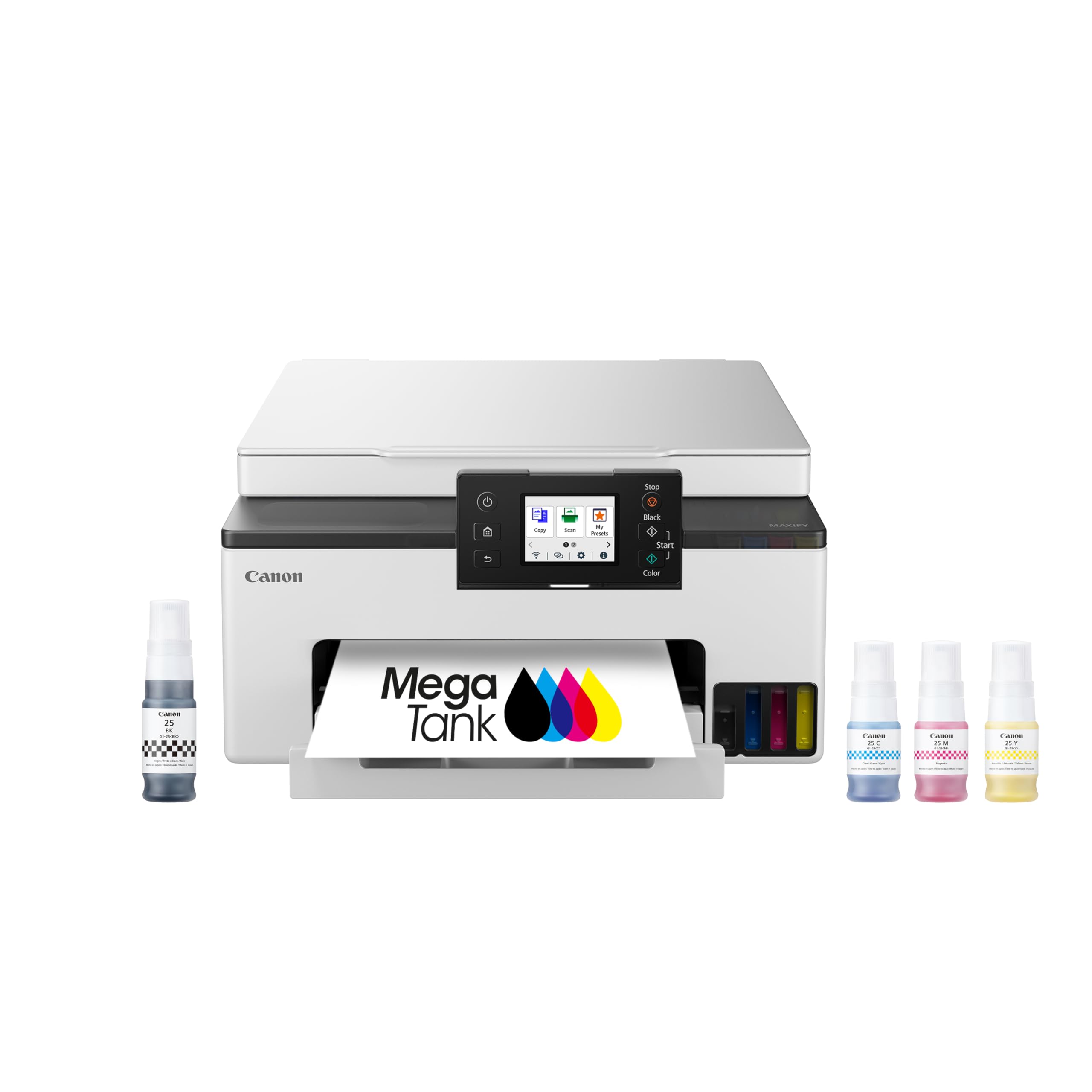
The GX1020 is the quieter, more compact sibling of the GX2020, designed for home offices where noise is a real concern. It produces copies that are nearly indistinguishable from the original, and its pigment-based ink is water-resistant and smudge-proof, making it ideal for documents that get handled frequently. The ink bottle system is straightforward — fill the refillable tanks via the keyed bottles, with no mess and no cartridge replacement guesswork.
Auto duplex printing works flawlessly, and the 2.7-inch color touchscreen provides live ink level monitoring and easy setup. Some users reported an initial “insufficient ink” error that resolved after a firmware update or a few minutes of printing. Wi-Fi setup via the QR code on the touchscreen usually works, but a small number of users needed to manually enter credentials for their 2.4GHz network due to compatibility quirks.
The 3,000-page B&W and 3,000-page color yield from a single set of ink bottles is impressive for a compact unit. However, the lack of an ADF means you must manually feed each page for scanning or copying. If your workflow involves scanning stacks of documents, the GX2020 with its 35-sheet ADF is a better fit, but the GX1020’s silence and smaller size win for personal desks.
Why it’s great
- Very quiet operation compared to lasers
- Excellent document print quality with pigment ink
- Ultra-low cost per page with ink tanks
- Replaceable print head for long-term servicability
Good to know
- No auto document feeder
- AirPrint may be unreliable on some networks
- Color photos can be slightly muted
3. HP LaserJet MFP M234sdw

The HP M234sdw is the sweet spot for a home office that needs an all-in-one with wireless and automatic duplexing without crossing into premium pricing. It prints 30 ppm, scans, copies, and includes a 40-sheet auto document feeder that makes short work of multi-page receipts and contracts. Setup via the HP Smart app is genuinely simple — the app guides you through network connection and cartridge installation in under ten minutes.
Print quality is consistent and sharp, with no smudging even on double-sided prints. The dual-band Wi-Fi with self-reset functionality automatically detects and resolves connectivity issues, which is a significant upgrade over older HP models that frequently went offline. The control panel is built into the top of the paper tray, which wobbles slightly when you press buttons, but it does not affect print quality.
The M234sdw is HP Instant Ink eligible, which can reduce per-page costs if you print regularly. Non-HP toner cartridges are blocked by the printer’s firmware, so you are tied to HP’s supply chain. For a home office printing under 300 pages a month, the upfront value and reliable wireless performance make this an easy recommendation.
Why it’s great
- Fast 30 ppm monochrome printing with auto duplex
- Wireless setup via HP Smart app is seamless
- Auto self-reset for Wi-Fi connection drops
- Compact design fits small desks
Good to know
- Control panel on top of wobbling paper tray
- Blocks non-HP toner cartridges
- Scan resolution could be sharper
4. Brother MFC-J1012DW
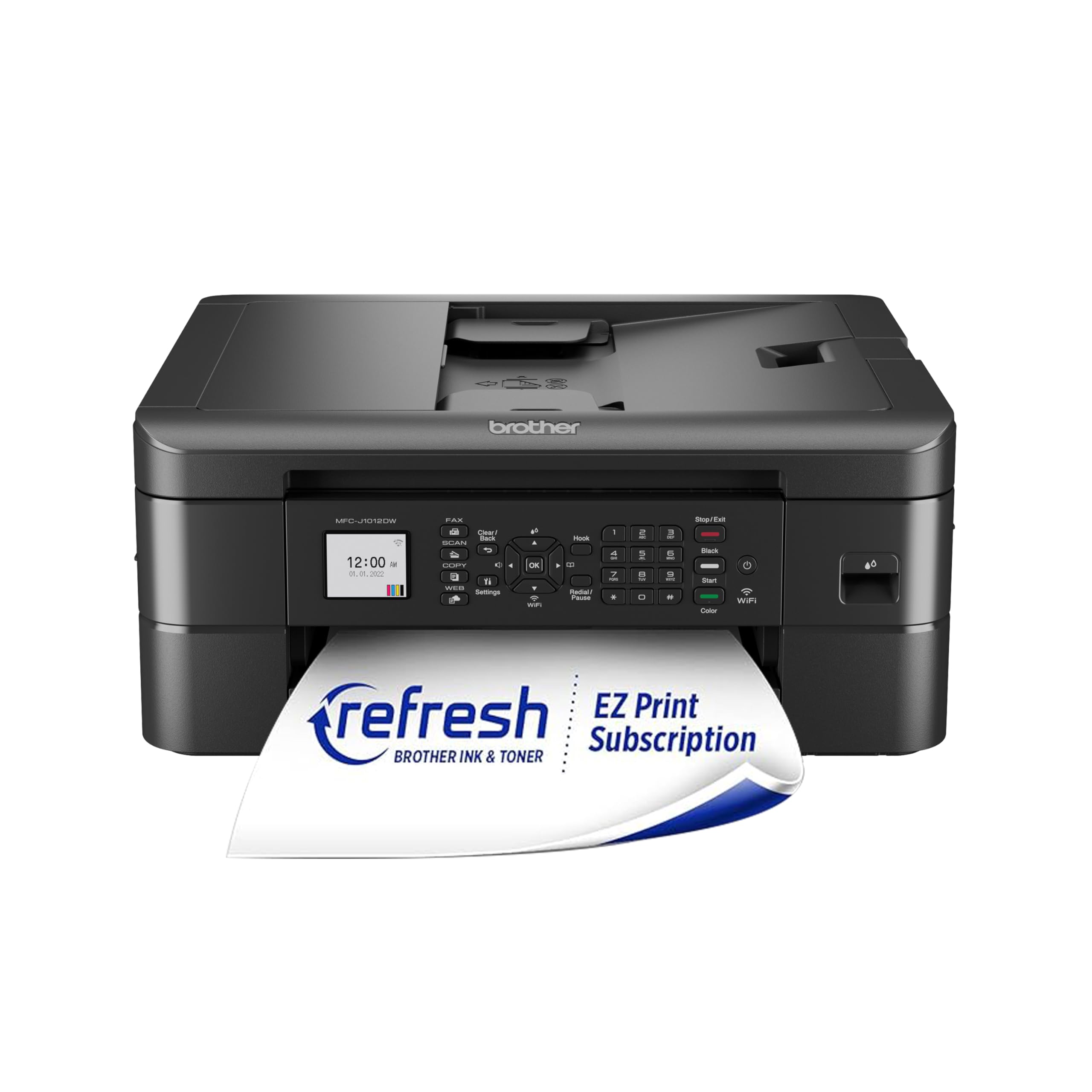
The Brother MFC-J1012DW is the entry-level color inkjet that does not feel cheap. It includes print, scan, copy, and fax in a chassis that is genuinely small — about the width of a filing folder. The 1.8-inch color display is basic but functional, and the 20-sheet ADF is adequate for light use. Wireless setup is smooth through the Brother Mobile Connect app, and the printer is compatible with Amazon Alexa for voice-activated printing.
Black text quality is on par with HP laser printers, though color output is less saturated than Canon inkjets. Print speeds of 17 ppm black and 9 ppm color are typical for an inkjet at this level — fine for occasional use but slow for bulk jobs. The starter ink cartridges included in the box are standard yield, not the disappointing “setup” cartridges some brands use.
The build quality is the weak point. The plastic chassis feels flimsy, and the paper tray has a loose fit. Several users reported that the printer required frequent recalibration when using non-Brother ink. For a home office that prints mostly text with occasional color, this is a capable budget choice, but high-volume users should upgrade to a laser or MegaTank model.
Why it’s great
- True all-in-one with fax and ADF
- Standard-yield ink included, not starter cartridges
- Quiet operation, fast startup
- Brother Mobile Connect app works well
Good to know
- Plastic build feels a bit flimsy
- Color saturation is less vibrant than competitors
- ADF cannot handle narrow receipts
2. HP LaserJet M209d

The HP LaserJet M209d strips away Wi-Fi, scanning, and copying to deliver a focused, fast, and affordable monochrome laser printer. At 30 ppm with automatic duplex, it handles double-sided document printing faster than many all-in-ones in its class. The USB-only connection is a deliberate trade-off: no printer offline errors, no Wi-Fi configuration, just plug in and print.
Setup on Windows is as simple as connecting the included USB cable and letting the system detect the printer — no app downloads or account creation required. Mac users face a more difficult path: the printer is not compatible with macOS Monterey (version 12) or later using standard drivers, and HP has not released updates. Windows users, however, report rock-solid reliability and crisp text output page after page.
The compact 8.07 x 13.98 x 11-inch footprint saves significant desk space. The printer lacks a display, relying instead on smart-guided buttons for basic operations. Toner does not dry out from infrequent use, making this ideal for a home office that prints only a few times a week but needs every page to look professional.
Why it’s great
- Fast 30 ppm duplex printing
- USB connection eliminates network issues
- Compact and space-saving design
- Laser toner stays fresh for weeks of inactivity
Good to know
- Not compatible with macOS 12 or later
- USB-only, no Wi-Fi or Ethernet
- Blocks non-HP toner cartridges
1. Canon PIXMA TS7720

The Canon PIXMA TS7720 is the smallest printer in this lineup, designed for the home office where every inch of desk space counts. Its 2.7-inch LCD touchscreen provides intuitive control, and the two-cartridge system (one black pigment, one color dye) simplifies ink replacement. Print speeds are moderate at 15 ppm black and 10 ppm color, but the quality is where Canon excels — text is crisp, and photos on glossy paper are vibrant.
Setup takes about an hour for non-technical users, primarily because the Canon app is crowded with options and the printer defaults to a 4-hour auto-off mode that interrupts print jobs. You must enable Auto Power On in the printer’s preferences to allow it to wake when a print command is sent. Once configured, wireless printing from iOS and Android works reliably via AirPrint and Canon Print.
The rear paper tray must be pulled out manually, and if the printer is off, any paper left in the tray can fall out. Photo quality on 8×10 paper is good but not lab-grade, and occasional banding may appear on solid fills. The TS7720 is best for a low-volume home office (50-100 pages per month) that needs occasional color printing and values a small footprint above all else.
Why it’s great
- Smallest footprint of any model here
- Good print quality for text and photos
- Intuitive 2.7-inch touchscreen
- Affordable two-cartridge system
Good to know
- Slow startup and wake time
- Auto-off mode can interrupt prints
- No auto document feeder
FAQ
Is a laser or inkjet better for a home office that prints only occasionally?
What is the difference between a MegaTank and a regular inkjet printer?
Does a compact printer need dual-band Wi-Fi for a home office?
What does “starter” cartridge mean and why does it matter?
Final Thoughts: The Verdict
For most users, the best compact printer for home office work is the Brother MFC-L2820DW because it combines the fastest print speed in this class with a 50-sheet ADF, dual-band Wi-Fi, and a very low per-page cost. If you need color without the cartridge expense, grab the Canon MegaTank MAXIFY GX2020. And for the smallest possible footprint on a tight desk, nothing beats the Canon PIXMA TS7720.

Mo Maruf
I created WellFizz to bridge the gap between vague wellness advice and actionable solutions. My mission is simple: to decode the research and give you practical tools you can actually use.
Beyond the data, I am a passionate traveler. I believe that stepping away from the screen to explore new environments is essential for mental clarity and physical vitality.