Our readers keep the lights on and my smoothie glass nicely filled. As an Amazon Associate, I earn from qualifying purchases.
Printing a crisp photo or a clear document while away from your desk used to require bulky equipment or a trip to the store. That compromise ends with the current generation of truly mobile printers that slip into a bag and connect directly to your phone. Each model here balances size, output quality, and connectivity to solve a specific set of travel or home-office needs.
I’m Mohammad Maruf — the founder and writer behind WellFizz. This guide is built on dozens of hours comparing print technologies, battery specs, connection methods, and real-world user feedback for compact mobile printers.
After reviewing the leading models on the market, these picks represent the best compact portable printer options for everything from instant photo stickers to full-page documents on the road.
How To Choose The Best Compact Portable Printer
Picking the right mobile printer comes down to matching the print technology to your primary output — photo stickers, full-color 4×6 prints, or black-and-white documents. Your device ecosystem, typical travel weight, and how often you print all steer the decision.
Print Technology: ZINK vs Dye-Sublimation vs Thermal
ZINK (Zero Ink) printers embed dye crystals in the paper itself, activated by heat. These units are tiny and need no cartridges, but color accuracy can lean warm. Dye-sublimation printers use a ribbon to layer cyan, magenta, and yellow onto the paper, then seal it with a protective coat — this yields richer, more durable prints. Thermal printers produce sharp monochrome output using heat-sensitive paper, perfect for documents and lists with zero ink costs.
Paper Size and Use Case Match
A printer that handles 2×3″ sticker paper is ideal for journaling and scrapbooking but useless for a one-page contract. For document work, you need a model that accepts US Letter or A4 paper. Some units offer both roll paper and single-sheet feeding, giving you flexibility across tasks. Define your most frequent output size before shopping.
Battery Runtime and Connectivity
True portability means the printer runs on a rechargeable battery. Look for units that deliver at least 20 prints per charge for photos and 100+ pages for document thermal printers. Wi-Fi Direct or Bluetooth 5.0 creates a reliable connection without hunting for a network — crucial when you print on a train, in a park, or at a client site.
Quick Comparison
On smaller screens, swipe sideways to see the full table.
| Model | Category | Best For | Key Spec | Amazon |
|---|---|---|---|---|
| Liene Pearl N200 Pro | Photo Sticker | Vibrant AI-enhanced 2×3″ sticker prints | Dye-sublimation, 300 dpi | Amazon |
| Liene M200 4×6″ | Full-Color Photo | Travel-friendly 4×6″ prints with battery | 40 prints per charge | Amazon |
| iDPRT CP4100 | Photo | 4×6″ prints with AR video feature | Dye-sub, 300 dpi | Amazon |
| Canon IVY 2 | Photo Sticker | Compact ZINK sticker prints | ZINK tech, 2×3″ size | Amazon |
| HP Sprocket 2nd Ed. | Photo Sticker | Pocket-sized sticky-back photos | ZINK tech, Bluetooth 5.0 | Amazon |
| YOTON Photo Printer | Photo | 4×6″ prints with AR video | Dye-sub, Wi-Fi connection | Amazon |
| Phomemo M832D | Document | B&W document printing on the go | 300 dpi thermal, 200 pages/charge | Amazon |
| Canon PIXMA TR160 | Document/Photo | Full-color letter-size prints | 5-color hybrid ink system | Amazon |
| Epson WorkForce WF-100 | Document | Business documents on the road | World’s lightest mobile printer | Amazon |
In‑Depth Reviews
1. Liene Pearl N200 Pro
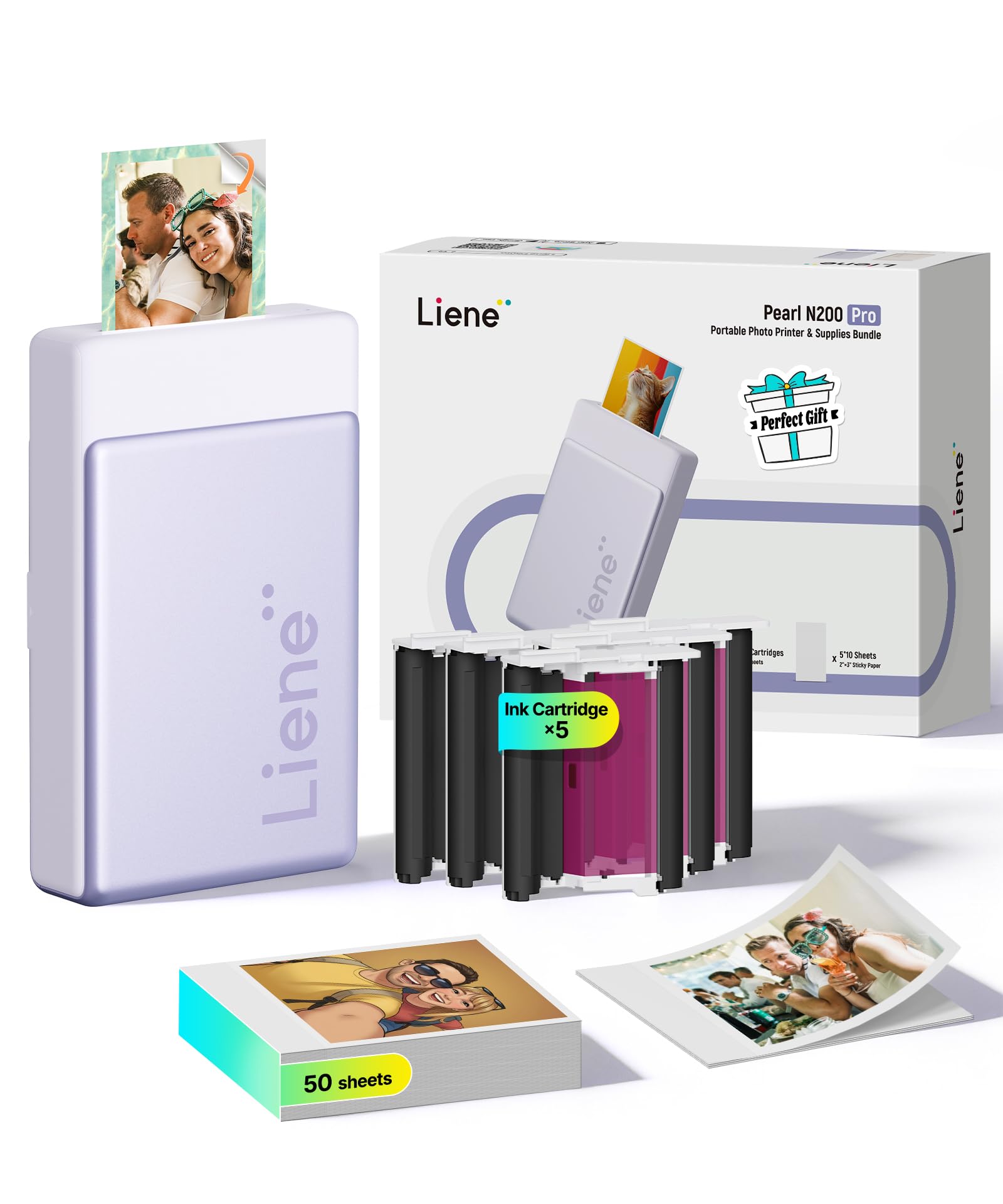
The Liene Pearl N200 Pro delivers the best color accuracy among mini sticker printers thanks to its dye-sublimation process that penetrates ink into the paper layer by layer. Users consistently rank its output above ZINK competitors for true-to-image results, with vibrant, natural tones that need little post-print correction. The 300 dpi resolution keeps details sharp even on small 2×3″ prints.
An AI reimagining feature in the app lets you transform portraits into different artistic styles without leaving the printing workflow. The InstaPic mode offers a shoot-and-print loop with built-in CCD camera filters, reducing the steps between capture and physical output. Battery life supports up to 27 sticker prints per charge, and Bluetooth 5.0 permits multi-device pairing for group use.
Print speed is slightly slower than some ZINK rivals, and the combined cost of paper plus ink cartridges runs higher per print. The app connection process requires an initial pairing step in device settings before the app recognizes the printer. Overall, the N200 Pro sets the quality benchmark for portable photo stickers.
Why it’s great
- Superior color accuracy and vibrancy over ZINK printers
- AI-powered portrait styles and one-touch InstaPic mode
- Peel-and-stick paper with good adhesion
Good to know
- Higher per-print cost for consumables
- App connectivity can be buggy
- Noticeably louder than competitors
2. Liene M200 4×6″ Battery Edition

The Liene M200 steps up to 4×6″ prints while keeping a travel-friendly profile. Its dye-sublimation engine produces photo-lab quality with a protective topcoat that resists water, scratches, and fading. The built-in rechargeable battery delivers 40 prints per charge, making it genuinely cable-free for a weekend trip.
Connection relies on a built-in Wi-Fi hotspot that bypasses home network instability — the printer creates its own network for direct phone pairing in about three seconds. Up to five users can connect simultaneously, which is welcome at gatherings. The magnetic top holds the photo cassette after printing, a thoughtful storage detail.
Print speed sits around one page per minute, which is average for this class. The M200 requires proprietary paper and ink cartridges, so you must plan ahead for refills. The included starter pack of 20 sheets and one cartridge is generous for assessing quality before buying in bulk.
Why it’s great
- True photo-lab quality with water-resistant coating
- 40 prints per charge for genuine portability
- Built-in Wi-Fi hotspot avoids network issues
Good to know
- Proprietary consumables lock you into one supply chain
- No option for borderless printing
- One-minute print time per photo
3. iDPRT CP4100 4×6 Photo Printer

The iDPRT CP4100 delivers 4×6″ dye-sublimation prints in about 60 seconds, with a bundled kit that includes 108 sheets of paper and two ribbon cartridges. This generous starter supply significantly lowers the upfront cost per print. The included ribbon system uses a single cartridge for all four colors, simplifying the replacement process.
An AR video feature lets you link a short video clip to the printed photo through the app — scanning the print replays the moment on your phone. The HeyPhoto app includes filters, text, stickers, and ID photo templates. Build quality feels solid at 4 pounds, though that weight makes it less pocket-friendly than sticker printers.
Some users note a desire for borderless printing, as the default output includes a white margin. The power adapter adds bulk, and the printer has no internal battery, so you need a nearby AC outlet or a portable power station for off-grid use. For home or office tabletop use, the CP4100 is a reliable photo companion.
Why it’s great
- Generous 108-sheet + 2-ribbon starter bundle
- AR video feature adds emotional value to prints
- Fast 60-second print time
Good to know
- No internal battery limits true portability
- White borders on every print
- Heavier than dedicated travel models
4. Canon IVY 2 Mini Photo Printer

Canon’s IVY 2 uses ZINK technology with no ink cartridges — all the color is embedded in the paper itself. The second generation includes optimized skin tones, improved contrast, and sharper detail compared to the original. Bluetooth 5.0 connects quickly to both iOS and Android devices, and fast charging reaches full power in 45 minutes.
A peel-and-stick backing lets you attach prints to notebooks, walls, or gifts without glue. The bundle includes 110 sheets of ZINK paper, a protective case, and a USB-C cable. The LED light bar adds a playful visual cue during printing. At just a few ounces, the IVY 2 is one of the most genuinely pocketable options available.
Color accuracy remains ZINK’s weakness. Some users report a slight warm tint that can wash out cooler tones. The print surface is also more susceptible to scratching compared to dye-sublimation prints. For casual scrapbooking and sticker sharing, the IVY 2 is fun and convenient, but critical eyes will notice the color offset.
Why it’s great
- Fully pocketable size and weight
- No ink or toner to buy or replace
- Quick 45-minute charge time
Good to know
- Color accuracy is less reliable than dye-sub
- Prone to scratches on the print surface
- Higher cost per print compared to dye-sub refills
5. HP Sprocket Portable Photo Printer (2nd Edition)
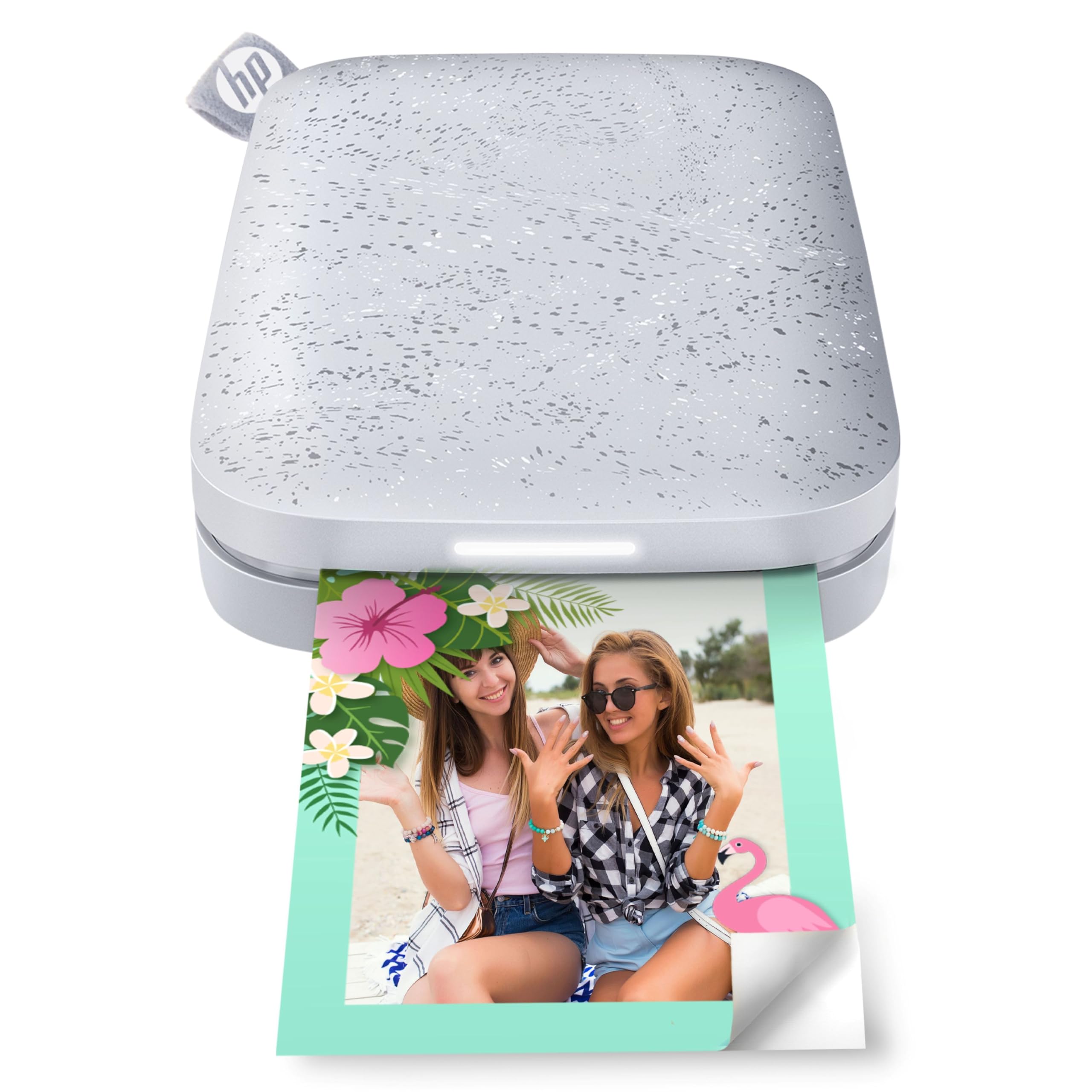
The HP Sprocket 2nd Edition is designed to disappear into a pocket, purse, or backpack. It uses ZINK sticky-backed paper to produce smudge-proof 2×3″ prints without any cartridges. Bluetooth 5.0 with sleep mode keeps the printer connected without draining the battery, so it’s ready to print the moment you open the app.
Multi-device connectivity lets multiple friends queue prints at the same time, with an LED light indicating whose photo is printing. The Sprocket app provides filters, borders, stickers, and collage tools. Battery longevity is strong — users report that it holds a charge well even after weeks of idle time.
A common complaint is a pink or blue color cast on prints. Correcting it requires manual tint adjustments in the app. The paper’s peel-and-stick quality is excellent for journaling, but the color offset means you’ll spend extra time editing to get accurate tones. For its size and price, it remains a top choice for spontaneous memory keeping.
Why it’s great
- Extremely small and lightweight for true pocket carry
- Multi-user print queuing with LED indicators
- Long battery life with Bluetooth sleep mode
Good to know
- Frequent color cast issues require app adjustments
- Limited to 2×3″ size only
- App interface can be tricky for collages
6. YOTON Photo Printer

The YOTON Photo Printer uses dye-sublimation to produce vivid 4×6″ prints with fine texture and good durability. Its AR video feature lets you print a still photo that comes to life when scanned with the app, playing back up to 15 seconds of footage. The printer creates its own Wi-Fi network, ensuring stable connectivity even without internet access.
The unit weighs 970 grams, making it backpack-friendly but not pocketable. It ships with 54 sheets of paper and one ink ribbon, which is sufficient for initial evaluation. Built-in Wi-Fi is faster than Bluetooth for transferring larger image files, and the printer supports both iOS and Android devices.
Setup can be frustrating — the printer requires a 2.4GHz Wi-Fi connection, and the app demands location permissions that some users find intrusive. Paper jams require powering off before clearing, and dust buildup inside the unit can affect print quality if not stored sealed. Once connected, the print quality rivals full-size dye-sub units.
Why it’s great
- AR video printing creates interactive keepsakes
- Self-hosted Wi-Fi for reliable direct connection
- Good 4×6″ print quality from dye-sub technology
Good to know
- Setup requires specific Wi-Fi band and permissions
- Ink ribbon is single-use for about 40-50 prints
- Feels less robust than similarly priced models
7. Phomemo M832D

The Phomemo M832D is the best portable document printer for students, remote workers, and travelers who need crisp black-and-white output. It uses thermal technology, so there are no ink cartridges, toner, or ribbons to buy. The 300 dpi resolution delivers sharp text on US Letter, A4, and multiple roll paper sizes up to 110mm wide.
A 2.01-inch touchscreen displays battery level, connection status, and paper type, allowing adjustments without a phone. The 2600mAh battery prints up to 200 pages on a single charge, and the printer weighs only 1.5 pounds. Bluetooth connectivity is 50% faster than the previous generation, and USB-C supports wired laptop connections.
Thermal printing is monochrome only, so photos and color documents are not supported. Roll paper can curl after printing, requiring flattening for formal use. The included carrying case is basic. For anyone printing invoices, notes, forms, or lists without color needs, the M832D is a cost-saving powerhouse.
Why it’s great
- Zero consumable costs for ink or toner
- 200-page battery capacity for extended field use
- Touchscreen display simplifies setup and monitoring
Good to know
- Monochrome only — no color printing
- Roll paper can emerge curled
- Carrying pouch offers minimal protection
8. Canon PIXMA TR160

The Canon PIXMA TR160 is a full-color inkjet portable that prints documents and photos up to 8.5×11″. Its 5-color hybrid ink system produces sharp black text and vibrant borderless photos. At 4.5 pounds, it’s heavier than a sticker printer but light enough for a dedicated laptop bag pocket.
Wireless Direct Mode lets you connect without a router — ideal for hotel rooms or coffee shops. The Canon PRINT app, Apple AirPrint, and Mopria support make driverless printing straightforward across platforms. The 1.44-inch OLED display shows ink levels and printer status clearly.
The battery is sold separately, so you’re tethered to a power outlet unless you buy the optional pack. The small ink cartridges deliver fewer pages before replacement compared to full-size PIXMA models. Side-mounted ports can feel awkward in tight setups. For full-color mobile printing with no size compromises, the TR160 is a capable desk companion.
Why it’s great
- Full-color inkjet printing up to letter size
- Wireless Direct Mode works without a router
- Compact footprint fits easily in a bag
Good to know
- Battery sold separately
- Ink cartridges have low page yield
- Side-facing ports can be inconvenient
9. Epson WorkForce WF-100

The Epson WorkForce WF-100 has long been the standard for mobile business printing. It’s the world’s lightest and smallest color mobile printer, fitting into a medium laptop bag. The built-in rechargeable lithium-ion battery charges via USB or AC adapter, supporting true cable-free operation for printing contracts, forms, and invoices.
Print speed is competitive for the category at roughly 3.5 pages per minute in black and 1 page per minute in color. The small paper tray holds about 25 sheets, which is typical for a device this size. AirPrint, Google Cloud Print, and Epson’s iPrint app cover most mobile workflows.
The genuine Epson cartridges are expensive — around per black tank, yielding approximately 50 to 70 pages. Print heads can clog if the printer sits unused for a week or more, requiring ink-wasting cleaning cycles that also deplete the maintenance box. The WF-100 demands regular use to remain reliable. For the frequent traveler who prints daily, it’s a proven tool.
Why it’s great
- Truly lightweight and compact for a color inkjet
- Built-in battery enables fully mobile printing
- Solid print speed for travel documents
Good to know
- Ink cartridges are expensive with low page yield
- Print heads clog quickly if not used daily
- Maintenance box needs periodic replacement
FAQ
Can I print without Wi-Fi or cellular data?
How do ZINK and dye-sublimation photo quality compare?
What is the best paper size for a portable printer?
Final Thoughts: The Verdict
For most users, the compact portable printer winner is the Liene Pearl N200 Pro because it offers the best color accuracy and AI features in a truly pocketable size with dye-sublimation quality. If you need full-size 4×6″ prints with photo-lab results and an internal battery, grab the Liene M200. And for zero-cost black-and-white document printing on the go, nothing beats the Phomemo M832D.

Mo Maruf
I created WellFizz to bridge the gap between vague wellness advice and actionable solutions. My mission is simple: to decode the research and give you practical tools you can actually use.
Beyond the data, I am a passionate traveler. I believe that stepping away from the screen to explore new environments is essential for mental clarity and physical vitality.